




已更新 2026年9月4日
產生每月帳戶報表(PDF 文件)
using IronPDF C# PDF 庫,開發人員可以在 .NET 專案中將 HTML 轉換為可靠的 PDF 文件,而無需依賴外部服務。
閱讀更多

IronPDF透過Stream屬性進行記憶體操作,從而實現高效的資料庫儲存、API傳輸和記憶體中的文件操作。
在現代.NET應用程式中,將PDF文件轉換為位元組陣列是一項基本需求。 無論您是需要將PDF儲存在資料庫中,通過API傳輸文件,還是在記憶體中處理文件內容,了解位元組陣列轉換都是必要的。 IronPDF通過其直觀的API簡化了這一過程,使您能夠有效地轉換PDF文件,而無需編寫複雜的基礎設施程式碼。
位元組陣列是一種將二進位資料儲存為位元組序列的資料結構。 在處理PDF文件時,轉換為位元組陣列提供了幾個實際上的優勢。 此格式允許在資料庫BLOB字段中高效儲存,通過網路服務可靠傳輸,以及簡化記憶體中的文件內容操作。
在構建文件管理系統、實施雲端儲存解決方案或建立處理PDF資料的API時,您常常需要將PDF文件轉換為位元組陣列。 二進位資料格式確保文件內容在傳輸和儲存過程中保持完整,保留所有頁面、格式和嵌入資源。
理解何時應該和不應該使用位元組陣列轉換是構建高效文件工作流的重要部分。 對於僅需要將PDF保存到磁碟的應用程式,直接的文件操作更為簡單。 但對於涉及資料庫、API或記憶體處理的任何情境,位元組陣列提供了適當的抽象層。
在多種情境下,位元組陣列轉換變得至關重要。 資料庫儲存是最常見的應用情境,其中PDF作為BLOB字段儲存在SQL Server、PostgreSQL或其他關係型資料庫中。 在實施需要版本控制和高效檢索的文件管理功能時,此方法顯示出價值。
API開發也大量依賴位元組陣列,因為它們為透過RESTful服務或GraphQL入口點傳輸PDF資料提供了一個標準化的格式。 在構建微服務架構時,位元組陣列可以在不引入檔案系統依賴性情況下,實現服務之間的順利PDF資料交換。
以記憶體為基礎的處理情境從位元組陣列轉換中受益匪淺。 在實施PDF浮水印或簽署管道時,使用位元組陣列可以消除磁碟的讀寫負擔。 這在像Azure Functions或AWS Lambda這樣的雲環境中特別重要,因為檔案系統的存取可能受到限制或成本高昂。
通過位元組陣列進行的性能優化以多種方式顯現。 記憶體操作消除了磁碟讀寫延遲,使PDF操作任務的處理時間更快。 在實施快取策略時,儲存在Redis或Memcached中的位元組陣列能比基於文件的替代方案提供毫秒級的檢索時間。
此外,位元組陣列可以高效支持並行處理情境,使多個PDF可以同時處理,而不會遇到文件鎖定問題。 這在構建高吞吐量文件管道時尤其重要,當有數十個PDF操作可能同時運行時。
在大規模部署中,與臨時文件方法相比,位元組陣列還減少了攻擊面的大小。 使用位元組陣列時,臨時文件上不存在競爭條件,失敗後不需要清理,沒有敏感文件內容意外保留在磁碟上的風險。
在將PDF轉換為位元組陣列之前,您需要在.NET專案中安裝IronPDF。 您可以通過NuGet Package Manager或.NET CLI進行此操作:
安裝之後,您需要授權金鑰才能在生產中使用IronPDF。 有一個免費試用授權可用於評估目的。 獲得授權金鑰後,在進行任何IronPDF調用之前設置它:
IronPdf.License.LicenseKey = "YOUR-LICENSE-KEY-HERE";IronPdf.License.LicenseKey = "YOUR-LICENSE-KEY-HERE"安裝完成後,您已準備開始將PDF文件轉換為位元組陣列。
IronPDF的渲染引擎提供了兩種簡單的方法來將PDF文件轉換為位元組陣列。 MemoryStream以提供額外的靈活性。
using IronPdf;

// Set your license key
IronPdf.License.LicenseKey = "YOUR-LICENSE-KEY-HERE";

// Create a new PDF document from HTML
var renderer = new ChromePdfRenderer();
var pdf = renderer.RenderHtmlAsPdf("<h1>Sample Document</h1><p>This is test content.</p>");

// Method 1: Direct conversion to byte array
byte[] pdfBytes = pdf.BinaryData;

// Method 2: Using MemoryStream
using var memoryStream = pdf.Stream;
byte[] pdfBytesFromStream = memoryStream.ToArray();

// Verify the result
Console.WriteLine($"PDF size: {pdfBytes.Length} bytes");Imports IronPdf
' Set your license key
IronPdf.License.LicenseKey = "YOUR-LICENSE-KEY-HERE"
' Create a new PDF document from HTML
Dim renderer As New ChromePdfRenderer()
Dim pdf = renderer.RenderHtmlAsPdf("<h1>Sample Document</h1><p>This is test content.</p>")
' Method 1: Direct conversion to byte array
Dim pdfBytes As Byte() = pdf.BinaryData
' Method 2: Using MemoryStream
Using memoryStream = pdf.Stream
Dim pdfBytesFromStream As Byte() = memoryStream.ToArray()
End Using
' Verify the result
Console.WriteLine($"PDF size: {pdfBytes.Length} bytes")上面的程式碼演示了兩種轉換方法。 BinaryData屬性提供最直接的方法,立即返回位元組陣列表示。 對於需要流操作的情境,ToArray()方法將其轉換為位元組。 這種靈活性在與期望流輸入的庫整合時非常有用。
對於HTML轉PDF的情境,這些方法以相同的方式處理渲染輸出。 底層的位元組表示完整渲染的PDF,無論您如何生成文件。
在Stream之間的選擇取決於您的具體使用情境。 當您需要立即存取完整的位元組陣列時,使用BinaryData,例如儲存在資料庫中或通過API發送。 此方法對於簡單的轉換情境最優,並為單次操作提供最佳性能。
當處理流API、實施漸進式上傳或大型PDF時需要記憶體效率時,Stream方法更為合適。 基於流的處理允許分塊操作,並與ASP.NET Core的流式響應模式更好整合。
在生產環境中,考慮實施完整的錯誤處理:
using IronPdf;
using System;

IronPdf.License.LicenseKey = "YOUR-LICENSE-KEY-HERE";

var renderer = new ChromePdfRenderer
{
    RenderingOptions = new ChromePdfRenderOptions
    {
        CssMediaType = PdfCssMediaType.Print,
        EnableJavaScript = true,
        RenderDelay = 100
    }
};

byte[] ConvertHtmlToPdfBytes(string html)
{
    try
    {
        var pdf = renderer.RenderHtmlAsPdf(html);
        return pdf.BinaryData;
    }
    catch (IronPdf.Exceptions.IronPdfProductException ex)
    {
        throw new InvalidOperationException("PDF generation failed", ex);
    }
}

var result = ConvertHtmlToPdfBytes("<h1>Invoice</h1><p>Amount due: $250</p>");
Console.WriteLine($"Generated PDF: {result.Length} bytes");Imports IronPdf
Imports System
IronPdf.License.LicenseKey = "YOUR-LICENSE-KEY-HERE"
Dim renderer = New ChromePdfRenderer With {
.RenderingOptions = New ChromePdfRenderOptions With {
.CssMediaType = PdfCssMediaType.Print,
.EnableJavaScript = True,
.RenderDelay = 100
}
}
Function ConvertHtmlToPdfBytes(html As String) As Byte()
Try
Dim pdf = renderer.RenderHtmlAsPdf(html)
Return pdf.BinaryData
Catch ex As IronPdf.Exceptions.IronPdfProductException
Throw New InvalidOperationException("PDF generation failed", ex)
End Try
End Function
Dim result = ConvertHtmlToPdfBytes("<h1>Invoice</h1><p>Amount due: $250</p>")
Console.WriteLine($"Generated PDF: {result.Length} bytes")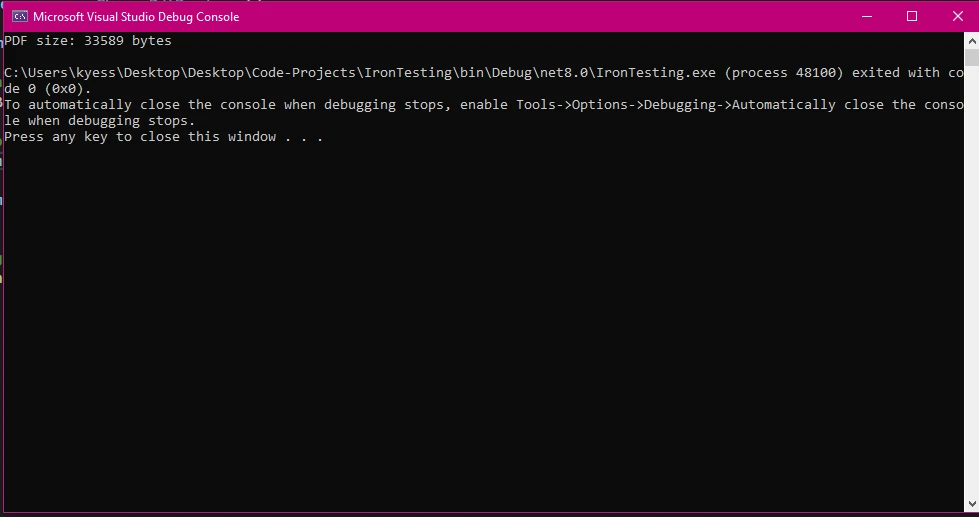
在處理磁碟上的現有PDF文件時,IronPDF的文件載入功能可以輕鬆讀取文件內容並將其轉換為位元組陣列。 此功能在批處理情境下至關重要,或者在將現有的文件庫遷移到雲端儲存時。
using IronPdf;
using System.IO;

IronPdf.License.LicenseKey = "YOUR-LICENSE-KEY-HERE";

// Load an existing PDF document
var existingPdf = PdfDocument.FromFile("report.pdf");

// Convert to byte array using BinaryData
byte[] fileBytes = existingPdf.BinaryData;

// Alternative: Using System.IO for direct file reading
byte[] directBytes = File.ReadAllBytes("report.pdf");

// Create PdfDocument from byte array
var loadedPdf = new PdfDocument(directBytes);

// Verify pages were loaded correctly
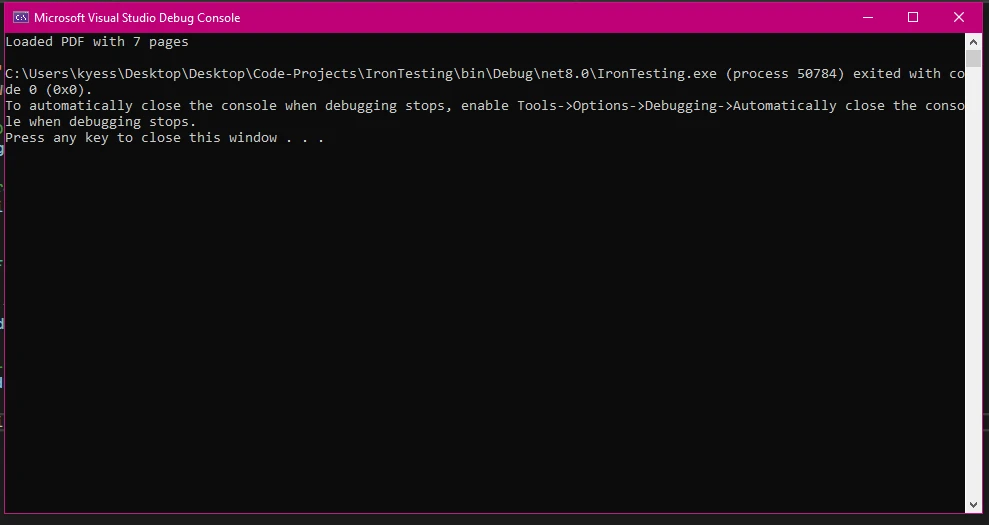
Console.WriteLine($"Loaded PDF with {loadedPdf.PageCount} pages");Imports IronPdf
Imports System.IO
IronPdf.License.LicenseKey = "YOUR-LICENSE-KEY-HERE"
' Load an existing PDF document
Dim existingPdf As PdfDocument = PdfDocument.FromFile("report.pdf")
' Convert to byte array using BinaryData
Dim fileBytes As Byte() = existingPdf.BinaryData
' Alternative: Using System.IO for direct file reading
Dim directBytes As Byte() = File.ReadAllBytes("report.pdf")
' Create PdfDocument from byte array
Dim loadedPdf As New PdfDocument(directBytes)
' Verify pages were loaded correctly
Console.WriteLine($"Loaded PDF with {loadedPdf.PageCount} pages")上面的程式碼顯示了處理現有文件的兩種方法。 IronPDF的BinaryData屬性的存取。 或者,您可以直接使用PdfDocument實例。 這種雙重方法為不同的架構模式提供靈活性。
當您需要進行後續PDF操作,如提取文字、新增數位簽名或修改頁面時,使用IronPDF的FromFile。 此方法確保PDF被適當解析並準備好進行操作。
當您只需要原始位元組且不需進行PDF特定的處理時,System.IO方法適合簡單文件傳輸。 在PDF處理前實施文件驗證或在構建不特定於IronPDF的一般文件處理工具時,考慮使用System.IO方法。
一個實用的規則:如果您計劃在載入後讀取或修改PDF的內容,請使用IronPDF的FromFile。 如果您只需要在周圍移動位元組——到資料庫、API或消息隊列,那麼File.ReadAllBytes()方法更簡單且依賴性更少。
處理大型PDF需要小心的記憶體管理。 對於超過100MB的文件,考慮實施分段處理的流解決方案。 儘可能使用IronPDF的壓縮功能來減小文件大小,然後再進行位元組陣列轉換。
在處理多頁文件時,實施分頁策略,逐個頁面載入和處理,而不是一次性將整個文件載入到記憶體中。 使用性能分析工具監視記憶體使用情況,並通過using語句實現適當的銷毀模式。
using IronPdf;
using System;
using System.Threading.Tasks;

IronPdf.License.LicenseKey = "YOUR-LICENSE-KEY-HERE";

async Task ProcessLargePdfAsync(string filePath, int chunkSize = 10)
{
    using var pdf = PdfDocument.FromFile(filePath);
    var totalPages = pdf.PageCount;

    for (int i = 0; i < totalPages; i += chunkSize)
    {
        var endPage = Math.Min(i + chunkSize - 1, totalPages - 1);

        // Extract chunk as new PDF
        using var chunkPdf = pdf.CopyPages(i, endPage);
        byte[] chunkBytes = chunkPdf.BinaryData;

        // Process chunk (e.g., save to database, compress, etc.)
        await ProcessChunkAsync(chunkBytes, i, endPage);
    }
}

async Task ProcessChunkAsync(byte[] bytes, int startPage, int endPage)
{
    Console.WriteLine($"Processing pages {startPage}-{endPage}: {bytes.Length} bytes");
    await Task.CompletedTask;
}

await ProcessLargePdfAsync("large-document.pdf");Imports IronPdf
Imports System
Imports System.Threading.Tasks
IronPdf.License.LicenseKey = "YOUR-LICENSE-KEY-HERE"
Public Module PdfProcessor
Public Async Function ProcessLargePdfAsync(filePath As String, Optional chunkSize As Integer = 10) As Task
Using pdf = PdfDocument.FromFile(filePath)
Dim totalPages = pdf.PageCount
For i As Integer = 0 To totalPages - 1 Step chunkSize
Dim endPage = Math.Min(i + chunkSize - 1, totalPages - 1)
' Extract chunk as new PDF
Using chunkPdf = pdf.CopyPages(i, endPage)
Dim chunkBytes As Byte() = chunkPdf.BinaryData
' Process chunk (e.g., save to database, compress, etc.)
Await ProcessChunkAsync(chunkBytes, i, endPage)
End Using
Next
End Using
End Function
Public Async Function ProcessChunkAsync(bytes As Byte(), startPage As Integer, endPage As Integer) As Task
Console.WriteLine($"Processing pages {startPage}-{endPage}: {bytes.Length} bytes")
Await Task.CompletedTask
End Function
Public Sub Main()
ProcessLargePdfAsync("large-document.pdf").GetAwaiter().GetResult()
End Sub
End Module將位元組陣列轉換回PDF文件同樣簡單。 當從資料庫檢索PDF資料或通過API接收文件時,這一功能至關重要。該過程保持文件完整,同時允許進一步操作或交付給最終使用者。
using IronPdf;
using System.IO;

IronPdf.License.LicenseKey = "YOUR-LICENSE-KEY-HERE";

// Simulate fetching PDF bytes from a database or API
byte[] GetPdfBytesFromDatabase()
{
    return File.ReadAllBytes("example.pdf");
}

// Retrieve bytes
byte[] pdfBytes = GetPdfBytesFromDatabase();

// Create PdfDocument from byte array
var pdfDocument = new PdfDocument(pdfBytes);

// Perform operations on the restored document
Console.WriteLine($"Restored document has {pdfDocument.PageCount} pages");

// Save the document (with any modifications)
pdfDocument.SaveAs("restored-document.pdf");

// Or get updated bytes for further storage
byte[] updatedBytes = pdfDocument.BinaryData;
Console.WriteLine($"Updated bytes: {updatedBytes.Length}");Imports IronPdf
Imports System.IO
IronPdf.License.LicenseKey = "YOUR-LICENSE-KEY-HERE"
' Simulate fetching PDF bytes from a database or API
Private Function GetPdfBytesFromDatabase() As Byte()
Return File.ReadAllBytes("example.pdf")
End Function
' Retrieve bytes
Dim pdfBytes As Byte() = GetPdfBytesFromDatabase()
' Create PdfDocument from byte array
Dim pdfDocument As New PdfDocument(pdfBytes)
' Perform operations on the restored document
Console.WriteLine($"Restored document has {pdfDocument.PageCount} pages")
' Save the document (with any modifications)
pdfDocument.SaveAs("restored-document.pdf")
' Or get updated bytes for further storage
Dim updatedBytes As Byte() = pdfDocument.BinaryData
Console.WriteLine($"Updated bytes: {updatedBytes.Length}")PdfDocument構造函式直接接受位元組陣列,從而平滑地將二進位資料轉換回可工作的PDF。 這一功能對於實施PDF中心儲存並按需處理的文件工作流至關重要。

常見的轉換錯誤包括損壞的位元組陣列、不完整的資料傳輸和編碼問題。 實施try-catch塊來處理在載入可能損壞的資料時的InvalidPdfException。 在轉換之前使用檢查碼或雜湊驗證來驗證位元組陣列的完整性。
對於需要密碼保護的PDF,確保在建立文件時提供正確的憑證。 在處理大型文件時監控記憶體不足異常,並使用using語句實施適當的記憶體管理策略,以確保確定性的清理。
在生產中可以良好運作的防禦性模式是在嘗試建立PdfDocument之前驗證位元組陣列。 檢查陣列是否不為null,是否有合理的最小大小(有效PDF至少為幾百個位元組),並以PDF匹配型位元組%PDF開頭。
驗證確保文件在轉換後的可靠性。 檢查PageCount屬性以驗證所有頁面是否載入正確。 使用IronPDF的文字提取功能從特定頁面進行內容取樣並與預期值進行比較。
在需要符合回路完整性時,通過在轉換前後比較SHA-256雜湊實現檢查碼驗證。 對於真實性至關重要的文件,考慮實施數位簽名驗證以確保文件未被篡改。
using IronPdf;
using System;
using System.Security.Cryptography;

IronPdf.License.LicenseKey = "YOUR-LICENSE-KEY-HERE";

bool ValidatePdfBytes(byte[] pdfBytes)
{
    if (pdfBytes == null || pdfBytes.Length < 100)
        return false;

    // Check PDF magic bytes
    if (pdfBytes[0] != 0x25 || pdfBytes[1] != 0x50 || pdfBytes[2] != 0x44 || pdfBytes[3] != 0x46)
        return false;

    try
    {
        using var pdf = new PdfDocument(pdfBytes);
        return pdf.PageCount > 0;
    }
    catch (Exception)
    {
        return false;
    }
}

string ComputeSha256(byte[] data)
{
    using var sha256 = SHA256.Create();
    return BitConverter.ToString(sha256.ComputeHash(data)).Replace("-", "");
}

// Usage
byte[] pdfData = File.ReadAllBytes("example.pdf");
Console.WriteLine($"Valid PDF: {ValidatePdfBytes(pdfData)}");
Console.WriteLine($"SHA-256: {ComputeSha256(pdfData)}");Imports IronPdf
Imports System
Imports System.Security.Cryptography
Imports System.IO
IronPdf.License.LicenseKey = "YOUR-LICENSE-KEY-HERE"
Function ValidatePdfBytes(pdfBytes As Byte()) As Boolean
If pdfBytes Is Nothing OrElse pdfBytes.Length < 100 Then
Return False
End If
' Check PDF magic bytes
If pdfBytes(0) <> &H25 OrElse pdfBytes(1) <> &H50 OrElse pdfBytes(2) <> &H44 OrElse pdfBytes(3) <> &H46 Then
Return False
End If
Try
Using pdf As New PdfDocument(pdfBytes)
Return pdf.PageCount > 0
End Using
Catch ex As Exception
Return False
End Try
End Function
Function ComputeSha256(data As Byte()) As String
Using sha256 As SHA256 = SHA256.Create()
Return BitConverter.ToString(sha256.ComputeHash(data)).Replace("-", "")
End Using
End Function
' Usage
Dim pdfData As Byte() = File.ReadAllBytes("example.pdf")
Console.WriteLine($"Valid PDF: {ValidatePdfBytes(pdfData)}")
Console.WriteLine($"SHA-256: {ComputeSha256(pdfData)}")記憶體流提供了一種有效的方法來處理PDF內容而不建立臨時文件。 這一方法在需要動態生成和提供PDF的網頁應用程式中顯得特別有用。
using IronPdf;
using System.IO;

IronPdf.License.LicenseKey = "YOUR-LICENSE-KEY-HERE";

var renderer = new ChromePdfRenderer();

// Generate PDF and work with it as a stream
var pdf = renderer.RenderHtmlAsPdf("<h1>Invoice</h1><p>Total: $100</p>");

using var pdfStream = pdf.Stream;
byte[] pdfData = pdfStream.ToArray();

// Use bytes for web response, email attachment, or storage
Console.WriteLine($"PDF data ready: {pdfData.Length} bytes");

// Load PDF from byte array into a new MemoryStream
byte[] storedBytes = pdfData; // Typically retrieved from a database
using var loadStream = new MemoryStream(storedBytes);
var restoredPdf = new PdfDocument(loadStream);
Console.WriteLine($"Restored: {restoredPdf.PageCount} page(s)");Imports IronPdf
Imports System.IO
IronPdf.License.LicenseKey = "YOUR-LICENSE-KEY-HERE"
Dim renderer As New ChromePdfRenderer()
' Generate PDF and work with it as a stream
Dim pdf = renderer.RenderHtmlAsPdf("<h1>Invoice</h1><p>Total: $100</p>")
Using pdfStream = pdf.Stream
Dim pdfData As Byte() = pdfStream.ToArray()
' Use bytes for web response, email attachment, or storage
Console.WriteLine($"PDF data ready: {pdfData.Length} bytes")
' Load PDF from byte array into a new MemoryStream
Dim storedBytes As Byte() = pdfData ' Typically retrieved from a database
Using loadStream As New MemoryStream(storedBytes)
Dim restoredPdf As New PdfDocument(loadStream)
Console.WriteLine($"Restored: {restoredPdf.PageCount} page(s)")
End Using
End Using此範例演示了建立、保存和載入PDF的完整工作流,使用記憶體流。 這種模式在生成報告或按需建立發票時特別有效,您希望避免任何臨時文件建立。
當在ASP.NET Core入口點中提供PDF時,記憶體流也是正確的方法。 您可以直接將位元組管道輸入到響應中,而不需寫入磁碟。 .NET運行時對於檔案大小達到幾兆字節的文件提供了有效的緩衝處理。
記憶體流在需要漸進處理或與基於流的API整合時表現出色。在實施處理PDF的文件上傳處理程式或在構建提供PDF的流式入口點但不緩衝整個文件時,使用它們。
主要區別在於MemoryStream提供了一個遊標位置,並允許逐步讀取資料,而位元組陣列則是一個簡單的緩衝區。 如果您要整合的API接受Stream屬性。 如果它接受BinaryData。
這兩種方法都與IronPDF的PDF功能相容,例如新增頁眉和頁腳,處理PDF表單,以及將PDF轉換為圖像。 記憶體表示是一樣的; 僅是存取模式不同。
記憶體優化策略包括正確實施銷毀模式,使用using語句進行自動資源清理,以及在可能的情況下分段處理PDF。 考慮將大型PDF拆分成小段以便並行處理。
在高吞吐量的情境下為頻繁分配的位元組陣列實施記憶體池。 .NET中的ArrayPool<byte>類提供了一個可重用的位元組陣列共享池,降低了當您每秒處理許多PDF時的垃圾回收壓力。
對於非常大的文件,考慮您是否真的需要一次性在記憶體中獲取整個PDF。 IronPDF的頁面級操作允許您處理單個頁面,這可以在生成大型報告時大大降低峰值記憶體消耗。
在網頁應用程式中提供PDF時,正確的位元組陣列處理可以確保最佳的性能和正確的瀏覽器行為。 這裡有一個簡單的控制器操作示範,生成一個PDF並將其作為文件下載返回:
using Microsoft.AspNetCore.Mvc;
using IronPdf;
using System;
using System.Threading.Tasks;

IronPdf.License.LicenseKey = "YOUR-LICENSE-KEY-HERE";

// Minimal API endpoint (top-level statements, .NET 10)
var builder = WebApplication.CreateBuilder(args);
var app = builder.Build();

app.MapGet("/api/report/{reportId}", async (int reportId) =>
{
    var renderer = new ChromePdfRenderer
    {
        RenderingOptions = new ChromePdfRenderOptions
        {
            MarginTop = 25,
            MarginBottom = 25,
            CssMediaType = PdfCssMediaType.Print,
            EnableJavaScript = true
        }
    };

    try
    {
        var html = $"<h1>Report #{reportId}</h1><p>Generated: {DateTime.UtcNow:yyyy-MM-dd}</p>";
        var pdf = renderer.RenderHtmlAsPdf(html);
        var pdfBytes = pdf.BinaryData;

        return Results.File(pdfBytes, "application/pdf", $"report-{reportId}.pdf");
    }
    catch (Exception ex)
    {
        return Results.Problem($"PDF generation failed: {ex.Message}");
    }
});

app.Run();Imports Microsoft.AspNetCore.Mvc
Imports IronPdf
Imports System
Imports System.Threading.Tasks
IronPdf.License.LicenseKey = "YOUR-LICENSE-KEY-HERE"
' Minimal API endpoint (top-level statements, .NET 10)
Dim builder = WebApplication.CreateBuilder(args)
Dim app = builder.Build()
app.MapGet("/api/report/{reportId}", Async Function(reportId As Integer)
Dim renderer = New ChromePdfRenderer With {
.RenderingOptions = New ChromePdfRenderOptions With {
.MarginTop = 25,
.MarginBottom = 25,
.CssMediaType = PdfCssMediaType.Print,
.EnableJavaScript = True
}
}
Try
Dim html = $"<h1>Report #{reportId}</h1><p>Generated: {DateTime.UtcNow:yyyy-MM-dd}</p>"
Dim pdf = renderer.RenderHtmlAsPdf(html)
Dim pdfBytes = pdf.BinaryData
Return Results.File(pdfBytes, "application/pdf", $"report-{reportId}.pdf")
Catch ex As Exception
Return Results.Problem($"PDF generation failed: {ex.Message}")
End Try
End Function)
app.Run()此模式適用於任何.NET網頁框架。 在最小API中的Content-Type: application/pdf標頭,並在瀏覽器中觸發文件下載。
對於經常存取的報告,考慮新增HTTP快取標頭。 從PDF位元組計算ETag,使客戶端能夠在本地快取文件,避免冗餘下載,這降低了伺服器負載和資料傳輸成本。
並發的PDF操作需要仔細的同步。 建立獨立的ChromePdfRenderer實例以執行緒或請求為單位進行並行處理——渲染器不是執行緒安全的,不應在並發操作間共享。
當需要限制同時的PDF生成操作次數時,使用SemaphoreSlim進行限速。 這可以防止在高流量情境下發生記憶體耗盡,當許多使用者可能同時請求PDF生成時。
對於長時間運行的PDF生成任務,考慮使用像Hangfire這樣的庫或內建.NET IHostedService將工作移到後台隊列。 這保持HTTP響應時間短,允許PDF異步處理,將結果作為位元組陣列儲存在資料庫中以便稍後檢索。
在網頁應用程式中處理PDF位元組陣列時,安全性始終至關重要。 使用IronPDF的安全功能對敏感的PDF進行加密,驗證文件大小以防止使用者端上傳巨型文件造成的拒絕服務攻擊,以及清理文件名稱以防止路徑遍歷漏洞。
對來自外部來源的傳入PDF位元組陣列要與任何不受信的輸入一樣謹慎對待。 格式錯誤或惡意的PDF可能會觸發PDF解析器中的漏洞。 在處理它們之前,始終驗證位元組,並考慮在特別敏感的應用程式中在沙盒環境中運行PDF處理。
對於允許使用者上傳PDF文件的應用程式,在應用層和伺服器層強制最大文件大小限制。 只有在驗證後才儲存上傳的位元組,並且在未經徹底審查的情況下,絕不要在特權上下文中執行或渲染它們。
下表總結了常見PDF位元組陣列情境的推薦做法:
| 情境 | 推薦方法 | 關鍵考量 |
|---|---|---|
| 在資料庫中儲存PDF | 使用BinaryData屬性 | 儲存為BLOB/BYTEA列型別 |
| 通過API提供PDF | 使用正確MIME型別返回位元組陣列 | Set Content-Type: application/pdf |
| 流式大型PDF | 使用Stream屬性 | 避免緩衝整個文件到記憶體中 |
| 載入PDF以供編輯 | Use PdfDocument.FromFile() | 在需要後續操作時偏好 |
| 從儲存中重建 | 將位元組陣列傳遞給PdfDocument構造函式 | 在構建前驗證位元組 |
| 無伺服器/容器化 | 偏愛位元組陣列而不是臨時文件 | 避免文件系統依賴性 |
這些方法的共同點是位元組陣列為PDF資料提供了一種乾淨、可移植的抽象。 它們在Windows、Linux、macOS以及容器化環境中的工作方式相同。 無需管理文件系統狀態,不用擔心臨時文件的清理,也不需要處理特定平台的路徑。
在建立新的文件工作流程時,從一開始就使用位元組陣列作為主要資料表示。 您隨時可以新增文件系統持久性作為次要問題,但從一開始就圍繞位元組陣列進行設計更易於測試、部署和擴展。
測試PDF位元組陣列操作很簡單,因為位元組是確定性的且易於比較。 編寫單元測試從已知的HTML生成PDF,捕獲產生的位元組,並驗證基本屬性,如位元組計數在預期範圍內以及匹配型位元組正確。
對於整合測試,使用回路模式:將PDF生成為位元組,將這些位元組重新載入到PdfDocument中,並驗證頁數和提取的文字是否與預期值匹配。 這測試了序列化和反序列化路徑。
IronPDF文件和功能概覽包含有關測試情境的附加指南。 像微軟的關於MemoryStream的文件和Adobe的PDF規格這樣的外部資源提供了對底層技術的更深入背景了解。 對於測試網頁入口點,ASP.NET Core測試文件介紹了適用於PDF提供入口點的整合測試模式。
IronPDF使在C#中將PDF轉換為位元組陣列變得簡單,提供了實用的方法來處理PDF文件作為二進位資料。 無論您是在構建API、管理文件資料庫,還是在建立網頁應用程式,IronPDF的Stream屬性提供現代PDF處理所需的靈活性。
該程式庫一致的API設計符合.NET慣例,使得熟悉該平台的開發人員可以輕鬆上手。 將PDF轉換為位元組陣列,通過資料庫來回傳遞,通過HTTP入口點提供文件,以及驗證文件完整性都可以通過乾淨、可讀的程式碼實現。
有關完整文件和其他範例,請探訪IronPDF文件並查看NuGet包安裝指南。 功能概覽涵蓋了包括自訂浮水印、PDF合併和拆分及表單處理在內的進階能力。 許可選項提供靈活的部署選擇,以滿足各種規模的專案。

Curtis Chau擁有Carleton大學的電腦科學學士學位,專精於前端開發,擁有Node.js、TypeScript、JavaScript和React的專業知識。Curtis熱衷於建立直觀且美觀的使用者介面,喜愛使用現代框架並建立結構良好、視覺吸引力的手冊。

IronPDF 是 IRONSUITE 的一部分
10 款適用於辦公室文件的 .NET API 產品

當您需要您的PDF看起來像HTML一樣快速。




