




Updated April 23, 2026
Bridging CLI Simplicity & .NET : Using Curl DotNet with IronPDF
Jacob Mellor has bridged this gap with CurlDotNet, a library created to bring the familiarity of cURL to the .NET ecosystem.
Read More

When working with .NET applications, whether it's rendering reports, generating PDFs, or building enterprise-grade solutions, one key behind-the-scenes player makes it all work: the Common Language Runtime (CLR). In this blog post, we'll explore how the CLR in C# functions, why it's essential to robust development, and how tools like IronPDF integrate seamlessly within this runtime environment to empower developers building modern, scalable applications.
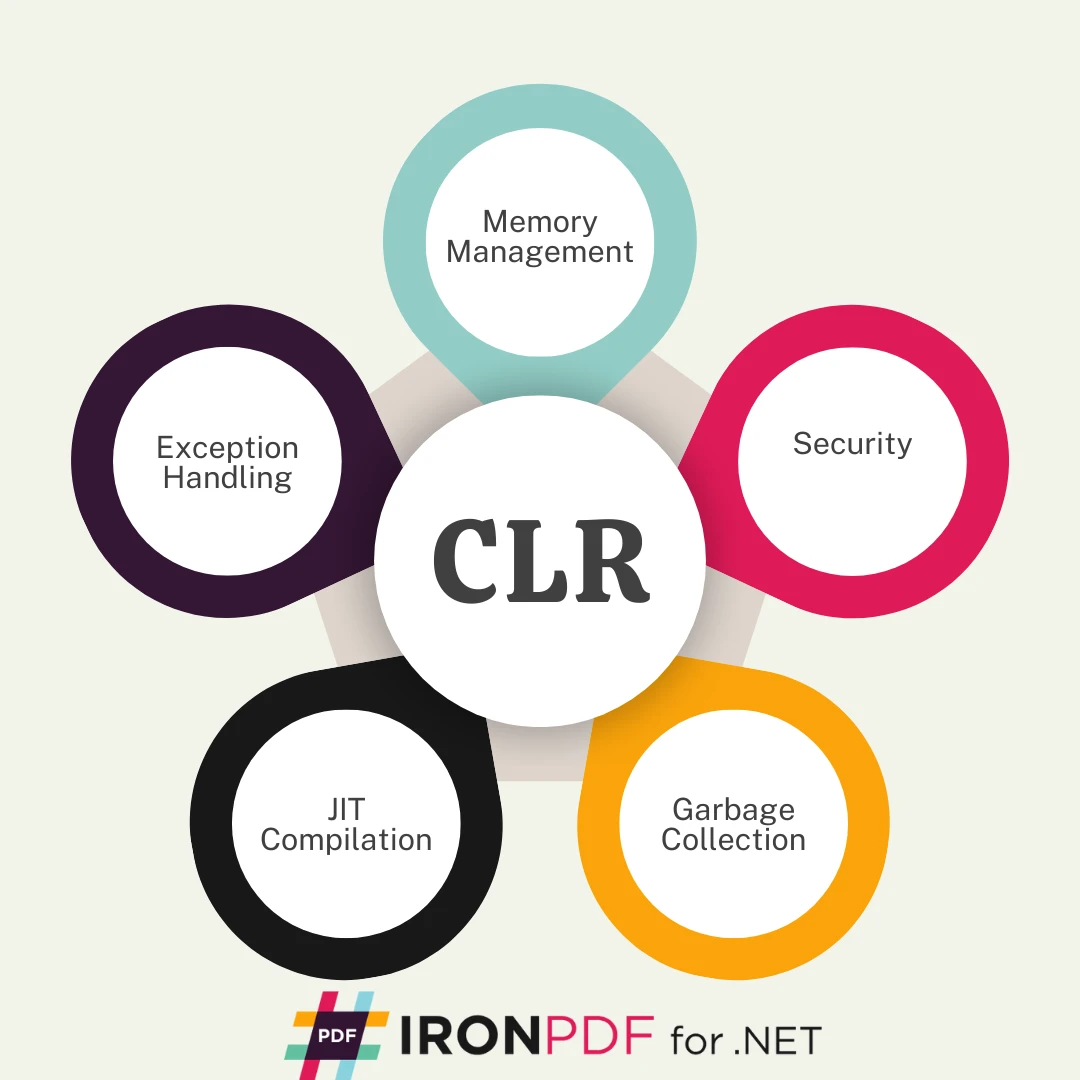
At the heart of every .NET application lies the Common Language Runtime (CLR), a virtual machine component of the .NET Framework and .NET Core platforms. It is responsible for executing managed code - programs written in C#, Visual Basic, or other .NET languages - by converting Microsoft Intermediate Language (MSIL) into native machine code via the Just-In-Time (JIT) compiler.
When you build a PDF document using IronPDF in C#, you're relying on the .NET CLR to manage memory, convert IL code into machine instructions, and run your code securely and efficiently.
IronPDF is a powerful .NET PDF library that runs entirely within the .NET runtime, allowing you to generate, edit, merge, and render PDFs directly from your C# source code. But it's the CLR that ensures your IronPDF workflows are reliable and performant.
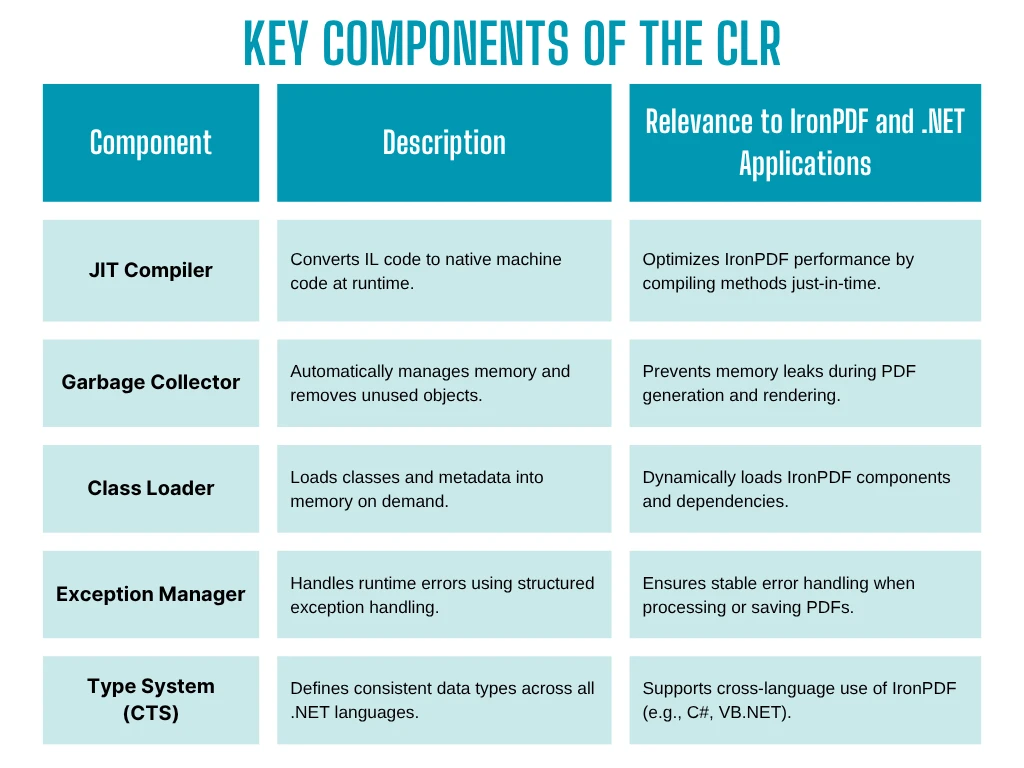
The CLR provides several benefits and key components that directly enhance your development experience with IronPDF:
The Garbage Collector (GC) handles memory allocation and reclamation of unused objects, reducing the risk of memory leaks common in unmanaged environments.
Running within the .NET CLR ensures IronPDF components operate with type safety, custom attributes, and role-based access controls, protecting your application from common programming errors.
Need to call a class written in Visual Basic from your C# PDF generation code? The CLR supports cross-language integration, enabling seamless communication across different languages targeting the same runtime version.
By translating IL code into native machine code at runtime, the JIT compiler allows IronPDF applications to achieve near-native performance while maintaining portability and flexibility.
When building .NET programs, developers benefit from the CLR's structured execution model. Features like the Class Loader, Exception Handling, and support for Extensible Types ensure that components developed using IronPDF or any .NET library are executed predictably.
This structure becomes especially important in scenarios where .NET code interacts with low-level APIs, file systems, or large-scale data pipelines - all common in PDF generation tasks.
Modern businesses demand scalable applications, and IronPDF - when combined with the .NET CLR - makes this achievable.
Here's a simple example of a C# application that runs within the .NET CLR and uses IronPDF to generate a PDF:
using IronPdf;
class Program
{
    static void Main()
    {
        var Renderer = new ChromePdfRenderer();
        var pdf = Renderer.RenderHtmlAsPdf("<h1>Hello from CLR-powered IronPDF!</h1>");
        pdf.SaveAs("example.pdf");
    }
}Imports IronPdf
Friend Class Program
Shared Sub Main()
Dim Renderer = New ChromePdfRenderer()
Dim pdf = Renderer.RenderHtmlAsPdf("<h1>Hello from CLR-powered IronPDF!</h1>")
pdf.SaveAs("example.pdf")
End Sub
End ClassThe source code is compiled into MSIL, and at runtime, the CLR executes this code, handling everything from memory management to exception handling in the background.
When developing with IronPDF, it's important to ensure your application targets a compatible CLR version. IronPDF supports .NET Framework, .NET Core, and .NET 6/7+, each with improvements in performance, security, and runtime features.
To check your current .NET CLR version, you can inspect your project file or use tools like .NET --info.
The Common Language Runtime (CLR) is the backbone of the .NET ecosystem. It not only enables developers to write robust and secure applications but also enhances tools like IronPDF with features like:
If you're building .NET applications that involve document automation, reporting, or PDF generation, IronPDF running within the .NET CLR offers a powerful, scalable, and secure solution.
Ready to combine the power of the .NET CLR with the rich capabilities of IronPDF? Download the IronPDF free trial and start building smarter, more efficient .NET PDF applications today.

Jacob Mellor is Chief Technology Officer at Iron Software and a visionary engineer pioneering C# PDF technology. As the original developer behind Iron Software's core codebase, he has shaped the company's product architecture since its inception, transforming it alongside CEO Cameron Rimington into a 50+ person company serving NASA, Tesla, and global government agencies.



IronPDF is a part of IRONSUITE
10 .NET API products for your office documents











When you need your PDF to look like HTML, fast.


