




Updated April 23, 2026
Bridging CLI Simplicity & .NET : Using Curl DotNet with IronPDF
Jacob Mellor has bridged this gap with CurlDotNet, a library created to bring the familiarity of cURL to the .NET ecosystem.
Read More

In this tutorial, we'll teach the concepts of C# Action, Func delegate, and related topics. This guide is designed for beginners and will walk you through the basics, provide examples, and explain key terms of action delegate.
Let's begin by understanding what delegates are in C#. We'll explore the IronPDF library later in the article.
Delegates are a programming construct that acts as references to methods, defined by a particular set of parameters and a return type, encapsulating functionalities like predefined delegate type and allowing methods to return values.
It allows the passing of methods as arguments. Essentially, a delegate serves as a function pointer, pointing to the method it represents. In C#, there are two predefined delegate types that are widely used: Func and Action.
The Func delegate represents a method that can have a return value. The last type parameter specifies the return type, and the preceding types specify the input parameters.
For instance, a Func<int, int, string> takes two integer parameters and returns a string message.
Let's take a look at some examples to understand how Func and Action delegates work in C#.
An Action delegate, a predefined delegate type, is used when you want to execute a method that does not specifically return a value, focusing instead on operations. Here's a basic example:
Action<string> display = message => Console.WriteLine(message);
display("Hello, World!");Dim display As Action(Of String) = Sub(message) Console.WriteLine(message)
display("Hello, World!")This code defines an Action delegate, illustrating the use of an anonymous method, that takes a single string parameter and prints it to the console. The => symbol is used to define a lambda expression, which is a concise way to write anonymous methods.
A Func delegate, which returns a value, can be used as follows:
Func<int, int, int> add = (x, y) => x + y;
int result = add(5, 3);
Console.WriteLine(result);Dim add As Func(Of Integer, Integer, Integer) = Function(x, y) x + y
Dim result As Integer = add(5, 3)
Console.WriteLine(result)This example creates a Func delegate that takes two integer parameters and returns their sum. The sum will show on the console like this:
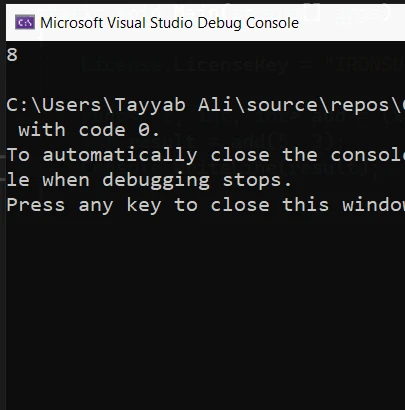
Anonymous methods in C# provide a way to define inline methods without a name. They are often used with delegates to create delegate instances directly.
Lambda expressions are a shorthand for writing anonymous methods. They allow you to write less code while achieving the same result.
A generic delegate can work with any data type. Func and Action are examples of generic delegates, providing more flexibility by allowing you to specify input and output types at runtime.
A delegate instance is created with the new keyword or by simply assigning a method that matches the delegate's signature.
The System namespace in .NET contains built-in types like Func and Action, which are part of the base class library.
Delegates, including Action and Func, are integral to managing asynchronous tasks in C#. They allow developers to encapsulate a reference to a method that can then be executed asynchronously. This means that the main application thread can initiate a task and then continue with other work until the task is completed.
At that point, a callback method, referenced by a delegate, is called to handle the result. This pattern is vital for creating responsive user interfaces that remain interactive even when performing long-running operations.
Consider an application that needs to process a large file. Using an Action delegate in conjunction with asynchronous programming patterns like Task can significantly enhance application performance:
public async Task ProcessFileAsync(string filePath, Action<string> onComplete)
{
    // Asynchronously read file content
    string fileContent = await File.ReadAllTextAsync(filePath);
    // Process the file content here (omitted for brevity)

    // Once processing is complete, invoke the onComplete callback
    onComplete?.Invoke("File processing completed successfully.");
}Public Async Function ProcessFileAsync(filePath As String, onComplete As Action(Of String)) As Task
' Asynchronously read file content
Dim fileContent As String = Await File.ReadAllTextAsync(filePath)
' Process the file content here (omitted for brevity)
' Once processing is complete, invoke the onComplete callback
onComplete?.Invoke("File processing completed successfully.")
End FunctionIn this example, File.ReadAllTextAsync is used to read the file content without blocking the main thread. Once the file is processed, an Action delegate named onComplete is invoked to notify the caller that the operation is complete, allowing for further actions like updating the UI or logging results.
IronPDF is a comprehensive C# PDF library designed for .NET developers to create, edit, and manipulate PDF files with ease. It distinguishes itself with a Chrome-based rendering engine, ensuring pixel-perfect PDFs from HTML content, CSS, JavaScript, and images.
IronPDF is compatible with a wide range of .NET frameworks and environments, including .NET Standard, .NET Framework, and .NET Core, across Windows, Linux, and macOS platforms.
To incorporate IronPDF into your .NET projects, you can use NuGet, which is the most straightforward method. Just open the Package Manager Console in Visual Studio and run the following command:
PM > Install-Package IronPdf
This command fetches and installs the IronPDF package, setting up your project to start using IronPDF for PDF generation and manipulation.
Here's a simple example demonstrating how to use IronPDF in conjunction with an Action delegate to perform a PDF generation task:
using IronPdf;
using System;

class Program
{
    static void Main(string[] args)
    {
        var renderer = new ChromePdfRenderer();

        // Define an Action delegate that takes HTML content as a string
        Action<string> generatePdf = html =>
        {
            // Render the HTML as a PDF
            var pdf = renderer.RenderHtmlAsPdf(html);

            // Save the PDF to a file
            pdf.SaveAs("example.pdf");
        };

        // Generate the PDF with the provided HTML
        generatePdf("<p>Hello, world!</p>");
        Console.WriteLine("PDF generated successfully.");
    }
}Imports IronPdf
Imports System
Module Program
Sub Main(args As String())
Dim renderer = New ChromePdfRenderer()
' Define an Action delegate that takes HTML content as a string
Dim generatePdf As Action(Of String) = Sub(html)
' Render the HTML as a PDF
Dim pdf = renderer.RenderHtmlAsPdf(html)
' Save the PDF to a file
pdf.SaveAs("example.pdf")
End Sub
' Generate the PDF with the provided HTML
generatePdf("<p>Hello, world!</p>")
Console.WriteLine("PDF generated successfully.")
End Sub
End ModuleThis example defines an Action delegate that takes a string of HTML and uses IronPDF to render it into a PDF document. The generated PDF is then saved to the file system. This approach demonstrates how delegates can be used to encapsulate PDF generation logic, making your code more modular and flexible.

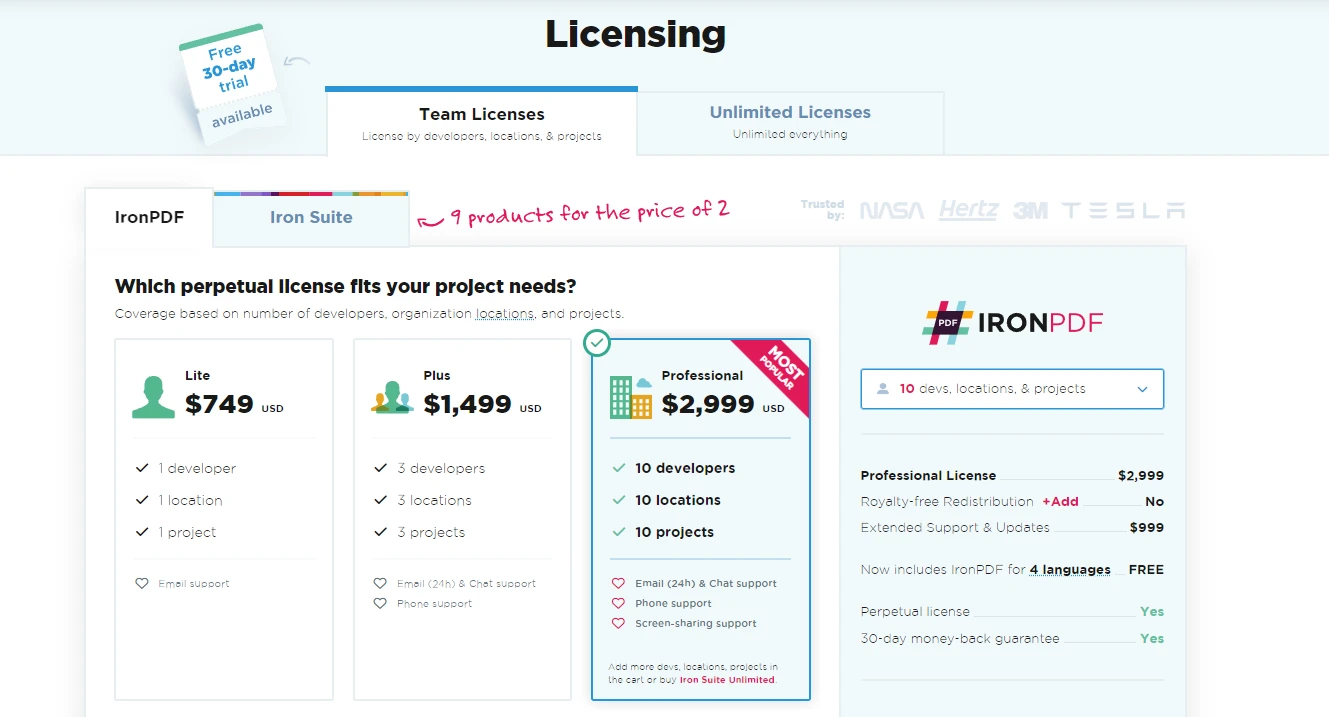
IronPDF offers various licensing options for developers, starting from individual developer licenses to enterprise agreements. Pricing for these licenses starts from $999.
By now, you should have a basic understanding of Action and Func delegates in C#, along with how to use anonymous methods and lambda expressions. Remember, practice is key to mastering delegate concepts. Try creating your own examples to define, assign, and invoke delegates.
You can explore IronPDF's capabilities freely with its free trial version. Should it suit your project requirements, you can secure a license with prices commencing at $999.

Jacob Mellor is Chief Technology Officer at Iron Software and a visionary engineer pioneering C# PDF technology. As the original developer behind Iron Software's core codebase, he has shaped the company's product architecture since its inception, transforming it alongside CEO Cameron Rimington into a 50+ person company serving NASA, Tesla, and global government agencies.




10 .NET API products for your office documents











When you need your PDF to look like HTML, fast.


