




Updated April 23, 2026
Bridging CLI Simplicity & .NET : Using Curl DotNet with IronPDF
Jacob Mellor has bridged this gap with CurlDotNet, a library created to bring the familiarity of cURL to the .NET ecosystem.
Read More

In C# programming, understanding delegates is of utmost importance for writing flexible and extensible code. Delegates serve as powerful entities that facilitate the implementation of callbacks, event handling, and functional programming paradigms within the language. Microsoft's guide on delegates provides a comprehensive overview on Delegate instances to be used in C# applications.
In this comprehensive guide, we will dig deep into the complexities of C# delegates, exploring their functionality, use cases, and how they empower developers to write more modular and scalable code.
At its core, a delegate in C# is a type-safe object also referred to as a function pointer that encapsulates a method or more than one method. Delegates enable the creation of references to functions, providing a means to pass methods as parameters, store them in data structures, and invoke them dynamically. This makes delegates a cornerstone for achieving callback mechanisms and implementing event-driven architectures.
The fundamental steps for using delegates involve declaration with delegate type and parameters, instantiation, and invocation by defining callback methods. Here's a basic example:
// Delegate declaration
public delegate void MyDelegate(string message);

class Program
{
    static void Main(string[] args)
    {
        // Instantiation
        MyDelegate myDelegate = DisplayMessage;

        // Invocation
        myDelegate("Hello, Delegates!");
    }

    // Method to be referenced
    static void DisplayMessage(string message)
    {
        Console.WriteLine(message);
    }
}' Delegate declaration
Public Delegate Sub MyDelegate(message As String)
Class Program
Shared Sub Main(args As String())
' Instantiation
Dim myDelegate As MyDelegate = AddressOf DisplayMessage
' Invocation
myDelegate("Hello, Delegates!")
End Sub
' Method to be referenced
Shared Sub DisplayMessage(message As String)
Console.WriteLine(message)
End Sub
End ClassOne of the primary use cases for delegates is implementing callbacks. Consider scenarios where a method needs to notify an external component when a specific event occurs. Delegates offer a clean and modular solution:
using System;

class Program
{
    static void Main(string[] args)
    {
        EventPublisher publisher = new EventPublisher();
        EventSubscriber subscriber = new EventSubscriber(publisher);

        publisher.SimulateEvent("Test Event");
    }
}

public class EventPublisher
{
    // Declare a delegate type
    public delegate void EventHandler(string eventName);

    // Create an instance of the delegate
    public event EventHandler EventOccurred;

    // Simulate an event
    public void SimulateEvent(string eventName)
    {
        // Invoke the delegate to notify subscribers
        EventOccurred?.Invoke(eventName);
    }
}

public class EventSubscriber
{
    public EventSubscriber(EventPublisher eventPublisher)
    {
        // Subscribe to the event using the delegate
        eventPublisher.EventOccurred += HandleEvent;
    }

    // Method to be invoked when the event occurs
    private void HandleEvent(string eventName)
    {
        Console.WriteLine($"Event handled: {eventName}");
    }
}Imports System
Module Program
Sub Main(args As String())
Dim publisher As New EventPublisher()
Dim subscriber As New EventSubscriber(publisher)
publisher.SimulateEvent("Test Event")
End Sub
End Module
Public Class EventPublisher
' Declare a delegate type
Public Delegate Sub EventHandler(eventName As String)
' Create an instance of the delegate
Public Event EventOccurred As EventHandler
' Simulate an event
Public Sub SimulateEvent(eventName As String)
' Invoke the delegate to notify subscribers
RaiseEvent EventOccurred(eventName)
End Sub
End Class
Public Class EventSubscriber
Public Sub New(eventPublisher As EventPublisher)
' Subscribe to the event using the delegate
AddHandler eventPublisher.EventOccurred, AddressOf HandleEvent
End Sub
' Method to be invoked when the event occurs
Private Sub HandleEvent(eventName As String)
Console.WriteLine($"Event handled: {eventName}")
End Sub
End ClassDelegates play a crucial role in embracing functional programming concepts in C#. Using delegates with higher-order functions, developers can pass functions as arguments, return functions, and create more expressive and concise code:
public delegate int MyDelegate(int x, int y);

public class Calculator
{
    public int PerformOperation(MyDelegate operation, int operand1, int operand2)
    {
        // Execute the operation method reference through the passed delegate
        return operation(operand1, operand2);
    }
}

// Usage
var calculator = new Calculator();
int result = calculator.PerformOperation((x, y) => x + y, 5, 3); // Adds 5 and 3
Console.WriteLine(result); // Outputs: 8Public Delegate Function MyDelegate(ByVal x As Integer, ByVal y As Integer) As Integer
Public Class Calculator
Public Function PerformOperation(ByVal operation As MyDelegate, ByVal operand1 As Integer, ByVal operand2 As Integer) As Integer
' Execute the operation method reference through the passed delegate
Return operation(operand1, operand2)
End Function
End Class
' Usage
Private calculator = New Calculator()
Private result As Integer = calculator.PerformOperation(Function(x, y) x + y, 5, 3) ' Adds 5 and 3
Console.WriteLine(result) ' Outputs: 8
Learn more about IronPDF's features as a feature-rich library designed to facilitate PDF generation, manipulation, and interaction in C# applications. Whether you need to create PDFs from scratch, convert HTML to PDF, or extract content from existing PDFs, IronPDF provides a comprehensive set of tools to streamline these tasks. Its versatility makes it a valuable asset for developers working on a diverse range of projects.
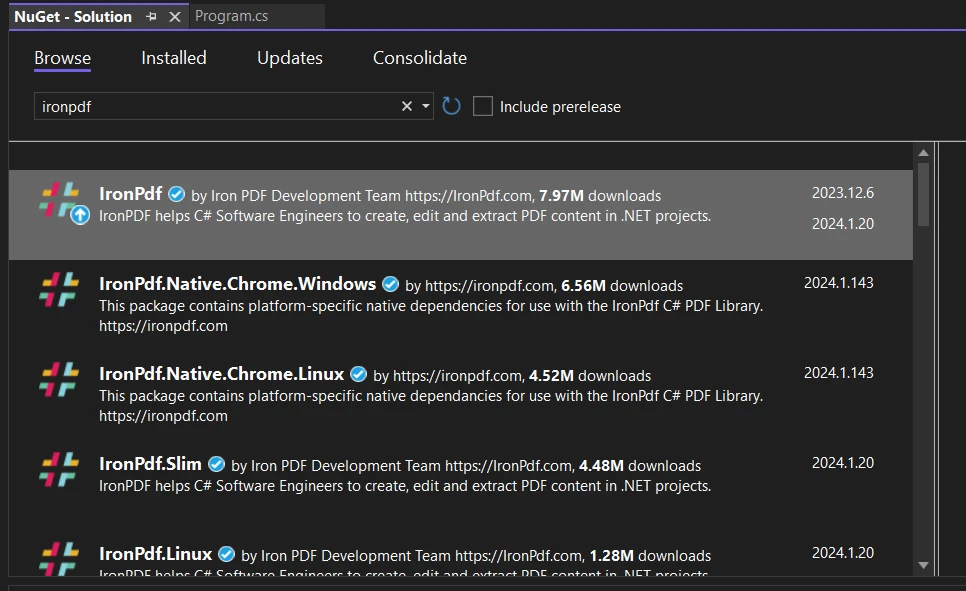
To begin leveraging the IronPDF library in your C# project, you can easily install the IronPDF NuGet package. Use the following command in your Package Manager Console:
Alternatively, you can search for "IronPDF" in the NuGet Package Manager and install it from there.
In C#, delegates serve as type-safe function pointers, allowing methods to be referenced and passed around as parameters. Delegates play a crucial role in different scenarios as mentioned above. Now, the question arises: How do C# delegates fit into the environment of IronPDF, and can they be effectively utilized in tandem?
One way to leverage delegates with IronPDF is through callbacks for document events. IronPDF provides events that you can subscribe to using delegates, allowing you to execute custom logic at specific points during the document generation process. For example:
using IronPdf;

public delegate string AddPasswordEventHandler(PdfDocument e);

string AddPassword(PdfDocument document)
{
    string password = "";
    if (document.Password == "")
    {
        password = "Iron123";
    }
    return password;
}

PdfDocument document = new PdfDocument("StyledDocument.pdf");
AddPasswordEventHandler handler = AddPassword;
document.Password = handler.Invoke(document); // Subscribe to the event
document.SaveAs("PasswordProtected.pdf");Imports IronPdf
Public Delegate Function AddPasswordEventHandler(ByVal e As PdfDocument) As String
Private Function AddPassword(ByVal document As PdfDocument) As String
Dim password As String = ""
If document.Password = "" Then
password = "Iron123"
End If
Return password
End Function
Private document As New PdfDocument("StyledDocument.pdf")
Private handler As AddPasswordEventHandler = AddressOf AddPassword
document.Password = handler.Invoke(document) ' Subscribe to the event
document.SaveAs("PasswordProtected.pdf")In this C# code snippet, a method named AddPassword is defined to accept a PdfDocument as a parameter and return a string. Within this method, a string variable named password is initialized, and a conditional check is performed on the Password property of the provided PdfDocument. If the password is an empty string, assign the value "Iron123" to the password variable, and return it.
Next, a PdfDocument instance is created with the filename "StyledDocument.pdf". A delegate named AddPasswordEventHandler is declared with the same signature as the AddPassword method. An instance of this delegate, named handler, is assigned the AddPassword method. The delegate is then invoked with the Invoke method, passing the document instance, and the returned password is assigned to the Password property of the document.
Finally, the SaveAs method is called on the document, saving it as "PasswordProtected.pdf". The code effectively uses a delegate to dynamically determine and set a password for a PdfDocument based on certain conditions within the AddPassword method.
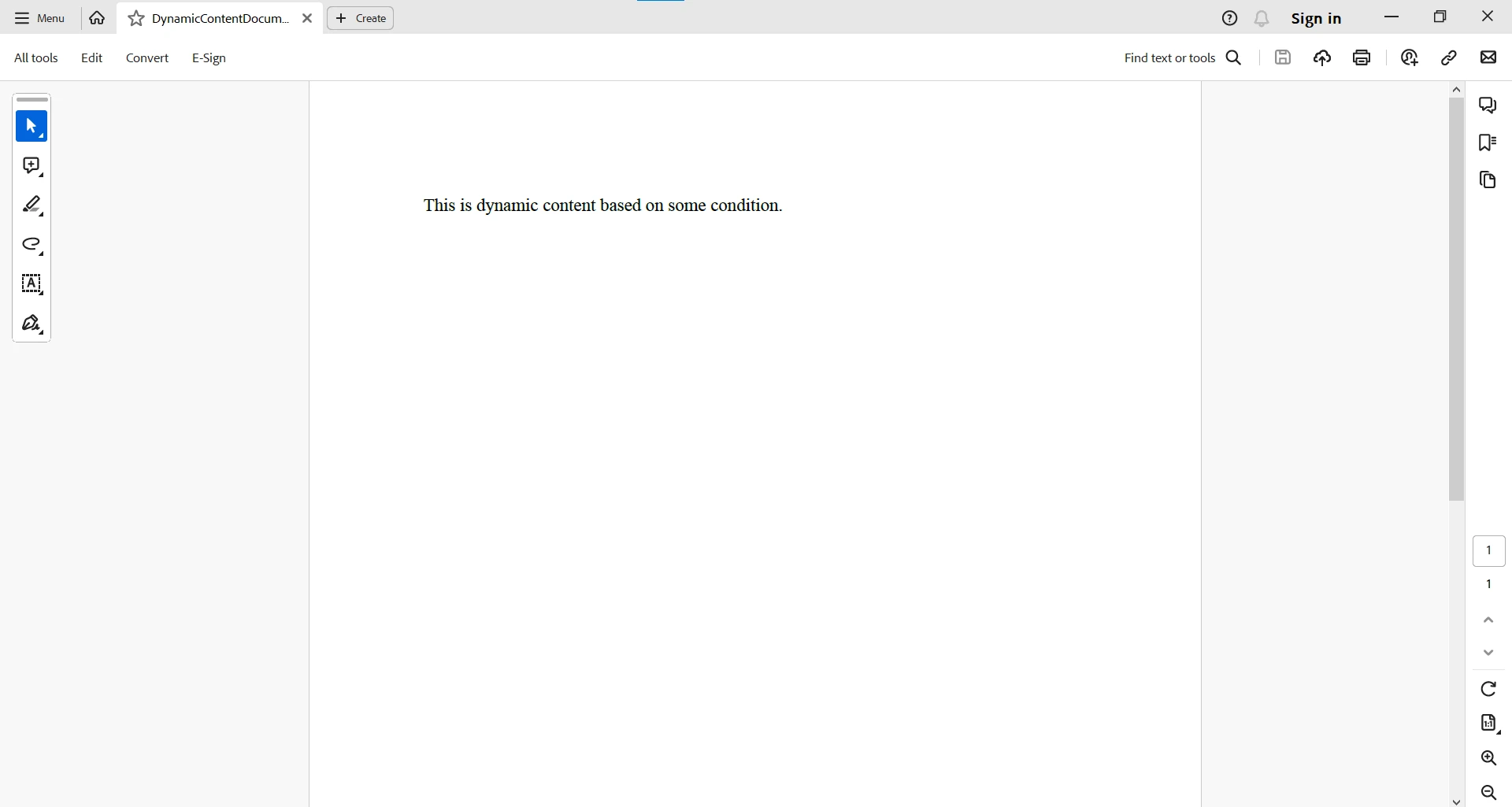
Delegates can also be employed to inject dynamic content into the PDF document. IronPDF supports the insertion of HTML content to generate PDFs from HTML, and developers can use delegates to dynamically generate HTML based on certain conditions or data:
// Assuming GetDynamicContent is a delegate that generates dynamic HTML content
Func<string> getDynamicContent = () =>
{
    // Custom logic to generate dynamic content
    return "<p>This is dynamic content based on some condition.</p>";
};

// Incorporate dynamic HTML into the PDF
var pdfRenderer = new ChromePdfRenderer();
var pdfDocument = pdfRenderer.RenderHtmlAsPdf($"<html><body>{getDynamicContent()}</body></html>");
pdfDocument.SaveAs("DynamicContentDocument.pdf");' Assuming GetDynamicContent is a delegate that generates dynamic HTML content
Dim getDynamicContent As Func(Of String) = Function()
' Custom logic to generate dynamic content
Return "<p>This is dynamic content based on some condition.</p>"
End Function
' Incorporate dynamic HTML into the PDF
Dim pdfRenderer = New ChromePdfRenderer()
Dim pdfDocument = pdfRenderer.RenderHtmlAsPdf($"<html><body>{getDynamicContent()}</body></html>")
pdfDocument.SaveAs("DynamicContentDocument.pdf")In this example, the getDynamicContent delegate generates HTML content dynamically, which is then embedded in the PDF document.
To make use of IronPDF efficiently and effectively, please visit the IronPDF documentation.
In conclusion, C# delegates are a cornerstone of code flexibility and modularity. They enable developers to implement callbacks, handle events, and embrace functional programming paradigms such as the ability to programmatically change method calls. As a versatile tool in the C# toolkit, delegates empower developers to create more maintainable, scalable, and expressive code. Whether you're building event-driven applications, implementing callback mechanisms, or exploring functional programming, C# delegates are a powerful ally in your programming journey.
C# delegates and IronPDF can form a cooperative duo, enhancing the capabilities of document generation in your applications. Whether you're customizing document events or injecting dynamic content, delegates provide a flexible mechanism to extend the functionality of IronPDF. As you explore the possibilities, consider the specific requirements of your project and how delegates can contribute to a more tailored and dynamic PDF generation process with IronPDF.
IronPDF offers a free trial to test out its complete functionality. It can be licensed for commercial use starting from $999.

Jacob Mellor is Chief Technology Officer at Iron Software and a visionary engineer pioneering C# PDF technology. As the original developer behind Iron Software's core codebase, he has shaped the company's product architecture since its inception, transforming it alongside CEO Cameron Rimington into a 50+ person company serving NASA, Tesla, and global government agencies.



IronPDF is a part of IRONSUITE
10 .NET API products for your office documents











When you need your PDF to look like HTML, fast.


