


C# Event Handler (How it Works for Developers)

In modern .NET applications, event-driven programming plays a vital role in improving responsiveness and ensuring smooth user experiences. When tasks like PDF generation take time, you don't want to block the main thread. Instead, you can use event handlers to run tasks asynchronously and react once an event occurs - making your application more interactive and responsive.
In this guide, we'll show you how to integrate C# event handling methods with IronPDF for seamless PDF workflows in desktop and web environments. Whether you're using WinForms, WPF, or any other C# programming language-based platform, this guide has you covered.
Setting Up Your IronPDF Project
Before diving into event handling, let's quickly set up IronPDF in your .NET project.
Install IronPDF via NuGet
In Visual Studio's Package Manager Console, run:
Install-Package IronPdf
This installs everything needed to start generating PDFs using IronPDF.
Basic PDF Generation with IronPDF
Here's a quick example to ensure IronPDF is working:
using IronPdf;
var renderer = new ChromePdfRenderer();
var pdf = renderer.RenderHtmlAsPdf("<h1>Hello from IronPDF!</h1>");
pdf.SaveAs("example.pdf");
using IronPdf;
var renderer = new ChromePdfRenderer();
var pdf = renderer.RenderHtmlAsPdf("<h1>Hello from IronPDF!</h1>");
pdf.SaveAs("example.pdf");Imports IronPdf
Private renderer = New ChromePdfRenderer()
Private pdf = renderer.RenderHtmlAsPdf("<h1>Hello from IronPDF!</h1>")
pdf.SaveAs("example.pdf")Once this is working, you're ready to add event fields, wire up registered delegates, and use delegate types to create event-driven workflows.
C# Event Handler Fundamentals for .NET Developers
The Basics of Event-Driven Programming
With event-driven programming, your app responds when an event occurs, such as a PDF completing its generation. C# uses delegates as type-safe function pointers, allowing you to define how your app should react.
You typically declare events using the event keyword, connect them to event handling methods, and pass data using custom EventArgs subclasses.
Declare an Event with the event Keyword
C# uses the event keyword to declare event members. For example:
public event EventHandler PdfGenerated;public event EventHandler PdfGenerated;Public Event PdfGenerated As EventHandlerThis line declares an event field named PdfGenerated. It uses EventHandler, a built-in delegate with the following parameter list: (object sender, EventArgs e) - often referred to as the naming pattern for events in .NET.
Defining and Subscribing to Events in C#
Add Methods to Events Using Delegates
C# events support adding methods dynamically at runtime using the += syntax. Here's how:
pdfService.PdfGenerated += (s, e) =>
{
    Console.WriteLine("PDF was generated!");
};
pdfService.PdfGenerated += (s, e) =>
{
Console.WriteLine("PDF was generated!");
};AddHandler pdfService.PdfGenerated, Sub(s, e)
Console.WriteLine("PDF was generated!")
End SubThis subscriber class listens for the PdfGenerated event and executes a method call when triggered.
Custom Event Data
To pass event data such as the generated file path, define a derived class from EventArgs:
public class PdfGeneratedEventArgs : EventArgs
{
    public string FilePath { get; set; } // returned value
}
public class PdfGeneratedEventArgs : EventArgs
{
public string FilePath { get; set; } // returned value
}Public Class PdfGeneratedEventArgs
Inherits EventArgs
Public Property FilePath() As String ' - returned value
End ClassThen redefine the event using a generic delegate type:
public event EventHandler<PdfGeneratedEventArgs> PdfGenerated;public event EventHandler<PdfGeneratedEventArgs> PdfGenerated;Public Event PdfGenerated As EventHandler(Of PdfGeneratedEventArgs)This gives you structured, type-safe data when the event is raised, making your response logic more powerful.
Handling Multiple Events
You can define multiple events:
public event EventHandler PdfGenerationStarted;
public event EventHandler<PdfGeneratedEventArgs> PdfGenerationCompleted;
public event EventHandler PdfGenerationStarted;
public event EventHandler<PdfGeneratedEventArgs> PdfGenerationCompleted;Public Event PdfGenerationStarted As EventHandler
Public Event PdfGenerationCompleted As EventHandler(Of PdfGeneratedEventArgs)Each event field is handled by a subscriber class, allowing distinct event handler methods per stage. This separation of concerns makes sense in complex workflows.
Using Event Handlers with IronPDF
When generating large PDFs, it makes sense to run IronPDF on a background thread and notify the UI when complete. Here's how event-driven design can help:
- Use a BackgroundWorker to generate PDFs asynchronously
- Raise events when each stage completes
- Pass result data using event data objects
Code Example - Generate PDFs Asynchronously
The following example is the complete code for using event handling with IronPDF:
using System;
using System.ComponentModel;
using IronPdf;
namespace IronPdfEventHandlerExample
{
    // 1. Define custom EventArgs to carry event data
    public class PdfGeneratedEventArgs : EventArgs
    {
        public string FilePath { get; set; }
    }
    // 2. Main class with event, BackgroundWorker, and logic
    public class PdfGenerator
    {
        // Declare the public event using EventHandler<T>
        public event EventHandler<PdfGeneratedEventArgs> PdfGenerated;
        private readonly BackgroundWorker _worker;
        public PdfGenerator()
        {
            _worker = new BackgroundWorker();
            _worker.DoWork += OnDoWork;
            _worker.RunWorkerCompleted += OnRunWorkerCompleted;
        }
        // Start the async operation
        public void GenerateAsync(string html, string outputPath)
        {
            _worker.RunWorkerAsync(new Tuple<string, string>(html, outputPath));
        }
        // Perform PDF generation in background
        private void OnDoWork(object sender, DoWorkEventArgs e)
        {
            var (html, path) = (Tuple<string, string>)e.Argument;
            var renderer = new HtmlToPdf();
            var pdf = renderer.RenderHtmlAsPdf(html);
            pdf.SaveAs(path);
            e.Result = path;
        }
        // Notify subscribers when the PDF is ready
        private void OnRunWorkerCompleted(object sender, RunWorkerCompletedEventArgs e)
        {
            var path = e.Result as string;
            PdfGenerated?.Invoke(this, new PdfGeneratedEventArgs { FilePath = path });
        }
    }
    // 3. Program to wire it all together
    class Program
    {
        public static void Main(string[] args)
        {
            var generator = new PdfGenerator();
            // Subscribe to the PdfGenerated event
            generator.PdfGenerated += OnPdfGenerated;
            Console.WriteLine("Generating PDF asynchronously...");
            generator.GenerateAsync("<h1>Hello, IronPDF!</h1>", "output.pdf");
            Console.WriteLine("Press any key to exit after generation.");
            Console.ReadKey();
        }
        // Event handler for when the PDF is ready
        static void OnPdfGenerated(object sender, PdfGeneratedEventArgs e)
        {
            Console.WriteLine($"PDF generated at: {e.FilePath}");
        }
    }
}
using System;
using System.ComponentModel;
using IronPdf;
namespace IronPdfEventHandlerExample
{
// 1. Define custom EventArgs to carry event data
public class PdfGeneratedEventArgs : EventArgs
{
public string FilePath { get; set; }
}
// 2. Main class with event, BackgroundWorker, and logic
public class PdfGenerator
{
// Declare the public event using EventHandler<T>
public event EventHandler<PdfGeneratedEventArgs> PdfGenerated;
private readonly BackgroundWorker _worker;
public PdfGenerator()
{
_worker = new BackgroundWorker();
_worker.DoWork += OnDoWork;
_worker.RunWorkerCompleted += OnRunWorkerCompleted;
}
// Start the async operation
public void GenerateAsync(string html, string outputPath)
{
_worker.RunWorkerAsync(new Tuple<string, string>(html, outputPath));
}
// Perform PDF generation in background
private void OnDoWork(object sender, DoWorkEventArgs e)
{
var (html, path) = (Tuple<string, string>)e.Argument;
var renderer = new HtmlToPdf();
var pdf = renderer.RenderHtmlAsPdf(html);
pdf.SaveAs(path);
e.Result = path;
}
// Notify subscribers when the PDF is ready
private void OnRunWorkerCompleted(object sender, RunWorkerCompletedEventArgs e)
{
var path = e.Result as string;
PdfGenerated?.Invoke(this, new PdfGeneratedEventArgs { FilePath = path });
}
}
// 3. Program to wire it all together
class Program
{
public static void Main(string[] args)
{
var generator = new PdfGenerator();
// Subscribe to the PdfGenerated event
generator.PdfGenerated += OnPdfGenerated;
Console.WriteLine("Generating PDF asynchronously...");
generator.GenerateAsync("<h1>Hello, IronPDF!</h1>", "output.pdf");
Console.WriteLine("Press any key to exit after generation.");
Console.ReadKey();
}
// Event handler for when the PDF is ready
static void OnPdfGenerated(object sender, PdfGeneratedEventArgs e)
{
Console.WriteLine($"PDF generated at: {e.FilePath}");
}
}
}Imports System
Imports System.ComponentModel
Imports IronPdf
Namespace IronPdfEventHandlerExample
' 1. Define custom EventArgs to carry event data
Public Class PdfGeneratedEventArgs
Inherits EventArgs
Public Property FilePath() As String
End Class
' 2. Main class with event, BackgroundWorker, and logic
Public Class PdfGenerator
' Declare the public event using EventHandler<T>
Public Event PdfGenerated As EventHandler(Of PdfGeneratedEventArgs)
Private ReadOnly _worker As BackgroundWorker
Public Sub New()
_worker = New BackgroundWorker()
AddHandler _worker.DoWork, AddressOf OnDoWork
AddHandler _worker.RunWorkerCompleted, AddressOf OnRunWorkerCompleted
End Sub
' Start the async operation
Public Sub GenerateAsync(ByVal html As String, ByVal outputPath As String)
_worker.RunWorkerAsync(New Tuple(Of String, String)(html, outputPath))
End Sub
' Perform PDF generation in background
Private Sub OnDoWork(ByVal sender As Object, ByVal e As DoWorkEventArgs)
'INSTANT VB TODO TASK: VB has no equivalent to C# deconstruction declarations:
var(html, path) = (Tuple(Of String, String))e.Argument
Dim renderer = New HtmlToPdf()
Dim pdf = renderer.RenderHtmlAsPdf(html)
pdf.SaveAs(path)
e.Result = path
End Sub
' Notify subscribers when the PDF is ready
Private Sub OnRunWorkerCompleted(ByVal sender As Object, ByVal e As RunWorkerCompletedEventArgs)
Dim path = TryCast(e.Result, String)
RaiseEvent PdfGenerated(Me, New PdfGeneratedEventArgs With {.FilePath = path})
End Sub
End Class
' 3. Program to wire it all together
Friend Class Program
Public Shared Sub Main(ByVal args() As String)
Dim generator = New PdfGenerator()
' Subscribe to the PdfGenerated event
AddHandler generator.PdfGenerated, AddressOf OnPdfGenerated
Console.WriteLine("Generating PDF asynchronously...")
generator.GenerateAsync("<h1>Hello, IronPDF!</h1>", "output.pdf")
Console.WriteLine("Press any key to exit after generation.")
Console.ReadKey()
End Sub
' Event handler for when the PDF is ready
Private Shared Sub OnPdfGenerated(ByVal sender As Object, ByVal e As PdfGeneratedEventArgs)
Console.WriteLine($"PDF generated at: {e.FilePath}")
End Sub
End Class
End NamespaceConsole Output
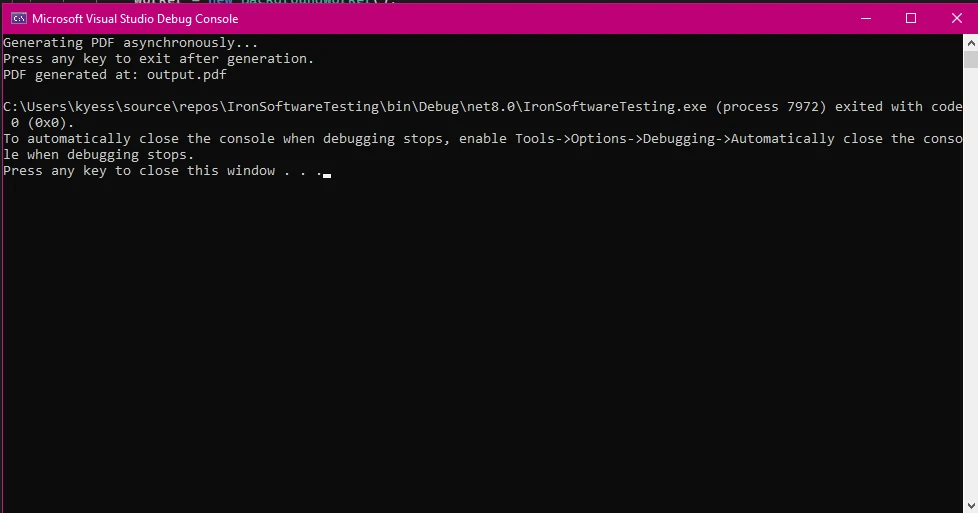
PDF Output
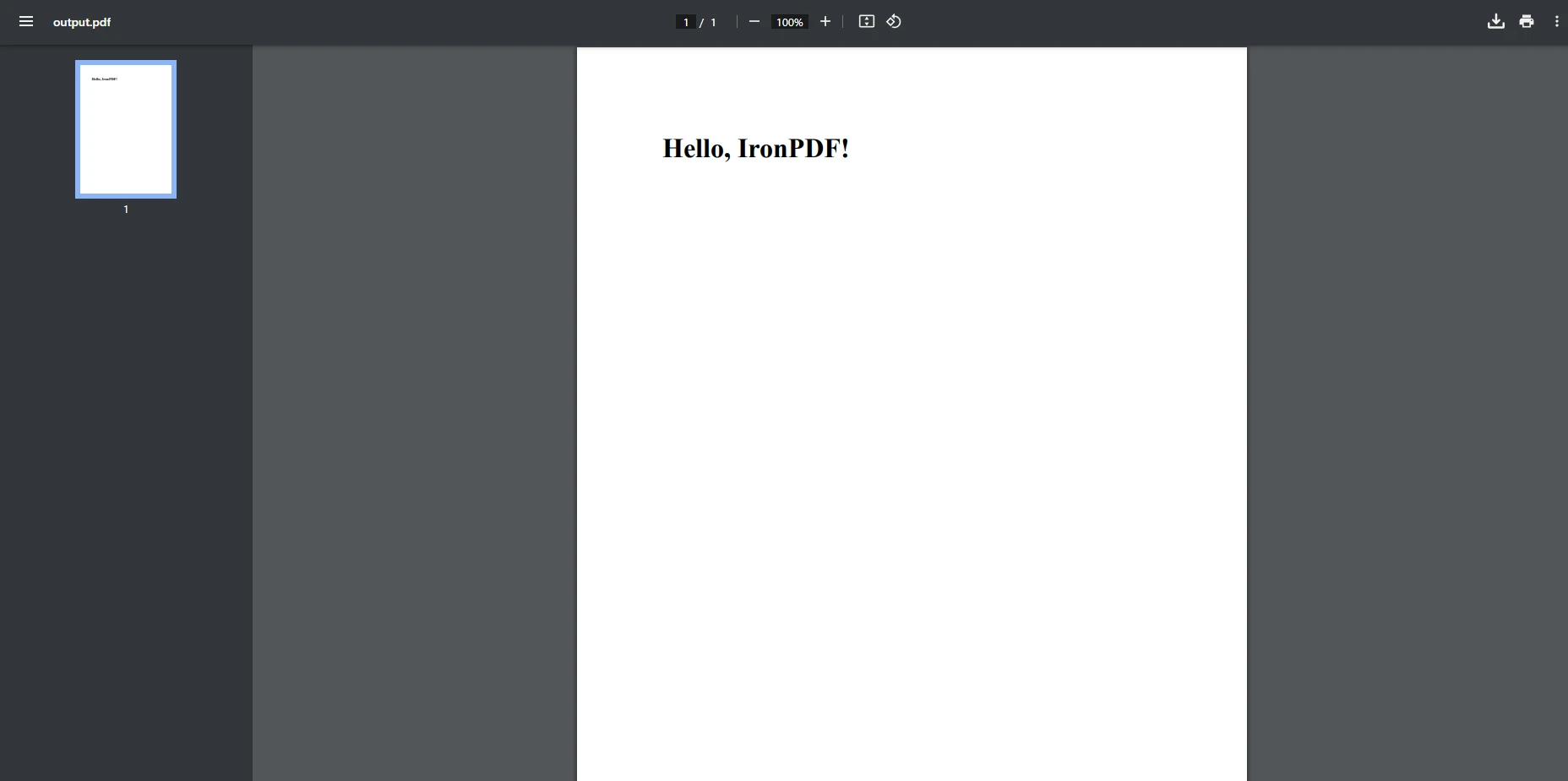
Key Features in This Code
public event EventHandler<PdfGeneratedEventArgs>: Declares a strongly typed eventPdfGeneratedEventArgs: Custom class for event dataBackgroundWorker: Allows async execution to avoid UI blocking?.Invoke(...): Safe event invocationTuple<string, string>: Passes HTML and output path to the background thread
Tips for Working with Events in .NET
1. Avoid UI Thread Blocking
Use event handlers like RunWorkerCompleted to perform UI updates only after background tasks complete.
2. Handle Exceptions Gracefully
Wrap your work logic in try-catch blocks inside DoWork and pass exceptions to RunWorkerCompleted via e.Error.
if (e.Error != null)
{
    MessageBox.Show("Error: " + e.Error.Message);
}
if (e.Error != null)
{
MessageBox.Show("Error: " + e.Error.Message);
}If e.Error IsNot Nothing Then
MessageBox.Show("Error: " & e.Error.Message)
End If3. Unsubscribe When Necessary
In long-running apps, unsubscribe from events when no longer needed to avoid memory leaks:
pdfWorker.DoWork -= PdfWorker_DoWork;pdfWorker.DoWork -= PdfWorker_DoWork;pdfWorker.DoWork -= PdfWorker_DoWorkFinal Thoughts
Using event handlers, delegate types, and event fields with IronPDF adds a responsive, modern edge to .NET applications. Whether you're generating documents in a base class, creating reusable logic in derived classes, or just exploring .NET's event model, this pattern is scalable and clean.
When to Use This Approach
- You want to raise an event when a task completes
- You need clean separation between logic and UI
- You're working with
BackgroundWorker, events, and delegates - You prefer type-safe function point mechanics of C#
Alternatives to Explore
async/awaitandTask.Runfor newer workflowsIProgress<T>for real-time updates during long operations, IronPDF combined with C# events makes it simple to create powerful, responsive PDF-generating apps with real-world usability in mind. Ready to implement event-driven PDF generation in your .NET app? Try it with the IronPDF free trial and keep your users happy with smooth, non-blocking experiences!
Frequently Asked Questions
How can I convert HTML to PDF in C#?
You can use IronPDF's RenderHtmlAsPdf method to convert HTML strings into PDFs. You can also convert HTML files into PDFs using RenderHtmlFileAsPdf.
Why is event-driven programming important in .NET applications?
Event-driven programming is vital in .NET applications for improving responsiveness and ensuring smooth user experiences by allowing tasks to run asynchronously without blocking the main thread.
How do you install the necessary PDF generation tool in a .NET project?
You can install IronPDF via NuGet by running the command 'Install-Package IronPdf' in Visual Studio’s Package Manager Console.
How do you declare an event in C#?
In C#, events are declared using the 'event' keyword, often with a delegate type like 'EventHandler'. For example: public event EventHandler PdfGenerated;.
What is a delegate in C# event handling?
A delegate in C# is a type-safe function pointer that allows you to define methods that can be called in response to an event.
How can you add methods to events in C#?
You can add methods to events in C# dynamically at runtime using the '+=' syntax to subscribe to events.
What is the purpose of creating a custom EventArgs class?
A custom EventArgs class is used to pass event-specific data, such as a file path, to event handlers in a structured and type-safe manner.
Why should you use a BackgroundWorker for generating large PDFs?
Using a BackgroundWorker allows you to run PDF generation tasks asynchronously, preventing the UI from blocking and improving user experience.
What are some tips for working with events in .NET?
Key tips include avoiding UI thread blocking by updating the UI only after background tasks complete, handling exceptions gracefully, and unsubscribing from events when no longer needed to prevent memory leaks.
What are alternatives to using event handlers in .NET?
Alternatives include using async/await and Task.Run for newer workflows and IProgress










 Get started for FREE
 Get started for FREE
 Book Free Live Demo
















