using IronPdf;

// Disable local disk access or cross-origin requests
Installation.EnableWebSecurity = true;

// Instantiate Renderer
var renderer = new ChromePdfRenderer();

// Create a PDF from a HTML string using C#
var pdf = renderer.RenderHtmlAsPdf("<h1>Hello World</h1>");

// Export to a file or Stream
pdf.SaveAs("output.pdf");

// Advanced Example with HTML Assets
// Load external html assets: Images, CSS and JavaScript.
// An optional BasePath 'C:\site\assets\' is set as the file location to load assets from
var myAdvancedPdf = renderer.RenderHtmlAsPdf("<img src='icons/iron.png'>", @"C:\site\assets\");
myAdvancedPdf.SaveAs("html-with-assets.pdf");
using IronPdf;// Disable local disk access or cross-origin requestsInstallation.EnableWebSecurity = true;// Instantiate Renderervar renderer = new ChromePdfRenderer();// Create a PDF from a HTML string using C#var pdf = renderer.RenderHtmlAsPdf("<h1>Hello World</h1>");// Export to a file or Streampdf.SaveAs("output.pdf");// Advanced Example with HTML Assets// Load external html assets: Images, CSS and JavaScript.// An optional BasePath 'C:\site\assets\' is set as the file location to load assets fromvar myAdvancedPdf = renderer.RenderHtmlAsPdf("<img src='icons/iron.png'>", @"C:\site\assets\");myAdvancedPdf.SaveAs("html-with-assets.pdf");
<div class="md-custom-table">
<div class="hdr">
<h2><span>IronPDF</span> vs iText vs PDFsharp</h2>
<p>공식 문서, NuGet 목록 및 PDF 협회 참조에서의 증거로 모든 기능 평가</p>
</div>
<div class="scores">
<div class="sc">
<div class="sc-name">iText / iText</div>
<div class="sc-num">13</div>
<div class="sc-sub">20가지 기능 중</div>
<div class="pills">
<span class="pill pill-y">10 예</span>
<span class="pill pill-p">7 복잡함</span>
<span class="pill pill-n">3 아니오</span>
</div>
</div>
<div class="sc">
<div class="sc-name">PDFsharp</div>
<div class="sc-num">10</div>
<div class="sc-sub">20가지 기능 중</div>
<div class="pills">
<span class="pill pill-y">9 Yes</span>
<span class="pill pill-p">6 Complex</span>
<span class="pill pill-n">5 No</span>
</div>
</div>
<div class="sc iron">
<div class="sc-name">IronPDF ✦</div>
<div class="sc-num">20</div>
<div class="sc-sub">20가지 기능 중</div>
<div class="pills">
<span class="pill pill-y">20 예</span>
</div>
<div class="winner-badge">✦ 전체 커버리지</div>
</div>
</div>
<div class="tw">
<table>
<thead>
<tr>
<th>특징</th>
<th>iText / iText</th>
<th>PDFsharp</th>
<th>IronPDF ✦</th>
</tr>
</thead>
<tbody>
<tr class="cat">
<td colspan="4">PDF 생성 및 변환</td>
</tr>
<tr>
<td>HTML/CSS를 PDF로</td>
<td>
<span class="t tb">$ Paid Add-on</span>
<div class="d"><code>pdfHTML</code> 애드온 패키지를 통해 제공(별도 AGPL/상업용 라이선스 필요).</div>
</td>
<td>
<span class="t tn">✕ No</span>
<div class="d">핵심 기능은 객체 모델을 통한 생성/수정/병합/분할; HTML 렌더링 엔진 없음.</div>
</td>
<td>
<span class="t ty">✓ Yes</span>
<div class="d">픽셀 단위로 완벽한 CSS3, Flexbox, Grid 렌더링이 내장된 Chromium 기반 엔진.</div>
</td>
</tr>
<tr>
<td>JavaScript 실행</td>
<td>
<span class="t tp">? Unknown</span>
<div class="d">pdfHTML은 HTML/CSS→PDF를 처리하며, 문서에 JS 실행 지원은 명시되어 있지 않음.</div>
</td>
<td>
<span class="t tn">✕ No</span>
<div class="d">브라우저 엔진 아님; JS 실행 모델 설명 없음.</div>
</td>
<td>
<span class="t ty">✓ Yes</span>
<div class="d">렌더링 중 완전히 JS를 실행 - 동적 차트, SPA, 상호작용 콘텐츠.</div>
</td>
</tr>
<tr>
<td>프로그래매틱 생성</td>
<td>
<span class="t ty">✓ Yes</span>
<div class="d">.NET용 프로그래밍 가능한 PDF SDK - iText API를 통해 생성, 편집 및 강화.</div>
</td>
<td>
<span class="t ty">✓ Yes</span>
<div class="d">PDF 객체 모델을 사용하여 즉석에서 PDF 문서 생성.</div>
</td>
<td>
<span class="t ty">✓ Yes</span>
<div class="d">HTML 템플릿, 문자열, ASPX 보기 또는 이미지에서 생성.</div>
</td>
</tr>
<tr>
<td>PDF URL</td>
<td>
<span class="t tb">$ Paid Add-on</span>
<div class="d">pdfHTML 애드온을 통해 URL 가져오기가 가능하지만, 핵심 기능은 아님.</div>
</td>
<td>
<span class="t tn">✕ No</span>
<div class="d">웹 탐색 또는 캡처 기능 없음.</div>
</td>
<td>
<span class="t ty">✓ Yes</span>
<div class="d"><code>RenderUrlAsPdf()</code> 완전한 CSS/JS 렌더링으로 실시간 URL을 캡처합니다.</div>
</td>
</tr>
<tr>
<td>DOCX 파일을 PDF로 변환</td>
<td>
<span class="t tn">✕ No</span>
<div class="d">네이티브 Word 변환 없음 - iText는 PDF 네이티브 SDK입니다.</div>
</td>
<td>
<span class="t tn">✕ No</span>
<div class="d">Word 문서 변환 기능 없음.</div>
</td>
<td>
<span class="t ty">✓ Yes</span>
<div class="d"><code>DocxToPdfRenderer</code> 구조와 형식을 그대로 유지한 채 Word 문서를 변환합니다.</div>
</td>
</tr>
<tr class="cat">
<td colspan="4">읽기 및 추출</td>
</tr>
<tr>
<td>텍스트 추출</td>
<td>
<span class="t ty">✓ Yes</span>
<div class="d"><code>PdfTextExtractor.GetTextFromPage()</code> 여러 추출 전략을 통해.</div>
</td>
<td>
<span class="t tp">~ Complex</span>
<div class="d">추출은 저수준에서만 가능하며, 고수준의 '단어/단락/페이지' API 없음.</div>
</td>
<td>
<span class="t ty">✓ Yes</span>
<div class="d">레이아웃 인식이 있는 텍스트를 추출합니다. 스캔된 문서의 경우 IronOCR와 결합됩니다.</div>
</td>
</tr>
<tr>
<td>페이지를 이미지로 렌더링</td>
<td>
<span class="t tp">? Unknown</span>
<div class="d">OCR 워크플로우에는 렌더링이 언급되어 있지만, 주요 'PDF→이미지' 모듈은 인용
문서에 증거가 없음.</div>
</td>
<td>
<span class="t tn">✕ No</span>
<div class="d">문서에 'PDF를 렌더링할 수 없음' (페이지→비트맵 지원 안됨)이라고 명시되어 있음.</div>
</td>
<td>
<span class="t ty">✓ Built-in</span>
<div class="d">PNG, JPEG, BMP로 네이티브 래스터화, DPI 설정 가능.</div>
</td>
</tr>
<tr>
<td>내장형 OCR</td>
<td>
<span class="t tb">$ Paid Add-on</span>
<div class="d">pdfOCR 애드온; 설치 주의 사항에 플랫폼별/네이티브 종속성 언급.</div>
</td>
<td>
<span class="t tn">✕ No</span>
<div class="d">PDFsharp 기능 문서에는 OCR 엔진에 대한 설명이 없습니다.</div>
</td>
<td>
<span class="t ty">✓ Via IronOCR</span>
<div class="d">IronOCR과의 네이티브 통합, 127+ 언어 OCR을 스캔된 PDF에서 지원.</div>
</td>
</tr>
<tr class="cat">
<td colspan="4">편집 및 조작</td>
</tr>
<tr>
<td>병합 및 분할</td>
<td>
<span class="t ty">✓ Yes</span>
<div class="d"><code>PdfMerger</code> .NET API의 클래스; 공식 예시가 병합 워크플로우를 다룸.</div>
</td>
<td>
<span class="t ty">✓ Yes</span>
<div class="d">공식 기능에는 '기존 PDF 파일 수정, 병합 및 분할' 포함.</div>
</td>
<td>
<span class="t ty">✓ Yes</span>
<div class="d">한 줄로 병합, 분할, 추가, 앞에 추가 및 페이지 재정렬.</div>
</td>
</tr>
<tr>
<td>머리글, 바닥글 및 페이지</td>
<td>
<span class="t ty">✓ Yes</span>
<div class="d">PDF 협회 목록은 기존 PDF에 페이지 번호 및 기능 추가 가능성을 확인함.</div>
</td>
<td>
<span class="t tp">~ Complex</span>
<div class="d">저수준 전용; 구조화된 머리글/바닥글 배치는 MigraDoc 사용 사례로 배치.</div>
</td>
<td>
<span class="t ty">✓ Yes</span>
<div class="d">HTML 기반 머리글/바닥글은 자동 페이지 번호, 날짜, 사용자 정의 콘텐츠와 함께 제공.</div>
</td>
</tr>
<tr>
<td>워터마크</td>
<td>
<span class="t ty">✓ Yes</span>
<div class="d">PDF Association 목록에 의해 '워터마크 … 기존 PDF 문서로'가 명시적으로 포함되어 있습니다.</div>
</td>
<td>
<span class="t tp">~ Complex</span>
<div class="d">워터마크 예제는 있지만 드로잉 접근법을 사용 - 진정한 워터마크 주석이 아님.</div>
</td>
<td>
<span class="t ty">✓ Yes</span>
<div class="d"><code>ApplyWatermark()</code> HTML/CSS로 - 완전한 불투명, 회전, 위치 제어.</div>
</td>
</tr>
<tr>
<td>스탬프에 글자와 이미지를 새길 수 있습니다.</td>
<td>
<span class="t ty">✓ Yes</span>
<div class="d">iText의 캔버스 및 레이아웃 API를 통한 프로그래밍 가능한 콘텐츠 배치.</div>
</td>
<td>
<span class="t tp">~ Complex</span>
<div class="d">기존 페이지에서 저수준 드로잉 작업 (GDI+ 스타일 API)을 통해 가능.</div>
</td>
<td>
<span class="t ty">✓ Yes</span>
<div class="d"><code>TextStamper</code> & <code>ImageStamper</code>와 Google Fonts, 페이지별 제어.</div>
</td>
</tr>
<tr>
<td>콘텐츠 수정</td>
<td>
<span class="t ty">✓ Yes</span>
<div class="d">정리 모듈을 통해 삭제 주석 지원.</div>
</td>
<td>
<span class="t tn">✕ No</span>
<div class="d">PDFsharp 기능 세트에는 문서 수정 지원이 없습니다.</div>
</td>
<td>
<span class="t ty">✓ Yes</span>
<div class="d"><code>RedactTextOnAllPages()</code> 한 줄로 민감한 텍스트를 제거.</div>
</td>
</tr>
<tr class="cat">
<td colspan="4">보안 및 규정 준수</td>
</tr>
<tr>
<td>암호화 & 비밀번호</td>
<td>
<span class="t ty">✓ Yes</span>
<div class="d">iText의 보안 API를 통한 전체 암호화 및 권한 제어.</div>
</td>
<td>
<span class="t ty">✓ Yes</span>
<div class="d">보안 설정을 통해 암호화 및 암호 보호 지원.</div>
</td>
<td>
<span class="t ty">✓ Yes</span>
<div class="d">AES 암호화, 소유자/사용자 암호, 세분화된 권한.</div>
</td>
</tr>
<tr>
<td>디지털 서명</td>
<td>
<span class="t ty">✓ Yes</span>
<div class="d">전체 서명 문서와 함께 제공되는 전용 <code>PdfSigner</code> API.</div>
</td>
<td>
<span class="t ty">✓ Yes</span>
<div class="d">PDFsharp 6.2.0에서 도입된 디지털 서명.</div>
</td>
<td>
<span class="t ty">✓ Yes</span>
<div class="d"><code>PdfSignature</code> X509/PFX 인증서 지원.</div>
</td>
</tr>
<tr>
<td>PDF/A & PDF/UA</td>
<td>
<span class="t ty">✓ Yes</span>
<div class="d">문서에는 PDF/A 생성에 관한 내용이 포함되어 있으며, 변환을 위한 제약을 설명.</div>
</td>
<td>
<span class="t tp">⚠ Partial</span>
<div class="d">새 PDF/A 문서를 생성할 수 있지만 기존 문서를 변환, 검증, 특정 레벨 선정 불가
(미리보기에서 '해킹'으로 언급됨).</div>
</td>
<td>
<span class="t ty">✓ Yes</span>
<div class="d">네이티브 PDF/A 보관 및 PDF/UA 접근성 준수.</div>
</td>
</tr>
<tr class="cat">
<td colspan="4">플랫폼 및 배포</td>
</tr>
<tr>
<td>크로스 플랫폼</td>
<td>
<span class="t ty">✓ Yes</span>
<div class="d">.NET Standard 2.0 / Framework 4.6.1 - OS 전반에 걸쳐 .NET 6+에서 실행됨.</div>
</td>
<td>
<span class="t ty">✓ Yes</span>
<div class="d">핵심 빌드는 Windows에 의존하지 않으며, 최신 .NET을 사용하여 Linux/macOS에서 실행됨.</div>
</td>
<td>
<span class="t ty">✓ Yes</span>
<div class="d">Windows, Linux, macOS, x64, x86, ARM. .NET 6–10, Core, Standard, Framework.</div>
</td>
</tr>
<tr>
<td>서버 / Docker / 클라우드</td>
<td>
<span class="t tp">~ Complex</span>
<div class="d">핵심 기능은 여러 패키지(iText + Bouncy Castle) 종속; 애드온은 추가 의존성과
준수 단계 추가.</div>
</td>
<td>
<span class="t ty">✓ Yes</span>
<div class="d">Windows가 아닌 의존성; 외부 바이너리 없이 간단한 서버 배포.</div>
</td>
<td>
<span class="t ty">✓ Yes</span>
<div class="d">Docker, Azure, AWS, IIS. 공식 Docker 이미지 및 배포 가이드.</div>
</td>
</tr>
<tr>
<td>설치의 용이성</td>
<td>
<span class="t tp">~ Complex</span>
<div class="d">여러 패키지 필요 (Bouncy Castle 어댑터); HTML/OCR은 네이티브 종속성이 있는 애드온 필요.</div>
</td>
<td>
<span class="t tp">⚠ Partial</span>
<div class="d">설치는 간단하지만, 복잡한 레이아웃은 저수준 구성 또는 MigraDoc 추상이 필요.</div>
</td>
<td>
<span class="t ty">✓ Simple</span>
<div class="d">단일 <code>Install-Package IronPdf</code> - 몇 분 안에 준비 완료.</div>
</td>
</tr>
<tr class="cat">
<td colspan="4">라이센스 및 지원</td>
</tr>
<tr>
<td>라이센스 모델</td>
<td>
<span class="t tp">~ Complex</span>
<div class="d">이중 라이선스: AGPLv3 (네트워크 사용 시 소스 공개 의무) 또는 상업용. AGPL
독점 애플리케이션에 제한적.</div>
</td>
<td>
<span class="t ty">✓ MIT</span>
<div class="d">MIT 라이선스 - 상업 및 독점 사용에 무료.</div>
</td>
<td>
<span class="t ty">✓ Commercial</span>
<div class="d">영구 라이센스. 완전 기능의 30일 무료 체험판, 워터마크 없음.</div>
</td>
</tr>
<tr>
<td>상업적 지원</td>
<td>
<span class="t ty">✓ Yes</span>
<div class="d">상업용 라이선스에는 모델의 일부로 지원 계약이 포함됩니다.</div>
</td>
<td>
<span class="t ty">✓ Yes</span>
<div class="d">벤더 사이트는 "지원 계획"과 맞춤형 솔루션을 제공합니다.</div>
</td>
<td>
<span class="t ty">✓ 24/5 SLA</span>
<div class="d">전용 엔지니어링 지원과 보장된 SLA - 이메일, 실시간 채팅, 전화.</div>
</td>
</tr>
<tr>
<td>문서</td>
<td>
<span class="t ty">✓ Yes</span>
<div class="d">설치 가이드, 지식 베이스, API 참조(핵심 + 애드온).</div>
</td>
<td>
<span class="t ty">✓ Yes</span>
<div class="d">공식 문서, 기능 가이드, 예제/샘플 리포지토리.</div>
</td>
<td>
<span class="t ty">✓ Extensive</span>
<div class="d">전체 API 참조, 100+ 사용 방법, 튜토리얼, 코드 예제, 비디오.</div>
</td>
</tr>
</tbody>
</table>
</div>
<div class="foot-divider"></div>
<div class="foot">
<strong>요약:</strong> iText는 강력하지만 AGPL 라이선스 복잡성 및 다중 패키지 설정 오버헤드가 있습니다.
PDFsharp는 기본 PDF 생성에 대한 견고한 MIT 라이선스 옵션이지만 HTML 렌더링, OCR 및
페이지 래스터화를 지원하지 않습니다.<br />
<a href="https://ironpdf.com/licensing/">IronPDF는 간편한 설정으로 전체 커버리지를 제공합니다 - 30일 무료 체험 행사를 참조하세요
→</a>
</div>
</div>
문서가 많은 Enterprise 솔루션을 구축하든, SaaS 앱에서 송장을 생성하든, .NET 대시보드에서 보고서를 내보내든 항상 한 가지 질문이 제기됩니다.
**"어떤 C# PDF 라이브러리를 사용해야 할까요?"**
.NET 에코시스템에서는 세 가지 라이브러리가 두드러집니다: [**PDFsharp**](https://docs.pdfsharp.net), [**iText**](https://itextpdf.com/products/itextsharp), 그리고 [**IronPDF**](https://ironpdf.com). 각각의 강점, 특이점 및 최적의 사용 사례를 가지고 있습니다. 하지만 현대 개발자들이 .NET 6+, .NET Core 또는 기존 .NET Framework 내에서 PDF 파일을 다루기에 정말로 최상의 선택은 무엇일까요?
이 포괄적인 가이드는 각 라이브러리를 깊이 있게 탐구하여 기능, 설치, 사용성 및 출력 품질을 비교합니다. 실제 개발 요구 사항을 기반으로 각 라이브러리의 장단점 및 실질적인 권장 사항을 소개하는 동작 코드 예제를 순서대로 살펴봅니다.
시작해 봅시다.
## PDFsharp 개요
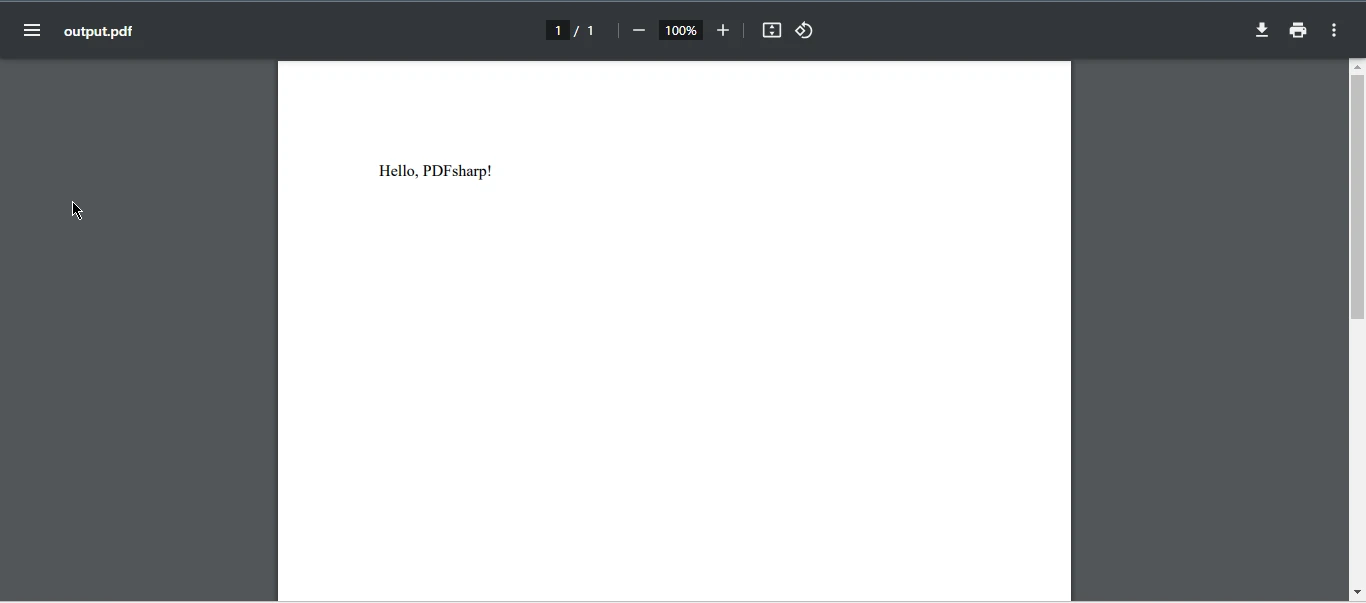
### PDFsharp란 무엇인가?
[**PDFsharp**](https://docs.pdfsharp.net)은 개발자가 C#을 사용하여 PDF 문서를 즉석에서 생성하고 처리할 수 있게 해주는 오픈 소스 라이브러리입니다. 처음부터 PDF 생성 및 기존 PDF 파일을 수정할 수 있는 기능을 지원합니다. 깔끔하고 객체 지향적인 API는 경량화 및 통합이 쉬운 솔루션을 찾는 개발자에게 이상적입니다.
커뮤니티 주도로 진행되고 있으나 충성스러운 사용자층이 있으며 HTML에서 고급 렌더링이나 동적 콘텐츠가 필요하지 않은 간단한 PDF 작업에 대해 선호되는 선택지로 남아 있습니다.
### PDFsharp 설치하기
NuGet을 통한 설치는 간단합니다:
```shell
:InstallCmd Install-Package PDFsharp
```
PDFsharp는 또한 .NET Core 환경에 맞춰 PdfSharpCore와 호환됩니다.
### 샘플 코드: 간단한 PDF 생성
```csharp
using PdfSharp.Pdf;
using PdfSharp.Drawing;

// Create a new PDF document
var document = new PdfDocument();
document.Info.Title = "Created with PDFsharp";

// Create an empty page
PdfPage page = document.AddPage();

// Get an XGraphics object for drawing
XGraphics gfx = XGraphics.FromPdfPage(page);

// Create a font
XFont font = new XFont("Verdana", 20, XFontStyle.Bold);

// Draw the text
gfx.DrawString("Hello, PDFsharp!", font, XBrushes.Black, new XRect(0, 0, page.Width, page.Height), XStringFormats.Center);

// Save the document
document.Save("HelloWorld.pdf");
```
**산출**
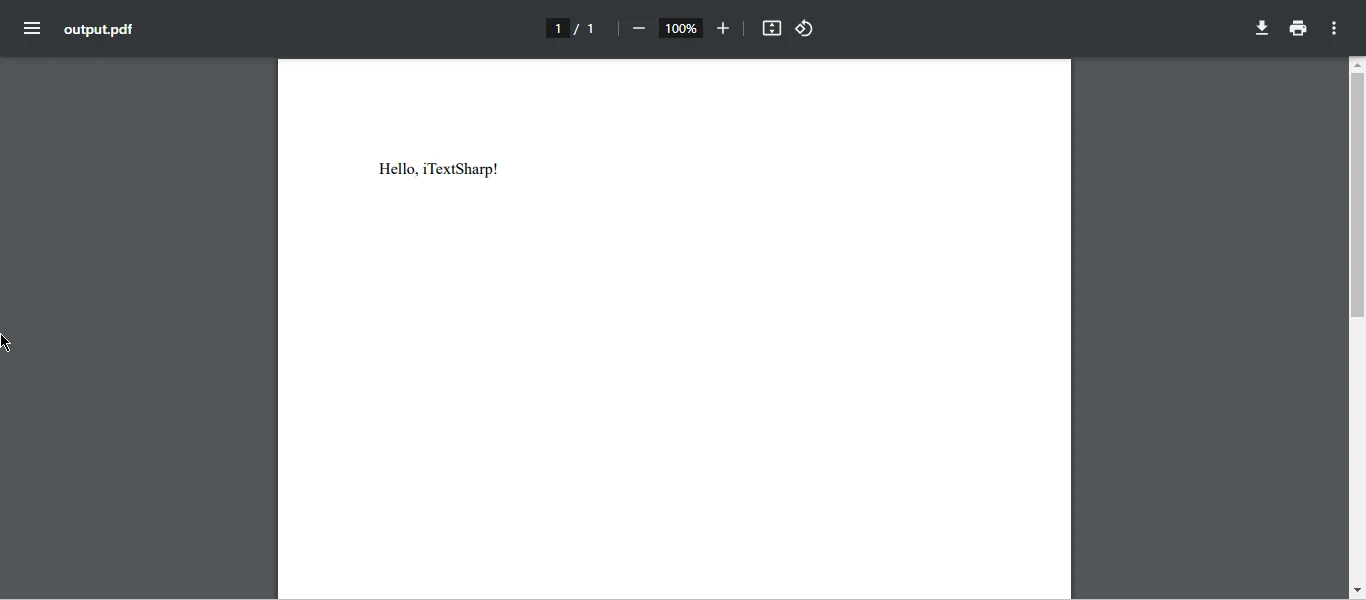
[[i:(Note: PDFsharp는 상자 밖에서 HTML 렌더링이나 CSS 파싱을 지원하지 않으므로, 드로잉 기반 문서 생성에 가장 잘 사용됩니다. HTML to PDF 렌더링에는 PDFsharp용 [HtmlRenderer](https://www.nuget.org/packages/HtmlRenderer.PdfSharp.NetStandard2)가 필요합니다.)]]
### PDFsharp의 장단점
**장점:**
* 무료 및 오픈 소스 PDF 라이브러리 (MIT 라이선스)
* 저수준의 그림 및 간단한 텍스트 기반 PDF 문서에 적합
* 경량이며 설치가 용이합니다
**단점:**
* 기본 HTML에서 PDF로의 지원이 없습니다
* 렌더링 기능이 제한적입니다
* 고급 사용 사례를 위한 적극적인 유지보수가 없습니다
## iText 상세 분석
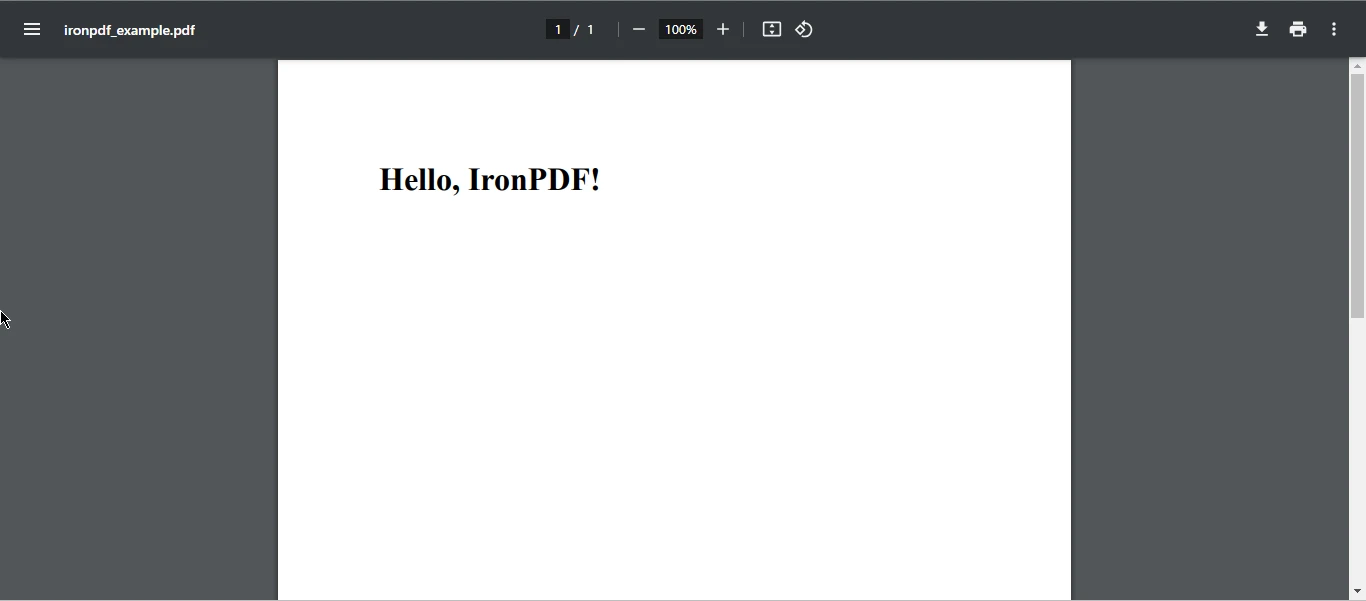
### iText란 무엇인가?
[**iText**](https://itextpdf.com/products/itextsharp)는 iText의 .NET 포트로, 강력한 Java 기반의 PDF 라이브러리입니다. 디지털 서명, 양식 필드, 바코드 등을 포함한 고급 기능을 제공합니다. iText는 매우 커스터마이징 가능하며 법적 또는 규제 문서 요구사항이 있는 기업에 가장 적합합니다.
그러나 라이선스 문제가 있습니다. iText는 AGPL 라이선스를 사용하여 상업용 라이선스를 구입하지 않는 한 프로젝트를 오픈 소스해야 함을 의미합니다.
### iText 설치하기
```shell
:InstallCmd Install-Package itext
```
새로운 버전에서는 iText Core 네임스페이스를 사용합니다. 통합 전에 라이선스 약관을 꼭 검토하세요.
### 샘플 코드: 기본 PDF 생성
```csharp
using iText.Kernel.Pdf;
using iText.Layout;
using iText.Layout.Element;
// Create a PdfWriter object to write to a file
PdfWriter writer = new PdfWriter("iTextHello.pdf");
// Create a PDF document with the PdfWriter
var pdf = new PdfDocument(writer);
// Initialize the document
Document document = new Document(pdf);
// Add a paragraph to the document
document.Add(new Paragraph("Hello, iTextSharp!"));
// Finalize the document
document.Close();
```
**산출**
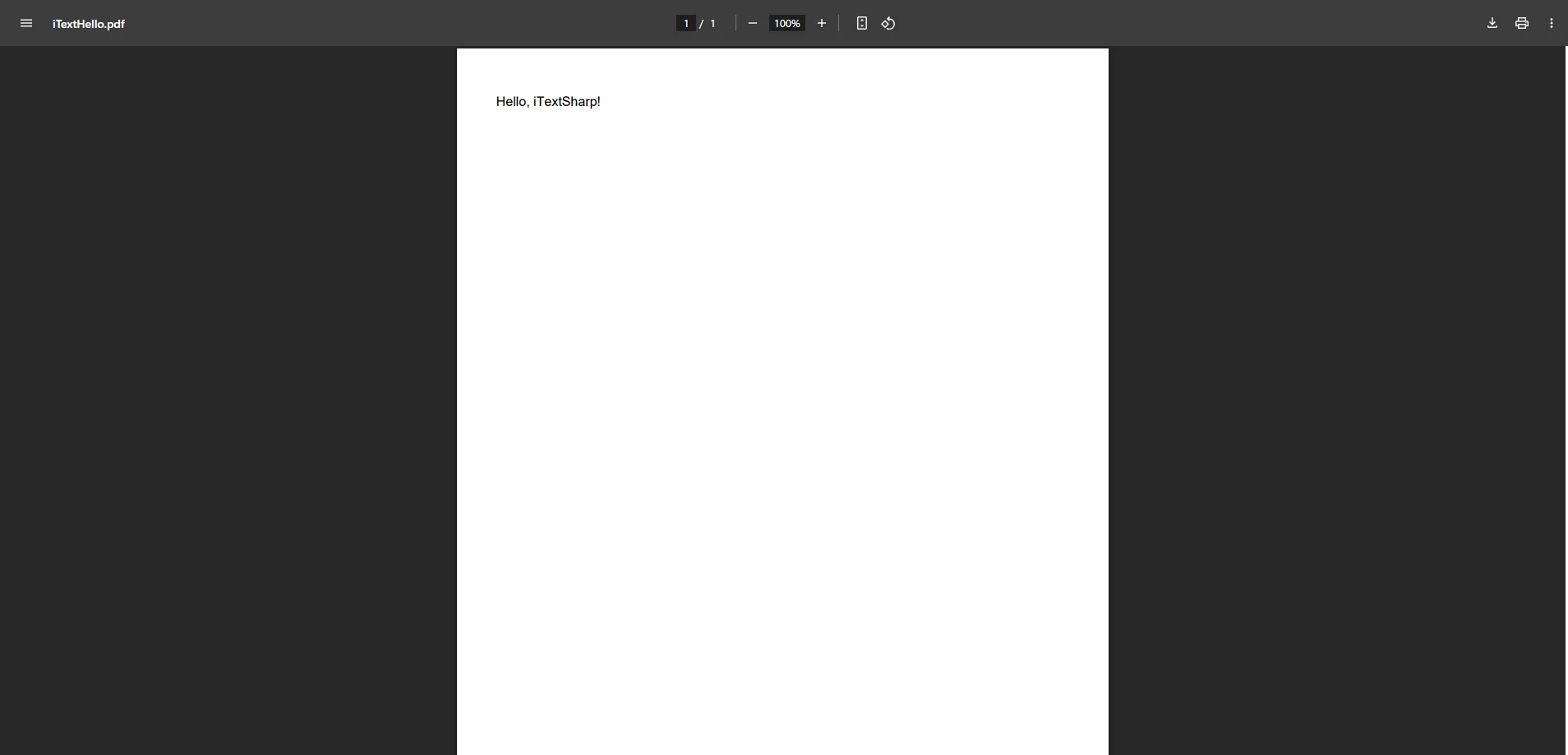
[[t:(iText의 iText 9 버전은 모듈로 구성됩니다. HTML 변환이나 바코드 생성을 위해서는 유료 애드온 [pdfHTML](https://itextpdf.com/products/convert-html-css-to-pdf-pdfhtml)과 같은 추가적인 NuGet 패키지를 설치하십시오.)]]
### iText의 강점과 약점
**장점:**
* 강력하고 Enterprise급
* PDF/A, 암호화, 양식 작성, 디지털 서명을 지원
* 플러그인을 사용하는 모듈형 아키텍처
**단점:**
* AGPL 라이선스 또는 비싼 상업용 라이선스
* 더 가파른 학습 곡선
* 경쟁사에 비해 자세한 구문
## IronPDF: C#를 위한 포괄적인 선택
### IronPDF가 돋보이는 이유
[**IronPDF**](https://ironpdf.com)는 단순성, 렌더링 정확성 및 기능을 강조하는 상업 for .NET 라이브러리입니다. 완전한 CSS, JavaScript 및 웹 글꼴을 지원하여 HTML을 PDF로 변환하려는 경우 특히 강력합니다. 이는 현대적이고 반응형 PDF 문서 생성에 이상적입니다. 처음부터 PDF 문서를 만들거나 [HTML에서 PDF 문서](https://ironpdf.com/how-to/html-string-to-pdf/)를 생성하거나 PDF 파일을 잘 조작할 수 있는 도구가 필요하다면 IronPDF가 준비되어 있습니다.
.NET Core, .NET Framework, Azure, Docker를 지원하여 IronPDF는 스타트업과 Enterprise급 앱 모두에 적합한 솔루션입니다. 강력한 기능, 우수한 문서화 및 다양한 플랫폼 내 성능을 갖춘 IronPDF는 PDF 생성을 위한 확고한 선택입니다.
### IronPDF 설치 중
```shell
:ProductInstall
```
또는 Visual Studio NuGet UI를 사용하세요. IronPDF는 AGPL 제한 없이 상업적 사용을 위한 [무료 체험판](trial-license)과 유연한 라이선스를 제공합니다.
### IronPDF 샘플 코드: 5줄로 HTML에서 PDF 만들기
```csharp
using IronPdf;
// Create a PDF renderer that uses Chrome for rendering
var Renderer = new ChromePdfRenderer();
// Render an HTML string as a PDF
var pdf = Renderer.RenderHtmlAsPdf("<h1>Hello from IronPDF!</h1><p>This was rendered using Chrome.</p>");
// Save the PDF document
pdf.SaveAs("IronPdfHello.pdf");
```
**산출**

*이 간단한 예시는 브라우저가 할 것처럼 HTML/CSS를 정확히 렌더링하기 위해 헤드리스 Chromium 엔진의 모든 힘을 사용합니다 - 이는 PDFsharp와 iText가 어려워하는 부분입니다.*
### 성능 및 개발자 경험
IronPDF는 다음으로 널리 인정받고 있습니다:
* **정확성:** 픽셀 단위의 정확한 렌더링으로 PDFs 생성
* **사용의 용이성:** 페이지 크기, 여백 또는 글꼴을 수동으로 관리할 필요 없음
* **속도:** 멀티스레딩 지원으로 빠른 생성
* **지원:** 활동적인 문서, 샘플, 고객 지원
벤치마크는 IronPDF가 표준 머신에서 이미지, CSS 및 JavaScript를 통해 복잡한 HTML 인보이스를 2초 이내에 생성할 수 있음을 보여줍니다. 이는 iText의 HTML 애드온이나 PDFsharp의 수동 드로잉 방법을 훨씬 능가합니다.
### 왜 IronPDF를 선택해야 할까요?
**IronPDF는 최신 개발 경험을 제공합니다**, 주요 기능으로 다음과 같은 것들을 포함합니다:
* PDF 변환을 위한 완전한 HTML5, CSS3, JS, Bootstrap 및 반응형 디자인 지원으로 정확한 렌더링
* PDF/A, 디지털 서명, 워터마크 추가, 병합 및 분할과 같은 고급 기능에 액세스하십시오
* 상업용 제품에 적합한 라이센스 - AGPL 걱정 없음
* 뛰어난 문서 및 샘플이 많은 지원
* 최소한의 노력으로 PDF 문서에서 데이터 추출
* C# 프로그래밍 언어에만 국한되지 않는 IronPDF는 Java, Node.js, Python 버전도 제공합니다
송장 생성기, 보고서 엔진, 브라우저 기반 문서 시스템을 구축 중인지 여부와 관계없이 IronPDF는 이를 간단하고 전문적으로 만듭니다.
## 최종 생각: 어떤 C# PDF 라이브러리를 선택해야 하는가?
C# PDF 라이브러리의 세계는 다양하며, 우리가 탐구했던 각 도구 - [**PDFsharp**](https://docs.pdfsharp.net), [**iText**](https://itextpdf.com/products/itextsharp), [**IronPDF**](https://ironpdf.com) - 는 각자의 강점, 약점 및 이상적인 사용 사례를 가지고 있습니다. 그래서 .NET 응용 프로그램에 어떤 것을 선택해야 할까요?
### PDFsharp: 경량화 및 DIY
작은 규모의 애플리케이션을 구축하고, 기본적인 문서 렌더링 수요가 있으며, PDF 드로잉 작업에 대해 완전한 제어를 선호하는 경우, **PDFsharp**는 신뢰할 수 있는 출발점입니다. 그의 오픈 소스 성격과 낮은 오버헤드는 라이센싱과 단순성이 중요한 프로젝트에 이상적입니다. 그러나 HTML 지원, 최신 웹 렌더링, 제한된 활발한 개발이 없다는 것은 수작업을 요구합니다.
PDFsharp를 사용하십시오:
* 선, 텍스트 및 간단한 레이아웃으로 프로그래밍적으로 PDF 파일을 생성하려는 경우.
* 귀하의 앱이 HTML을 PDF로, CSS 스타일링, JavaScript가 필요하지 않은 경우.
* 오픈 소스 호환성 (MIT 라이선스)이 필수적입니다.
### iText: 강력하지만 복잡함
**iText**는 스펙트럼의 Enterprise 끝에 위치합니다. 복잡한 PDF 조작에 적합하며 강력하고 안전한 기능을 제공합니다:
* 양식 작성
* 바코드 생성
* 디지털 서명으로 파일 보안
* PDF/A 및 PDF/UA와 같은 형식 준수
그러나 AGPL 라이센스는 귀하의 코드를 오픈 소스로 하거나 상용 라이센스를 구매할 준비가 되어 있지 않으면 제한적일 수 있습니다 - 이는 저렴하지 않습니다. 또한 학습 곡선이 가파르고 HTML 렌더링이 핵심 기능이 아닌 애드온입니다.
iText를 사용하십시오:
* 귀하가 양식 작성 또는 보안 PDF로 정부 또는 규제 시스템을 구축하는 경우.
* 저수준 PDF 작업에 대한 세부 제어가 필요한 경우.
* 상용 라이센스에 예산이 있는 경우.
### IronPDF: 현대적이고 직관적이며 기능이 풍부함
대조적으로, **IronPDF**는 우아하고 빠르게 실제 문제를 해결하도록 설계되었습니다. HTML, CSS, JavaScript와 같은 웹 기술의 친숙함과 Chromium 렌더링의 강력함을 결합하여, 복잡한 레이아웃을 손쉽게 아름답게 PDF로 변환할 수 있습니다.
처리:
* 픽셀 단위 정확한 HTML을 PDF로 렌더링
* JavaScript 실행 (차트 및 동적 데이터에 유용함)
* PDF 병합, 분할, 워터마크 추가, 서명, 그리고 기타 다양한 PDF 문서 조작 옵션
* .NET 6, 7 및 이를 넘어서까지의 통합
* Azure, Docker 및 CI/CD 파이프라인에 간편한 배포
가장 중요한 것은, 개발자 경험에 초점을 맞춘 IronPDF: 깨끗한 문법, 빠른 렌더링, 풍부한 문서화 및 신속한 지원.
IronPDF를 선택할 때:
* 브라우저 인쇄 미리보기와 같은 HTML-to-PDF 렌더링에 유용한 도구를 원할 때.
* 문서가 웹 스타일링 (Bootstrap, Flexbox, Google Fonts)을 기반으로 할 때.
* 유연성, 지원 및 업데이트가 포함된 상용 라이센스가 필요할 때.
* 시장 출시 시간과 개발자 생산성을 중시할 때.
## 결론: 대부분의 .NET 개발자들에게 IronPDF가 승리합니다
PDFsharp는 기본적인 용도로 훌륭한 옵션이며, iText는 제안이 많고 복잡한 산업에 적합한 반면, **IronPDF는 현대 C# 개발자를 위한 만능 PDF 솔루션으로 돋보입니다**. IronPDF는 강력함, 단순함, 실제 사용 가능성 간의 완벽한 균형을 이룹니다.
동적 보고서를 렌더링하거나, 웹 템플릿에서 클라이언트 인보이스를 생성하거나, 풍부한 문서를 내보낼 때 IronPDF는 PDF 렌더링의 복잡한 문제를 신경 쓰지 않도록 도와줍니다.
## 시험해 볼 준비가 되셨나요?
우리의 말만 믿지 마세요 - IronPDF를 직접 체험해 보세요:
* [무료 체험판 다운로드](trial-license)
* [문서로 시작하기](https://ironpdf.com/docs/)
* [GitHub 샘플 및 코드 스니펫 보기](https://github.com/iron-software/IronPdf.Examples/tree/main/examples/using-html-to-create-a-pdf)
IronPDF로 PDF를 생성하는 것만이 아닙니다 - 정확히 당신의 디자인대로 보이는 세련되고 전문적인, 프로덕션 준비가 된 문서를 구축하는 것입니다. 개발 시간을 단축하고 렌더링 문제를 제거하며 더 빠르게 배포하세요.
[[i:(PDFsharp 및 iText는 각 소유자의 등록 상표입니다. 이 사이트는 PDFsharp 또는 iText와 소속되지 않으며, 승인 받거나, 후원받지 않습니다. 모든 제품명, 로고 및 브랜드는 해당 소유자의 자산입니다. 비교는 정보 제공 목적으로만 사용되며, 작성 시점에 공개적으로 이용 가능한 정보를 반영합니다.)]]
문서가 많은 Enterprise 솔루션을 구축하든, SaaS 앱에서 송장을 생성하든, .NET 대시보드에서 보고서를 내보내든 항상 한 가지 질문이 제기됩니다.
"어떤 C# PDF 라이브러리를 사용해야 할까요?"
.NET 에코시스템에서는 세 가지 라이브러리가 두드러집니다: PDFsharp, iText, 그리고 IronPDF. 각각의 강점, 특이점 및 최적의 사용 사례를 가지고 있습니다. 하지만 현대 개발자들이 .NET 6+, .NET Core 또는 기존 .NET Framework 내에서 PDF 파일을 다루기에 정말로 최상의 선택은 무엇일까요?
이 포괄적인 가이드는 각 라이브러리를 깊이 있게 탐구하여 기능, 설치, 사용성 및 출력 품질을 비교합니다. 실제 개발 요구 사항을 기반으로 각 라이브러리의 장단점 및 실질적인 권장 사항을 소개하는 동작 코드 예제를 순서대로 살펴봅니다.
시작해 봅시다.
PDFsharp 개요
PDFsharp란 무엇인가?
PDFsharp은 개발자가 C#을 사용하여 PDF 문서를 즉석에서 생성하고 처리할 수 있게 해주는 오픈 소스 라이브러리입니다. 처음부터 PDF 생성 및 기존 PDF 파일을 수정할 수 있는 기능을 지원합니다. 깔끔하고 객체 지향적인 API는 경량화 및 통합이 쉬운 솔루션을 찾는 개발자에게 이상적입니다.
커뮤니티 주도로 진행되고 있으나 충성스러운 사용자층이 있으며 HTML에서 고급 렌더링이나 동적 콘텐츠가 필요하지 않은 간단한 PDF 작업에 대해 선호되는 선택지로 남아 있습니다.
PDFsharp 설치하기
NuGet을 통한 설치는 간단합니다:
PM > Install-Package PDFsharp
Install-Package PDFsharp
PDFsharp는 또한 .NET Core 환경에 맞춰 PdfSharpCore와 호환됩니다.
샘플 코드: 간단한 PDF 생성
using PdfSharp.Pdf;using PdfSharp.Drawing;// Create a new PDF documentvar document = new PdfDocument();document.Info.Title = "Created with PDFsharp";// Create an empty pagePdfPage page = document.AddPage();// Get an XGraphics object for drawingXGraphics gfx = XGraphics.FromPdfPage(page);// Create a fontXFont font = new XFont("Verdana", 20, XFontStyle.Bold);// Draw the textgfx.DrawString("Hello, PDFsharp!", font, XBrushes.Black, new XRect(0, 0, page.Width, page.Height), XStringFormats.Center);// Save the documentdocument.Save("HelloWorld.pdf");
using PdfSharp.Pdf;
using PdfSharp.Drawing;

// Create a new PDF document
var document = new PdfDocument();
document.Info.Title = "Created with PDFsharp";

// Create an empty page
PdfPage page = document.AddPage();

// Get an XGraphics object for drawing
XGraphics gfx = XGraphics.FromPdfPage(page);

// Create a font
XFont font = new XFont("Verdana", 20, XFontStyle.Bold);

// Draw the text
gfx.DrawString("Hello, PDFsharp!", font, XBrushes.Black, new XRect(0, 0, page.Width, page.Height), XStringFormats.Center);

// Save the document
document.Save("HelloWorld.pdf");
ImportsPdfSharp.PdfImportsPdfSharp.Drawing' Create a new PDF documentPrivate document = New PdfDocument()document.Info.Title = "Created with PDFsharp"' Create an empty pageDim page AsPdfPage = document.AddPage()' Get an XGraphics object for drawingDim gfx AsXGraphics = XGraphics.FromPdfPage(page)' Create a fontDim font As New XFont("Verdana", 20, XFontStyle.Bold)' Draw the textgfx.DrawString("Hello, PDFsharp!", font, XBrushes.Black, New XRect(0, 0, page.Width, page.Height), XStringFormats.Center)' Save the documentdocument.Save("HelloWorld.pdf")
Imports PdfSharp.Pdf
Imports PdfSharp.Drawing

' Create a new PDF document
Private document = New PdfDocument()
document.Info.Title = "Created with PDFsharp"

' Create an empty page
Dim page As PdfPage = document.AddPage()

' Get an XGraphics object for drawing
Dim gfx As XGraphics = XGraphics.FromPdfPage(page)

' Create a font
Dim font As New XFont("Verdana", 20, XFontStyle.Bold)

' Draw the text
gfx.DrawString("Hello, PDFsharp!", font, XBrushes.Black, New XRect(0, 0, page.Width, page.Height), XStringFormats.Center)

' Save the document
document.Save("HelloWorld.pdf")
산출
참고해 주세요: Note: PDFsharp는 상자 밖에서 HTML 렌더링이나 CSS 파싱을 지원하지 않으므로, 드로잉 기반 문서 생성에 가장 잘 사용됩니다. HTML to PDF 렌더링에는 PDFsharp용 HtmlRenderer가 필요합니다.
PDFsharp의 장단점
장점:
무료 및 오픈 소스 PDF 라이브러리 (MIT 라이선스)
저수준의 그림 및 간단한 텍스트 기반 PDF 문서에 적합
경량이며 설치가 용이합니다
단점:
기본 HTML에서 PDF로의 지원이 없습니다
렌더링 기능이 제한적입니다
고급 사용 사례를 위한 적극적인 유지보수가 없습니다
iText 상세 분석
iText란 무엇인가?
iText는 iText의 .NET 포트로, 강력한 Java 기반의 PDF 라이브러리입니다. 디지털 서명, 양식 필드, 바코드 등을 포함한 고급 기능을 제공합니다. iText는 매우 커스터마이징 가능하며 법적 또는 규제 문서 요구사항이 있는 기업에 가장 적합합니다.
그러나 라이선스 문제가 있습니다. iText는 AGPL 라이선스를 사용하여 상업용 라이선스를 구입하지 않는 한 프로젝트를 오픈 소스해야 함을 의미합니다.
iText 설치하기
PM > Install-Package itext
Install-Package itext
새로운 버전에서는 iText Core 네임스페이스를 사용합니다. 통합 전에 라이선스 약관을 꼭 검토하세요.
샘플 코드: 기본 PDF 생성
using iText.Kernel.Pdf;using iText.Layout;using iText.Layout.Element;// Create a PdfWriter object to write to a filePdfWriter writer = new PdfWriter("iTextHello.pdf");// Create a PDF document with the PdfWritervar pdf = new PdfDocument(writer);// Initialize the documentDocument document = new Document(pdf);// Add a paragraph to the documentdocument.Add(new Paragraph("Hello, iTextSharp!"));// Finalize the documentdocument.Close();
using iText.Kernel.Pdf;
using iText.Layout;
using iText.Layout.Element;

// Create a PdfWriter object to write to a file
PdfWriter writer = new PdfWriter("iTextHello.pdf");
// Create a PDF document with the PdfWriter
var pdf = new PdfDocument(writer);
// Initialize the document
Document document = new Document(pdf);

// Add a paragraph to the document
document.Add(new Paragraph("Hello, iTextSharp!"));

// Finalize the document
document.Close();
Imports iText.Kernel.PdfImports iText.LayoutImports iText.Layout.Element' Create a PdfWriter object to write to a filePrivate writer As New PdfWriter("iTextHello.pdf")' Create a PDF document with the PdfWriterPrivate pdf = New PdfDocument(writer)' Initialize the documentPrivate document As New Document(pdf)' Add a paragraph to the documentdocument.Add(New Paragraph("Hello, iTextSharp!"))' Finalize the documentdocument.Close()
Imports iText.Kernel.Pdf
Imports iText.Layout
Imports iText.Layout.Element

' Create a PdfWriter object to write to a file
Private writer As New PdfWriter("iTextHello.pdf")
' Create a PDF document with the PdfWriter
Private pdf = New PdfDocument(writer)
' Initialize the document
Private document As New Document(pdf)

' Add a paragraph to the document
document.Add(New Paragraph("Hello, iTextSharp!"))

' Finalize the document
document.Close()
산출
팁: iText의 iText 9 버전은 모듈로 구성됩니다. HTML 변환이나 바코드 생성을 위해서는 유료 애드온 pdfHTML과 같은 추가적인 NuGet 패키지를 설치하십시오.
iText의 강점과 약점
장점:
강력하고 Enterprise급
PDF/A, 암호화, 양식 작성, 디지털 서명을 지원
플러그인을 사용하는 모듈형 아키텍처
단점:
AGPL 라이선스 또는 비싼 상업용 라이선스
더 가파른 학습 곡선
경쟁사에 비해 자세한 구문
IronPDF: C#를 위한 포괄적인 선택
IronPDF가 돋보이는 이유
IronPDF는 단순성, 렌더링 정확성 및 기능을 강조하는 상업 for .NET 라이브러리입니다. 완전한 CSS, JavaScript 및 웹 글꼴을 지원하여 HTML을 PDF로 변환하려는 경우 특히 강력합니다. 이는 현대적이고 반응형 PDF 문서 생성에 이상적입니다. 처음부터 PDF 문서를 만들거나 HTML에서 PDF 문서를 생성하거나 PDF 파일을 잘 조작할 수 있는 도구가 필요하다면 IronPDF가 준비되어 있습니다.
.NET Core, .NET Framework, Azure, Docker를 지원하여 IronPDF는 스타트업과 Enterprise급 앱 모두에 적합한 솔루션입니다. 강력한 기능, 우수한 문서화 및 다양한 플랫폼 내 성능을 갖춘 IronPDF는 PDF 생성을 위한 확고한 선택입니다.
IronPDF 설치 중
PM > Install-Package IronPdf
Install-Package IronPdf
또는 Visual Studio NuGet UI를 사용하세요. IronPDF는 AGPL 제한 없이 상업적 사용을 위한 무료 체험판과 유연한 라이선스를 제공합니다.
IronPDF 샘플 코드: 5줄로 HTML에서 PDF 만들기
using IronPdf;// Create a PDF renderer that uses Chrome for renderingvarRenderer = new ChromePdfRenderer();// Render an HTML string as a PDFvar pdf = Renderer.RenderHtmlAsPdf("<h1>Hello from IronPDF!</h1><p>This was rendered using Chrome.</p>");// Save the PDF documentpdf.SaveAs("IronPdfHello.pdf");
using IronPdf;

// Create a PDF renderer that uses Chrome for rendering
var Renderer = new ChromePdfRenderer();
// Render an HTML string as a PDF
var pdf = Renderer.RenderHtmlAsPdf("<h1>Hello from IronPDF!</h1><p>This was rendered using Chrome.</p>");
// Save the PDF document
pdf.SaveAs("IronPdfHello.pdf");
ImportsIronPdf' Create a PDF renderer that uses Chrome for renderingPrivateRenderer = New ChromePdfRenderer()' Render an HTML string as a PDFPrivate pdf = Renderer.RenderHtmlAsPdf("<h1>Hello from IronPDF!</h1><p>This was rendered using Chrome.</p>")' Save the PDF documentpdf.SaveAs("IronPdfHello.pdf")
Imports IronPdf

' Create a PDF renderer that uses Chrome for rendering
Private Renderer = New ChromePdfRenderer()
' Render an HTML string as a PDF
Private pdf = Renderer.RenderHtmlAsPdf("<h1>Hello from IronPDF!</h1><p>This was rendered using Chrome.</p>")
' Save the PDF document
pdf.SaveAs("IronPdfHello.pdf")
산출
이 간단한 예시는 브라우저가 할 것처럼 HTML/CSS를 정확히 렌더링하기 위해 헤드리스 Chromium 엔진의 모든 힘을 사용합니다 - 이는 PDFsharp와 iText가 어려워하는 부분입니다.
성능 및 개발자 경험
IronPDF는 다음으로 널리 인정받고 있습니다:
정확성: 픽셀 단위의 정확한 렌더링으로 PDFs 생성
사용의 용이성: 페이지 크기, 여백 또는 글꼴을 수동으로 관리할 필요 없음
속도: 멀티스레딩 지원으로 빠른 생성
지원: 활동적인 문서, 샘플, 고객 지원
벤치마크는 IronPDF가 표준 머신에서 이미지, CSS 및 JavaScript를 통해 복잡한 HTML 인보이스를 2초 이내에 생성할 수 있음을 보여줍니다. 이는 iText의 HTML 애드온이나 PDFsharp의 수동 드로잉 방법을 훨씬 능가합니다.
왜 IronPDF를 선택해야 할까요?
IronPDF는 최신 개발 경험을 제공합니다, 주요 기능으로 다음과 같은 것들을 포함합니다:
PDF 변환을 위한 완전한 HTML5, CSS3, JS, Bootstrap 및 반응형 디자인 지원으로 정확한 렌더링
PDF/A, 디지털 서명, 워터마크 추가, 병합 및 분할과 같은 고급 기능에 액세스하십시오
상업용 제품에 적합한 라이센스 - AGPL 걱정 없음
뛰어난 문서 및 샘플이 많은 지원
최소한의 노력으로 PDF 문서에서 데이터 추출
C# 프로그래밍 언어에만 국한되지 않는 IronPDF는 Java, Node.js, Python 버전도 제공합니다
송장 생성기, 보고서 엔진, 브라우저 기반 문서 시스템을 구축 중인지 여부와 관계없이 IronPDF는 이를 간단하고 전문적으로 만듭니다.
최종 생각: 어떤 C# PDF 라이브러리를 선택해야 하는가?
C# PDF 라이브러리의 세계는 다양하며, 우리가 탐구했던 각 도구 - PDFsharp, iText, IronPDF - 는 각자의 강점, 약점 및 이상적인 사용 사례를 가지고 있습니다. 그래서 .NET 응용 프로그램에 어떤 것을 선택해야 할까요?
PDFsharp: 경량화 및 DIY
작은 규모의 애플리케이션을 구축하고, 기본적인 문서 렌더링 수요가 있으며, PDF 드로잉 작업에 대해 완전한 제어를 선호하는 경우, PDFsharp는 신뢰할 수 있는 출발점입니다. 그의 오픈 소스 성격과 낮은 오버헤드는 라이센싱과 단순성이 중요한 프로젝트에 이상적입니다. 그러나 HTML 지원, 최신 웹 렌더링, 제한된 활발한 개발이 없다는 것은 수작업을 요구합니다.
PDFsharp를 사용하십시오:
선, 텍스트 및 간단한 레이아웃으로 프로그래밍적으로 PDF 파일을 생성하려는 경우.
귀하의 앱이 HTML을 PDF로, CSS 스타일링, JavaScript가 필요하지 않은 경우.
오픈 소스 호환성 (MIT 라이선스)이 필수적입니다.
iText: 강력하지만 복잡함
iText는 스펙트럼의 Enterprise 끝에 위치합니다. 복잡한 PDF 조작에 적합하며 강력하고 안전한 기능을 제공합니다:
양식 작성
바코드 생성
디지털 서명으로 파일 보안
PDF/A 및 PDF/UA와 같은 형식 준수
그러나 AGPL 라이센스는 귀하의 코드를 오픈 소스로 하거나 상용 라이센스를 구매할 준비가 되어 있지 않으면 제한적일 수 있습니다 - 이는 저렴하지 않습니다. 또한 학습 곡선이 가파르고 HTML 렌더링이 핵심 기능이 아닌 애드온입니다.
iText를 사용하십시오:
귀하가 양식 작성 또는 보안 PDF로 정부 또는 규제 시스템을 구축하는 경우.
저수준 PDF 작업에 대한 세부 제어가 필요한 경우.
상용 라이센스에 예산이 있는 경우.
IronPDF: 현대적이고 직관적이며 기능이 풍부함
대조적으로, IronPDF는 우아하고 빠르게 실제 문제를 해결하도록 설계되었습니다. HTML, CSS, JavaScript와 같은 웹 기술의 친숙함과 Chromium 렌더링의 강력함을 결합하여, 복잡한 레이아웃을 손쉽게 아름답게 PDF로 변환할 수 있습니다.
처리:
픽셀 단위 정확한 HTML을 PDF로 렌더링
JavaScript 실행 (차트 및 동적 데이터에 유용함)
PDF 병합, 분할, 워터마크 추가, 서명, 그리고 기타 다양한 PDF 문서 조작 옵션
.NET 6, 7 및 이를 넘어서까지의 통합
Azure, Docker 및 CI/CD 파이프라인에 간편한 배포
가장 중요한 것은, 개발자 경험에 초점을 맞춘 IronPDF: 깨끗한 문법, 빠른 렌더링, 풍부한 문서화 및 신속한 지원.
IronPDF를 선택할 때:
브라우저 인쇄 미리보기와 같은 HTML-to-PDF 렌더링에 유용한 도구를 원할 때.
문서가 웹 스타일링 (Bootstrap, Flexbox, Google Fonts)을 기반으로 할 때.
유연성, 지원 및 업데이트가 포함된 상용 라이센스가 필요할 때.
시장 출시 시간과 개발자 생산성을 중시할 때.
결론: 대부분의 .NET 개발자들에게 IronPDF가 승리합니다
PDFsharp는 기본적인 용도로 훌륭한 옵션이며, iText는 제안이 많고 복잡한 산업에 적합한 반면, IronPDF는 현대 C# 개발자를 위한 만능 PDF 솔루션으로 돋보입니다. IronPDF는 강력함, 단순함, 실제 사용 가능성 간의 완벽한 균형을 이룹니다.
동적 보고서를 렌더링하거나, 웹 템플릿에서 클라이언트 인보이스를 생성하거나, 풍부한 문서를 내보낼 때 IronPDF는 PDF 렌더링의 복잡한 문제를 신경 쓰지 않도록 도와줍니다.
IronPDF로 PDF를 생성하는 것만이 아닙니다 - 정확히 당신의 디자인대로 보이는 세련되고 전문적인, 프로덕션 준비가 된 문서를 구축하는 것입니다. 개발 시간을 단축하고 렌더링 문제를 제거하며 더 빠르게 배포하세요.
참고해 주세요: PDFsharp 및 iText는 각 소유자의 등록 상표입니다. 이 사이트는 PDFsharp 또는 iText와 소속되지 않으며, 승인 받거나, 후원받지 않습니다. 모든 제품명, 로고 및 브랜드는 해당 소유자의 자산입니다. 비교는 정보 제공 목적으로만 사용되며, 작성 시점에 공개적으로 이용 가능한 정보를 반영합니다.
커티스 차우는 칼턴 대학교에서 컴퓨터 과학 학사 학위를 취득했으며, Node.js, TypeScript, JavaScript, React를 전문으로 하는 프론트엔드 개발자입니다. 직관적이고 미적으로 뛰어난 사용자 인터페이스를 만드는 데 열정을 가진 그는 최신 프레임워크를 활용하고, 잘 구성되고 시각적으로 매력적인 매뉴얼을 제작하는 것을 즐깁니다.



















