.NET 응용프로그램 작업 시, HTML을 PDF로 변환, PDF 파일 편집, PDF 보안 등과 같은 PDF 관련 작업은 빈번한 요구사항이지만, 개발자는 종종 일관성 없는 출력, 제한된 기능, 복잡한 통합 과정과 같은 문제에 직면합니다. 이러한 작업을 간소화하려는 사람들을 위해 .NET PDF 라이브러리인 IronPDF는 기본 HTML에서 PDF로의 변환을 넘는 진보된 솔루션을 제공합니다.
이 비교에서는 IronPDF 와 DinkToPdf의 렌더링 기능, 기능 범위, 라이선스 구조 및 가격을 살펴보고, 두 프로그램의 차이점을 보여주는 코드 예제를 제공합니다.
PDF 전환 필요성 이해
.NET 개발자에게 HTML을 PDF로 변환하는 것은 보고서, 송장, 웹 콘텐츠와 같은 문서를 처리하기 위해 자주 요구됩니다. 그러나 작업의 복잡성은 변환되는 콘텐츠에 따라 크게 달라질 수 있습니다:
- 간단한 페이지: 텍스트 및 이미지 같은 정적 콘텐츠는 일반적으로 렌더링이 쉽습니다.
- 동적 페이지: 복잡한 레이아웃, 미디어, 스크립트 및 대화형 요소 에는 더욱 강력한 솔루션이 필요합니다.
기본적인 PDF 생성 외에도, 현대적인 응용프로그램은 종종 보다 발전된 PDF 기능이 필요합니다:
- 디지털 서명: 문서의 신뢰성과 무결성 보장.
- 암호화: 비밀번호 보호로 민감한 데이터를 보호합니다.
- 워터마킹: PDF에 맞춤형 브랜드 또는 보안 마크를 추가합니다.
- 콘텐츠 조작: PDF에서 콘텐츠를 추출, 편집, 추가할 수 있는 기능입니다.
대부분의 개발자에게 있어 HTML을 PDF로 변환하는 기능 그 이상의 PDF 라이브러리를 선택하는 것은 매우 중요합니다. 포괄적인 PDF 관리 도구 세트는 워크플로를 훨씬 부드럽고 효율적으로 만들 수 있습니다.
IronPDF 간단한 PDF 작업부터 복잡한 작업까지 모두 처리할 수 있는 다양한 기능을 제공합니다. DinkToPdf는 간단한 HTML을 PDF로 변환하는 데는 괜찮은 옵션이지만, 디지털 서명, 암호화, 워터마크, 콘텐츠 편집과 같은 고급 PDF 조작은 DinkToPdf의 현재 기능 범위를 벗어나기 때문에 팀에서 어려움을 겪는 경우가 많습니다. 이 섹션에서는 각 라이브러리가 이러한 문제를 어떻게 해결하는지 비교하여, 귀하의 요구에 가장 적합한 솔루션을 결정하는 데 도움을 드립니다.
도구 개요
IronPDF란 무엇입니까?
IronPDF 는 HTML을 PDF로 변환하는 것 이상의 기능을 필요로 하는 개발자를 위해 개발된 .NET 기반 PDF 라이브러리입니다. 이 API는 암호화 , 디지털 서명, 워터마킹, 폼 처리, 텍스트 또는 이미지 추출을 모두 지원하며, .NET Framework, .NET Core 및 .NET 5+에서 작동하는 단일 NuGet 패키지로 제공됩니다.
HTML을 PDF로 변환하는 기능은 HTML5, CSS3 및 JavaScript 완벽하게 지원하는 내장 Chromium 엔진을 통해 구현됩니다. 상용 라이선스에는 상세한 문서, 100개 이상의 작업에 대한 코드 예제, 그리고 전담 지원팀이 포함되어 있습니다.
DinkToPdf란 무엇인가요?
반면에 DinkToPdf는 고전적인 Qt WebKit 렌더링 엔진을 기반으로 HTML을 PDF로 변환하기 위한 오픈 소스 라이브러리이며, .NET Core를 위한 wkhtmltopdf 라이브러리의 래퍼입니다. 고급 기능이 필요 없는 더 단순하고 작은 프로젝트에 이상적인 경량 솔루션입니다. DinkToPdf의 .NET 프로젝트 통합은 상대적으로 간단하며, 기본 HTML 및 URL에서 최소한의 설정으로 PDF를 생성할 수 있습니다.
DinkToPdf 라이브러리는 무료 대안이지만, 기반이 되는 Qt WebKit 기술은 더 이상 활발하게 유지 관리되지 않으며 기능 및 보안상의 알려진 제한 사항이 있습니다. Qt WebKit은 2016년에 개발이 중단되었기 때문에 해당 렌더링 엔진은 최신 HTML5, CSS3 및 JavaScript 기능을 완벽하게 지원하지 않습니다. 문서 조작, 암호화 및 양식 작성은 현재 DinkToPdf의 기능 범위에 포함되지 않습니다. DinkToPdf는 HTML 렌더링에 초점을 맞추고 있으므로, 해당 영역까지 요구 사항이 확장되는 팀은 일반적으로 추가 라이브러리를 사용하거나 대안을 검토해야 합니다.
DinkToPdf의 개발 역사에 대한 자세한 정보와 보안 위험 및 제한 사항에 관한 추가 정보는 이 Medium 기사에 다루어져 있습니다.
다음은 이 글에서 다룬 기능들을 기준으로 각 라이브러리의 성능을 비교한 표입니다.
IronPDF와 DinkToPdf를 비교 평가하는 팀은 30일 무료 평가판을 사용하여 이 비교의 모든 기능을 테스트할 수 있습니다.
기능 심층 분석
IronPDF의 주요 기능 (코드 예제 포함)
IronPDF HTML을 PDF로 변환, 디지털 서명, 암호화, 워터마킹, 양식 작성 및 콘텐츠 추출을 처리하는 단일 NuGet 패키지로 제공되며, 추가 렌더링 라이브러리가 필요하지 않습니다. 이 기능은 .NET Framework, .NET Core 및 .NET 5+ 프로젝트에서 모두 작동합니다. 아래 코드 예제는 이러한 기능 중 일부가 실제로 어떻게 작동하는지 보여줍니다.
HTML-to-PDF 변환
IronPDF의 HTML-to-PDF 변환은 최신 Chromium 렌더링 엔진(Blink)을 기반으로 하여 HTML5, CSS3, JavaScript를 완벽하게 지원합니다. 이 프로그램은 원래의 CSS 스타일, 미디어 및 JavaScript 상호 작용 기능을 유지하면서 HTML 페이지를 변환합니다. 이것은 동적 콘텐츠를 변환하고 픽셀 단위의 완벽한 결과를 원하는 개발자에게 훌륭한 선택이 됩니다.
using IronPdf;

public class Program
{
    public static void Main()
    {
        // Create a ChromePdfRenderer for rendering
        ChromePdfRenderer renderer = new ChromePdfRenderer();

        // Render an HTML file as a PDF
        PdfDocument pdf = renderer.RenderHtmlFileAsPdf("example.html");

        // Save the output PDF
        pdf.SaveAs("example.pdf");
    }
}
using IronPdf;

public class Program
{
    public static void Main()
    {
        // Create a ChromePdfRenderer for rendering
        ChromePdfRenderer renderer = new ChromePdfRenderer();

        // Render an HTML file as a PDF
        PdfDocument pdf = renderer.RenderHtmlFileAsPdf("example.html");

        // Save the output PDF
        pdf.SaveAs("example.pdf");
    }
}
Imports IronPdf
Public Class Program
Public Shared Sub Main()
' Create a ChromePdfRenderer for rendering
Dim renderer As New ChromePdfRenderer()
' Render an HTML file as a PDF
Dim pdf As PdfDocument = renderer.RenderHtmlFileAsPdf("example.html")
' Save the output PDF
pdf.SaveAs("example.pdf")
End Sub
End Class
Imports IronPdf

Public Class Program
    Public Shared Sub Main()
        ' Create a ChromePdfRenderer for rendering
        Dim renderer As New ChromePdfRenderer()

        ' Render an HTML file as a PDF
        Dim pdf As PdfDocument = renderer.RenderHtmlFileAsPdf("example.html")

        ' Save the output PDF
        pdf.SaveAs("example.pdf")
    End Sub
End Class
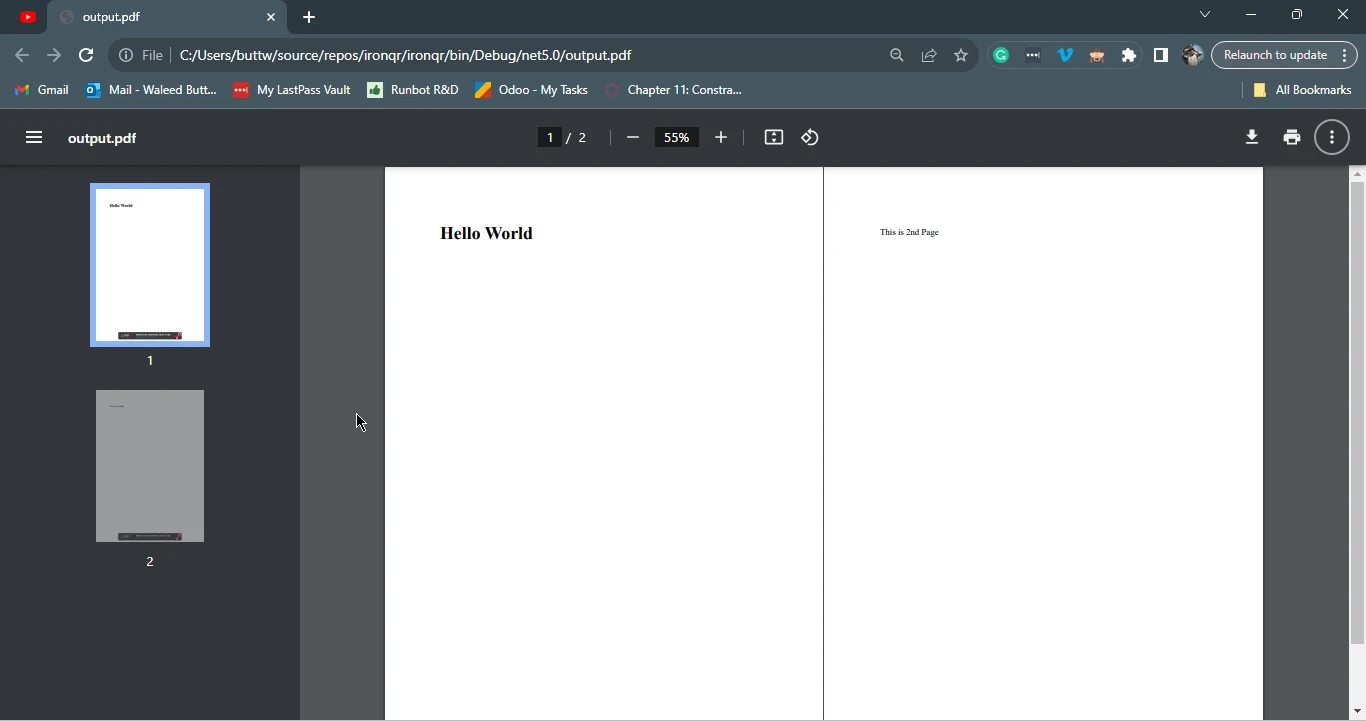
출력: 이 예제는 ChromePdfRenderer가 HTML 파일(example.html)을 스타일 및 스크립트를 보존하여 고품질 PDF로 변환하는 방법을 보여줍니다. PDF 파일은 "example.pdf"라는 이름으로 저장됩니다.

URL을 PDF로 변환
IronPDF는 웹 페이지의 원래 레이아웃과 스타일을 유지하면서 URL을 PDF로 손쉽게 변환할 수 있습니다. 전체 웹 페이지의 콘텐츠를 PDF로 캡처해야 하는 개발자에게 이상적입니다.
using IronPdf;

public class Program
{
    public static void Main()
    {
        // Create a ChromePdfRenderer for rendering
        ChromePdfRenderer renderer = new ChromePdfRenderer();

        // Render a URL as a PDF
        PdfDocument pdf = renderer.RenderUrlAsPdf("https://www.apple.com");

        // Save the output PDF
        pdf.SaveAs("UrlToPdf.pdf");
    }
}
using IronPdf;

public class Program
{
    public static void Main()
    {
        // Create a ChromePdfRenderer for rendering
        ChromePdfRenderer renderer = new ChromePdfRenderer();

        // Render a URL as a PDF
        PdfDocument pdf = renderer.RenderUrlAsPdf("https://www.apple.com");

        // Save the output PDF
        pdf.SaveAs("UrlToPdf.pdf");
    }
}
Imports IronPdf
Public Class Program
Public Shared Sub Main()
' Create a ChromePdfRenderer for rendering
Dim renderer As New ChromePdfRenderer()
' Render a URL as a PDF
Dim pdf As PdfDocument = renderer.RenderUrlAsPdf("https://www.apple.com")
' Save the output PDF
pdf.SaveAs("UrlToPdf.pdf")
End Sub
End Class
Imports IronPdf

Public Class Program
    Public Shared Sub Main()
        ' Create a ChromePdfRenderer for rendering
        Dim renderer As New ChromePdfRenderer()

        ' Render a URL as a PDF
        Dim pdf As PdfDocument = renderer.RenderUrlAsPdf("https://www.apple.com")

        ' Save the output PDF
        pdf.SaveAs("UrlToPdf.pdf")
    End Sub
End Class
출력: 이 예제는 RenderUrlAsPdf() 메서드를 사용하여 웹페이지를 PDF 문서로 변환하는 방법을 보여줍니다. 이 메소드는 전체 웹 페이지를 캡처하여 고품질의 PDF 문서로 변환합니다.
PDF 서명
IronPDF는 개발자가 PDF에 디지털 서명을 적용할 수 있도록 합니다. 이 기능은 문서의 진위성과 보전을 보장하는 데 필수적입니다. 개발자들은 인증서를 사용하여 PDF에 디지털 서명을 하거나, 손으로 쓴 서명 이미지와 같은 시각적 서명을 추가할 수 있습니다.
using IronPdf;
using IronPdf.Signing;
using System.Security.Cryptography.X509Certificates;
using IronSoftware.Drawing;

public class Program
{
    public static void Main(string[] args)
    {
        // Load the certificate for signing
        X509Certificate2 cert = new X509Certificate2("IronSoftware.pfx", "your-password", X509KeyStorageFlags.Exportable);

        // Create a PdfSignature object using the certificate
        var sig = new PdfSignature(cert);

        // Specify a signature image
        sig.SignatureImage = new PdfSignatureImage("IronPdf.png", 0, new Rectangle(150, 100, 350, 250));

        // Sign and save the PDF document
        sig.SignPdfFile("product_report.pdf");
    }
}
using IronPdf;
using IronPdf.Signing;
using System.Security.Cryptography.X509Certificates;
using IronSoftware.Drawing;

public class Program
{
    public static void Main(string[] args)
    {
        // Load the certificate for signing
        X509Certificate2 cert = new X509Certificate2("IronSoftware.pfx", "your-password", X509KeyStorageFlags.Exportable);

        // Create a PdfSignature object using the certificate
        var sig = new PdfSignature(cert);

        // Specify a signature image
        sig.SignatureImage = new PdfSignatureImage("IronPdf.png", 0, new Rectangle(150, 100, 350, 250));

        // Sign and save the PDF document
        sig.SignPdfFile("product_report.pdf");
    }
}
Imports IronPdf
Imports IronPdf.Signing
Imports System.Security.Cryptography.X509Certificates
Imports IronSoftware.Drawing
Public Class Program
Public Shared Sub Main(ByVal args() As String)
' Load the certificate for signing
Dim cert As New X509Certificate2("IronSoftware.pfx", "your-password", X509KeyStorageFlags.Exportable)
' Create a PdfSignature object using the certificate
Dim sig = New PdfSignature(cert)
' Specify a signature image
sig.SignatureImage = New PdfSignatureImage("IronPdf.png", 0, New Rectangle(150, 100, 350, 250))
' Sign and save the PDF document
sig.SignPdfFile("product_report.pdf")
End Sub
End Class
Imports IronPdf
Imports IronPdf.Signing
Imports System.Security.Cryptography.X509Certificates
Imports IronSoftware.Drawing

Public Class Program
	Public Shared Sub Main(ByVal args() As String)
		' Load the certificate for signing
		Dim cert As New X509Certificate2("IronSoftware.pfx", "your-password", X509KeyStorageFlags.Exportable)

		' Create a PdfSignature object using the certificate
		Dim sig = New PdfSignature(cert)

		' Specify a signature image
		sig.SignatureImage = New PdfSignatureImage("IronPdf.png", 0, New Rectangle(150, 100, 350, 250))

		' Sign and save the PDF document
		sig.SignPdfFile("product_report.pdf")
	End Sub
End Class
출력: 이 예제에서는 인증된 디지털 인증서를 사용하여 보이지 않는 디지털 서명이 PDF에 적용되어 진위성을 보장합니다. 이는 중요한 또는 기밀 문서 취급 시 필수적입니다.
맞춤형 워터마킹
IronPDF는 고급 PDF 조작 기능까지 폭넓게 제공합니다. HTML을 PDF로 변환하는 것 외에도, 개발자는 PDF 콘텐츠를 조작, 추출 및 편집할 수 있습니다. 예를 들어 워터마크를 추가하거나 주석을 달고, PDF 문서 내의 텍스트나 이미지를 편집할 수 있습니다. 여기에서는 PDF 문서에 사용자 지정 워터마크를 적용하는 것이 얼마나 쉬운지 보여줍니다.
using IronPdf;

public class Program
{
    public static void Main()
    {
        // Define the watermark HTML content
        string watermarkHtml = @"
        <img src='https://ironsoftware.com/img/products/ironpdf-logo-text-dotnet.svg'>
        <h1 style='Color: red'>CONFIDENTIAL</h1>";

        // Load an existing PDF document
        var pdf = PdfDocument.FromFile("ConfidentialDocument.pdf");

        // Apply the watermark with specific settings
        pdf.ApplyWatermark(watermarkHtml, opacity: 75, rotation: 45);

        // Save the resultant PDF
        pdf.SaveAs("ConfidentialDocumentWithWatermark.pdf");
    }
}
using IronPdf;

public class Program
{
    public static void Main()
    {
        // Define the watermark HTML content
        string watermarkHtml = @"
        <img src='https://ironsoftware.com/img/products/ironpdf-logo-text-dotnet.svg'>
        <h1 style='Color: red'>CONFIDENTIAL</h1>";

        // Load an existing PDF document
        var pdf = PdfDocument.FromFile("ConfidentialDocument.pdf");

        // Apply the watermark with specific settings
        pdf.ApplyWatermark(watermarkHtml, opacity: 75, rotation: 45);

        // Save the resultant PDF
        pdf.SaveAs("ConfidentialDocumentWithWatermark.pdf");
    }
}
Imports IronPdf
Public Class Program
Public Shared Sub Main()
' Define the watermark HTML content
Dim watermarkHtml As String = "
<img src='https://ironsoftware.com/img/products/ironpdf-logo-text-dotnet.svg'>
<h1 style='Color: red'>CONFIDENTIAL</h1>"
' Load an existing PDF document
Dim pdf = PdfDocument.FromFile("ConfidentialDocument.pdf")
' Apply the watermark with specific settings
pdf.ApplyWatermark(watermarkHtml, opacity:= 75, rotation:= 45)
' Save the resultant PDF
pdf.SaveAs("ConfidentialDocumentWithWatermark.pdf")
End Sub
End Class
Imports IronPdf

Public Class Program
	Public Shared Sub Main()
		' Define the watermark HTML content
		Dim watermarkHtml As String = "
        <img src='https://ironsoftware.com/img/products/ironpdf-logo-text-dotnet.svg'>
        <h1 style='Color: red'>CONFIDENTIAL</h1>"

		' Load an existing PDF document
		Dim pdf = PdfDocument.FromFile("ConfidentialDocument.pdf")

		' Apply the watermark with specific settings
		pdf.ApplyWatermark(watermarkHtml, opacity:= 75, rotation:= 45)

		' Save the resultant PDF
		pdf.SaveAs("ConfidentialDocumentWithWatermark.pdf")
	End Sub
End Class
출력: 이 예시는 HTML과 CSS를 사용하여 맞춤형 워터마크를 적용하는 방법을 보여줍니다. ApplyWatermark 메서드는 사용자 지정 회전, 배치 및 불투명도를 허용합니다.
IronPDF의 더 많은 기능을 탐색하고 싶다면, 정보가 담긴 기능 페이지 또는 각 기능에 대한 심층적인 코드 예제들이 포함된 How-to Guides를 확인해보세요.
DinkToPdf의 주요 특징 (코드 예제 포함)
DinkToPdf는 기존 Qt WebKit 렌더링 엔진을 사용하여 HTML을 PDF로 변환할 수 있는 경량 라이브러리입니다. Qt WebKit은 더 이상 활발하게 유지 관리되지 않으며, 해당 렌더링 엔진은 최신 웹 표준을 완벽하게 지원하지 않는다는 점에 유의하십시오. 기본 HTML 및 URL에서 PDF를 생성하는 간단하고 오픈 소스의 솔루션입니다. 고급 PDF 편집 기능이나 최신 웹 표준 지원은 이 프로그램의 범위를 벗어나지만, 간단한 구조화된 문서, 송장 및 보고서를 효과적으로 생성할 수 있습니다. 실용적인 예제와 함께 주요 기능 중 일부를 탐색해 봅시다.
HTML을 PDF로 변환
DinkToPdf는 개발자가 HTML 콘텐츠를 쉽게 PDF로 변환할 수 있게 하여, 청구서, 보고서 및 웹 페이지의 인쇄 가능 버전을 생성하는 데 유용합니다.
using DinkToPdf;
using DinkToPdf.Contracts;

public class Program
{
    public static void Main()
    {
        // Create a converter with the basic PDF tools
        var converter = new BasicConverter(new PdfTools());

        // Define the document's global and object settings
        var doc = new HtmlToPdfDocument()
        {
            GlobalSettings = new GlobalSettings()
            {
                ColorMode = ColorMode.Color,
                Orientation = Orientation.Portrait,
                PaperSize = PaperKind.A4,
                Out = "HtmlToPdf.pdf"
            },
            Objects =
            {
                new ObjectSettings()
                {
                    PagesCount = true,
                    HtmlContent = "<h1>Hello, World!</h1><p>This is a PDF generated using DinkToPdf.</p>",
                    WebSettings = { DefaultEncoding = "utf-8" }
                }
            }
        };

        // Perform the conversion
        converter.Convert(doc);
    }
}
using DinkToPdf;
using DinkToPdf.Contracts;

public class Program
{
    public static void Main()
    {
        // Create a converter with the basic PDF tools
        var converter = new BasicConverter(new PdfTools());

        // Define the document's global and object settings
        var doc = new HtmlToPdfDocument()
        {
            GlobalSettings = new GlobalSettings()
            {
                ColorMode = ColorMode.Color,
                Orientation = Orientation.Portrait,
                PaperSize = PaperKind.A4,
                Out = "HtmlToPdf.pdf"
            },
            Objects =
            {
                new ObjectSettings()
                {
                    PagesCount = true,
                    HtmlContent = "<h1>Hello, World!</h1><p>This is a PDF generated using DinkToPdf.</p>",
                    WebSettings = { DefaultEncoding = "utf-8" }
                }
            }
        };

        // Perform the conversion
        converter.Convert(doc);
    }
}
Imports DinkToPdf
Imports DinkToPdf.Contracts
Public Class Program
Public Shared Sub Main()
' Create a converter with the basic PDF tools
Dim converter = New BasicConverter(New PdfTools())
' Define the document's global and object settings
Dim doc = New HtmlToPdfDocument() With {
.GlobalSettings = New GlobalSettings() With {
.ColorMode = ColorMode.Color,
.Orientation = Orientation.Portrait,
.PaperSize = PaperKind.A4,
.Out = "HtmlToPdf.pdf"
},
.Objects = {
New ObjectSettings() With {
.PagesCount = True, .HtmlContent = "<h1>Hello, World!</h1><p>This is a PDF generated using DinkToPdf.</p>", .WebSettings = { DefaultEncoding = "utf-8" }
}
}
}
' Perform the conversion
converter.Convert(doc)
End Sub
End Class
Imports DinkToPdf
Imports DinkToPdf.Contracts

Public Class Program
	Public Shared Sub Main()
		' Create a converter with the basic PDF tools
		Dim converter = New BasicConverter(New PdfTools())

		' Define the document's global and object settings
		Dim doc = New HtmlToPdfDocument() With {
			.GlobalSettings = New GlobalSettings() With {
				.ColorMode = ColorMode.Color,
				.Orientation = Orientation.Portrait,
				.PaperSize = PaperKind.A4,
				.Out = "HtmlToPdf.pdf"
			},
			.Objects = {
				New ObjectSettings() With {
					.PagesCount = True, .HtmlContent = "<h1>Hello, World!</h1><p>This is a PDF generated using DinkToPdf.</p>", .WebSettings = { DefaultEncoding = "utf-8" }
				}
			}
		}

		' Perform the conversion
		converter.Convert(doc)
	End Sub
End Class
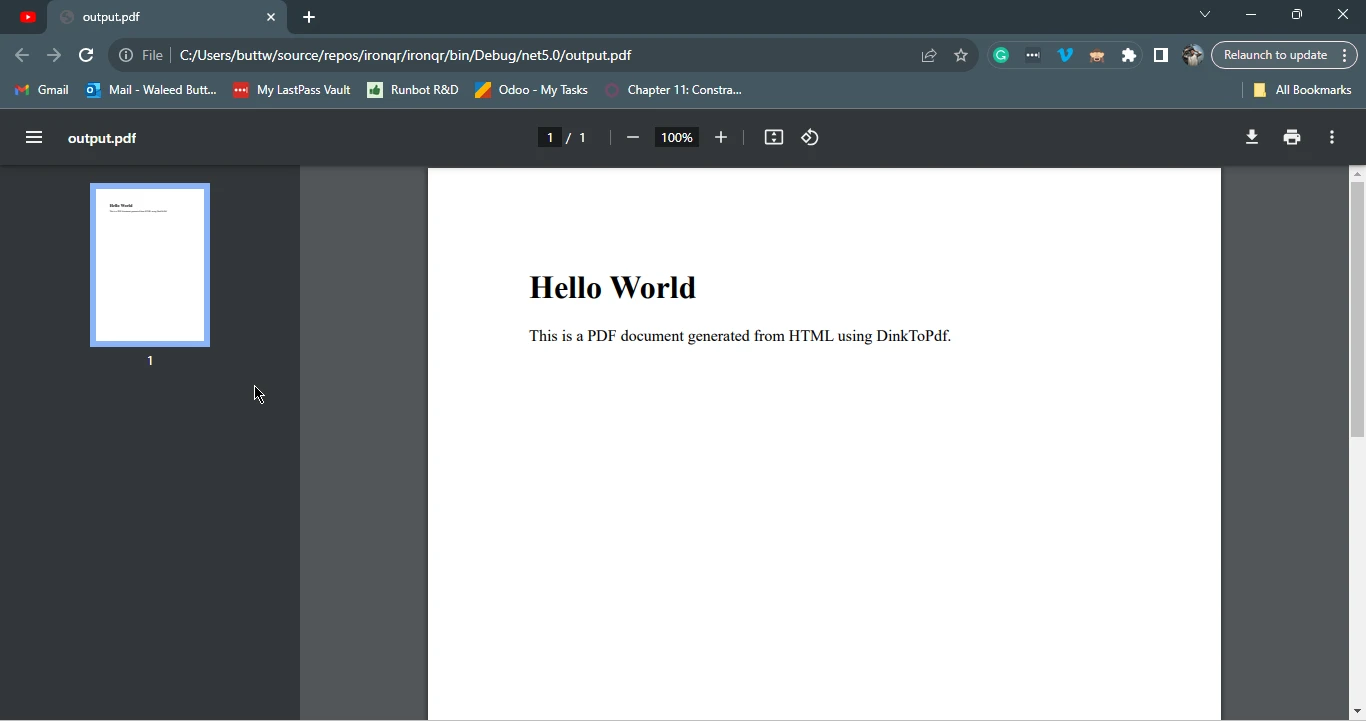
출력: 이 예제에서는 PDF 변환을 처리하기 위해 BasicConverter 인스턴스를 생성합니다. HtmlToPdfDocument 객체는 PDF의 설정, 예를 들어 용지 크기 및 출력 파일을 정의합니다. HTML 콘텐츠는 ObjectSettings에 지정됩니다.

URL을 PDF로 변환
DinkToPdf는 실시간 웹 페이지도 PDF 형식으로 변환할 수 있어, 웹 보고서, 대시보드, 또는 동적 콘텐츠를 캡처하는 데 뛰어납니다.
// Similar to HTML-to-PDF with the Page property set to a URL
// (Example code is unavailable in the original content and left as a description)
// Similar to HTML-to-PDF with the Page property set to a URL
// (Example code is unavailable in the original content and left as a description)
' Similar to HTML-to-PDF with the Page property set to a URL
' (Example code is unavailable in the original content and left as a description)
' Similar to HTML-to-PDF with the Page property set to a URL
' (Example code is unavailable in the original content and left as a description)
출력: 이 예제는 HTML을 PDF로 변환하는 유사한 접근 방식을 따르지만 페이지 속성을 URL로 설정합니다. Qt WebKit 엔진은 웹 페이지를 캡처하여 PDF로 변환하지만, 최신 CSS3 기능 및 JavaScript와 관련하여 한계가 있을 수 있습니다.
맞춤형 페이지 설정 (여백, 헤더 및 풋터)
DinkToPdf는 페이지 설정에 대한 정밀한 제어를 제공하여 개발자가 맞춤형 여백, 헤더 및 풋터를 설정하여 전문적인 문서 형식을 만들 수 있게 합니다.
using DinkToPdf;
using DinkToPdf.Contracts;

public class Program
{
    public static void Main()
    {
        // Create a converter with the basic PDF tools
        var converter = new BasicConverter(new PdfTools());

        // Define the document's global and object settings
        var doc = new HtmlToPdfDocument()
        {
            GlobalSettings = new GlobalSettings()
            {
                ColorMode = ColorMode.Color,
                Orientation = Orientation.Portrait,
                PaperSize = PaperKind.A4,
                Out = "FormattedPdf.pdf",
                Margins = new MarginSettings() { Top = 10, Bottom = 10, Left = 15, Right = 15 }
            },
            Objects =
            {
                new ObjectSettings()
                {
                    HtmlContent = "<h1>Formatted PDF</h1><p>With custom margins and headers.</p>",
                    WebSettings = { DefaultEncoding = "utf-8" },
                    HeaderSettings = { Center = "Custom Header", FontSize = 10 },
                    FooterSettings = { Right = "Page [page] of [toPage]", FontSize = 10 }
                }
            }
        };

        // Perform the conversion
        converter.Convert(doc);
    }
}
using DinkToPdf;
using DinkToPdf.Contracts;

public class Program
{
    public static void Main()
    {
        // Create a converter with the basic PDF tools
        var converter = new BasicConverter(new PdfTools());

        // Define the document's global and object settings
        var doc = new HtmlToPdfDocument()
        {
            GlobalSettings = new GlobalSettings()
            {
                ColorMode = ColorMode.Color,
                Orientation = Orientation.Portrait,
                PaperSize = PaperKind.A4,
                Out = "FormattedPdf.pdf",
                Margins = new MarginSettings() { Top = 10, Bottom = 10, Left = 15, Right = 15 }
            },
            Objects =
            {
                new ObjectSettings()
                {
                    HtmlContent = "<h1>Formatted PDF</h1><p>With custom margins and headers.</p>",
                    WebSettings = { DefaultEncoding = "utf-8" },
                    HeaderSettings = { Center = "Custom Header", FontSize = 10 },
                    FooterSettings = { Right = "Page [page] of [toPage]", FontSize = 10 }
                }
            }
        };

        // Perform the conversion
        converter.Convert(doc);
    }
}
Imports DinkToPdf
Imports DinkToPdf.Contracts
Public Class Program
Public Shared Sub Main()
' Create a converter with the basic PDF tools
Dim converter = New BasicConverter(New PdfTools())
' Define the document's global and object settings
Dim doc = New HtmlToPdfDocument() With {
.GlobalSettings = New GlobalSettings() With {
.ColorMode = ColorMode.Color,
.Orientation = Orientation.Portrait,
.PaperSize = PaperKind.A4,
.Out = "FormattedPdf.pdf",
.Margins = New MarginSettings() With {
.Top = 10,
.Bottom = 10,
.Left = 15,
.Right = 15
}
},
.Objects = {
New ObjectSettings() With {
.HtmlContent = "<h1>Formatted PDF</h1><p>With custom margins and headers.</p>", .WebSettings = { DefaultEncoding = "utf-8" },
.HeaderSettings = {
Center = "Custom Header",
FontSize = 10
},
.FooterSettings = {
Right = "Page [page] of [toPage]",
FontSize = 10
}
}
}
}
' Perform the conversion
converter.Convert(doc)
End Sub
End Class
Imports DinkToPdf
Imports DinkToPdf.Contracts

Public Class Program
	Public Shared Sub Main()
		' Create a converter with the basic PDF tools
		Dim converter = New BasicConverter(New PdfTools())

		' Define the document's global and object settings
		Dim doc = New HtmlToPdfDocument() With {
			.GlobalSettings = New GlobalSettings() With {
				.ColorMode = ColorMode.Color,
				.Orientation = Orientation.Portrait,
				.PaperSize = PaperKind.A4,
				.Out = "FormattedPdf.pdf",
				.Margins = New MarginSettings() With {
					.Top = 10,
					.Bottom = 10,
					.Left = 15,
					.Right = 15
				}
			},
			.Objects = {
				New ObjectSettings() With {
					.HtmlContent = "<h1>Formatted PDF</h1><p>With custom margins and headers.</p>", .WebSettings = { DefaultEncoding = "utf-8" },
					.HeaderSettings = {
						Center = "Custom Header",
						FontSize = 10
					},
					.FooterSettings = {
						Right = "Page [page] of [toPage]",
						FontSize = 10
					}
				}
			}
		}

		' Perform the conversion
		converter.Convert(doc)
	End Sub
End Class
출력: 이 예제는 PDF에 맞춤형 형식을 추가합니다. MarginSettings는 여백을 지정하고, HeaderSettings 및 FooterSettings는 페이지 번호를 표시하는 사용자 지정 헤더 및 푸터를 정의하여 전문적인 레이아웃을 제공합니다.
가격과 라이센스
.NET 프로젝트를 위한 PDF 라이브러리를 선택할 때는 라이센스와 비용 고려 사항이 필수적입니다. IronPDF와 DinkToPdf는 서로 다른 라이센스 모델을 따르며, 적절한 선택은 프로젝트의 예산, 요구사항 및 지원 필요성에 따라 달라집니다.
DinkToPdf 라이센스 및 비용
DinkToPdf는 오픈 소스 라이브러리로 GNU Lesser General Public License (LGPL)하에서 제공됩니다. 이 덕분에 무료로 사용할 수 있지만, 상업용 애플리케이션에 배포하는 팀은 LGPL의 규정 준수 요건을 주의 깊게 검토해야 합니다.
DinkToPdf 라이센스
- LGPL 라이센스 – 오픈 소스 및 개인 프로젝트에는 무료입니다.
- LGPL 준수 요건 – 자체 애플리케이션에 이를 사용하는 기업은 추가적인 라이선스 의무를 준수해야 할 수 있습니다.
- 공식 지원 없음 – 커뮤니티 주도형으로 전용 고객 서비스가 없습니다.
- 추가 개발 시간 – 전담 지원이 없을 경우 팀은 디버깅 및 맞춤 설정에 추가 시간을 소요할 수 있습니다.
결론: DinkToPdf는 초기 비용이 없지만, 상업 프로젝트에 사용하는 기업은 라이센스 제약과 추가 유지보수 부담에 직면할 수 있습니다.
IronPDF 라이센스 및 비용
IronPDF는 상업적 라이센스 모델을 따르며, 전문적 및 기업용으로 설계되었습니다. 개발 및 평가를 위한 무료 체험판을 제공하지만, 전체 프로덕션 사용에는 유료 라이센스가 필요합니다.
IronPDF 라이센스
- 오픈 소스 제한이 없는 상업적 라이센스.
- 개발자 또는 팀 라이센스 기준의 간단한 가격 책정.
- 모든 주요 기능 포함 - HTML을 PDF로 변환, PDF 보안, 기타 핵심 도구에 추가 비용 없음.
- 전문 고객 지원 및 정기적인 업데이트.
결론: IronPDF는 전문 지원을 제공하는 비용 효율적인 올인원 PDF 솔루션으로, 신뢰할 수 있고 확장 가능한 PDF 라이브러리가 필요한 팀과 기업에 이상적입니다.
장기적인 솔루션과 예측 가능한 유지 관리 비용을 원하는 기업이라면 IronPDF 검토해 볼 가치가 있습니다. 체계적인 라이선스, 완벽한 기능 세트 및 지속적인 지원을 통해 DinkToPdf의 집중된 범위로 인해 시간이 지남에 따라 필요할 수 있는 통합 및 호환성 작업에 비해 더 높은 투자 수익률을 제공합니다.
라이선스 비용 외에도 총 프로젝트 비용에는 Qt WebKit의 최신 CSS 지원 부족 문제를 해결하고, 암호화 또는 디지털 서명을 위한 별도의 라이브러리를 추가하고, 독점 코드베이스에서LGPL규정을 준수하기 위해 개발자가 소요한 시간이 포함됩니다. 수년에 걸친 프로젝트 수명 주기 동안 비용을 평가하는 팀의 경우, 이러한 통합 및 유지 관리 비용이 오픈 소스 라이선스와 상용 라이선스 간의 차이를 훨씬 능가하는 경우가 많습니다.
현대 CSS 프레임워크 지원
IronPDF와 DinkToPdf의 중요한 차이점 중 하나는 Bootstrap, Tailwind CSS 및 Foundation과 같은 현대 CSS 프레임워크에 대한 지원입니다.
IronPDF: 완전한 Bootstrap 지원
IronPDF의 Chromium 렌더링 엔진은 최신 CSS 프레임워크를 완벽하게 지원합니다.
- Bootstrap 5: 반응형 레이아웃을 위한 완전한 flexbox 및 CSS Grid 지원
- 복잡한 레이아웃: Bootstrap 홈페이지 및 Bootstrap 템플릿을 픽셀 단위로 정확하게 렌더링
- 최신 기능: CSS3 애니메이션, 변환, 전환, 미디어 쿼리
- CSS 프레임워크: Bootstrap, Tailwind CSS, Foundation, Bulma가 매끄럽게 작동합니다
코드 예제: Bootstrap 청구서 레이아웃 렌더링
using IronPdf;

// Render a Bootstrap 5 invoice layout
var renderer = new ChromePdfRenderer();

// Example: Bootstrap invoice with table and flexbox
string bootstrapInvoice = @"
<!DOCTYPE html>
<html>
<head>
    <link href='https://cdn.jsdelivr.net/npm/bootstrap@5.3.0/dist/css/bootstrap.min.css' rel='stylesheet'>
</head>
<body>
    <div class='container my-5'>
        <div class='d-flex justify-content-between align-items-start mb-4'>
            <div>
                <h1>Invoice</h1>
                <p class='text-muted'>#INV-2025-001</p>
            </div>
            <div class='text-end'>
                <h4>Your Company</h4>
                <p class='mb-0'>123 Business St</p>
                <p>City, State 12345</p>
            </div>
        </div>

        <table class='table table-bordered'>
            <thead class='table-light'>
                <tr>
                    <th>Description</th>
                    <th class='text-end'>Quantity</th>
                    <th class='text-end'>Price</th>
                    <th class='text-end'>Total</th>
                </tr>
            </thead>
            <tbody>
                <tr>
                    <td>Professional Services</td>
                    <td class='text-end'>10</td>
                    <td class='text-end'>$150.00</td>
                    <td class='text-end'>$1,500.00</td>
                </tr>
                <tr>
                    <td>Software License</td>
                    <td class='text-end'>1</td>
                    <td class='text-end'>$500.00</td>
                    <td class='text-end'>$500.00</td>
                </tr>
            </tbody>
            <tfoot class='table-light fw-bold'>
                <tr>
                    <td colspan='3' class='text-end'>Total:</td>
                    <td class='text-end'>$2,000.00</td>
                </tr>
            </tfoot>
        </table>
    </div>
</body>
</html>";

var pdf = renderer.RenderHtmlAsPdf(bootstrapInvoice);
pdf.SaveAs("bootstrap-invoice.pdf");
using IronPdf;

// Render a Bootstrap 5 invoice layout
var renderer = new ChromePdfRenderer();

// Example: Bootstrap invoice with table and flexbox
string bootstrapInvoice = @"
<!DOCTYPE html>
<html>
<head>
    <link href='https://cdn.jsdelivr.net/npm/bootstrap@5.3.0/dist/css/bootstrap.min.css' rel='stylesheet'>
</head>
<body>
    <div class='container my-5'>
        <div class='d-flex justify-content-between align-items-start mb-4'>
            <div>
                <h1>Invoice</h1>
                <p class='text-muted'>#INV-2025-001</p>
            </div>
            <div class='text-end'>
                <h4>Your Company</h4>
                <p class='mb-0'>123 Business St</p>
                <p>City, State 12345</p>
            </div>
        </div>

        <table class='table table-bordered'>
            <thead class='table-light'>
                <tr>
                    <th>Description</th>
                    <th class='text-end'>Quantity</th>
                    <th class='text-end'>Price</th>
                    <th class='text-end'>Total</th>
                </tr>
            </thead>
            <tbody>
                <tr>
                    <td>Professional Services</td>
                    <td class='text-end'>10</td>
                    <td class='text-end'>$150.00</td>
                    <td class='text-end'>$1,500.00</td>
                </tr>
                <tr>
                    <td>Software License</td>
                    <td class='text-end'>1</td>
                    <td class='text-end'>$500.00</td>
                    <td class='text-end'>$500.00</td>
                </tr>
            </tbody>
            <tfoot class='table-light fw-bold'>
                <tr>
                    <td colspan='3' class='text-end'>Total:</td>
                    <td class='text-end'>$2,000.00</td>
                </tr>
            </tfoot>
        </table>
    </div>
</body>
</html>";

var pdf = renderer.RenderHtmlAsPdf(bootstrapInvoice);
pdf.SaveAs("bootstrap-invoice.pdf");
Imports IronPdf
' Render a Bootstrap 5 invoice layout
Dim renderer As New ChromePdfRenderer()
' Example: Bootstrap invoice with table and flexbox
Dim bootstrapInvoice As String = "
<!DOCTYPE html>
<html>
<head>
<link href='https://cdn.jsdelivr.net/npm/bootstrap@5.3.0/dist/css/bootstrap.min.css' rel='stylesheet'>
</head>
<body>
<div class='container my-5'>
<div class='d-flex justify-content-between align-items-start mb-4'>
<div>
<h1>Invoice</h1>
<p class='text-muted'>#INV-2025-001</p>
</div>
<div class='text-end'>
<h4>Your Company</h4>
<p class='mb-0'>123 Business St</p>
<p>City, State 12345</p>
</div>
</div>
<table class='table table-bordered'>
<thead class='table-light'>
<tr>
<th>Description</th>
<th class='text-end'>Quantity</th>
<th class='text-end'>Price</th>
<th class='text-end'>Total</th>
</tr>
</thead>
<tbody>
<tr>
<td>Professional Services</td>
<td class='text-end'>10</td>
<td class='text-end'>$150.00</td>
<td class='text-end'>$1,500.00</td>
</tr>
<tr>
<td>Software License</td>
<td class='text-end'>1</td>
<td class='text-end'>$500.00</td>
<td class='text-end'>$500.00</td>
</tr>
</tbody>
<tfoot class='table-light fw-bold'>
<tr>
<td colspan='3' class='text-end'>Total:</td>
<td class='text-end'>$2,000.00</td>
</tr>
</tfoot>
</table>
</div>
</body>
</html>"
Dim pdf = renderer.RenderHtmlAsPdf(bootstrapInvoice)
pdf.SaveAs("bootstrap-invoice.pdf")
Imports IronPdf

' Render a Bootstrap 5 invoice layout
Dim renderer As New ChromePdfRenderer()

' Example: Bootstrap invoice with table and flexbox
Dim bootstrapInvoice As String = "
<!DOCTYPE html>
<html>
<head>
    <link href='https://cdn.jsdelivr.net/npm/bootstrap@5.3.0/dist/css/bootstrap.min.css' rel='stylesheet'>
</head>
<body>
    <div class='container my-5'>
        <div class='d-flex justify-content-between align-items-start mb-4'>
            <div>
                <h1>Invoice</h1>
                <p class='text-muted'>#INV-2025-001</p>
            </div>
            <div class='text-end'>
                <h4>Your Company</h4>
                <p class='mb-0'>123 Business St</p>
                <p>City, State 12345</p>
            </div>
        </div>

        <table class='table table-bordered'>
            <thead class='table-light'>
                <tr>
                    <th>Description</th>
                    <th class='text-end'>Quantity</th>
                    <th class='text-end'>Price</th>
                    <th class='text-end'>Total</th>
                </tr>
            </thead>
            <tbody>
                <tr>
                    <td>Professional Services</td>
                    <td class='text-end'>10</td>
                    <td class='text-end'>$150.00</td>
                    <td class='text-end'>$1,500.00</td>
                </tr>
                <tr>
                    <td>Software License</td>
                    <td class='text-end'>1</td>
                    <td class='text-end'>$500.00</td>
                    <td class='text-end'>$500.00</td>
                </tr>
            </tbody>
            <tfoot class='table-light fw-bold'>
                <tr>
                    <td colspan='3' class='text-end'>Total:</td>
                    <td class='text-end'>$2,000.00</td>
                </tr>
            </tfoot>
        </table>
    </div>
</body>
</html>"

Dim pdf = renderer.RenderHtmlAsPdf(bootstrapInvoice)
pdf.SaveAs("bootstrap-invoice.pdf")
위 코드는IronPDF에서 완벽하게 렌더링되며, flexbox 레이아웃, 테이블 스타일 및 유틸리티 클래스를 포함한 모든 Bootstrap 스타일을 유지합니다 .
DinkToPdf: 부트스트랩 호환성 제약 조건
DinkToPdf는 여러 현대 CSS 사양 이전의 렌더링 파이프라인을 가지는 고전적인 Qt WebKit 엔진을 사용하는 wkhtmltopdf를 사용합니다:
- 플렉스박스 미지원: 부트스트랩 4 이상 버전은 플렉스박스에 크게 의존하는데, Qt WebKit 엔진은 플렉스박스를 완벽하게 지원하지 않습니다.
- CSS Grid가 포함되어 있지 않습니다. 최신 그리드 레이아웃은 올바르게 표시되지 않습니다.
- 엔진이 2016년에 멈춰있습니다: Qt WebKit의 마지막 업데이트는 현재 CSS3 기능 중 상당수보다 이전입니다
- 보안 문제: Qt WebKit에는 알려진 보안 취약점이 있으며 더 이상 유지 관리되지 않습니다
- 필요한 해결 방법: 개발자는 일반적으로 이전 버전의 Bootstrap(Bootstrap 3 이하)을 사용하거나 테이블 기반의 대체 기능을 구현해야 합니다.
CSS 프레임워크 지원 및 플렉스박스/Bootstrap 렌더링 문제 해결에 대한 자세한 내용은 Bootstrap & Flexbox CSS 안내서를 참조하세요.
어떤 라이브러리를 선택해야 합니까?
.NET 프로젝트에 적합한 라이브러리를 선택하는 것은 사용의 용이성, 기능, 라이선스와 같은 요소에 따라 다릅니다. IronPDF와 DinkToPdf 둘 다 HTML을 PDF로 전환하는 기능을 제공하지만, 서로 다른 요구를 충족합니다. DinkToPdf는 무료 오픈 소스이므로 접근성이 좋은 시작점이지만, 라이선스 제약, 공식 지원 부족, Qt WebKit 엔진의 최신 웹 표준과의 호환성 부족 등으로 인해 개발팀이 어려움을 겪을 수도 있습니다.IronPDF최신 Chromium 렌더링 엔진, 상업용 라이선스 및 전용 지원을 통해 더욱 포괄적이고 전문적인 솔루션을 제공합니다.
IronPDF vs. DinkToPdf: 주요 요점
IronPDF를 선택하는 이유
- 사용의 용이성 – 개발 시간을 최소화하는 간단한 API.
- 우수한 맞춤화 - 필요에 맞게 완전히 맞춤화된 PDF 파일을 생성합니다.
- 포괄적인 기능 세트 – HTML-to-PDF, URL-to-PDF, 워터마킹, 암호화, 그리고 디지털 서명을 포함합니다.
- 현재 렌더링 엔진 – 고화질 출력을 위해 HTML5, CSS3 및 JavaScript 완벽하게 지원하는 내장 Chromium 엔진을 사용합니다.
- 상업적 라이선스 및 지원 – 전용 고객 지원이 포함된 영구 라이선스.
DinkToPdf 장단점
- 공식 지원 없음 – 일관성이 없는 커뮤니티 도움에 의존.
- 제한적인 업데이트 – 유지 관리를 위한 자원자 기여에 의존.
- LGPL 준수 의무 –LGPL라이선스는 모든 상업적 배포 모델과 일치하지 않을 수 있는 요구 사항을 도입합니다.
마무리 생각
안정적이고 완벽한 지원을 제공하는 최신 렌더링 엔진을 갖춘 PDF 솔루션이 필요한 팀이라면IronPDF진지하게 고려해 볼 만합니다. 개발자 친화적인 API , 포괄적인 기능 세트, 그리고 간편한 상업용 라이선스 덕분에 모든 규모의 .NET 프로젝트에 매우 적합합니다.
지금 바로IronPDF사용해 보세요 . 무료 체험판을 다운로드하여 이 비교에 나와 있는 모든 기능을 직접 테스트해 보세요.
DinkToPdf는 해당 소유자의 등록 상표입니다. 이 사이트는 DinkToPdf와 관련이 없으며, 승인되거나 후원되지 않습니다. 모든 제품명, 로고 및 브랜드는 해당 소유자의 자산입니다. 비교는 정보 제공 목적으로만 사용되며, 작성 시점에 공개적으로 이용 가능한 정보를 반영합니다.













