


C# 동시 리스트 (개발자를 위한 작동 방식)

공유 리소스에 액세스하기 위해 여러 스레드가 경쟁한 경험이 있다면 스레드 안전 구현은 간단한 일이 아님을 아실 것입니다. 그러나 걱정하지 마십시오! C#은 동시 수집과 함께 스타일과 우아함을 갖춘 스레드 안전을 보장하는 강력한 일반 수집 클래스 모음을 제공합니다.
Thread Safety and Concurrent Collections in C
신호등이 없는 번화한 교차로를 상상해봅시다. 혼란이 예상됩니다! 이는 여러 스레드가 적절한 시스템 없이 동시에 공유 리소스에 접근할 때 발생하는 것과 유사합니다. 다행히도, C#에서는 우리 스레드를 위한 신호등이 있습니다 - 이것들은 동시 컬렉션이라고 불립니다. 이들은 한 번에 한 스레드만 리소스에 액세스할 수 있도록 하는 컬렉션 클래스입니다. 이는 여러 스레드로 작업할 때 중요한 스레드 안전성을 제공합니다.
Exploring Concurrent Thread Safe Collections in C
C#에서, 네임스페이스 System.Collections.Concurrent에는 ConcurrentDictionary, ConcurrentQueue, ConcurrentStack, ConcurrentBag 같은 다양한 동시 컬렉션 클래스가 있습니다. 이들 비순차 컬렉션 클래스는 비동시 버전의 스레드 안전 버전을 제공합니다. 동시 컬렉션을 구별하는 것은 순서가 없는 동시 컬렉션이라는 점이며, 이는 요소에 특정 순서가 없다는 것을 의미합니다. 예를 들어, 동시 리스트에서는 아이템이 어디에 삽입되는지 정확히 알 수 없습니다. 중요한 것은 순서를 유지하는 것이 아니라 스레드 안전성을 보장하는 것입니다.
실생활 예를 들어봅시다. 웹사이트의 비밀번호 제출 게시물을 생각해 보세요. 동시 컬렉션을 사용하면 여러 사용자가 동시에 비밀번호를 제출할 수 있습니다. 각 '제출' 동작은 스레드와 같으며, 동시 컬렉션은 각 제출이 안전하게 처리되고 효과적으로 보장합니다.
ConcurrentDictionary: 실제 예제
이제 실제 예를 통해 ConcurrentDictionary 컬렉션 클래스를 탐색해 봅시다. 추천 기능이 있는 온라인 서점을 상상해 보세요. 각 사용자의 클릭은 사전에 의해 표현된 개인 추천 목록에 책을 추가합니다. 다중 사용자가 동시에 서재를 둘러보고 책을 클릭할 때 우리는 사전에 동시 액세스하는 여러 스레드를 가지고 있습니다.
C#의 ConcurrentDictionary는 대략 다음과 같이 생겼을 것입니다:
using System.Collections.Concurrent;

ConcurrentDictionary<string, string> recommendedBooks = new ConcurrentDictionary<string, string>();
using System.Collections.Concurrent;
ConcurrentDictionary<string, string> recommendedBooks = new ConcurrentDictionary<string, string>();Imports System.Collections.Concurrent
Private recommendedBooks As New ConcurrentDictionary(Of String, String)()사용자의 전체 추천 컬렉션에 책을 추가하려면, TryAdd 메소드를 사용할 수 있습니다:
public void Insert(string user, string book)
{
    // Try to add the book to the user's recommendations
    recommendedBooks.TryAdd(user, book);
}
public void Insert(string user, string book)
{
// Try to add the book to the user's recommendations
recommendedBooks.TryAdd(user, book);
}Public Sub Insert(ByVal user As String, ByVal book As String)
' Try to add the book to the user's recommendations
recommendedBooks.TryAdd(user, book)
End Sub이 시나리오에서는 ConcurrentDictionary 컬렉션 클래스가 도움이 됩니다. 각 클릭(혹은 '스레드')이 개별적으로 처리되므로, 두 사용자의 추천이 섞이지 않습니다. 이 클래스는 모든 스레드 안전성을 처리하므로, 데이터 경합 및 여러 스레드와 관련된 기타 동시성 문제에 대해 걱정할 필요가 없습니다.
스레드 안전 작업 구현
TryAdd 외에도 C#의 동시 컬렉션은 TryRemove, TryUpdate 같은 다양한 스레드 안전한 작업을 제공합니다. 이 메소드는 한 번에 한 스레드만 작업을 수행할 수 있도록 하여, 예를 들어 이전 예시에서 사용자의 추천에서 책을 제거하고자 하는 경우, TryRemove 메소드를 사용할 수 있습니다:
public void RemoveAt(string user)
{
    // Attempt to remove the book for the specified user
    string removedBook;
    recommendedBooks.TryRemove(user, out removedBook);
}
public void RemoveAt(string user)
{
// Attempt to remove the book for the specified user
string removedBook;
recommendedBooks.TryRemove(user, out removedBook);
}Public Sub RemoveAt(ByVal user As String)
' Attempt to remove the book for the specified user
Dim removedBook As String = Nothing
recommendedBooks.TryRemove(user, removedBook)
End SubTryRemove 메소드는 제공된 키(이 경우, 사용자)의 값을 제거하려 시도하고 이를 removedBook 변수에 저장합니다.
동시 컬렉션 복사
이제 동시 컬렉션을 배열에 복사하고 싶다고 가정해봅시다. 동시 컬렉션은 정확히 이 목적을 위한 CopyTo 메소드를 제공합니다:
public void CopyTo()
{
    // Create an array to hold the recommended books
    string[] bookArray = new string[recommendedBooks.Count];

    // Copy the values of the concurrent dictionary to the array
    recommendedBooks.Values.CopyTo(bookArray, 0);
}
public void CopyTo()
{
// Create an array to hold the recommended books
string[] bookArray = new string[recommendedBooks.Count];
// Copy the values of the concurrent dictionary to the array
recommendedBooks.Values.CopyTo(bookArray, 0);
}Public Sub CopyTo()
' Create an array to hold the recommended books
Dim bookArray(recommendedBooks.Count - 1) As String
' Copy the values of the concurrent dictionary to the array
recommendedBooks.Values.CopyTo(bookArray, 0)
End Sub여기서, CopyTo 메소드는 recommendedBooks 동시 사전의 모든 책(값)을 bookArray로 복사합니다.
스레드 안전 컬렉션
C#은 또한 스레드 안전 컬렉션을 제공하여 멀티스레드 환경에서 공유 자원에 안전한 접근을 보장하도록 설계되었습니다. ConcurrentBag, ConcurrentQueue, ConcurrentStack 같은 이러한 컬렉션은 다중 스레드가 충돌이나 데이터 손상 없이 컬렉션에 동시에 접근하고 수정할 수 있는 스레드 안전한 구현을 제공합니다.
이 컬렉션들은 내부적으로 동기화를 처리함으로써 일관성과 무결성을 보장하여, 무질서한 컬렉션이 충분하고 스레드 안전성이 C# 응용 프로그램에서 가장 중요한 시나리오에서 이상적입니다.
IronPDF에 대해 더 알아보기는 HTML에서 PDF 문서를 손쉽게 생성할 수 있는 인기 있는 C# 라이브러리입니다.
using IronPdf;

class Program
{
    static void Main(string[] args)
    {
        var renderer = new ChromePdfRenderer();

        // 1. Convert HTML String to PDF
        var htmlContent = "<h1>Hello, IronPDF!</h1><p>This is a PDF from an HTML string.</p>";
        var pdfFromHtmlString = renderer.RenderHtmlAsPdf(htmlContent);
        pdfFromHtmlString.SaveAs("HTMLStringToPDF.pdf");

        // 2. Convert HTML File to PDF
        var htmlFilePath = "path_to_your_html_file.html"; // Specify the path to your HTML file
        var pdfFromHtmlFile = renderer.RenderHtmlFileAsPdf(htmlFilePath);
        pdfFromHtmlFile.SaveAs("HTMLFileToPDF.pdf");

        // 3. Convert URL to PDF
        var url = "http://ironpdf.com"; // Specify the URL
        var pdfFromUrl = renderer.RenderUrlAsPdf(url);
        pdfFromUrl.SaveAs("URLToPDF.pdf");
    }
}
using IronPdf;
class Program
{
static void Main(string[] args)
{
var renderer = new ChromePdfRenderer();
// 1. Convert HTML String to PDF
var htmlContent = "<h1>Hello, IronPDF!</h1><p>This is a PDF from an HTML string.</p>";
var pdfFromHtmlString = renderer.RenderHtmlAsPdf(htmlContent);
pdfFromHtmlString.SaveAs("HTMLStringToPDF.pdf");
// 2. Convert HTML File to PDF
var htmlFilePath = "path_to_your_html_file.html"; // Specify the path to your HTML file
var pdfFromHtmlFile = renderer.RenderHtmlFileAsPdf(htmlFilePath);
pdfFromHtmlFile.SaveAs("HTMLFileToPDF.pdf");
// 3. Convert URL to PDF
var url = "http://ironpdf.com"; // Specify the URL
var pdfFromUrl = renderer.RenderUrlAsPdf(url);
pdfFromUrl.SaveAs("URLToPDF.pdf");
}
}Imports IronPdf
Friend Class Program
Shared Sub Main(ByVal args() As String)
Dim renderer = New ChromePdfRenderer()
' 1. Convert HTML String to PDF
Dim htmlContent = "<h1>Hello, IronPDF!</h1><p>This is a PDF from an HTML string.</p>"
Dim pdfFromHtmlString = renderer.RenderHtmlAsPdf(htmlContent)
pdfFromHtmlString.SaveAs("HTMLStringToPDF.pdf")
' 2. Convert HTML File to PDF
Dim htmlFilePath = "path_to_your_html_file.html" ' Specify the path to your HTML file
Dim pdfFromHtmlFile = renderer.RenderHtmlFileAsPdf(htmlFilePath)
pdfFromHtmlFile.SaveAs("HTMLFileToPDF.pdf")
' 3. Convert URL to PDF
Dim url = "http://ironpdf.com" ' Specify the URL
Dim pdfFromUrl = renderer.RenderUrlAsPdf(url)
pdfFromUrl.SaveAs("URLToPDF.pdf")
End Sub
End Class처음에는 동시 목록과 직접 관련이 없는 것처럼 보일 수 있지만, IronPDF는 동시 컬렉션 작업을 보완하여 PDF 보고서, 로그 또는 동시 처리 결과를 캡처하는 다른 문서를 쉽게 만들 수 있습니다.
집중적인 데이터 처리를 수행하는 멀티스레드 응용 프로그램을 보유한 시나리오를 고려해봅시다. 스레드가 데이터에 마법을 발휘할 때, 결과를 캡처하고 추가 분석이나 기록을 위해 PDF 보고서를 생성하고 싶을 수 있습니다. 이때 IronPDF가 유용합니다.
IronPDF를 사용하는 것은 프로젝트에 라이브러리를 추가하고 편리한 API를 활용하는 것만큼 간단합니다. 여기 당신의 동시 컬렉션 작업과 IronPDF를 통합하는 방법의 예가 있습니다:
using IronPdf;
using System.Collections.Concurrent;
using System.Collections.Generic;
using System.Threading.Tasks;

// Create a concurrent dictionary to hold your processed data
ConcurrentDictionary<int, string> processedData = new ConcurrentDictionary<int, string>();

// Define your data list (replace with your actual data source)
List<DataItem> dataList = GetDataList();

// Process your data concurrently and store the results in the dictionary
Parallel.ForEach(dataList, (dataItem) =>
{
    // Process each data item and add the result to the dictionary
    string processedResult = ProcessDataItem(dataItem);
    processedData.TryAdd(dataItem.Id, processedResult);
});

// Generate a PDF report with the processed data
var renderer = new ChromePdfRenderer();
var pdfDocument = renderer.RenderHtmlAsPdf(BuildHtmlReport(processedData));
pdfDocument.SaveAs("C:\\processed_data_report.pdf");

// Method to retrieve the data list (replace with your actual data source logic)
List<DataItem> GetDataList()
{
    List<DataItem> dataList = new List<DataItem>()
    {
        new DataItem { Id = 1, Name = "Item 1" },
        new DataItem { Id = 2, Name = "Item 2" },
        new DataItem { Id = 3, Name = "Item 3" },
        new DataItem { Id = 4, Name = "Item 4" }
    };
    return dataList;
}

// Method to process each data item and return the result (replace with your actual data processing logic)
string ProcessDataItem(DataItem dataItem)
{
    // Simulating data processing with a delay
    Task.Delay(100).Wait();
    return $"Processed: {dataItem.Name}";
}

// Method to build the HTML report using the processed data (replace with your actual reporting logic)
string BuildHtmlReport(ConcurrentDictionary<int, string> processedData)
{
    string html = "<h1>Processed Data Report</h1><ul>";
    foreach (var kvp in processedData)
    {
        html += $"<li>Item {kvp.Key}: {kvp.Value}</li>";
    }
    html += "</ul>";
    return html;
}

// Placeholder class for your data item (replace with your actual data item class)
public class DataItem
{
    public int Id { get; set; }
    public string Name { get; set; }
    // Add other properties as needed
}
using IronPdf;
using System.Collections.Concurrent;
using System.Collections.Generic;
using System.Threading.Tasks;
// Create a concurrent dictionary to hold your processed data
ConcurrentDictionary<int, string> processedData = new ConcurrentDictionary<int, string>();
// Define your data list (replace with your actual data source)
List<DataItem> dataList = GetDataList();
// Process your data concurrently and store the results in the dictionary
Parallel.ForEach(dataList, (dataItem) =>
{
// Process each data item and add the result to the dictionary
string processedResult = ProcessDataItem(dataItem);
processedData.TryAdd(dataItem.Id, processedResult);
});
// Generate a PDF report with the processed data
var renderer = new ChromePdfRenderer();
var pdfDocument = renderer.RenderHtmlAsPdf(BuildHtmlReport(processedData));
pdfDocument.SaveAs("C:\\processed_data_report.pdf");
// Method to retrieve the data list (replace with your actual data source logic)
List<DataItem> GetDataList()
{
List<DataItem> dataList = new List<DataItem>()
{
new DataItem { Id = 1, Name = "Item 1" },
new DataItem { Id = 2, Name = "Item 2" },
new DataItem { Id = 3, Name = "Item 3" },
new DataItem { Id = 4, Name = "Item 4" }
};
return dataList;
}
// Method to process each data item and return the result (replace with your actual data processing logic)
string ProcessDataItem(DataItem dataItem)
{
// Simulating data processing with a delay
Task.Delay(100).Wait();
return $"Processed: {dataItem.Name}";
}
// Method to build the HTML report using the processed data (replace with your actual reporting logic)
string BuildHtmlReport(ConcurrentDictionary<int, string> processedData)
{
string html = "<h1>Processed Data Report</h1><ul>";
foreach (var kvp in processedData)
{
html += $"<li>Item {kvp.Key}: {kvp.Value}</li>";
}
html += "</ul>";
return html;
}
// Placeholder class for your data item (replace with your actual data item class)
public class DataItem
{
public int Id { get; set; }
public string Name { get; set; }
// Add other properties as needed
}Imports IronPdf
Imports System.Collections.Concurrent
Imports System.Collections.Generic
Imports System.Threading.Tasks
' Create a concurrent dictionary to hold your processed data
Private processedData As New ConcurrentDictionary(Of Integer, String)()
' Define your data list (replace with your actual data source)
Private dataList As List(Of DataItem) = GetDataList()
' Process your data concurrently and store the results in the dictionary
Parallel.ForEach(dataList, Sub(dataItem)
' Process each data item and add the result to the dictionary
Dim processedResult As String = ProcessDataItem(dataItem)
processedData.TryAdd(dataItem.Id, processedResult)
End Sub)
' Generate a PDF report with the processed data
Dim renderer = New ChromePdfRenderer()
Dim pdfDocument = renderer.RenderHtmlAsPdf(BuildHtmlReport(processedData))
pdfDocument.SaveAs("C:\processed_data_report.pdf")
' Method to retrieve the data list (replace with your actual data source logic)
'INSTANT VB TODO TASK: Local functions are not converted by Instant VB:
'List(Of DataItem) GetDataList()
'{
' List<DataItem> dataList = New List<DataItem>() { New DataItem { Id = 1, Name = "Item 1" }, New DataItem { Id = 2, Name = "Item 2" }, New DataItem { Id = 3, Name = "Item 3" }, New DataItem { Id = 4, Name = "Item 4" } };
' Return dataList;
'}
' Method to process each data item and return the result (replace with your actual data processing logic)
'INSTANT VB TODO TASK: Local functions are not converted by Instant VB:
'string ProcessDataItem(DataItem dataItem)
'{
' ' Simulating data processing with a delay
' Task.Delay(100).Wait();
' Return string.Format("Processed: {0}", dataItem.Name);
'}
' Method to build the HTML report using the processed data (replace with your actual reporting logic)
'INSTANT VB TODO TASK: Local functions are not converted by Instant VB:
'string BuildHtmlReport(ConcurrentDictionary(Of int, string) processedData)
'{
' string html = "<h1>Processed Data Report</h1><ul>";
' foreach (var kvp in processedData)
' {
' html += string.Format("<li>Item {0}: {1}</li>", kvp.Key, kvp.Value);
' }
' html += "</ul>";
' Return html;
'}
' Placeholder class for your data item (replace with your actual data item class)
'INSTANT VB TODO TASK: Local functions are not converted by Instant VB:
'public class DataItem
'{
' public int Id
' {
' get;
' set;
' }
' public string Name
' {
' get;
' set;
' }
' ' Add other properties as needed
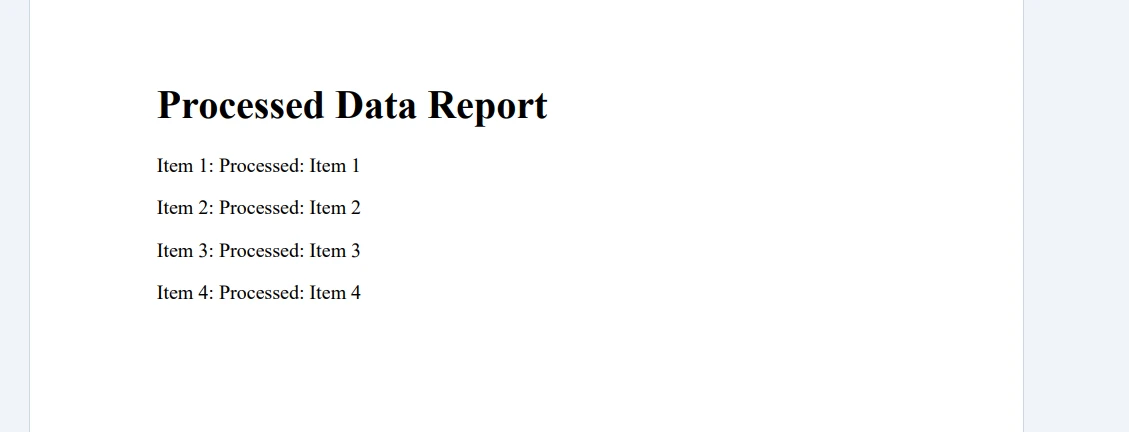
'}다음은 코드 실행 결과입니다.
결론
결론적으로, C# 동시 컬렉션, 예를 들어 동시 목록을 이해하고 사용하는 것이 멀티스레딩 시나리오를 처리하고 응용 프로그램의 스레드 안전성을 보장하는 능력을 크게 향상시킬 수 있습니다. 동시 컬렉션을 사용하면 공유 자원을 효과적으로 관리함으로써 스레드 간의 데이터 경합과 충돌을 방지할 수 있습니다.
IronPDF와 같은 외부 라이브러리를 통합하면 시각적으로 매력적인 PDF 보고서나 문서 생성을 가능하게 하여 동시 컬렉션의 기능을 더욱 증대할 수 있습니다. IronPDF는 HTML을 PDF로 변환하기 위한 라이브러리의 무료 체험판을 제공하며, $999부터 시작하는 라이선스 옵션을 탐색할 수 있게 합니다.
자주 묻는 질문
C#의 동시 컬렉션은 무엇인가요?
C#의 동시 컬렉션은 여러 스레드가 공유 리소스에 접근할 때 스레드 안전을 보장하는 스레드 안전, 제네릭 컬렉션 클래스 모음입니다.
C#에서 스레드 안전성이 중요한 이유는 무엇인가요?
C#에서 스레드 안전성은 여러 스레드가 동시에 공유 리소스를 액세스하고 수정할 때 혼란과 데이터 손상을 방지하는 데 중요합니다. 이는 작업이 통제된 방식으로 실행되도록 보장합니다.
C#에서 스레드 안전 목록을 어떻게 만들 수 있나요?
C#에서는 스레드 안전 리스트 클래스를 직접 제공하지 않지만 `ConcurrentBag`이나 `ConcurrentDictionary`와 같은 다른 동시 컬렉션을 사용하여 유사한 스레드 안전 작업을 수행할 수 있습니다.
C#의 ConcurrentDictionary는 무엇인가요?
C#의 ConcurrentDictionary는 `System.Collections.Concurrent` 네임스페이스 내의 스레드 안전 컬렉션 클래스로, 여러 스레드가 키-값 쌍을 안전하게 추가, 업데이트 및 제거할 수 있도록 합니다.
ConcurrentDictionary는 스레드 안전을 어떻게 보장하나요?
ConcurrentDictionary는 내부적으로 동기화를 처리하여 한 번에 한 스레드만 항목 추가 또는 제거 등의 작업을 수행할 수 있도록 하여 스레드 안전성을 보장합니다.
ConcurrentDictionary에 항목을 어떻게 추가할 수 있습니까?
ConcurrentDictionary에 항목을 추가하려면 TryAdd 메서드를 사용하여, 사전에 키가 이미 존재하지 않는 경우에만 키-값 쌍을 추가합니다.
동시 컬렉션에서 CopyTo 메서드의 목적은 무엇인가요?
동시 컬렉션의 CopyTo 메서드는 컬렉션의 요소를 배열로 복사하여, 컬렉션에서 다른 저장 형식으로 데이터를 전달하는 방법을 제공합니다.
IronPDF를 사용하여 처리된 데이터로부터 PDF 보고서를 생성할 수 있습니까?
네, IronPDF를 사용하여 다중 스레드 애플리케이션에서 처리된 데이터로부터 PDF 보고서를 생성할 수 있으며, 동시 작업의 결과를 캡처합니다.
IronPDF를 사용하면 동시 작업의 기능이 어떻게 향상됩니까?
IronPDF는 처리된 데이터로부터 PDF 문서를 생성함으로써 동시 작업을 강화하여, 다중 스레드 처리의 결과를 문서화하고 공유할 수 있는 방법을 제공합니다.
IronPDF는 다중 스레드 C# 애플리케이션에서 어떤 역할을 합니까?
IronPDF는 병렬로 처리된 데이터로부터 PDF 보고서를 생성하여, 다중 스레드 작업의 결과를 통합하고 공유하기 쉽게 만듭니다.










 무료로 시작하세요
 무료로 시작하세요
 무료 라이브 데모 예약하기





 신용카드나 계정 생성은 필요하지 않습니다.










