




업데이트됨 2026년 4월 23일
.NET에서 Microsoft.Extensions.AI로 LLM 통합 간소화
AI는 소프트웨어 개발을 변혁하고 있으나, 대규모 언어 모델(LLM)을 .NET에 통합하는 것은 지금까지 복잡했습니다. 현대에는 OpenAI 기반 PDF 파싱, 데이터 추출 및 콘텐츠 요약을 .NET 애플리케이션에 가져오는 IronPdf.AI로 AI 통합을 더욱 확장하세요.
더 읽어보기

이름 명명 규칙은 개발자가 변수, 메서드, 클래스 및 기타 엔티티를 일관되게 이름 짓기 위해 따르는 일련의 규칙과 지침입니다. 일관된 명명은 코드 가독성을 향상시키고 다른 개발자가 코드를 이해하고 유지하는 데 도움을 줍니다. 아래에서는 실용적인 사용과 예제를 중심으로 C# 명명 규칙을 단계별로 살펴보겠습니다. 명명 규칙 및 이 후 기사에서 IronPDF 라이브러리에 대해 바로 소개하겠습니다.
클래스 이름은 Pascal Case 명명 규칙을 따라야 합니다. 이는 이름의 각 단어가 대문자로 시작하며, 밑줄이나 공백이 없음을 의미합니다. 인터페이스 이름도 Pascal Case를 따라야 하지만, 접두사 I로 시작해야 합니다. 예를 들어:
public class Customer
{
    public decimal Balance { get; set; }
}

public interface ICustomer
{
    decimal GetBalance();
}Public Class Customer
Public Property Balance() As Decimal
End Class
Public Interface ICustomer
Function GetBalance() As Decimal
End Interface클래스 이름 Customer와 인터페이스 이름 ICustomer 모두 Pascal Case를 따릅니다. I 접두사는 ICustomer 타입이 인터페이스라는 것을 명확히 합니다.
메소드 이름도 Pascal Case를 사용합니다. 모든 메소드 이름은 대문자로 시작해야 하며, 뒤따르는 각 단어도 대문자로 시작해야 합니다. 여기에 메소드 정의의 예가 있습니다.
public decimal CalculateInterest(decimal principal, decimal rate)
{
    return principal * rate;
}Public Function CalculateInterest(ByVal principal As Decimal, ByVal rate As Decimal) As Decimal
Return principal * rate
End Function진입점 메소드 static void Main()의 경우 규칙은 동일하며, 메소드 이름에 Pascal Case를 사용합니다.
메소드 이름과 마찬가지로, 속성 이름도 Pascal Case를 사용합니다. 속성은 그것이 무엇을 나타내는지를 명확하게 설명하도록 이름이 지어져야 합니다:
public DateTime DateOpened { get; set; }
public decimal Reserves { get; set; }Public Property DateOpened() As DateTime
Public Property Reserves() As Decimal로컬 변수와 메소드 인수는 camel case를 사용해야 합니다. 이는 첫 단어가 소문자로 시작하며, 뒤따르는 단어는 대문자로 시작하고 공백이나 밑줄이 없음을 의미합니다. 첫 글자가 대문자가 아닌 점이 Pascal Case와 다릅니다.
public void SelectCustomer(string customerName)
{
    var selectedCustomer = FindCustomer(customerName);
}Public Sub SelectCustomer(ByVal customerName As String)
Dim selectedCustomer = FindCustomer(customerName)
End Sub이 예시에서는 지역 변수 selectedCustomer가 camel case 규칙을 따르고 메서드 인수 customerName 또한 camel case입니다.
메소드 인수의 이름은 설명적이어야 하며 camel case 명명 규칙을 따라야 합니다. 이는 코드 가독성을 향상시키고 각 인수가 무엇을 나타내는지를 개발자들이 이해하는 데 도움이 됩니다.
public void AddCustomer(string customerName, DateTime dateOpened)
{
    // Add customer logic
}Public Sub AddCustomer(ByVal customerName As String, ByVal dateOpened As DateTime)
' Add customer logic
End Sub클래스의 정적 멤버, 예를 들어 정적 필드, 상수, 메소드는 특정 명명 규칙을 따릅니다.
정적 필드의 경우 명명 규칙은 camel case를 사용하되 밑줄 접두사를 사용하는 것입니다. 이는 다른 필드와 구별됩니다.
private static int _totalCustomers;Private Shared _totalCustomers As Integer상수는 일반적으로 모든 대문자로 이름이 지어지며, 가독성을 높이기 위해 밑줄로 단어를 구분합니다. 예를 들어:
public const int MAX_CUSTOMERS = 100;Public Const MAX_CUSTOMERS As Integer = 100이벤트 핸들러 메서드 이름은 처리하는 이벤트를 설명해야 하며, 일반적으로 On 접두사 뒤에 이벤트 이름을 사용합니다. 이벤트 핸들러 메서드의 매개변수는 일반적으로 객체 sender 및 이벤트 인수를 포함합니다.
private void OnCustomerAdded(object sender, EventArgs e)
{
    // Event handling logic
}Private Sub OnCustomerAdded(ByVal sender As Object, ByVal e As EventArgs)
' Event handling logic
End Sub이 경우, 매개변수는 sender 및 e이라는 이름이 붙어 있습니다. 이 명명 규칙을 따르면 귀하의 이벤트 핸들러는 업계 표준과 일관성이 있게 됩니다.
프라이빗 필드는 camel case 규칙을 따르되 밑줄 접두사를 사용해야 합니다. 이는 로컬 변수와 메소드 인수와 구별하는 데 도움이 됩니다.
private string _customerName;Private _customerName As String객체 초기화자를 사용할 때, 클래스의 인스턴스를 생성할 때 속성에 값을 직접 할당할 수 있습니다:
var seattleCustomer = new Customer
{
    Balance = 1000,
    DateOpened = DateTime.Now
};Dim seattleCustomer = New Customer With {
.Balance = 1000,
.DateOpened = DateTime.Now
}이 예시에서 속성 이름 Balance 및 DateOpened은 Pascal Case를 따르며, 속성에 대한 규칙을 따릅니다.
예외를 처리할 때, 메소드 이름은 여전히 Pascal Case 규칙을 따라야 합니다. 예외 클래스 이름도 Pascal Case로 되어 있어야 하며 Exception 접미사로 끝나야 합니다. 예를 들어:
public void ProcessTransaction()
{
    try
    {
        // Transaction logic
    }
    catch (InvalidOperationException ex)
    {
        // Handle exception
    }
}Public Sub ProcessTransaction()
Try
' Transaction logic
Catch ex As InvalidOperationException
' Handle exception
End Try
End Sub항상 메소드 정의에 의미 있는 이름과 적절한 반환 유형이 있는지 확인하십시오. 메소드 시그니처에서 반환 유형이 명확해야 합니다. 다음은 예시입니다.
public decimal CalculateTotalBalance()
{
    return _totalCustomers * balancePerCustomer;
}Public Function CalculateTotalBalance() As Decimal
Return _totalCustomers * balancePerCustomer
End Function이 예시에서 메서드 이름 CalculateTotalBalance은 설명적이며 Pascal Case 명명 규칙을 따릅니다.
C#에서, 상수 이름은 모든 대문자로 되어야 하며, 밑줄로 단어를 구분합니다. 이것은 상수를 다른 변수와 구분되게 합니다. 다음은 예시입니다.
public const double PI = 3.14159;Public Const PI As Double = 3.14159이 규칙은 다양한 유형에 걸쳐 적용되며, 상수 이름이 일관성이 있고 코드에서 쉽게 인식되도록 보장합니다.
C#에는 줄 바꿈과 중괄호에 대한 코딩 규칙도 있습니다. C#에서는 각 열림 중괄호 {가 해당하는 문장과 같은 줄에 있어야 하고, 닫힘 중괄호 }는 해당 문장과 맞춰 새 줄에 있어야 합니다. 다음은 예시입니다.
public void AddCustomer(string customerName)
{
    if (!string.IsNullOrEmpty(customerName))
    {
        _customerName = customerName;
    }
}Public Sub AddCustomer(ByVal customerName As String)
If Not String.IsNullOrEmpty(customerName) Then
_customerName = customerName
End If
End Sub적절한 서식을 사용하면 코드를 읽고 따라가기가 더 쉬워집니다.
현대 C# 개발에서는 변수 이름에 데이터 유형을 접두어로 붙이는 헝가리언 표기법(예: 문자열의 경우 strName, 정수의 경우 intCount)은 권장되지 않습니다. 대신 변수의 데이터 유형보다는 용도를 설명하는 의미 있는 이름을 사용하십시오:
public string CustomerName { get; set; }
public int OrderCount { get; set; }Public Property CustomerName() As String
Public Property OrderCount() As Integer이 접근 방식은 코드를 더 명확하고 유지보수하기 쉽게 만듭니다.
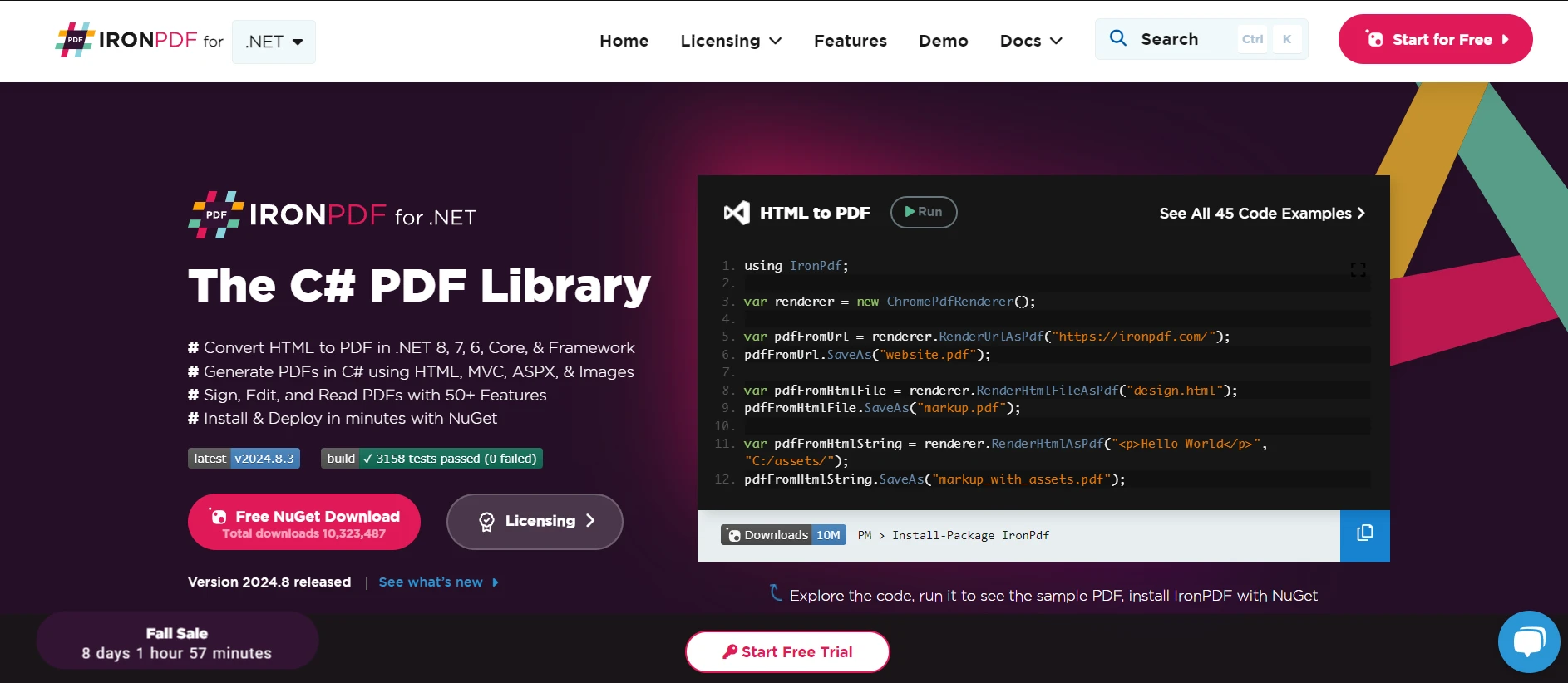
C# 프로젝트에 IronPDF를 통합할 때 명명 규칙을 따름으로써 깨끗하고 읽기 쉬운 코드를 유지하는 것이 중요합니다. IronPDF를 사용하면 C# 애플리케이션 내에서 HTML 콘텐츠에서 PDF를 생성할 수 있습니다. 이렇게 할 때 클래스, 메서드 및 변수에 대한 명명 규칙을 따르는 것이 중요합니다. 아래는 IronPDF를 사용하여 코드 가독성을 향상시키기 위한 명명 규칙의 간단한 구현 예시입니다:
using IronPdf;

public class PdfReportGenerator
{
    private readonly string _htmlContent;
    private readonly string _filePath;

    public PdfReportGenerator(string htmlContent, string filePath)
    {
        _htmlContent = htmlContent;
        _filePath = filePath;
    }

    public void GenerateReport()
    {
        var pdfRenderer = new ChromePdfRenderer();
        PdfDocument pdfDocument = pdfRenderer.RenderHtmlAsPdf(_htmlContent);
        pdfDocument.SaveAs(_filePath);
    }
}

public static class Program
{
    public static void Main()
    {
        var htmlContent = "<h1>Monthly Report</h1><p>Generated using IronPDF.</p>";
        var filePath = @"C:\Reports\MonthlyReport.pdf";
        PdfReportGenerator reportGenerator = new PdfReportGenerator(htmlContent, filePath);
        reportGenerator.GenerateReport();
    }
}Imports IronPdf
Public Class PdfReportGenerator
Private ReadOnly _htmlContent As String
Private ReadOnly _filePath As String
Public Sub New(ByVal htmlContent As String, ByVal filePath As String)
_htmlContent = htmlContent
_filePath = filePath
End Sub
Public Sub GenerateReport()
Dim pdfRenderer = New ChromePdfRenderer()
Dim pdfDocument As PdfDocument = pdfRenderer.RenderHtmlAsPdf(_htmlContent)
pdfDocument.SaveAs(_filePath)
End Sub
End Class
Public Module Program
Public Sub Main()
Dim htmlContent = "<h1>Monthly Report</h1><p>Generated using IronPDF.</p>"
Dim filePath = "C:\Reports\MonthlyReport.pdf"
Dim reportGenerator As New PdfReportGenerator(htmlContent, filePath)
reportGenerator.GenerateReport()
End Sub
End Module이 명명 규칙을 준수하면 보고서를 생성하기 위해 IronPDF를 사용할 때 코드가 전문적이고 체계적이며 읽기 쉽습니다.
이러한 C# 명명 규칙을 따르면 코드가 깨끗하고 읽기 쉽고 유지보수하기 쉬움을 보장할 수 있습니다. 클래스 이름에 Pascal 케이스, 로컬 변수에 camel 케이스, 개인 필드에 밑줄 접두어를 사용하는 등의 방법은 일관된 코드베이스를 구축하는 데 도움이 됩니다.
IronPDF를 통해 무료 체험판으로 모든 기능을 탐색할 수 있습니다. 이 체험판을 통해 워크플로우에 얼마나 잘 통합되는지를 직접 실험하고 확인할 수 있습니다. 다음 단계로 나아갈 준비가 되었을 때, 라이선스는 겨우 $999부터 시작합니다.

제이콥 멜러는 Iron Software의 최고 기술 책임자(CTO)이자 C# PDF 기술을 개척한 선구적인 엔지니어입니다. Iron Software의 핵심 코드베이스를 최초로 개발한 그는 창립 초기부터 회사의 제품 아키텍처를 설계해 왔으며, CEO인 캐머런 리밍턴과 함께 회사를 NASA, 테슬라, 그리고 전 세계 정부 기관에 서비스를 제공하는 50명 이상의 직원을 보유한 기업으로 성장시켰습니다.



IronPDF는 IRON SUITE 의 일부입니다.
10개의 .NET API 제품, 당신의 사무 문서를 위해

PDF 파일을 HTML처럼 빠르게 변환해야 할 때.


