Node.js에서 PDF 파일을 분할하는 방법
This article will use IronPDF, a PDF library which helps to split PDF documents into multiple PDF files within an output folder. This can be done with a few lines of code. IronPDF is a powerful PDF library that allows you to create, open, read, and split PDF files easily.
What is Node.js?
JavaScript code can be run outside of a web browser using the cross-platform, open-source Node.js JavaScript runtime environment. With server-side JavaScript execution enabled, programmers may construct scalable, fast, and efficient network applications. Node.js uses an event-driven, non-blocking I/O paradigm, which makes it perfect for creating real-time applications that handle several concurrent connections.
There are various applications that are commonly built with Node.js, including web servers, APIs, streaming apps, real-time chat apps, Internet of Things (IoT) devices, and more. All things considered, Node.js is becoming more and more popular due to its efficiency, speed, and back-end and front-end compatibility with JavaScript, offering a single language for full-stack development. To know more about Node.js, please refer to the Wiki page.
How to split PDF in Node.js
- To split PDFs, download the Node.js package.
- Install the IronPDF for Node.js library.
- Create a new PDF or import an existing one.
- Use the
duplicatefunction in the IronPDF for Node.js library. - Pass the page number as a parameter to the duplicate function.
- Use the
saveAsfunction to save the individual pages into a PDF file.
IronPDF for Node.js
IronPDF was primarily a .NET library designed to function within the .NET Framework, allowing developers to work with PDF documents using C# or VB.NET. Nevertheless, IronPDF did not have a native or direct version created just for Node.js. This probably indicates that IronPDF for Node.js now offers features for generating, modifying, and processing PDF documents in Node.js applications.
Features of IronPDF
- HTML to PDF Generation: The capacity to create PDF documents from HTML material.
- Text and image manipulation: Refers to the addition, modification, or deletion of text, shapes, images, and other items from PDF files.
- PDF document modification includes combining, extracting pages from PDF files, splitting PDF files, and encrypting and decrypting them.
- Form handling: Includes filling out forms, obtaining form data, and utilizing PDF forms programmatically.
- PDF security: Using digital signatures, encryption, and password protection for PDF documents.
- Metadata handling: Is the process of retrieving and manipulating PDF files.
If IronPDF has extended its product line to include a Node.js version, this might offer developers creating Node.js apps a method to incorporate IronPDF's features for PDF manipulation. Developers who would rather work with a library that provides features similar to those of IronPDF in the .NET environment could find this useful.
For the most up-to-date and accurate information about IronPDF's features, compatibility, and support for Node.js, always consult the official documentation, release notes, or updates from the IronPDF team. To know more about IronPDF, refer to the documentation pages.
Package Requirement
- The IDE is Visual Studio Code.
- Node.js
- Installing packages requires package management, which you can use using Yarn or npm.
Install IronPDF package Node
Open Terminal or the Command Prompt: Launch the terminal or command prompt. You can access it in several ways depending on your OS:
- Windows: Command Prompt or PowerShell
- MacOS X Terminal
- Linux's Terminal
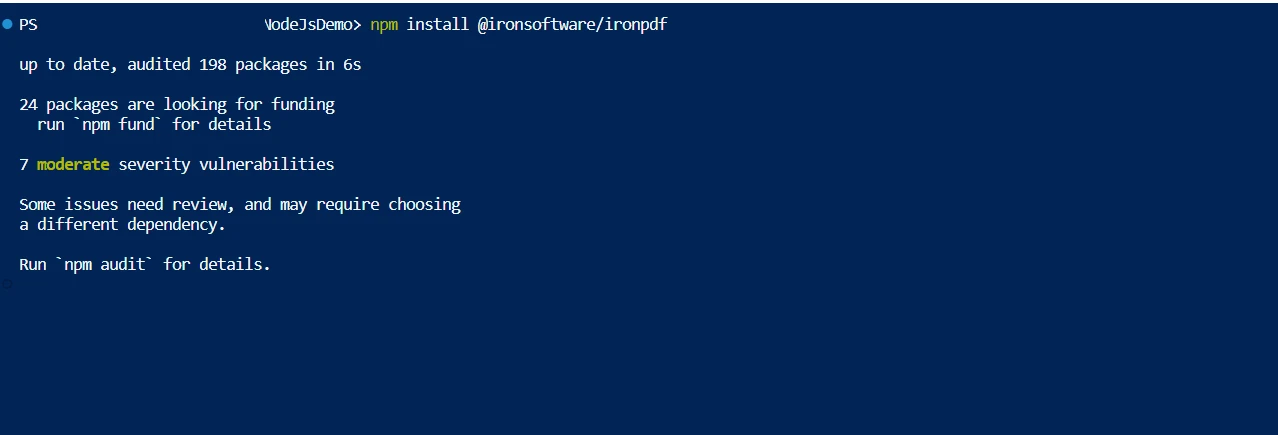
Install the package: Use the package name with the npm install command to install the package. For example, run the following command to install the @ironsoftware/ironpdf package:
npm install @ironsoftware/ironpdfnpm install @ironsoftware/ironpdf
Install IronPDF
Split PDF using IronPDF
It merely takes a few lines of code to split PDF documents into multiple files. Check out this sample to incorporate it into your project. Dividing a single PDF document into several documents is a fairly simple process when using IronPDF. Every document has just one page.
const { PdfDocument } = require("@ironsoftware/ironpdf");
const pdfprocess = async () => {
console.log("Start split Process");
// Load the existing PDF document
const pdf = await PdfDocument.fromFile("Demo.pdf");
// Get the total number of pages in the PDF
const pagecount = await pdf.getPageCount();
// Iterate over each page and create a separate PDF file
for (let i = 0; i < pagecount; i++) {
// Duplicate a single page into a new PDF document
const spdf = await pdf.duplicate(i);
// Save each duplicated page as a separate PDF file
await spdf.saveAs(`split_${i}.pdf`);
}
console.log("End Split Process");
};
// Initiate the PDF splitting process
pdfprocess();The code sample above demonstrates how to use IronPDF's PdfDocument.fromFile method to open an existing PDF file. By passing a document password to the fromFile method as a second argument, you can also open a password-protected file. The code is quite basic and easy to use to split a PDF file. Using the duplicate method to easily copy multiple pages from the original document, as demonstrated above.
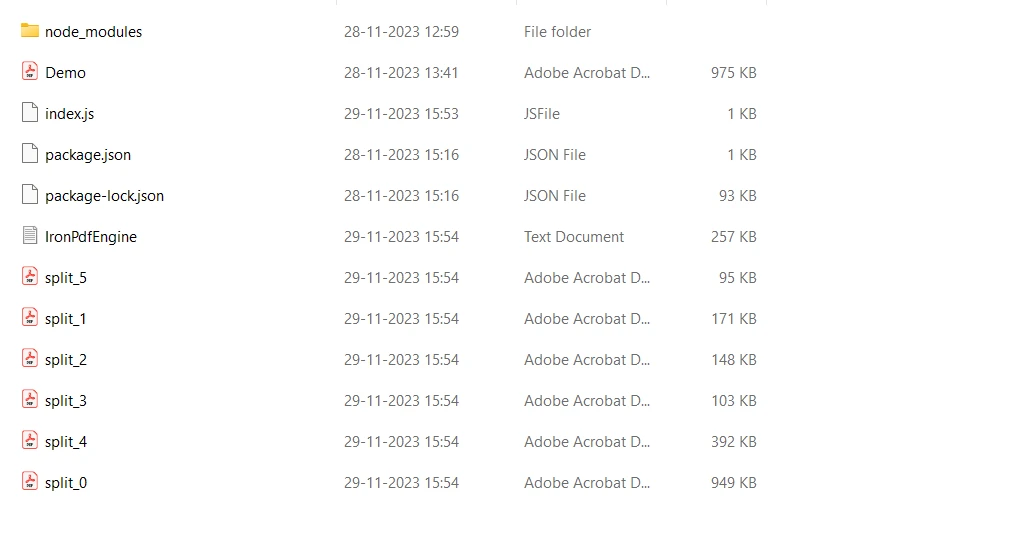
By providing the index number as a parameter to the duplicate method, the PDF file is divided. Each page is then saved in a different file. A PDF can also be divided into a range of pages by duplication. For that, we are using the function getPageCount which will allow us to get the page count of the PDF input file path. Then by using the duplicate method to split the PDF file into multiple PDF files.
NPM
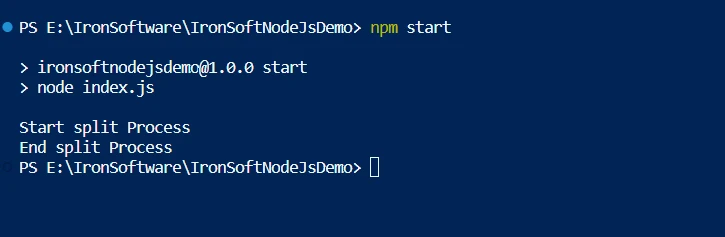
IronPDF will load the input PDF file and then split PDF files into separate files.
PDF Files
To know more about the IronPDF for Node.js library code, refer to the sample page to convert HTML to a PDF file.
Conclusion
Strong security protections are provided by the IronPDF library to reduce threats and guarantee data safety. It is not restricted to any specific browser and works with all common ones. The library provides many licensing options, including a free developer license and additional development licenses that can be purchased, to meet the varying needs of developers.
Upgrade options are included in the $799 Lite bundle, which also comes with a permanent license, one year of software maintenance, and a thirty-day money-back guarantee. During the watermarked trial period, users can assess the product in real-world application scenarios. The licensing page provides additional information regarding IronPDF's pricing and licensing options, and also allows users to try IronPDF for free for 30-days.
자주 묻는 질문
Node.js를 사용하여 PDF 파일을 분할하려면 어떻게 해야 하나요?
IronPDF를 사용하여 Node.js에서 PDF 파일을 분할하려면 PdfDocument.fromFile로 PDF를 로드한 다음 duplicate 메서드를 사용하여 페이지를 개별 파일로 분리하고 saveAs 함수를 사용하여 저장하면 됩니다.
Node.js에서 IronPDF로 PDF를 분할하려면 어떤 단계가 필요하나요?
먼저 npm install @ironsoftware/ironpdf를 사용하여 IronPDF를 설치합니다. 다음으로, PdfDocument.fromFile를 사용하여 PDF 문서를 로드합니다. duplicate 메서드를 사용하여 페이지를 분할하고 saveAs를 사용하여 각 페이지를 개별적으로 저장합니다.
PDF 라이브러리를 사용하여 Node.js에서 암호화된 PDF를 처리할 수 있나요?
예, IronPDF는 Node.js에서 암호화된 PDF를 처리할 수 있습니다. 문서의 비밀번호를 fromFile 메서드에 두 번째 인수로 전달하여 비밀번호로 보호된 PDF 파일을 열고 조작할 수 있습니다.
Node.js용 IronPDF의 기능은 무엇인가요?
Node.js용 IronPDF는 HTML에서 PDF로 변환, 텍스트 및 이미지 조작, PDF 분할 및 병합, 양식 처리, 암호화 및 디지털 서명과 같은 보안 기능과 같은 기능을 제공합니다.
Node.js의 IronPDF에 대한 무료 평가판이 있나요?
예, IronPDF는 평가판 기간 동안 무료 개발자 라이선스를 제공하며, 여기에는 워터마크가 있는 출력물이 포함되어 개발자가 프로젝트에서 라이브러리의 기능을 테스트할 수 있습니다.
Node.js에서 IronPDF를 사용하기 위한 시스템 요구 사항은 무엇인가요?
Node.js에서 IronPDF를 사용하려면 Node.js 런타임 환경과 npm 또는 Yarn과 같은 패키지 관리자가 필요합니다. 개발에는 Visual Studio Code와 같은 IDE를 사용하는 것이 좋습니다.
Node.js 애플리케이션에서 사용하기 위해 IronPDF를 설치하려면 어떻게 해야 하나요?
터미널 또는 명령 프롬프트에서 npm install @ironsoftware/ironpdf 명령을 실행하여 Node.js용 IronPDF를 설치할 수 있습니다.
Node.js의 IronPDF에는 어떤 라이선스 옵션을 사용할 수 있나요?
IronPDF는 평가판 기간이 포함된 무료 개발자 라이선스, 영구 라이선스가 포함된 라이트 번들, 다양한 요구 사항에 맞춘 여러 개발 라이선스 등 다양한 라이선스 옵션을 제공합니다.
Node.js에서 IronPDF 사용에 대한 자세한 정보는 어디에서 찾을 수 있나요?
Node.js용 IronPDF에 대한 자세한 내용은 IronPDF 팀에서 제공하는 공식 문서, 릴리즈 노트 또는 업데이트를 참조하세요.
Node.js란 무엇이며 왜 사용되나요?
Node.js는 웹 서버, API, 스트리밍 앱, 실시간 채팅 애플리케이션, IoT 솔루션 등 확장 가능하고 효율적인 네트워크 애플리케이션을 구축하는 데 사용되는 JavaScript 런타임 환경입니다.