


C# 保護(開發者的工作原理)

C# 是由 Microsoft 開發的一種現代、物件導向和型別安全的程式語言。 C# 因其多功能性而廣受認可,它用於從桌面軟體到使用 Unity 的遊戲開發等各種應用中。 有效的 C# 程式設計的基石之一是理解存取修飾符,它決定了類別成員在類別內部和外部是如何被存取的。
C# 中的存取修飾符是用於成員聲明的關鍵字,以控制它們從程式碼的其他部分的可見性。 最常用的存取修飾符是 private 和 protected,每一個在保障資料完整性和物件導向程式設計的封裝原則中扮演獨特的角色。
對於初學者來說,掌握在 C# 程式設計中的存取修飾符概念,尤其是 C# 編程中的 protected,是非常重要的。 這些修飾符不僅有助於定義類別與外界的介面,還在物件導向程式設計中不可或缺的繼承中扮演重要角色。 理解 protected 的運作方式,結合像 private protected 和 protected internal 這樣的修飾符,是構建健壯且可維護的 C# 應用程式的關鍵。
存取修飾符的基本知識
什麼是存取修飾符?
C# 中的存取修飾符是設置類別成員(如方法、屬性和變數)和型別的可見性級別的關鍵字。這些修飾符控制著類別的成員可以在哪裡以及如何被存取,在物件導向程式設計的封裝實現中發揮著關鍵作用。
不同存取修飾符概覽
C# 提供了若干存取修飾符,每一個都為特定情境設計:
- 公共存取修飾符:
public修飾符允許從同一專案或引用它的其他專案中的任何其他程式碼存取類別成員。 它是最不具限制性的修飾符。 - 私有存取修飾符: 相反地,
private修飾符限制只能在同一類別內存取類別成員。 它是最具限制性的修飾符,對隱藏物件的內部狀態至關重要。 - 保護存取修飾符:
protected存取修飾符使類別成員可在其類別和任何衍生類別中存取。 這在繼承情境中特別有用。 - 內部存取修飾符: 具有
internal修飾符的成員僅可於同一組件內存取而無法從其他組件中存取。
理解這些基本的存取修飾符為 C# 中更複雜的概念,如繼承和多型奠定了基礎,這是控制類別存取權至關重要的地方。
理解保護修飾符
保護存取修飾符在 C# 中的角色
protected 修飾符在 C# 中是物件導向程式設計中的基本概念。 它允許類別成員在其類別以及從其派生的類別中被存取。 這種可見性層級在允許擴展功能的同時,將成員從程式的其他部分隱藏起來是至關重要的。
在相同與衍生類別內的可存取性
保護成員在繼承中扮演重要角色。 它們在被宣告的相同類別以及從包含類別衍生的其他類別中可以存取。 這意味著如果您有一個具有保護成員的基礎類別,任何從這個基礎類別繼承的類別都可以存取這個成員。 然而,它對於不屬於此繼承鏈的其他類別來說仍然是不可存取的。
例如,考慮一個具有保護方法 StartEngine() 的 Vehicle 類別。 這個方法可以被任何擴展 Vehicle 的類別調用,如 Car 或 Truck 類別,使這些衍生類別能夠使用共用邏輯而同時保持封裝。
保護修飾符的實例
public class Vehicle
{
    // A protected method accessible by any derived class
    protected void StartEngine()
    {
        // Engine start logic
    }
}

public class Car : Vehicle
{
    public void Drive()
    {
        // Accessing the protected method from the base class
        StartEngine();
        // Additional driving logic
    }
}
public class Vehicle
{
// A protected method accessible by any derived class
protected void StartEngine()
{
// Engine start logic
}
}
public class Car : Vehicle
{
public void Drive()
{
// Accessing the protected method from the base class
StartEngine();
// Additional driving logic
}
}Public Class Vehicle
' A protected method accessible by any derived class
Protected Sub StartEngine()
' Engine start logic
End Sub
End Class
Public Class Car
Inherits Vehicle
Public Sub Drive()
' Accessing the protected method from the base class
StartEngine()
' Additional driving logic
End Sub
End Class在此範例中,從 Vehicle 的父類別中衍生的 Car 類別可以存取 StartEngine 方法,而其他未從 Vehicle 繼承的類別則無法存取此方法。 這證明了保護修飾符如何有助於階層性組織和保護類別功能。
保護內部和私有保護
理解 C# 中的保護內部
protected internal 存取修飾符是 protected 和 internal 的結合。 這意味著標記為 protected internal 的類別成員可以從同一組件中的任何類別存取,包括衍生類別,還有位於其他組件中的衍生類別。 它提供比 protected 修飾符更廣的存取範圍,因為它不限於包含類和其衍生型別。
保護內部的使用案例
保護內部在您希望向同一組件中的其他類別公開某些類別成員,但也允許位於不同組件中的衍生類別存取這些成員的情況下特別有用。 此修飾符通常應用於大型項目和程式庫中,當您需要更精細地控制成員的可見性時。
私有保護:組件內的限制性存取
另一方面,private protected 修飾符更具限制性。private protected 成員只能在其包含類中或在相同組件中的衍生類中存取。 它是 private 和 protected 的結合,旨在嚴格限制成員在相同組件內的存取。
實用範例:保護內部與私有保護
public class BaseClass
{
    // Method accessible in the same assembly and by derived classes from other assemblies
    protected internal string ProtectedInternalMethod()
    {
        // Method logic
        return "Protected Internal Access";
    }

    // Method accessible only within the same assembly, by derived classes
    private protected string PrivateProtectedMethod()
    {
        // Method logic
        return "Private Protected Access";
    }
}

public class DerivedClass : BaseClass
{
    void AccessMethods()
    {
        // Both methods are accessible if in the same assembly
        string result1 = ProtectedInternalMethod();
        string result2 = PrivateProtectedMethod(); // Accessible only if DerivedClass is in the same assembly
    }
}
public class BaseClass
{
// Method accessible in the same assembly and by derived classes from other assemblies
protected internal string ProtectedInternalMethod()
{
// Method logic
return "Protected Internal Access";
}
// Method accessible only within the same assembly, by derived classes
private protected string PrivateProtectedMethod()
{
// Method logic
return "Private Protected Access";
}
}
public class DerivedClass : BaseClass
{
void AccessMethods()
{
// Both methods are accessible if in the same assembly
string result1 = ProtectedInternalMethod();
string result2 = PrivateProtectedMethod(); // Accessible only if DerivedClass is in the same assembly
}
}Public Class BaseClass
' Method accessible in the same assembly and by derived classes from other assemblies
Protected Friend Function ProtectedInternalMethod() As String
' Method logic
Return "Protected Internal Access"
End Function
' Method accessible only within the same assembly, by derived classes
Private Protected Function PrivateProtectedMethod() As String
' Method logic
Return "Private Protected Access"
End Function
End Class
Public Class DerivedClass
Inherits BaseClass
Private Sub AccessMethods()
' Both methods are accessible if in the same assembly
Dim result1 As String = ProtectedInternalMethod()
Dim result2 As String = PrivateProtectedMethod() ' Accessible only if DerivedClass is in the same assembly
End Sub
End Class在此範例中,DerivedClass 可以存取 ProtectedInternalMethod 和 PrivateProtectedMethod。 然而,如果 DerivedClass 位於不同的組件中,它將無法存取 PrivateProtectedMethod。
IronPDF:C# PDF 程式庫
IronPDF介紹
探索 IronPDF 功能 是 C# 中一個受歡迎的程式庫,適用於建立、編輯和導出 PDF 文件。 它是一個強大的工具,展示了 C# 概念如類別、物件和存取修飾符的實際應用。 在使用像 IronPDF 這樣複雜的程式庫時,理解像 protected 這樣的存取修飾符的功能可以是關鍵的。
IronPDF 的亮點是其能夠高效率地轉換 HTML 轉換為 PDF,同時保留佈局和樣式。 這在從基於網頁的內容生成 PDF 時特別有用,如報告、發票和文件。 HTML 文件、URL 和 HTML 字串都可以轉換成 PDF 文件。
using IronPdf;

class Program
{
    static void Main(string[] args)
    {
        var renderer = new ChromePdfRenderer();

        // 1. Convert HTML String to PDF
        var htmlContent = "<h1>Hello, IronPDF!</h1><p>This is a PDF from an HTML string.</p>";
        var pdfFromHtmlString = renderer.RenderHtmlAsPdf(htmlContent);
        pdfFromHtmlString.SaveAs("HTMLStringToPDF.pdf");

        // 2. Convert HTML File to PDF
        var htmlFilePath = "path_to_your_html_file.html"; // Specify the path to your HTML file
        var pdfFromHtmlFile = renderer.RenderHtmlFileAsPdf(htmlFilePath);
        pdfFromHtmlFile.SaveAs("HTMLFileToPDF.pdf");

        // 3. Convert URL to PDF
        var url = "http://ironpdf.com"; // Specify the URL
        var pdfFromUrl = renderer.RenderUrlAsPdf(url);
        pdfFromUrl.SaveAs("URLToPDF.pdf");
    }
}
using IronPdf;
class Program
{
static void Main(string[] args)
{
var renderer = new ChromePdfRenderer();
// 1. Convert HTML String to PDF
var htmlContent = "<h1>Hello, IronPDF!</h1><p>This is a PDF from an HTML string.</p>";
var pdfFromHtmlString = renderer.RenderHtmlAsPdf(htmlContent);
pdfFromHtmlString.SaveAs("HTMLStringToPDF.pdf");
// 2. Convert HTML File to PDF
var htmlFilePath = "path_to_your_html_file.html"; // Specify the path to your HTML file
var pdfFromHtmlFile = renderer.RenderHtmlFileAsPdf(htmlFilePath);
pdfFromHtmlFile.SaveAs("HTMLFileToPDF.pdf");
// 3. Convert URL to PDF
var url = "http://ironpdf.com"; // Specify the URL
var pdfFromUrl = renderer.RenderUrlAsPdf(url);
pdfFromUrl.SaveAs("URLToPDF.pdf");
}
}Imports IronPdf
Friend Class Program
Shared Sub Main(ByVal args() As String)
Dim renderer = New ChromePdfRenderer()
' 1. Convert HTML String to PDF
Dim htmlContent = "<h1>Hello, IronPDF!</h1><p>This is a PDF from an HTML string.</p>"
Dim pdfFromHtmlString = renderer.RenderHtmlAsPdf(htmlContent)
pdfFromHtmlString.SaveAs("HTMLStringToPDF.pdf")
' 2. Convert HTML File to PDF
Dim htmlFilePath = "path_to_your_html_file.html" ' Specify the path to your HTML file
Dim pdfFromHtmlFile = renderer.RenderHtmlFileAsPdf(htmlFilePath)
pdfFromHtmlFile.SaveAs("HTMLFileToPDF.pdf")
' 3. Convert URL to PDF
Dim url = "http://ironpdf.com" ' Specify the URL
Dim pdfFromUrl = renderer.RenderUrlAsPdf(url)
pdfFromUrl.SaveAs("URLToPDF.pdf")
End Sub
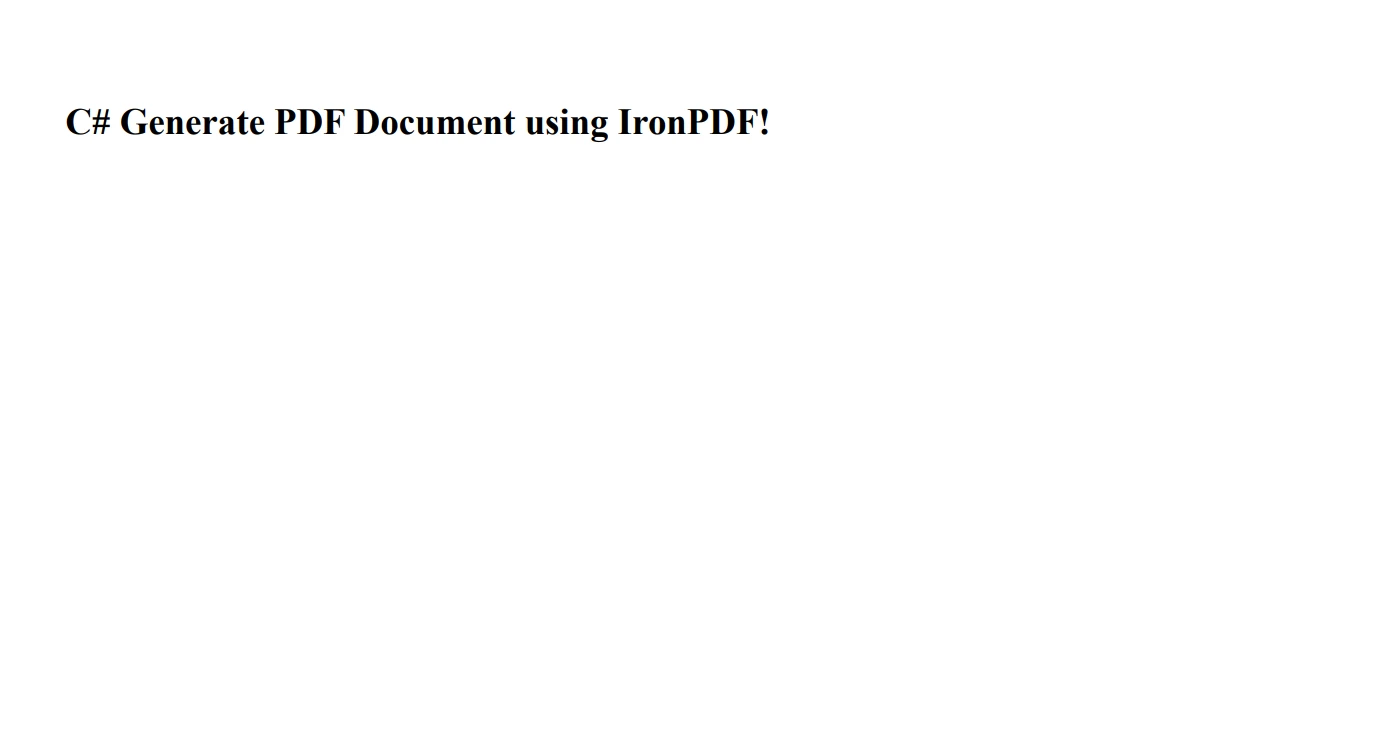
End Class這是 IronPDF 從 HTML 字串建立 PDF 文件 的範例:
using IronPdf;

// Instantiate Renderer
var renderer = new ChromePdfRenderer();

// Create a PDF from an HTML string using C#
var pdf = renderer.RenderHtmlAsPdf("<h1>C# Generate PDF Document using IronPDF!</h1>");

// Export to a file or Stream
pdf.SaveAs("HtmlToPdf.pdf");
using IronPdf;
// Instantiate Renderer
var renderer = new ChromePdfRenderer();
// Create a PDF from an HTML string using C#
var pdf = renderer.RenderHtmlAsPdf("<h1>C# Generate PDF Document using IronPDF!</h1>");
// Export to a file or Stream
pdf.SaveAs("HtmlToPdf.pdf");Imports IronPdf
' Instantiate Renderer
Private renderer = New ChromePdfRenderer()
' Create a PDF from an HTML string using C#
Private pdf = renderer.RenderHtmlAsPdf("<h1>C# Generate PDF Document using IronPDF!</h1>")
' Export to a file or Stream
pdf.SaveAs("HtmlToPdf.pdf")這是輸出 PDF 文件:
Protected 在 IronPDF 中的角色
在像 IronPDF 這樣的程式庫中,protected 存取修飾符在結構化程式碼中扮演了重要角色。 它允許 IronPDF 的開發者控制其他開發者如何與程式庫互動。 例如,他們可能會在基礎類中使用 protected 方法或屬性,以允許在衍生類中擴展和定制而不公開給公共 API 內部邏輯。
結論
在本教程中,我們深入探討了 C# 中 protected 存取修飾符的細節,這是物件導向程式設計的基礎方面。 我們從理解存取修飾符的基本概念及其在定義類成員的範圍和可見性中的作用開始。 我們深入研究了 protected、protected internal 和 private protected 的具體內容,它們在類成員存取控制領域中各有其獨特的目的。
IronPDF 為開發者提供了IronPDF 免費試用,可以探索其功能,輕鬆進行實驗並看到其實際效益。 如需持續使用和存取所有功能,檢查 IronPDF 授權選項,為您的 C# PDF 操作需要提供完整的解決方案。
常見問題
如何在 C# 中使用 protected 存取修飾符進行類繼承?
在 C# 中,protected 存取修飾符允許您定義類成員,這些成員在自己的類及任何派生類中可存取。這對於繼承至關重要,因為它允許派生類使用和覆蓋基類的方法或屬性,同時將其隱藏從外部類。
protected internal 存取修飾符在 C# 中有什麼意義?
C# 中的 protected internal 存取修飾符允許在同一套件內和從套件外的派生類中存取類成員。這種雙重可存取性在需要跨不同專案擴展類時非常有用,同時仍保持一定程度的封裝。
private protected 存取修飾符在 C# 中與 protected internal 有什麼不同?
private protected 存取修飾符限制類成員只能在同一套件內的派生類中存取,結合了 private 和 protected 的特性。這不同於 protected internal,它允許來自同一套件中的任何類和來自其他套件的派生類的存取。
為什麼存取修飾符在 C# 編程中至關重要?
C# 中的存取修飾符至關重要,因為它們控制類成員的可見性和可存取性,幫助維護資料完整性和封裝。它們允許開發者管理不同程式碼部分的交互方式,這對於構建健壯和可維護的應用程式至關重要。
理解存取修飾符如何提升 C# 庫的開發?
理解存取修飾符對於 C# 庫的開發至關重要,因為它們能夠讓開發者控制類成員的可見性,確保內部邏輯得到保護,同時仍允許其他開發者擴展和自訂庫功能。
您能解釋 IronPDF 如何利用 C# 存取修飾符嗎?
IronPDF 使用 C# 存取修飾符來構建其庫程式碼,確保內部方法免受外部存取,同時允許開發者擴展其功能。這種方法使得可建立健壯的 PDF 操作解決方案,同時保持封裝。
存取修飾符如何支持 C# 中的面向物件程式設計原則?
C# 中的存取修飾符通過管理類成員的可存取性來支持面向物件的程式設計原則,這對於封裝至關重要。它們能夠讓開發者隱藏實施細節並僅公開必要內容,從而推廣清晰且模塊化的程式碼。
C# 中的 protected 關鍵字有哪些實際應用?
C# 中的 protected 關鍵字主要用於繼承場景,允許派生類存取和使用基類成員。這在實現相關類的共享功能時特別有用,無需將這些成員暴露給不相關的類。










 免費開始
免費開始 免費開始
免費開始 預訂免費直播演示
















