

Day.js npm(開發者的使用方法)

在JavaScript中處理日期和時間歷來是一項具有挑戰性的任務,這是由於內建的Date物件的限制和古怪。 雖然原生的Date物件提供了基本功能,但在可用性方面經常令人不滿意,這導致開發者尋找更強健的解決方案。 其中一個解決方案是Day.js,這是一個極簡的JavaScript程式庫,用於解析、驗證、操作和顯示日期和時間。
本文探索了Day.js的特性、優勢和用法,展示了為什麼它成為開發者的流行選擇。
什麼是Day.js?
Day.js是一個輕量的JavaScript程式庫,提供簡單的API來處理日期和時間,以便在現代瀏覽器中正確顯示日期和時間。 這被設計成為類似現代API Moment.js的替代方案,後者是一個被廣泛使用但更加笨重的函式庫。 Day.js的大小僅為2kB(壓縮後),使其成為性能導向應用的卓越選擇。 儘管足跡很小,Day.js程式庫是Moment.js的替代品,並提供覆蓋最常見用例的強大功能。
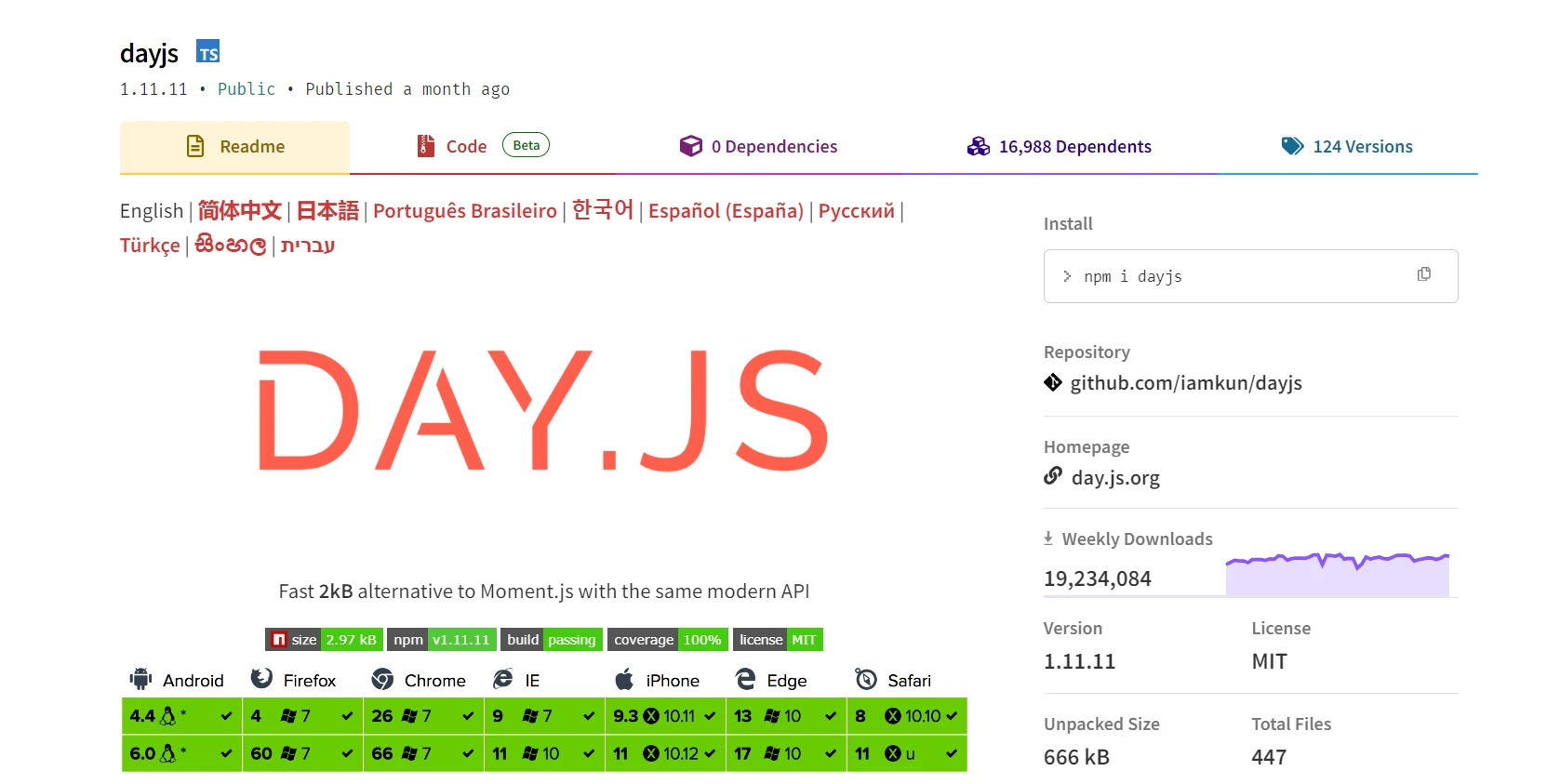
主要功能
以下是Day.js程式庫的一些關鍵特徵:
- 輕量級: 由於其微小的體積和先進的格式化選項,Day.js確保您的應用程式保持快速且高效。
- 不可變: Day.js物件是不可變的,這意味著方法不會改變原始物件,而是返回新的實例。
- 鏈式API: Day.js中的方法可以串接在一起,使程式碼更易讀和精簡。
- 國際化: Day.js支持多個地區語系,允許輕鬆本地化日期和時間。
- 插件系統: 模組化插件系統允許您在不增加核心函式庫體積的情況下擴展Day.js功能。
- 相容性: Day.js被設計成與Moment.js API相容,使現有程式碼庫的遷移變得容易。
安裝
Day.js可以輕鬆地經由npm或yarn安裝。 它也可以直接通過CDN包含在您的HTML文件中。
使用npm進行安裝
npm install dayjsnpm install dayjs基本用法
Day.js提供廣泛的時區支持,使開發者能夠輕鬆管理本地時間並精確執行時間操作任務。 憑藉其嚴格的解析功能,Day.js確保了日期和時間值的準確解釋,從而產生可靠和一致的結果。 無論是減去時間還是更新值,Day.js都使得處理日期和時間變得容易,並提供建立新實例的附加功能以增強靈活性。
讓我們看看一些使用Day.js的例子。
1. 建立日期
在Day.js中建立新日期實例很簡單。 以下範例演示了這一點:
const dayjs = require('dayjs');

// Current date and time
const now = dayjs();

// Specific date and time
const specificDate = dayjs('2023-05-25');
const dayjs = require('dayjs');
// Current date and time
const now = dayjs();
// Specific date and time
const specificDate = dayjs('2023-05-25');2. 格式化日期
Day.js提供了一種靈活而強大的方法來格式化日期:
const date = dayjs('2023-05-25');

// Format date as "YYYY-MM-DD"
console.log(date.format('YYYY-MM-DD')); // 2023-05-25

// Format date as "dddd, MMMM D, YYYY"
console.log(date.format('dddd, MMMM D, YYYY')); // Thursday, May 25, 2023
const date = dayjs('2023-05-25');
// Format date as "YYYY-MM-DD"
console.log(date.format('YYYY-MM-DD')); // 2023-05-25
// Format date as "dddd, MMMM D, YYYY"
console.log(date.format('dddd, MMMM D, YYYY')); // Thursday, May 25, 20233. 解析日期
Day.js可以從字串中解析日期物件,並以多種格式顯示日期:
const date1 = dayjs('2023-05-25');
const date2 = dayjs('05/25/2023', 'MM/DD/YYYY');

// Check if the dates are the same
console.log(date1.isSame(date2)); // true
const date1 = dayjs('2023-05-25');
const date2 = dayjs('05/25/2023', 'MM/DD/YYYY');
// Check if the dates are the same
console.log(date1.isSame(date2)); // true4. 操作日期
Day.js允許通過其鏈式API輕鬆操作日期:
const date = dayjs('2023-05-25');

// Add one week to the date
const nextWeek = date.add(1, 'week');

// Subtract one month from the date
const lastMonth = date.subtract(1, 'month');

console.log(nextWeek.format('YYYY-MM-DD')); // 2023-06-01
console.log(lastMonth.format('YYYY-MM-DD')); // 2023-04-25
const date = dayjs('2023-05-25');
// Add one week to the date
const nextWeek = date.add(1, 'week');
// Subtract one month from the date
const lastMonth = date.subtract(1, 'month');
console.log(nextWeek.format('YYYY-MM-DD')); // 2023-06-01
console.log(lastMonth.format('YYYY-MM-DD')); // 2023-04-255. 比較日期
在Day.js中比較日期既簡單又直觀:
const date1 = dayjs('2023-05-25');
const date2 = dayjs('2023-06-01');

// Check if date1 is before date2
console.log(date1.isBefore(date2)); // true

// Check if date1 is after date2
console.log(date1.isAfter(date2)); // false

// Check if date1 is the same as date2
console.log(date1.isSame(date2)); // false
const date1 = dayjs('2023-05-25');
const date2 = dayjs('2023-06-01');
// Check if date1 is before date2
console.log(date1.isBefore(date2)); // true
// Check if date1 is after date2
console.log(date1.isAfter(date2)); // false
// Check if date1 is the same as date2
console.log(date1.isSame(date2)); // false6. 區域化
Day.js支持國際化(i18n)以處理不同地域:
const dayjs = require('dayjs');
const localizedFormat = require('dayjs/plugin/localizedFormat');
const localeData = require('dayjs/plugin/localeData');
const updateLocale = require('dayjs/plugin/updateLocale');

// Extend Day.js with plugins
dayjs.extend(localizedFormat);
dayjs.extend(localeData);
dayjs.extend(updateLocale);

// Set locale to French
dayjs.locale('fr');

// Display date in localized format
console.log(dayjs().format('dddd, MMMM D, YYYY')); // jeudi, mai 25, 2023

// Customize locale
dayjs.updateLocale('fr', {
    months: ['janvier', 'février', 'mars', 'avril', 'mai', 'juin', 'juillet', 'août', 'septembre', 'octobre', 'novembre', 'décembre'],
    weekdays: ['dimanche', 'lundi', 'mardi', 'mercredi', 'jeudi', 'vendredi', 'samedi']
});

// Display date in customized localized format
console.log(dayjs().format('dddd, MMMM D, YYYY')); // jeudi, mai 25, 2023
const dayjs = require('dayjs');
const localizedFormat = require('dayjs/plugin/localizedFormat');
const localeData = require('dayjs/plugin/localeData');
const updateLocale = require('dayjs/plugin/updateLocale');
// Extend Day.js with plugins
dayjs.extend(localizedFormat);
dayjs.extend(localeData);
dayjs.extend(updateLocale);
// Set locale to French
dayjs.locale('fr');
// Display date in localized format
console.log(dayjs().format('dddd, MMMM D, YYYY')); // jeudi, mai 25, 2023
// Customize locale
dayjs.updateLocale('fr', {
months: ['janvier', 'février', 'mars', 'avril', 'mai', 'juin', 'juillet', 'août', 'septembre', 'octobre', 'novembre', 'décembre'],
weekdays: ['dimanche', 'lundi', 'mardi', 'mercredi', 'jeudi', 'vendredi', 'samedi']
});
// Display date in customized localized format
console.log(dayjs().format('dddd, MMMM D, YYYY')); // jeudi, mai 25, 2023使用Day.js與IronPDF在Node.js中將日期新增到PDF中
結合Day.js這個輕量級JavaScript日期程式庫套件與IronPDF這個用於Node.js的多功能PDF生成和操作程式庫,可以讓開發者有效地在他們的PDF文件中處理日期。
IronPDF - Node.js的PDF程式庫
IronPDF for Node.js是一個綜合程式庫,在Node.js應用程式中無縫建立、操縱和操作PDF文件,賦予開發者強大的能力。 提供了一套豐富的功能,IronPDF簡化了從HTML、網站URL或現有文件生成PDF、新增文字、圖片和互動元素,以及精確地將HTML轉換為PDF等任務。
有關IronPDF for Node.js的詳細資訊,請存取此文件頁面。
快速入門
首先,確保您已安裝所需的套件。 您可以通過npm安裝Day.js和IronPDF:
npm i @ironsoftware/ironpdf
新增帶日期的數位簽名
IronPDF還支持向PDF新增數位簽名。 以下是如何使用Day.js新增帶時間戳的簽名。
import dayjs from 'dayjs';
import { PdfDocument } from "@ironsoftware/ironpdf";

(async () => {
    // Import a PDF
    const pdf = await PdfDocument.open("sample.pdf");

    // Get the current date and time for the signature
    const signatureDate = dayjs().toDate();

    // Sign the PDF with a digital certificate
    await pdf.signDigitalSignature({
        certificatePath: "IronSoftware.pfx",
        certificatePassword: "123456",
        signingReason: "To show how to sign a PDF",
        signingLocation: "Chicago, USA",
        signatureDate: signatureDate,
        signatureImage: {
            SignatureImagePath: "logo.png"
        }
    });

    // Save the signed PDF
    await pdf.saveAs("signed_with_date.pdf");
})();
import dayjs from 'dayjs';
import { PdfDocument } from "@ironsoftware/ironpdf";
(async () => {
// Import a PDF
const pdf = await PdfDocument.open("sample.pdf");
// Get the current date and time for the signature
const signatureDate = dayjs().toDate();
// Sign the PDF with a digital certificate
await pdf.signDigitalSignature({
certificatePath: "IronSoftware.pfx",
certificatePassword: "123456",
signingReason: "To show how to sign a PDF",
signingLocation: "Chicago, USA",
signatureDate: signatureDate,
signatureImage: {
SignatureImagePath: "logo.png"
}
});
// Save the signed PDF
await pdf.saveAs("signed_with_date.pdf");
})();這裡是輸出結果:
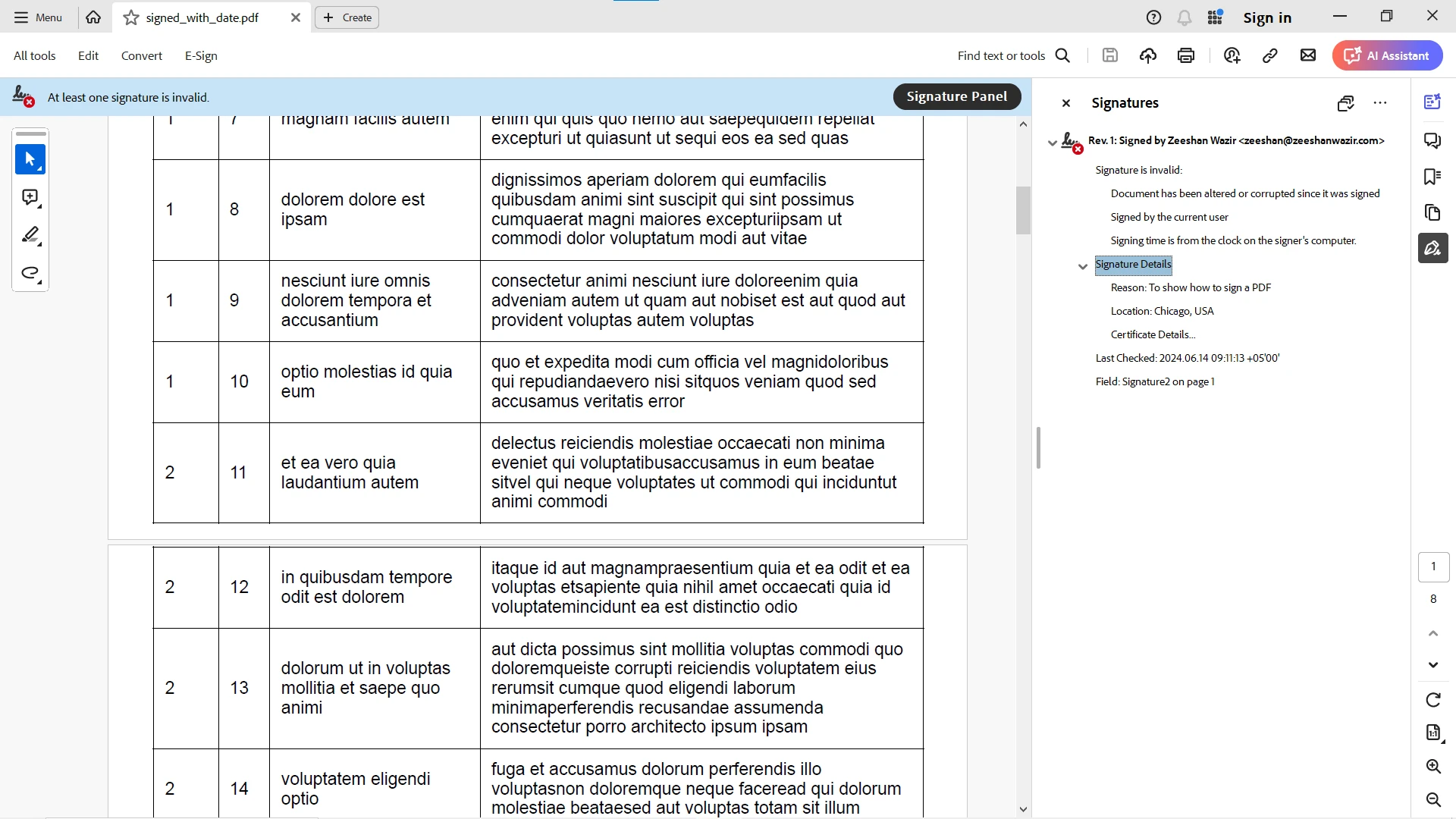
您也可以使用現成的程式碼範例立即在您的Node.js應用中使用該程式庫。 為了進一步探索,您也可以存取此API參考頁面。
結論
Day.js是一個強大且高效的JavaScript日期和時間管理程式庫。 其輕量的特性、對不可變數結構的支持以及與Moment.js的相容性,使其成為開發者處理日期和時間操作而不給應用新增顯著開銷的吸引人選擇。
通過將Day.js與IronPDF整合在一起,開發者可以輕鬆地在他們的PDF文件中處理日期。 無論是從URL或HTML字串生成PDF,還是新增帶時間戳的數位簽名,Day.js都提供了一種簡單而強大的方式來管理日期。 這種組合增強了您的Node.js應用程式的功能,允許進行強大和動態的PDF文件管理。
按$999查看IronPDF的起始價格。 親自見證強大的PDF生成和PDF操作可以達到的效果。 今天就試試!








 免費開始
免費開始 免費開始
免費開始 預訂免費直播演示
















