

tailwind npm(開發者的使用方法)

Tailwind CSS是一個流行的優先實用工具CSS框架,可以快速設計HTML頁面。 它高度可自訂,並且與React無縫結合,後者是一個強大的JavaScript函式庫,用於構建使用者介面。 在本文中,我們將指導您如何使用npm將Tailwind CSS整合到React專案中。 此外,我們將查看IronPDF PDF生成程式庫,從網站URL生成PDF。
什麼是Tailwind CSS?
Tailwind CSS是一個優先實用工具CSS框架,讓您能夠更有效地建立應用程式。 使用Tailwind,您可以直接在HTML中使用實用工具類別來控制佈局、顏色、間距、字體、陰影等等。 最好的部分是? 您不需要寫自訂CSS!
如果您厭倦了與傳統語義化類別名稱作斗爭,試試Tailwind CSS—您可能會想知道以前是如何與CSS一起工作的!
以下是將Tailwind CSS整合到React應用程式中的步驟。
步驟1:建立React專案
使用以下命令建立React App。 此工具為新的React專案設置了一個合適的預設配置。
npx create-react-app my-tailwind-react-app
cd my-tailwind-react-app
npx create-react-app my-tailwind-react-app
cd my-tailwind-react-app步驟2:安裝Tailwind CSS
通過使用npm安裝Tailwind CSS及其依賴項。 打開您的終端,運行以下命令:
npm install -D tailwindcss postcss autoprefixernpm install -D tailwindcss postcss autoprefixer步驟3:初始化Tailwind CSS
接下來,您需要初始化Tailwind CSS以建立預設配置文件。 執行以下命令:
npx tailwindcss init -pnpx tailwindcss init -p這將在您的專案中建立兩個新文件:tailwind.config.js和postcss.config.js。
步驟4:配置Tailwind CSS
打開tailwind.config.js配置檔案,並設置purge選項以在生產環境中移除未使用的CSS。 這有助於保持最終的CSS包大小。 您還可以在這裡定義暗模式類名和自訂模組的路徑。
// tailwind.config.js
module.exports = {
  purge: ['./src/**/*.{js,jsx,ts,tsx}', './public/index.html'],
  darkMode: false, // or 'media' or 'class'
  theme: {
    extend: {},
  },
  variants: {
    extend: {},
  },
  plugins: [],
}
// tailwind.config.js
module.exports = {
purge: ['./src/**/*.{js,jsx,ts,tsx}', './public/index.html'],
darkMode: false, // or 'media' or 'class'
theme: {
extend: {},
},
variants: {
extend: {},
},
plugins: [],
}步驟5:建立一個Tailwind CSS文件
建立一個名為src/tailwind.css的新文件,並在其中新增以下內容:
@tailwind base;
@tailwind components;
@tailwind utilities;
步驟6:在您的React專案中導入Tailwind CSS
打開src/index.js文件,並導入您剛建立的Tailwind CSS文件:
import React from 'react';
import ReactDOM from 'react-dom';
import './index.css'; // Existing CSS imports
import App from './App';
import './tailwind.css'; // Tailwind CSS import

ReactDOM.render(
  <React.StrictMode>
    <App />
  </React.StrictMode>,
  document.getElementById('root')
);
import React from 'react';
import ReactDOM from 'react-dom';
import './index.css'; // Existing CSS imports
import App from './App';
import './tailwind.css'; // Tailwind CSS import
ReactDOM.render(
<React.StrictMode>
<App />
</React.StrictMode>,
document.getElementById('root')
);步驟7:開始使用Tailwind CSS
現在您可以在React組件程式碼中開始使用Tailwind CSS類。 打開src/App.js文件,並按以下方式修改它:
import React from 'react';

function App() {
  return (
    <div className="text-center min-h-screen flex items-center justify-center">
      <header className="bg-blue-500 text-white p-8 rounded">
        <h1 className="text-4xl font-bold">Welcome to Tailwind CSS in React</h1>
        <p className="mt-4">This is a sample application using Tailwind CSS with React.</p>
      </header>
    </div>
  );
}

export default App;
import React from 'react';
function App() {
return (
<div className="text-center min-h-screen flex items-center justify-center">
<header className="bg-blue-500 text-white p-8 rounded">
<h1 className="text-4xl font-bold">Welcome to Tailwind CSS in React</h1>
<p className="mt-4">This is a sample application using Tailwind CSS with React.</p>
</header>
</div>
);
}
export default App;步驟8:運行您的React專案
最後,啟動您的開發伺服器以查看Tailwind CSS的動態效果:
npm startnpm start您的應用程式現在應該正在運行,並已整合Tailwind CSS。 您可以開始使用Tailwind的實用工具型別來輕鬆地為您的React組件設計樣式。
IronPDF介紹
IronPDF是一個流行的庫,用於在各種編程環境中生成、編輯和轉換PDF文件。 IronPDFNPM包是專為Node.js應用程式設計的。
以下是IronPDFNPM包的一些關鍵功能和細節:
主要功能
HTML到PDF轉換
輕鬆將HTML內容轉換為PDF文件。 此功能特別適合從網頁內容生成動態 PDF。
URL到PDF轉換
直接從URL生成PDFs,允許您捕獲網頁內容並將其以程式方式保存為PDF文件。
PDF 操作
PDF 安全
高品質輸出
生成高品質的PDF文件,準確呈現文字、圖像和格式。 IronPDF 確保您生成的 PDF 保持原始內容的忠實度。
跨平台相容性
IronPDF與多個平台相容,包括 Windows、Linux 和 macOS,使其適用於廣泛的開發環境。
簡單整合
using npm 套件輕鬆將 IronPDF 整合到您的 Node.js 應用中。 API文件良好,使PDF生成功能融入您的專案變得簡單直觀。
安裝
要安裝IronPDF NPM包,請使用以下命令:
npm i @ironsoftware/ironpdf
使用IronPDF生成PDF文件並使用Tailwind NPM包
設置Next.js專案
安裝依賴項: 首先,使用以下命令建立一個新的Next.js專案(如果尚未建立)。 請參閱設置頁面。
npx create-next-app@latest tailwind-pdf --use-npm --example "https://github.com/vercel/next-learn/tree/main/basics/learn-starter"npx create-next-app@latest tailwind-pdf --use-npm --example "https://github.com/vercel/next-learn/tree/main/basics/learn-starter"接下來,導航至您的專案目錄:
cd tailwind-pdfcd tailwind-pdf安裝所需的套件:
yarn add @ironsoftware/ironpdf @ironsoftware/ironpdf-engine-windows-x64
yarn add -D tailwindcss postcss autoprefixer
npx tailwindcss init -p
yarn add @ironsoftware/ironpdf @ironsoftware/ironpdf-engine-windows-x64
yarn add -D tailwindcss postcss autoprefixer
npx tailwindcss init -p上述陳述將建立如下的tailwind.config.js文件:
/** @type {import('tailwindcss').Config} */
module.exports = {
  content: [
    "./app/**/*.{js,ts,jsx,tsx,mdx}",
    "./pages/**/*.{js,ts,jsx,tsx,mdx}",
    "./components/**/*.{js,ts,jsx,tsx,mdx}",
    // Or if using `src` directory:
    "./src/**/*.{js,ts,jsx,tsx,mdx}",
  ],
  theme: {
    extend: {},
  },
  plugins: [],
}
/** @type {import('tailwindcss').Config} */
module.exports = {
content: [
"./app/**/*.{js,ts,jsx,tsx,mdx}",
"./pages/**/*.{js,ts,jsx,tsx,mdx}",
"./components/**/*.{js,ts,jsx,tsx,mdx}",
// Or if using `src` directory:
"./src/**/*.{js,ts,jsx,tsx,mdx}",
],
theme: {
extend: {},
},
plugins: [],
}將以下程式碼新增到global.css文件中:
@tailwind base;
@tailwind components;
@tailwind utilities;打開或建立global.css文件:
// These styles apply to every route in the application
import '@/styles/globals.css'

export default function App({ Component, pageProps }) {
  return <Component {...pageProps} />
}
// These styles apply to every route in the application
import '@/styles/globals.css'
export default function App({ Component, pageProps }) {
return <Component {...pageProps} />
}建立 PDF
現在,讓我們建立一個簡單的範例來使用 IronPDF 生成 PDF。 在您的Next.js元件(例如pages/index.tsx)中,加入以下程式碼:
PDF生成API:第一步是建立一個後端API來生成PDF文件。 由於IronPDF僅在伺服器端運行,當使用者想要生成PDF時,我們需要建立一個API呼叫。 在路徑pages/api/pdf.js中建立一個文件,並新增以下內容。
IronPDF需要授權碼,您可以從授權頁面獲得並將其放在以下程式碼中。
// pages/api/pdf.js
import { IronPdfGlobalConfig, PdfDocument } from "@ironsoftware/ironpdf";

// Apply your IronPDF license key
IronPdfGlobalConfig.getConfig().licenseKey = "Your license key";

export default async function handler(req, res) {
    try {
        const url = req.query.url;
        const pdf = await PdfDocument.fromUrl(url);
        const data = await pdf.saveAsBuffer();
        console.error('Data PDF:', data);
        res.setHeader('Content-Type', 'application/pdf');
        res.setHeader('Content-Disposition', 'attachment; filename=awesomeIron.pdf');
        res.send(data);
    } catch (error) {
        console.error('Error generating PDF:', error);
        res.status(500).end();
    }
}
// pages/api/pdf.js
import { IronPdfGlobalConfig, PdfDocument } from "@ironsoftware/ironpdf";
// Apply your IronPDF license key
IronPdfGlobalConfig.getConfig().licenseKey = "Your license key";
export default async function handler(req, res) {
try {
const url = req.query.url;
const pdf = await PdfDocument.fromUrl(url);
const data = await pdf.saveAsBuffer();
console.error('Data PDF:', data);
res.setHeader('Content-Type', 'application/pdf');
res.setHeader('Content-Disposition', 'attachment; filename=awesomeIron.pdf');
res.send(data);
} catch (error) {
console.error('Error generating PDF:', error);
res.status(500).end();
}
}現在修改index.js程式碼以使用Tailwind CSS:
import Head from 'next/head';
import { useState } from "react";

export default function Home() {
    const [textInput, setTextInput] = useState('');

    // Function to generate PDF from the given URL
    const generatePdf = async () => {
        try {
            const response = await fetch('/api/pdf?url=' + textInput);
            const blob = await response.blob();
            const url = window.URL.createObjectURL(new Blob([blob]));
            const link = document.createElement('a');
            link.href = url;
            link.setAttribute('download', 'example.pdf');
            document.body.appendChild(link);
            link.click();
            link.parentNode.removeChild(link);
        } catch (error) {
            console.error('Error generating PDF:', error);
        }
    };

    // Handle change in text input for URL
    const handleChange = (event) => {
        setTextInput(event.target.value);
    }

    return (
        <div>
            <Head>
                <title>Demo Tailwind and Generate PDF From IronPDF</title>
                <link rel="icon" href="/favicon.ico" />
            </Head>
            <main className='text-center'>
                <h1 className='text-blue-500 text-4xl p-6 mt-12' >
                    Demo Tailwind and Generate PDF From IronPDF
                </h1>
                <p className='w-full text-center'>
                    <span className='px-4 text-xl border-gray-500'>
                        Enter URL To Convert to PDF:
                    </span>{" "}
                </p>
                <input
                    type="text"
                    className="border p-2 m-4"
                    value={textInput}
                    onChange={handleChange}
                    placeholder="Enter URL here"
                />
                <button
                    className='rounded-sm bg-blue-800 p-2 m-12 text-xl text-white'
                    onClick={generatePdf}
                >
                    Generate PDF
                </button>
            </main>
        </div>
    );
}
import Head from 'next/head';
import { useState } from "react";
export default function Home() {
const [textInput, setTextInput] = useState('');
// Function to generate PDF from the given URL
const generatePdf = async () => {
try {
const response = await fetch('/api/pdf?url=' + textInput);
const blob = await response.blob();
const url = window.URL.createObjectURL(new Blob([blob]));
const link = document.createElement('a');
link.href = url;
link.setAttribute('download', 'example.pdf');
document.body.appendChild(link);
link.click();
link.parentNode.removeChild(link);
} catch (error) {
console.error('Error generating PDF:', error);
}
};
// Handle change in text input for URL
const handleChange = (event) => {
setTextInput(event.target.value);
}
return (
<div>
<Head>
<title>Demo Tailwind and Generate PDF From IronPDF</title>
<link rel="icon" href="/favicon.ico" />
</Head>
<main className='text-center'>
<h1 className='text-blue-500 text-4xl p-6 mt-12' >
Demo Tailwind and Generate PDF From IronPDF
</h1>
<p className='w-full text-center'>
<span className='px-4 text-xl border-gray-500'>
Enter URL To Convert to PDF:
</span>{" "}
</p>
<input
type="text"
className="border p-2 m-4"
value={textInput}
onChange={handleChange}
placeholder="Enter URL here"
/>
<button
className='rounded-sm bg-blue-800 p-2 m-12 text-xl text-white'
onClick={generatePdf}
>
Generate PDF
</button>
</main>
</div>
);
}現在使用以下命令運行應用程式:
yarn devyarn devTailwind CSS和IronPDF的輸出
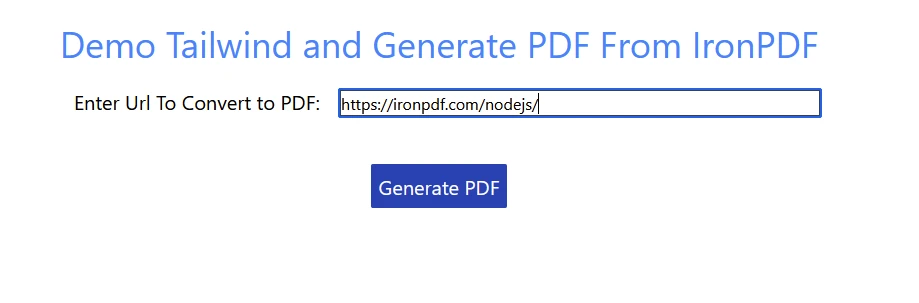
點擊"生成PDF"按鈕,從給定的URL生成PDF。
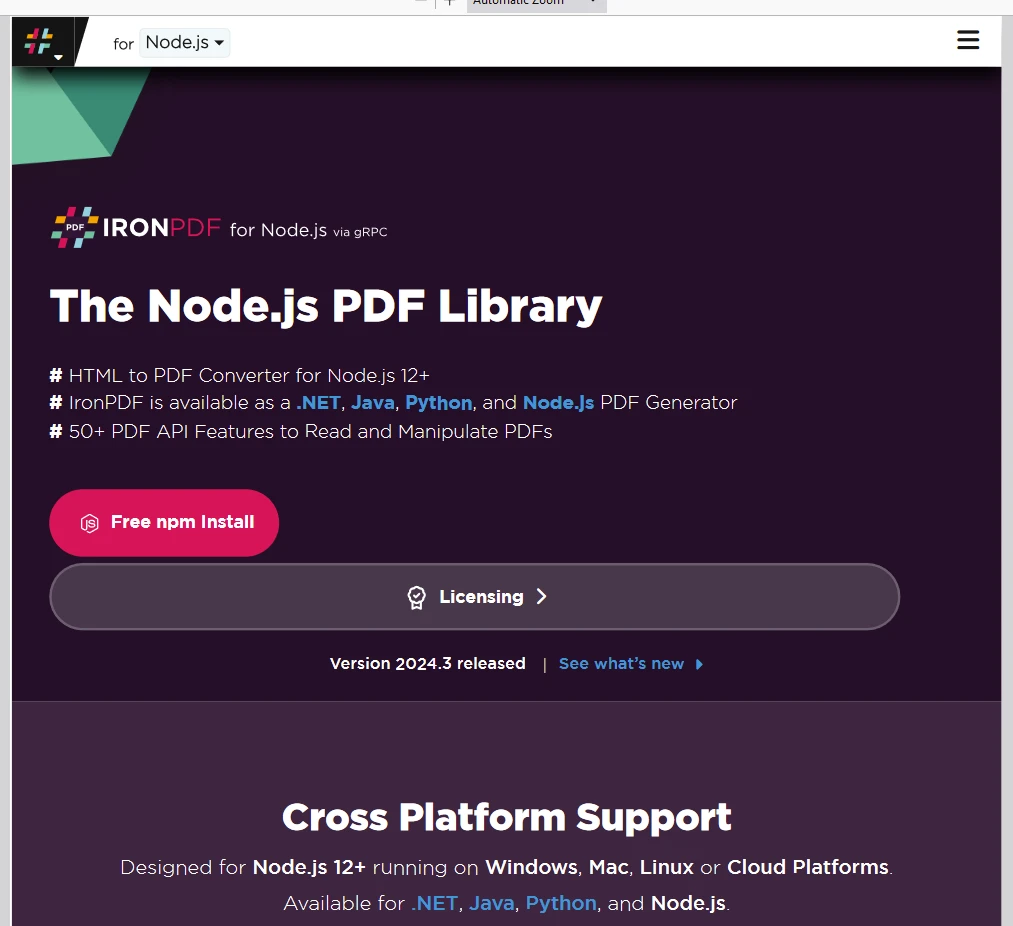
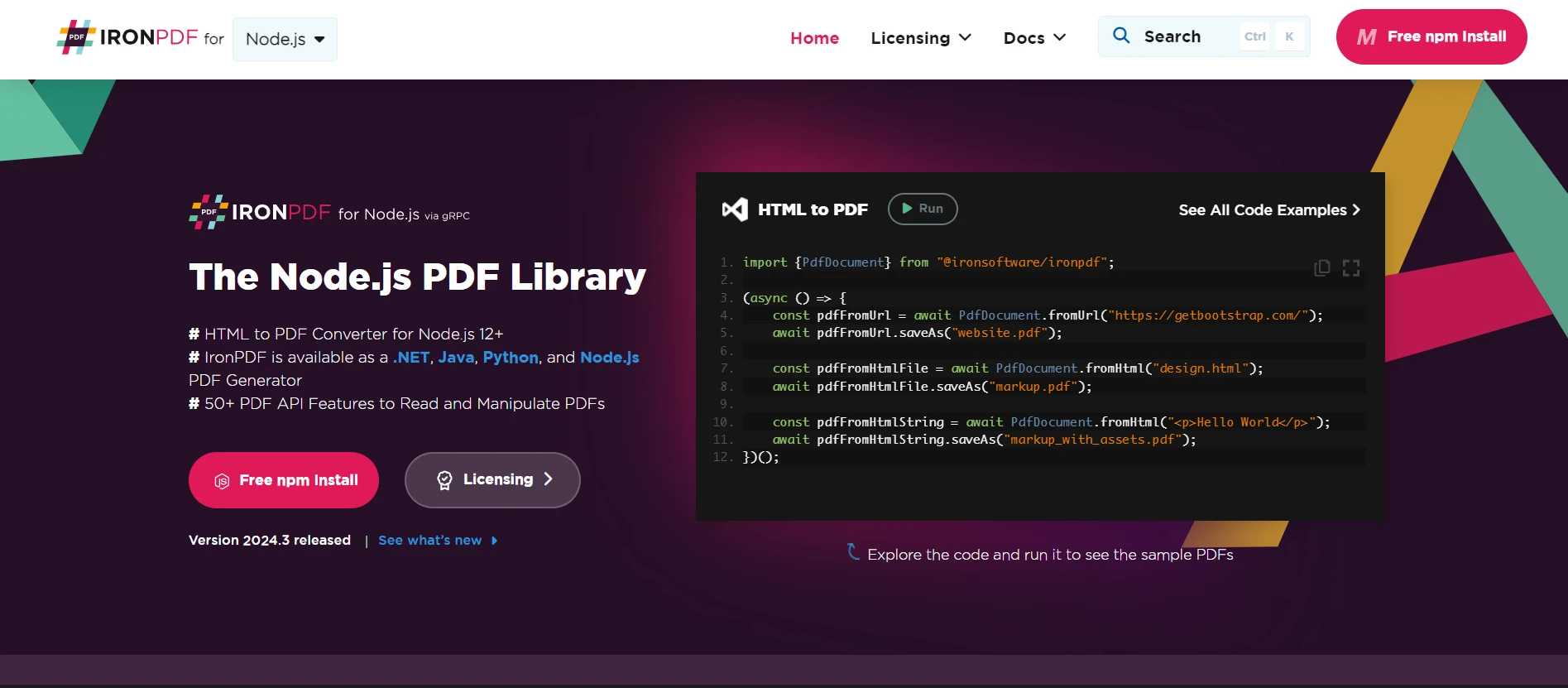
IronPDF 授權
IronPDF page.
請在此處放置授權金鑰:
import { IronPdfGlobalConfig, PdfDocument } from "@ironsoftware/ironpdf";
// Apply your IronPDF license key
IronPdfGlobalConfig.getConfig().licenseKey = "Add Your key here";
import { IronPdfGlobalConfig, PdfDocument } from "@ironsoftware/ironpdf";
// Apply your IronPDF license key
IronPdfGlobalConfig.getConfig().licenseKey = "Add Your key here";結論
通過npm將Tailwind CSS整合到React專案中是直接明瞭的。 遵循這些步驟,您可以快速設置Tailwind CSS,並開始使用其優先實用工具型別來構建回應式且可自訂的UI。 Tailwind CSS的靈活性和強大的自訂選項使其成為React開發人員精簡樣式過程的極好選擇。 IronPDF是一個多功能的PDF生成包,有助於開發人員輕鬆整合至企業應用。掌握這兩種技術可以讓開發人員創造現代且功能豐富的應用程式。
有關如何開始使用IronPDF以及不同方式在專案中加入的參考程式碼範例,請存取程式碼範例和文件頁面。 IronPDF為所有永久授權持有者提供支援和更新選項。 它還在試用期內提供24/5技術支持。
注意,免費試用授權不需要信用卡資訊或帳戶建立,只需一個有效的電子郵件地址。






 免費開始
免費開始 免費開始
免費開始 預訂免費直播演示
















