




Updated April 23, 2026
Bridging CLI Simplicity & .NET : Using Curl DotNet with IronPDF
Jacob Mellor has bridged this gap with CurlDotNet, a library created to bring the familiarity of cURL to the .NET ecosystem.
Read More

Handling exceptions properly is essential in C#. This tutorial shows you how to use a try-catch block with multiple catch clauses. We'll cover how to catch multiple exception types, use exception filters, and ensure resources are cleaned up with finally. The aim is to help you build robust and error-tolerant C# applications.
By learning to catch multiple types of exceptions, you can tailor responses to specific problems, improving your program's reliability. We'll also touch on how to apply conditions to catch blocks with the when keyword, allowing for more precise error handling.
This guide will give you the methods to catch exceptions and handle both common and complex errors smoothly in your coding projects. We'll also explore IronPDF in the context of exception handling.
Exception handling in C# is a method used to handle runtime errors, prevent abrupt termination of a program, and manage unexpected situations when they occur during the execution of a program. The core components of exception handling include the try, catch, and finally blocks.
The try block includes code that could potentially trigger an exception, whereas the catch block is responsible for managing the exception if it arises. The finally block is optional and executes code after the try-and-catch blocks, regardless of whether an exception was thrown or not. Here's a simple structure:
try
{
    // Code that may throw an exception
}
catch (Exception e)
{
    // Code to handle the exception
}
finally
{
    // Code that executes after try and catch, regardless of an exception
}Try
' Code that may throw an exception
Catch e As Exception
' Code to handle the exception
Finally
' Code that executes after try and catch, regardless of an exception
End TryIn real-world applications, a single operation might throw exceptions of various types. To address this, C# allows you to define multiple catch blocks for a single try block. Each catch block can specify a different exception type to handle all the exceptions.
Catching multiple exceptions is essential for detailed error handling, where actions depend on the specific error that occurred. It enables developers to handle each exception in a way that is appropriate for the context of that particular error.
Here's an example of how to implement a single catch block to catch multiple exception types:
try
{
    // Code that may throw multiple types of exceptions
    int[] numbers = { 1, 2, 3 };
    Console.WriteLine(numbers[5]); // This will throw an IndexOutOfRangeException
}
catch (IndexOutOfRangeException ex)
{
    Console.WriteLine("An index was out of range: " + ex.Message);
}
catch (DivideByZeroException ex)
{
    Console.WriteLine("Can't divide by Zero: " + ex.Message);
}
catch (Exception ex)
{
    Console.WriteLine("Error: " + ex.Message);
}Try
' Code that may throw multiple types of exceptions
Dim numbers() As Integer = { 1, 2, 3 }
Console.WriteLine(numbers(5)) ' This will throw an IndexOutOfRangeException
Catch ex As IndexOutOfRangeException
Console.WriteLine("An index was out of range: " & ex.Message)
Catch ex As DivideByZeroException
Console.WriteLine("Can't divide by Zero: " & ex.Message)
Catch ex As Exception
Console.WriteLine("Error: " & ex.Message)
End TryIn this code, specific exceptions like IndexOutOfRangeException and DivideByZeroException are caught by their respective catch blocks. Any other types of exceptions are caught by the generic Exception catch block.
C# also supports exception filters that allow you to specify a condition within the catch block. This feature uses the when keyword to provide more control over which exceptions to catch based on the condition evaluated at runtime.
Here is how you can use the when keyword to add exception filters:
try
{
    // Code that may throw an exception
    throw new InvalidOperationException("Invalid operation occurred", new Exception("Inner exception"));
}
catch (Exception ex) when (ex.InnerException != null)
{
    Console.WriteLine("Exception with inner exception caught: " + ex.Message);
}
catch (Exception ex)
{
    Console.WriteLine("Exception caught: " + ex.Message);
}Try
' Code that may throw an exception
Throw New InvalidOperationException("Invalid operation occurred", New Exception("Inner exception"))
Catch ex As Exception When ex.InnerException IsNot Nothing
Console.WriteLine("Exception with inner exception caught: " & ex.Message)
Catch ex As Exception
Console.WriteLine("Exception caught: " & ex.Message)
End TryThe finally block is used to execute code after the try and any catch blocks are complete. It is useful for cleaning up resources, like closing file streams or database connections, regardless of whether an exception occurred.
try
{
    // Code that might throw an exception
}
catch (Exception e)
{
    // Handle the exception
}
finally
{
    // Cleanup code, executed after try/catch
    Console.WriteLine("Cleanup code runs here.");
}Try
' Code that might throw an exception
Catch e As Exception
' Handle the exception
Finally
' Cleanup code, executed after try/catch
Console.WriteLine("Cleanup code runs here.")
End TryIronPDF is a comprehensive library designed for C# developers working within the .NET applications. It helps developers to manipulate, manage, and create PDF files directly from HTML. It does not require an external dependency to work.
You can do any PDF operation without using and installing Adobe Acrobat. IronPDF supports various PDF functionalities such as editing, merging, splitting, and securing PDF documents with encryption and digital signatures. Developers can utilize IronPDF in multiple application types, including web applications, desktop applications, and services.
Interlink:
The key feature of IronPDF is converting HTML to PDF, which retains both layout and style. It's perfect for producing PDFs from web content, whether it's for reports, invoices, or documentation. HTML files, URLs, and HTML strings can all be converted to PDF files.
using IronPdf;

class Program
{
    static void Main(string[] args)
    {
        var renderer = new ChromePdfRenderer();

        // 1. Convert HTML String to PDF
        var htmlContent = "<h1>Hello, IronPDF!</h1><p>This is a PDF from an HTML string.</p>";
        var pdfFromHtmlString = renderer.RenderHtmlAsPdf(htmlContent);
        pdfFromHtmlString.SaveAs("HTMLStringToPDF.pdf");

        // 2. Convert HTML File to PDF
        var htmlFilePath = "path_to_your_html_file.html"; // Specify the path to your HTML file
        var pdfFromHtmlFile = renderer.RenderHtmlFileAsPdf(htmlFilePath);
        pdfFromHtmlFile.SaveAs("HTMLFileToPDF.pdf");

        // 3. Convert URL to PDF
        var url = "http://ironpdf.com"; // Specify the URL
        var pdfFromUrl = renderer.RenderUrlAsPdf(url);
        pdfFromUrl.SaveAs("URLToPDF.pdf");
    }
}Imports IronPdf
Friend Class Program
Shared Sub Main(ByVal args() As String)
Dim renderer = New ChromePdfRenderer()
' 1. Convert HTML String to PDF
Dim htmlContent = "<h1>Hello, IronPDF!</h1><p>This is a PDF from an HTML string.</p>"
Dim pdfFromHtmlString = renderer.RenderHtmlAsPdf(htmlContent)
pdfFromHtmlString.SaveAs("HTMLStringToPDF.pdf")
' 2. Convert HTML File to PDF
Dim htmlFilePath = "path_to_your_html_file.html" ' Specify the path to your HTML file
Dim pdfFromHtmlFile = renderer.RenderHtmlFileAsPdf(htmlFilePath)
pdfFromHtmlFile.SaveAs("HTMLFileToPDF.pdf")
' 3. Convert URL to PDF
Dim url = "http://ironpdf.com" ' Specify the URL
Dim pdfFromUrl = renderer.RenderUrlAsPdf(url)
pdfFromUrl.SaveAs("URLToPDF.pdf")
End Sub
End ClassHere's a simple C# example using IronPDF to create a PDF from HTML, with error handling for multiple types of exceptions. This example assumes you have IronPDF installed in your project. Run this command in the NuGet console to install IronPDF:
PM > Install-Package IronPdf
Here is the code:
using IronPdf;
using System;

class Program
{
    static void Main(string[] args)
    {
        // Set your IronPDF license key, if applicable.
        License.LicenseKey = "License-Key";
        var renderer = new ChromePdfRenderer();

        try
        {
            // Convert HTML to PDF
            var pdf = renderer.RenderHtmlAsPdf("<h1>Hello, World!</h1>");
            pdf.SaveAs("Exceptions.pdf");
            Console.WriteLine("PDF successfully created.");
        }
        catch (IronPdf.Exceptions.IronPdfProductException ex)
        {
            // Handle PDF generation errors
            Console.WriteLine("Failed to generate PDF: " + ex.Message);
        }
        catch (System.IO.IOException ex)
        {
            // Handle IO errors (e.g., disk I/O errors)
            Console.WriteLine("IO Exception: " + ex.Message);
        }
        catch (Exception ex)
        {
            // Handle other errors
            Console.WriteLine("Error: " + ex.Message);
        }
    }
}Imports IronPdf
Imports System
Module Program
Sub Main(args As String())
' Set your IronPDF license key, if applicable.
License.LicenseKey = "License-Key"
Dim renderer = New ChromePdfRenderer()
Try
' Convert HTML to PDF
Dim pdf = renderer.RenderHtmlAsPdf("<h1>Hello, World!</h1>")
pdf.SaveAs("Exceptions.pdf")
Console.WriteLine("PDF successfully created.")
Catch ex As IronPdf.Exceptions.IronPdfProductException
' Handle PDF generation errors
Console.WriteLine("Failed to generate PDF: " & ex.Message)
Catch ex As System.IO.IOException
' Handle IO errors (e.g., disk I/O errors)
Console.WriteLine("IO Exception: " & ex.Message)
Catch ex As Exception
' Handle other errors
Console.WriteLine("Error: " & ex.Message)
End Try
End Sub
End ModuleWhen we run this code, it shows up this message in the command line.
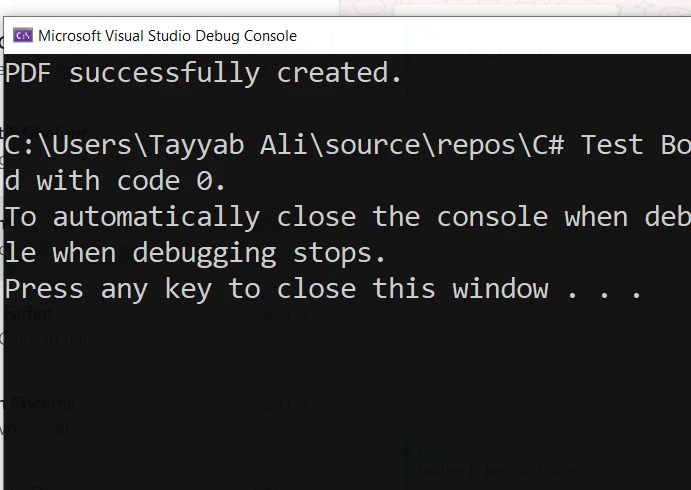
And it is the PDF file generated by this code:
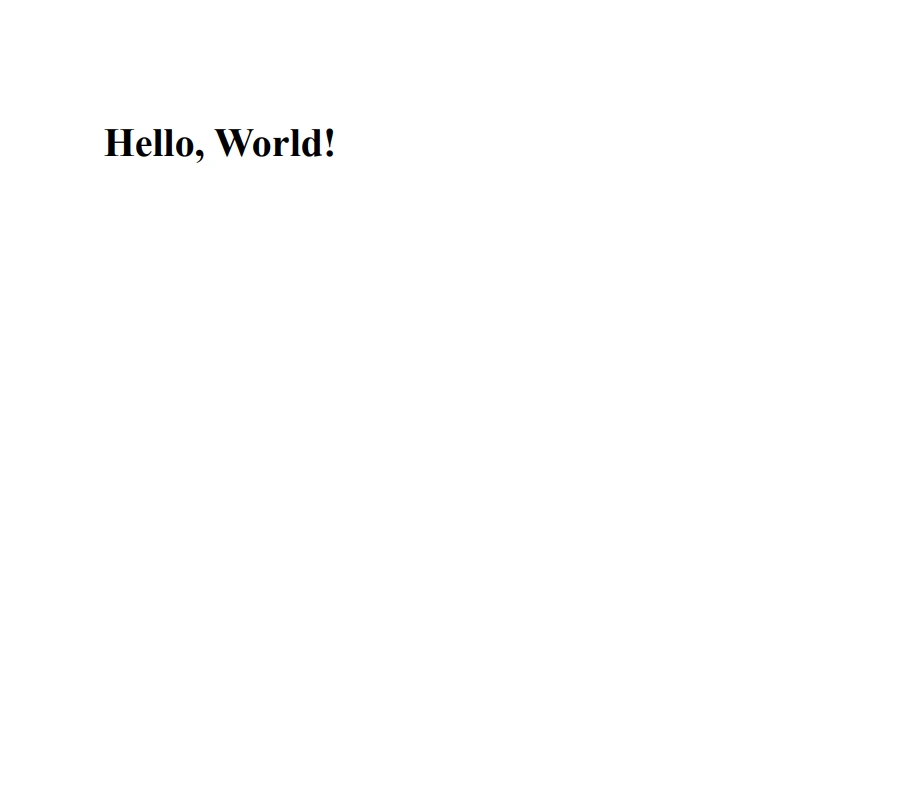
Make sure to test this in an environment where IronPDF is properly configured, and modify the HTML content as needed for your application. This will help you manage errors efficiently, improving the reliability of your PDF generation tasks.
Handling multiple exceptions in C# is a powerful feature that provides robust error-handling capabilities in your applications. By using multiple catch blocks, exception filters, and the finally block, you can create a resilient and stable application that handles different errors gracefully and maintains its integrity under various error conditions.
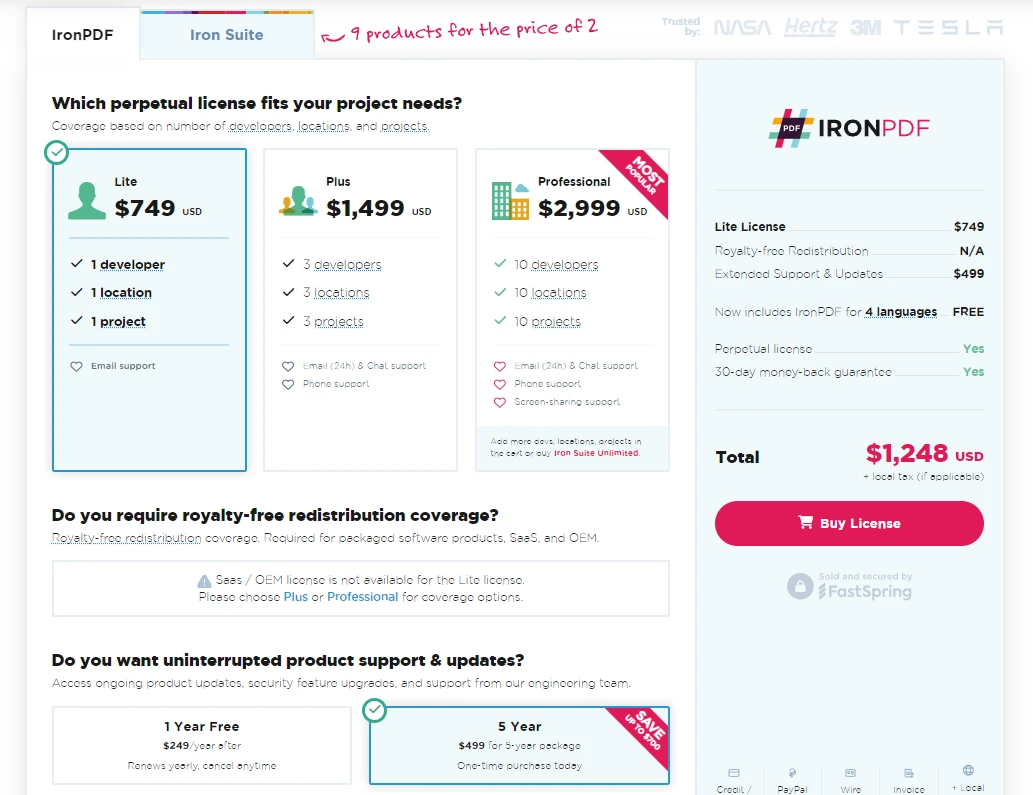
This comprehensive understanding and implementation of multiple exception handling ensure that your applications are well-prepared to deal with unexpected situations effectively. IronPDF offers a free trial starts from $999.

Jacob Mellor is Chief Technology Officer at Iron Software and a visionary engineer pioneering C# PDF technology. As the original developer behind Iron Software's core codebase, he has shaped the company's product architecture since its inception, transforming it alongside CEO Cameron Rimington into a 50+ person company serving NASA, Tesla, and global government agencies.




10 .NET API products for your office documents











When you need your PDF to look like HTML, fast.


