




已更新 2026年4月23日
在 .NET 中用 Microsoft.Extensions.AI 簡化 LLM 整合
AI 正在改變軟體開發,但將大型語言模型 (LLM) 整合到 .NET 中一直很複雜。利用 IronPdf.AI 將 AI 整合推向更遠,為 .NET 應用程式帶來由 OpenAI 驅動的 PDF 解析、資料擷取和內容總結。
閱讀更多

正確處理異常在C#中是必要的。 本教程向您展示如何使用具有多個catch子句的try-catch塊。 我們將涵蓋如何捕獲多種型別的異常,使用異常過濾器,並確保資源在finally中被清理。 目的是幫助您構建健壯且容錯的C#應用。
學會捕捉多種型別的異常,您可以針對特定問題量身定制響應,提高程式的可靠性。 我們還將涉及如何使用when關鍵字為catch塊應用條件,允許更精確的錯誤處理。
本指南將為您提供方法來捕獲異常,並在您的編碼專案中順利處理常見和複雜的錯誤。 我們還將在異常處理的背景下探索IronPDF。
C#中的異常處理是一種用來處理運行時錯誤的方法,防止程式的突然終止,並管理執行程式時發生的意外情況。 異常處理的核心組件包括finally塊。
try塊包括可能引發異常的程式碼,而catch塊負責在異常出現時進行管理。 catch塊後執行程式碼,無論是否拋出異常。 這是一個簡單的結構:
try
{
    // Code that may throw an exception
}
catch (Exception e)
{
    // Code to handle the exception
}
finally
{
    // Code that executes after try and catch, regardless of an exception
}Try
' Code that may throw an exception
Catch e As Exception
' Code to handle the exception
Finally
' Code that executes after try and catch, regardless of an exception
End Try在實際應用中,一個操作可能拋出多種型別的異常。為了解決這個問題,C#允許您為一個catch塊。 每個catch塊可以指定不同的異常型別來處理所有異常。
捕捉多個異常對於詳細的錯誤處理至關重要,因為行動取決於發生的具體錯誤。 它使開發者能夠以適合那個特定錯誤發生的上下文的方式處理每個異常。
以下是實現一個catch塊捕獲多種型別異常的範例:
try
{
    // Code that may throw multiple types of exceptions
    int[] numbers = { 1, 2, 3 };
    Console.WriteLine(numbers[5]); // This will throw an IndexOutOfRangeException
}
catch (IndexOutOfRangeException ex)
{
    Console.WriteLine("An index was out of range: " + ex.Message);
}
catch (DivideByZeroException ex)
{
    Console.WriteLine("Can't divide by Zero: " + ex.Message);
}
catch (Exception ex)
{
    Console.WriteLine("Error: " + ex.Message);
}Try
' Code that may throw multiple types of exceptions
Dim numbers() As Integer = { 1, 2, 3 }
Console.WriteLine(numbers(5)) ' This will throw an IndexOutOfRangeException
Catch ex As IndexOutOfRangeException
Console.WriteLine("An index was out of range: " & ex.Message)
Catch ex As DivideByZeroException
Console.WriteLine("Can't divide by Zero: " & ex.Message)
Catch ex As Exception
Console.WriteLine("Error: " & ex.Message)
End Try在此程式碼中,具體的異常如catch塊捕獲。 任何其他型別的異常由通用的Exception catch塊捕獲。
C#還支持異常過濾器,這使您可以在catch塊中指定條件。 此功能使用when關鍵字,在運行時根據條件提供更多的控制以決定要捕捉的異常。
以下是使用when關鍵字新增異常過濾器的方法:
try
{
    // Code that may throw an exception
    throw new InvalidOperationException("Invalid operation occurred", new Exception("Inner exception"));
}
catch (Exception ex) when (ex.InnerException != null)
{
    Console.WriteLine("Exception with inner exception caught: " + ex.Message);
}
catch (Exception ex)
{
    Console.WriteLine("Exception caught: " + ex.Message);
}Try
' Code that may throw an exception
Throw New InvalidOperationException("Invalid operation occurred", New Exception("Inner exception"))
Catch ex As Exception When ex.InnerException IsNot Nothing
Console.WriteLine("Exception with inner exception caught: " & ex.Message)
Catch ex As Exception
Console.WriteLine("Exception caught: " & ex.Message)
End Trycatch塊完成後執行程式碼。 它對清理資源很有用,比如關閉文件流或資料庫連接,無論是否發生異常。
try
{
    // Code that might throw an exception
}
catch (Exception e)
{
    // Handle the exception
}
finally
{
    // Cleanup code, executed after try/catch
    Console.WriteLine("Cleanup code runs here.");
}Try
' Code that might throw an exception
Catch e As Exception
' Handle the exception
Finally
' Cleanup code, executed after try/catch
Console.WriteLine("Cleanup code runs here.")
End TryIronPDF是一個專為在.NET應用中工作的C#開發者設計的綜合程式庫。 它幫助開發者直接從HTML操控、管理和建立PDF文件。 它不需要外部依賴即可工作。
您可以不使用和安裝Adobe Acrobat執行任何PDF操作。 IronPDF支持多種PDF功能,如編輯、合併、分割以及用加密和數位簽名保護PDF文件。 開發者可以在多種應用程式型別中使用IronPDF,包括Web應用程式、桌面應用程式和服務。
交叉連接:
IronPDF的關鍵特性是將HTML轉換為PDF,保持布局和樣式。 它對於從網頁內容生成PDF非常完美,無論是報告、發票還是文件。 HTML文件、URL和HTML字串都可以轉換為PDF文件。
using IronPdf;

class Program
{
    static void Main(string[] args)
    {
        var renderer = new ChromePdfRenderer();

        // 1. Convert HTML String to PDF
        var htmlContent = "<h1>Hello, IronPDF!</h1><p>This is a PDF from an HTML string.</p>";
        var pdfFromHtmlString = renderer.RenderHtmlAsPdf(htmlContent);
        pdfFromHtmlString.SaveAs("HTMLStringToPDF.pdf");

        // 2. Convert HTML File to PDF
        var htmlFilePath = "path_to_your_html_file.html"; // Specify the path to your HTML file
        var pdfFromHtmlFile = renderer.RenderHtmlFileAsPdf(htmlFilePath);
        pdfFromHtmlFile.SaveAs("HTMLFileToPDF.pdf");

        // 3. Convert URL to PDF
        var url = "http://ironpdf.com"; // Specify the URL
        var pdfFromUrl = renderer.RenderUrlAsPdf(url);
        pdfFromUrl.SaveAs("URLToPDF.pdf");
    }
}Imports IronPdf
Friend Class Program
Shared Sub Main(ByVal args() As String)
Dim renderer = New ChromePdfRenderer()
' 1. Convert HTML String to PDF
Dim htmlContent = "<h1>Hello, IronPDF!</h1><p>This is a PDF from an HTML string.</p>"
Dim pdfFromHtmlString = renderer.RenderHtmlAsPdf(htmlContent)
pdfFromHtmlString.SaveAs("HTMLStringToPDF.pdf")
' 2. Convert HTML File to PDF
Dim htmlFilePath = "path_to_your_html_file.html" ' Specify the path to your HTML file
Dim pdfFromHtmlFile = renderer.RenderHtmlFileAsPdf(htmlFilePath)
pdfFromHtmlFile.SaveAs("HTMLFileToPDF.pdf")
' 3. Convert URL to PDF
Dim url = "http://ironpdf.com" ' Specify the URL
Dim pdfFromUrl = renderer.RenderUrlAsPdf(url)
pdfFromUrl.SaveAs("URLToPDF.pdf")
End Sub
End Class這是一個使用IronPDF從HTML建立PDF的簡單C#範例,並針對多種型別的異常進行錯誤處理。 此範例假設您的專案中已安裝IronPDF。 在NuGet控制台運行此命令以安裝IronPDF:
這是程式碼:
using IronPdf;
using System;

class Program
{
    static void Main(string[] args)
    {
        // Set your IronPDF license key, if applicable.
        License.LicenseKey = "License-Key";
        var renderer = new ChromePdfRenderer();

        try
        {
            // Convert HTML to PDF
            var pdf = renderer.RenderHtmlAsPdf("<h1>Hello, World!</h1>");
            pdf.SaveAs("Exceptions.pdf");
            Console.WriteLine("PDF successfully created.");
        }
        catch (IronPdf.Exceptions.IronPdfProductException ex)
        {
            // Handle PDF generation errors
            Console.WriteLine("Failed to generate PDF: " + ex.Message);
        }
        catch (System.IO.IOException ex)
        {
            // Handle IO errors (e.g., disk I/O errors)
            Console.WriteLine("IO Exception: " + ex.Message);
        }
        catch (Exception ex)
        {
            // Handle other errors
            Console.WriteLine("Error: " + ex.Message);
        }
    }
}Imports IronPdf
Imports System
Module Program
Sub Main(args As String())
' Set your IronPDF license key, if applicable.
License.LicenseKey = "License-Key"
Dim renderer = New ChromePdfRenderer()
Try
' Convert HTML to PDF
Dim pdf = renderer.RenderHtmlAsPdf("<h1>Hello, World!</h1>")
pdf.SaveAs("Exceptions.pdf")
Console.WriteLine("PDF successfully created.")
Catch ex As IronPdf.Exceptions.IronPdfProductException
' Handle PDF generation errors
Console.WriteLine("Failed to generate PDF: " & ex.Message)
Catch ex As System.IO.IOException
' Handle IO errors (e.g., disk I/O errors)
Console.WriteLine("IO Exception: " & ex.Message)
Catch ex As Exception
' Handle other errors
Console.WriteLine("Error: " & ex.Message)
End Try
End Sub
End Module當我們運行此程式碼時,在命令行中顯示此訊息。
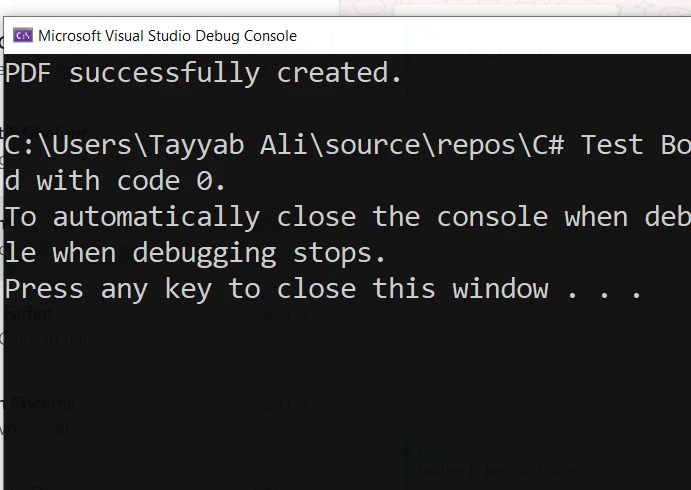
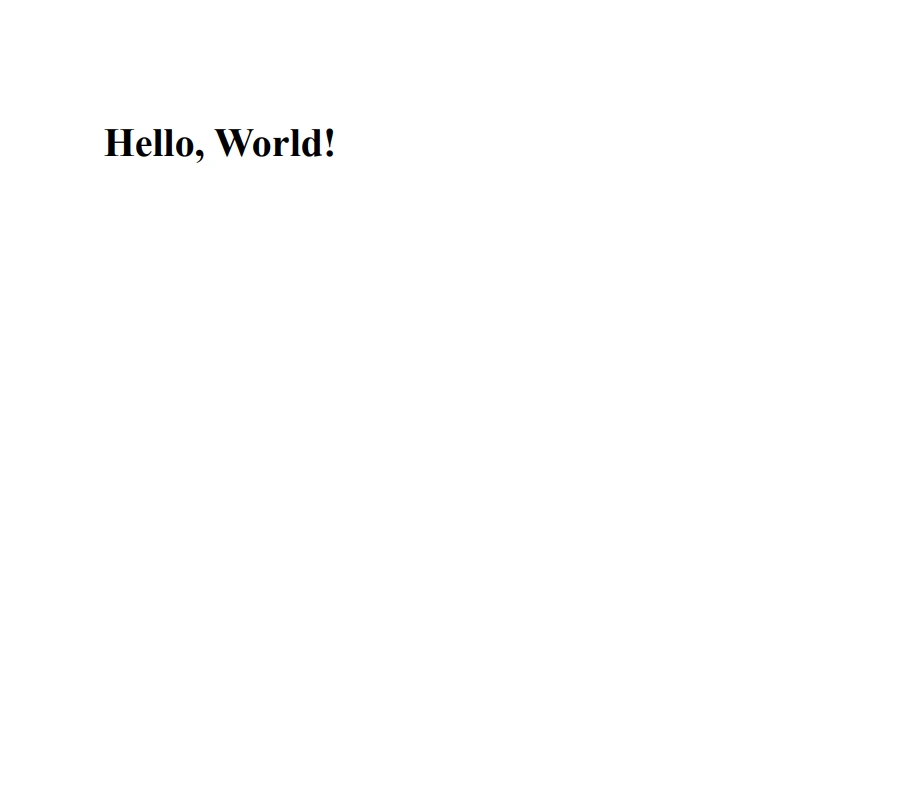
這是由此程式碼生成的PDF文件:
確保在IronPDF正確配置的環境中進行測試,並根據應用需求修改HTML內容。 這將幫助您有效管理錯誤,提高PDF生成任務的可靠性。
在C#中處理多個異常是一個強大的功能,能在您的應用中提供強健的錯誤處理能力。 通過使用多個finally塊,您可以建立一個能夠優雅地處理不同錯誤並在各種錯誤條件下保持完整性的應用程式。
這種對多種異常處理的完整理解和實現確保您的應用能夠有效應對意外情況。 IronPDF提供免費試用從$999開始。

Jacob Mellor是Iron Software的首席技術官,一位在C# PDF技術上開創先河的遠見工程師。作為Iron Software核心程式碼庫的原開發者,他從創立以來就一直在塑造公司的產品架構,與首席執行官Cameron Rimington一起將公司轉變為服務於NASA、特斯拉和全球政府公司的50多名人員的公司。



IronPDF 是 IRONSUITE 的一部分
10 款適用於辦公室文件的 .NET API 產品

當您需要您的PDF看起來像HTML一樣快速。


