




Updated April 23, 2026
Bridging CLI Simplicity & .NET : Using Curl DotNet with IronPDF
Jacob Mellor has bridged this gap with CurlDotNet, a library created to bring the familiarity of cURL to the .NET ecosystem.
Read More

Discriminated Unions, also known as tagged unions or sum types, represent a powerful tool to model data that can take different forms, but with well-defined and limited possible cases. Although C# doesn't have native discriminated unions like some other languages (e.g., F# or Rust), you can simulate discriminated unions using several techniques in the language. In this tutorial, we'll dive into discriminated unions, how to implement them in C#, and their practical use case with the IronPDF library.
In simple terms, a discriminated union is a type that can hold one of several predefined forms or values. It provides a way to create a type-safe structure that encapsulates different types or values while ensuring at compile time that only valid cases are handled.
Imagine a scenario where you want to represent the result of an operation. The operation can either succeed, returning some data, or fail, returning an error message. A discriminated union would allow you to represent these two possible outcomes in a single type.
Here's an example of how you can simulate a discriminated union in C# using a class structure:
// Define an abstract base class representing the operation result.
public abstract class OperationResult<T>
{
    // Private constructor to ensure the class cannot be instantiated directly.
    private OperationResult() { }

    // Nested class representing a successful operation result.
    public sealed class Success : OperationResult<T>
    {
        public T Value { get; }

        public Success(T value) => Value = value;

        public override string ToString() => $"Success: {Value}";
    }

    // Nested class representing a failed operation result.
    public sealed class Failure : OperationResult<T>
    {
        public string Error { get; }

        public Failure(string error) => Error = error;

        public override string ToString() => $"Failure: {Error}";
    }

    // Factory method to create a successful operation result.
    public static OperationResult<T> CreateSuccess(T value) => new Success(value);

    // Factory method to create a failed operation result.
    public static OperationResult<T> CreateFailure(string error) => new Failure(error);
}' Define an abstract base class representing the operation result.
Public MustInherit Class OperationResult(Of T)
' Private constructor to ensure the class cannot be instantiated directly.
Private Sub New()
End Sub
' Nested class representing a successful operation result.
Public NotInheritable Class Success
Inherits OperationResult(Of T)
Public ReadOnly Property Value As T
Public Sub New(value As T)
Me.Value = value
End Sub
Public Overrides Function ToString() As String
Return $"Success: {Value}"
End Function
End Class
' Nested class representing a failed operation result.
Public NotInheritable Class Failure
Inherits OperationResult(Of T)
Public ReadOnly Property Error As String
Public Sub New([error] As String)
Me.Error = [error]
End Sub
Public Overrides Function ToString() As String
Return $"Failure: {Error}"
End Function
End Class
' Factory method to create a successful operation result.
Public Shared Function CreateSuccess(value As T) As OperationResult(Of T)
Return New Success(value)
End Function
' Factory method to create a failed operation result.
Public Shared Function CreateFailure([error] As String) As OperationResult(Of T)
Return New Failure([error])
End Function
End ClassIn this example, OperationResult<T> is an abstract class that represents our discriminated union type. It can either be a Success with a value of type T or a Failure with an error message. The private constructor ensures that instances of such a class can only be created through the predefined cases.
C# provides powerful pattern-matching capabilities that work well with discriminated unions. Let's extend our OperationResult<T> example with a method that handles different cases using a switch expression.
// Method to handle the result using pattern matching.
public string HandleResult(OperationResult<int> result) =>
    result switch
    {
        OperationResult<int>.Success success => $"Operation succeeded with value: {success.Value}",
        OperationResult<int>.Failure failure => $"Operation failed with error: {failure.Error}",
        _ => throw new InvalidOperationException("Unexpected result type")
};' Method to handle the result using pattern matching.
'INSTANT VB TODO TASK: The following 'switch expression' was not converted by Instant VB:
'public string HandleResult(OperationResult<int> result) => result switch
' {
' OperationResult<int>.Success success => $"Operation succeeded with value: {success.Value}",
' OperationResult<int>.Failure failure => $"Operation failed with error: {failure.Error}",
' _ => throw new InvalidOperationException("Unexpected result type")
' };The switch expression here handles both the Success and Failure cases of the OperationResult<int>. This ensures that all possible cases are covered at compile time, providing type safety and reducing the risk of runtime errors.
You can extend the functionality of discriminated unions using extension methods. For example, let's create an extension method for our OperationResult<T> to determine if the result is a success:
// Static class to hold extension methods for OperationResult<T>.
public static class OperationResultExtensions
{
    // Extension method to check if the operation result indicates success.
    public static bool IsSuccess<T>(this OperationResult<T> result) =>
        result is OperationResult<T>.Success;
}' Static class to hold extension methods for OperationResult<T>.
Public Module OperationResultExtensions
' Extension method to check if the operation result indicates success.
<System.Runtime.CompilerServices.Extension> _
Public Function IsSuccess(Of T)(ByVal result As OperationResult(Of T)) As Boolean
Return TypeOf result Is OperationResult(Of T).Success
End Function
End ModuleThis static method checks if the result is an instance of the Success case.
C# does not have native support for discriminated unions like some other languages, but there are ongoing discussions in the community about adding such a feature. Native discriminated unions would make it easier to define and work with union types without needing to rely on class hierarchies.
One of the key benefits of discriminated unions is the type safety they provide. Since all possible cases are known at compile time, the compiler can enforce that all cases are handled. This leads to fewer runtime errors and makes the code less error-prone.
For example, if you forget to handle a specific case in a switch statement, the compiler will produce an error, prompting you to address the missing case. This is especially useful when dealing with complex data structures with multiple possible cases.
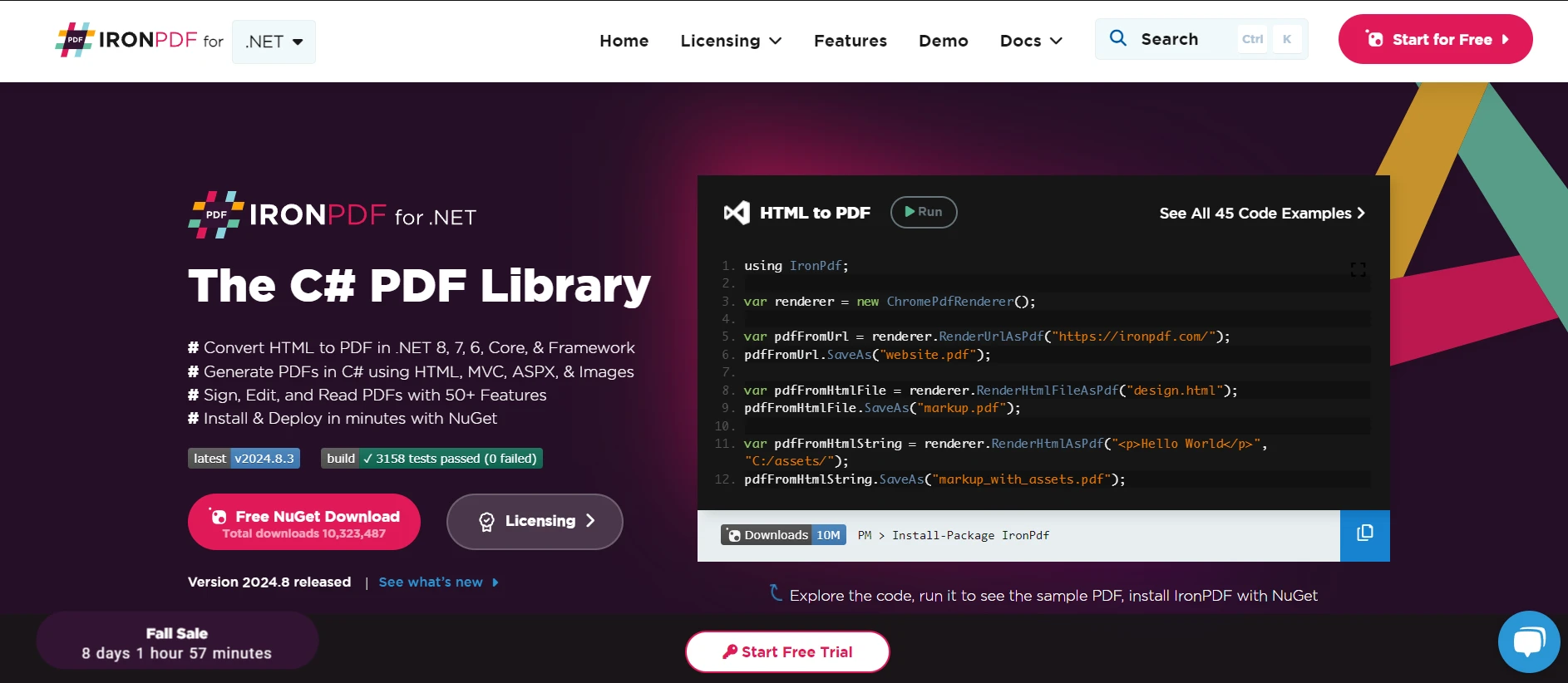
IronPDF is a C# PDF library that helps developers create PDF files from HTML and allows them to modify PDF files without any hassle. When working with PDFs in C#, you can integrate IronPDF with discriminated unions to handle different scenarios when generating or processing PDF files. For example, you might have a process that either successfully generates a PDF or encounters an error. Discriminated unions allow you to model this process clearly. Let's create a simple example where we generate a PDF using IronPDF and return the result as a discriminated union.
// Using directives for necessary namespaces.
using IronPdf;
using System;

// Define an abstract base class representing the PDF generation result.
public abstract class PdfResult
{
    // Private constructor to ensure the class cannot be instantiated directly.
    private PdfResult() { }

    // Nested class representing a successful PDF generation result.
    public sealed class Success : PdfResult
    {
        public PdfDocument Pdf { get; }

        public Success(PdfDocument pdf) => Pdf = pdf;

        public override string ToString() => "PDF generation succeeded";
    }

    // Nested class representing a failed PDF generation result.
    public sealed class Failure : PdfResult
    {
        public string ErrorMessage { get; }

        public Failure(string errorMessage) => ErrorMessage = errorMessage;

        public override string ToString() => $"PDF generation failed: {ErrorMessage}";
    }

    // Factory method to create a successful PDF result.
    public static PdfResult CreateSuccess(PdfDocument pdf) => new Success(pdf);

    // Factory method to create a failed PDF result.
    public static PdfResult CreateFailure(string errorMessage) => new Failure(errorMessage);
}

// Class to generate PDFs using IronPDF.
public class PdfGenerator
{
    // Method to generate a PDF from HTML content and return the result as a PdfResult.
    public PdfResult GeneratePdf(string htmlContent)
    {
        try
        {
            // Create a new ChromePdfRenderer instance.
            var renderer = new ChromePdfRenderer();

            // Attempt to render the HTML content as a PDF.
            var pdf = renderer.RenderHtmlAsPdf(htmlContent);

            // Return a success result with the generated PDF.
            return PdfResult.CreateSuccess(pdf);
        }
        catch (Exception ex)
        {
            // Return a failure result with the error message if an exception occurs.
            return PdfResult.CreateFailure(ex.Message);
        }
    }
}' Using directives for necessary namespaces.
Imports IronPdf
Imports System
' Define an abstract base class representing the PDF generation result.
Public MustInherit Class PdfResult
' Private constructor to ensure the class cannot be instantiated directly.
Private Sub New()
End Sub
' Nested class representing a successful PDF generation result.
Public NotInheritable Class Success
Inherits PdfResult
Public ReadOnly Property Pdf As PdfDocument
Public Sub New(pdf As PdfDocument)
Me.Pdf = pdf
End Sub
Public Overrides Function ToString() As String
Return "PDF generation succeeded"
End Function
End Class
' Nested class representing a failed PDF generation result.
Public NotInheritable Class Failure
Inherits PdfResult
Public ReadOnly Property ErrorMessage As String
Public Sub New(errorMessage As String)
Me.ErrorMessage = errorMessage
End Sub
Public Overrides Function ToString() As String
Return $"PDF generation failed: {ErrorMessage}"
End Function
End Class
' Factory method to create a successful PDF result.
Public Shared Function CreateSuccess(pdf As PdfDocument) As PdfResult
Return New Success(pdf)
End Function
' Factory method to create a failed PDF result.
Public Shared Function CreateFailure(errorMessage As String) As PdfResult
Return New Failure(errorMessage)
End Function
End Class
' Class to generate PDFs using IronPDF.
Public Class PdfGenerator
' Method to generate a PDF from HTML content and return the result as a PdfResult.
Public Function GeneratePdf(htmlContent As String) As PdfResult
Try
' Create a new ChromePdfRenderer instance.
Dim renderer = New ChromePdfRenderer()
' Attempt to render the HTML content as a PDF.
Dim pdf = renderer.RenderHtmlAsPdf(htmlContent)
' Return a success result with the generated PDF.
Return PdfResult.CreateSuccess(pdf)
Catch ex As Exception
' Return a failure result with the error message if an exception occurs.
Return PdfResult.CreateFailure(ex.Message)
End Try
End Function
End ClassThe PdfResult class represents a discriminated union with two cases: Success and Failure. The Success case contains a PdfDocument, while the Failure case holds an error message. The GeneratePdf method takes an HTML string, attempts to generate a PDF using IronPDF, and returns the result as a PdfResult. If PDF generation succeeds, it returns the Success case with the generated PDF. If an exception occurs, it returns the Failure case with the error message.
Discriminated unions in C# provide a powerful and flexible way to model data with multiple possible cases. Although C# doesn't support discriminated unions, you can simulate them using class hierarchies, pattern matching, and other techniques. The resulting code is more type-safe, less error-prone, and easier to maintain.
IronPDF provides a free trial to help you get a feel for the software without any upfront costs. You can explore all the features and see how they align with your needs. After your trial, licenses are available starting at $999.

Jacob Mellor is Chief Technology Officer at Iron Software and a visionary engineer pioneering C# PDF technology. As the original developer behind Iron Software's core codebase, he has shaped the company's product architecture since its inception, transforming it alongside CEO Cameron Rimington into a 50+ person company serving NASA, Tesla, and global government agencies.



IronPDF is a part of IRONSUITE
10 .NET API products for your office documents











When you need your PDF to look like HTML, fast.


