




Updated April 23, 2026
Bridging CLI Simplicity & .NET : Using Curl DotNet with IronPDF
Jacob Mellor has bridged this gap with CurlDotNet, a library created to bring the familiarity of cURL to the .NET ecosystem.
Read More

Events in C# are a fundamental part of event-driven programming. They allow objects to communicate and notify others when something of interest happens. In this guide, we will explore events and how to declare and use them. Let's break it down step by step to ensure a clear understanding. We'll also explore IronPDF for PDF operations in C# applications.
Events in C# enable communication between objects. When an event is raised, other objects can respond to it. Events rely on delegates, which act as type-safe pointers to methods. An event delegate type defines the signature of methods that can handle the public event, ensuring consistency in event data handling.
To fully understand events, let's look at their main components:
The publisher class is the source of the event. It is responsible for declaring the event and raising it when a specific action or condition occurs. This process typically involves an event handler method to determine when the event occurs. The publisher also uses an event delegate to define the signature of the methods that can handle the event. For example, in a graphical user interface (GUI), a button control acts as the publisher when it raises a "Click" event.
The subscriber class listens for events and reacts to them. A subscriber registers its interest in an event by attaching an event handling method to the event. When the publisher raises the event, the subscriber's event handler method executes. A single event can have multiple subscribers, each responding differently when the event happens.
Delegates are the foundation of events in C#. They are type-safe pointers to methods and define the contract that all event handlers must follow. Delegates ensure that only methods with a specific signature can handle the event, providing a consistent and error-free event-handling mechanism.
Event handlers are methods in the subscriber class that are executed when an event is triggered. They contain the logic to handle the event, such as updating the UI, logging data, or performing calculations. The signature of an event handler must match the delegate type associated with the event. Additionally, other classes can use event handlers to react to shared events. It makes it easier to implement events in a modular and reusable way.
In many cases, events need to convey additional information to subscribers. This is achieved using event data classes, which are derived from the base EventArgs class. The event data contains specific details about the event, such as a message, status, or other relevant information.
Delegates define the method signature for event handlers. In this example, we create a delegate to represent the event handler with two parameters: object sender and EventArgs e.
public delegate void MyEventHandler(object sender, EventArgs e);Public Delegate Sub MyEventHandler(ByVal sender As Object, ByVal e As EventArgs)Events are declared using the event keyword and are based on the delegate type. Here's an example:
public class Publisher
{
    public event MyEventHandler Notify; // Declare the event.
}Public Class Publisher
Public Event Notify As MyEventHandler ' Declare the event.
End ClassThe event is raised by calling the delegate and passing the necessary parameters.
public void TriggerEvent()
{
    if (Notify != null) // Check if there are subscribers.
    {
        Notify(this, EventArgs.Empty); // Raise the event.
    }
}Public Sub TriggerEvent()
If Notify IsNot Nothing Then ' Check if there are subscribers.
Notify(Me, EventArgs.Empty) ' Raise the event.
End If
End SubSubscribers register event handlers using the += operator:
Publisher publisher = new Publisher();
Subscriber subscriber = new Subscriber();
publisher.Notify += subscriber.OnNotify; // Subscribe to the event.Dim publisher As New Publisher()
Dim subscriber As New Subscriber()
publisher.Notify += subscriber.OnNotify ' Subscribe to the event.An event handler is a method in the subscriber class that matches the delegate signature:
public void OnNotify(object sender, EventArgs e)
{
    Console.WriteLine("Event received!");
}Public Sub OnNotify(ByVal sender As Object, ByVal e As EventArgs)
Console.WriteLine("Event received!")
End SubIronPDF, a versatile library for working with PDFs in .NET, integrates seamlessly with C# applications. Combined with events in C#, it can provide a dynamic way to handle real-time scenarios like progress updates, error handling, or notifications during PDF generation or manipulation. Let's explore this relationship engagingly. In C#, events are a way to signal that something has happened. They allow one part of your program to notify other parts about specific occurrences, such as a file being processed, a task completed, or an error encountered.
IronPDF allows you to generate, modify, and secure PDFs, and integrating it with events can make your application more interactive. For instance:
Here's a simple example to demonstrate using IronPDF with events:
using IronPdf;
using System;

// Program class
class Program
{
    // Define a custom event for progress updates
    public static event Action<int> ProgressUpdated;

    public static void Main()
    {
        License.LicenseKey = "License-Key";
        // Subscribe to the ProgressUpdated event
        ProgressUpdated += DisplayProgress;

        Console.WriteLine("Generating PDF...");
        GeneratePdf(); // Generate the PDF
    }

    // Method to generate PDF and trigger progress updates
    static void GeneratePdf()
    {
        try
        {
            var Renderer = new ChromePdfRenderer();
            for (int i = 0; i <= 100; i += 20)
            {
                // Simulate progress
                System.Threading.Thread.Sleep(500);
                ProgressUpdated?.Invoke(i); // Trigger event with progress value
            }
            // Generate a PDF
            var PdfDocument = Renderer.RenderHtmlAsPdf("<h1>Hello, IronPDF with Events!</h1>");
            PdfDocument.SaveAs("IronPDF/example.pdf");
            ProgressUpdated?.Invoke(100); // Final update
            Console.WriteLine("PDF generated successfully!");
        }
        catch (Exception ex)
        {
            Console.WriteLine($"Error: {ex.Message}");
        }
    }

    // Event handler to display progress
    static void DisplayProgress(int progress)
    {
        Console.WriteLine($"Progress: {progress}%");
    }
}Imports IronPdf
Imports System
' Program class
Class Program
' Define a custom event for progress updates
Public Shared Event ProgressUpdated As Action(Of Integer)
Public Shared Sub Main()
License.LicenseKey = "License-Key"
' Subscribe to the ProgressUpdated event
AddHandler ProgressUpdated, AddressOf DisplayProgress
Console.WriteLine("Generating PDF...")
GeneratePdf() ' Generate the PDF
End Sub
' Method to generate PDF and trigger progress updates
Shared Sub GeneratePdf()
Try
Dim Renderer = New ChromePdfRenderer()
For i As Integer = 0 To 100 Step 20
' Simulate progress
System.Threading.Thread.Sleep(500)
RaiseEvent ProgressUpdated(i) ' Trigger event with progress value
Next
' Generate a PDF
Dim PdfDocument = Renderer.RenderHtmlAsPdf("<h1>Hello, IronPDF with Events!</h1>")
PdfDocument.SaveAs("IronPDF/example.pdf")
RaiseEvent ProgressUpdated(100) ' Final update
Console.WriteLine("PDF generated successfully!")
Catch ex As Exception
Console.WriteLine($"Error: {ex.Message}")
End Try
End Sub
' Event handler to display progress
Shared Sub DisplayProgress(progress As Integer)
Console.WriteLine($"Progress: {progress}%")
End Sub
End Class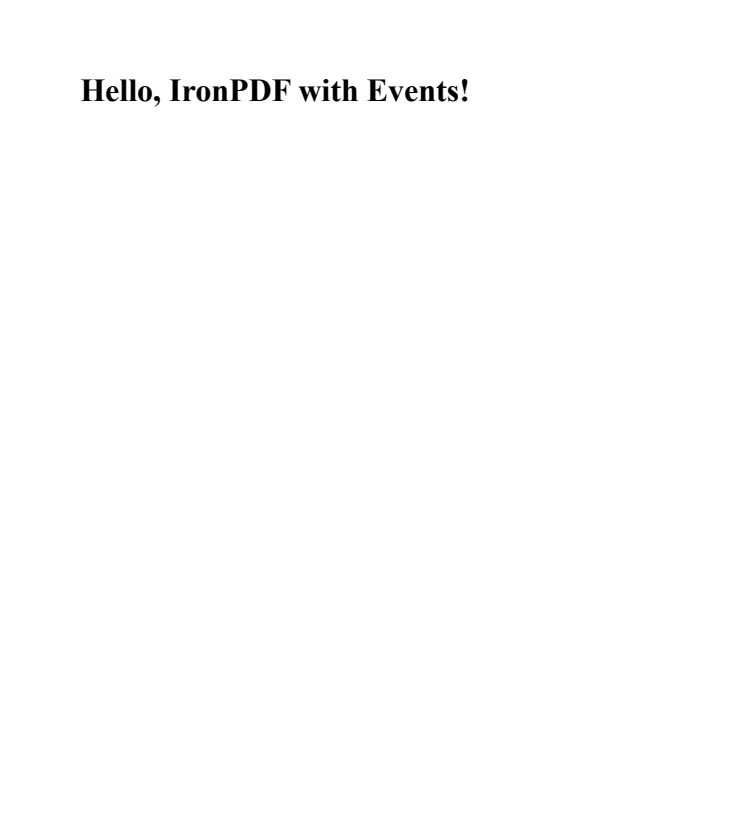
Events in C# when combined with IronPDF create a powerful system for dynamic PDF generation and management. Events provide a clean, efficient way to handle PDF operations asynchronously, while IronPDF offers robust functionality for PDF creation, editing, and manipulation across .NET platforms. IronPDF offers a free trial to test all features without limitations. Commercial licenses start at $999 and provide access to the complete suite of PDF generation and processing capabilities.

Jacob Mellor is Chief Technology Officer at Iron Software and a visionary engineer pioneering C# PDF technology. As the original developer behind Iron Software's core codebase, he has shaped the company's product architecture since its inception, transforming it alongside CEO Cameron Rimington into a 50+ person company serving NASA, Tesla, and global government agencies.



IronPDF is a part of IRONSUITE
10 .NET API products for your office documents

When you need your PDF to look like HTML, fast.


