




更新日 2026年4月23日
Microsoft.Extensions.AIを使用した .NET での LLM 統合の簡素化
AI はソフトウェア開発を変革していますが、.NET への大規模言語モデル (LLM) の統合はこれまで複雑でした。IronPdf.AI を使用して AI 統合をさらに進め、OpenAI を活用した PDF 解析、データ抽出、およびコンテンツの要約を .NET アプリケーションにもたらします。
詳しく読む

C#でPDFを操作する際には、コンテンツの描画やフォーマットだけでなく、テキストを操作してニーズに合わせることが必要です。 PDF内のテキストを抽出、検索、編集する際、C#の文字列メソッドを活用することで、ワークフローが大幅に向上します。 この記事では、C#の一般的な文字列操作とそれがIronPDFにどのように適用されるかを探り、それらを使ってPDF処理タスクを効率化する方法を紹介します。
C#は多くの種類の文字列メソッドを提供しており、さまざまな方法でテキストを操作することが可能です。 基本的な操作として結合や置換、高度な技術として正規表現など、これらのメソッドはPDF内のコンテンツを操作する際に不可欠です。
C#でPDFを操作するための強力なライブラリであるIronPDFは、これらの文字列関数とシームレスに統合されており、開発者に柔軟なツールセットを提供しています。 テキストを抽出したり、パターンを検索したり、コンテンツを操作したりする必要がある場合、C#の文字列メソッドをIronPDFとともに使用することで、目標を達成するのに役立ちます。
IronPDFは.NET用の強力なPDFライブラリで、PDFの作成、操作、自動化を簡素化するように設計されています。 動的なドキュメントを生成したり、コンテンツを抽出して編集したりする必要がある場合、IronPDFは豊富な機能セットを備えたシームレスなソリューションを提供します。
IronPDFは、あらゆるPDFニーズを容易かつ効率的に処理するための包括的なツールセットを提供します。 今すぐ無料トライアルで強力な機能を探索し、PDFワークフローを効率化する方法を体験してください!
結合は文字列を操作する際の最も基本的な操作の一つです。 C#では、複数の文字列を結合する方法がいくつかあり、最も一般的な方法は+演算子とString.Concat()です。
string text1 = "Hello";
string text2 = "World";
string result = text1 + " " + text2; // Output: "Hello World"Dim text1 As String = "Hello"
Dim text2 As String = "World"
Dim result As String = text1 & " " & text2 ' Output: "Hello World"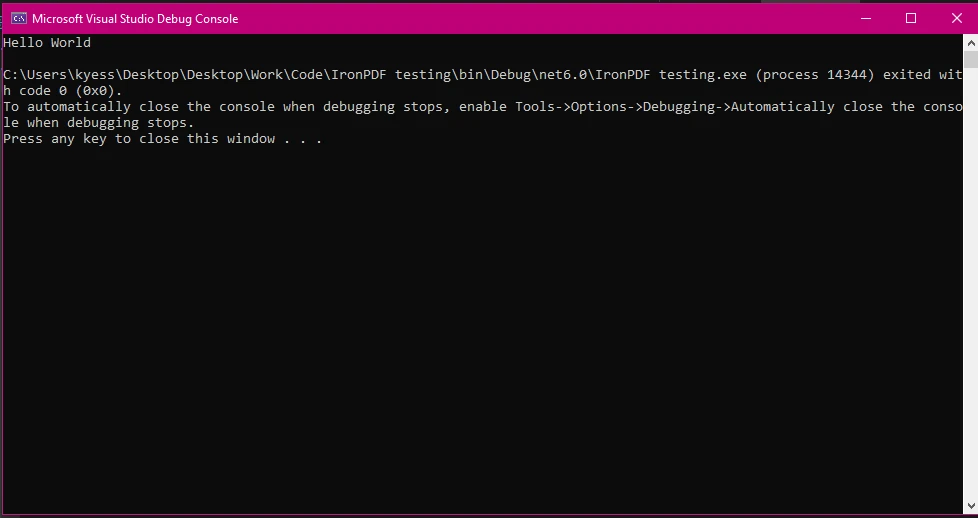
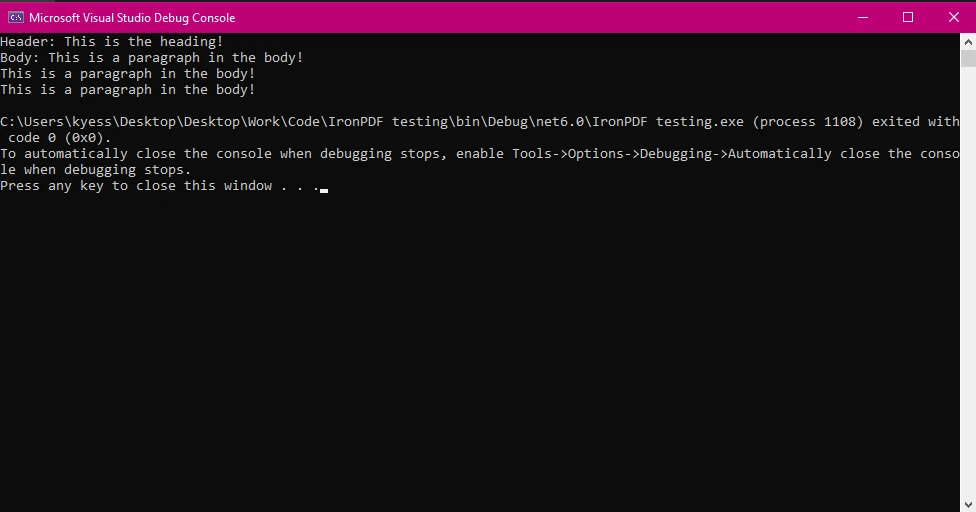
IronPDFを使用する際には、ドキュメント全体を作成するために文字列を結合したり、抽出されたコンテンツのテキストを操作したりする必要があります。 例えば、PDFドキュメントのヘッダーと本文を文字列として結合してからフォーマットを適用することができます。
var pdfText = "Header: " + extractedHeader + "\n" + "Body: " + extractedBody;Imports Microsoft.VisualBasic
Dim pdfText = "Header: " & extractedHeader & vbLf & "Body: " & extractedBodyこれは、指定されたサブストリングを一つのまとまりのあるブロックにマージするための単純な文字列結合の方法を示しています。 後ほど見るように、このように結合された文字列を使用してPDF用の動的なコンテンツを構築することができます。
PDF出力:
IronPDFを使用して新しいドキュメントを作成する際には、文字列のインデックス位置が、ヘッダーや本文などの要素がページ上に現れる位置を決定するために重要です。 このようにして、現在の文字列オブジェクトはレイアウトの決定に直接影響を与えることができます。
テキストを抽出して操作した後で、新しいPDFに追加する前にフォーマットする必要があります。 IronPDFでは、RenderHtmlAsPdf変換機能を使用して、フォントスタイルやサイズ、位置などを設定することができ、C#の文字列メソッドを使用してフォーマットされたコンテンツを動的に生成できます。
例えば、HTMLタグを使用して文字列を結合することで、動的なヘッダーやボディコンテンツを作成できます。
string htmlContent = "<h1>" + headerText + "</h1>" + "<p>" + bodyText + "</p>";Dim htmlContent As String = "<h1>" & headerText & "</h1>" & "<p>" & bodyText & "</p>"このHTMLコンテンツは、IronPDFを使用してきちんとフォーマットされたPDFに変換することができます。
PdfDocument pdf = HtmlToPdf.ConvertHtmlString(htmlContent);
pdf.SaveAs("formattedDocument.pdf");Dim pdf As PdfDocument = HtmlToPdf.ConvertHtmlString(htmlContent)
pdf.SaveAs("formattedDocument.pdf")PDF出力:
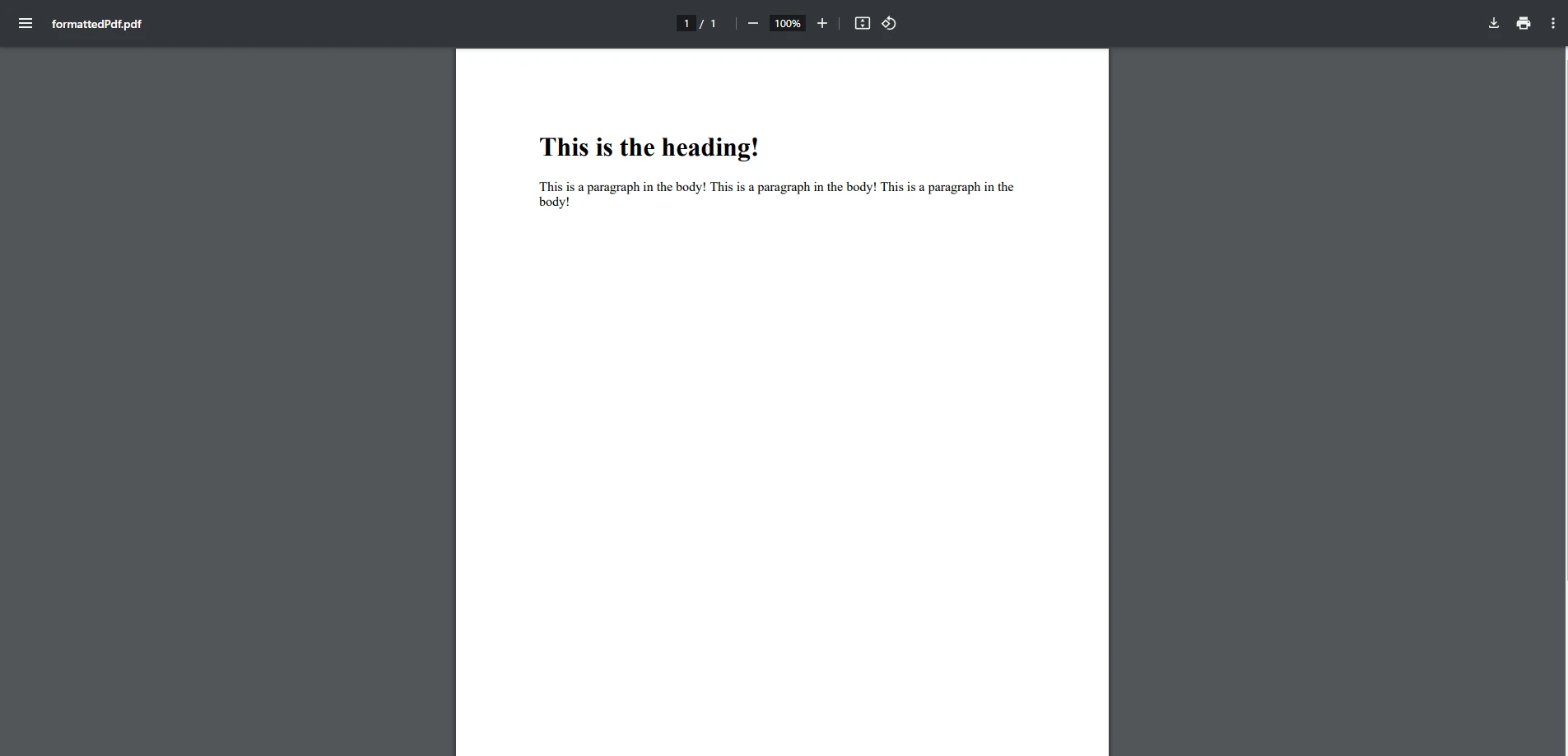
このアプローチにより、動的に生成されたコンテンツでPDFを簡単に作成し、適切なテキストフォーマットを確保します。 動的コンテンツから新しい文字列を生成することにより、HTMLコンテンツのフォーマットされた文字列配列をIronPDFに渡し、PDF出力が要件に合致していることを確認します。
多くの場合、文字列が指定されたサブストリングを含んでいるかどうかを確認する必要があります。 Contains()メソッドはこの場合に便利です。指定された文字列がターゲット文字列内に存在するかどうかに基づいてfalseを返します。
string documentText = "Invoice Number: 12345";
bool containsInvoiceNumber = documentText.Contains("Invoice Number");Dim documentText As String = "Invoice Number: 12345"
Dim containsInvoiceNumber As Boolean = documentText.Contains("Invoice Number")文字列内で指定された文字を検索するためには、IndexOf()メソッドが特に便利です。 文字やサブストリングが文字列内で最初に現れる指定位置を返します。
string str = "Invoice Number: 12345";
int position = str.IndexOf('5'); // Returns the position of the first '5'Dim str As String = "Invoice Number: 12345"
Dim position As Integer = str.IndexOf("5"c) ' Returns the position of the first '5'これは、IronPDFを使用してPDF内のテキストから数字や日付などの動的データを抽出する際に便利です。
より複雑なテキスト抽出のためには、正規表現(Regex)がパターンマッチングに強力なツールを提供します。 Regexを使用すると、非構造化データ内から、日付や請求書番号、電子メールアドレスなどの構造化データを抽出できます。
using System.Text.RegularExpressions;

string text = "Date: 02/11/2025";
Match match = Regex.Match(text, @"\d{2}/\d{2}/\d{4}");
if (match.Success)
{
    string date = match.Value;  // Output: "02/11/2025"
}Imports System.Text.RegularExpressions
Private text As String = "Date: 02/11/2025"
Private match As Match = Regex.Match(text, "\d{2}/\d{2}/\d{4}")
If match.Success Then
Dim [date] As String = match.Value ' Output: "02/11/2025"
End If特に可変コンテンツを持つドキュメントや、キャプチャする必要がある特定のフォーマットには、正規表現が役立ちます。 IronPDFを使用して生のテキストを抽出し、正規表現と組み合わせることで、フォーム処理、データ検証、レポート作成などのタスクを自動化できます。
複数ページのコンテンツやデータ駆動型レポートのように大きなテキストブロックを扱う際には、通常の文字列結合の代わりにStringBuilderを使用する方が効率的です。 StringBuilderは、大量のテキストを追加または修正する必要がある場合に複数の中間文字列インスタンスを生成せずに済むように最適化されています。
StringBuilder sb = new StringBuilder();
sb.AppendLine("Header: " + headerText);
sb.AppendLine("Content: " + bodyText);
string finalText = sb.ToString();Dim sb As New StringBuilder()
sb.AppendLine("Header: " & headerText)
sb.AppendLine("Content: " & bodyText)
Dim finalText As String = sb.ToString()IronPDFは大規模なPDFドキュメントを扱うことができ、ワークフローにStringBuilderを統合することで、PDF内の大規模なテキスト生成や操作時のパフォーマンスを向上させることができます。
Equals()メソッドは、2つの文字列インスタンスが同じ値を持つかどうかをチェックします。 これは、PDFコンテンツ内での検証や比較に特に役立ちます。
string str1 = "Invoice";
string str2 = "Invoice";
bool isMatch = str1.Equals(str2); // Returns true as both have the same valueDim str1 As String = "Invoice"
Dim str2 As String = "Invoice"
Dim isMatch As Boolean = str1.Equals(str2) ' Returns true as both have the same valueIronPDFでは、抽出されたテキストを比較して、希望のフォーマットや値に一致していることを確認する際に適用できます。
PDF内のテキストを操作する際には、指定されたUnicode文字を操作したり確認したりする必要があります。 IndexOf()メソッドは、文字列内の特定のユニコード文字の位置を見つけるためにも使用できます。
string unicodeStr = "Hello * World";
int unicodePosition = unicodeStr.IndexOf('*'); // Finds the position of the unicode characterDim unicodeStr As String = "Hello * World"
Dim unicodePosition As Integer = unicodeStr.IndexOf("*"c) ' Finds the position of the unicode characterPDF 出力
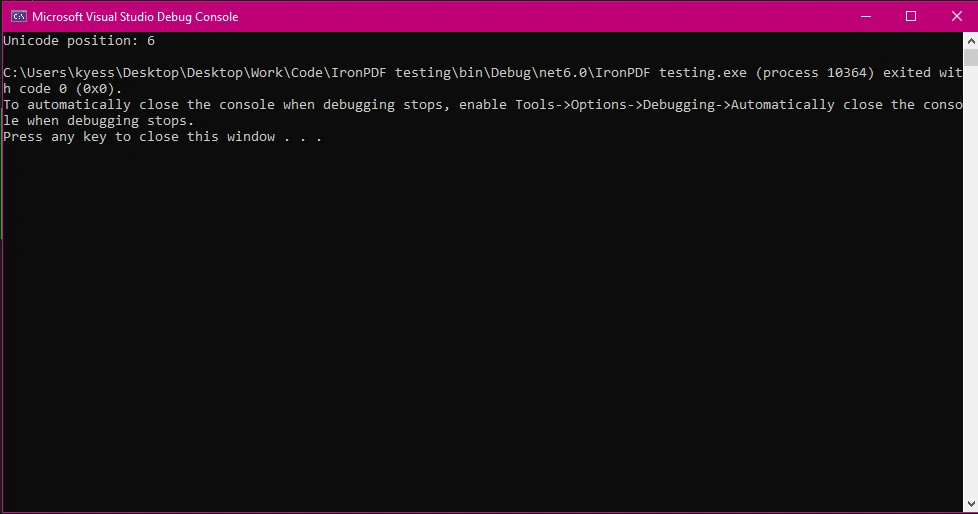
異なる言語や記号のテキストを扱う際に便利なのが、文字列をユニコード文字配列に変換することです。
char[] unicodeArray = "Hello * World".ToCharArray();Dim unicodeArray() As Char = "Hello * World".ToCharArray()これにより、特にさまざまな言語やフォーマットのPDFを扱う際の文字操作がより精密に行えます。
文字列を操作する際のもう一つの強力な機能は、指定されたサブストリングを抽出する能力です。 Substring()メソッドを使用することで、指定されたインデックス位置から文字列の一部を選択できます。 これは、PDFコンテンツから意味のあるデータを抽出するために不可欠です。
string sentence = "Total: $45.00";
string totalAmount = sentence.Substring(7); // Extracts "$45.00"Dim sentence As String = "Total: $45.00"
Dim totalAmount As String = sentence.Substring(7) ' Extracts "$45.00"この手法は、PDF内の請求書やあらゆる形式の構造化テキストを処理する際に役立ちます。
C#の文字列メソッドが、IronPDFを使用してPDFを生成するためにどのように活用されるかについて、より包括的な例を見てみましょう。 この例は、テキストを抽出し、文字列メソッドを使用して操作し、その後フォーマット済みのPDFを生成する方法を示します。
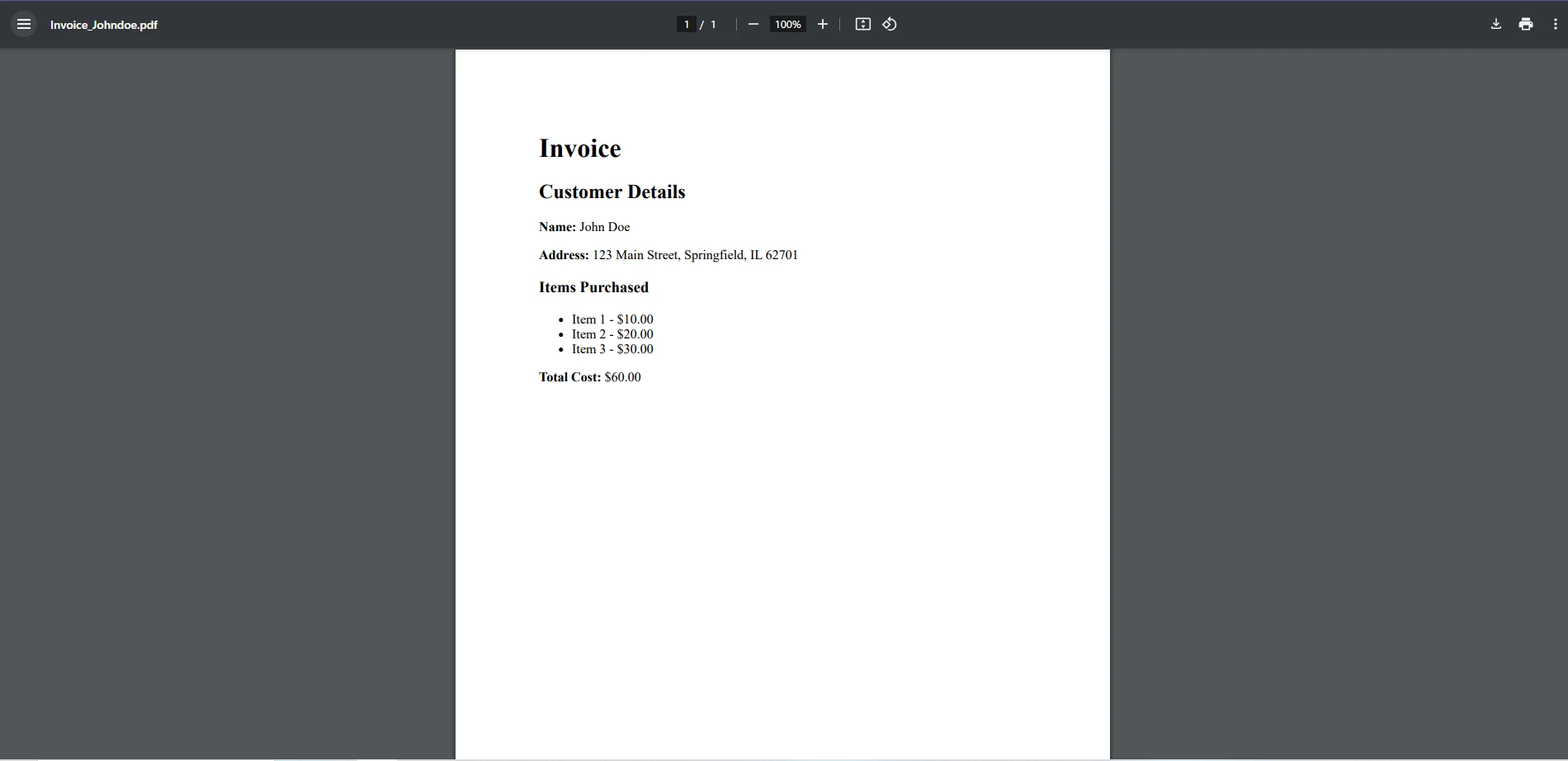
顧客の名前や住所、購入したアイテムなどの情報を動的に引き出して、請求書PDFを生成する必要があると想像してみてください。 各データをフォーマットし操作するためにさまざまな文字列メソッドを使用してから、最終的なPDFを生成します。
using IronPdf;
using System;
using System.Text;

class Program
{
    static void Main()
    {
        // Sample customer data
        string customerName = "John Doe";
        string customerAddress = "123 Main Street, Springfield, IL 62701";
        string[] purchasedItems = { "Item 1 - $10.00", "Item 2 - $20.00", "Item 3 - $30.00" };

        // Start building the HTML content for the invoice
        StringBuilder invoiceContent = new StringBuilder();

        // Adding the header
        invoiceContent.AppendLine("<h1>Invoice</h1>");
        invoiceContent.AppendLine("<h2>Customer Details</h2>");
        invoiceContent.AppendLine("<p><strong>Name:</strong> " + customerName + "</p>");
        invoiceContent.AppendLine("<p><strong>Address:</strong> " + customerAddress + "</p>");

        // Adding the list of purchased items
        invoiceContent.AppendLine("<h3>Items Purchased</h3>");
        invoiceContent.AppendLine("<ul>");
        foreach (var item in purchasedItems)
        {
            invoiceContent.AppendLine("<li>" + item + "</li>");
        }
        invoiceContent.AppendLine("</ul>");

        // Calculate total cost (basic manipulation with string methods)
        double totalCost = 0;
        foreach (var item in purchasedItems)
        {
            string priceString = item.Substring(item.LastIndexOf('$') + 1);
            double price = Convert.ToDouble(priceString);
            totalCost += price;
        }

        // Adding total cost
        invoiceContent.AppendLine("<p><strong>Total Cost:</strong> $" + totalCost.ToString("F2") + "</p>");

        // Convert the HTML to PDF using IronPDF
        var pdf = HtmlToPdf.ConvertHtmlString(invoiceContent.ToString());

        // Save the generated PDF
        pdf.SaveAs("Invoice_Johndoe.pdf");
        Console.WriteLine("Invoice PDF generated successfully.");
    }
}Imports IronPdf
Imports System
Imports System.Text
Module Program
Sub Main()
' Sample customer data
Dim customerName As String = "John Doe"
Dim customerAddress As String = "123 Main Street, Springfield, IL 62701"
Dim purchasedItems() As String = {"Item 1 - $10.00", "Item 2 - $20.00", "Item 3 - $30.00"}
' Start building the HTML content for the invoice
Dim invoiceContent As New StringBuilder()
' Adding the header
invoiceContent.AppendLine("<h1>Invoice</h1>")
invoiceContent.AppendLine("<h2>Customer Details</h2>")
invoiceContent.AppendLine("<p><strong>Name:</strong> " & customerName & "</p>")
invoiceContent.AppendLine("<p><strong>Address:</strong> " & customerAddress & "</p>")
' Adding the list of purchased items
invoiceContent.AppendLine("<h3>Items Purchased</h3>")
invoiceContent.AppendLine("<ul>")
For Each item In purchasedItems
invoiceContent.AppendLine("<li>" & item & "</li>")
Next
invoiceContent.AppendLine("</ul>")
' Calculate total cost (basic manipulation with string methods)
Dim totalCost As Double = 0
For Each item In purchasedItems
Dim priceString As String = item.Substring(item.LastIndexOf("$"c) + 1)
Dim price As Double = Convert.ToDouble(priceString)
totalCost += price
Next
' Adding total cost
invoiceContent.AppendLine("<p><strong>Total Cost:</strong> $" & totalCost.ToString("F2") & "</p>")
' Convert the HTML to PDF using IronPDF
Dim pdf = HtmlToPdf.ConvertHtmlString(invoiceContent.ToString())
' Save the generated PDF
pdf.SaveAs("Invoice_Johndoe.pdf")
Console.WriteLine("Invoice PDF generated successfully.")
End Sub
End Module*データの設定:顧客の名前、住所、購入した商品のリストなどのサンプル顧客データから始めます。
StringBuilder:請求書のHTMLコンテンツを構築するためにStringBuilderを使用します。これにより、複数の中間文字列インスタンスを作成することなく、コンテンツの各部分(ヘッダー、顧客情報、購入商品リスト、合計金額)を効率的に追加できます。
*文字列操作:
各アイテムについて、$シンボルの後ろの価格を抽出し、合計コストを算出します。これにはSubstring()を使用して指定されたサブストリングを取得し、Convert.ToDouble()を使用して数値に変換します。
合計コストは、その後で小数点以下2桁でフォーマットされ、クリーンでプロフェッショナルな表示がされます。
HTML から PDF への変換:請求書の内容を HTML 形式で作成した後、IronPDF のRenderHtmlAsPdf()メソッドを使用して PDF を生成します。 結果はInvoice_Johndoe.pdfとして保存されます。
IronPDFの強力なHTMLからPDFへの変換機能とC#文字列操作技術を組み合わせることで、動的なドキュメント(請求書、レポート、契約など)の作成を自動化できます。
IronPDFを使用したC#文字列メソッドの習得は、PDF処理タスクを効率化し、テキストの抽出、編集、フォーマットにおいて大いに役立ちます。 文字列結合やサブストリング抽出、正規表現といったテクニックを活用することで、PDF内のテキストを完全にコントロールし、より動的で効率的なワークフローを実現します。
IronPDFは、C#の文字列メソッドとうまく連携する強力なPDF操作機能を提供します。 テキストの抽出、パターンの検索、コンテンツの自動生成を扱う際は、IronPDFとC#の文字列操作を組み合わせることで、時間と労力を節約できます。
IronPDFがPDF自動化でどのように役立つかを知りたいですか? 今日無料トライアルを試して、その可能性を探求してみましょう!

ジェイコブ・メラーはIron Softwareの最高技術責任者(CTO)であり、C# PDFテクノロジーを開拓する先見的なエンジニアです。Iron Softwareのコアコードベースを支えるオリジナル開発者として、彼は創業以来、会社の製品アーキテクチャを形成し、CEOのCameron Rimingtonとともに、会社をNASA、Tesla、および世界的な政府機関にサービスを提供する50人以上の会社に変えました。1999年にロンドンで最初のソフトウェアビジネスを開業し、2005年に最初 for .NETコンポーネントを作成した後、Microsoftのエコシステム全体で複雑な問題を解決することを専門としました。



IronPDF はIRONSUITEの一部です
オフィス文書向けの.NET API製品10個

PDFがHTMLのように見える必要があるとき、迅速に。


