


How to Export PDF/A, PDF/A-3, or PDF/A-4 Format Documents in C

IronPDFはPDF/A-3bおよびPDF/A-4規格へのPDFエクスポートをサポートしています。 PDF/A-3Bは、ISO PDFの仕様の厳密なサブセットで、文書のアーカイブ版を作成するために使用され、保存されたときとまったく同じように表示されることを意図しています。 PDF/A-4は最新のコンプライアンス規格で、電子署名のサポートが強化されています。
セクション508準拠
IronPDFは、508条準拠のためにPDFアーカイブとアクセシビリティを向上させるGoogleのイニシアチブに従います。 HTMLからPDFへの変換で作業する場合、当社のレンダリングエンジンはすべてのアクセシビリティ機能を保持します。
2021年、Google ChromiumのHTMLレンダリングエンジンを使用して、HTMLからPDFをレンダリングすることに移行しました。これにより、当社のソフトウェアは、Googleがすでに実装しているアクセシビリティの作業を継承できるようになりました。
なぜ PDF/A ドキュメントでは 508 条への準拠が重要なのですか?
セクション508への準拠は、スクリーンリーダーなどの支援技術を使用して、PDF文書が障害者にとってアクセシブルであることを保証します。 PDF/A ドキュメントは、508 条の基準を満たしているため、アーカイブの寿命が尽きるまでコンテンツにアクセスできることが保証されます。 このコンプライアンスは、政府機関、教育機関、およびすべてのユーザーに情報への平等なアクセスを提供する組織にとって重要です。
最小限のワークフロー(4ステップ)
- Download C# Library for Creating PDF/A Documents
- 既存のPDFを読み込むか、HTML/URLからレンダリングします。
- アーカイブ要件に基づいてPDF/Aバージョンを選択
- PDF/A 準拠のドキュメントに変換して保存します。
IronPDFはどのPDF/Aバージョンをサポートしていますか?
IronPDFは適合性レベルAとBに対応しています。 'A'は'アクセシブル'を表し、'B'は'基本'を表します。これらのレベルは、PDF/A-1、PDF/A-2、およびPDF/A-3標準にわたって利用可能です。 以下の情報は、AdobeのPDF/Aに関するドキュメントからのものです。 デフォルトでは、IronPDFで生成されるPDF出力はPDF/A-3B (ISO 19005-3)です。
- レベルA適合は、すべての仕様要件を満たし、身体障害者のアクセシビリティを向上させる支援ソフトウェアを可能にします。
- レベルBは、最小限のコンプライアンスで適合性が低く、長期的に見た目の美しさを保つことに重点を置いています。
PDF/A-1、PDF/A-2、PDF/A-3の違いは何ですか?
PDF/A-1:オリジナルのPDF 1.4バージョンに基づきます。
PDF/A-2:ISO32001-1として2011年7月にリリースされ、PDFバージョン1.7までのすべての機能と新機能が含まれています。 スキャン文書のJPEG2000と、カスタマイズされたXMPメタデータの特定の要件をサポートします。 PDFメタデータを扱うとき、IronPDFは適切なXMPメタデータの取り扱いを保証します。
PDF/A-3:レベル2の要件をすべて含みます。 XML、CSV、ワープロ形式などの追加ファイル形式をPDF/A準拠文書に埋め込むことができます。
PDF/A-4:2020年にリリースされるPDF/Aコンプライアンス規格の最新バージョン。PDF 2.0をベースとし、PDF/A-3と比較して電子署名のサポートを強化するなど、機能性が向上している。このバージョンは、3Dモデルやその他の複雑な要素を含むエンジニアリング文書や技術ワークフローに最適です。
| 特徴 | PDF/A-3 | PDF/A-4 |
|---|---|---|
| ベースPDFバージョン | PDF 1.7 | PDF 2.0 |
| 埋め込みファイルの添付 | サポートされています | サポート対象外 |
| デジタル署名 | サポートされています | サポートの強化 |
| ベストユースケース | 請求書、XMLデータの埋め込み | エンジニアリング、3Dモデル、技術ワークフロー |
最新のPDF/A-4標準に変換する
PDF/A-4は、PDF/Aシリーズの最新コンプライアンス規格です。 特にデジタル署名を含む文書など、幅広い種類の文書に最適なアーカイブ形式とされています。 暗号化やマルチメディア要素は使用できないため、各ファイルが完全に自己完結していることが保証されます。
既存のファイルをPDF/A-4準拠規格に変換するのは簡単です。
:path=/static-assets/pdf/content-code-examples/how-to/sample-pdfa4.csusing IronPdf;
// Load an existing PDF
PdfDocument pdf = PdfDocument.FromFile("input.pdf");
// Save as PDF/A-4 compliant document
pdf.SaveAsPdfA("pdfa4-output.pdf", PdfAVersions.PdfA4);Imports IronPdf
' Load an existing PDF
Dim pdf As PdfDocument = PdfDocument.FromFile("input.pdf")
' Save as PDF/A-4 compliant document
pdf.SaveAsPdfA("pdfa4-output.pdf", PdfAVersions.PdfA4)既存の PDF ファイルから (PDF/A-3B)
この例では、 IronPDFを使用して生成された PDF ファイル wikipedia.pdf を使用します。 最適な結果を得るために、変換を開始する前に、ライセンスキーを適切に設定してください。
以下のコードでは、PDF/A-3BとPDF/A-4準拠の両方のフォーマットでファイルをロードして再保存し、両方の標準との互換性を示しています。
変換前の入力PDFはどのように見えますか?
既存の PDF を PDF/A フォーマットに変換するコードは何ですか?
:path=/static-assets/pdf/content-code-examples/how-to/pdfa-fromfile.csusing IronPdf;
// Create a PdfDocument object or open any PDF File
PdfDocument pdf = PdfDocument.FromFile("wikipedia.pdf");
// Use the SaveAsPdfA method to save to file
pdf.SaveAsPdfA("pdf-a3-wikipedia.pdf", PdfAVersions.PdfA3b);Imports IronPdf
' Create a PdfDocument object or open any PDF File
Private pdf As PdfDocument = PdfDocument.FromFile("wikipedia.pdf")
' Use the SaveAsPdfA method to save to file
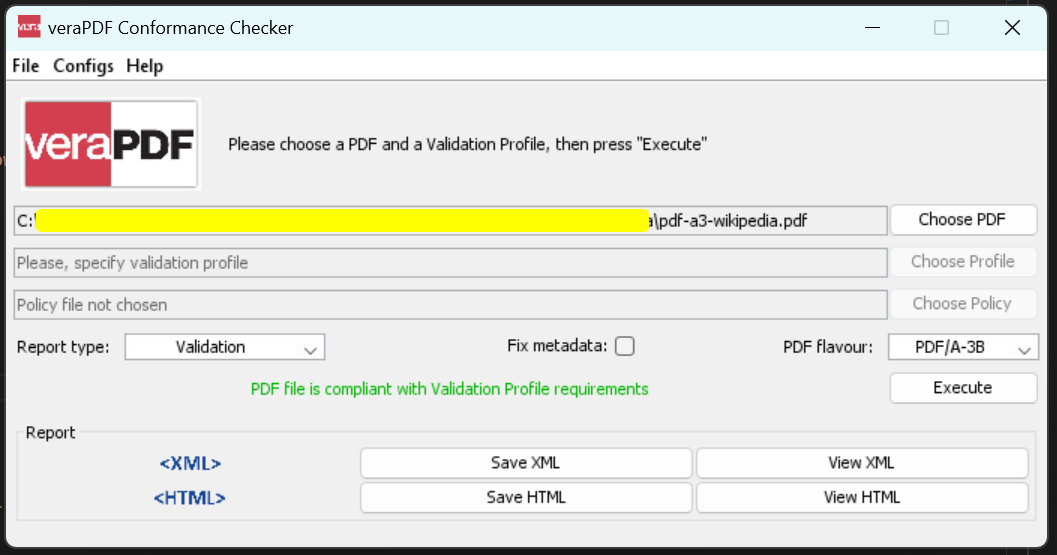
pdf.SaveAsPdfA("pdf-a3-wikipedia.pdf", PdfAVersions.PdfA3b)PDF/A変換が成功したことを確認するにはどうすればよいですか?
出力ファイルはPDF/A-3b準拠です:
HTMLデザインまたはURLから (PDF/A-3B)
この例では、HTMLデザインファイルdesign.htmlを使用して、 IronPDFでHTMLからPDFに変換し、PDF/A準拠のファイルとしてエクスポートします。HTMLファイルからPDFへの変換プロセスでは、変換中にすべてのスタイルと書式設定が維持されます。
以下のコードは、出力をPDF/A-3B準拠のPDFファイルとして保存します。
HTMLファイルをPDF/Aフォーマットに変換するにはどうすればよいですか?
:path=/static-assets/pdf/content-code-examples/how-to/pdfa-fromhtml.csusing IronPdf;
// Use the Chrome Renderer to make beautiful HTML designs
var chromeRenderer = new ChromePdfRenderer();
// Render an HTML design as a PdfDocument object using Chrome
PdfDocument pdf = chromeRenderer.RenderHtmlAsPdf("design.html");
// Use the SaveAsPdfA method to save to file
pdf.SaveAsPdfA("design-accessible.pdf", PdfAVersions.PdfA3b);Imports IronPdf
' Use the Chrome Renderer to make beautiful HTML designs
Private chromeRenderer = New ChromePdfRenderer()
' Render an HTML design as a PdfDocument object using Chrome
Private pdf As PdfDocument = chromeRenderer.RenderHtmlAsPdf("design.html")
' Use the SaveAsPdfA method to save to file
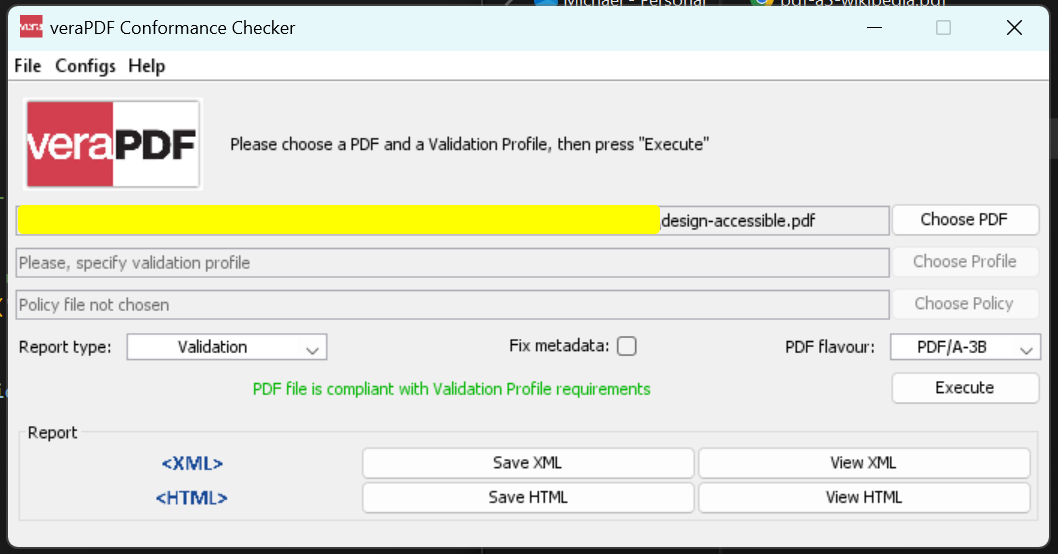
pdf.SaveAsPdfA("design-accessible.pdf", PdfAVersions.PdfA3b)出力ファイルはPDF/A-3B準拠です:
ウェブサイトをPDF/Aフォーマットに変換するにはどうすればよいですか?
この例では、 IronPDFを使用してURLからhttps://www.microsoft.comをPDFに変換し、PDF/A準拠のファイルとしてエクスポートします。URLからPDFへの変換機能により、 JavaScriptやCSSを含むすべてのWebコンテンツが適切にレンダリングされます。
以下のコードは、出力をPDF/A-3B準拠のPDFファイルとして保存します。
:path=/static-assets/pdf/content-code-examples/how-to/pdfa-fromurl.csusing IronPdf;
// Use the Chrome Renderer to make beautiful HTML designs from URLs
var chromeRenderer = new ChromePdfRenderer();
// Render a Website as a PdfDocument object using Chrome
PdfDocument pdf = chromeRenderer.RenderUrlAsPdf("https://www.microsoft.com");
// Use the SaveAsPdfA method to save to file
pdf.SaveAsPdfA("website-accessible.pdf", PdfAVersions.PdfA3b);Imports IronPdf
' Use the Chrome Renderer to make beautiful HTML designs from URLs
Private chromeRenderer = New ChromePdfRenderer()
' Render a Website as a PdfDocument object using Chrome
Private pdf As PdfDocument = chromeRenderer.RenderUrlAsPdf("https://www.microsoft.com")
' Use the SaveAsPdfA method to save to file
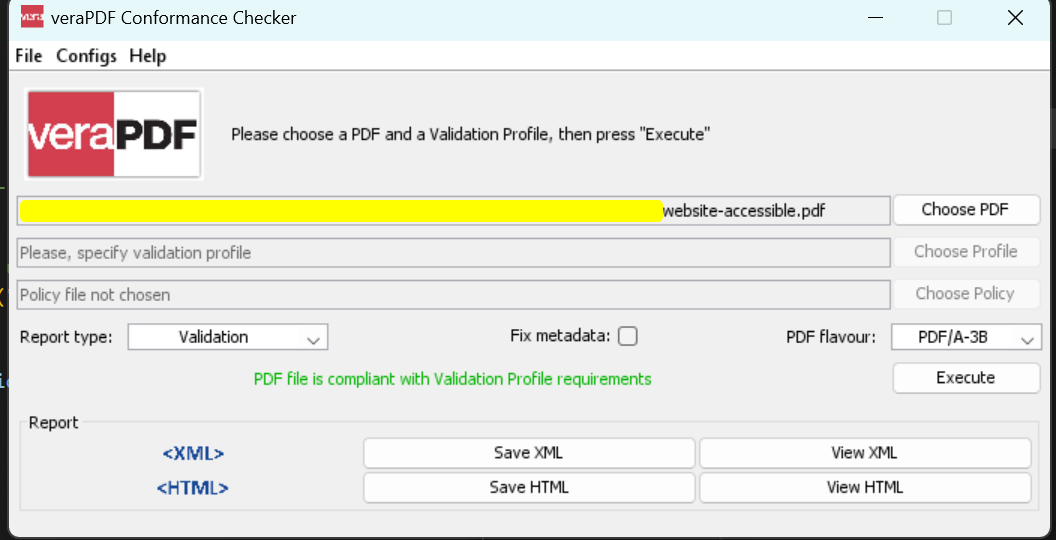
pdf.SaveAsPdfA("website-accessible.pdf", PdfAVersions.PdfA3b)出力ファイルはPDF/A-3B準拠です:
サポート埋め込み添付ファイル (PDF/A-3B)
IronPdfはファイルパス、バイト配列、ストリームを使ってPDF/A変換中にPDFドキュメントにファイルを埋め込むことをサポートします。 この機能は、必要なすべてのサポート資料を含む自己完結型のアーカイブドキュメントを作成します。 より高度なPDF操作機能については、PDF編集チュートリアルをご覧ください。
ファイルパスによる埋め込み
ファイルパスを使用してファイルを埋め込みます。 ファイルパスのコレクションが提供され、これらのファイルはPDF/A変換時に添付ファイルとして含まれます。
:path=/static-assets/pdf/content-code-examples/how-to/pdfa-attachment-path.csusing IronPdf;
using System.Collections.Generic;
PdfDocument pdf = new PdfDocument("Google.pdf");
// Initialize collection of embed file as string of path
IEnumerable<string> embedPaths = new[] { "File1.xml", "File2.png" };
// Convert to Pdf/A-3B with embeded files
pdf.ConvertToPdfA(embedPaths);Imports IronPdf
Imports System.Collections.Generic
Private pdf As New PdfDocument("Google.pdf")
' Initialize collection of embed file as string of path
Private embedPaths As IEnumerable(Of String) = { "File1.xml", "File2.png" }
' Convert to Pdf/A-3B with embeded files
pdf.ConvertToPdfA(embedPaths)バイト配列を使用してファイルを埋め込むにはどうすればよいですか?
ファイルの内容を、それぞれのファイルタイプを持つバイト配列として提供することで、ファイルを埋め込みます。ファイルがすでにメモリにロードされている場合に便利です。
:path=/static-assets/pdf/content-code-examples/how-to/pdfa-attachment-byte.csusing IronPdf;
using System.Collections.Generic;
using System.IO;
PdfDocument pdf = new PdfDocument("Google.pdf");
// Initialize collection of embed file as Bytes and their file type
byte[] fileData1 = File.ReadAllBytes("File1.png");
byte[] fileData2 = File.ReadAllBytes("File2.xml");
var embedFileConfig1 = new EmbedFileConfiguration(EmbedFileType.png);
embedFileConfig1.EmbedFileName = "logo.png";
var embedFileConfig2 = new EmbedFileConfiguration(EmbedFileType.xml)
{
EmbedFileName = "supportSystem.xml",
AFDesc = "Internal system",
ConformanceLevel = ConformanceLevel.XRECHNUNG,
SchemaNamespace = SchemaNamespace.Zugferd1,
SchemaPrefix = SchemaPrefix.rsm,
PropertyVersion = PropertyVersion.v1p0,
AFRelationship = AFRelationship.Supplement,
};
IEnumerable<EmbedFileByte> embedBytes = new[]
{
new EmbedFileByte(fileData1, embedFileConfig1),
new EmbedFileByte(fileData2, embedFileConfig2)
};
// Convert to Pdf/A-3B with embeded files
pdf.ConvertToPdfA(embedBytes).SaveAs("PdfACompliance.pdf");Imports IronPdf
Imports System.Collections.Generic
Imports System.IO
Private pdf As New PdfDocument("Google.pdf")
' Initialize collection of embed file as Bytes and their file type
Private fileData1() As Byte = File.ReadAllBytes("File1.png")
Private fileData2() As Byte = File.ReadAllBytes("File2.xml")
Private embedFileConfig1 = New EmbedFileConfiguration(EmbedFileType.png)
embedFileConfig1.EmbedFileName = "logo.png"
Dim embedFileConfig2 = New EmbedFileConfiguration(EmbedFileType.xml) With {
.EmbedFileName = "supportSystem.xml",
.AFDesc = "Internal system",
.ConformanceLevel = ConformanceLevel.XRECHNUNG,
.SchemaNamespace = SchemaNamespace.Zugferd1,
.SchemaPrefix = SchemaPrefix.rsm,
.PropertyVersion = PropertyVersion.v1p0,
.AFRelationship = AFRelationship.Supplement
}
Dim embedBytes As IEnumerable(Of EmbedFileByte) = {
New EmbedFileByte(fileData1, embedFileConfig1),
New EmbedFileByte(fileData2, embedFileConfig2)
}
' Convert to Pdf/A-3B with embeded files
pdf.ConvertToPdfA(embedBytes).SaveAs("PdfACompliance.pdf")ストリームを使用してファイルを埋め込むにはどうすればよいですか?
ストリームを使用してファイルを埋め込み、そのファイルタイプでコンテンツを処理します。ファイルデータがストリームとして処理される場合に最適です。
:path=/static-assets/pdf/content-code-examples/how-to/pdfa-attachment-stream.csusing IronPdf;
using System.Collections.Generic;
using System.IO;
PdfDocument pdf = new PdfDocument("Google.pdf");
// Initialize collection of embed file as Stream and their file type
Stream stream1 = new MemoryStream(File.ReadAllBytes("File1.png"));
Stream stream2 = new MemoryStream(File.ReadAllBytes("File2.xml"));
var embedFileConfig1 = new EmbedFileConfiguration(EmbedFileType.png);
embedFileConfig1.EmbedFileName = "logo.png";
var embedFileConfig2 = new EmbedFileConfiguration(EmbedFileType.xml)
{
EmbedFileName = "supportSystem.xml",
AFDesc = "Internal system",
ConformanceLevel = ConformanceLevel.XRECHNUNG,
SchemaNamespace = SchemaNamespace.Zugferd1,
SchemaPrefix = SchemaPrefix.rsm,
PropertyVersion = PropertyVersion.v1p0,
AFRelationship = AFRelationship.Supplement,
};
IEnumerable<EmbedFileStream> embedStreams = new[]
{
new EmbedFileStream(stream1, embedFileConfig1),
new EmbedFileStream(stream2, embedFileConfig2)
};
// Convert to Pdf/A-3B with embeded files
pdf.ConvertToPdfA(embedStreams).SaveAs("PdfACompliance.pdf");Imports IronPdf
Imports System.Collections.Generic
Imports System.IO
Private pdf As New PdfDocument("Google.pdf")
' Initialize collection of embed file as Stream and their file type
Private stream1 As Stream = New MemoryStream(File.ReadAllBytes("File1.png"))
Private stream2 As Stream = New MemoryStream(File.ReadAllBytes("File2.xml"))
Private embedFileConfig1 = New EmbedFileConfiguration(EmbedFileType.png)
embedFileConfig1.EmbedFileName = "logo.png"
Dim embedFileConfig2 = New EmbedFileConfiguration(EmbedFileType.xml) With {
.EmbedFileName = "supportSystem.xml",
.AFDesc = "Internal system",
.ConformanceLevel = ConformanceLevel.XRECHNUNG,
.SchemaNamespace = SchemaNamespace.Zugferd1,
.SchemaPrefix = SchemaPrefix.rsm,
.PropertyVersion = PropertyVersion.v1p0,
.AFRelationship = AFRelationship.Supplement
}
Dim embedStreams As IEnumerable(Of EmbedFileStream) = {
New EmbedFileStream(stream1, embedFileConfig1),
New EmbedFileStream(stream2, embedFileConfig2)
}
' Convert to Pdf/A-3B with embeded files
pdf.ConvertToPdfA(embedStreams).SaveAs("PdfACompliance.pdf")EmbedFileConfiguration を使用して埋め込みファイルのプロパティを構成するにはどうすればよいですか?
PdfDocument を埋め込みファイルを含む PDF/A-3 形式に変換する場合は、EmbedFileByte、または EmbedFileStream などのパラメータを設定して、ファイルの種類、名前、およびカスタム XMP メタデータを指定します。
適切な構成により、埋め込みコンテンツが効果的に構成され、PDF/A-3標準に準拠していることが保証されます。 XMPメタデータをカスタマイズすることで、埋め込みファイルに関する追加情報が得られ、ドキュメントの使いやすさとアクセシビリティが向上します。 EmbedFileConfiguration クラスを使用すると、開発者はファイルの値と形式を簡単にカスタマイズできます。
var config = new EmbedFileConfiguration
{
    EmbedFileName = "Attachment.xml",
    AFDesc = "Associated File Description",
    ConformanceLevel = ConformanceLevel.EN16931,
    SchemaNamespace = SchemaNamespace.facturX,
    SchemaPrefix = SchemaPrefix.fx,
    PropertyVersion = PropertyVersion.v1,
    AFRelationship = AFRelationship.Alternative
};

 // Load a PDF document
 var document = PdfDocument.FromFile("wikipedia.pdf");

 // Configure embedded file parameters
 document.EmbedFileFromFilePath("path/to/attachment", config);

 // Save the document as PDF/A-3b
 document.SaveAsPdfA3B("output-with-configured-attachment.pdf");
var config = new EmbedFileConfiguration
{
EmbedFileName = "Attachment.xml",
AFDesc = "Associated File Description",
ConformanceLevel = ConformanceLevel.EN16931,
SchemaNamespace = SchemaNamespace.facturX,
SchemaPrefix = SchemaPrefix.fx,
PropertyVersion = PropertyVersion.v1,
AFRelationship = AFRelationship.Alternative
};
// Load a PDF document
var document = PdfDocument.FromFile("wikipedia.pdf");
// Configure embedded file parameters
document.EmbedFileFromFilePath("path/to/attachment", config);
// Save the document as PDF/A-3b
document.SaveAsPdfA3B("output-with-configured-attachment.pdf");Option Strict On
Dim config As New EmbedFileConfiguration With {
.EmbedFileName = "Attachment.xml",
.AFDesc = "Associated File Description",
.ConformanceLevel = ConformanceLevel.EN16931,
.SchemaNamespace = SchemaNamespace.facturX,
.SchemaPrefix = SchemaPrefix.fx,
.PropertyVersion = PropertyVersion.v1,
.AFRelationship = AFRelationship.Alternative
}
' Load a PDF document
Dim document = PdfDocument.FromFile("wikipedia.pdf")
' Configure embedded file parameters
document.EmbedFileFromFilePath("path/to/attachment", config)
' Save the document as PDF/A-3b
document.SaveAsPdfA3B("output-with-configured-attachment.pdf")EmbedFileName: PDF/A 文書に埋め込まれたファイル名を表すstringプロパティ。 デフォルトは空文字列です。AFDesc: 埋め込みファイルに関連付けられたファイル記述を表すstringプロパティ。デフォルトは空文字列です。ConformanceLevel: PDF/A ドキュメントの XMP メタデータに適用される埋め込み XML ファイルの準拠レベル。 デフォルトはConformanceLevel.EN16931です。 IronPDF は、ConformanceLevel列挙型を通じてさまざまな値を提供します。SchemaNamespace: XML ファイルを埋め込み、PDF/A ドキュメントの XMP メタデータに適用する PDF/A スキーマ名前空間 URI。 デフォルトはSchemaNamespace.facturXですが、SchemaNamespace列挙型でさまざまなオプションが使用できます。SchemaPrefix: PDF/A ドキュメントの XMP メタデータに適用される XML ファイルを埋め込むための PDF/A スキーマ プレフィックス。 デフォルトはSchemaPrefix.fxで、SchemaPrefix列挙型にいくつかのオプションがあります。PropertyVersion: PDF/A ドキュメントの XMP メタデータに適用される埋め込み XML ファイルのプロパティ バージョン。 デフォルトはPropertyVersion.v1で、PropertyVersion列挙型に複数のオプションがあります。AFRelationship: 関連ファイル (埋め込みファイル) と PDF/A ドキュメントの関係。AFRelationship列挙型ではいくつかのオプションが利用可能です。
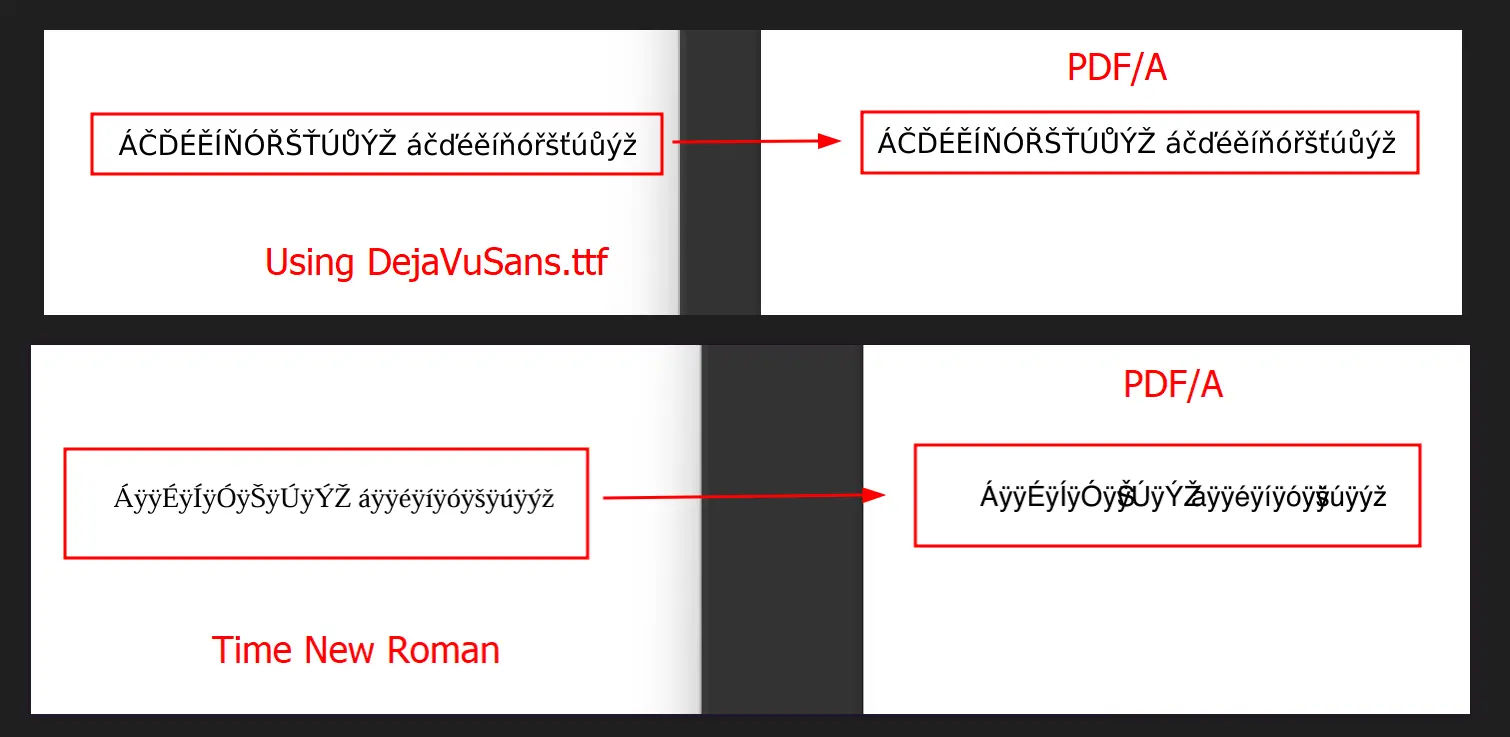
PDF/Aにおける文字表示の問題の原因は?
PDF/Aでは、文書内のすべての文字を、視覚的にも意味的にも正しいフォントにマッピングする必要があります。 すべてのフォントを埋め込む必要はありませんが、使用するフォントは必要なグリフをサポートしている必要があります。不適切または不完全なフォントが使用された場合、特定の文字が壊れたり、欠けたり、正しく表示されないことがあります。 ファイルサイズの最適化については、PDF圧縮ガイドを参照して、フォント埋め込みとファイルサイズのバランスを取ってください。
PDF/Aドキュメントで文字化けが発生するのはなぜですか
たとえば、以下の問題では、上のサンプルでは正しいフォントが使用され、文字が正しく表示されていますが、下のサンプルではフォントの不一致により文字が正しく表示されていません。
既存の PDF ファイルから (PDF/A-4)
この例では、"ENV-2026-1847-Assessment-Report.pdf"(8ページの自治体環境影響評価文書)を使用します。 この報告書は、長期保存が必要な政府の公式文書(環境調査、規制当局への届出、コンプライアンス記録など、数十年にわたり保存しなければならないもの)のアーカイブにPDF/A-4が適していることを示しています。
PDF/A-4は、長期間にわたって視覚的な忠実性を保証し、すべてのフォントとリソースを埋め込み、公式認証に必要な拡張デジタル署名機能をサポートしているため、このような文書に最適です。
入力ファイル"ENV-2026-1847-Assessment-Report.pdf"
コード
:path=/static-assets/pdf/content-code-examples/how-to/save-as-pdfa4.csusing IronPdf;
// Load the environmental impact assessment document
PdfDocument pdf = PdfDocument.FromFile("ENV-2026-1847-Assessment-Report.pdf");
// Save as PDF/A-4 compliant document for long-term archival
pdf.SaveAsPdfA("ENV-2026-1847-Report-PDFA4Compliant.pdf", PdfAVersions.PdfA4);Imports IronPdf
' Load the environmental impact assessment document
Dim pdf As PdfDocument = PdfDocument.FromFile("ENV-2026-1847-Assessment-Report.pdf")
' Save as PDF/A-4 compliant document for long-term archival
pdf.SaveAsPdfA("ENV-2026-1847-Report-PDFA4Compliant.pdf", PdfAVersions.PdfA4)出力
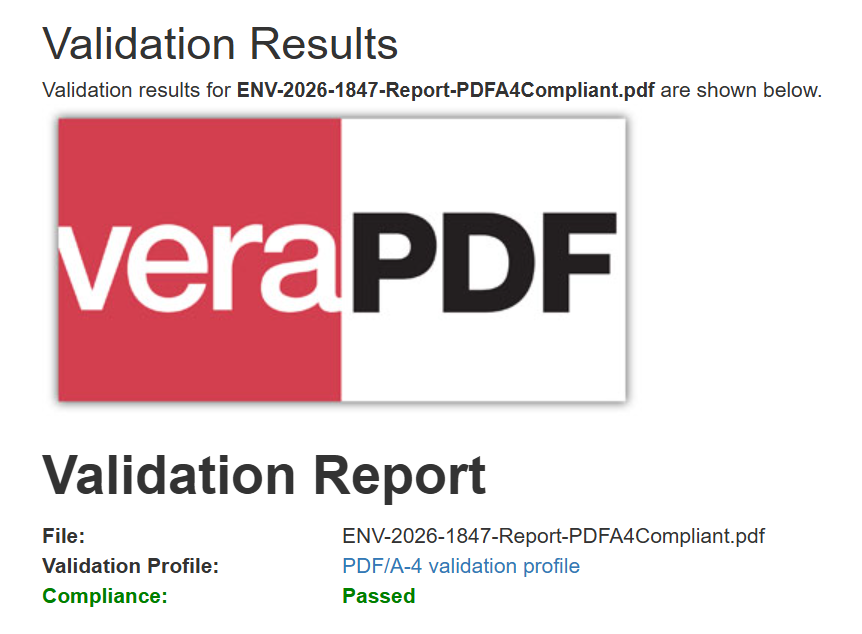
出力ファイルはPDF/A-4に準拠しています:
次に何ができるのかを見てみましょうか? ガイドページはこちら:Create PDFs
よくある質問
C# で標準 PDF を PDF/A-3b 形式に変換す る 方法は?
IronPDFを使えば、たった2行のコードで標準的なPDFをPDF/A-3bフォーマットに変換することができます。PdfDocument.FromFile()を使ってPDFを読み込み、SaveAsPdfA()を呼び出すだけで、長期保存のために準拠したPDF/A-3bドキュメントとして書き出すことができます。
PDF/A-3bとは何ですか。また、なぜ文書アーカイブにとって重要なのですか。
PDF/A-3bはISO PDF仕様の厳密なサブセットで、文書の長期保存を目的として設計されています。IronPDFはPDF/A-3bエクスポートをサポートし、ドキュメントが常に保存されたとおりにレンダリングされることを保証します。
PDF/A変換は、セクション508アクセシビリティコンプライアンスをサポートしていますか?
IronPDFはGoogle Chromiumのレンダリングエンジンを使用し、Googleのアクセシビリティ機能を継承することで、508条への準拠を保証します。つまり、PDF/A文書はスクリーンリーダーのような支援技術を使用する障がいのあるユーザーにとってアクセシブルであることを意味します。
HTMLコンテンツを直接PDF/Aフォーマットに変換できますか?
もちろんです!IronPDFはHTMLコンテンツやURLを直接PDF/A-3bフォーマットに変換することができます。Google ChromiumレンダリングエンジンはHTMLからPDFへの変換中にすべてのアクセシビリティ機能を保持し、PDF/Aドキュメントが完全なコンプライアンスを維持することを保証します。
PDF/A-3bを使用する主な利点は何ですか?
IronPDFのPDF/A-3bエクスポートは長期保存を保証し、すべてのビューアで一貫したレンダリングを行い、セクション508のアクセシビリティに準拠し、ISOアーカイブ規格に準拠しています。このため、法的文書、政府記録、永久保存を必要とするあらゆるコンテンツに最適です。


まだスクロールしていますか?
すぐに証拠が欲しいですか? PM > Install-Package IronPdf
サンプルを実行するHTML が PDF に変換されるのを確認します。

















 無料で始めましょう
 無料で始めましょう
 無料ライブデモを予約





 クレジットカードやアカウントの作成は不要です。










