


Aspose C#과 IronPDF를 사용하여 PDF 파일 만들기: 개발자 가이드

오픈 소스 HTML에서 PDF로 변환 라이브러리는 라이선스 비용을 절감하지만 상당한 개발 시간과 유지 보수가 필요합니다. 반면에 IronPDF는 Chrome 렌더링, 완전한 기능 및 전문적인 지원을 제공하여 .NET 팀의 총 소유 비용을 종종 줄여주는 상업 솔루션을 제공합니다.
C#용 오픈 소스 HTML to PDF 옵션은 무엇이 있습니까?
.NET 생태계는 HTML을 PDF로 변환하기 위한 여러 오픈 소스 라이브러리를 제공합니다. 각각 독특한 강점과 제한이 있어 신중한 평가가 필요합니다. 이 라이브러리들은 다양한 CSS 지원 수준으로 다양한 파일 형식을 처리하며, 개발 시간과 유지 보수 비용 모두에 영향을 미칩니다.
왜 PuppeteerSharp이 가장 인기 있는 오픈 소스 선택인가요?
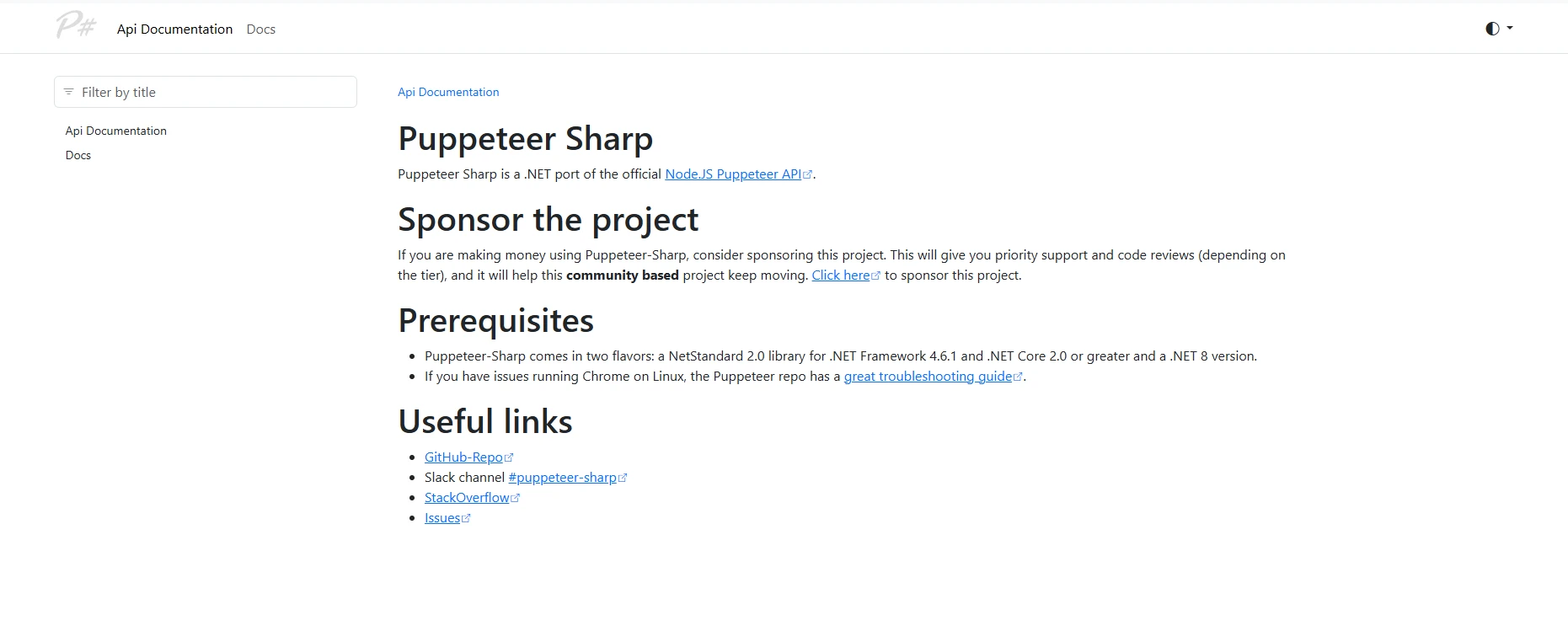
PuppeteerSharp은 C#에서 HTML을 PDF로 변환하기 위해 널리 사용되는 오픈 소스 옵션입니다. Google의 Puppeteer의 .NET 포트로서 헤드리스 Chromium을 사용하여 현대 기술을 완벽하게 지원하면서 웹 콘텐츠를 렌더링합니다, 여기에는 CSS3 및 JavaScript가 포함됩니다. 변환 프로세스는 Chrome 기반 엔진을 사용하여 웹 표준 충실도를 유지합니다.
생산성 관점에서 보면, PuppeteerSharp은 브라우저 자동화 개념을 이해해야 하며, PDF 생성 작업에 복잡성을 추가합니다. 개발자 온보딩은 비교적 간단한 대안에 비해 보통 2-3일 걸립니다. 팀은 브라우저 인스턴스를 확장할 때 메모리 사용을 주의 깊게 관리해야 합니다.
PuppeteerSharp으로 기본 HTML에서 PDF로의 변환을 어떻게 구현하나요?
using PuppeteerSharp;
using System.Threading.Tasks;
using System.Diagnostics;

class Program
{
    static async Task Main(string[] args)
    {
        // Track initialization time for ROI calculations
        var stopwatch = Stopwatch.StartNew();

        // DownloadChromiumbrowser (150MB, one-time)
        var browserFetcher = new BrowserFetcher();
        await browserFetcher.DownloadAsync();

        // Launch browser and convert HTML string
        using var browser = await Puppeteer.LaunchAsync(new LaunchOptions
        {
            Headless = true,
            Args = new[] { "--no-sandbox", "--disable-setuid-sandbox" } // Required for Linux
        });

        using var page = await browser.NewPageAsync();

        // HTML content with CSS styling and JavaScript
        var html = @"
            <html>
            <head>
                <style>
                    body { font-family: Arial, sans-serif; }
                    .header { color: #2563eb; font-size: 24px; }
                    .content { margin: 20px; }
                    table { width: 100%; border-collapse: collapse; }
                    th, td { padding: 10px; border: 1px solid #ddd; }
                </style>
            </head>
            <body>
                <div class='header'>Invoice #12345</div>
                <div class='content'>
                    <p>Generated on: <span id='date'></span></p>
                    <table>
                        <tr><th>Item</th><th>Quantity</th><th>Price</th></tr>
                        <tr><td>Service A</td><td>10</td><td>$1,000</td></tr>
                    </table>
                    <script>
                        document.getElementById('date').innerText = new Date().toLocaleDateString();
                    </script>
                </div>
            </body>
            </html>";

        await page.SetContentAsync(html);

        // Wait for JavaScript execution
        await page.WaitForSelectorAsync("#date", new WaitForSelectorOptions { Timeout = 5000 });

        await page.PdfAsync("output.pdf", new PdfOptions
        {
            Format = PaperFormat.A4,
            PrintBackground = true,
            MarginOptions = new MarginOptions { Top = "20px", Bottom = "20px" }
        });

        stopwatch.Stop();
        Console.WriteLine($"PDF generation took: {stopwatch.ElapsedMilliseconds}ms");
    }
}
using PuppeteerSharp;
using System.Threading.Tasks;
using System.Diagnostics;
class Program
{
static async Task Main(string[] args)
{
// Track initialization time for ROI calculations
var stopwatch = Stopwatch.StartNew();
// DownloadChromiumbrowser (150MB, one-time)
var browserFetcher = new BrowserFetcher();
await browserFetcher.DownloadAsync();
// Launch browser and convert HTML string
using var browser = await Puppeteer.LaunchAsync(new LaunchOptions
{
Headless = true,
Args = new[] { "--no-sandbox", "--disable-setuid-sandbox" } // Required for Linux
});
using var page = await browser.NewPageAsync();
// HTML content with CSS styling and JavaScript
var html = @"
<html>
<head>
<style>
body { font-family: Arial, sans-serif; }
.header { color: #2563eb; font-size: 24px; }
.content { margin: 20px; }
table { width: 100%; border-collapse: collapse; }
th, td { padding: 10px; border: 1px solid #ddd; }
</style>
</head>
<body>
<div class='header'>Invoice #12345</div>
<div class='content'>
<p>Generated on: <span id='date'></span></p>
<table>
<tr><th>Item</th><th>Quantity</th><th>Price</th></tr>
<tr><td>Service A</td><td>10</td><td>$1,000</td></tr>
</table>
<script>
document.getElementById('date').innerText = new Date().toLocaleDateString();
</script>
</div>
</body>
</html>";
await page.SetContentAsync(html);
// Wait for JavaScript execution
await page.WaitForSelectorAsync("#date", new WaitForSelectorOptions { Timeout = 5000 });
await page.PdfAsync("output.pdf", new PdfOptions
{
Format = PaperFormat.A4,
PrintBackground = true,
MarginOptions = new MarginOptions { Top = "20px", Bottom = "20px" }
});
stopwatch.Stop();
Console.WriteLine($"PDF generation took: {stopwatch.ElapsedMilliseconds}ms");
}
}Imports PuppeteerSharp
Imports System.Threading.Tasks
Imports System.Diagnostics
Module Program
Async Function Main(args As String()) As Task
' Track initialization time for ROI calculations
Dim stopwatch = Stopwatch.StartNew()
' Download Chromium browser (150MB, one-time)
Dim browserFetcher = New BrowserFetcher()
Await browserFetcher.DownloadAsync()
' Launch browser and convert HTML string
Using browser = Await Puppeteer.LaunchAsync(New LaunchOptions With {
.Headless = True,
.Args = New String() {"--no-sandbox", "--disable-setuid-sandbox"} ' Required for Linux
})
Using page = Await browser.NewPageAsync()
' HTML content with CSS styling and JavaScript
Dim html = "
<html>
<head>
<style>
body { font-family: Arial, sans-serif; }
.header { color: #2563eb; font-size: 24px; }
.content { margin: 20px; }
table { width: 100%; border-collapse: collapse; }
th, td { padding: 10px; border: 1px solid #ddd; }
</style>
</head>
<body>
<div class='header'>Invoice #12345</div>
<div class='content'>
<p>Generated on: <span id='date'></span></p>
<table>
<tr><th>Item</th><th>Quantity</th><th>Price</th></tr>
<tr><td>Service A</td><td>10</td><td>$1,000</td></tr>
</table>
<script>
document.getElementById('date').innerText = new Date().toLocaleDateString();
</script>
</div>
</body>
</html>"
Await page.SetContentAsync(html)
' Wait for JavaScript execution
Await page.WaitForSelectorAsync("#date", New WaitForSelectorOptions With {.Timeout = 5000})
Await page.PdfAsync("output.pdf", New PdfOptions With {
.Format = PaperFormat.A4,
.PrintBackground = True,
.MarginOptions = New MarginOptions With {.Top = "20px", .Bottom = "20px"}
})
End Using
End Using
stopwatch.Stop()
Console.WriteLine($"PDF generation took: {stopwatch.ElapsedMilliseconds}ms")
End Function
End ModulePuppeteerSharp은 동적 콘텐츠가 있는 복잡한 웹 페이지를 렌더링하는 데 능숙합니다. 그러나 운영 오버헤드는 상당합니다:Chromium다운로드는 배포를 복잡하게 만들고, 인스턴스 당 메모리 사용량이 200MB를 초과하며, 오류 처리는 브라우저 자동화 전문 지식이 필요합니다.
다른 오픈 소스 PDF 라이브러리의 한계는 무엇입니까?

wkhtmltopdf는 오픈 소스 도입의 위험을 보여줍니다. 광범위한 사용에도 불구하고, wkhtmltopdf GitHub 조직은 공식적으로 2024년 7월에 아카이브되어 더 이상 유지보수되지 않습니다. 프로젝트는 패치되지 않은 CVE 취약점, 최신 리눅스 배포판과의 비호환성, 제한된 CSS3 지원을 축적했습니다.
wkhtmltopdf의 .NET 래퍼인 DinkToPdf는 이러한 문제를 상속받으며 복잡성을 추가합니다. 팀은 상업적인 솔루션이 자동으로 처리하는 렌더링 문제를 다루기 위한 지속적인 노력을 기대할 수 있습니다.
PDFSharp/PdfSharp은 경량의 기능을 제공하지만, 상당한 개발자 노력이 필요합니다:
// PDFsharp example - manual HTML parsing required
using PdfSharp.Pdf;
using TheArtOfDev.HtmlRenderer.PdfSharp;

var document = new PdfDocument();
var config = new PdfGenerateConfig()
{
    PageSize = PageSize.A4,
    MarginBottom = 40,
    MarginTop = 40
};

// Very limited HTML/CSS support
var html = "<h1>Basic Title</h1><p>Simple paragraph only</p>";
var pdf = PdfGenerator.GeneratePdf(html, config);
pdf.Save("basic-output.pdf");
// PDFsharp example - manual HTML parsing required
using PdfSharp.Pdf;
using TheArtOfDev.HtmlRenderer.PdfSharp;
var document = new PdfDocument();
var config = new PdfGenerateConfig()
{
PageSize = PageSize.A4,
MarginBottom = 40,
MarginTop = 40
};
// Very limited HTML/CSS support
var html = "<h1>Basic Title</h1><p>Simple paragraph only</p>";
var pdf = PdfGenerator.GeneratePdf(html, config);
pdf.Save("basic-output.pdf");Imports PdfSharp.Pdf
Imports TheArtOfDev.HtmlRenderer.PdfSharp
Dim document As New PdfDocument()
Dim config As New PdfGenerateConfig() With {
.PageSize = PageSize.A4,
.MarginBottom = 40,
.MarginTop = 40
}
' Very limited HTML/CSS support
Dim html As String = "<h1>Basic Title</h1><p>Simple paragraph only</p>"
Dim pdf = PdfGenerator.GeneratePdf(html, config)
pdf.Save("basic-output.pdf")IronPDF는 PDF 생성을 어떻게 단순화합니까?
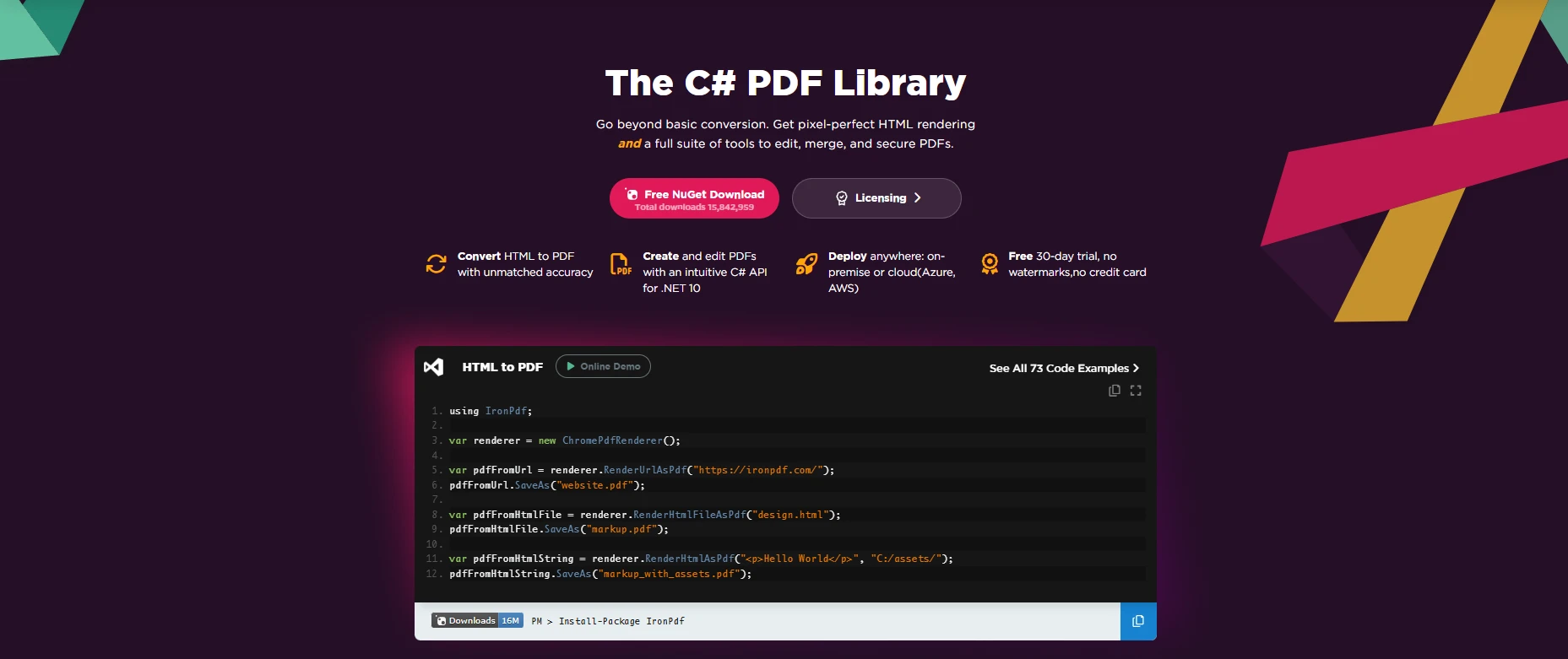
IronPDF는 통합된 Chrome 렌더링 엔진을 통해 완벽한 HTML to PDF 변환을 제공합니다. 오픈 소스 옵션과 달리, 외부 종속성 없이 복잡한 시나리오를 처리하는 간소화된 API를 제공합니다. 이 라이브러리는 Visual Studio와 통합되며 현재 .NET 버전을 지원합니다.
관리적 관점에서 IronPDF는 다음을 통해 측정 가능한 수익을 제공합니다:
- 개발 시간 단축: 간소화된 API 및 내장된 기능 세트를 통한 빠른 구현
- 낮은 유지보수: 자동 업데이트 및 지원
- 예측 가능한 비용: 숨겨진 요구 조건 없이 명확한 라이선스
- 기업용 기능: 내장된 PDF/A, 암호화, 서명
- 플랫폼 간: Windows, Linux, macOS
IronPDF의 API 디자인이 개발자 친화적인 이유는?
using IronPdf;

class Program
{
    static void Main(string[] args)
    {
        // Initialize renderer with sensible defaults
        var renderer = new ChromePdfRenderer();

        // Configure rendering options for professional output
        renderer.RenderingOptions.MarginTop = 10;
        renderer.RenderingOptions.MarginBottom = 10;
        renderer.RenderingOptions.EnableJavaScript = true;
        renderer.RenderingOptions.WaitFor.RenderDelay(100); // Ensure JS execution

        // HTML with advanced CSS and JavaScript
        var html = @"
            <html>
            <head>
                <style>
                    @page { size: A4; margin: 0; }
                    body {
                        font-family: 'Segoe UI', Tahoma, Geneva, Verdana, sans-serif;
                        margin: 0;
                        padding: 20px;
                    }
                    .invoice-header {
                        background: linear-gradient(135deg, #667eea 0%, #764ba2 100%);
                        color: white;
                        padding: 30px;
                        border-radius: 8px;
                        margin-bottom: 30px;
                    }
                    table {
                        width: 100%;
                        border-collapse: collapse;
                        margin-top: 20px;
                    }
                    th {
                        background-color: #f3f4f6;
                        font-weight: 600;
                        text-align: left;
                    }
                    th, td {
                        padding: 12px 15px;
                        border-bottom: 1px solid #e5e7eb;
                    }
                    .total-row {
                        font-weight: bold;
                        background-color: #f9fafb;
                    }
                </style>
            </head>
            <body>
                <div class='invoice-header'>
                    <h1>Professional Invoice</h1>
                    <p>Generated with IronPDF</p>
                </div>
                <table>
                    <thead>
                        <tr><th>Item</th><th>Quantity</th><th>Unit Price</th><th>Total</th></tr>
                    </thead>
                    <tbody>
                        <tr><td>Consulting Service</td><td>40 hours</td><td>$150</td><td>$6,000</td></tr>
                        <tr><td>Development</td><td>80 hours</td><td>$125</td><td>$10,000</td></tr>
                        <tr class='total-row'><td colspan='3'>Total</td><td>$16,000</td></tr>
                    </tbody>
                </table>
                <script>
                    console.log('PDF generated at ' + new Date().toISOString());
                </script>
            </body>
            </html>";

        // Generate PDF with one method call
        var pdf = renderer.RenderHtmlAsPdf(html);

        // Add professional touches
        pdf.AddWatermark("<h2 style='color:red;opacity:0.5'>CONFIDENTIAL</h2>");
        pdf.AddTextFooter("Page {page} of {total-pages}", IronPdf.Font.FontFamily.Helvetica, 8);

        // Apply security
        pdf.SecuritySettings.MakeReadOnly("owner-password");
        pdf.SecuritySettings.AllowUserPrinting = true;
        pdf.SecuritySettings.AllowUserCopyPasteContent = false;

        pdf.SaveAs("professional-invoice.pdf");

        // Additional conversion methods
        var urlPdf = renderer.RenderUrlAsPdf("___PROTECTED_URL_43___");
        var filePdf = renderer.RenderHtmlFileAsPdf("template.html");
    }
}
using IronPdf;
class Program
{
static void Main(string[] args)
{
// Initialize renderer with sensible defaults
var renderer = new ChromePdfRenderer();
// Configure rendering options for professional output
renderer.RenderingOptions.MarginTop = 10;
renderer.RenderingOptions.MarginBottom = 10;
renderer.RenderingOptions.EnableJavaScript = true;
renderer.RenderingOptions.WaitFor.RenderDelay(100); // Ensure JS execution
// HTML with advanced CSS and JavaScript
var html = @"
<html>
<head>
<style>
@page { size: A4; margin: 0; }
body {
font-family: 'Segoe UI', Tahoma, Geneva, Verdana, sans-serif;
margin: 0;
padding: 20px;
}
.invoice-header {
background: linear-gradient(135deg, #667eea 0%, #764ba2 100%);
color: white;
padding: 30px;
border-radius: 8px;
margin-bottom: 30px;
}
table {
width: 100%;
border-collapse: collapse;
margin-top: 20px;
}
th {
background-color: #f3f4f6;
font-weight: 600;
text-align: left;
}
th, td {
padding: 12px 15px;
border-bottom: 1px solid #e5e7eb;
}
.total-row {
font-weight: bold;
background-color: #f9fafb;
}
</style>
</head>
<body>
<div class='invoice-header'>
<h1>Professional Invoice</h1>
<p>Generated with IronPDF</p>
</div>
<table>
<thead>
<tr><th>Item</th><th>Quantity</th><th>Unit Price</th><th>Total</th></tr>
</thead>
<tbody>
<tr><td>Consulting Service</td><td>40 hours</td><td>$150</td><td>$6,000</td></tr>
<tr><td>Development</td><td>80 hours</td><td>$125</td><td>$10,000</td></tr>
<tr class='total-row'><td colspan='3'>Total</td><td>$16,000</td></tr>
</tbody>
</table>
<script>
console.log('PDF generated at ' + new Date().toISOString());
</script>
</body>
</html>";
// Generate PDF with one method call
var pdf = renderer.RenderHtmlAsPdf(html);
// Add professional touches
pdf.AddWatermark("<h2 style='color:red;opacity:0.5'>CONFIDENTIAL</h2>");
pdf.AddTextFooter("Page {page} of {total-pages}", IronPdf.Font.FontFamily.Helvetica, 8);
// Apply security
pdf.SecuritySettings.MakeReadOnly("owner-password");
pdf.SecuritySettings.AllowUserPrinting = true;
pdf.SecuritySettings.AllowUserCopyPasteContent = false;
pdf.SaveAs("professional-invoice.pdf");
// Additional conversion methods
var urlPdf = renderer.RenderUrlAsPdf("___PROTECTED_URL_43___");
var filePdf = renderer.RenderHtmlFileAsPdf("template.html");
}
}Imports IronPdf
Module Program
Sub Main(args As String())
' Initialize renderer with sensible defaults
Dim renderer = New ChromePdfRenderer()
' Configure rendering options for professional output
renderer.RenderingOptions.MarginTop = 10
renderer.RenderingOptions.MarginBottom = 10
renderer.RenderingOptions.EnableJavaScript = True
renderer.RenderingOptions.WaitFor.RenderDelay(100) ' Ensure JS execution
' HTML with advanced CSS and JavaScript
Dim html As String = "
<html>
<head>
<style>
@page { size: A4; margin: 0; }
body {
font-family: 'Segoe UI', Tahoma, Geneva, Verdana, sans-serif;
margin: 0;
padding: 20px;
}
.invoice-header {
background: linear-gradient(135deg, #667eea 0%, #764ba2 100%);
color: white;
padding: 30px;
border-radius: 8px;
margin-bottom: 30px;
}
table {
width: 100%;
border-collapse: collapse;
margin-top: 20px;
}
th {
background-color: #f3f4f6;
font-weight: 600;
text-align: left;
}
th, td {
padding: 12px 15px;
border-bottom: 1px solid #e5e7eb;
}
.total-row {
font-weight: bold;
background-color: #f9fafb;
}
</style>
</head>
<body>
<div class='invoice-header'>
<h1>Professional Invoice</h1>
<p>Generated with IronPDF</p>
</div>
<table>
<thead>
<tr><th>Item</th><th>Quantity</th><th>Unit Price</th><th>Total</th></tr>
</thead>
<tbody>
<tr><td>Consulting Service</td><td>40 hours</td><td>$150</td><td>$6,000</td></tr>
<tr><td>Development</td><td>80 hours</td><td>$125</td><td>$10,000</td></tr>
<tr class='total-row'><td colspan='3'>Total</td><td>$16,000</td></tr>
</tbody>
</table>
<script>
console.log('PDF generated at ' + new Date().toISOString());
</script>
</body>
</html>"
' Generate PDF with one method call
Dim pdf = renderer.RenderHtmlAsPdf(html)
' Add professional touches
pdf.AddWatermark("<h2 style='color:red;opacity:0.5'>CONFIDENTIAL</h2>")
pdf.AddTextFooter("Page {page} of {total-pages}", IronPdf.Font.FontFamily.Helvetica, 8)
' Apply security
pdf.SecuritySettings.MakeReadOnly("owner-password")
pdf.SecuritySettings.AllowUserPrinting = True
pdf.SecuritySettings.AllowUserCopyPasteContent = False
pdf.SaveAs("professional-invoice.pdf")
' Additional conversion methods
Dim urlPdf = renderer.RenderUrlAsPdf("___PROTECTED_URL_43___")
Dim filePdf = renderer.RenderHtmlFileAsPdf("template.html")
End Sub
End ModuleIronPDF의 직관적인 API는 학습 곡선을 며칠에서 몇 시간으로 줄입니다. 구현은 페이지 번호가 있는 헤더, 디지털 서명, PDF/A 준수, 양식 생성 등 복잡한 렌더링 시나리오를 자동으로 처리합니다.
PDF 변환 기능의 주요 차이점은 무엇입니까?
| 기능 | PuppeteerSharp |
wkhtmltopdf | DinkToPdf |
PDFSharp | IronPDF |
|---|---|---|---|---|---|
| CSS3 지원 | 전체 | 제한적 | 제한적 | 최소한의 | 전체 |
| JavaScript | 예 | 아니요 | 아니요 | 아니요 | 예 |
| 설치 | ~150MB | ~40MB | ~40MB | ~5MB | ~20MB |
| 종속성 | Chromium | Qt WebKit |
Qt WebKit |
None | None |
| API 복잡성 | 높음 | 높음 | 보통 | 높음 | 낮음 |
| PDF/A | 아니요 | 아니요 | 아니요 | 아니요 | 예 |
| 헤더/푸터 | 수동 | CLI | CLI | 수동 | 내장형 |
| 지원 | 아니요 | 아니요 | 아니요 | 아니요 | 예 |
| 설치 시간 | 4-6 시간 | 2-3 시간 | 2-3 시간 | 1-2 시간 | <30 min |
오픈 소스와 상용 솔루션 간의 총 비용 비교는 어떻게 되나요?
엔지니어링 팀은 종종 라이선스 수수료에 집중하면서 총 소유 비용을 간과합니다. 다음은 일반적인 개발자 요금을 기반으로 하는 중간 크기 팀의 일반적인 비용 구성 요소를 보여줍니다.
오픈 소스 솔루션의 숨겨진 비용은 무엇입니까?
- 초기 구현: 40-80 시간 × $100/시간 = $4,000-$8,000
- 월별 유지보수: 10-20 시간 × $100/시간 × 12 = $12,000-$24,000
- 프로덕션 이슈: 2-3 건 × 8 시간 × $150/시간 = $2,400-$3,600
- 보안 감사: 분기별 검토 = $8,000
- 인프라: 추가 서버 = $2,400/년
예상 오픈 소스 비용: $28,800- $46,000 연간 (예시, $100-$150/시간 개발자 요금을 기반으로 함)
IronPDF에 대한 총 투자 비용은 무엇입니까?
- 팀 라이선스: $2,999/년
- 구현: 8-16 시간 × $100/시간 = $800-$1,600
- 지원: 우선 응답과 함께 포함됨
예상IronPDF비용: 라이선스 비용 + 연간 $800- $1,600 구현
라이선스 비용 차이는 개발 시간을 줄이고 유지보수 오버헤드를 없애어 상쇄될 수 있으며, 특히 오픈 소스 PDF 렌더링 및 배포 문제에 상당한 시간을 할애하고 있는 팀에 적합합니다.
어떤 솔루션이 귀하의 PDF 생성 요구에 적합합니까?
오픈 소스와 상용 솔루션 중 선택은 귀하의 특정 상황에 따라 다릅니다.
오픈 소스를 선택할 때:
- 귀하의 팀이 깊은 PDF 전문 지식을 보유하고 있을 때
- 전담 유지보수 리소스가 존재할 때
- 요구 사항이 기본적이고 안정적일 때
- 개념 증명 프로젝트를 구축할 때
IronPDF를 선택할 때:
- 팀 생산성은 결정을 주도한다
- 고급 기능이 중요하다
- 전문가 지원은 가치를 제공한다
- 예측 가능한 비용이 라이선스 수수료를 능가한다
오늘 고품질 PDF 파일을 어떻게 시작할 수 있을까요?
PDF 솔루션을 평가하는 팀에게는 실제 요구 사항을 평가하고 현실적인 비용을 계산하는 것이 필요합니다. 오픈 소스 라이브러리는 라이선스 비용을 없애지만, 개발 시간과 유지 보수 부담을 통해 상당한 숨은 비용이 따릅니다.
IronPDF는 개발자 생산성을 우선시하는 완전한 솔루션을 제공합니다. 이 라이브러리에는 광범위한 문서, 코드 예제, 전문가 지원이 포함되어 있어 팀의 성공을 보장합니다.
30일 무료 체험판을 시작하여 IronPDF를 사용 사례에 맞추어 평가하세요. 체험판은 전체 기능과 지원에 대한 접근을 제공하여 가정이 아닌 경험을 기반으로 한 정보에 근거한 결정을 가능하게 합니다.
NuGet 패키지 관리자를 통해 IronPDF를 즉시 설치하십시오:
Install-Package IronPdf
사업 목적에 맞게 설계된 솔루션으로 HTML 컨텐츠를 픽셀 단위의 PDF로 변환합니다. 응용 프로그램은 즉시 이 기능이 풍부한 라이브러리를 사용하여 PDF 개발을 가속화할 수 있습니다.
자주 묻는 질문
왜 IronPDF가 오픈 소스 HTML에서 PDF로 변환하는 라이브러리보다 더 나은가요?
IronPDF는 정확한 렌더링, 복잡한 CSS 및 JavaScript 지원, 우수한 성능과 같은 견고한 기능을 제공하여 .NET에서 대규모 PDF 생성 프로젝트에 이상적입니다.
IronPDF는 HTML에서 PDF로 변환할 때 복잡한 웹 페이지를 처리할 수 있나요?
예, IronPDF는 복잡한 CSS 및 JavaScript가 포함된 복잡한 웹 페이지를 처리할 수 있도록 설계되어 정확하고 높은 품질의 PDF 변환을 보장합니다.
IronPDF는 .NET 프로젝트 개발 과정을 어떻게 개선하나요?
IronPDF는 신뢰할 수 있고 효율적인 HTML에서 PDF로의 변환을 제공함으로써 개발 과정을 간소화하고 .NET 애플리케이션에 PDF 생성을 통합하는 데 걸리는 시간과 노력을 줄입니다.
IronPDF는 대규모 PDF 문서를 생성하는 데 적합한가요?
물론입니다, IronPDF는 대규모 PDF 생성 작업을 효율적으로 처리하도록 구축되어 대량의 PDF 생성이 필요한 프로젝트에 적합합니다.
IronPDF는 사용자 정의 PDF 생성 기능을 지원하나요?
예, IronPDF는 머리글, 바닥글 및 워터마크 설정 등 다양한 사용자 정의 기능을 지원하여 맞춤형 PDF 문서 생성을 가능하게 합니다.
IronPDF가 오픈 소스 라이브러리와 비교할 때 어떤 지원을 제공하나요?
IronPDF는 개발자가 최신 기능과 지원을 받을 수 있도록 전문가 지원과 정기적인 업데이트를 제공하며, 이는 많은 오픈 소스 대안과 다릅니다.
IronPDF는 어떻게 높은 품질의 PDF 출력을 보장하나요?
IronPDF는 고급 렌더링 기술을 사용하여 변환된 PDF가 원래 HTML 콘텐츠를 정확하게 반영하면서도 높은 품질을 유지하게 합니다.
IronPDF와 오픈 소스 HTML에서 PDF로 변환하는 도구 간에 성능 차이가 있나요?
예, IronPDF는 일반적으로 많은 오픈 소스 변환기보다 더 빠른 변환 속도와 더 나은 자원 관리를 통해 우수한 성능을 제공합니다.
기존 .NET 애플리케이션에 IronPDF를 쉽게 통합할 수 있나요?
IronPDF는 기존 .NET 애플리케이션에 쉽게 통합할 수 있도록 설계되었으며, PDF 기능 추가에 필요한 노력을 최소화하는 간단한 API를 제공합니다.
IronPDF를 사용하면 어떤 유형의 프로젝트가 가장 큰 혜택을 받나요?
청구서 발행 시스템, 보고서 도구, 웹 아카이빙 애플리케이션과 같이 빈번하고 고품질의 PDF 생성을 필요로 하는 프로젝트는 IronPDF 사용 시 큰 혜택을 받습니다.









 무료로 시작하세요
 무료로 시작하세요
 무료 라이브 데모 예약하기





 신용카드나 계정 생성은 필요하지 않습니다.










