



Updated September 2, 2026
HTML to PDF in C#: Benchmarking 7 .NET Libraries (2026)
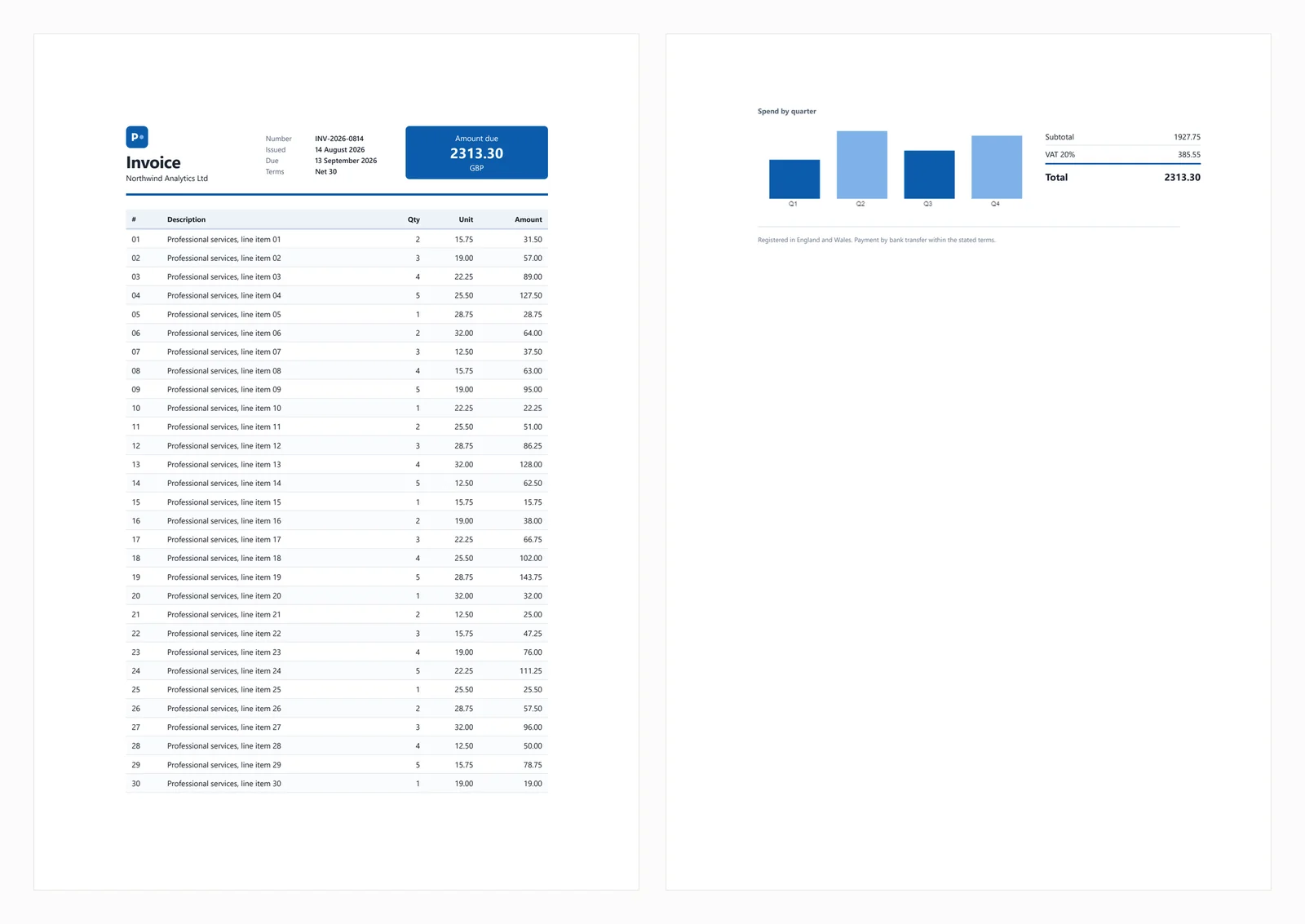
Compare 7 C# HTML to PDF libraries on .NET 10 for cold start, throughput, memory and rendering accuracy. Only 3 rendered the test invoice correctly.
Read More

Open-source HTML to PDF libraries eliminate licensing costs but require significant development time and maintenance effort. In contrast, IronPDF offers a commercial solution with Chrome rendering, complete features, and professional support that often reduces the total cost of ownership for .NET teams.
The .NET ecosystem provides several open-source libraries for HTML to PDF conversion. Each has unique strengths and limitations that require careful evaluation. These libraries handle different file formats with varying CSS support levels, impacting both development time and maintenance costs.
PuppeteerSharp the Most Popular Open-Source Choice?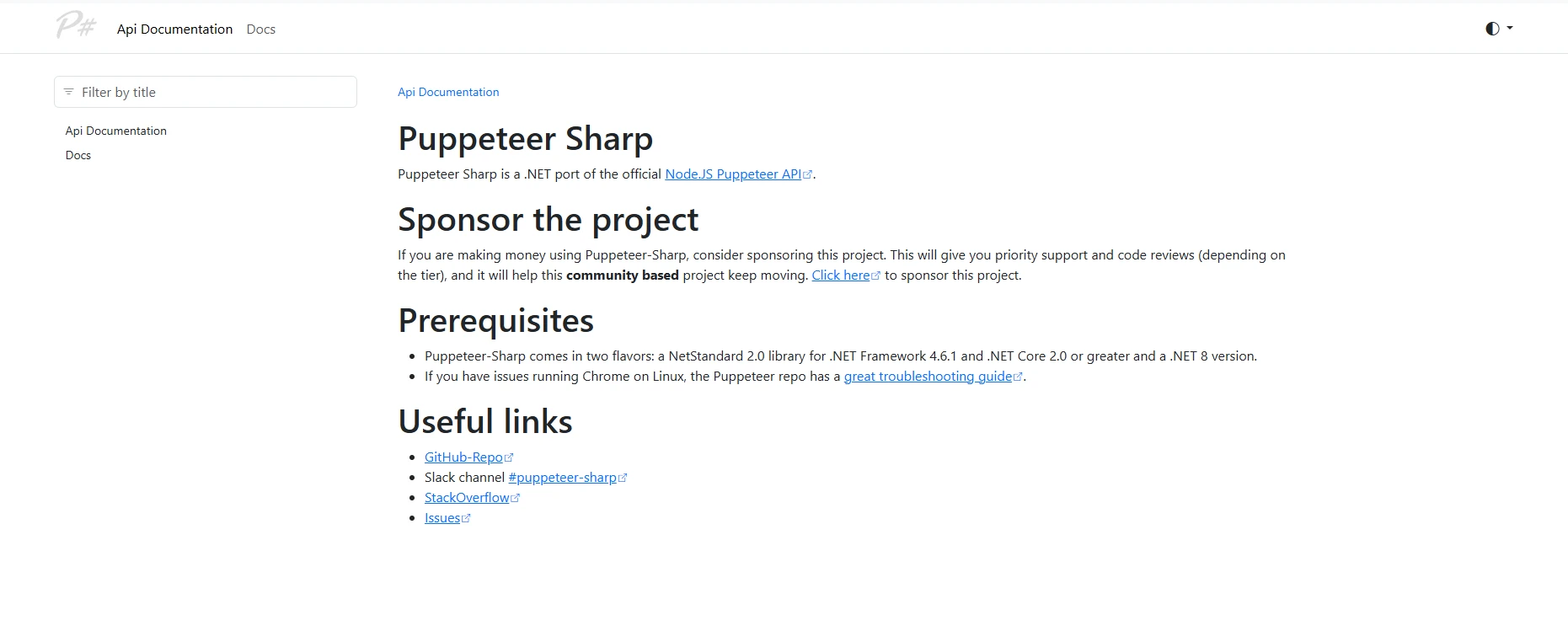
PuppeteerSharp is a widely-used open-source option for converting HTML to PDF in C#. As a .NET port of Google's Puppeteer, it uses headless Chromium to render web content with full support for modern technologies, including CSS3 and JavaScript. The conversion process uses a Chrome-based engine to maintain web standards fidelity.
From a productivity standpoint, PuppeteerSharp requires developers to understand browser automation concepts, adding complexity to PDF generation tasks. Developer onboarding typically takes 2-3 days compared to hours for simpler alternatives. Your team must manage memory usage carefully when scaling browser instances.
PuppeteerSharp?using PuppeteerSharp;
using System.Threading.Tasks;
using System.Diagnostics;
class Program
{
static async Task Main(string[] args)
{
// Track initialization time for ROI calculations
var stopwatch = Stopwatch.StartNew();
// Download Chromium browser (150MB, one-time)
var browserFetcher = new BrowserFetcher();
await browserFetcher.DownloadAsync();
// Launch browser and convert HTML string
using var browser = await Puppeteer.LaunchAsync(new LaunchOptions
{
Headless = true,
Args = new[] { "--no-sandbox", "--disable-setuid-sandbox" } // Required for Linux
});
using var page = await browser.NewPageAsync();
// HTML content with CSS styling and JavaScript
var html = @"
<html>
<head>
<style>
body { font-family: Arial, sans-serif; }
.header { color: #2563eb; font-size: 24px; }
.content { margin: 20px; }
table { width: 100%; border-collapse: collapse; }
th, td { padding: 10px; border: 1px solid #ddd; }
</style>
</head>
<body>
<div class='header'>Invoice #12345</div>
<div class='content'>
<p>Generated on: <span id='date'></span></p>
<table>
<tr><th>Item</th><th>Quantity</th><th>Price</th></tr>
<tr><td>Service A</td><td>10</td><td>$1,000</td></tr>
</table>
<script>
document.getElementById('date').innerText = new Date().toLocaleDateString();
</script>
</div>
</body>
</html>";
await page.SetContentAsync(html);
// Wait for JavaScript execution
await page.WaitForSelectorAsync("#date", new WaitForSelectorOptions { Timeout = 5000 });
await page.PdfAsync("output.pdf", new PdfOptions
{
Format = PaperFormat.A4,
PrintBackground = true,
MarginOptions = new MarginOptions { Top = "20px", Bottom = "20px" }
});
stopwatch.Stop();
Console.WriteLine($"PDF generation took: {stopwatch.ElapsedMilliseconds}ms");
}
}Imports PuppeteerSharp
Imports System.Threading.Tasks
Imports System.Diagnostics
Module Program
Async Function Main(ByVal args() As String) As Task
' Track initialization time for ROI calculations
Dim stopwatch = Stopwatch.StartNew()
' Download Chromium browser (150MB, one-time)
Dim browserFetcher = New BrowserFetcher()
Await browserFetcher.DownloadAsync()
' Launch browser and convert HTML string
Using browser = Await Puppeteer.LaunchAsync(New LaunchOptions With {
.Headless = True,
.Args = New String() {"--no-sandbox", "--disable-setuid-sandbox"}
})
Using page = Await browser.NewPageAsync()
' HTML content with CSS styling and JavaScript
Dim html = "
<html>
<head>
<style>
body { font-family: Arial, sans-serif; }
.header { color: #2563eb; font-size: 24px; }
.content { margin: 20px; }
table { width: 100%; border-collapse: collapse; }
th, td { padding: 10px; border: 1px solid #ddd; }
</style>
</head>
<body>
<div class='header'>Invoice #12345</div>
<div class='content'>
<p>Generated on: <span id='date'></span></p>
<table>
<tr><th>Item</th><th>Quantity</th><th>Price</th></tr>
<tr><td>Service A</td><td>10</td><td>$1,000</td></tr>
</table>
<script>
document.getElementById('date').innerText = new Date().toLocaleDateString();
</script>
</div>
</body>
</html>"
Await page.SetContentAsync(html)
' Wait for JavaScript execution
Await page.WaitForSelectorAsync("#date", New WaitForSelectorOptions With {.Timeout = 5000})
Await page.PdfAsync("output.pdf", New PdfOptions With {
.Format = PaperFormat.A4,
.PrintBackground = True,
.MarginOptions = New MarginOptions With {.Top = "20px", .Bottom = "20px"}
})
End Using
End Using
stopwatch.Stop()
Console.WriteLine($"PDF generation took: {stopwatch.ElapsedMilliseconds}ms")
End Function
End ModulePuppeteerSharp excels at rendering complex web pages with dynamic content. However, operational overhead remains significant: Chromium downloads complicate deployment, memory usage exceeds 200MB per instance, and error handling requires browser automation expertise.

wkhtmltopdf illustrates risks in open-source adoption. Despite widespread use, the wkhtmltopdf GitHub organization was officially archived in July 2024 and is no longer maintained. The project has accumulated unpatched CVE vulnerabilities, incompatibility with modern Linux distributions, and limited CSS3 support.
DinkToPdf, a .NET wrapper for wkhtmltopdf, inherits these issues while adding complexity. Teams can expect ongoing effort addressing rendering issues that commercial solutions handle automatically.
PDFSharp/HtmlRenderer.PdfSharp provides lightweight functionality but requires significant developer effort:
// PDFsharp example - manual HTML parsing required
using PdfSharp.Pdf;
using TheArtOfDev.HtmlRenderer.PdfSharp;

var document = new PdfDocument();
var config = new PdfGenerateConfig()
{
    PageSize = PageSize.A4,
    MarginBottom = 40,
    MarginTop = 40
};

// Very limited HTML/CSS support
var html = "<h1>Basic Title</h1><p>Simple paragraph only</p>";
var pdf = PdfGenerator.GeneratePdf(html, config);
pdf.Save("basic-output.pdf");Imports PdfSharp.Pdf
Imports TheArtOfDev.HtmlRenderer.PdfSharp
Dim document As New PdfDocument()
Dim config As New PdfGenerateConfig() With {
.PageSize = PageSize.A4,
.MarginBottom = 40,
.MarginTop = 40
}
' Very limited HTML/CSS support
Dim html As String = "<h1>Basic Title</h1><p>Simple paragraph only</p>"
Dim pdf = PdfGenerator.GeneratePdf(html, config)
pdf.Save("basic-output.pdf")
IronPDF provides complete HTML to PDF conversion through its integrated Chrome rendering engine. Unlike open-source options, it offers a simplified API handling complex scenarios without external dependencies. The library integrates with Visual Studio and supports current .NET versions.
From a management perspective, IronPDF delivers measurable returns through:
using IronPdf;

class Program
{
    static void Main(string[] args)
    {
        // Initialize renderer with sensible defaults
        var renderer = new ChromePdfRenderer();

        // Configure rendering options for professional output
        renderer.RenderingOptions.MarginTop = 10;
        renderer.RenderingOptions.MarginBottom = 10;
        renderer.RenderingOptions.EnableJavaScript = true;
        renderer.RenderingOptions.WaitFor.RenderDelay(100); // Ensure JS execution

        // HTML with advanced CSS and JavaScript
        var html = @"
            <html>
            <head>
                <style>
                    @page { size: A4; margin: 0; }
                    body {
                        font-family: 'Segoe UI', Tahoma, Geneva, Verdana, sans-serif;
                        margin: 0;
                        padding: 20px;
                    }
                    .invoice-header {
                        background: linear-gradient(135deg, #667eea 0%, #764ba2 100%);
                        color: white;
                        padding: 30px;
                        border-radius: 8px;
                        margin-bottom: 30px;
                    }
                    table {
                        width: 100%;
                        border-collapse: collapse;
                        margin-top: 20px;
                    }
                    th {
                        background-color: #f3f4f6;
                        font-weight: 600;
                        text-align: left;
                    }
                    th, td {
                        padding: 12px 15px;
                        border-bottom: 1px solid #e5e7eb;
                    }
                    .total-row {
                        font-weight: bold;
                        background-color: #f9fafb;
                    }
                </style>
            </head>
            <body>
                <div class='invoice-header'>
                    <h1>Professional Invoice</h1>
                    <p>Generated with IronPDF</p>
                </div>
                <table>
                    <thead>
                        <tr><th>Item</th><th>Quantity</th><th>Unit Price</th><th>Total</th></tr>
                    </thead>
                    <tbody>
                        <tr><td>Consulting Service</td><td>40 hours</td><td>$150</td><td>$6,000</td></tr>
                        <tr><td>Development</td><td>80 hours</td><td>$125</td><td>$10,000</td></tr>
                        <tr class='total-row'><td colspan='3'>Total</td><td>$16,000</td></tr>
                    </tbody>
                </table>
                <script>
                    console.log('PDF generated at ' + new Date().toISOString());
                </script>
            </body>
            </html>";

        // Generate PDF with one method call
        var pdf = renderer.RenderHtmlAsPdf(html);

        // Add professional touches
        pdf.AddWatermark("<h2 style='color:red;opacity:0.5'>CONFIDENTIAL</h2>");
        pdf.AddTextFooter("Page {page} of {total-pages}", IronPdf.Font.FontFamily.Helvetica, 8);

        // Apply security
        pdf.SecuritySettings.MakeReadOnly("owner-password");
        pdf.SecuritySettings.AllowUserPrinting = true;
        pdf.SecuritySettings.AllowUserCopyPasteContent = false;

        pdf.SaveAs("professional-invoice.pdf");

        // Additional conversion methods
        var urlPdf = renderer.RenderUrlAsPdf("https://example.com");
        var filePdf = renderer.RenderHtmlFileAsPdf("template.html");
    }
}IronPDF's intuitive API reduces learning curves from days to hours. The implementation handles complex rendering scenarios automatically, including headers with page numbers, digital signatures, PDF/A compliance, and form creation.
| Feature | PuppeteerSharp | wkhtmltopdf | DinkToPdf | PDFSharp | IronPDF |
|---|---|---|---|---|---|
| CSS3 Support | Full | Limited | Limited | Minimal | Full |
| JavaScript | Yes | No | No | No | Yes |
| Installation | ~150MB | ~40MB | ~40MB | ~5MB | ~20MB |
| Dependencies | Chromium | Qt WebKit | Qt WebKit | None | None |
| API Complexity | High | High | Moderate | High | Low |
| PDF/A | No | No | No | No | Yes |
| Headers/Footers | Manual | CLI | CLI | Manual | Built-in |
| Support | No | No | No | No | Yes |
| Setup Time | 4-6 hrs | 2-3 hrs | 2-3 hrs | 1-2 hrs | <30 min |
Engineering teams often focus on licensing fees while overlooking total ownership costs. The following illustrates typical cost components for mid-sized teams based on common developer rates.
Estimated Open Source Cost: $28,800-$46,000 annually (illustrative, based on $100-$150/hr developer rates)
Estimated IronPDF Cost: license fee + $800-$1,600 implementation annually
The license cost difference can be recovered through reduced development time and eliminated maintenance overhead, particularly for teams currently spending significant hours on open-source PDF rendering and deployment issues.
The choice between open source and commercial solutions depends on your specific context.
Choose Open Source When:
Choose IronPDF When:
For teams evaluating PDF solutions, success requires assessing actual needs and calculating realistic costs. While open-source libraries eliminate licensing fees, they introduce substantial hidden costs through development time and maintenance burden.
IronPDF provides a complete solution prioritizing developer productivity. The library includes extensive documentation, code examples, and professional support ensuring your team's success.
Begin with a 30-day free trial to evaluate IronPDF against your use cases. The trial provides full functionality and support access, enabling informed decisions based on experience rather than assumptions.
Install IronPDF immediately via NuGet Package Manager:
Transform HTML content into pixel-perfect PDFs with a solution designed for business needs. Your application can immediately use this feature-rich library to accelerate PDF development.

Curtis Chau holds a Bachelor’s degree in Computer Science (Carleton University) and specializes in front-end development with expertise in Node.js, TypeScript, JavaScript, and React. Passionate about crafting intuitive and aesthetically pleasing user interfaces, Curtis enjoys working with modern frameworks and creating well-structured, visually appealing manuals.



IronPDF is a part of IRONSUITE
10 .NET API products for your office documents











When you need your PDF to look like HTML, fast.


