跳至页脚内容
产品比较

与Aspose C#创建PDF文件 vs IronPDF:开发人员指南

开源的 HTML 转 PDF 库虽然省去了许可费用,但需要大量的开发时间和维护工作。 相比之下, IronPDF提供商业解决方案,具有Chrome 渲染、完整功能和专业支持,通常可以降低 .NET 团队的总体拥有成本。

有哪些开源的C# HTML到PDF转换选项?

.NET 生态系统提供了多个用于HTML 到 PDF 转换的开源库。 它们各自都有独特的优势和局限性,需要仔细评估。 这些库处理不同的文件格式,对CSS 的支持程度也各不相同,这会影响开发时间和维护成本。

为什么PuppeteerSharp是最受欢迎的开源选择?

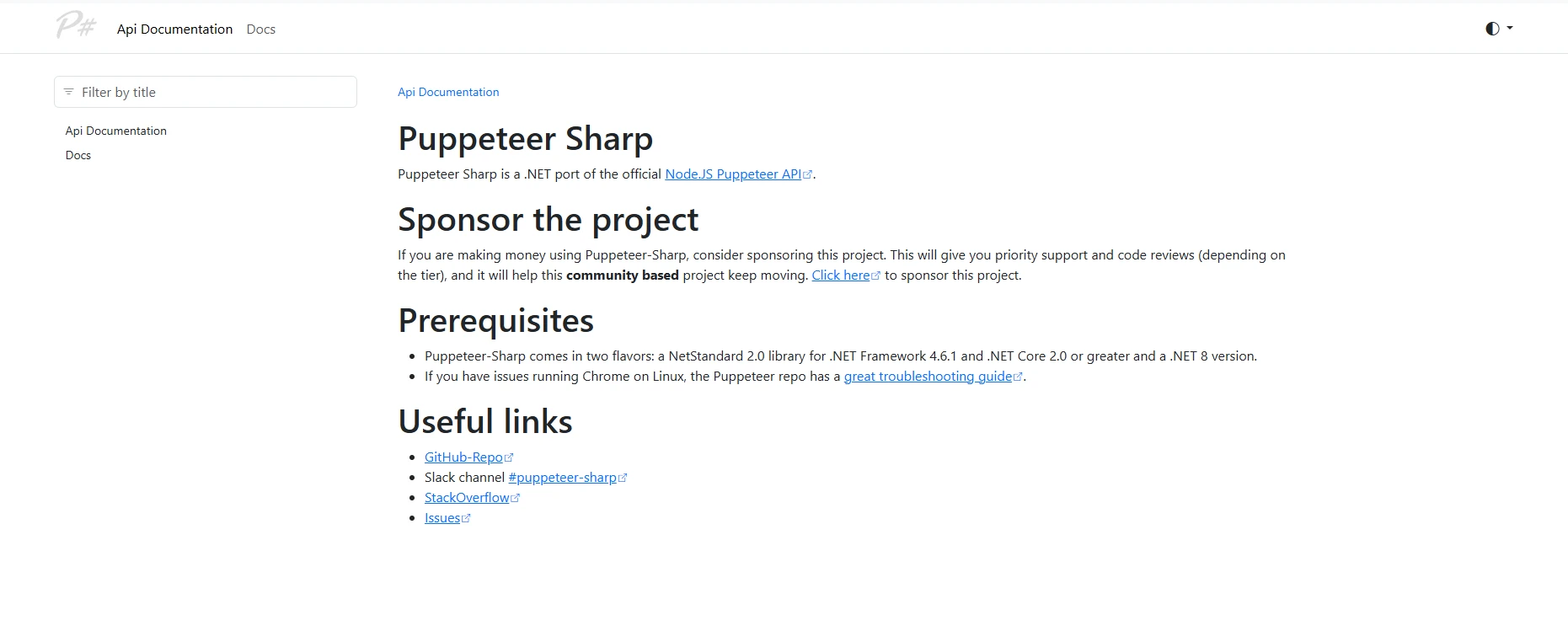
Puppeteer Sharp 文档主页显示项目描述,包括.NET Standard 2.0支持的先决条件,GitHub 和 Stack Overflow 的有用链接,以及用于浏览器自动化的基本使用示例

PuppeteerSharp是一个广泛使用的开源选项,用于在 C# 中将HTML转换为PDF。 作为 Google Puppeteer 的 .NET 移植版,它使用无头Chromium渲染 Web 内容,并完全支持包括CSS3 和 JavaScript在内的现代技术。 转换过程使用基于 Chrome 的引擎来保持Web 标准的完整性

从生产力的角度来看,PuppeteerSharp要求开发人员了解浏览器自动化概念,这增加了PDF生成任务的复杂性。 相比之下,更简单的方案只需几个小时即可完成开发者入职培训,而开发者入职培训通常需要 2-3 天。 您的团队在扩展浏览器实例时必须谨慎管理内存使用情况

如何使用PuppeteerSharp实现基本的HTML到PDF转换?

using PuppeteerSharp;
using System.Threading.Tasks;
using System.Diagnostics;

class Program
{
    static async Task Main(string[] args)
    {
        // Track initialization time for ROI calculations
        var stopwatch = Stopwatch.StartNew();

        // DownloadChromiumbrowser (150MB, one-time)
        var browserFetcher = new BrowserFetcher();
        await browserFetcher.DownloadAsync();

        // Launch browser and convert HTML string
        using var browser = await Puppeteer.LaunchAsync(new LaunchOptions 
        { 
            Headless = true,
            Args = new[] { "--no-sandbox", "--disable-setuid-sandbox" } // Required for Linux
        });

        using var page = await browser.NewPageAsync();

        // HTML content with CSS styling and JavaScript
        var html = @"
            <html>
            <head>
                <style>
                    body { font-family: Arial, sans-serif; }
                    .header { color: #2563eb; font-size: 24px; }
                    .content { margin: 20px; }
                    table { width: 100%; border-collapse: collapse; }
                    th, td { padding: 10px; border: 1px solid #ddd; }
                </style>
            </head>
            <body>
                <div class='header'>Invoice #12345</div>
                <div class='content'>
                    <p>Generated on: <span id='date'></span></p>
                    <table>
                        <tr><th>Item</th><th>Quantity</th><th>Price</th></tr>
                        <tr><td>Service A</td><td>10</td><td>$1,000</td></tr>
                    </table>
                    <script>
                        document.getElementById('date').innerText = new Date().toLocaleDateString();
                    </script>
                </div>
            </body>
            </html>";

        await page.SetContentAsync(html);

        // Wait for JavaScript execution
        await page.WaitForSelectorAsync("#date", new WaitForSelectorOptions { Timeout = 5000 });

        await page.PdfAsync("output.pdf", new PdfOptions 
        { 
            Format = PaperFormat.A4,
            PrintBackground = true,
            MarginOptions = new MarginOptions { Top = "20px", Bottom = "20px" }
        });

        stopwatch.Stop();
        Console.WriteLine($"PDF generation took: {stopwatch.ElapsedMilliseconds}ms");
    }
}
using PuppeteerSharp;
using System.Threading.Tasks;
using System.Diagnostics;

class Program
{
    static async Task Main(string[] args)
    {
        // Track initialization time for ROI calculations
        var stopwatch = Stopwatch.StartNew();

        // DownloadChromiumbrowser (150MB, one-time)
        var browserFetcher = new BrowserFetcher();
        await browserFetcher.DownloadAsync();

        // Launch browser and convert HTML string
        using var browser = await Puppeteer.LaunchAsync(new LaunchOptions 
        { 
            Headless = true,
            Args = new[] { "--no-sandbox", "--disable-setuid-sandbox" } // Required for Linux
        });

        using var page = await browser.NewPageAsync();

        // HTML content with CSS styling and JavaScript
        var html = @"
            <html>
            <head>
                <style>
                    body { font-family: Arial, sans-serif; }
                    .header { color: #2563eb; font-size: 24px; }
                    .content { margin: 20px; }
                    table { width: 100%; border-collapse: collapse; }
                    th, td { padding: 10px; border: 1px solid #ddd; }
                </style>
            </head>
            <body>
                <div class='header'>Invoice #12345</div>
                <div class='content'>
                    <p>Generated on: <span id='date'></span></p>
                    <table>
                        <tr><th>Item</th><th>Quantity</th><th>Price</th></tr>
                        <tr><td>Service A</td><td>10</td><td>$1,000</td></tr>
                    </table>
                    <script>
                        document.getElementById('date').innerText = new Date().toLocaleDateString();
                    </script>
                </div>
            </body>
            </html>";

        await page.SetContentAsync(html);

        // Wait for JavaScript execution
        await page.WaitForSelectorAsync("#date", new WaitForSelectorOptions { Timeout = 5000 });

        await page.PdfAsync("output.pdf", new PdfOptions 
        { 
            Format = PaperFormat.A4,
            PrintBackground = true,
            MarginOptions = new MarginOptions { Top = "20px", Bottom = "20px" }
        });

        stopwatch.Stop();
        Console.WriteLine($"PDF generation took: {stopwatch.ElapsedMilliseconds}ms");
    }
}
Imports PuppeteerSharp
Imports System.Threading.Tasks
Imports System.Diagnostics

Module Program
    Async Function Main(args As String()) As Task
        ' Track initialization time for ROI calculations
        Dim stopwatch = Stopwatch.StartNew()

        ' Download Chromium browser (150MB, one-time)
        Dim browserFetcher = New BrowserFetcher()
        Await browserFetcher.DownloadAsync()

        ' Launch browser and convert HTML string
        Using browser = Await Puppeteer.LaunchAsync(New LaunchOptions With {
            .Headless = True,
            .Args = New String() {"--no-sandbox", "--disable-setuid-sandbox"} ' Required for Linux
        })

            Using page = Await browser.NewPageAsync()

                ' HTML content with CSS styling and JavaScript
                Dim html = "
                    <html>
                    <head>
                        <style>
                            body { font-family: Arial, sans-serif; }
                            .header { color: #2563eb; font-size: 24px; }
                            .content { margin: 20px; }
                            table { width: 100%; border-collapse: collapse; }
                            th, td { padding: 10px; border: 1px solid #ddd; }
                        </style>
                    </head>
                    <body>
                        <div class='header'>Invoice #12345</div>
                        <div class='content'>
                            <p>Generated on: <span id='date'></span></p>
                            <table>
                                <tr><th>Item</th><th>Quantity</th><th>Price</th></tr>
                                <tr><td>Service A</td><td>10</td><td>$1,000</td></tr>
                            </table>
                            <script>
                                document.getElementById('date').innerText = new Date().toLocaleDateString();
                            </script>
                        </div>
                    </body>
                    </html>"

                Await page.SetContentAsync(html)

                ' Wait for JavaScript execution
                Await page.WaitForSelectorAsync("#date", New WaitForSelectorOptions With {.Timeout = 5000})

                Await page.PdfAsync("output.pdf", New PdfOptions With {
                    .Format = PaperFormat.A4,
                    .PrintBackground = True,
                    .MarginOptions = New MarginOptions With {.Top = "20px", .Bottom = "20px"}
                })
            End Using
        End Using

        stopwatch.Stop()
        Console.WriteLine($"PDF generation took: {stopwatch.ElapsedMilliseconds}ms")
    End Function
End Module
$vbLabelText   $csharpLabel

PuppeteerSharp擅长呈现复杂网页以及动态内容。 然而,运营开销仍然很大:Chromium 下载使部署复杂化,每个实例的内存使用量超过 200MB,错误处理需要浏览器自动化方面的专业知识

其他开源PDF库有哪些局限性?

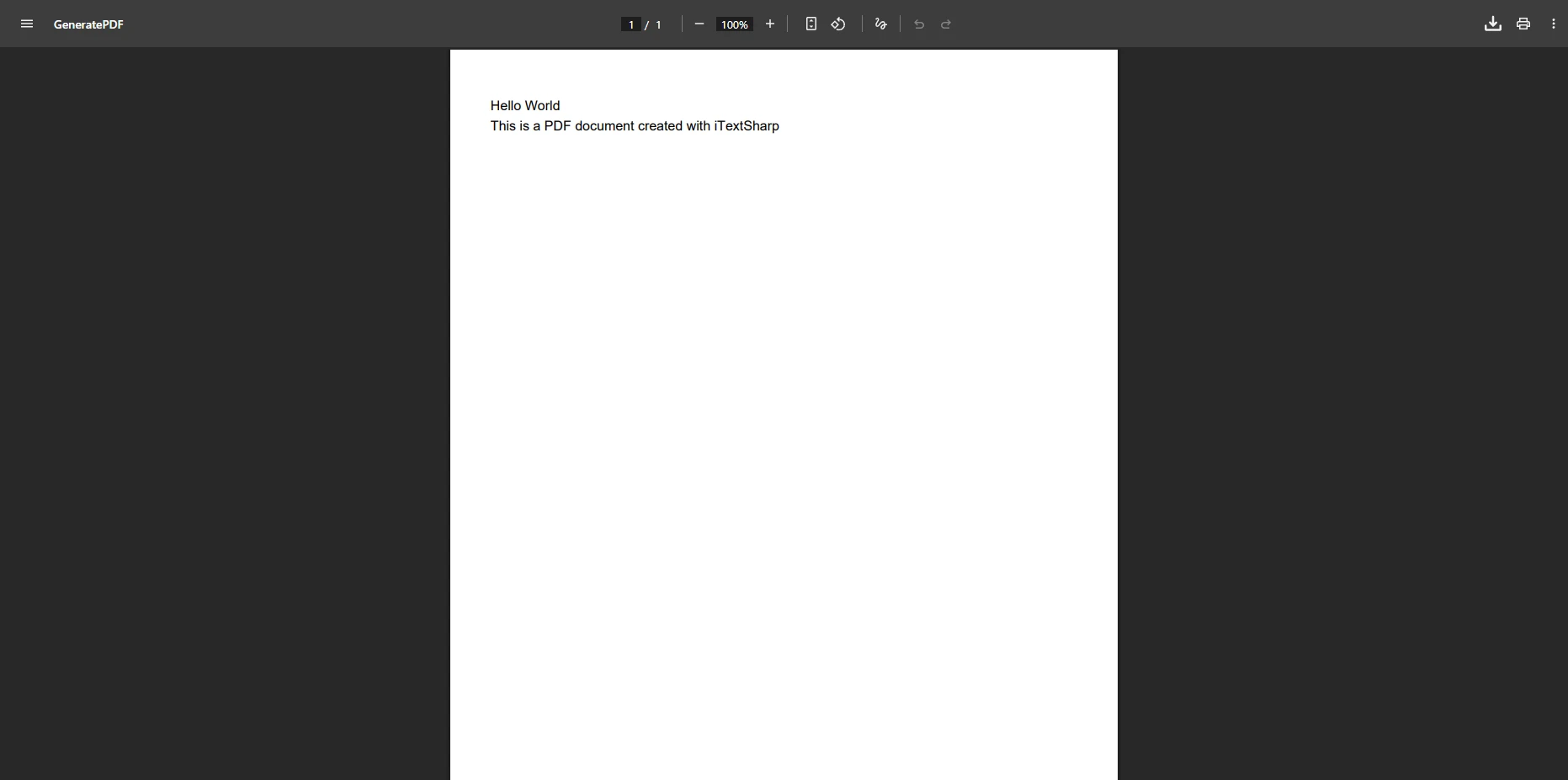
PDF查看器显示发票#12345日期为2025年6月11日,页眉下方为空白白色内容区域,展示了常见的CSS渲染失败,在此情况下,仅显示文档页眉,而正文内容未能加载

wkhtmltopdf展示了采用开源软件的风险。 尽管被广泛使用,wkhtmltopdf GitHub组织于2024年7月被正式归档,不再维护。 该项目累积了未修补的CVE漏洞,与现代Linux发行版不兼容,并且CSS3支持有限。

DinkToPdf,wkhtmltopdf的.NET包装器,继承了这些问题,并增加了复杂性。 团队可以期待不断的努力来处理商业解决方案自动处理的渲染问题

PDFSharp/PdfSharp提供轻量级功能,但需要大量的开发努力:

// PDFsharp example - manual HTML parsing required
using PdfSharp.Pdf;
using TheArtOfDev.HtmlRenderer.PdfSharp;

var document = new PdfDocument();
var config = new PdfGenerateConfig()
{
    PageSize = PageSize.A4,
    MarginBottom = 40,
    MarginTop = 40
};

// Very limited HTML/CSS support
var html = "<h1>Basic Title</h1><p>Simple paragraph only</p>";
var pdf = PdfGenerator.GeneratePdf(html, config);
pdf.Save("basic-output.pdf");
// PDFsharp example - manual HTML parsing required
using PdfSharp.Pdf;
using TheArtOfDev.HtmlRenderer.PdfSharp;

var document = new PdfDocument();
var config = new PdfGenerateConfig()
{
    PageSize = PageSize.A4,
    MarginBottom = 40,
    MarginTop = 40
};

// Very limited HTML/CSS support
var html = "<h1>Basic Title</h1><p>Simple paragraph only</p>";
var pdf = PdfGenerator.GeneratePdf(html, config);
pdf.Save("basic-output.pdf");
Imports PdfSharp.Pdf
Imports TheArtOfDev.HtmlRenderer.PdfSharp

Dim document As New PdfDocument()
Dim config As New PdfGenerateConfig() With {
    .PageSize = PageSize.A4,
    .MarginBottom = 40,
    .MarginTop = 40
}

' Very limited HTML/CSS support
Dim html As String = "<h1>Basic Title</h1><p>Simple paragraph only</p>"
Dim pdf = PdfGenerator.GeneratePdf(html, config)
pdf.Save("basic-output.pdf")
$vbLabelText   $csharpLabel

IronPDF如何简化PDF生成?

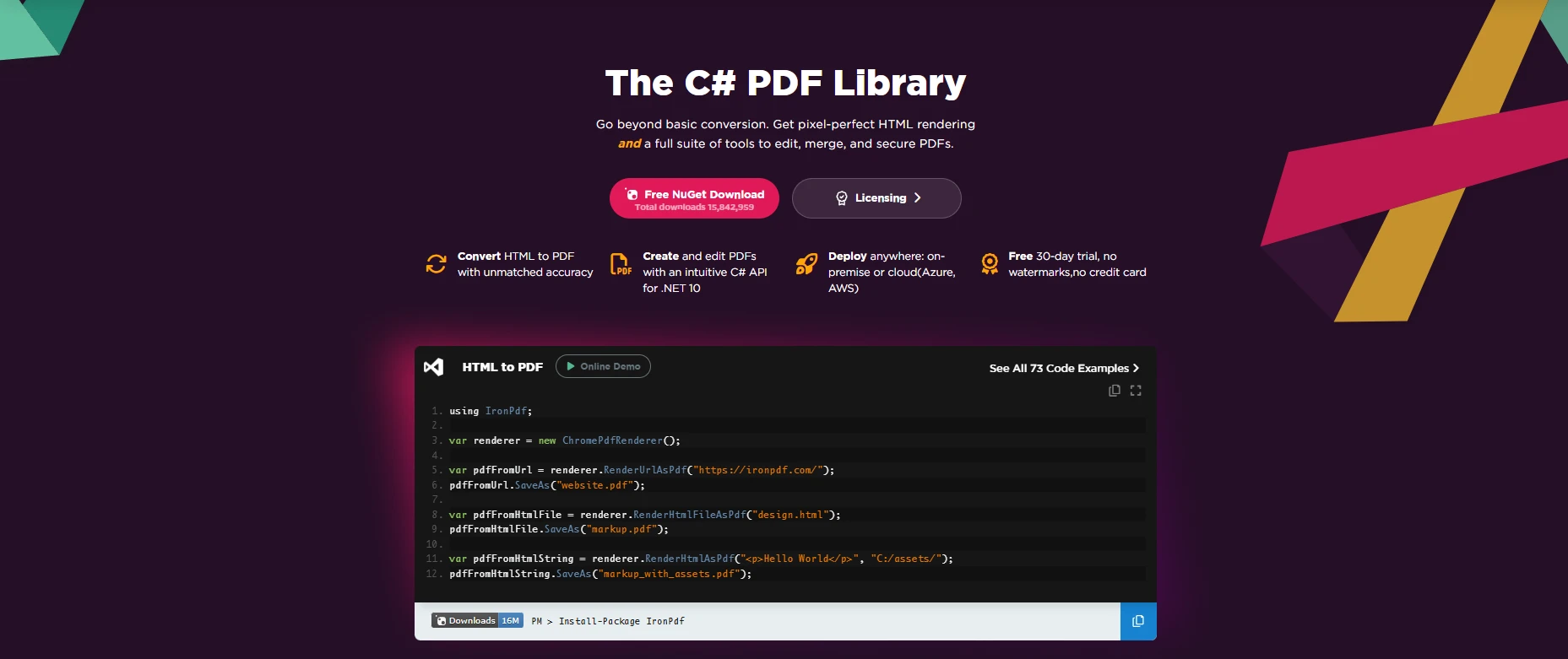
IronPDF C# 库主页展示实时HTML到PDF转换代码示例,具有语法高亮显示,展示

IronPDF 通过其集成的Chrome 渲染引擎提供完整的HTML 到 PDF 转换功能。 与开源方案不同,它提供了一个简化的 API,无需外部依赖即可处理复杂场景。 该库与Visual Studio集成,并支持当前的.NET 版本

从管理角度来看,IronPDF 通过以下方式带来可衡量的回报:

为什么IronPDF的 API 设计对开发者更友好?

using IronPdf;

class Program
{
    static void Main(string[] args)
    {
        // Initialize renderer with sensible defaults
        var renderer = new ChromePdfRenderer();

        // Configure rendering options for professional output
        renderer.RenderingOptions.MarginTop = 10;
        renderer.RenderingOptions.MarginBottom = 10;
        renderer.RenderingOptions.EnableJavaScript = true;
        renderer.RenderingOptions.WaitFor.RenderDelay(100); // Ensure JS execution

        // HTML with advanced CSS and JavaScript
        var html = @"
            <html>
            <head>
                <style>
                    @page { size: A4; margin: 0; }
                    body { 
                        font-family: 'Segoe UI', Tahoma, Geneva, Verdana, sans-serif;
                        margin: 0;
                        padding: 20px;
                    }
                    .invoice-header { 
                        background: linear-gradient(135deg, #667eea 0%, #764ba2 100%);
                        color: white;
                        padding: 30px;
                        border-radius: 8px;
                        margin-bottom: 30px;
                    }
                    table { 
                        width: 100%; 
                        border-collapse: collapse;
                        margin-top: 20px;
                    }
                    th { 
                        background-color: #f3f4f6;
                        font-weight: 600;
                        text-align: left;
                    }
                    th, td { 
                        padding: 12px 15px;
                        border-bottom: 1px solid #e5e7eb;
                    }
                    .total-row {
                        font-weight: bold;
                        background-color: #f9fafb;
                    }
                </style>
            </head>
            <body>
                <div class='invoice-header'>
                    <h1>Professional Invoice</h1>
                    <p>Generated with IronPDF</p>
                </div>
                <table>
                    <thead>
                        <tr><th>Item</th><th>Quantity</th><th>Unit Price</th><th>Total</th></tr>
                    </thead>
                    <tbody>
                        <tr><td>Consulting Service</td><td>40 hours</td><td>$150</td><td>$6,000</td></tr>
                        <tr><td>Development</td><td>80 hours</td><td>$125</td><td>$10,000</td></tr>
                        <tr class='total-row'><td colspan='3'>Total</td><td>$16,000</td></tr>
                    </tbody>
                </table>
                <script>
                    console.log('PDF generated at ' + new Date().toISOString());
                </script>
            </body>
            </html>";

        // Generate PDF with one method call
        var pdf = renderer.RenderHtmlAsPdf(html);

        // Add professional touches
        pdf.AddWatermark("<h2 style='color:red;opacity:0.5'>CONFIDENTIAL</h2>");
        pdf.AddTextFooter("Page {page} of {total-pages}", IronPdf.Font.FontFamily.Helvetica, 8);

        // Apply security
        pdf.SecuritySettings.MakeReadOnly("owner-password");
        pdf.SecuritySettings.AllowUserPrinting = true;
        pdf.SecuritySettings.AllowUserCopyPasteContent = false;

        pdf.SaveAs("professional-invoice.pdf");

        // Additional conversion methods
        var urlPdf = renderer.RenderUrlAsPdf("___PROTECTED_URL_43___");
        var filePdf = renderer.RenderHtmlFileAsPdf("template.html");
    }
}
using IronPdf;

class Program
{
    static void Main(string[] args)
    {
        // Initialize renderer with sensible defaults
        var renderer = new ChromePdfRenderer();

        // Configure rendering options for professional output
        renderer.RenderingOptions.MarginTop = 10;
        renderer.RenderingOptions.MarginBottom = 10;
        renderer.RenderingOptions.EnableJavaScript = true;
        renderer.RenderingOptions.WaitFor.RenderDelay(100); // Ensure JS execution

        // HTML with advanced CSS and JavaScript
        var html = @"
            <html>
            <head>
                <style>
                    @page { size: A4; margin: 0; }
                    body { 
                        font-family: 'Segoe UI', Tahoma, Geneva, Verdana, sans-serif;
                        margin: 0;
                        padding: 20px;
                    }
                    .invoice-header { 
                        background: linear-gradient(135deg, #667eea 0%, #764ba2 100%);
                        color: white;
                        padding: 30px;
                        border-radius: 8px;
                        margin-bottom: 30px;
                    }
                    table { 
                        width: 100%; 
                        border-collapse: collapse;
                        margin-top: 20px;
                    }
                    th { 
                        background-color: #f3f4f6;
                        font-weight: 600;
                        text-align: left;
                    }
                    th, td { 
                        padding: 12px 15px;
                        border-bottom: 1px solid #e5e7eb;
                    }
                    .total-row {
                        font-weight: bold;
                        background-color: #f9fafb;
                    }
                </style>
            </head>
            <body>
                <div class='invoice-header'>
                    <h1>Professional Invoice</h1>
                    <p>Generated with IronPDF</p>
                </div>
                <table>
                    <thead>
                        <tr><th>Item</th><th>Quantity</th><th>Unit Price</th><th>Total</th></tr>
                    </thead>
                    <tbody>
                        <tr><td>Consulting Service</td><td>40 hours</td><td>$150</td><td>$6,000</td></tr>
                        <tr><td>Development</td><td>80 hours</td><td>$125</td><td>$10,000</td></tr>
                        <tr class='total-row'><td colspan='3'>Total</td><td>$16,000</td></tr>
                    </tbody>
                </table>
                <script>
                    console.log('PDF generated at ' + new Date().toISOString());
                </script>
            </body>
            </html>";

        // Generate PDF with one method call
        var pdf = renderer.RenderHtmlAsPdf(html);

        // Add professional touches
        pdf.AddWatermark("<h2 style='color:red;opacity:0.5'>CONFIDENTIAL</h2>");
        pdf.AddTextFooter("Page {page} of {total-pages}", IronPdf.Font.FontFamily.Helvetica, 8);

        // Apply security
        pdf.SecuritySettings.MakeReadOnly("owner-password");
        pdf.SecuritySettings.AllowUserPrinting = true;
        pdf.SecuritySettings.AllowUserCopyPasteContent = false;

        pdf.SaveAs("professional-invoice.pdf");

        // Additional conversion methods
        var urlPdf = renderer.RenderUrlAsPdf("___PROTECTED_URL_43___");
        var filePdf = renderer.RenderHtmlFileAsPdf("template.html");
    }
}
Imports IronPdf

Module Program
    Sub Main(args As String())
        ' Initialize renderer with sensible defaults
        Dim renderer = New ChromePdfRenderer()

        ' Configure rendering options for professional output
        renderer.RenderingOptions.MarginTop = 10
        renderer.RenderingOptions.MarginBottom = 10
        renderer.RenderingOptions.EnableJavaScript = True
        renderer.RenderingOptions.WaitFor.RenderDelay(100) ' Ensure JS execution

        ' HTML with advanced CSS and JavaScript
        Dim html As String = "
            <html>
            <head>
                <style>
                    @page { size: A4; margin: 0; }
                    body { 
                        font-family: 'Segoe UI', Tahoma, Geneva, Verdana, sans-serif;
                        margin: 0;
                        padding: 20px;
                    }
                    .invoice-header { 
                        background: linear-gradient(135deg, #667eea 0%, #764ba2 100%);
                        color: white;
                        padding: 30px;
                        border-radius: 8px;
                        margin-bottom: 30px;
                    }
                    table { 
                        width: 100%; 
                        border-collapse: collapse;
                        margin-top: 20px;
                    }
                    th { 
                        background-color: #f3f4f6;
                        font-weight: 600;
                        text-align: left;
                    }
                    th, td { 
                        padding: 12px 15px;
                        border-bottom: 1px solid #e5e7eb;
                    }
                    .total-row {
                        font-weight: bold;
                        background-color: #f9fafb;
                    }
                </style>
            </head>
            <body>
                <div class='invoice-header'>
                    <h1>Professional Invoice</h1>
                    <p>Generated with IronPDF</p>
                </div>
                <table>
                    <thead>
                        <tr><th>Item</th><th>Quantity</th><th>Unit Price</th><th>Total</th></tr>
                    </thead>
                    <tbody>
                        <tr><td>Consulting Service</td><td>40 hours</td><td>$150</td><td>$6,000</td></tr>
                        <tr><td>Development</td><td>80 hours</td><td>$125</td><td>$10,000</td></tr>
                        <tr class='total-row'><td colspan='3'>Total</td><td>$16,000</td></tr>
                    </tbody>
                </table>
                <script>
                    console.log('PDF generated at ' + new Date().toISOString());
                </script>
            </body>
            </html>"

        ' Generate PDF with one method call
        Dim pdf = renderer.RenderHtmlAsPdf(html)

        ' Add professional touches
        pdf.AddWatermark("<h2 style='color:red;opacity:0.5'>CONFIDENTIAL</h2>")
        pdf.AddTextFooter("Page {page} of {total-pages}", IronPdf.Font.FontFamily.Helvetica, 8)

        ' Apply security
        pdf.SecuritySettings.MakeReadOnly("owner-password")
        pdf.SecuritySettings.AllowUserPrinting = True
        pdf.SecuritySettings.AllowUserCopyPasteContent = False

        pdf.SaveAs("professional-invoice.pdf")

        ' Additional conversion methods
        Dim urlPdf = renderer.RenderUrlAsPdf("___PROTECTED_URL_43___")
        Dim filePdf = renderer.RenderHtmlFileAsPdf("template.html")
    End Sub
End Module
$vbLabelText   $csharpLabel

IronPDF直观的API将学习曲线从几天缩短到几个小时。 该实现可自动处理复杂的渲染场景,包括带页码的标题数字签名PDF/A 合规性表单创建

PDF转换能力上的关键差异是什么?

特征 PuppeteerSharp wkhtmltopdf DinkToPdf PDFSharp IronPDF
CSS3 支持 满的 有限的 有限的 最小化 满的
JavaScript语言
安装 约150MB 约40MB 约40MB 约5MB 约20MB
依赖关系 Chromium Qt WebKit Qt WebKit None None
API 复杂性 高的 高的 缓和 高的 low
PDF/A
页眉/页脚 手册 命令行界面 命令行界面 手册 内置
支持
设置时间 4-6小时 2-3小时 2-3小时 1-2小时 <30 min

开源解决方案和商业解决方案的总成本有何不同?

工程团队往往只关注许可费用,而忽略了总拥有成本。 以下说明了基于常见开发人员费率对于中型团队的典型成本组成。

开源解决方案有哪些隐性成本?

-初期实施:40-80 小时 × 100 美元/小时 = 4,000-8,000 美元 -每月维护费用:10-20 小时 × 100 美元/小时 × 12 = 12,000 美元 - 24,000 美元 -生产问题:2-3 起事故 × 8 小时 × 每小时 150 美元 = 2400-3600 美元 -安全审计:季度审核 = 8,000 美元 -基础设施:额外服务器 = 2,400 美元/年

估计的开源成本:$28,800-$46,000 每年(仅作说明,基于$100-$150/小时的开发人员费率)

IronPDF的总投资额是多少?

  • 团队许可证:$2,999 /年 -实施费用:8-16 小时 × 每小时 100 美元 = 800-1600 美元 -支持:包含在优先响应服务中

估计的IronPDF成本:许可证费加每年 $800-$1,600 的实施费用

特别是对于目前在开源PDF渲染和部署问题上花费大量时间的团队,通过缩短开发时间和消除维护开销可以收回许可证成本差异。

哪个解决方案满足您的PDF生成需求?

开源解决方案和商业解决方案之间的选择取决于您的具体情况。

何时选择开源软件: 您的团队拥有深厚的PDF专业知识。

  • 有专门的维护资源 要求保持基本稳定
  • 构建概念验证项目

选择IronPDF的情况: 团队生产力驱动决策 高级功能很重要 专业支持能带来价值 可预测的成本超过了许可费

我如何才能立即开始创建高质量的PDF文件?

对于正在评估 PDF 解决方案的团队来说,成功需要评估实际需求并计算实际成本。 虽然开源库免除了许可费用,但它们也带来了大量的隐性成本,例如开发时间和维护负担。

IronPDF 提供以提升开发人员效率为首要目标的完整解决方案。 该库包含丰富的文档代码示例专业支持,确保您的团队取得成功。

首先可享受30 天免费试用,以便根据您的使用场景评估 IronPDF。 该试用版提供完整的功能和支持,使用户能够根据经验而不是假设做出明智的决定。

立即通过 NuGet 包管理器安装 IronPDF:

Install-Package IronPdf

使用专为满足企业需求而设计的解决方案,将 HTML 内容转换为像素级完美的 PDF。 您的应用程序可以立即使用这个功能丰富的库来加速 PDF 开发。

请注意DinkToPdf,PDFSharp,PuppeteerSharp 和 wkhtmltopdf 是其各自所有者的注册商标。 本网站与DinkToPdf、PuppeteerSharp、empira Software GmbH 或 wkhtmltopdf没有关联、认可或赞助关系。 所有产品名称、徽标和品牌均为各自所有者的财产。 比较仅供参考,反映撰写时公开可用的信息。

常见问题解答

using IronPDF 优于开源 HTML 到 PDF 库的优势是什么?

IronPDF 提供强大的功能,如精确的渲染、对复杂的 CSS 和 JavaScript 的支持,以及出色的性能,使其非常适合 .NET 中的大规模 PDF 生成项目。

IronPDF 能否在将 HTML 转换为 PDF 时处理复杂的网页?

是的,IronPDF 设计用于处理复杂网页,包括那些具有复杂 CSS 和 JavaScript 的网页,确保准确和高质量的 PDF 转换。

IronPDF 如何改善 .NET 项目的开发过程?

IronPDF 简化了开发过程,通过提供可靠且高效的 HTML 到 PDF 转换,减少了将 PDF 生成集成到 .NET 应用程序中的时间和精力。

IronPDF 适合生成大规模 PDF 文档吗?

当然可以,IronPDF 专为高效处理大规模 PDF 生成而构建,非常适合需要大量 PDF 创建的项目。

IronPDF 是否支持自定义 PDF 生成功能?

是的,IronPDF 支持各种自定义功能,如设置页眉、页脚和水印,允许定制 PDF 文档的创建。

IronPDF 提供了与开源库相比的哪些支持?

IronPDF 提供专业的支持和定期更新,确保开发人员能够使用最新功能和获得帮助,而不像许多开源替代方案。

IronPDF 如何确保高质量的 PDF 输出?

IronPDF 使用先进的渲染技术,以确保转换后的 PDF 保持高质量,准确反映原始 HTML 内容。

IronPDF 和开源 HTML 到 PDF 转换器之间的性能差异是什么?

是的,IronPDF 通常提供更高的性能,具备更快的转换速度和更好的资源管理,相较许多开源转换器。

我能否轻松地将 IronPDF 集成到现有的 .NET 应用程序中?

IronPDF 设计用于轻松集成到现有的 .NET 应用程序中,提供简单明了的 API,最大程度减少添加 PDF 功能所需的工作量。

哪些类型的项目最能从使用 IronPDF 中受益?

需要频繁的高质量 PDF 生成的项目,如发票系统、报告工具和网页存档应用程序,能够从使用 IronPDF 中极大受益。

Curtis Chau
技术作家

Curtis Chau 拥有卡尔顿大学的计算机科学学士学位,专注于前端开发,精通 Node.js、TypeScript、JavaScript 和 React。他热衷于打造直观且美观的用户界面,喜欢使用现代框架并创建结构良好、视觉吸引力强的手册。

除了开发之外,Curtis 对物联网 (IoT) 有浓厚的兴趣,探索将硬件和软件集成的新方法。在空闲时间,他喜欢玩游戏和构建 Discord 机器人,将他对技术的热爱与创造力相结合。

钢铁支援团队

我们每周 5 天,每天 24 小时在线。
聊天
电子邮件
打电话给我