


C# 문자열 교체 (개발자를 위한 작동 방식)

프로그래밍을 처음 접하거나 C#에서 문자열을 조작하는 방법을 더 잘 이해하고 싶다면, 제대로 찾아오셨습니다. 이 튜토리얼에서는 C#의 replace 메서드를 관련성 있는 실제 예제와 스토리텔링을 통해 탐구하여, 흥미롭고 따라가기 쉽게 만들 것입니다.
기초: 문자열이란?
문자열 replace 메서드에 들어가기 전에, 먼저 문자열의 기초를 살펴보겠습니다. 문자열은 문자, 숫자, 기호를 포함할 수 있는 문자들의 시퀀스입니다. C#에서 문자열은 string 데이터 타입으로 표현됩니다. 프로그램에서 텍스트를 처리하기 위해 필수적인 요소이며, 이를 조작하기 위한 다수의 내장 메서드를 제공합니다. 이번 튜토리얼에서는 "replace" 메서드에 초점을 맞출 것입니다.
Replace 메서드 소개
사용자가 문장을 입력해야 하는 애플리케이션을 작성한다고 상상해 보세요. 애플리케이션은 특정 단어나 문자를 새로운 단어나 문자로 대체해야 합니다. 이것이 C#의 replace 메서드가 유용한 이유입니다.
replace 메서드는 지정된 유니코드 문자 또는 부분 문자열을 새 문자열로 교체하는 내장 함수입니다. 예를 들어, "I love ice cream."이라는 문자열이 있고, "ice"라는 단어를 "chocolate"으로 대체하여 "I love chocolate cream."이라는 새로운 문자열을 만들고 싶다면, replace 메서드를 사용하여 이 작업을 쉽고 효율적으로 수행할 수 있습니다.
Replace 메서드 사용하기: 단계별 가이드
replace 메서드를 사용하려면, 다음 간단한 단계를 따르세요:
- 원본 텍스트를 포함하는 문자열 변수를 선언합니다.
- 지정된 문자열에서
replace메서드를 호출하여 교체할 문자 또는 부분 문자열과 새 문자열을 제공합니다. - 결과를 새로운 문자열 변수에 저장하거나 원본 문자열을 업데이트합니다.
다음은 이러한 단계들을 보여주는 코드 예시입니다:
// Declare the original text
string originalText = "I love ice cream.";

// Use the Replace method to replace 'ice' with 'chocolate'
string newText = originalText.Replace("ice", "chocolate");

// Output the modified string
Console.WriteLine(newText);
// Declare the original text
string originalText = "I love ice cream.";
// Use the Replace method to replace 'ice' with 'chocolate'
string newText = originalText.Replace("ice", "chocolate");
// Output the modified string
Console.WriteLine(newText);' Declare the original text
Dim originalText As String = "I love ice cream."
' Use the Replace method to replace 'ice' with 'chocolate'
Dim newText As String = originalText.Replace("ice", "chocolate")
' Output the modified string
Console.WriteLine(newText)이 코드 조각은 수정된 문자열을 출력할 것입니다: "I love chocolate cream."
Replace 메서드의 다양한 변형
C#에서 replace 메서드는 다양한 요구를 충족하기 위해 두 가지 오버로드된 버전이 있습니다. 이들을 좀 더 자세히 살펴보겠습니다:
지정된 유니코드 문자 대체
replace 메서드의 첫 번째 버전은 지정된 유니코드 문자를 새로운 문자로 대체할 수 있습니다. 이 버전의 구문은 다음과 같습니다:
public string Replace(char oldChar, char newChar);public string Replace(char oldChar, char newChar);public String Replace(Char oldChar, Char newChar)다음은 사용법을 설명하는 예시입니다:
// Original string with numbers
string originalText = "H3ll0 W0rld!";

// Replace '3' with 'e' and '0' with 'o'
string newText = originalText.Replace('3', 'e').Replace('0', 'o');

// Output the modified string
Console.WriteLine(newText);
// Original string with numbers
string originalText = "H3ll0 W0rld!";
// Replace '3' with 'e' and '0' with 'o'
string newText = originalText.Replace('3', 'e').Replace('0', 'o');
// Output the modified string
Console.WriteLine(newText);' Original string with numbers
Dim originalText As String = "H3ll0 W0rld!"
' Replace '3' with 'e' and '0' with 'o'
Dim newText As String = originalText.Replace("3"c, "e"c).Replace("0"c, "o"c)
' Output the modified string
Console.WriteLine(newText)출력은 다음과 같을 것입니다: "Hello World!"
서브스트링 대체
replace 메서드의 두 번째 버전은 지정된 부분 문자열을 새 문자열로 교체할 수 있게 해줍니다. 이 버전의 구문은 다음과 같습니다:
public string Replace(string oldValue, string newValue);public string Replace(string oldValue, string newValue);public String Replace(String oldValue, String newValue)다음은 사용법을 설명하는 예시입니다:
// Original string
string originalText = "I have a red car and a red hat.";

// Replace "red" with "blue"
string newText = originalText.Replace("red", "blue");

// Output the modified string
Console.WriteLine(newText);
// Original string
string originalText = "I have a red car and a red hat.";
// Replace "red" with "blue"
string newText = originalText.Replace("red", "blue");
// Output the modified string
Console.WriteLine(newText);' Original string
Dim originalText As String = "I have a red car and a red hat."
' Replace "red" with "blue"
Dim newText As String = originalText.Replace("red", "blue")
' Output the modified string
Console.WriteLine(newText)출력은 다음과 같을 것입니다: "I have a blue car and a blue hat."
대소문자 구분 및 Replace 메서드
replace 메서드는 대소문자를 구분한다는 점에 유의해야 합니다. 이는 지정된 유니코드 문자나 서브스트링을 대체할 때 대소문자가 정확히 일치해야 함을 의미합니다. 예를 들어, 다음 코드 조각을 고려해 보세요:
// Original string with mixed casing
string originalText = "Cats are great pets, but some people prefer CATS.";

// Replace uppercase "CATS" with "dogs"
string newText = originalText.Replace("CATS", "dogs");

// Output the modified string
Console.WriteLine(newText);
// Original string with mixed casing
string originalText = "Cats are great pets, but some people prefer CATS.";
// Replace uppercase "CATS" with "dogs"
string newText = originalText.Replace("CATS", "dogs");
// Output the modified string
Console.WriteLine(newText);' Original string with mixed casing
Dim originalText As String = "Cats are great pets, but some people prefer CATS."
' Replace uppercase "CATS" with "dogs"
Dim newText As String = originalText.Replace("CATS", "dogs")
' Output the modified string
Console.WriteLine(newText)출력은 다음과 같을 것입니다: "Cats are great pets, but some people prefer dogs."
대문자 "CATS"만 대체되었고, 소문자 "Cats"는 변경되지 않았음을 주목하세요. 대소문자를 구분하지 않는 대체를 수행하려면, 원본 문자열과 검색 문자열을 공통 대소문자(대문자 또는 소문자)로 변환한 후 대체 작업을 수행해야 합니다. 다음은 예시입니다.
// Original string
string originalText = "Cats are great pets, but some people prefer CATS.";

// Convert the original string to lowercase
string lowerCaseText = originalText.ToLower();

// Replace "cats" with "dogs" in the lowercase string
string newText = lowerCaseText.Replace("cats", "dogs");

// Output the modified string
Console.WriteLine(newText);
// Original string
string originalText = "Cats are great pets, but some people prefer CATS.";
// Convert the original string to lowercase
string lowerCaseText = originalText.ToLower();
// Replace "cats" with "dogs" in the lowercase string
string newText = lowerCaseText.Replace("cats", "dogs");
// Output the modified string
Console.WriteLine(newText);' Original string
Dim originalText As String = "Cats are great pets, but some people prefer CATS."
' Convert the original string to lowercase
Dim lowerCaseText As String = originalText.ToLower()
' Replace "cats" with "dogs" in the lowercase string
Dim newText As String = lowerCaseText.Replace("cats", "dogs")
' Output the modified string
Console.WriteLine(newText)출력은 다음과 같을 것입니다: "dogs are great pets, but some people prefer dogs."
이 접근 방식은 문자열 전체의 대소문자도 변경할 것임을 유념하세요. 원래의 대소문자를 보존하고 싶다면, Regex.Replace 메서드를 RegexOptions.IgnoreCase 플래그와 함께 사용할 수 있습니다.
Replace 메서드 체인의 강력함
여러 replace 메서드를 함께 연결하여 한 줄의 코드에서 여러 대체 작업을 수행할 수 있습니다. 이는 여러 문자나 서브스트링을 다양한 새로운 문자열로 대체해야 할 때 특히 유용합니다. 다음은 예시입니다.
// Original string with numbers
string originalText = "H3ll0 W0rld!";

// Replace '3' with 'e' and '0' with 'o' using chained Replace methods
string newText = originalText.Replace('3', 'e').Replace('0', 'o');

// Output the modified string
Console.WriteLine(newText);
// Original string with numbers
string originalText = "H3ll0 W0rld!";
// Replace '3' with 'e' and '0' with 'o' using chained Replace methods
string newText = originalText.Replace('3', 'e').Replace('0', 'o');
// Output the modified string
Console.WriteLine(newText);' Original string with numbers
Dim originalText As String = "H3ll0 W0rld!"
' Replace '3' with 'e' and '0' with 'o' using chained Replace methods
Dim newText As String = originalText.Replace("3"c, "e"c).Replace("0"c, "o"c)
' Output the modified string
Console.WriteLine(newText)출력은 다음과 같을 것입니다: "Hello World!"
정규 표현식 및 Replace 메서드
replace 메서드는 간단한 문자열 교체에 완벽하지만, 더 복잡한 시나리오에 대해 더 발전된 기능이 필요할 수 있습니다. 이러한 경우 정규 표현식과 Regex.Replace 메서드를 사용하여 고급 문자열 조작을 수행할 수 있습니다.
Regex.Replace 메서드는 원본 문자열의 패턴을 검색하고 이를 새 문자열로 교체할 수 있게 해줍니다. 정규식을 사용하여 패턴을 일치시키고 대소문자 구분 등 옵션을 지정하며 캡처 그룹을 사용하여 동적 대체를 할 수 있습니다.
다음은 패턴의 모든 발생을 새 문자열로 교체하기 위해 Regex.Replace 메서드를 사용하는 예입니다:
using System.Text.RegularExpressions;

// Original text with numbers
string originalText = "100 cats, 25 dogs, and 50 birds.";

// Regular expression pattern to match one or more digits
string pattern = @"\d+";

// Replace all digit sequences with the word "many"
string newText = Regex.Replace(originalText, pattern, "many");

// Output the modified string
Console.WriteLine(newText);
using System.Text.RegularExpressions;
// Original text with numbers
string originalText = "100 cats, 25 dogs, and 50 birds.";
// Regular expression pattern to match one or more digits
string pattern = @"\d+";
// Replace all digit sequences with the word "many"
string newText = Regex.Replace(originalText, pattern, "many");
// Output the modified string
Console.WriteLine(newText);Imports System.Text.RegularExpressions
' Original text with numbers
Private originalText As String = "100 cats, 25 dogs, and 50 birds."
' Regular expression pattern to match one or more digits
Private pattern As String = "\d+"
' Replace all digit sequences with the word "many"
Private newText As String = Regex.Replace(originalText, pattern, "many")
' Output the modified string
Console.WriteLine(newText)출력은 다음과 같습니다: "많은 고양이, 많은 개, 그리고 많은 새."
이 예제에서는 정규 표현식 패턴 \d+ 을 사용하여 하나 이상의 숫자로 이루어진 모든 시퀀스를 일치시키고 이를 'many'라는 단어로 교체했습니다.
IronPDF: Generating PDFs with String Replacement in C
IronPDF의 강력한 HTML을 PDF로 변환하는 기능을 활용하여 C# 문자열 교체 메서드와 함께 동적 PDF 문서를 만들 수 있습니다.
using IronPdf;

class Program
{
    static void Main(string[] args)
    {
        var renderer = new ChromePdfRenderer();

        // Convert HTML String to PDF
        var htmlContent = "<h1>Hello, IronPDF!</h1><p>This is a PDF from an HTML string.</p>";
        var pdfFromHtmlString = renderer.RenderHtmlAsPdf(htmlContent);
        pdfFromHtmlString.SaveAs("HTMLStringToPDF.pdf");

        // Convert HTML File to PDF
        var htmlFilePath = "path_to_your_html_file.html"; // Specify the path to your HTML file
        var pdfFromHtmlFile = renderer.RenderHtmlFileAsPdf(htmlFilePath);
        pdfFromHtmlFile.SaveAs("HTMLFileToPDF.pdf");

        // Convert URL to PDF
        var url = "http://ironpdf.com"; // Specify the URL
        var pdfFromUrl = renderer.RenderUrlAsPdf(url);
        pdfFromUrl.SaveAs("URLToPDF.pdf");
    }
}
using IronPdf;
class Program
{
static void Main(string[] args)
{
var renderer = new ChromePdfRenderer();
// Convert HTML String to PDF
var htmlContent = "<h1>Hello, IronPDF!</h1><p>This is a PDF from an HTML string.</p>";
var pdfFromHtmlString = renderer.RenderHtmlAsPdf(htmlContent);
pdfFromHtmlString.SaveAs("HTMLStringToPDF.pdf");
// Convert HTML File to PDF
var htmlFilePath = "path_to_your_html_file.html"; // Specify the path to your HTML file
var pdfFromHtmlFile = renderer.RenderHtmlFileAsPdf(htmlFilePath);
pdfFromHtmlFile.SaveAs("HTMLFileToPDF.pdf");
// Convert URL to PDF
var url = "http://ironpdf.com"; // Specify the URL
var pdfFromUrl = renderer.RenderUrlAsPdf(url);
pdfFromUrl.SaveAs("URLToPDF.pdf");
}
}Imports IronPdf
Friend Class Program
Shared Sub Main(ByVal args() As String)
Dim renderer = New ChromePdfRenderer()
' Convert HTML String to PDF
Dim htmlContent = "<h1>Hello, IronPDF!</h1><p>This is a PDF from an HTML string.</p>"
Dim pdfFromHtmlString = renderer.RenderHtmlAsPdf(htmlContent)
pdfFromHtmlString.SaveAs("HTMLStringToPDF.pdf")
' Convert HTML File to PDF
Dim htmlFilePath = "path_to_your_html_file.html" ' Specify the path to your HTML file
Dim pdfFromHtmlFile = renderer.RenderHtmlFileAsPdf(htmlFilePath)
pdfFromHtmlFile.SaveAs("HTMLFileToPDF.pdf")
' Convert URL to PDF
Dim url = "http://ironpdf.com" ' Specify the URL
Dim pdfFromUrl = renderer.RenderUrlAsPdf(url)
pdfFromUrl.SaveAs("URLToPDF.pdf")
End Sub
End ClassIronPDF 시작하기
IronPDF로 PDF 생성을 시작하려면 먼저 IronPDF NuGet 패키지를 설치해야 합니다. 패키지 관리자 콘솔에서 다음 명령어를 실행하여 이를 수행할 수 있습니다:
Install-Package IronPdf
또는 Visual Studio의 NuGet 패키지 관리자를 통해 "IronPDF"를 검색하여 설치할 수 있습니다.
문자열 교체로 PDF 생성
HTML로부터 자리 표시자 대체를 통해 PDF 보고서 생성을 예로 들어, 다른 사용자에게 맞춤 인사를 표시한다고 가정해봅시다. C# 문자열 교체 메서드를 사용하여 HTML 템플릿의 자리 표시자를 실제 사용자 데이터로 대체한 후 IronPDF를 사용하여 HTML을 PDF 문서로 변환할 수 있습니다.
이를 수행하는 단계별 가이드는 다음과 같습니다:
사용자 데이터에 대한 자리 표시자를 포함하는 HTML 템플릿을 생성하세요.
<!DOCTYPE html>
<html>
<head>
    <title>Personalized Greeting</title>
</head>
<body>
    <h1>Hello, {USERNAME}!</h1>
    <p>Welcome to our platform. Your email address is {EMAIL}.</p>
</body>
</html>
<!DOCTYPE html>
<html>
<head>
    <title>Personalized Greeting</title>
</head>
<body>
    <h1>Hello, {USERNAME}!</h1>
    <p>Welcome to our platform. Your email address is {EMAIL}.</p>
</body>
</html>C# 문자열 교체 메서드를 사용하여 자리 표시자를 실제 사용자 데이터로 대체하세요.
// Read the HTML template from a file
string htmlTemplate = File.ReadAllText("greeting_template.html");

// Replace placeholders with actual user data
string personalizedHtml = htmlTemplate.Replace("{USERNAME}", "John Doe")
                                      .Replace("{EMAIL}", "john.doe@example.com");
// Read the HTML template from a file
string htmlTemplate = File.ReadAllText("greeting_template.html");
// Replace placeholders with actual user data
string personalizedHtml = htmlTemplate.Replace("{USERNAME}", "John Doe")
.Replace("{EMAIL}", "john.doe@example.com");' Read the HTML template from a file
Dim htmlTemplate As String = File.ReadAllText("greeting_template.html")
' Replace placeholders with actual user data
Dim personalizedHtml As String = htmlTemplate.Replace("{USERNAME}", "John Doe").Replace("{EMAIL}", "john.doe@example.com")개인화된 HTML을 IronPDF로 PDF 문서로 변환하세요.
using IronPdf;

var renderer = new ChromePdfRenderer();

// Convert the personalized HTML to a PDF document
PdfDocument pdfDocument = renderer.RenderHtmlAsPdf(personalizedHtml);

// Save the PDF document to a file
pdfDocument.SaveAs("PersonalizedGreeting.PDF");
using IronPdf;
var renderer = new ChromePdfRenderer();
// Convert the personalized HTML to a PDF document
PdfDocument pdfDocument = renderer.RenderHtmlAsPdf(personalizedHtml);
// Save the PDF document to a file
pdfDocument.SaveAs("PersonalizedGreeting.PDF");Imports IronPdf
Private renderer = New ChromePdfRenderer()
' Convert the personalized HTML to a PDF document
Private pdfDocument As PdfDocument = renderer.RenderHtmlAsPdf(personalizedHtml)
' Save the PDF document to a file
pdfDocument.SaveAs("PersonalizedGreeting.PDF")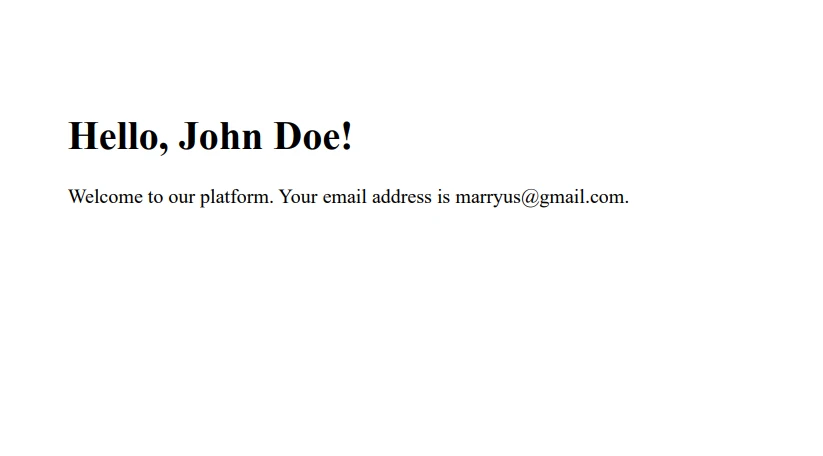
이제 완료되었습니다! C# replace 메서드와 IronPDF를 사용하여 개인화된 PDF 문서를 성공적으로 생성했습니다.
결론
IronPDF의 강력함과 C# replace 메서드의 유연성을 결합하여, 특정 사용자나 시나리오에 맞춤화된 동적 PDF 문서를 생성할 수 있습니다. 이 방법은 개인 맞춤 인사말에만 국한되지 않으며, 송장, 리포트, 인증서 생성 등 다양한 용도로 사용할 수 있습니다.
IronPDF는 IronPDF 무료 체험판을 제공하여 초기 비용 없이 그 기능을 탐색할 수 있습니다. PDF 생성 필요에 완벽히 맞아떨어진다면, 라이선스는 $999에서 시작합니다.
자주 묻는 질문
C#을 사용하여 문자열 안의 부분 문자열을 어떻게 대체합니까?
C#에서는 replace 메서드를 사용하여 문자열 내 특정 부분 문자열의 모든 발생을 새로운 문자열로 대체할 수 있습니다. 이 메서드는 응용 프로그램에서 텍스트를 동적으로 업데이트하는 작업에 유용합니다.
PDF 라이브러리가 C#에서 동적 PDF를 생성하는 데 어떻게 도움을 줄 수 있습니까?
IronPDF와 같은 PDF 라이브러리는 HTML 템플릿의 자리 표시자를 실제 데이터로 대체함으로써 동적 PDF 문서를 생성하는 데 사용할 수 있습니다. 이는 PDF로 변환하기 전에 내용을 업데이트하기 위해 C# replace 메서드를 사용하여 이루어집니다.
C#에서 여러 문자열을 한 번에 대체할 수 있습니까?
예, C#에서는 여러 replace 메서드를 함께 연결하여 단일 코드 라인 내에서 여러 대체를 수행할 수 있으며, 종합적인 텍스트 업데이트를 효율적으로 수행할 수 있습니다.
C#에서 replace 메서드와 함께 정규 표현식을 사용할 수 있습니까?
네, 더 복잡한 문자열 조작의 경우, C#에서 정규 표현식을 Regex.Replace 메서드와 함께 사용할 수 있습니다. 이는 고정된 부분 문자열 대신 패턴을 검색하고 대체할 수 있게 해줍니다.
C#에서 HTML 콘텐츠를 PDF 문서로 변환하는 방법은 무엇입니까?
IronPDF와 같은 PDF 라이브러리를 사용하여, HTML 문자열, 파일 또는 URL을 PDF 문서로 변환할 수 있습니다. 이는 웹 콘텐츠에서 직접 보고서나 송장을 생성하는 데 유용합니다.
문자열 대체와 PDF 생성의 결합에 대한 사용 사례는 무엇입니까?
문자열 대체와 PDF 생성을 결합하는 것은 개인화된 증명서나 송장과 같은 맞춤형 문서를 생성하는 데 이상적입니다. 여기서 템플릿의 자리 표시자는 PDF 변환 전에 사용자 데이터를 대체합니다.
C# 프로젝트에 PDF 생성 라이브러리를 설치하고 사용하는 방법은 무엇입니까?
Visual Studio의 NuGet 패키지 관리자에서 IronPDF와 같은 PDF 라이브러리를 설치하여 라이브러리 이름을 검색하거나 패키지 관리자 콘솔을 사용하여 설치 명령을 실행할 수 있습니다.
replace 메서드에서 대소문자 구분의 중요성은 무엇입니까?
C# replace 메서드는 대소문자를 구분하며, 소스 문자열에서 문자의 대소문자 및 부분 문자열이 지정된 값과 정확히 일치해야 대체됩니다. 이는 대체를 위해 텍스트를 준비하는 방법에 영향을 미칩니다.










 무료로 시작하세요
 무료로 시작하세요
 무료 라이브 데모 예약하기





 신용카드나 계정 생성은 필요하지 않습니다.










