




업데이트됨 2026년 5월 8일
월별 계정 명세서를 PDF 문서로 생성하기
개발자는 IronPDF C# PDF 라이브러리를 사용하여 외부 서비스에 의존하지 않고도 .NET 프로젝트 내에서 HTML을 신뢰할 수 있는 PDF 파일로 변환할 수 있습니다.
더 읽어보기

방송 인보이스, 보고서, 인증서, 티켓을 만드는 현대 웹 애플리케이션에 있어 PDF를 프로그래밍 방식으로 생성하는 것은 중요한 요구 사항입니다. 픽셀 완벽한 렌더링과 Enterprise 기능을 갖춘 강력한 PDF 생성을 수행하려는 ASP.NET Core .NET 개발자라면, 맞는 곳에 계신 것입니다.
이 포괄적인 가이드는 IronPDF를 사용하여 PDF 파일을 생성하는 방법을 안내합니다. IronPDF는 강력한 .NET 라이브러리로, PDF 문서 생성을 쉽게 할 수 있게 합니다. 기본 설정부터 고급 일괄 처리까지 모든 것을 탐색할 것이며, 얼마나 효율적이고 쉽게 통합될 수 있는지를 보여줄 것입니다. 마무리할 때쯤이면 IronPDF를 사용하여 ASP.NET 앱에서 PDF 문서를 생성하는 강력한 PDF 변환기를 갖추게 될 것입니다.
서버 측 PDF 생성은 클라이언트 측 대안보다 상당한 이점을 제공합니다. 서버에서 PDF를 생성하면 모든 브라우저와 장치에서 일관된 출력을 보장하며, 클라이언트 쪽 자원의 의존성을 없애고, 민감한 데이터에 대해 더 나은 통제력을 유지할 수 있습니다. HTML을 PDF로 변환하는 일반적인 비즈니스 시나리오에는 다음이 포함됩니다.
게다가 서버 측 접근 방식은 PDF가 모든 브라우저 및 운영 체제에서 일관성을 유지하도록 보장하여 법률 및 금융 문서 측면에서 높은 평가를 받고 있습니다.
IronPDF는 .NET 생태계에서 두각을 나타내는 PDF 라이브러리로, 내부에는 완전한 Chrome 렌더링 엔진을 사용합니다. 즉, 귀하의 PDF 문서는 Google Chrome에서 보는 것처럼 정확하게 렌더링되며, 최신 CSS3, JavaScript 실행, 웹 글꼴이 완벽히 지원됩니다. 다른 라이브러리와 달리 IronPDF는 기존의 HTML, CSS, JavaScript 지식을 사용하여 ASP.NET Core 애플리케이션 내에서 PDF 생성 기능을 직접 추가할 수 있게 합니다.
개발을 변화시키는 주요 이점:
 NuGet을 사용하여 설치하세요
PDF 생성에 구성된 새 ASP.NET Core MVC 애플리케이션을 만들어 보겠습니다. 적절한 종속성 주입과 오류 처리를 통해 프로덕션 준비 설정을 구축할 것입니다. 이는 Visual Studio의 새로운 .NET 프로젝트가 될 것입니다. 하지만 기존 프로젝트를 사용할 수도 있습니다.
다음 커맨드를 실행하여 프로젝트를 생성하고 적절한 프로젝트 이름을 부여할 것입니다:
dotnet new mvc -n PdfGeneratorApp
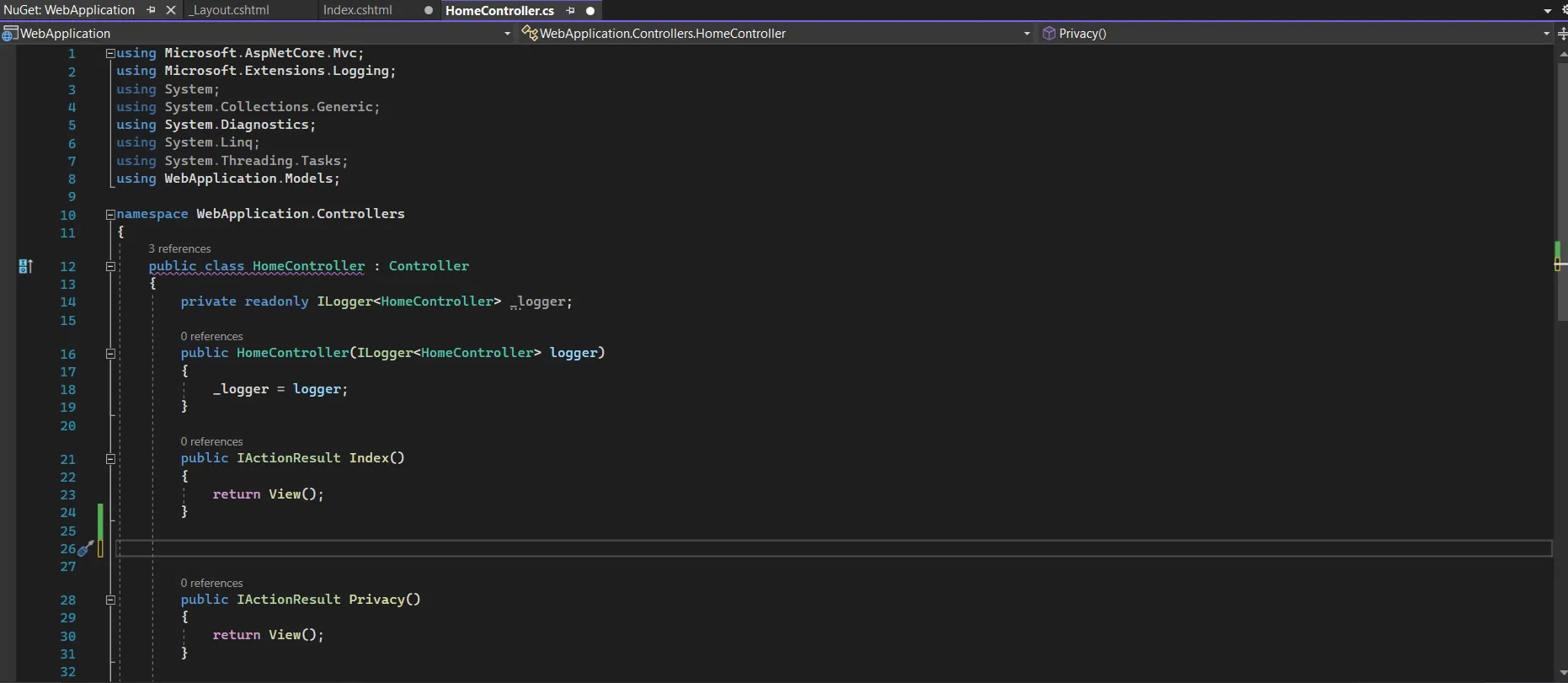
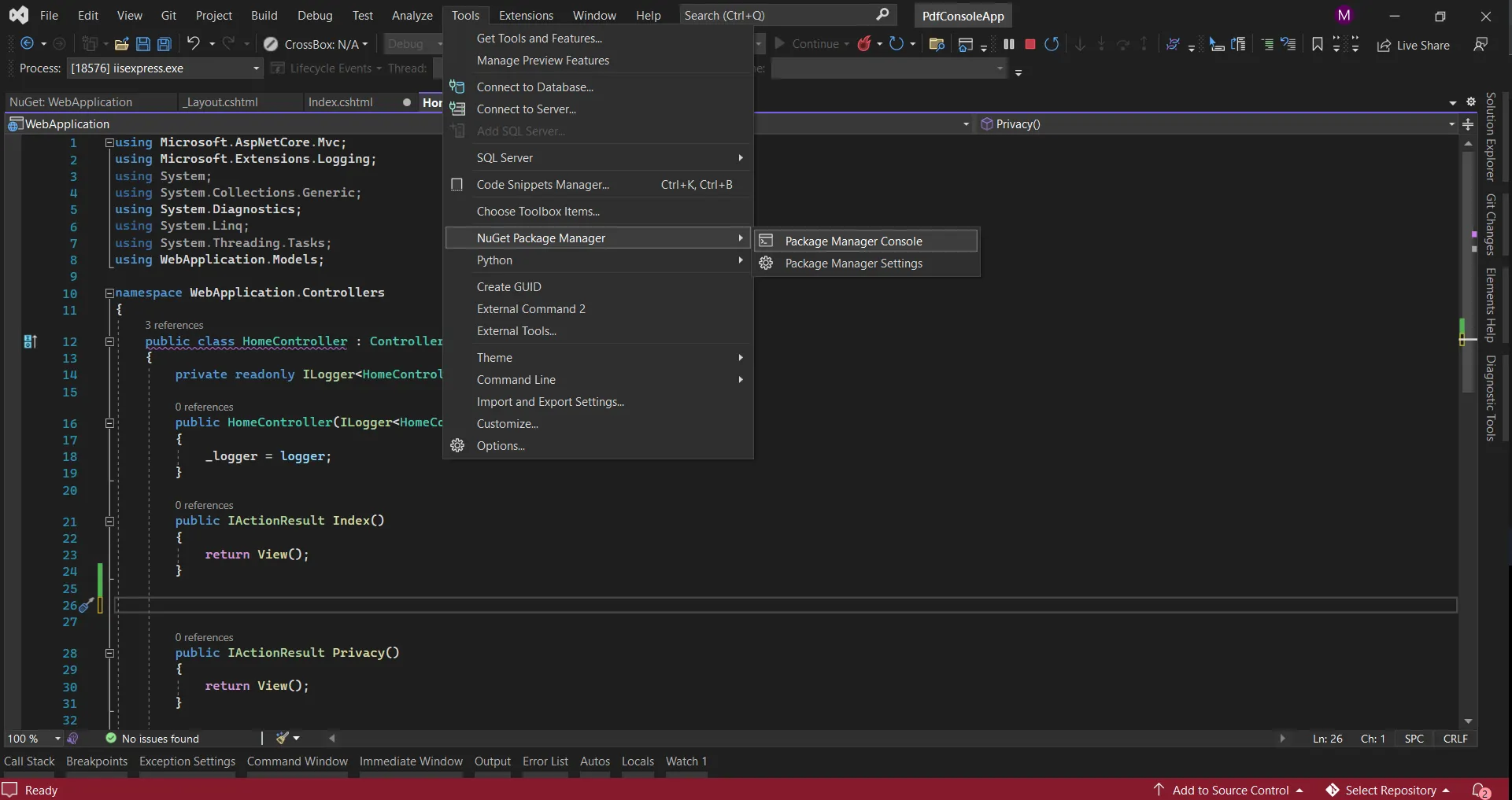
cd PdfGeneratorAppASP.NET에서 PDF 문서를 생성하기 전에 NuGet 패키지 관리자 콘솔에서 다음 줄을 실행하여 프로젝트에 IronPDF를 추가하십시오.
NuGet 패키지 구성 및 Windows 설치 프로그램을 포함한 자세한 설치 옵션은 공식 문서를 참조하세요.
using IronPdf;
using IronPdf.Extensions.Mvc.Core;
using Microsoft.AspNetCore.Mvc.ViewFeatures;
var builder = WebApplication.CreateBuilder(args);
// Configure IronPDF license (use your license key)
License.LicenseKey = "your-license-key";
// Add MVC services
builder.Services.AddControllersWithViews();
// Register IronPDF services
builder.Services.AddSingleton<IHttpContextAccessor, HttpContextAccessor>();
builder.Services.AddSingleton<ITempDataProvider, CookieTempDataProvider>();
builder.Services.AddSingleton<IRazorViewRenderer, RazorViewRenderer>();
// Configure ChromePdfRenderer as a service
builder.Services.AddSingleton<ChromePdfRenderer>(provider =>
{
    var renderer = new ChromePdfRenderer();
    // Configure rendering options
    renderer.RenderingOptions.MarginTop = 25;
    renderer.RenderingOptions.MarginBottom = 25;
    renderer.RenderingOptions.MarginLeft = 20;
    renderer.RenderingOptions.MarginRight = 20;
    renderer.RenderingOptions.EnableJavaScript = true;
    renderer.RenderingOptions.RenderDelay = 500; // Wait for JS execution
    return renderer;
});
var app = builder.Build();
// Configure middleware pipeline
if (!app.Environment.IsDevelopment())
{
    app.UseExceptionHandler("/Home/Error");
    app.UseHsts();
}
app.UseHttpsRedirection();
app.UseStaticFiles();
app.UseRouting();
app.UseAuthorization();
app.MapControllerRoute(
    name: "default",
    pattern: "{controller=Home}/{action=Index}/{id?}");
app.Run();Imports IronPdf
Imports IronPdf.Extensions.Mvc.Core
Imports Microsoft.AspNetCore.Mvc.ViewFeatures
Imports Microsoft.Extensions.DependencyInjection
Imports Microsoft.AspNetCore.Builder
Imports Microsoft.AspNetCore.Hosting
Module Program
Sub Main(args As String())
Dim builder = WebApplication.CreateBuilder(args)
' Configure IronPDF license (use your license key)
License.LicenseKey = "your-license-key"
' Add MVC services
builder.Services.AddControllersWithViews()
' Register IronPDF services
builder.Services.AddSingleton(Of IHttpContextAccessor, HttpContextAccessor)()
builder.Services.AddSingleton(Of ITempDataProvider, CookieTempDataProvider)()
builder.Services.AddSingleton(Of IRazorViewRenderer, RazorViewRenderer)()
' Configure ChromePdfRenderer as a service
builder.Services.AddSingleton(Of ChromePdfRenderer)(Function(provider)
Dim renderer = New ChromePdfRenderer()
' Configure rendering options
renderer.RenderingOptions.MarginTop = 25
renderer.RenderingOptions.MarginBottom = 25
renderer.RenderingOptions.MarginLeft = 20
renderer.RenderingOptions.MarginRight = 20
renderer.RenderingOptions.EnableJavaScript = True
renderer.RenderingOptions.RenderDelay = 500 ' Wait for JS execution
Return renderer
End Function)
Dim app = builder.Build()
' Configure middleware pipeline
If Not app.Environment.IsDevelopment() Then
app.UseExceptionHandler("/Home/Error")
app.UseHsts()
End If
app.UseHttpsRedirection()
app.UseStaticFiles()
app.UseRouting()
app.UseAuthorization()
app.MapControllerRoute(
name:="default",
pattern:="{controller=Home}/{action=Index}/{id?}")
app.Run()
End Sub
End Module이 설정은 IronPDF를 단일 서비스로 설정하여 애플리케이션 전체에서 효율적인 자원 사용을 보장합니다. RenderingOptions\를 특정 요구 사항에 맞도록 추가로 수정할 수 있습니다. 이 시점에서, Visual Studio의 솔루션 탐색기 내에서 폴더 구조는 다음과 같아야 합니다.
Razor 뷰를 활용한 PDF 변환은 ASP.NET Core에서 새로운 PDF 문서를 생성하는 가장 강력한 접근 방식입니다. 이를 통해 친숙한 MVC 패턴, 강력하게 타입된 모델, Razor 구문을 사용하여 맞춤형 HTML 파일, 웹 페이지 및 기타 소스에서 동적 PDF를 생성할 수 있습니다. Razor Pages에 대한 Microsoft의 문서에 따르면, 이 접근 방식은 페이지 중심 시나리오에 대한 가장 깔끔한 관심사의 분리를 제공합니다.
먼저 일반 비즈니스 문서를 나타내는 포괄적인 모델을 생성합시다:
namespace PdfGeneratorApp.Models
{
    public class InvoiceModel
    {
        public string InvoiceNumber { get; set; }
        public DateTime InvoiceDate { get; set; }
        public DateTime DueDate { get; set; }
        public CompanyInfo Vendor { get; set; }
        public CompanyInfo Customer { get; set; }
        public List<InvoiceItem> Items { get; set; }
        public decimal Subtotal => Items?.Sum(x => x.Total) ?? 0;
        public decimal TaxRate { get; set; }
        public decimal TaxAmount => Subtotal * (TaxRate / 100);
        public decimal Total => Subtotal + TaxAmount;
        public string Notes { get; set; }
        public string PaymentTerms { get; set; }
    }
    public class CompanyInfo
    {
        public string Name { get; set; }
        public string Address { get; set; }
        public string City { get; set; }
        public string State { get; set; }
        public string ZipCode { get; set; }
        public string Email { get; set; }
        public string Phone { get; set; }
    }
    public class InvoiceItem
    {
        public string Description { get; set; }
        public int Quantity { get; set; }
        public decimal UnitPrice { get; set; }
        public decimal Total => Quantity * UnitPrice;
    }
}Imports System
Imports System.Collections.Generic
Imports System.Linq
Namespace PdfGeneratorApp.Models
Public Class InvoiceModel
Public Property InvoiceNumber As String
Public Property InvoiceDate As DateTime
Public Property DueDate As DateTime
Public Property Vendor As CompanyInfo
Public Property Customer As CompanyInfo
Public Property Items As List(Of InvoiceItem)
Public ReadOnly Property Subtotal As Decimal
Get
Return If(Items?.Sum(Function(x) x.Total), 0)
End Get
End Property
Public Property TaxRate As Decimal
Public ReadOnly Property TaxAmount As Decimal
Get
Return Subtotal * (TaxRate / 100)
End Get
End Property
Public ReadOnly Property Total As Decimal
Get
Return Subtotal + TaxAmount
End Get
End Property
Public Property Notes As String
Public Property PaymentTerms As String
End Class
Public Class CompanyInfo
Public Property Name As String
Public Property Address As String
Public Property City As String
Public Property State As String
Public Property ZipCode As String
Public Property Email As String
Public Property Phone As String
End Class
Public Class InvoiceItem
Public Property Description As String
Public Property Quantity As Integer
Public Property UnitPrice As Decimal
Public ReadOnly Property Total As Decimal
Get
Return Quantity * UnitPrice
End Get
End Property
End Class
End NamespaceViews/Invoice/InvoiceTemplate.cshtml에 뷰를 생성하여 PDF 콘텐츠를 렌더링하세요:
@model PdfGeneratorApp.Models.InvoiceModel
@{
    Layout = null; // PDFs should not use the site layout
}
<!DOCTYPE html>
<html>
<head>
    <meta charset="utf-8" />
    <title>Invoice @Model.InvoiceNumber</title>
    <style>
        * {
            margin: 0;
            padding: 0;
            box-sizing: border-box;
        }
        body {
            font-family: 'Segoe UI', Tahoma, Geneva, Verdana, sans-serif;
            line-height: 1.6;
            color: #333;
        }
        .invoice-container {
            max-width: 800px;
            margin: 0 auto;
            padding: 30px;
        }
        .invoice-header {
            display: flex;
            justify-content: space-between;
            margin-bottom: 40px;
            padding-bottom: 20px;
            border-bottom: 2px solid #2c3e50;
        }
        .company-details {
            flex: 1;
        }
        .company-details h1 {
            color: #2c3e50;
            margin-bottom: 10px;
        }
        .invoice-details {
            text-align: right;
        }
        .invoice-details h2 {
            color: #2c3e50;
            font-size: 28px;
            margin-bottom: 10px;
        }
        .invoice-details p {
            margin: 5px 0;
            font-size: 14px;
        }
        .billing-details {
            display: flex;
            justify-content: space-between;
            margin-bottom: 40px;
        }
        .billing-section {
            flex: 1;
        }
        .billing-section h3 {
            color: #2c3e50;
            margin-bottom: 10px;
            font-size: 16px;
            text-transform: uppercase;
        }
        .items-table {
            width: 100%;
            border-collapse: collapse;
            margin-bottom: 40px;
        }
        .items-table thead {
            background-color: #2c3e50;
            color: white;
        }
        .items-table th,
        .items-table td {
            padding: 12px;
            text-align: left;
            border-bottom: 1px solid #ddd;
        }
        .items-table tbody tr:hover {
            background-color: #f5f5f5;
        }
        .text-right {
            text-align: right;
        }
        .invoice-summary {
            display: flex;
            justify-content: flex-end;
            margin-bottom: 40px;
        }
        .summary-table {
            width: 300px;
        }
        .summary-table tr {
            border-bottom: 1px solid #ddd;
        }
        .summary-table td {
            padding: 8px;
        }
        .summary-table .total-row {
            font-weight: bold;
            font-size: 18px;
            color: #2c3e50;
            border-top: 2px solid #2c3e50;
        }
        .invoice-footer {
            margin-top: 60px;
            padding-top: 20px;
            border-top: 1px solid #ddd;
        }
        .footer-notes {
            margin-bottom: 20px;
        }
        .footer-notes h4 {
            color: #2c3e50;
            margin-bottom: 10px;
        }
        @@media print {
            .invoice-container {
                padding: 0;
            }
        }
    </style>
</head>
<body>
    <div class="invoice-container">
        <div class="invoice-header">
            <div class="company-details">
                <h1>@Model.Vendor.Name</h1>
                <p>@Model.Vendor.Address</p>
                <p>@Model.Vendor.City, @Model.Vendor.State @Model.Vendor.ZipCode</p>
                <p>Email: @Model.Vendor.Email</p>
                <p>Phone: @Model.Vendor.Phone</p>
            </div>
            <div class="invoice-details">
                <h2>INVOICE</h2>
                <p><strong>Invoice #:</strong> @Model.InvoiceNumber</p>
                <p><strong>Date:</strong> @Model.InvoiceDate.ToString("MMM dd, yyyy")</p>
                <p><strong>Due Date:</strong> @Model.DueDate.ToString("MMM dd, yyyy")</p>
            </div>
        </div>
        <div class="billing-details">
            <div class="billing-section">
                <h3>Bill To:</h3>
                <p><strong>@Model.Customer.Name</strong></p>
                <p>@Model.Customer.Address</p>
                <p>@Model.Customer.City, @Model.Customer.State @Model.Customer.ZipCode</p>
                <p>@Model.Customer.Email</p>
            </div>
        </div>
        <table class="items-table">
            <thead>
                <tr>
                    <th>Description</th>
                    <th class="text-right">Quantity</th>
                    <th class="text-right">Unit Price</th>
                    <th class="text-right">Total</th>
                </tr>
            </thead>
            <tbody>
                @foreach (var item in Model.Items)
                {
                    <tr>
                        <td>@item.Description</td>
                        <td class="text-right">@item.Quantity</td>
                        <td class="text-right">@item.UnitPrice.ToString("C")</td>
                        <td class="text-right">@item.Total.ToString("C")</td>
                    </tr>
                }
            </tbody>
        </table>
        <div class="invoice-summary">
            <table class="summary-table">
                <tr>
                    <td>Subtotal:</td>
                    <td class="text-right">@Model.Subtotal.ToString("C")</td>
                </tr>
                <tr>
                    <td>Tax (@Model.TaxRate%):</td>
                    <td class="text-right">@Model.TaxAmount.ToString("C")</td>
                </tr>
                <tr class="total-row">
                    <td>Total:</td>
                    <td class="text-right">@Model.Total.ToString("C")</td>
                </tr>
            </table>
        </div>
        @if (!string.IsNullOrEmpty(Model.Notes))
        {
            <div class="invoice-footer">
                <div class="footer-notes">
                    <h4>Notes</h4>
                    <p>@Model.Notes</p>
                </div>
            </div>
        }
        @if (!string.IsNullOrEmpty(Model.PaymentTerms))
        {
            <div class="footer-notes">
                <h4>Payment Terms</h4>
                <p>@Model.PaymentTerms</p>
            </div>
        }
    </div>
</body>
</html>net이제 포괄적인 오류 처리로 PDF를 생성하는 견고한 컨트롤러를 만들어봅시다:
using IronPdf;
using IronPdf.Extensions.Mvc.Core;
using Microsoft.AspNetCore.Mvc;
using PdfGeneratorApp.Models;
using System.Diagnostics;
namespace PdfGeneratorApp.Controllers
{
    public class InvoiceController : Controller
    {
        private readonly ILogger<InvoiceController> _logger;
        private readonly IRazorViewRenderer _viewRenderer;
        private readonly ChromePdfRenderer _pdfRenderer;
        private readonly IWebHostEnvironment _environment;
        public InvoiceController(
            ILogger<InvoiceController> logger,
            IRazorViewRenderer viewRenderer,
            ChromePdfRenderer pdfRenderer,
            IWebHostEnvironment environment)
        {
            _logger = logger;
            _viewRenderer = viewRenderer;
            _pdfRenderer = pdfRenderer;
            _environment = environment;
        }
        [HttpGet]
        public IActionResult Index()
        {
            // Display a form or list of invoices
            return View();
        }
        [HttpGet]
        public async Task<IActionResult> GenerateInvoice(string invoiceNumber)
        {
            var stopwatch = Stopwatch.StartNew();
            try
            {
                // Validate input
                if (string.IsNullOrEmpty(invoiceNumber))
                {
                    _logger.LogWarning("Invoice generation attempted without invoice number");
                    return BadRequest("Invoice number is required");
                }
                // Generate sample data (in production, fetch from database)
                var invoice = CreateSampleInvoice(invoiceNumber);
                // Log the generation attempt
                _logger.LogInformation($"Generating PDF for invoice {invoiceNumber}");
                // Configure PDF rendering options
                _pdfRenderer.RenderingOptions.PaperOrientation = IronPdf.Rendering.PdfPaperOrientation.Portrait;
                _pdfRenderer.RenderingOptions.PaperSize = IronPdf.Rendering.PdfPaperSize.A4;
                _pdfRenderer.RenderingOptions.PrintHtmlBackgrounds = true;
                _pdfRenderer.RenderingOptions.CreatePdfFormsFromHtml = false;
                // Add custom header with page numbers
                _pdfRenderer.RenderingOptions.TextHeader = new TextHeaderFooter
                {
                    CenterText = $"Invoice {invoice.InvoiceNumber}",
                    DrawDividerLine = true,
                    Font = IronSoftware.Drawing.FontTypes.Helvetica,
                    FontSize = 10
                };
                // Add footer with page numbers
                _pdfRenderer.RenderingOptions.TextFooter = new TextHeaderFooter
                {
                    LeftText = "{date} {time}",
                    RightText = "Page {page} of {total-pages}",
                    DrawDividerLine = true,
                    Font = IronSoftware.Drawing.FontTypes.Helvetica,
                    FontSize = 8
                };
                // Render the view to PDF
                PdfDocument pdf;
                try
                {
                    pdf = _pdfRenderer.RenderRazorViewToPdf(
                        _viewRenderer,
                        "Views/Invoice/InvoiceTemplate.cshtml",
                        invoice);
                }
                catch (Exception renderEx)
                {
                    _logger.LogError(renderEx, "Failed to render Razor view to PDF");
                    throw new InvalidOperationException("PDF rendering failed. Please check the template.", renderEx);
                }
                // Apply metadata
                pdf.MetaData.Author = "PdfGeneratorApp";
                pdf.MetaData.Title = $"Invoice {invoice.InvoiceNumber}";
                pdf.MetaData.Subject = $"Invoice for {invoice.Customer.Name}";
                pdf.MetaData.Keywords = "invoice, billing, payment";
                pdf.MetaData.CreationDate = DateTime.UtcNow;
                pdf.MetaData.ModifiedDate = DateTime.UtcNow;
                // Optional: Add password protection
                // pdf.SecuritySettings.UserPassword = "user123";
                // pdf.SecuritySettings.OwnerPassword = "owner456";
                // pdf.SecuritySettings.AllowUserPrinting = IronPdf.Security.PdfPrintSecurity.FullPrintRights;
                // Log performance metrics
                stopwatch.Stop();
                _logger.LogInformation($"PDF generated successfully for invoice {invoiceNumber} in {stopwatch.ElapsedMilliseconds}ms");
                // Return the PDF file
                Response.Headers.Add("Content-Disposition", $"inline; filename=Invoice_{invoiceNumber}.pdf");
                return File(pdf.BinaryData, "application/pdf", $"Invoice_{invoiceNumber}.pdf");
            }
            catch (Exception ex)
            {
                _logger.LogError(ex, $"Error generating PDF for invoice {invoiceNumber}");
                // In development, return detailed error
                if (_environment.IsDevelopment())
                {
                    return StatusCode(500, new
                    {
                        error = "PDF generation failed",
                        message = ex.Message,
                        stackTrace = ex.StackTrace
                    });
                }
                // In production, return generic error
                return StatusCode(500, "An error occurred while generating the PDF");
            }
        }
        private InvoiceModel CreateSampleInvoice(string invoiceNumber)
        {
            return new InvoiceModel
            {
                InvoiceNumber = invoiceNumber,
                InvoiceDate = DateTime.Now,
                DueDate = DateTime.Now.AddDays(30),
                Vendor = new CompanyInfo
                {
                    Name = "Tech 해결책s Inc.",
                    Address = "123 Business Ave",
                    City = "New York",
                    State = "NY",
                    ZipCode = "10001",
                    Email = "billing@techsolutions.com",
                    Phone = "(555) 123-4567"
                },
                Customer = new CompanyInfo
                {
                    Name = "Acme Corporation",
                    Address = "456 Commerce St",
                    City = "Los Angeles",
                    State = "CA",
                    ZipCode = "90001",
                    Email = "accounts@acmecorp.com",
                    Phone = "(555) 987-6543"
                },
                Items = new List<InvoiceItem>
                {
                    new InvoiceItem
                    {
                        Description = "Software Development Services - 40 hours",
                        Quantity = 40,
                        UnitPrice = 150.00m
                    },
                    new InvoiceItem
                    {
                        Description = "Project Management - 10 hours",
                        Quantity = 10,
                        UnitPrice = 120.00m
                    },
                    new InvoiceItem
                    {
                        Description = "Quality Assurance Testing",
                        Quantity = 1,
                        UnitPrice = 2500.00m
                    }
                },
                TaxRate = 8.875m,
                Notes = "Payment is due within 30 days. Late payments subject to 1.5% monthly interest.",
                PaymentTerms = "Net 30"
            };
        }
    }
}위의 PDF 생성기를 테스트하고 실행하려면 프로젝트를 시작하고 다음 URL을 입력하세요: https://localhost:[port]/Invoice/GenerateInvoice?invoiceNumber=055 인보이스를 생성하기 위해. 애플리케이션을 호스팅한 실제 포트 번호로 포트를 대체하는 것을 잊지 마세요.
RESTful API를 통해 PDF를 제공해야 하는 애플리케이션에 대해, 적절한 메모리 관리를 통해 효율적인 PDF 전송을 구현하는 방법이 여기에 있습니다. 이 접근 방식은 특히 마이크로서비스를 구축하거나 ASP.NET Core Web API 컨트롤러에서 PDF를 생성할 필요가 있을 때 유용합니다:
using Microsoft.AspNetCore.Mvc;
using IronPdf;
using System.IO;
namespace PdfGeneratorApp.Controllers.Api
{
    [ApiController]
    [Route("api/[controller]")]
    public class PdfApiController : ControllerBase
    {
        private readonly ChromePdfRenderer _pdfRenderer;
        private readonly ILogger<PdfApiController> _logger;
        public PdfApiController(
            ChromePdfRenderer pdfRenderer,
            ILogger<PdfApiController> logger)
        {
            _pdfRenderer = pdfRenderer;
            _logger = logger;
        }
        [HttpPost("generate-report")]
        public async Task<IActionResult> GenerateReport([FromBody] ReportRequest request)
        {
            try
            {
                // Validate request
                if (!ModelState.IsValid)
                {
                    return BadRequest(ModelState);
                }
                // Build HTML content dynamically
                var htmlContent = BuildReportHtml(request);
                // Generate PDF with memory-efficient streaming
                using var pdfDocument = _pdfRenderer.RenderHtmlAsPdf(htmlContent);
                // Apply compression for smaller file size
                pdfDocument.CompressImages(60); // 60% quality
                // Stream the PDF directly to response
                var stream = new MemoryStream();
                pdfDocument.SaveAs(stream);
                stream.Position = 0;
                _logger.LogInformation($"Report generated for {request.ReportType}");
                return new FileStreamResult(stream, "application/pdf")
                {
                    FileDownloadName = $"Report_{DateTime.Now:yyyyMMdd_HHmmss}.pdf"
                };
            }
            catch (Exception ex)
            {
                _logger.LogError(ex, "Failed to generate report");
                return StatusCode(500, new { error = "Report generation failed" });
            }
        }
        [HttpGet("download/{documentId}")]
        public async Task<IActionResult> DownloadDocument(string documentId)
        {
            try
            {
                // In production, retrieve document from database or storage
                var documentPath = Path.Combine("wwwroot", "documents", $"{documentId}.pdf");
                if (!System.IO.File.Exists(documentPath))
                {
                    return NotFound(new { error = "Document not found" });
                }
                var memory = new MemoryStream();
                using (var stream = new FileStream(documentPath, FileMode.Open))
                {
                    await stream.CopyToAsync(memory);
                }
                memory.Position = 0;
                return File(memory, "application/pdf", $"Document_{documentId}.pdf");
            }
            catch (Exception ex)
            {
                _logger.LogError(ex, $"Failed to download document {documentId}");
                return StatusCode(500, new { error = "Download failed" });
            }
        }
        private string BuildReportHtml(ReportRequest request)
        {
            return $@"
                <!DOCTYPE html>
                <html>
                <head>
                    <style>
                        body {{font-family: Arial, sans-serif;
                            margin: 40px;}}
                        h1 {{color: #2c3e50;
                            border-bottom: 2px solid #3498db;
                            padding-bottom: 10px;}}
                        .report-date {{color: #7f8c8d;
                            font-size: 14px;}}
                        .data-table {{width: 100%;
                            border-collapse: collapse;
                            margin-top: 20px;}}
                        .data-table th, .data-table td {{border: 1px solid #ddd;
                            padding: 12px;
                            text-align: left;}}
                        .data-table th {{background-color: #3498db;
                            color: white;}}
                    </style>
                </head>
                <body>
                    <h1>{request.ReportType} Report</h1>
                    <p class='report-date'>Generated: {DateTime.Now:MMMM dd, yyyy HH:mm}</p>
                    <p>{request.Description}</p>
                    {GenerateDataTable(request.Data)}
                </body>
                </html>";
        }
        private string GenerateDataTable(List<ReportDataItem> data)
        {
            if (data == null || !data.Any())
                return "<p>No data available</p>";
            var table = "<table class='data-table'><thead><tr>";
            // Add headers
            foreach (var prop in typeof(ReportDataItem).GetProperties())
            {
                table += $"<th>{prop.Name}</th>";
            }
            table += "</tr></thead><tbody>";
            // Add data rows
            foreach (var item in data)
            {
                table += "<tr>";
                foreach (var prop in typeof(ReportDataItem).GetProperties())
                {
                    var value = prop.GetValue(item) ?? "";
                    table += $"<td>{value}</td>";
                }
                table += "</tr>";
            }
            table += "</tbody></table>";
            return table;
        }
    }
    public class ReportRequest
    {
        public string ReportType { get; set; }
        public string Description { get; set; }
        public List<ReportDataItem> Data { get; set; }
    }
    public class ReportDataItem
    {
        public string Name { get; set; }
        public string Category { get; set; }
        public decimal Value { get; set; }
        public DateTime Date { get; set; }
    }
}전문적인 PDF는 일관된 헤더, 푸터 및 스타일링이 필요합니다. IronPDF는 간단한 텍스트 기반 옵션과 고급 HTML 기반 옵션을 모두 제공합니다. CSS 스타일을 사용하여 HTML 마크업을 스타일링함으로써 맞춤형 PDF 헤더 및 푸터를 만들 수 있습니다. 현재 프로젝트에서 이를 사용하는 방법을 탐구하는 다음 코드 스니펫이 있습니다:
using IronPdf;
using IronPdf.Extensions.Mvc.Core;
using Microsoft.AspNetCore.Mvc;
using PdfGeneratorApp.Models;
using PdfGeneratorApp.Services;
using System.Diagnostics;
namespace PdfGeneratorApp.Controllers
{
    public class InvoiceController : Controller
    {
        private readonly ILogger<InvoiceController> _logger;
        private readonly IRazorViewRenderer _viewRenderer;
        private readonly ChromePdfRenderer _pdfRenderer;
        private readonly PdfFormattingService _pdfFormattingService;
        private readonly IWebHostEnvironment _environment;
        public InvoiceController(
            ILogger<InvoiceController> logger,
            IRazorViewRenderer viewRenderer,
            ChromePdfRenderer pdfRenderer,
            PdfFormattingService pdfFormattingService,
            IWebHostEnvironment environment)
        {
            _logger = logger;
            _viewRenderer = viewRenderer;
            _pdfRenderer = pdfRenderer;
            _pdfFormattingService = pdfFormattingService;
            _environment = environment;
        }
        [HttpGet]
        public IActionResult Index()
        {
            // Display a form or list of invoices
            return View();
        }
        private void ConfigurePdfRendererOptions(ChromePdfRenderer renderer, InvoiceModel invoice, PdfStylingOptions options)
        {
            // Margins
            renderer.RenderingOptions.MarginTop = options.MarginTop;
            renderer.RenderingOptions.MarginBottom = options.MarginBottom;
            renderer.RenderingOptions.MarginLeft = options.MarginLeft;
            renderer.RenderingOptions.MarginRight = options.MarginRight;
            // Header
            if (options.UseHtmlHeader)
            {
                renderer.RenderingOptions.HtmlHeader = new HtmlHeaderFooter
                {
                    MaxHeight = 50,
                    HtmlFragment = $@"
                <div style='width: 100%; font-size: 12px; font-family: Arial;'>
                    <div style='float: left; width: 50%;'>
                        <!-- Add your logo or dynamic content here -->
                        <img src='https://ironpdf.com/img/products/ironpdf-logo-text-dotnet.svg' height='40' />
                    </div>
                    <div style='float: right; width: 50%; text-align: right;'>
                        <strong>Invoice {invoice.InvoiceNumber}</strong><br/>
                        Generated: {DateTime.Now:yyyy-MM-dd}
                    </div>
                </div>",
                    LoadStylesAndCSSFromMainHtmlDocument = true
                };
            }
            else
            {
                renderer.RenderingOptions.TextHeader = new TextHeaderFooter
                {
                    CenterText = options.HeaderText,
                    Font = IronSoftware.Drawing.FontTypes.Arial,
                    FontSize = 12,
                    DrawDividerLine = true
                };
            }
            // Footer
            renderer.RenderingOptions.HtmlFooter = new HtmlHeaderFooter
            {
                MaxHeight = 30,
                HtmlFragment = @"
            <div style='width: 100%; font-size: 10px; color: #666;'>
                <div style='float: left; width: 33%;'>
                    © 2025 Your Company
                </div>
                <div style='float: center; width: 33%; text-align: center;'>
                    yourwebsite.com
                </div>
                <div style='float: right; width: 33%; text-align: right;'>
                    Page {page} of {total-pages}
                </div>
            </div>"
            };
            // Optional: Add watermark here (IronPDF supports adding after PDF is generated, so keep it as-is)
            // Margins, paper size etc., can also be set here if needed
            renderer.RenderingOptions.PaperOrientation = IronPdf.Rendering.PdfPaperOrientation.Portrait;
            renderer.RenderingOptions.PaperSize = IronPdf.Rendering.PdfPaperSize.A4;
            renderer.RenderingOptions.PrintHtmlBackgrounds = true;
        }
        [HttpGet]
        public async Task<IActionResult> GenerateInvoice(string invoiceNumber)
        {
            var stopwatch = Stopwatch.StartNew();
            try
            {
                // Validate input
                if (string.IsNullOrEmpty(invoiceNumber))
                {
                    _logger.LogWarning("Invoice generation attempted without invoice number");
                    return BadRequest("Invoice number is required");
                }
                // Generate sample data (in production, fetch from database)
                var invoice = CreateSampleInvoice(invoiceNumber);
                // Log the generation attempt
                _logger.LogInformation($"Generating PDF for invoice {invoiceNumber}");
                // Configure PDF rendering options
                _pdfRenderer.RenderingOptions.PaperOrientation = IronPdf.Rendering.PdfPaperOrientation.Portrait;
                _pdfRenderer.RenderingOptions.PaperSize = IronPdf.Rendering.PdfPaperSize.A4;
                _pdfRenderer.RenderingOptions.PrintHtmlBackgrounds = true;
                _pdfRenderer.RenderingOptions.CreatePdfFormsFromHtml = false;
                var options = new PdfStylingOptions
                {
                    MarginTop = 25,
                    MarginBottom = 25,
                    MarginLeft = 20,
                    MarginRight = 20,
                    UseHtmlHeader = true,
                    HeaderText = $"Invoice {invoice.InvoiceNumber}",
                    AddWatermark = false,
                    ForcePageBreaks = false
                };
                // Apply the styling to the renderer BEFORE rendering PDF
                ConfigurePdfRendererOptions(_pdfRenderer, invoice, options);
                // Render the view to PDF
                PdfDocument pdf;
                try
                {
                    pdf = _pdfRenderer.RenderRazorViewToPdf(
                        _viewRenderer,
                        "Views/Invoice/InvoiceTemplate.cshtml",
                        invoice);
                }
                catch (Exception renderEx)
                {
                    _logger.LogError(renderEx, "Failed to render Razor view to PDF");
                    throw new InvalidOperationException("PDF rendering failed. Please check the template.", renderEx);
                }
                // Apply metadata
                pdf.MetaData.Author = "PdfGeneratorApp";
                pdf.MetaData.Title = $"Invoice {invoice.InvoiceNumber}";
                pdf.MetaData.Subject = $"Invoice for {invoice.Customer.Name}";
                pdf.MetaData.Keywords = "invoice, billing, payment";
                pdf.MetaData.CreationDate = DateTime.UtcNow;
                pdf.MetaData.ModifiedDate = DateTime.UtcNow;
                // Optional: Add password protection
                // pdf.SecuritySettings.UserPassword = "user123";
                // pdf.SecuritySettings.OwnerPassword = "owner456";
                // pdf.SecuritySettings.AllowUserPrinting = IronPdf.Security.PdfPrintSecurity.FullPrintRights;
                // Log performance metrics
                stopwatch.Stop();
                _logger.LogInformation($"PDF generated successfully for invoice {invoiceNumber} in {stopwatch.ElapsedMilliseconds}ms");
                // Return the PDF file
                Response.Headers.Add("Content-Disposition", $"inline; filename=Invoice_{invoiceNumber}.pdf");
                return File(pdf.BinaryData, "application/pdf", $"Invoice_{invoiceNumber}.pdf");
            }
            catch (Exception ex)
            {
                _logger.LogError(ex, $"Error generating PDF for invoice {invoiceNumber}");
                // In development, return detailed error
                if (_environment.IsDevelopment())
                {
                    return StatusCode(500, new
                    {
                        error = "PDF generation failed",
                        message = ex.Message,
                        stackTrace = ex.StackTrace
                    });
                }
                // In production, return generic error
                return StatusCode(500, "An error occurred while generating the PDF");
            }
        }
        private InvoiceModel CreateSampleInvoice(string invoiceNumber)
        {
            return new InvoiceModel
            {
                InvoiceNumber = invoiceNumber,
                InvoiceDate = DateTime.Now,
                DueDate = DateTime.Now.AddDays(30),
                Vendor = new CompanyInfo
                {
                    Name = "Tech 해결책s Inc.",
                    Address = "123 Business Ave",
                    City = "New York",
                    State = "NY",
                    ZipCode = "10001",
                    Email = "billing@techsolutions.com",
                    Phone = "(555) 123-4567"
                },
                Customer = new CompanyInfo
                {
                    Name = "Acme Corporation",
                    Address = "456 Commerce St",
                    City = "Los Angeles",
                    State = "CA",
                    ZipCode = "90001",
                    Email = "accounts@acmecorp.com",
                    Phone = "(555) 987-6543"
                },
                Items = new List<InvoiceItem>
                {
                    new InvoiceItem
                    {
                        Description = "Software Development Services - 40 hours",
                        Quantity = 40,
                        UnitPrice = 150.00m
                    },
                    new InvoiceItem
                    {
                        Description = "Project Management - 10 hours",
                        Quantity = 10,
                        UnitPrice = 120.00m
                    },
                    new InvoiceItem
                    {
                        Description = "Quality Assurance Testing",
                        Quantity = 1,
                        UnitPrice = 2500.00m
                    }
                },
                TaxRate = 8.875m,
                Notes = "Payment is due within 30 days. Late payments subject to 1.5% monthly interest.",
                PaymentTerms = "Net 30"
            };
        }
    }
}기본 및 스타일이 적용된 헤더 간의 간단한 차이를 확인할 수 있습니다. IronPDF를 사용하면 맞춤형 HTML 헤더 및 푸터를 송장에 추가하여 더욱 스타일리시하게 만들고 정말로 자신의 것으로 만들 수 있습니다.
헤더와 푸터 추가에 대한 더 자세한 정보는 이 사용 가이드를 참조하세요.
수백 개 또는 수천 개의 PDF를 생성해야 합니까? 병렬 처리와 메모리를 효율적으로 관리하여 최적의 성능을 달성하는 방법이 여기에 있습니다. 완전한 작동 예제 다운로드를 통해 이를 액션에서 확인하세요.
여러 PDF를 효율적으로 생성해야 하는 애플리케이션에 대해, 비동기 및 멀티스레딩 기술을 활용한 최적화된 배치 처리 구현 방법이 여기에 있습니다. 이 접근 방식은 C#을 사용하여 ASP.NET Core에서 PDF를 생성할 때 최적의 성능을 위해 Microsoft의 병렬 프로그래밍 모범 사례를 따르고 있습니다:
using System.Collections.Concurrent;
using System.Diagnostics;
public class BatchPdfProcessor
{
    private readonly ChromePdfRenderer _renderer;
    private readonly ILogger<BatchPdfProcessor> _logger;
    private readonly SemaphoreSlim _semaphore;
    public BatchPdfProcessor(
        ChromePdfRenderer renderer,
        ILogger<BatchPdfProcessor> logger)
    {
        _renderer = renderer;
        _logger = logger;
        // Limit concurrent PDF generation to prevent memory exhaustion
        _semaphore = new SemaphoreSlim(Environment.ProcessorCount);
    }
    public async Task<BatchProcessingResult> ProcessBatchAsync(
        List<BatchPdfRequest> requests,
        IProgress<BatchProgressReport> progress = null)
    {
        var result = new BatchProcessingResult
        {
            StartTime = DateTime.UtcNow,
            TotalRequests = requests.Count
        };
        var successfulPdfs = new ConcurrentBag<GeneratedPdf>();
        var errors = new ConcurrentBag<ProcessingError>();
        var stopwatch = Stopwatch.StartNew();
        // Process PDFs in parallel with controlled concurrency
        var tasks = requests.Select(async (request, index) =>
        {
            await _semaphore.WaitAsync();
            try
            {
                var taskStopwatch = Stopwatch.StartNew();
                // Generate PDF
                var pdf = await GeneratePdfAsync(request);
                taskStopwatch.Stop();
                successfulPdfs.Add(new GeneratedPdf
                {
                    Id = request.Id,
                    FileName = request.FileName,
                    Data = pdf.BinaryData,
                    GenerationTime = taskStopwatch.ElapsedMilliseconds,
                    PageCount = pdf.PageCount
                });
                // Report progress
                progress?.Report(new BatchProgressReport
                {
                    ProcessedCount = successfulPdfs.Count + errors.Count,
                    TotalCount = requests.Count,
                    CurrentFile = request.FileName
                });
                _logger.LogDebug($"Generated PDF {request.Id} in {taskStopwatch.ElapsedMilliseconds}ms");
            }
            catch (Exception ex)
            {
                errors.Add(new ProcessingError
                {
                    RequestId = request.Id,
                    FileName = request.FileName,
                    Error = ex.Message,
                    StackTrace = ex.StackTrace
                });
                _logger.LogError(ex, $"Failed to generate PDF for request {request.Id}");
            }
            finally
            {
                _semaphore.Release();
            }
        });
        await Task.WhenAll(tasks);
        stopwatch.Stop();
        // Compile results
        result.EndTime = DateTime.UtcNow;
        result.TotalProcessingTime = stopwatch.ElapsedMilliseconds;
        result.SuccessfulPdfs = successfulPdfs.ToList();
        result.Errors = errors.ToList();
        result.SuccessCount = successfulPdfs.Count;
        result.ErrorCount = errors.Count;
        result.AverageGenerationTime = successfulPdfs.Any()
            ? successfulPdfs.Average(p => p.GenerationTime)
            : 0;
        result.TotalPages = successfulPdfs.Sum(p => p.PageCount);
        result.TotalSizeBytes = successfulPdfs.Sum(p => p.Data.Length);
        // Log summary
        _logger.LogInformation($"Batch processing completed: {result.SuccessCount} successful, " +
                             $"{result.ErrorCount} errors, {result.TotalProcessingTime}ms total time");
        // Clean up memory after large batch
        if (requests.Count > 100)
        {
            GC.Collect();
            GC.WaitForPendingFinalizers();
            GC.Collect();
        }
        return result;
    }
    private async Task<PdfDocument> GeneratePdfAsync(BatchPdfRequest request)
    {
        return await Task.Run(() =>
        {
            // Configure renderer for this specific request
            var localRenderer = new ChromePdfRenderer();
            localRenderer.RenderingOptions.PaperSize = request.PaperSize;
            localRenderer.RenderingOptions.MarginTop = request.MarginTop;
            localRenderer.RenderingOptions.MarginBottom = request.MarginBottom;
            // Generate PDF
            var pdf = localRenderer.RenderHtmlAsPdf(request.HtmlContent);
            // Apply compression if requested
            if (request.CompressImages)
            {
                pdf.CompressImages(request.CompressionQuality);
            }
            return pdf;
        });
    }
}
public class BatchPdfRequest
{
    public string Id { get; set; }
    public string FileName { get; set; }
    public string HtmlContent { get; set; }
    public IronPdf.Rendering.PdfPaperSize PaperSize { get; set; } = IronPdf.Rendering.PdfPaperSize.A4;
    public int MarginTop { get; set; } = 25;
    public int MarginBottom { get; set; } = 25;
    public bool CompressImages { get; set; } = true;
    public int CompressionQuality { get; set; } = 80;
}
public class BatchProcessingResult
{
    public DateTime StartTime { get; set; }
    public DateTime EndTime { get; set; }
    public long TotalProcessingTime { get; set; }
    public int TotalRequests { get; set; }
    public int SuccessCount { get; set; }
    public int ErrorCount { get; set; }
    public double AverageGenerationTime { get; set; }
    public int TotalPages { get; set; }
    public long TotalSizeBytes { get; set; }
    public List<GeneratedPdf> SuccessfulPdfs { get; set; }
    public List<ProcessingError> Errors { get; set; }
}
public class GeneratedPdf
{
    public string Id { get; set; }
    public string FileName { get; set; }
    public byte[] Data { get; set; }
    public long GenerationTime { get; set; }
    public int PageCount { get; set; }
}
public class ProcessingError
{
    public string RequestId { get; set; }
    public string FileName { get; set; }
    public string Error { get; set; }
    public string StackTrace { get; set; }
}
public class BatchProgressReport
{
    public int ProcessedCount { get; set; }
    public int TotalCount { get; set; }
    public string CurrentFile { get; set; }
    public double PercentComplete => (double)ProcessedCount / TotalCount * 100;
}Imports System.Collections.Concurrent
Imports System.Diagnostics
Public Class BatchPdfProcessor
Private ReadOnly _renderer As ChromePdfRenderer
Private ReadOnly _logger As ILogger(Of BatchPdfProcessor)
Private ReadOnly _semaphore As SemaphoreSlim
Public Sub New(renderer As ChromePdfRenderer, logger As ILogger(Of BatchPdfProcessor))
_renderer = renderer
_logger = logger
' Limit concurrent PDF generation to prevent memory exhaustion
_semaphore = New SemaphoreSlim(Environment.ProcessorCount)
End Sub
Public Async Function ProcessBatchAsync(requests As List(Of BatchPdfRequest), Optional progress As IProgress(Of BatchProgressReport) = Nothing) As Task(Of BatchProcessingResult)
Dim result As New BatchProcessingResult With {
.StartTime = DateTime.UtcNow,
.TotalRequests = requests.Count
}
Dim successfulPdfs As New ConcurrentBag(Of GeneratedPdf)()
Dim errors As New ConcurrentBag(Of ProcessingError)()
Dim stopwatch As Stopwatch = Stopwatch.StartNew()
' Process PDFs in parallel with controlled concurrency
Dim tasks = requests.Select(Async Function(request, index)
Await _semaphore.WaitAsync()
Try
Dim taskStopwatch As Stopwatch = Stopwatch.StartNew()
' Generate PDF
Dim pdf = Await GeneratePdfAsync(request)
taskStopwatch.Stop()
successfulPdfs.Add(New GeneratedPdf With {
.Id = request.Id,
.FileName = request.FileName,
.Data = pdf.BinaryData,
.GenerationTime = taskStopwatch.ElapsedMilliseconds,
.PageCount = pdf.PageCount
})
' Report progress
If progress IsNot Nothing Then
progress.Report(New BatchProgressReport With {
.ProcessedCount = successfulPdfs.Count + errors.Count,
.TotalCount = requests.Count,
.CurrentFile = request.FileName
})
End If
_logger.LogDebug($"Generated PDF {request.Id} in {taskStopwatch.ElapsedMilliseconds}ms")
Catch ex As Exception
errors.Add(New ProcessingError With {
.RequestId = request.Id,
.FileName = request.FileName,
.Error = ex.Message,
.StackTrace = ex.StackTrace
})
_logger.LogError(ex, $"Failed to generate PDF for request {request.Id}")
Finally
_semaphore.Release()
End Try
End Function)
Await Task.WhenAll(tasks)
stopwatch.Stop()
' Compile results
result.EndTime = DateTime.UtcNow
result.TotalProcessingTime = stopwatch.ElapsedMilliseconds
result.SuccessfulPdfs = successfulPdfs.ToList()
result.Errors = errors.ToList()
result.SuccessCount = successfulPdfs.Count
result.ErrorCount = errors.Count
result.AverageGenerationTime = If(successfulPdfs.Any(), successfulPdfs.Average(Function(p) p.GenerationTime), 0)
result.TotalPages = successfulPdfs.Sum(Function(p) p.PageCount)
result.TotalSizeBytes = successfulPdfs.Sum(Function(p) p.Data.Length)
' Log summary
_logger.LogInformation($"Batch processing completed: {result.SuccessCount} successful, {result.ErrorCount} errors, {result.TotalProcessingTime}ms total time")
' Clean up memory after large batch
If requests.Count > 100 Then
GC.Collect()
GC.WaitForPendingFinalizers()
GC.Collect()
End If
Return result
End Function
Private Async Function GeneratePdfAsync(request As BatchPdfRequest) As Task(Of PdfDocument)
Return Await Task.Run(Function()
' Configure renderer for this specific request
Dim localRenderer As New ChromePdfRenderer()
localRenderer.RenderingOptions.PaperSize = request.PaperSize
localRenderer.RenderingOptions.MarginTop = request.MarginTop
localRenderer.RenderingOptions.MarginBottom = request.MarginBottom
' Generate PDF
Dim pdf = localRenderer.RenderHtmlAsPdf(request.HtmlContent)
' Apply compression if requested
If request.CompressImages Then
pdf.CompressImages(request.CompressionQuality)
End If
Return pdf
End Function)
End Function
End Class
Public Class BatchPdfRequest
Public Property Id As String
Public Property FileName As String
Public Property HtmlContent As String
Public Property PaperSize As IronPdf.Rendering.PdfPaperSize = IronPdf.Rendering.PdfPaperSize.A4
Public Property MarginTop As Integer = 25
Public Property MarginBottom As Integer = 25
Public Property CompressImages As Boolean = True
Public Property CompressionQuality As Integer = 80
End Class
Public Class BatchProcessingResult
Public Property StartTime As DateTime
Public Property EndTime As DateTime
Public Property TotalProcessingTime As Long
Public Property TotalRequests As Integer
Public Property SuccessCount As Integer
Public Property ErrorCount As Integer
Public Property AverageGenerationTime As Double
Public Property TotalPages As Integer
Public Property TotalSizeBytes As Long
Public Property SuccessfulPdfs As List(Of GeneratedPdf)
Public Property Errors As List(Of ProcessingError)
End Class
Public Class GeneratedPdf
Public Property Id As String
Public Property FileName As String
Public Property Data As Byte()
Public Property GenerationTime As Long
Public Property PageCount As Integer
End Class
Public Class ProcessingError
Public Property RequestId As String
Public Property FileName As String
Public Property Error As String
Public Property StackTrace As String
End Class
Public Class BatchProgressReport
Public Property ProcessedCount As Integer
Public Property TotalCount As Integer
Public Property CurrentFile As String
Public ReadOnly Property PercentComplete As Double
Get
Return CDbl(ProcessedCount) / TotalCount * 100
End Get
End Property
End Class다음은 HIPAA 준수 의료 보고서를 생성하기 위한 특정 구현입니다:
public class MedicalReportGenerator
{
    private readonly ChromePdfRenderer _renderer;
    private readonly ILogger<MedicalReportGenerator> _logger;
    public MedicalReportGenerator(
        ChromePdfRenderer renderer,
        ILogger<MedicalReportGenerator> logger)
    {
        _renderer = renderer;
        _logger = logger;
    }
    public async Task<PdfDocument> GeneratePatientReport(PatientReportModel model)
    {
        var stopwatch = Stopwatch.StartNew();
        // Configure for medical document standards
        _renderer.RenderingOptions.PaperSize = IronPdf.Rendering.PdfPaperSize.Letter;
        _renderer.RenderingOptions.MarginTop = 50;
        _renderer.RenderingOptions.MarginBottom = 40;
        // HIPAA-compliant header
        _renderer.RenderingOptions.HtmlHeader = new HtmlHeaderFooter
        {
            Height = 45,
            HtmlFragment = $@"
                <div style='width: 100%; font-size: 10px;'>
                    <div style='float: left;'>
                        <strong>CONFIDENTIAL MEDICAL RECORD</strong><br/>
                        Patient: {model.PatientName} | MRN: {model.MedicalRecordNumber}
                    </div>
                    <div style='float: right; text-align: right;'>
                        Generated: {{date}} {{time}}<br/>
                        Provider: {model.ProviderName}
                    </div>
                </div>"
        };
        // Generate report HTML
        var html = GenerateMedicalReportHtml(model);
        // Create PDF with encryption for HIPAA compliance
        var pdf = _renderer.RenderHtmlAsPdf(html);
        // Apply 256-bit AES encryption
        pdf.SecuritySettings.UserPassword = GenerateSecurePassword();
        pdf.SecuritySettings.OwnerPassword = GenerateOwnerPassword();
        pdf.SecuritySettings.AllowUserCopyPasteContent = false;
        pdf.SecuritySettings.AllowUserPrinting = IronPdf.Security.PdfPrintSecurity.NoPrint;
        pdf.SecuritySettings.AllowUserFormData = false;
        pdf.SecuritySettings.AllowUserAnnotations = false;
        // Add audit metadata
        pdf.MetaData.Author = model.ProviderName;
        pdf.MetaData.Title = $"Medical Report - {model.PatientName}";
        pdf.MetaData.Keywords = "medical,confidential,hipaa";
        pdf.MetaData.CustomProperties.Add("ReportType", model.ReportType);
        pdf.MetaData.CustomProperties.Add("GeneratedBy", model.UserId);
        pdf.MetaData.CustomProperties.Add("Timestamp", DateTime.UtcNow.ToString("O"));
        stopwatch.Stop();
        _logger.LogInformation($"Medical report generated in {stopwatch.ElapsedMilliseconds}ms for patient {model.MedicalRecordNumber}");
        return pdf;
    }
    private string GenerateMedicalReportHtml(PatientReportModel model)
    {
        // Generate comprehensive medical report HTML
        // This would typically use a Razor view in production
        return $@"
            <!DOCTYPE html>
            <html>
            <head>
                <style>
                    body {{font-family: 'Segoe UI', Arial, sans-serif; margin: 0; padding: 20px;}}
                    .header {{background: #f0f4f8; padding: 20px; margin-bottom: 30px;}}
                    .patient-info {{display: grid; grid-template-columns: 1fr 1fr; gap: 20px; margin-bottom: 30px;}}
                    .section {{margin-bottom: 30px;}}
                    .section h2 {{color: #2c3e50; border-bottom: 2px solid #3498db; padding-bottom: 10px;}}
                    .vital-signs {{display: grid; grid-template-columns: repeat(3, 1fr); gap: 15px;}}
                    .vital-box {{background: #ecf0f1; padding: 15px; border-radius: 5px;}}
                    .medication-table {{width: 100%; border-collapse: collapse;}}
                    .medication-table th, .medication-table td {{border: 1px solid #ddd; padding: 10px; text-align: left;}}
                    .medication-table th {{background: #3498db; color: white;}}
                    .alert {{background: #e74c3c; color: white; padding: 10px; border-radius: 5px; margin-bottom: 20px;}}
                </style>
            </head>
            <body>
                <div class='header'>
                    <h1>Patient Medical Report</h1>
                    <p>Report Date: {DateTime.Now:MMMM dd, yyyy}</p>
                </div>
                {(model.HasAllergies ? "<div class='alert'>⚠ PATIENT HAS KNOWN ALLERGIES - SEE ALLERGY SECTION</div>" : "")}
                <div class='patient-info'>
                    <div>
                        <strong>Patient Name:</strong> {model.PatientName}<br/>
                        <strong>Date of Birth:</strong> {model.DateOfBirth:MM/dd/yyyy}<br/>
                        <strong>Age:</strong> {model.Age} years<br/>
                        <strong>Gender:</strong> {model.Gender}
                    </div>
                    <div>
                        <strong>MRN:</strong> {model.MedicalRecordNumber}<br/>
                        <strong>Admission Date:</strong> {model.AdmissionDate:MM/dd/yyyy}<br/>
                        <strong>Provider:</strong> {model.ProviderName}<br/>
                        <strong>Department:</strong> {model.Department}
                    </div>
                </div>
                <div class='section'>
                    <h2>Vital Signs</h2>
                    <div class='vital-signs'>
                        <div class='vital-box'>
                            <strong>Blood Pressure</strong><br/>
                            {model.BloodPressure}
                        </div>
                        <div class='vital-box'>
                            <strong>Heart Rate</strong><br/>
                            {model.HeartRate} bpm
                        </div>
                        <div class='vital-box'>
                            <strong>Temperature</strong><br/>
                            {model.Temperature}°F
                        </div>
                        <div class='vital-box'>
                            <strong>Respiratory Rate</strong><br/>
                            {model.RespiratoryRate} /min
                        </div>
                        <div class='vital-box'>
                            <strong>O2 Saturation</strong><br/>
                            {model.OxygenSaturation}%
                        </div>
                        <div class='vital-box'>
                            <strong>Weight</strong><br/>
                            {model.Weight} lbs
                        </div>
                    </div>
                </div>
                <div class='section'>
                    <h2>Current Medications</h2>
                    <table class='medication-table'>
                        <thead>
                            <tr>
                                <th>Medication</th>
                                <th>Dosage</th>
                                <th>Frequency</th>
                                <th>Route</th>
                                <th>Start Date</th>
                            </tr>
                        </thead>
                        <tbody>
                            {string.Join("", model.Medications.Select(m => $@"
                                <tr>
                                    <td>{m.Name}</td>
                                    <td>{m.Dosage}</td>
                                    <td>{m.Frequency}</td>
                                    <td>{m.Route}</td>
                                    <td>{m.StartDate:MM/dd/yyyy}</td>
                                </tr>
                            "))}
                        </tbody>
                    </table>
                </div>
                <div class='section'>
                    <h2>Clinical Notes</h2>
                    <p>{model.ClinicalNotes}</p>
                </div>
                <div class='section'>
                    <h2>Treatment Plan</h2>
                    <p>{model.TreatmentPlan}</p>
                </div>
            </body>
            </html>";
    }
    private string GenerateSecurePassword()
    {
        // Generate cryptographically secure password
        using var rng = System.Security.Cryptography.RandomNumberGenerator.Create();
        var bytes = new byte[32];
        rng.GetBytes(bytes);
        return Convert.ToBase64String(bytes);
    }
    private string GenerateOwnerPassword()
    {
        // In production, retrieve from secure configuration
        return "SecureOwnerPassword123!";
    }
}
public class PatientReportModel
{
    public string PatientName { get; set; }
    public string MedicalRecordNumber { get; set; }
    public DateTime DateOfBirth { get; set; }
    public int Age { get; set; }
    public string Gender { get; set; }
    public DateTime AdmissionDate { get; set; }
    public string ProviderName { get; set; }
    public string Department { get; set; }
    public string ReportType { get; set; }
    public string UserId { get; set; }
    // Vital Signs
    public string BloodPressure { get; set; }
    public int HeartRate { get; set; }
    public decimal Temperature { get; set; }
    public int RespiratoryRate { get; set; }
    public int OxygenSaturation { get; set; }
    public decimal Weight { get; set; }
    // Medical Information
    public bool HasAllergies { get; set; }
    public List<Medication> Medications { get; set; }
    public string ClinicalNotes { get; set; }
    public string TreatmentPlan { get; set; }
}
public class Medication
{
    public string Name { get; set; }
    public string Dosage { get; set; }
    public string Frequency { get; set; }
    public string Route { get; set; }
    public DateTime StartDate { get; set; }
}생산 환경에서 PDF를 생성할 때 또는 민감한 정보를 다룰 때 보안이 가장 중요합니다. IronPDF는 여러 보안 기능을 제공합니다:
using System.Text.RegularExpressions;
namespace PdfGeneratorApp.Utilities
{
    public static class PdfSecurityHelper
    {
        public static void ApplySecuritySettings(PdfDocument pdf, SecurityLevel level)
        {
            switch (level)
            {
                case SecurityLevel.Low:
                    // Basic protection
                    pdf.SecuritySettings.AllowUserCopyPasteContent = true;
                    pdf.SecuritySettings.AllowUserPrinting = IronPdf.Security.PdfPrintSecurity.FullPrintRights;
                    break;
                case SecurityLevel.Medium:
                    // Restricted copying
                    pdf.SecuritySettings.UserPassword = GeneratePassword(8);
                    pdf.SecuritySettings.AllowUserCopyPasteContent = false;
                    pdf.SecuritySettings.AllowUserPrinting = IronPdf.Security.PdfPrintSecurity.PrintLowQuality;
                    break;
                case SecurityLevel.High:
                    // Maximum security
                    pdf.SecuritySettings.UserPassword = GeneratePassword(16);
                    pdf.SecuritySettings.OwnerPassword = GeneratePassword(16);
                    pdf.SecuritySettings.AllowUserCopyPasteContent = false;
                    pdf.SecuritySettings.AllowUserPrinting = IronPdf.Security.PdfPrintSecurity.NoPrint;
                    pdf.SecuritySettings.AllowUserAnnotations = false;
                    pdf.SecuritySettings.AllowUserFormData = false;
                    break;
            }
        }
    public enum SecurityLevel
    {
        Low,
        Medium,
        High
    }
}Imports System.Text.RegularExpressions
Namespace PdfGeneratorApp.Utilities
Public Module PdfSecurityHelper
Public Sub ApplySecuritySettings(pdf As PdfDocument, level As SecurityLevel)
Select Case level
Case SecurityLevel.Low
' Basic protection
pdf.SecuritySettings.AllowUserCopyPasteContent = True
pdf.SecuritySettings.AllowUserPrinting = IronPdf.Security.PdfPrintSecurity.FullPrintRights
Case SecurityLevel.Medium
' Restricted copying
pdf.SecuritySettings.UserPassword = GeneratePassword(8)
pdf.SecuritySettings.AllowUserCopyPasteContent = False
pdf.SecuritySettings.AllowUserPrinting = IronPdf.Security.PdfPrintSecurity.PrintLowQuality
Case SecurityLevel.High
' Maximum security
pdf.SecuritySettings.UserPassword = GeneratePassword(16)
pdf.SecuritySettings.OwnerPassword = GeneratePassword(16)
pdf.SecuritySettings.AllowUserCopyPasteContent = False
pdf.SecuritySettings.AllowUserPrinting = IronPdf.Security.PdfPrintSecurity.NoPrint
pdf.SecuritySettings.AllowUserAnnotations = False
pdf.SecuritySettings.AllowUserFormData = False
End Select
End Sub
Public Enum SecurityLevel
Low
Medium
High
End Enum
End Module
End Namespace위의 도우미 클래스에서는 PDF에 대한 다양한 보안 옵션을 설정하기 위해 SecurityLevel 열거형을 사용합니다. 예를 들어, 낮은 SecurityLevel은 기본 보호를 적용하지만 FullPrintRights 및 PDF에서 복사 및 붙여넣기를 허용하며 AllowUserCopyPasteContent 속성을 true로 설정합니다. 이 설정은 IronPDF를 통해 PDF 클래스 속성을 조정하여 활성화됩니다. 보안에 대한 속성과 옵션의 전체 목록은 사용 방법 가이드를 참조하십시오.
ASP.NET Core에서 PDF를 생성하는 일반적인 문제와 그 솔루션은 개발자 커뮤니티에서 광범위하게 논의되었습니다. 다음은 가장 빈번한 문제에 대한 검증된 솔루션입니다:
IronPDF에서 메모리 누수 처리에 대한 자세한 지침은 다음 패턴을 구현하세요:
public class PdfMemoryManager : IDisposable
{
    private readonly List<PdfDocument> _openDocuments = new();
    private readonly ILogger<PdfMemoryManager> _logger;
    private bool _disposed;
    public PdfMemoryManager(ILogger<PdfMemoryManager> logger)
    {
        _logger = logger;
    }
    public PdfDocument CreateDocument(ChromePdfRenderer renderer, string html)
    {
        try
        {
            var pdf = renderer.RenderHtmlAsPdf(html);
            _openDocuments.Add(pdf);
            return pdf;
        }
        catch (OutOfMemoryException ex)
        {
            _logger.LogError(ex, "Out of memory while generating PDF");
            // Force garbage collection
            CleanupMemory();
            // Retry with reduced quality
            renderer.RenderingOptions.JpegQuality = 50;
            var pdf = renderer.RenderHtmlAsPdf(html);
            _openDocuments.Add(pdf);
            return pdf;
        }
    }
    private void CleanupMemory()
    {
        // Dispose all open documents
        foreach (var doc in _openDocuments)
        {
            doc?.Dispose();
        }
        _openDocuments.Clear();
        // Force garbage collection
        GC.Collect();
        GC.WaitForPendingFinalizers();
        GC.Collect();
        _logger.LogInformation("Memory cleanup performed");
    }
    public void Dispose()
    {
        if (!_disposed)
        {
            CleanupMemory();
            _disposed = true;
        }
    }
}Imports System
Imports System.Collections.Generic
Public Class PdfMemoryManager
Implements IDisposable
Private ReadOnly _openDocuments As New List(Of PdfDocument)()
Private ReadOnly _logger As ILogger(Of PdfMemoryManager)
Private _disposed As Boolean
Public Sub New(logger As ILogger(Of PdfMemoryManager))
_logger = logger
End Sub
Public Function CreateDocument(renderer As ChromePdfRenderer, html As String) As PdfDocument
Try
Dim pdf = renderer.RenderHtmlAsPdf(html)
_openDocuments.Add(pdf)
Return pdf
Catch ex As OutOfMemoryException
_logger.LogError(ex, "Out of memory while generating PDF")
' Force garbage collection
CleanupMemory()
' Retry with reduced quality
renderer.RenderingOptions.JpegQuality = 50
Dim pdf = renderer.RenderHtmlAsPdf(html)
_openDocuments.Add(pdf)
Return pdf
End Try
End Function
Private Sub CleanupMemory()
' Dispose all open documents
For Each doc In _openDocuments
doc?.Dispose()
Next
_openDocuments.Clear()
' Force garbage collection
GC.Collect()
GC.WaitForPendingFinalizers()
GC.Collect()
_logger.LogInformation("Memory cleanup performed")
End Sub
Public Sub Dispose() Implements IDisposable.Dispose
If Not _disposed Then
CleanupMemory()
_disposed = True
End If
End Sub
End Classpublic class FontTroubleshooter
{
public static void EnsureFontsAvailable(ChromePdfRenderer renderer)
{
// Embed fonts in the PDF
renderer.RenderingOptions.CssMediaType = IronPdf.Rendering.PdfCssMediaType.Print;
// Use web-safe fonts as fallback
var fontFallback = @"
<style>
body {
font-family: 'Segoe UI', Tahoma, Geneva, Verdana, sans-serif;
}
@font-face {
font-family: 'CustomFont';
src: url('data:font/woff2;base64,YOUR_BASE64_FONT_HERE') format('woff2');
}
</style>";
// Add to HTML head
renderer.RenderingOptions.CustomCssUrl = "https://fonts.googleapis.com/css2?family=Roboto:wght@300;400;700&display=swap";
}
}Public Class FontTroubleshooter
Public Shared Sub EnsureFontsAvailable(renderer As ChromePdfRenderer)
' Embed fonts in the PDF
renderer.RenderingOptions.CssMediaType = IronPdf.Rendering.PdfCssMediaType.Print
' Use web-safe fonts as fallback
Dim fontFallback As String = "
<style>
body {
font-family: 'Segoe UI', Tahoma, Geneva, Verdana, sans-serif;
}
@font-face {
font-family: 'CustomFont';
src: url('data:font/woff2;base64,YOUR_BASE64_FONT_HERE') format('woff2');
}
</style>"
' Add to HTML head
renderer.RenderingOptions.CustomCssUrl = "https://fonts.googleapis.com/css2?family=Roboto:wght@300;400;700&display=swap"
End Sub
End Class예외 | 원인 | 해결책 |
IronPdf.Exceptions.IronPdfNativeException | Chrome 엔진 초기화 실패 | Visual C++ 재배포 패키지가 설치되어 있는지 확인 |
System.UnauthorizedAccessException | 권한 부족 | 임시 폴더에 쓰기 권한 부여 |
System.TimeoutException | JavaScript가 너무 오래 걸립니다 | RenderDelay 늘리거나 JavaScript 비활성화 |
System.OutOfMemoryException | 대규모 PDF 또는 배치 처리 | 페이지 매김을 구현하거나 이미지 품질을 낮추기 |
IronPdf.Exceptions.IronPdfLicensingException | 잘못된 또는 만료된 라이선스 | 구성에서 라이선스 키 확인 |
IronPDF로 애플리케이션이 실행하는 모든 프로세스를 쉽게 디버깅하고 기록하여 입력 및 출력을 검색하고 확인할 수 있습니다. 로깅을 활성화하려면 `EnableDebugging`를 true로 설정하고 LogFilePath 속성에 값을 할당하여 로그의 파일 경로를 지정하십시오. 이를 수행하는 방법을 보여주는 간단한 코드 스니펫이 있습니다.
public class PdfDebugger
{
    private readonly ILogger<PdfDebugger> _logger;
    public PdfDebugger(ILogger<PdfDebugger> logger)
    {
        _logger = logger;
    }
    public void EnableDebugging(ChromePdfRenderer renderer)
    {
        // Enable detailed logging
        IronPdf.Logging.Logger.EnableDebugging = true;
        IronPdf.Logging.Logger.LogFilePath = "IronPdf.log";
        IronPdf.Logging.Logger.LoggingMode = IronPdf.Logging.Logger.LoggingModes.All;
        // Log rendering settings
        _logger.LogDebug($"Paper Size: {renderer.RenderingOptions.PaperSize}");
        _logger.LogDebug($"Margins: T{renderer.RenderingOptions.MarginTop} " +
                         $"B{renderer.RenderingOptions.MarginBottom} " +
                         $"L{renderer.RenderingOptions.MarginLeft} " +
                         $"R{renderer.RenderingOptions.MarginRight}");
        _logger.LogDebug($"JavaScript Enabled: {renderer.RenderingOptions.EnableJavaScript}");
        _logger.LogDebug($"Render Delay: {renderer.RenderingOptions.RenderDelay}ms");
    }
    public void SaveDebugHtml(string html, string fileName)
    {
        // Save HTML for inspection
        var debugPath = Path.Combine("debug", $"{fileName}_{DateTime.Now:yyyyMMdd_HHmmss}.html");
        Directory.CreateDirectory("debug");
        File.WriteAllText(debugPath, html);
        _logger.LogDebug($"Debug HTML saved to: {debugPath}");
    }
}Imports System
Imports System.IO
Imports Microsoft.Extensions.Logging
Public Class PdfDebugger
Private ReadOnly _logger As ILogger(Of PdfDebugger)
Public Sub New(logger As ILogger(Of PdfDebugger))
_logger = logger
End Sub
Public Sub EnableDebugging(renderer As ChromePdfRenderer)
' Enable detailed logging
IronPdf.Logging.Logger.EnableDebugging = True
IronPdf.Logging.Logger.LogFilePath = "IronPdf.log"
IronPdf.Logging.Logger.LoggingMode = IronPdf.Logging.Logger.LoggingModes.All
' Log rendering settings
_logger.LogDebug($"Paper Size: {renderer.RenderingOptions.PaperSize}")
_logger.LogDebug($"Margins: T{renderer.RenderingOptions.MarginTop} " &
$"B{renderer.RenderingOptions.MarginBottom} " &
$"L{renderer.RenderingOptions.MarginLeft} " &
$"R{renderer.RenderingOptions.MarginRight}")
_logger.LogDebug($"JavaScript Enabled: {renderer.RenderingOptions.EnableJavaScript}")
_logger.LogDebug($"Render Delay: {renderer.RenderingOptions.RenderDelay}ms")
End Sub
Public Sub SaveDebugHtml(html As String, fileName As String)
' Save HTML for inspection
Dim debugPath = Path.Combine("debug", $"{fileName}_{DateTime.Now:yyyyMMdd_HHmmss}.html")
Directory.CreateDirectory("debug")
File.WriteAllText(debugPath, html)
_logger.LogDebug($"Debug HTML saved to: {debugPath}")
End Sub
End ClassIIS에 배포하려면 적절한 구성을 확인하세요:
<!-- web.config -->
<configuration>
  <system.webServer>
    <!-- Enable 64-bit mode for better memory handling -->
    <applicationPool>
      <processModel enable32BitAppOnWin64="false" />
    </applicationPool>
    <!-- Increase request timeout for large PDFs -->
    <httpRuntime executionTimeout="300" maxRequestLength="51200" />
    <!-- Configure temp folder permissions -->
    <system.web>
      <compilation tempDirectory="~/App_Data/Temp/" />
    </system.web>
  </system.webServer>
</configuration>배포 서버에 이러한 구성 요소가 설치되어 있는지 확인하세요:
# Grant IIS_IUSRS write access to temp folder
icacls "C:\inetpub\wwwroot\YourApp\App_Data\Temp" /grant "IIS_IUSRS:(OI)(CI)M" /T
# Grant access to IronPDF cache folder
icacls "C:\Windows\Temp\IronPdf" /grant "IIS_IUSRS:(OI)(CI)M" /T// Startup.cs or Program.cs
public void ConfigureServices(IServiceCollection services)
{
// Configure IronPDF for production
services.AddSingleton<ChromePdfRenderer>(provider =>
{
var renderer = new ChromePdfRenderer();
// Production optimizations
renderer.RenderingOptions.RenderDelay = 50; // Minimize delay
renderer.RenderingOptions.Timeout = 120; // 2 minutes max
renderer.RenderingOptions.CssMediaType = IronPdf.Rendering.PdfCssMediaType.Print;
// Enable caching for static resources
Installation.ChromeGpuMode = IronPdf.Engines.Chrome.ChromeGpuModes.Disabled;
Installation.LinuxAndDockerDependenciesAutoConfig = false;
return renderer;
});
// Configure memory cache for generated PDFs
services.AddMemoryCache(options =>
{
options.SizeLimit = 100_000_000; // 100 MB cache
});
}Imports IronPdf
Imports Microsoft.Extensions.DependencyInjection
Public Sub ConfigureServices(services As IServiceCollection)
' Configure IronPDF for production
services.AddSingleton(Of ChromePdfRenderer)(Function(provider)
Dim renderer = New ChromePdfRenderer()
' Production optimizations
renderer.RenderingOptions.RenderDelay = 50 ' Minimize delay
renderer.RenderingOptions.Timeout = 120 ' 2 minutes max
renderer.RenderingOptions.CssMediaType = IronPdf.Rendering.PdfCssMediaType.Print
' Enable caching for static resources
Installation.ChromeGpuMode = IronPdf.Engines.Chrome.ChromeGpuModes.Disabled
Installation.LinuxAndDockerDependenciesAutoConfig = False
Return renderer
End Function)
' Configure memory cache for generated PDFs
services.AddMemoryCache(Sub(options)
options.SizeLimit = 100000000 ' 100 MB cache
End Sub)
End Sub이제 IronPDF를 사용하여 ASP.NET Core에서 PDF를 생성하는 데 대한 종합적인 이해를 갖게 되었습니다. 기본적인 Razor 뷰 변환에서 성능 최적화를 통한 고급 배치 처리에 이르기까지, Chrome에서 보는 것과 정확히 일치하는 전문적인 PDF 생성을 구현할 준비가 되었습니다.
달성한 주요 업적:

ASP.NET Core 애플리케이션에 PDF 생성 구현을 할 준비가 되셨나요? IronPDF의 무료 체험판을 다운로드하여 30일 동안 워터마크나 제한 없이 전문 PDF 생성의 강력함을 경험하세요. 포괄적인 문서, 응답성 있는 엔지니어링 지원, 30일 환불 보장과 함께 생산 준비된 PDF 솔루션을 자신 있게 구축할 수 있습니다.
Enterprise급 PDF 생성으로 ASP.NET Core 애플리케이션을 기대에 부응하도록 변형하여 오늘 IronPDF로 시작하세요!

커티스 차우는 칼턴 대학교에서 컴퓨터 과학 학사 학위를 취득했으며, Node.js, TypeScript, JavaScript, React를 전문으로 하는 프론트엔드 개발자입니다. 직관적이고 미적으로 뛰어난 사용자 인터페이스를 만드는 데 열정을 가진 그는 최신 프레임워크를 활용하고, 잘 구성되고 시각적으로 매력적인 매뉴얼을 제작하는 것을 즐깁니다.



IronPDF는 IRON SUITE 의 일부입니다.
10개의 .NET API 제품, 당신의 사무 문서를 위해











PDF 파일을 HTML처럼 빠르게 변환해야 할 때.


