




已更新 2026年9月4日
產生每月帳戶報表(PDF 文件)
using IronPDF C# PDF 庫,開發人員可以在 .NET 專案中將 HTML 轉換為可靠的 PDF 文件,而無需依賴外部服務。
閱讀更多

無論是建立發票、報告、證書還是票據,以程式設計方式產生 PDF 都是現代 Web 應用程式的關鍵要求。 如果您是 ASP.NET Core .NET 開發人員,正在尋找能夠實現像素級完美渲染和企業級功能的強大 PDF 生成功能,那麼您來對地方了。
本綜合指南將引導您使用 IronPDF(一個功能強大的 .NET 庫,可輕鬆建立 PDF 文件)來產生專業的 PDF 文件。 我們將從基本設定到高階批量處理進行全面探討,展現其高效能和易於整合的特性。 最後,你將擁有一個功能強大的 PDF 轉換器,可以像專業人士一樣使用 IronPDF 在 ASP.NET 應用程式中產生 PDF 文件。
伺服器端 PDF 產生相比客戶端產生方式具有顯著優勢。 在伺服器上產生 PDF 可確保在所有瀏覽器和裝置上輸出一致的內容,消除對客戶端資源的依賴,並更好地控制敏感資料。 HTML 轉 PDF的常見業務場景包括:
此外,伺服器端的方法確保PDF在所有瀏覽器和操作系統的視覺效果一致,使其在法律和財務文件方面受到高度評價。
IronPDF 是一個 PDF 庫,它在 .NET 生態系統中脫穎而出,這得益於它的 HTML 轉換器,該轉換器在底層使用了完整的Chrome 渲染引擎。 這意味著您的 PDF 文件將像在 Google Chrome 中一樣呈現,並完全支援現代 CSS3、 JavaScript 執行和Web 字體。 與其他程式庫不同,IronPDF 可讓您將現有的 HTML、CSS 和 JavaScript 知識直接轉換為 ASP.NET Core 應用程式中的 PDF 產生功能。
能夠改變您發展的關鍵優勢:
*基於 Chrome 的渲染技術,可實現像素級精確度,與在瀏覽器中執行 HTML 轉 PDF 轉換任務時所看到的效果完全一致(通常只需幾行程式碼)。 ***完全支援 HTML5、CSS3 和 JavaScript,**包括 Bootstrap 等現代框架 ***原生 .NET 整合,**無需外部相依性或命令列工具 *跨平台相容性,支援 .NET 6/7/8、.NET Core,甚至支援舊版應用程式的 .NET Framework 4.6.2+ *提供全面的 API ,用於對 PDF 頁面進行產生後操作,包括合併、新增浮水印和數位簽章。
 使用NuGet安裝
讓我們建立一個新的 ASP.NET Core MVC 應用程式,並配置為產生 PDF 檔案。 我們將建立一個可用於生產環境的配置,包括適當的依賴注入和錯誤處理。 這將會是一個在 Visual Studio 中新建的 .NET 專案; 當然,您也可以使用現有的項目。
我們將透過執行以下命令來建立此項目並為其指定一個合適的項目名稱:
dotnet new mvc -n PdfGeneratorApp
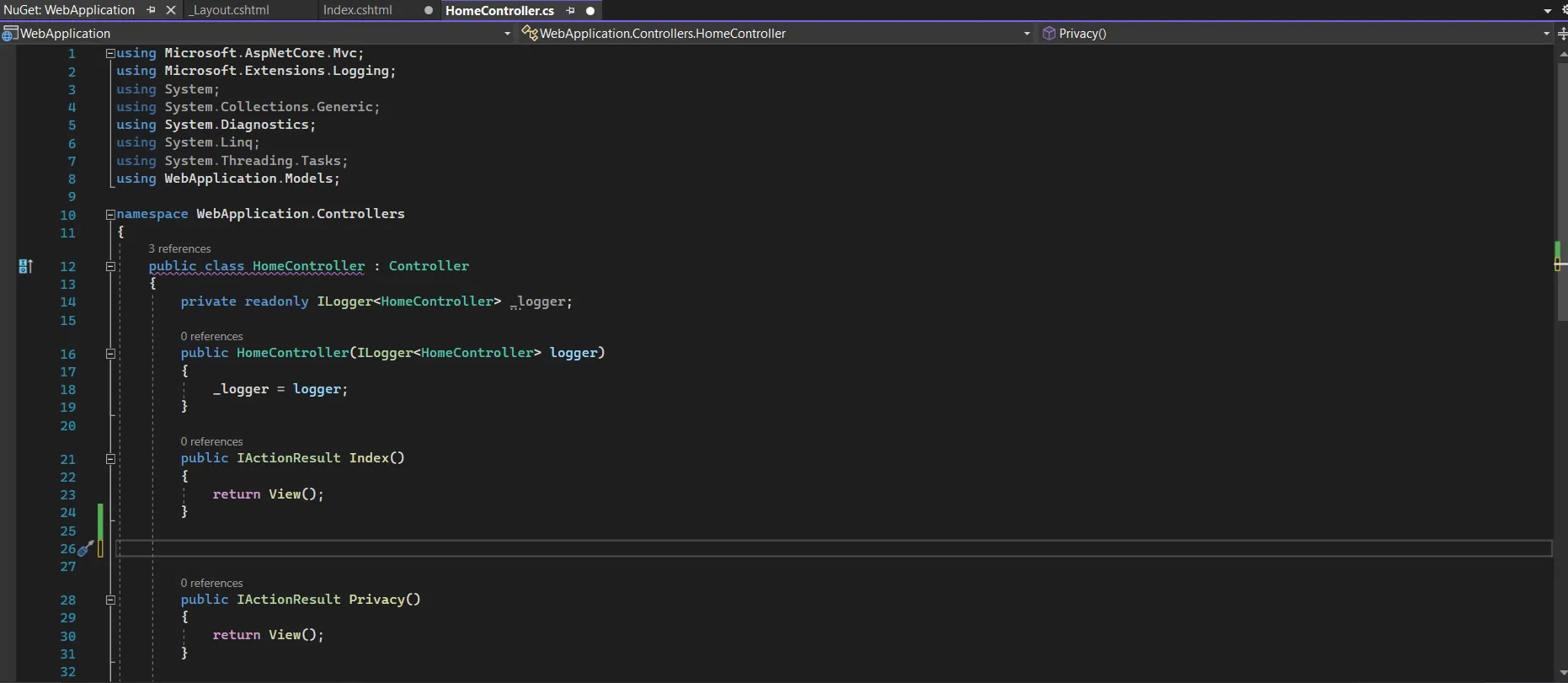
cd PdfGeneratorApp在開始在 ASP.NET 中產生 PDF 文件之前,請透過在 NuGet 套件管理器控制台中執行以下命令,將 IronPDF 新增至您的專案:
有關詳細安裝選項,包括NuGet 套件配置和Windows 安裝程式,請參閱官方文件。
using IronPdf;
using IronPdf.Extensions.Mvc.Core;
using Microsoft.AspNetCore.Mvc.ViewFeatures;
var builder = WebApplication.CreateBuilder(args);
// Configure IronPDF license (use your license key)
License.LicenseKey = "your-license-key";
// Add MVC services
builder.Services.AddControllersWithViews();
// Register IronPDF services
builder.Services.AddSingleton<IHttpContextAccessor, HttpContextAccessor>();
builder.Services.AddSingleton<ITempDataProvider, CookieTempDataProvider>();
builder.Services.AddSingleton<IRazorViewRenderer, RazorViewRenderer>();
// Configure ChromePdfRenderer as a service
builder.Services.AddSingleton<ChromePdfRenderer>(provider =>
{
    var renderer = new ChromePdfRenderer();
    // Configure rendering options
    renderer.RenderingOptions.MarginTop = 25;
    renderer.RenderingOptions.MarginBottom = 25;
    renderer.RenderingOptions.MarginLeft = 20;
    renderer.RenderingOptions.MarginRight = 20;
    renderer.RenderingOptions.EnableJavaScript = true;
    renderer.RenderingOptions.RenderDelay = 500; // Wait for JS execution
    return renderer;
});
var app = builder.Build();
// Configure middleware pipeline
if (!app.Environment.IsDevelopment())
{
    app.UseExceptionHandler("/Home/Error");
    app.UseHsts();
}
app.UseHttpsRedirection();
app.UseStaticFiles();
app.UseRouting();
app.UseAuthorization();
app.MapControllerRoute(
    name: "default",
    pattern: "{controller=Home}/{action=Index}/{id?}");
app.Run();Imports IronPdf
Imports IronPdf.Extensions.Mvc.Core
Imports Microsoft.AspNetCore.Mvc.ViewFeatures
Imports Microsoft.Extensions.DependencyInjection
Imports Microsoft.AspNetCore.Builder
Imports Microsoft.AspNetCore.Hosting
Module Program
Sub Main(args As String())
Dim builder = WebApplication.CreateBuilder(args)
' Configure IronPDF license (use your license key)
License.LicenseKey = "your-license-key"
' Add MVC services
builder.Services.AddControllersWithViews()
' Register IronPDF services
builder.Services.AddSingleton(Of IHttpContextAccessor, HttpContextAccessor)()
builder.Services.AddSingleton(Of ITempDataProvider, CookieTempDataProvider)()
builder.Services.AddSingleton(Of IRazorViewRenderer, RazorViewRenderer)()
' Configure ChromePdfRenderer as a service
builder.Services.AddSingleton(Of ChromePdfRenderer)(Function(provider)
Dim renderer = New ChromePdfRenderer()
' Configure rendering options
renderer.RenderingOptions.MarginTop = 25
renderer.RenderingOptions.MarginBottom = 25
renderer.RenderingOptions.MarginLeft = 20
renderer.RenderingOptions.MarginRight = 20
renderer.RenderingOptions.EnableJavaScript = True
renderer.RenderingOptions.RenderDelay = 500 ' Wait for JS execution
Return renderer
End Function)
Dim app = builder.Build()
' Configure middleware pipeline
If Not app.Environment.IsDevelopment() Then
app.UseExceptionHandler("/Home/Error")
app.UseHsts()
End If
app.UseHttpsRedirection()
app.UseStaticFiles()
app.UseRouting()
app.UseAuthorization()
app.MapControllerRoute(
name:="default",
pattern:="{controller=Home}/{action=Index}/{id?}")
app.Run()
End Sub
End Module此配置將 IronPDF 設定為單例服務,確保應用程式有效利用資源。 您可以進一步修改 `RenderingOptions` 以符合您的特定需求。 此時,Visual Studio 解決方案資源管理器中的資料夾結構應如下所示:
在 ASP.NET Core 中產生新的 PDF 文件最有效的方法是利用Razor 視圖進行 PDF 轉換。 這樣,您就可以利用熟悉的 MVC 模式、強型別模型和 Razor 語法,從自訂 HTML 檔案、網頁和其他來源建立動態 PDF。 根據微軟關於 Razor Pages 的文件,這種方法為以頁面為中心的場景提供了最清晰的關注點分離。
首先,讓我們建立一個代表典型商業文件的綜合模型:
namespace PdfGeneratorApp.Models
{
    public class InvoiceModel
    {
        public string InvoiceNumber { get; set; }
        public DateTime InvoiceDate { get; set; }
        public DateTime DueDate { get; set; }
        public CompanyInfo Vendor { get; set; }
        public CompanyInfo Customer { get; set; }
        public List<InvoiceItem> Items { get; set; }
        public decimal Subtotal => Items?.Sum(x => x.Total) ?? 0;
        public decimal TaxRate { get; set; }
        public decimal TaxAmount => Subtotal * (TaxRate / 100);
        public decimal Total => Subtotal + TaxAmount;
        public string Notes { get; set; }
        public string PaymentTerms { get; set; }
    }
    public class CompanyInfo
    {
        public string Name { get; set; }
        public string Address { get; set; }
        public string City { get; set; }
        public string State { get; set; }
        public string ZipCode { get; set; }
        public string Email { get; set; }
        public string Phone { get; set; }
    }
    public class InvoiceItem
    {
        public string Description { get; set; }
        public int Quantity { get; set; }
        public decimal UnitPrice { get; set; }
        public decimal Total => Quantity * UnitPrice;
    }
}Imports System
Imports System.Collections.Generic
Imports System.Linq
Namespace PdfGeneratorApp.Models
Public Class InvoiceModel
Public Property InvoiceNumber As String
Public Property InvoiceDate As DateTime
Public Property DueDate As DateTime
Public Property Vendor As CompanyInfo
Public Property Customer As CompanyInfo
Public Property Items As List(Of InvoiceItem)
Public ReadOnly Property Subtotal As Decimal
Get
Return If(Items?.Sum(Function(x) x.Total), 0)
End Get
End Property
Public Property TaxRate As Decimal
Public ReadOnly Property TaxAmount As Decimal
Get
Return Subtotal * (TaxRate / 100)
End Get
End Property
Public ReadOnly Property Total As Decimal
Get
Return Subtotal + TaxAmount
End Get
End Property
Public Property Notes As String
Public Property PaymentTerms As String
End Class
Public Class CompanyInfo
Public Property Name As String
Public Property Address As String
Public Property City As String
Public Property State As String
Public Property ZipCode As String
Public Property Email As String
Public Property Phone As String
End Class
Public Class InvoiceItem
Public Property Description As String
Public Property Quantity As Integer
Public Property UnitPrice As Decimal
Public ReadOnly Property Total As Decimal
Get
Return Quantity * UnitPrice
End Get
End Property
End Class
End Namespace在 Views/Invoice/InvoiceTemplate.cshtml 建立一個視圖,用於渲染您的 PDF 內容:
@model PdfGeneratorApp.Models.InvoiceModel
@{
    Layout = null; // PDFs should not use the site layout
}
<!DOCTYPE html>
<html>
<head>
    <meta charset="utf-8" />
    <title>Invoice @Model.InvoiceNumber</title>
    <style>
        * {
            margin: 0;
            padding: 0;
            box-sizing: border-box;
        }
        body {
            font-family: 'Segoe UI', Tahoma, Geneva, Verdana, sans-serif;
            line-height: 1.6;
            color: #333;
        }
        .invoice-container {
            max-width: 800px;
            margin: 0 auto;
            padding: 30px;
        }
        .invoice-header {
            display: flex;
            justify-content: space-between;
            margin-bottom: 40px;
            padding-bottom: 20px;
            border-bottom: 2px solid #2c3e50;
        }
        .company-details {
            flex: 1;
        }
        .company-details h1 {
            color: #2c3e50;
            margin-bottom: 10px;
        }
        .invoice-details {
            text-align: right;
        }
        .invoice-details h2 {
            color: #2c3e50;
            font-size: 28px;
            margin-bottom: 10px;
        }
        .invoice-details p {
            margin: 5px 0;
            font-size: 14px;
        }
        .billing-details {
            display: flex;
            justify-content: space-between;
            margin-bottom: 40px;
        }
        .billing-section {
            flex: 1;
        }
        .billing-section h3 {
            color: #2c3e50;
            margin-bottom: 10px;
            font-size: 16px;
            text-transform: uppercase;
        }
        .items-table {
            width: 100%;
            border-collapse: collapse;
            margin-bottom: 40px;
        }
        .items-table thead {
            background-color: #2c3e50;
            color: white;
        }
        .items-table th,
        .items-table td {
            padding: 12px;
            text-align: left;
            border-bottom: 1px solid #ddd;
        }
        .items-table tbody tr:hover {
            background-color: #f5f5f5;
        }
        .text-right {
            text-align: right;
        }
        .invoice-summary {
            display: flex;
            justify-content: flex-end;
            margin-bottom: 40px;
        }
        .summary-table {
            width: 300px;
        }
        .summary-table tr {
            border-bottom: 1px solid #ddd;
        }
        .summary-table td {
            padding: 8px;
        }
        .summary-table .total-row {
            font-weight: bold;
            font-size: 18px;
            color: #2c3e50;
            border-top: 2px solid #2c3e50;
        }
        .invoice-footer {
            margin-top: 60px;
            padding-top: 20px;
            border-top: 1px solid #ddd;
        }
        .footer-notes {
            margin-bottom: 20px;
        }
        .footer-notes h4 {
            color: #2c3e50;
            margin-bottom: 10px;
        }
        @@media print {
            .invoice-container {
                padding: 0;
            }
        }
    </style>
</head>
<body>
    <div class="invoice-container">
        <div class="invoice-header">
            <div class="company-details">
                <h1>@Model.Vendor.Name</h1>
                <p>@Model.Vendor.Address</p>
                <p>@Model.Vendor.City, @Model.Vendor.State @Model.Vendor.ZipCode</p>
                <p>Email: @Model.Vendor.Email</p>
                <p>Phone: @Model.Vendor.Phone</p>
            </div>
            <div class="invoice-details">
                <h2>INVOICE</h2>
                <p><strong>Invoice #:</strong> @Model.InvoiceNumber</p>
                <p><strong>Date:</strong> @Model.InvoiceDate.ToString("MMM dd, yyyy")</p>
                <p><strong>Due Date:</strong> @Model.DueDate.ToString("MMM dd, yyyy")</p>
            </div>
        </div>
        <div class="billing-details">
            <div class="billing-section">
                <h3>Bill To:</h3>
                <p><strong>@Model.Customer.Name</strong></p>
                <p>@Model.Customer.Address</p>
                <p>@Model.Customer.City, @Model.Customer.State @Model.Customer.ZipCode</p>
                <p>@Model.Customer.Email</p>
            </div>
        </div>
        <table class="items-table">
            <thead>
                <tr>
                    <th>Description</th>
                    <th class="text-right">Quantity</th>
                    <th class="text-right">Unit Price</th>
                    <th class="text-right">Total</th>
                </tr>
            </thead>
            <tbody>
                @foreach (var item in Model.Items)
                {
                    <tr>
                        <td>@item.Description</td>
                        <td class="text-right">@item.Quantity</td>
                        <td class="text-right">@item.UnitPrice.ToString("C")</td>
                        <td class="text-right">@item.Total.ToString("C")</td>
                    </tr>
                }
            </tbody>
        </table>
        <div class="invoice-summary">
            <table class="summary-table">
                <tr>
                    <td>Subtotal:</td>
                    <td class="text-right">@Model.Subtotal.ToString("C")</td>
                </tr>
                <tr>
                    <td>Tax (@Model.TaxRate%):</td>
                    <td class="text-right">@Model.TaxAmount.ToString("C")</td>
                </tr>
                <tr class="total-row">
                    <td>Total:</td>
                    <td class="text-right">@Model.Total.ToString("C")</td>
                </tr>
            </table>
        </div>
        @if (!string.IsNullOrEmpty(Model.Notes))
        {
            <div class="invoice-footer">
                <div class="footer-notes">
                    <h4>Notes</h4>
                    <p>@Model.Notes</p>
                </div>
            </div>
        }
        @if (!string.IsNullOrEmpty(Model.PaymentTerms))
        {
            <div class="footer-notes">
                <h4>Payment Terms</h4>
                <p>@Model.PaymentTerms</p>
            </div>
        }
    </div>
</body>
</html>net現在讓我們建立一個功能強大的控制器,用於產生具有全面錯誤處理的 PDF 檔案:
using IronPdf;
using IronPdf.Extensions.Mvc.Core;
using Microsoft.AspNetCore.Mvc;
using PdfGeneratorApp.Models;
using System.Diagnostics;
namespace PdfGeneratorApp.Controllers
{
    public class InvoiceController : Controller
    {
        private readonly ILogger<InvoiceController> _logger;
        private readonly IRazorViewRenderer _viewRenderer;
        private readonly ChromePdfRenderer _pdfRenderer;
        private readonly IWebHostEnvironment _environment;
        public InvoiceController(
            ILogger<InvoiceController> logger,
            IRazorViewRenderer viewRenderer,
            ChromePdfRenderer pdfRenderer,
            IWebHostEnvironment environment)
        {
            _logger = logger;
            _viewRenderer = viewRenderer;
            _pdfRenderer = pdfRenderer;
            _environment = environment;
        }
        [HttpGet]
        public IActionResult Index()
        {
            // Display a form or list of invoices
            return View();
        }
        [HttpGet]
        public async Task<IActionResult> GenerateInvoice(string invoiceNumber)
        {
            var stopwatch = Stopwatch.StartNew();
            try
            {
                // Validate input
                if (string.IsNullOrEmpty(invoiceNumber))
                {
                    _logger.LogWarning("Invoice generation attempted without invoice number");
                    return BadRequest("Invoice number is required");
                }
                // Generate sample data (in production, fetch from database)
                var invoice = CreateSampleInvoice(invoiceNumber);
                // Log the generation attempt
                _logger.LogInformation($"Generating PDF for invoice {invoiceNumber}");
                // Configure PDF rendering options
                _pdfRenderer.RenderingOptions.PaperOrientation = IronPdf.Rendering.PdfPaperOrientation.Portrait;
                _pdfRenderer.RenderingOptions.PaperSize = IronPdf.Rendering.PdfPaperSize.A4;
                _pdfRenderer.RenderingOptions.PrintHtmlBackgrounds = true;
                _pdfRenderer.RenderingOptions.CreatePdfFormsFromHtml = false;
                // Add custom header with page numbers
                _pdfRenderer.RenderingOptions.TextHeader = new TextHeaderFooter
                {
                    CenterText = $"Invoice {invoice.InvoiceNumber}",
                    DrawDividerLine = true,
                    Font = IronSoftware.Drawing.FontTypes.Helvetica,
                    FontSize = 10
                };
                // Add footer with page numbers
                _pdfRenderer.RenderingOptions.TextFooter = new TextHeaderFooter
                {
                    LeftText = "{date} {time}",
                    RightText = "Page {page} of {total-pages}",
                    DrawDividerLine = true,
                    Font = IronSoftware.Drawing.FontTypes.Helvetica,
                    FontSize = 8
                };
                // Render the view to PDF
                PdfDocument pdf;
                try
                {
                    pdf = _pdfRenderer.RenderRazorViewToPdf(
                        _viewRenderer,
                        "Views/Invoice/InvoiceTemplate.cshtml",
                        invoice);
                }
                catch (例外 renderEx)
                {
                    _logger.LogError(renderEx, "Failed to render Razor view to PDF");
                    throw new InvalidOperationException("PDF rendering failed. Please check the template.", renderEx);
                }
                // Apply metadata
                pdf.MetaData.Author = "PdfGeneratorApp";
                pdf.MetaData.Title = $"Invoice {invoice.InvoiceNumber}";
                pdf.MetaData.Subject = $"Invoice for {invoice.Customer.Name}";
                pdf.MetaData.Keywords = "invoice, billing, payment";
                pdf.MetaData.CreationDate = DateTime.UtcNow;
                pdf.MetaData.ModifiedDate = DateTime.UtcNow;
                // Optional: Add password protection
                // pdf.SecuritySettings.UserPassword = "user123";
                // pdf.SecuritySettings.OwnerPassword = "owner456";
                // pdf.SecuritySettings.AllowUserPrinting = IronPdf.Security.PdfPrintSecurity.FullPrintRights;
                // Log performance metrics
                stopwatch.Stop();
                _logger.LogInformation($"PDF generated successfully for invoice {invoiceNumber} in {stopwatch.ElapsedMilliseconds}ms");
                // Return the PDF file
                Response.Headers.Add("Content-Disposition", $"inline; filename=Invoice_{invoiceNumber}.pdf");
                return File(pdf.BinaryData, "application/pdf", $"Invoice_{invoiceNumber}.pdf");
            }
            catch (例外 ex)
            {
                _logger.LogError(ex, $"Error generating PDF for invoice {invoiceNumber}");
                // In development, return detailed error
                if (_environment.IsDevelopment())
                {
                    return StatusCode(500, new
                    {
                        error = "PDF generation failed",
                        message = ex.Message,
                        stackTrace = ex.StackTrace
                    });
                }
                // In production, return generic error
                return StatusCode(500, "An error occurred while generating the PDF");
            }
        }
        private InvoiceModel CreateSampleInvoice(string invoiceNumber)
        {
            return new InvoiceModel
            {
                InvoiceNumber = invoiceNumber,
                InvoiceDate = DateTime.Now,
                DueDate = DateTime.Now.AddDays(30),
                Vendor = new CompanyInfo
                {
                    Name = "Tech 解決方案s Inc.",
                    Address = "123 Business Ave",
                    City = "New York",
                    State = "NY",
                    ZipCode = "10001",
                    Email = "billing@techsolutions.com",
                    Phone = "(555) 123-4567"
                },
                Customer = new CompanyInfo
                {
                    Name = "Acme Corporation",
                    Address = "456 Commerce St",
                    City = "Los Angeles",
                    State = "CA",
                    ZipCode = "90001",
                    Email = "accounts@acmecorp.com",
                    Phone = "(555) 987-6543"
                },
                Items = new List<InvoiceItem>
                {
                    new InvoiceItem
                    {
                        Description = "Software Development Services - 40 hours",
                        Quantity = 40,
                        UnitPrice = 150.00m
                    },
                    new InvoiceItem
                    {
                        Description = "Project Management - 10 hours",
                        Quantity = 10,
                        UnitPrice = 120.00m
                    },
                    new InvoiceItem
                    {
                        Description = "Quality Assurance Testing",
                        Quantity = 1,
                        UnitPrice = 2500.00m
                    }
                },
                TaxRate = 8.875m,
                Notes = "Payment is due within 30 days. Late payments subject to 1.5% monthly interest.",
                PaymentTerms = "Net 30"
            };
        }
    }
}若要測試並執行上述 PDF 產生器,請啟動專案並輸入以下 URL:https://localhost:[port]/Invoice/GenerateInvoice?invoiceNumber=055 以產生發票。請記得將 port 替換為您實際託管應用程式的埠號。
對於需要透過 RESTful API 提供 PDF 服務的應用程式,以下是如何透過適當的記憶體管理實現高效的 PDF 交付。 這種方法在建立微服務或需要在 ASP.NET Core Web API 控制器中產生 PDF 時特別有用:
using Microsoft.AspNetCore.Mvc;
using IronPdf;
using System.IO;
namespace PdfGeneratorApp.Controllers.Api
{
    [ApiController]
    [Route("api/[controller]")]
    public class PdfApiController : ControllerBase
    {
        private readonly ChromePdfRenderer _pdfRenderer;
        private readonly ILogger<PdfApiController> _logger;
        public PdfApiController(
            ChromePdfRenderer pdfRenderer,
            ILogger<PdfApiController> logger)
        {
            _pdfRenderer = pdfRenderer;
            _logger = logger;
        }
        [HttpPost("generate-report")]
        public async Task<IActionResult> GenerateReport([FromBody] ReportRequest request)
        {
            try
            {
                // Validate request
                if (!ModelState.IsValid)
                {
                    return BadRequest(ModelState);
                }
                // Build HTML content dynamically
                var htmlContent = BuildReportHtml(request);
                // Generate PDF with memory-efficient streaming
                using var pdfDocument = _pdfRenderer.RenderHtmlAsPdf(htmlContent);
                // Apply compression for smaller file size
                pdfDocument.CompressImages(60); // 60% quality
                // Stream the PDF directly to response
                var stream = new MemoryStream();
                pdfDocument.SaveAs(stream);
                stream.Position = 0;
                _logger.LogInformation($"Report generated for {request.ReportType}");
                return new FileStreamResult(stream, "application/pdf")
                {
                    FileDownloadName = $"Report_{DateTime.Now:yyyyMMdd_HHmmss}.pdf"
                };
            }
            catch (例外 ex)
            {
                _logger.LogError(ex, "Failed to generate report");
                return StatusCode(500, new { error = "Report generation failed" });
            }
        }
        [HttpGet("download/{documentId}")]
        public async Task<IActionResult> DownloadDocument(string documentId)
        {
            try
            {
                // In production, retrieve document from database or storage
                var documentPath = Path.Combine("wwwroot", "documents", $"{documentId}.pdf");
                if (!System.IO.File.Exists(documentPath))
                {
                    return NotFound(new { error = "Document not found" });
                }
                var memory = new MemoryStream();
                using (var stream = new FileStream(documentPath, FileMode.Open))
                {
                    await stream.CopyToAsync(memory);
                }
                memory.Position = 0;
                return File(memory, "application/pdf", $"Document_{documentId}.pdf");
            }
            catch (例外 ex)
            {
                _logger.LogError(ex, $"Failed to download document {documentId}");
                return StatusCode(500, new { error = "Download failed" });
            }
        }
        private string BuildReportHtml(ReportRequest request)
        {
            return $@"
                <!DOCTYPE html>
                <html>
                <head>
                    <style>
                        body {{font-family: Arial, sans-serif;
                            margin: 40px;}}
                        h1 {{color: #2c3e50;
                            border-bottom: 2px solid #3498db;
                            padding-bottom: 10px;}}
                        .report-date {{color: #7f8c8d;
                            font-size: 14px;}}
                        .data-table {{width: 100%;
                            border-collapse: collapse;
                            margin-top: 20px;}}
                        .data-table th, .data-table td {{border: 1px solid #ddd;
                            padding: 12px;
                            text-align: left;}}
                        .data-table th {{background-color: #3498db;
                            color: white;}}
                    </style>
                </head>
                <body>
                    <h1>{request.ReportType} Report</h1>
                    <p class='report-date'>Generated: {DateTime.Now:MMMM dd, yyyy HH:mm}</p>
                    <p>{request.Description}</p>
                    {GenerateDataTable(request.Data)}
                </body>
                </html>";
        }
        private string GenerateDataTable(List<ReportDataItem> data)
        {
            if (data == null || !data.Any())
                return "<p>No data available</p>";
            var table = "<table class='data-table'><thead><tr>";
            // Add headers
            foreach (var prop in typeof(ReportDataItem).GetProperties())
            {
                table += $"<th>{prop.Name}</th>";
            }
            table += "</tr></thead><tbody>";
            // Add data rows
            foreach (var item in data)
            {
                table += "<tr>";
                foreach (var prop in typeof(ReportDataItem).GetProperties())
                {
                    var value = prop.GetValue(item) ?? "";
                    table += $"<td>{value}</td>";
                }
                table += "</tr>";
            }
            table += "</tbody></table>";
            return table;
        }
    }
    public class ReportRequest
    {
        public string ReportType { get; set; }
        public string Description { get; set; }
        public List<ReportDataItem> Data { get; set; }
    }
    public class ReportDataItem
    {
        public string Name { get; set; }
        public string Category { get; set; }
        public decimal Value { get; set; }
        public DateTime Date { get; set; }
    }
}專業的PDF文件需要統一的頁首、頁尾和樣式。 IronPDF 提供簡單的文字為主的選項和進階的基於 HTML 的選項。 透過使用 CSS 樣式來設定 HTML 標記的樣式,我們可以建立自訂的 PDF 頁首和頁尾。 以下程式碼片段展示如何在目前專案中使用此功能:
using IronPdf;
using IronPdf.Extensions.Mvc.Core;
using Microsoft.AspNetCore.Mvc;
using PdfGeneratorApp.Models;
using PdfGeneratorApp.Services;
using System.Diagnostics;
namespace PdfGeneratorApp.Controllers
{
    public class InvoiceController : Controller
    {
        private readonly ILogger<InvoiceController> _logger;
        private readonly IRazorViewRenderer _viewRenderer;
        private readonly ChromePdfRenderer _pdfRenderer;
        private readonly PdfFormattingService _pdfFormattingService;
        private readonly IWebHostEnvironment _environment;
        public InvoiceController(
            ILogger<InvoiceController> logger,
            IRazorViewRenderer viewRenderer,
            ChromePdfRenderer pdfRenderer,
            PdfFormattingService pdfFormattingService,
            IWebHostEnvironment environment)
        {
            _logger = logger;
            _viewRenderer = viewRenderer;
            _pdfRenderer = pdfRenderer;
            _pdfFormattingService = pdfFormattingService;
            _environment = environment;
        }
        [HttpGet]
        public IActionResult Index()
        {
            // Display a form or list of invoices
            return View();
        }
        private void ConfigurePdfRendererOptions(ChromePdfRenderer renderer, InvoiceModel invoice, PdfStylingOptions options)
        {
            // Margins
            renderer.RenderingOptions.MarginTop = options.MarginTop;
            renderer.RenderingOptions.MarginBottom = options.MarginBottom;
            renderer.RenderingOptions.MarginLeft = options.MarginLeft;
            renderer.RenderingOptions.MarginRight = options.MarginRight;
            // Header
            if (options.UseHtmlHeader)
            {
                renderer.RenderingOptions.HtmlHeader = new HtmlHeaderFooter
                {
                    MaxHeight = 50,
                    HtmlFragment = $@"
                <div style='width: 100%; font-size: 12px; font-family: Arial;'>
                    <div style='float: left; width: 50%;'>
                        <!-- Add your logo or dynamic content here -->
                        <img src='https://ironpdf.com/img/products/ironpdf-logo-text-dotnet.svg' height='40' />
                    </div>
                    <div style='float: right; width: 50%; text-align: right;'>
                        <strong>Invoice {invoice.InvoiceNumber}</strong><br/>
                        Generated: {DateTime.Now:yyyy-MM-dd}
                    </div>
                </div>",
                    LoadStylesAndCSSFromMainHtmlDocument = true
                };
            }
            else
            {
                renderer.RenderingOptions.TextHeader = new TextHeaderFooter
                {
                    CenterText = options.HeaderText,
                    Font = IronSoftware.Drawing.FontTypes.Arial,
                    FontSize = 12,
                    DrawDividerLine = true
                };
            }
            // Footer
            renderer.RenderingOptions.HtmlFooter = new HtmlHeaderFooter
            {
                MaxHeight = 30,
                HtmlFragment = @"
            <div style='width: 100%; font-size: 10px; color: #666;'>
                <div style='float: left; width: 33%;'>
                    © 2025 Your Company
                </div>
                <div style='float: center; width: 33%; text-align: center;'>
                    yourwebsite.com
                </div>
                <div style='float: right; width: 33%; text-align: right;'>
                    Page {page} of {total-pages}
                </div>
            </div>"
            };
            // Optional: Add watermark here (IronPDF supports adding after PDF is generated, so keep it as-is)
            // Margins, paper size etc., can also be set here if needed
            renderer.RenderingOptions.PaperOrientation = IronPdf.Rendering.PdfPaperOrientation.Portrait;
            renderer.RenderingOptions.PaperSize = IronPdf.Rendering.PdfPaperSize.A4;
            renderer.RenderingOptions.PrintHtmlBackgrounds = true;
        }
        [HttpGet]
        public async Task<IActionResult> GenerateInvoice(string invoiceNumber)
        {
            var stopwatch = Stopwatch.StartNew();
            try
            {
                // Validate input
                if (string.IsNullOrEmpty(invoiceNumber))
                {
                    _logger.LogWarning("Invoice generation attempted without invoice number");
                    return BadRequest("Invoice number is required");
                }
                // Generate sample data (in production, fetch from database)
                var invoice = CreateSampleInvoice(invoiceNumber);
                // Log the generation attempt
                _logger.LogInformation($"Generating PDF for invoice {invoiceNumber}");
                // Configure PDF rendering options
                _pdfRenderer.RenderingOptions.PaperOrientation = IronPdf.Rendering.PdfPaperOrientation.Portrait;
                _pdfRenderer.RenderingOptions.PaperSize = IronPdf.Rendering.PdfPaperSize.A4;
                _pdfRenderer.RenderingOptions.PrintHtmlBackgrounds = true;
                _pdfRenderer.RenderingOptions.CreatePdfFormsFromHtml = false;
                var options = new PdfStylingOptions
                {
                    MarginTop = 25,
                    MarginBottom = 25,
                    MarginLeft = 20,
                    MarginRight = 20,
                    UseHtmlHeader = true,
                    HeaderText = $"Invoice {invoice.InvoiceNumber}",
                    AddWatermark = false,
                    ForcePageBreaks = false
                };
                // Apply the styling to the renderer BEFORE rendering PDF
                ConfigurePdfRendererOptions(_pdfRenderer, invoice, options);
                // Render the view to PDF
                PdfDocument pdf;
                try
                {
                    pdf = _pdfRenderer.RenderRazorViewToPdf(
                        _viewRenderer,
                        "Views/Invoice/InvoiceTemplate.cshtml",
                        invoice);
                }
                catch (例外 renderEx)
                {
                    _logger.LogError(renderEx, "Failed to render Razor view to PDF");
                    throw new InvalidOperationException("PDF rendering failed. Please check the template.", renderEx);
                }
                // Apply metadata
                pdf.MetaData.Author = "PdfGeneratorApp";
                pdf.MetaData.Title = $"Invoice {invoice.InvoiceNumber}";
                pdf.MetaData.Subject = $"Invoice for {invoice.Customer.Name}";
                pdf.MetaData.Keywords = "invoice, billing, payment";
                pdf.MetaData.CreationDate = DateTime.UtcNow;
                pdf.MetaData.ModifiedDate = DateTime.UtcNow;
                // Optional: Add password protection
                // pdf.SecuritySettings.UserPassword = "user123";
                // pdf.SecuritySettings.OwnerPassword = "owner456";
                // pdf.SecuritySettings.AllowUserPrinting = IronPdf.Security.PdfPrintSecurity.FullPrintRights;
                // Log performance metrics
                stopwatch.Stop();
                _logger.LogInformation($"PDF generated successfully for invoice {invoiceNumber} in {stopwatch.ElapsedMilliseconds}ms");
                // Return the PDF file
                Response.Headers.Add("Content-Disposition", $"inline; filename=Invoice_{invoiceNumber}.pdf");
                return File(pdf.BinaryData, "application/pdf", $"Invoice_{invoiceNumber}.pdf");
            }
            catch (例外 ex)
            {
                _logger.LogError(ex, $"Error generating PDF for invoice {invoiceNumber}");
                // In development, return detailed error
                if (_environment.IsDevelopment())
                {
                    return StatusCode(500, new
                    {
                        error = "PDF generation failed",
                        message = ex.Message,
                        stackTrace = ex.StackTrace
                    });
                }
                // In production, return generic error
                return StatusCode(500, "An error occurred while generating the PDF");
            }
        }
        private InvoiceModel CreateSampleInvoice(string invoiceNumber)
        {
            return new InvoiceModel
            {
                InvoiceNumber = invoiceNumber,
                InvoiceDate = DateTime.Now,
                DueDate = DateTime.Now.AddDays(30),
                Vendor = new CompanyInfo
                {
                    Name = "Tech 解決方案s Inc.",
                    Address = "123 Business Ave",
                    City = "New York",
                    State = "NY",
                    ZipCode = "10001",
                    Email = "billing@techsolutions.com",
                    Phone = "(555) 123-4567"
                },
                Customer = new CompanyInfo
                {
                    Name = "Acme Corporation",
                    Address = "456 Commerce St",
                    City = "Los Angeles",
                    State = "CA",
                    ZipCode = "90001",
                    Email = "accounts@acmecorp.com",
                    Phone = "(555) 987-6543"
                },
                Items = new List<InvoiceItem>
                {
                    new InvoiceItem
                    {
                        Description = "Software Development Services - 40 hours",
                        Quantity = 40,
                        UnitPrice = 150.00m
                    },
                    new InvoiceItem
                    {
                        Description = "Project Management - 10 hours",
                        Quantity = 10,
                        UnitPrice = 120.00m
                    },
                    new InvoiceItem
                    {
                        Description = "Quality Assurance Testing",
                        Quantity = 1,
                        UnitPrice = 2500.00m
                    }
                },
                TaxRate = 8.875m,
                Notes = "Payment is due within 30 days. Late payments subject to 1.5% monthly interest.",
                PaymentTerms = "Net 30"
            };
        }
    }
}你可以看到基本標題和樣式標題之間的細微差別。 使用 IronPDF,您甚至可以為發票新增自訂 HTML 頁首和頁腳,進一步美化發票樣式,使其真正成為您自己的發票。
如需有關新增頁首和頁尾的詳細資訊,請參閱此如何指南。
需要產生成百上千份PDF檔案嗎? 以下是如何在高效管理記憶體的同時,利用並行處理實現最佳效能的方法。 下載我們的完整範例程式碼,即可查看實際應用效果。
對於需要高效產生多個 PDF 的應用程式,這裡提供了一種使用非同步和多執行緒技術的最佳化批量處理實作。 此方法遵循 Microsoft 的平行程式設計最佳實務,旨在使用 C# 於 .NET Core 中產生 PDF 時達到最佳效能:
using System.Collections.Concurrent;
using System.Diagnostics;
public class BatchPdfProcessor
{
    private readonly ChromePdfRenderer _renderer;
    private readonly ILogger<BatchPdfProcessor> _logger;
    private readonly SemaphoreSlim _semaphore;
    public BatchPdfProcessor(
        ChromePdfRenderer renderer,
        ILogger<BatchPdfProcessor> logger)
    {
        _renderer = renderer;
        _logger = logger;
        // Limit concurrent PDF generation to prevent memory exhaustion
        _semaphore = new SemaphoreSlim(Environment.ProcessorCount);
    }
    public async Task<BatchProcessingResult> ProcessBatchAsync(
        List<BatchPdfRequest> requests,
        IProgress<BatchProgressReport> progress = null)
    {
        var result = new BatchProcessingResult
        {
            StartTime = DateTime.UtcNow,
            TotalRequests = requests.Count
        };
        var successfulPdfs = new ConcurrentBag<GeneratedPdf>();
        var errors = new ConcurrentBag<ProcessingError>();
        var stopwatch = Stopwatch.StartNew();
        // Process PDFs in parallel with controlled concurrency
        var tasks = requests.Select(async (request, index) =>
        {
            await _semaphore.WaitAsync();
            try
            {
                var taskStopwatch = Stopwatch.StartNew();
                // Generate PDF
                var pdf = await GeneratePdfAsync(request);
                taskStopwatch.Stop();
                successfulPdfs.Add(new GeneratedPdf
                {
                    Id = request.Id,
                    FileName = request.FileName,
                    Data = pdf.BinaryData,
                    GenerationTime = taskStopwatch.ElapsedMilliseconds,
                    PageCount = pdf.PageCount
                });
                // Report progress
                progress?.Report(new BatchProgressReport
                {
                    ProcessedCount = successfulPdfs.Count + errors.Count,
                    TotalCount = requests.Count,
                    CurrentFile = request.FileName
                });
                _logger.LogDebug($"Generated PDF {request.Id} in {taskStopwatch.ElapsedMilliseconds}ms");
            }
            catch (例外 ex)
            {
                errors.Add(new ProcessingError
                {
                    RequestId = request.Id,
                    FileName = request.FileName,
                    Error = ex.Message,
                    StackTrace = ex.StackTrace
                });
                _logger.LogError(ex, $"Failed to generate PDF for request {request.Id}");
            }
            finally
            {
                _semaphore.Release();
            }
        });
        await Task.WhenAll(tasks);
        stopwatch.Stop();
        // Compile results
        result.EndTime = DateTime.UtcNow;
        result.TotalProcessingTime = stopwatch.ElapsedMilliseconds;
        result.SuccessfulPdfs = successfulPdfs.ToList();
        result.Errors = errors.ToList();
        result.SuccessCount = successfulPdfs.Count;
        result.ErrorCount = errors.Count;
        result.AverageGenerationTime = successfulPdfs.Any()
            ? successfulPdfs.Average(p => p.GenerationTime)
            : 0;
        result.TotalPages = successfulPdfs.Sum(p => p.PageCount);
        result.TotalSizeBytes = successfulPdfs.Sum(p => p.Data.Length);
        // Log summary
        _logger.LogInformation($"Batch processing completed: {result.SuccessCount} successful, " +
                             $"{result.ErrorCount} errors, {result.TotalProcessingTime}ms total time");
        // Clean up memory after large batch
        if (requests.Count > 100)
        {
            GC.Collect();
            GC.WaitForPendingFinalizers();
            GC.Collect();
        }
        return result;
    }
    private async Task<PdfDocument> GeneratePdfAsync(BatchPdfRequest request)
    {
        return await Task.Run(() =>
        {
            // Configure renderer for this specific request
            var localRenderer = new ChromePdfRenderer();
            localRenderer.RenderingOptions.PaperSize = request.PaperSize;
            localRenderer.RenderingOptions.MarginTop = request.MarginTop;
            localRenderer.RenderingOptions.MarginBottom = request.MarginBottom;
            // Generate PDF
            var pdf = localRenderer.RenderHtmlAsPdf(request.HtmlContent);
            // Apply compression if requested
            if (request.CompressImages)
            {
                pdf.CompressImages(request.CompressionQuality);
            }
            return pdf;
        });
    }
}
public class BatchPdfRequest
{
    public string Id { get; set; }
    public string FileName { get; set; }
    public string HtmlContent { get; set; }
    public IronPdf.Rendering.PdfPaperSize PaperSize { get; set; } = IronPdf.Rendering.PdfPaperSize.A4;
    public int MarginTop { get; set; } = 25;
    public int MarginBottom { get; set; } = 25;
    public bool CompressImages { get; set; } = true;
    public int CompressionQuality { get; set; } = 80;
}
public class BatchProcessingResult
{
    public DateTime StartTime { get; set; }
    public DateTime EndTime { get; set; }
    public long TotalProcessingTime { get; set; }
    public int TotalRequests { get; set; }
    public int SuccessCount { get; set; }
    public int ErrorCount { get; set; }
    public double AverageGenerationTime { get; set; }
    public int TotalPages { get; set; }
    public long TotalSizeBytes { get; set; }
    public List<GeneratedPdf> SuccessfulPdfs { get; set; }
    public List<ProcessingError> Errors { get; set; }
}
public class GeneratedPdf
{
    public string Id { get; set; }
    public string FileName { get; set; }
    public byte[] Data { get; set; }
    public long GenerationTime { get; set; }
    public int PageCount { get; set; }
}
public class ProcessingError
{
    public string RequestId { get; set; }
    public string FileName { get; set; }
    public string Error { get; set; }
    public string StackTrace { get; set; }
}
public class BatchProgressReport
{
    public int ProcessedCount { get; set; }
    public int TotalCount { get; set; }
    public string CurrentFile { get; set; }
    public double PercentComplete => (double)ProcessedCount / TotalCount * 100;
}Imports System.Collections.Concurrent
Imports System.Diagnostics
Public Class BatchPdfProcessor
Private ReadOnly _renderer As ChromePdfRenderer
Private ReadOnly _logger As ILogger(Of BatchPdfProcessor)
Private ReadOnly _semaphore As SemaphoreSlim
Public Sub New(renderer As ChromePdfRenderer, logger As ILogger(Of BatchPdfProcessor))
_renderer = renderer
_logger = logger
' Limit concurrent PDF generation to prevent memory exhaustion
_semaphore = New SemaphoreSlim(Environment.ProcessorCount)
End Sub
Public Async Function ProcessBatchAsync(requests As List(Of BatchPdfRequest), Optional progress As IProgress(Of BatchProgressReport) = Nothing) As Task(Of BatchProcessingResult)
Dim result As New BatchProcessingResult With {
.StartTime = DateTime.UtcNow,
.TotalRequests = requests.Count
}
Dim successfulPdfs As New ConcurrentBag(Of GeneratedPdf)()
Dim errors As New ConcurrentBag(Of ProcessingError)()
Dim stopwatch As Stopwatch = Stopwatch.StartNew()
' Process PDFs in parallel with controlled concurrency
Dim tasks = requests.Select(Async Function(request, index)
Await _semaphore.WaitAsync()
Try
Dim taskStopwatch As Stopwatch = Stopwatch.StartNew()
' Generate PDF
Dim pdf = Await GeneratePdfAsync(request)
taskStopwatch.Stop()
successfulPdfs.Add(New GeneratedPdf With {
.Id = request.Id,
.FileName = request.FileName,
.Data = pdf.BinaryData,
.GenerationTime = taskStopwatch.ElapsedMilliseconds,
.PageCount = pdf.PageCount
})
' Report progress
If progress IsNot Nothing Then
progress.Report(New BatchProgressReport With {
.ProcessedCount = successfulPdfs.Count + errors.Count,
.TotalCount = requests.Count,
.CurrentFile = request.FileName
})
End If
_logger.LogDebug($"Generated PDF {request.Id} in {taskStopwatch.ElapsedMilliseconds}ms")
Catch ex As Exception
errors.Add(New ProcessingError With {
.RequestId = request.Id,
.FileName = request.FileName,
.Error = ex.Message,
.StackTrace = ex.StackTrace
})
_logger.LogError(ex, $"Failed to generate PDF for request {request.Id}")
Finally
_semaphore.Release()
End Try
End Function)
Await Task.WhenAll(tasks)
stopwatch.Stop()
' Compile results
result.EndTime = DateTime.UtcNow
result.TotalProcessingTime = stopwatch.ElapsedMilliseconds
result.SuccessfulPdfs = successfulPdfs.ToList()
result.Errors = errors.ToList()
result.SuccessCount = successfulPdfs.Count
result.ErrorCount = errors.Count
result.AverageGenerationTime = If(successfulPdfs.Any(), successfulPdfs.Average(Function(p) p.GenerationTime), 0)
result.TotalPages = successfulPdfs.Sum(Function(p) p.PageCount)
result.TotalSizeBytes = successfulPdfs.Sum(Function(p) p.Data.Length)
' Log summary
_logger.LogInformation($"Batch processing completed: {result.SuccessCount} successful, {result.ErrorCount} errors, {result.TotalProcessingTime}ms total time")
' Clean up memory after large batch
If requests.Count > 100 Then
GC.Collect()
GC.WaitForPendingFinalizers()
GC.Collect()
End If
Return result
End Function
Private Async Function GeneratePdfAsync(request As BatchPdfRequest) As Task(Of PdfDocument)
Return Await Task.Run(Function()
' Configure renderer for this specific request
Dim localRenderer As New ChromePdfRenderer()
localRenderer.RenderingOptions.PaperSize = request.PaperSize
localRenderer.RenderingOptions.MarginTop = request.MarginTop
localRenderer.RenderingOptions.MarginBottom = request.MarginBottom
' Generate PDF
Dim pdf = localRenderer.RenderHtmlAsPdf(request.HtmlContent)
' Apply compression if requested
If request.CompressImages Then
pdf.CompressImages(request.CompressionQuality)
End If
Return pdf
End Function)
End Function
End Class
Public Class BatchPdfRequest
Public Property Id As String
Public Property FileName As String
Public Property HtmlContent As String
Public Property PaperSize As IronPdf.Rendering.PdfPaperSize = IronPdf.Rendering.PdfPaperSize.A4
Public Property MarginTop As Integer = 25
Public Property MarginBottom As Integer = 25
Public Property CompressImages As Boolean = True
Public Property CompressionQuality As Integer = 80
End Class
Public Class BatchProcessingResult
Public Property StartTime As DateTime
Public Property EndTime As DateTime
Public Property TotalProcessingTime As Long
Public Property TotalRequests As Integer
Public Property SuccessCount As Integer
Public Property ErrorCount As Integer
Public Property AverageGenerationTime As Double
Public Property TotalPages As Integer
Public Property TotalSizeBytes As Long
Public Property SuccessfulPdfs As List(Of GeneratedPdf)
Public Property Errors As List(Of ProcessingError)
End Class
Public Class GeneratedPdf
Public Property Id As String
Public Property FileName As String
Public Property Data As Byte()
Public Property GenerationTime As Long
Public Property PageCount As Integer
End Class
Public Class ProcessingError
Public Property RequestId As String
Public Property FileName As String
Public Property Error As String
Public Property StackTrace As String
End Class
Public Class BatchProgressReport
Public Property ProcessedCount As Integer
Public Property TotalCount As Integer
Public Property CurrentFile As String
Public ReadOnly Property PercentComplete As Double
Get
Return CDbl(ProcessedCount) / TotalCount * 100
End Get
End Property
End Class以下是產生符合 HIPAA 標準的醫療報告的具體實作方法:
public class MedicalReportGenerator
{
    private readonly ChromePdfRenderer _renderer;
    private readonly ILogger<MedicalReportGenerator> _logger;
    public MedicalReportGenerator(
        ChromePdfRenderer renderer,
        ILogger<MedicalReportGenerator> logger)
    {
        _renderer = renderer;
        _logger = logger;
    }
    public async Task<PdfDocument> GeneratePatientReport(PatientReportModel model)
    {
        var stopwatch = Stopwatch.StartNew();
        // Configure for medical document standards
        _renderer.RenderingOptions.PaperSize = IronPdf.Rendering.PdfPaperSize.Letter;
        _renderer.RenderingOptions.MarginTop = 50;
        _renderer.RenderingOptions.MarginBottom = 40;
        // HIPAA-compliant header
        _renderer.RenderingOptions.HtmlHeader = new HtmlHeaderFooter
        {
            Height = 45,
            HtmlFragment = $@"
                <div style='width: 100%; font-size: 10px;'>
                    <div style='float: left;'>
                        <strong>CONFIDENTIAL MEDICAL RECORD</strong><br/>
                        Patient: {model.PatientName} | MRN: {model.MedicalRecordNumber}
                    </div>
                    <div style='float: right; text-align: right;'>
                        Generated: {{date}} {{time}}<br/>
                        Provider: {model.ProviderName}
                    </div>
                </div>"
        };
        // Generate report HTML
        var html = GenerateMedicalReportHtml(model);
        // Create PDF with encryption for HIPAA compliance
        var pdf = _renderer.RenderHtmlAsPdf(html);
        // Apply 256-bit AES encryption
        pdf.SecuritySettings.UserPassword = GenerateSecurePassword();
        pdf.SecuritySettings.OwnerPassword = GenerateOwnerPassword();
        pdf.SecuritySettings.AllowUserCopyPasteContent = false;
        pdf.SecuritySettings.AllowUserPrinting = IronPdf.Security.PdfPrintSecurity.NoPrint;
        pdf.SecuritySettings.AllowUserFormData = false;
        pdf.SecuritySettings.AllowUserAnnotations = false;
        // Add audit metadata
        pdf.MetaData.Author = model.ProviderName;
        pdf.MetaData.Title = $"Medical Report - {model.PatientName}";
        pdf.MetaData.Keywords = "medical,confidential,hipaa";
        pdf.MetaData.CustomProperties.Add("ReportType", model.ReportType);
        pdf.MetaData.CustomProperties.Add("GeneratedBy", model.UserId);
        pdf.MetaData.CustomProperties.Add("Timestamp", DateTime.UtcNow.ToString("O"));
        stopwatch.Stop();
        _logger.LogInformation($"Medical report generated in {stopwatch.ElapsedMilliseconds}ms for patient {model.MedicalRecordNumber}");
        return pdf;
    }
    private string GenerateMedicalReportHtml(PatientReportModel model)
    {
        // Generate comprehensive medical report HTML
        // This would typically use a Razor view in production
        return $@"
            <!DOCTYPE html>
            <html>
            <head>
                <style>
                    body {{font-family: 'Segoe UI', Arial, sans-serif; margin: 0; padding: 20px;}}
                    .header {{background: #f0f4f8; padding: 20px; margin-bottom: 30px;}}
                    .patient-info {{display: grid; grid-template-columns: 1fr 1fr; gap: 20px; margin-bottom: 30px;}}
                    .section {{margin-bottom: 30px;}}
                    .section h2 {{color: #2c3e50; border-bottom: 2px solid #3498db; padding-bottom: 10px;}}
                    .vital-signs {{display: grid; grid-template-columns: repeat(3, 1fr); gap: 15px;}}
                    .vital-box {{background: #ecf0f1; padding: 15px; border-radius: 5px;}}
                    .medication-table {{width: 100%; border-collapse: collapse;}}
                    .medication-table th, .medication-table td {{border: 1px solid #ddd; padding: 10px; text-align: left;}}
                    .medication-table th {{background: #3498db; color: white;}}
                    .alert {{background: #e74c3c; color: white; padding: 10px; border-radius: 5px; margin-bottom: 20px;}}
                </style>
            </head>
            <body>
                <div class='header'>
                    <h1>Patient Medical Report</h1>
                    <p>Report Date: {DateTime.Now:MMMM dd, yyyy}</p>
                </div>
                {(model.HasAllergies ? "<div class='alert'>⚠ PATIENT HAS KNOWN ALLERGIES - SEE ALLERGY SECTION</div>" : "")}
                <div class='patient-info'>
                    <div>
                        <strong>Patient Name:</strong> {model.PatientName}<br/>
                        <strong>Date of Birth:</strong> {model.DateOfBirth:MM/dd/yyyy}<br/>
                        <strong>Age:</strong> {model.Age} years<br/>
                        <strong>Gender:</strong> {model.Gender}
                    </div>
                    <div>
                        <strong>MRN:</strong> {model.MedicalRecordNumber}<br/>
                        <strong>Admission Date:</strong> {model.AdmissionDate:MM/dd/yyyy}<br/>
                        <strong>Provider:</strong> {model.ProviderName}<br/>
                        <strong>Department:</strong> {model.Department}
                    </div>
                </div>
                <div class='section'>
                    <h2>Vital Signs</h2>
                    <div class='vital-signs'>
                        <div class='vital-box'>
                            <strong>Blood Pressure</strong><br/>
                            {model.BloodPressure}
                        </div>
                        <div class='vital-box'>
                            <strong>Heart Rate</strong><br/>
                            {model.HeartRate} bpm
                        </div>
                        <div class='vital-box'>
                            <strong>Temperature</strong><br/>
                            {model.Temperature}°F
                        </div>
                        <div class='vital-box'>
                            <strong>Respiratory Rate</strong><br/>
                            {model.RespiratoryRate} /min
                        </div>
                        <div class='vital-box'>
                            <strong>O2 Saturation</strong><br/>
                            {model.OxygenSaturation}%
                        </div>
                        <div class='vital-box'>
                            <strong>Weight</strong><br/>
                            {model.Weight} lbs
                        </div>
                    </div>
                </div>
                <div class='section'>
                    <h2>Current Medications</h2>
                    <table class='medication-table'>
                        <thead>
                            <tr>
                                <th>Medication</th>
                                <th>Dosage</th>
                                <th>Frequency</th>
                                <th>Route</th>
                                <th>Start Date</th>
                            </tr>
                        </thead>
                        <tbody>
                            {string.Join("", model.Medications.Select(m => $@"
                                <tr>
                                    <td>{m.Name}</td>
                                    <td>{m.Dosage}</td>
                                    <td>{m.Frequency}</td>
                                    <td>{m.Route}</td>
                                    <td>{m.StartDate:MM/dd/yyyy}</td>
                                </tr>
                            "))}
                        </tbody>
                    </table>
                </div>
                <div class='section'>
                    <h2>Clinical Notes</h2>
                    <p>{model.ClinicalNotes}</p>
                </div>
                <div class='section'>
                    <h2>Treatment Plan</h2>
                    <p>{model.TreatmentPlan}</p>
                </div>
            </body>
            </html>";
    }
    private string GenerateSecurePassword()
    {
        // Generate cryptographically secure password
        using var rng = System.Security.Cryptography.RandomNumberGenerator.Create();
        var bytes = new byte[32];
        rng.GetBytes(bytes);
        return Convert.ToBase64String(bytes);
    }
    private string GenerateOwnerPassword()
    {
        // In production, retrieve from secure configuration
        return "SecureOwnerPassword123!";
    }
}
public class PatientReportModel
{
    public string PatientName { get; set; }
    public string MedicalRecordNumber { get; set; }
    public DateTime DateOfBirth { get; set; }
    public int Age { get; set; }
    public string Gender { get; set; }
    public DateTime AdmissionDate { get; set; }
    public string ProviderName { get; set; }
    public string Department { get; set; }
    public string ReportType { get; set; }
    public string UserId { get; set; }
    // Vital Signs
    public string BloodPressure { get; set; }
    public int HeartRate { get; set; }
    public decimal Temperature { get; set; }
    public int RespiratoryRate { get; set; }
    public int OxygenSaturation { get; set; }
    public decimal Weight { get; set; }
    // Medical Information
    public bool HasAllergies { get; set; }
    public List<Medication> Medications { get; set; }
    public string ClinicalNotes { get; set; }
    public string TreatmentPlan { get; set; }
}
public class Medication
{
    public string Name { get; set; }
    public string Dosage { get; set; }
    public string Frequency { get; set; }
    public string Route { get; set; }
    public DateTime StartDate { get; set; }
}在生產環境中產生 PDF 文件或處理敏感資訊時,安全性至關重要。 IronPDF 提供多種安全功能:
using System.Text.RegularExpressions;
namespace PdfGeneratorApp.Utilities
{
    public static class PdfSecurityHelper
    {
        public static void ApplySecuritySettings(PdfDocument pdf, SecurityLevel level)
        {
            switch (level)
            {
                case SecurityLevel.Low:
                    // Basic protection
                    pdf.SecuritySettings.AllowUserCopyPasteContent = true;
                    pdf.SecuritySettings.AllowUserPrinting = IronPdf.Security.PdfPrintSecurity.FullPrintRights;
                    break;
                case SecurityLevel.Medium:
                    // Restricted copying
                    pdf.SecuritySettings.UserPassword = GeneratePassword(8);
                    pdf.SecuritySettings.AllowUserCopyPasteContent = false;
                    pdf.SecuritySettings.AllowUserPrinting = IronPdf.Security.PdfPrintSecurity.PrintLowQuality;
                    break;
                case SecurityLevel.High:
                    // Maximum security
                    pdf.SecuritySettings.UserPassword = GeneratePassword(16);
                    pdf.SecuritySettings.OwnerPassword = GeneratePassword(16);
                    pdf.SecuritySettings.AllowUserCopyPasteContent = false;
                    pdf.SecuritySettings.AllowUserPrinting = IronPdf.Security.PdfPrintSecurity.NoPrint;
                    pdf.SecuritySettings.AllowUserAnnotations = false;
                    pdf.SecuritySettings.AllowUserFormData = false;
                    break;
            }
        }
    public enum SecurityLevel
    {
        Low,
        Medium,
        High
    }
}Imports System.Text.RegularExpressions
Namespace PdfGeneratorApp.Utilities
Public Module PdfSecurityHelper
Public Sub ApplySecuritySettings(pdf As PdfDocument, level As SecurityLevel)
Select Case level
Case SecurityLevel.Low
' Basic protection
pdf.SecuritySettings.AllowUserCopyPasteContent = True
pdf.SecuritySettings.AllowUserPrinting = IronPdf.Security.PdfPrintSecurity.FullPrintRights
Case SecurityLevel.Medium
' Restricted copying
pdf.SecuritySettings.UserPassword = GeneratePassword(8)
pdf.SecuritySettings.AllowUserCopyPasteContent = False
pdf.SecuritySettings.AllowUserPrinting = IronPdf.Security.PdfPrintSecurity.PrintLowQuality
Case SecurityLevel.High
' Maximum security
pdf.SecuritySettings.UserPassword = GeneratePassword(16)
pdf.SecuritySettings.OwnerPassword = GeneratePassword(16)
pdf.SecuritySettings.AllowUserCopyPasteContent = False
pdf.SecuritySettings.AllowUserPrinting = IronPdf.Security.PdfPrintSecurity.NoPrint
pdf.SecuritySettings.AllowUserAnnotations = False
pdf.SecuritySettings.AllowUserFormData = False
End Select
End Sub
Public Enum SecurityLevel
Low
Medium
High
End Enum
End Module
End Namespace在上述輔助類別中,我們使用 SecurityLevel 枚舉來為 PDF 設定不同的安全性選項。 例如,低 SecurityLevel 級別僅提供基本保護,但若將 FullPrintRights 屬性設為 true,仍可 AllowUserCopyPasteContent 並允許從 PDF 進行複製貼上。 這些設定是透過使用 IronPDF 調整 PDF 類別屬性來啟用的。 有關安全的完整屬性和選項列表,請參閱如何指南。
在 ASP.NET Core 中產生 PDF 的常見問題及其解決方案已在開發者社群中廣泛討論。 以下是一些針對最常見挑戰的有效解決方案:
有關在 IronPDF 中處理記憶體洩漏的詳細指導,請實現以下模式:
public class PdfMemoryManager : IDisposable
{
    private readonly List<PdfDocument> _openDocuments = new();
    private readonly ILogger<PdfMemoryManager> _logger;
    private bool _disposed;
    public PdfMemoryManager(ILogger<PdfMemoryManager> logger)
    {
        _logger = logger;
    }
    public PdfDocument CreateDocument(ChromePdfRenderer renderer, string html)
    {
        try
        {
            var pdf = renderer.RenderHtmlAsPdf(html);
            _openDocuments.Add(pdf);
            return pdf;
        }
        catch (OutOfMemoryException ex)
        {
            _logger.LogError(ex, "Out of memory while generating PDF");
            // Force garbage collection
            CleanupMemory();
            // Retry with reduced quality
            renderer.RenderingOptions.JpegQuality = 50;
            var pdf = renderer.RenderHtmlAsPdf(html);
            _openDocuments.Add(pdf);
            return pdf;
        }
    }
    private void CleanupMemory()
    {
        // Dispose all open documents
        foreach (var doc in _openDocuments)
        {
            doc?.Dispose();
        }
        _openDocuments.Clear();
        // Force garbage collection
        GC.Collect();
        GC.WaitForPendingFinalizers();
        GC.Collect();
        _logger.LogInformation("Memory cleanup performed");
    }
    public void Dispose()
    {
        if (!_disposed)
        {
            CleanupMemory();
            _disposed = true;
        }
    }
}Imports System
Imports System.Collections.Generic
Public Class PdfMemoryManager
Implements IDisposable
Private ReadOnly _openDocuments As New List(Of PdfDocument)()
Private ReadOnly _logger As ILogger(Of PdfMemoryManager)
Private _disposed As Boolean
Public Sub New(logger As ILogger(Of PdfMemoryManager))
_logger = logger
End Sub
Public Function CreateDocument(renderer As ChromePdfRenderer, html As String) As PdfDocument
Try
Dim pdf = renderer.RenderHtmlAsPdf(html)
_openDocuments.Add(pdf)
Return pdf
Catch ex As OutOfMemoryException
_logger.LogError(ex, "Out of memory while generating PDF")
' Force garbage collection
CleanupMemory()
' Retry with reduced quality
renderer.RenderingOptions.JpegQuality = 50
Dim pdf = renderer.RenderHtmlAsPdf(html)
_openDocuments.Add(pdf)
Return pdf
End Try
End Function
Private Sub CleanupMemory()
' Dispose all open documents
For Each doc In _openDocuments
doc?.Dispose()
Next
_openDocuments.Clear()
' Force garbage collection
GC.Collect()
GC.WaitForPendingFinalizers()
GC.Collect()
_logger.LogInformation("Memory cleanup performed")
End Sub
Public Sub Dispose() Implements IDisposable.Dispose
If Not _disposed Then
CleanupMemory()
_disposed = True
End If
End Sub
End Classpublic class FontTroubleshooter
{
public static void EnsureFontsAvailable(ChromePdfRenderer renderer)
{
// Embed fonts in the PDF
renderer.RenderingOptions.CssMediaType = IronPdf.Rendering.PdfCssMediaType.Print;
// Use web-safe fonts as fallback
var fontFallback = @"
<style>
body {
font-family: 'Segoe UI', Tahoma, Geneva, Verdana, sans-serif;
}
@font-face {
font-family: 'CustomFont';
src: url('data:font/woff2;base64,YOUR_BASE64_FONT_HERE') format('woff2');
}
</style>";
// Add to HTML head
renderer.RenderingOptions.CustomCssUrl = "https://fonts.googleapis.com/css2?family=Roboto:wght@300;400;700&display=swap";
}
}Public Class FontTroubleshooter
Public Shared Sub EnsureFontsAvailable(renderer As ChromePdfRenderer)
' Embed fonts in the PDF
renderer.RenderingOptions.CssMediaType = IronPdf.Rendering.PdfCssMediaType.Print
' Use web-safe fonts as fallback
Dim fontFallback As String = "
<style>
body {
font-family: 'Segoe UI', Tahoma, Geneva, Verdana, sans-serif;
}
@font-face {
font-family: 'CustomFont';
src: url('data:font/woff2;base64,YOUR_BASE64_FONT_HERE') format('woff2');
}
</style>"
' Add to HTML head
renderer.RenderingOptions.CustomCssUrl = "https://fonts.googleapis.com/css2?family=Roboto:wght@300;400;700&display=swap"
End Sub
End Class例外 | 原因 | 解決方案 |
IronPdf.Exceptions.IronPdfNativeException | Chrome 引擎初始化失敗 | 確保已安裝 Visual C++ 可再發行元件包 |
System.UnauthorizedAccessException | 權限不足 | 授予對臨時資料夾的寫入權限 |
System.TimeoutException | JavaScript 運行時間過長 | 增加渲染延遲或停用 JavaScript |
System.OutOfMemoryException | 大型 PDF 或大量處理 | 實現分頁或降低影像質量 |
IronPdf.Exceptions.IronPdfLicensingException | 無效或過期的許可證 | 請在配置中驗證許可證密鑰。 |
using IronPDF,您可以輕鬆地偵錯和記錄應用程式運行的所有進程,以便搜尋和驗證任何輸入和輸出。 若要啟用記錄功能,請將 `EnableDebugging` 設為 true,並透過為 LogFilePath 屬性賦值來指定記錄檔的路徑。 以下是一個簡單的程式碼片段,展示瞭如何實現這一點。
public class PdfDebugger
{
    private readonly ILogger<PdfDebugger> _logger;
    public PdfDebugger(ILogger<PdfDebugger> logger)
    {
        _logger = logger;
    }
    public void EnableDebugging(ChromePdfRenderer renderer)
    {
        // Enable detailed logging
        IronPdf.Logging.Logger.EnableDebugging = true;
        IronPdf.Logging.Logger.LogFilePath = "IronPdf.log";
        IronPdf.Logging.Logger.LoggingMode = IronPdf.Logging.Logger.LoggingModes.All;
        // Log rendering settings
        _logger.LogDebug($"Paper Size: {renderer.RenderingOptions.PaperSize}");
        _logger.LogDebug($"Margins: T{renderer.RenderingOptions.MarginTop} " +
                         $"B{renderer.RenderingOptions.MarginBottom} " +
                         $"L{renderer.RenderingOptions.MarginLeft} " +
                         $"R{renderer.RenderingOptions.MarginRight}");
        _logger.LogDebug($"JavaScript Enabled: {renderer.RenderingOptions.EnableJavaScript}");
        _logger.LogDebug($"Render Delay: {renderer.RenderingOptions.RenderDelay}ms");
    }
    public void SaveDebugHtml(string html, string fileName)
    {
        // Save HTML for inspection
        var debugPath = Path.Combine("debug", $"{fileName}_{DateTime.Now:yyyyMMdd_HHmmss}.html");
        Directory.CreateDirectory("debug");
        File.WriteAllText(debugPath, html);
        _logger.LogDebug($"Debug HTML saved to: {debugPath}");
    }
}Imports System
Imports System.IO
Imports Microsoft.Extensions.Logging
Public Class PdfDebugger
Private ReadOnly _logger As ILogger(Of PdfDebugger)
Public Sub New(logger As ILogger(Of PdfDebugger))
_logger = logger
End Sub
Public Sub EnableDebugging(renderer As ChromePdfRenderer)
' Enable detailed logging
IronPdf.Logging.Logger.EnableDebugging = True
IronPdf.Logging.Logger.LogFilePath = "IronPdf.log"
IronPdf.Logging.Logger.LoggingMode = IronPdf.Logging.Logger.LoggingModes.All
' Log rendering settings
_logger.LogDebug($"Paper Size: {renderer.RenderingOptions.PaperSize}")
_logger.LogDebug($"Margins: T{renderer.RenderingOptions.MarginTop} " &
$"B{renderer.RenderingOptions.MarginBottom} " &
$"L{renderer.RenderingOptions.MarginLeft} " &
$"R{renderer.RenderingOptions.MarginRight}")
_logger.LogDebug($"JavaScript Enabled: {renderer.RenderingOptions.EnableJavaScript}")
_logger.LogDebug($"Render Delay: {renderer.RenderingOptions.RenderDelay}ms")
End Sub
Public Sub SaveDebugHtml(html As String, fileName As String)
' Save HTML for inspection
Dim debugPath = Path.Combine("debug", $"{fileName}_{DateTime.Now:yyyyMMdd_HHmmss}.html")
Directory.CreateDirectory("debug")
File.WriteAllText(debugPath, html)
_logger.LogDebug($"Debug HTML saved to: {debugPath}")
End Sub
End Class部署到 IIS 時,請確保配置正確:
<!-- web.config -->
<configuration>
  <system.webServer>
    <!-- Enable 64-bit mode for better memory handling -->
    <applicationPool>
      <processModel enable32BitAppOnWin64="false" />
    </applicationPool>
    <!-- Increase request timeout for large PDFs -->
    <httpRuntime executionTimeout="300" maxRequestLength="51200" />
    <!-- Configure temp folder permissions -->
    <system.web>
      <compilation tempDirectory="~/App_Data/Temp/" />
    </system.web>
  </system.webServer>
</configuration>請確保部署伺服器上已安裝下列元件:
# Grant IIS_IUSRS write access to temp folder
icacls "C:\inetpub\wwwroot\YourApp\App_Data\Temp" /grant "IIS_IUSRS:(OI)(CI)M" /T
# Grant access to IronPDF cache folder
icacls "C:\Windows\Temp\IronPdf" /grant "IIS_IUSRS:(OI)(CI)M" /T// Startup.cs or Program.cs
public void ConfigureServices(IServiceCollection services)
{
// Configure IronPDF for production
services.AddSingleton<ChromePdfRenderer>(provider =>
{
var renderer = new ChromePdfRenderer();
// Production optimizations
renderer.RenderingOptions.RenderDelay = 50; // Minimize delay
renderer.RenderingOptions.Timeout = 120; // 2 minutes max
renderer.RenderingOptions.CssMediaType = IronPdf.Rendering.PdfCssMediaType.Print;
// Enable caching for static resources
Installation.ChromeGpuMode = IronPdf.Engines.Chrome.ChromeGpuModes.Disabled;
Installation.LinuxAndDockerDependenciesAutoConfig = false;
return renderer;
});
// Configure memory cache for generated PDFs
services.AddMemoryCache(options =>
{
options.SizeLimit = 100_000_000; // 100 MB cache
});
}Imports IronPdf
Imports Microsoft.Extensions.DependencyInjection
Public Sub ConfigureServices(services As IServiceCollection)
' Configure IronPDF for production
services.AddSingleton(Of ChromePdfRenderer)(Function(provider)
Dim renderer = New ChromePdfRenderer()
' Production optimizations
renderer.RenderingOptions.RenderDelay = 50 ' Minimize delay
renderer.RenderingOptions.Timeout = 120 ' 2 minutes max
renderer.RenderingOptions.CssMediaType = IronPdf.Rendering.PdfCssMediaType.Print
' Enable caching for static resources
Installation.ChromeGpuMode = IronPdf.Engines.Chrome.ChromeGpuModes.Disabled
Installation.LinuxAndDockerDependenciesAutoConfig = False
Return renderer
End Function)
' Configure memory cache for generated PDFs
services.AddMemoryCache(Sub(options)
options.SizeLimit = 100000000 ' 100 MB cache
End Sub)
End Sub1.始終釋放 PdfDocument 物件以防止記憶體洩漏 2.重用 ChromePdfRenderer 實例以提高效能 3.實現適當的錯誤處理並進行詳細日誌記錄 4. 在產生 PDF 之前,先對所有使用者輸入進行清理。 5.使用 async/await 模式以提高可擴展性 6.配置合適的 JavaScript 渲染超時時間 7.壓縮影像以減小檔案大小 8. 當內容為靜態文件時,快取產生的 PDF 檔案。 9.監控批次期間的記憶體使用情況 10. 部署前使用類似生產環境的資料量進行測試
現在您已經全面了解如何使用 IronPDF 在 ASP.NET Core 中使用 C# 產生 PDF。 從基本的 Razor 視圖轉換到具有效能優化的高級批量處理,您可以輕鬆實現與 Chrome 中看到的內容完全一致的專業 PDF 生成。
您已解鎖的主要成就:

準備好在 ASP.NET Core 應用程式中實作 PDF 生成功能了嗎? 立即下載 IronPDF 的免費試用版,體驗專業 PDF 生成功能的強大功能,30 天內無浮水印、無限。 憑藉全面的文件、快速回應的工程支援和 30 天退款保證,您可以自信地建立可用於生產的 PDF 解決方案。

Curtis Chau擁有Carleton大學的電腦科學學士學位,專精於前端開發,擁有Node.js、TypeScript、JavaScript和React的專業知識。Curtis熱衷於建立直觀且美觀的使用者介面,喜愛使用現代框架並建立結構良好、視覺吸引力的手冊。

IronPDF 是 IRONSUITE 的一部分
10 款適用於辦公室文件的 .NET API 產品

當您需要您的PDF看起來像HTML一樣快速。














