using IronPdf;

// Disable local disk access or cross-origin requests
Installation.EnableWebSecurity = true;

// Instantiate Renderer
var renderer = new ChromePdfRenderer();

// Create a PDF from a HTML string using C#
var pdf = renderer.RenderHtmlAsPdf("<h1>Hello World</h1>");

// Export to a file or Stream
pdf.SaveAs("output.pdf");

// Advanced Example with HTML Assets
// Load external html assets: Images, CSS and JavaScript.
// An optional BasePath 'C:\site\assets\' is set as the file location to load assets from
var myAdvancedPdf = renderer.RenderHtmlAsPdf("<img src='icons/iron.png'>", @"C:\site\assets\");
myAdvancedPdf.SaveAs("html-with-assets.pdf");
using IronPdf;// Disable local disk access or cross-origin requestsInstallation.EnableWebSecurity = true;// Instantiate Renderervar renderer = new ChromePdfRenderer();// Create a PDF from a HTML string using C#var pdf = renderer.RenderHtmlAsPdf("<h1>Hello World</h1>");// Export to a file or Streampdf.SaveAs("output.pdf");// Advanced Example with HTML Assets// Load external html assets: Images, CSS and JavaScript.// An optional BasePath 'C:\site\assets\' is set as the file location to load assets fromvar myAdvancedPdf = renderer.RenderHtmlAsPdf("<img src='icons/iron.png'>", @"C:\site\assets\");myAdvancedPdf.SaveAs("html-with-assets.pdf");
A geração programática de PDFs é um requisito fundamental para aplicações web modernas, seja para a criação de faturas, relatórios, certificados ou bilhetes. Se você é um desenvolvedor ASP.NET Core .NET que busca implementar uma geração robusta de PDFs com renderização perfeita em pixels e recursos corporativos, você está no lugar certo.
Este guia completo irá orientá-lo na geração profissional de arquivos PDF usando o IronPDF, uma poderosa biblioteca .NET que permite a criação de documentos PDF com facilidade. Vamos explorar tudo, desde a configuração básica até o processamento em lote avançado, mostrando como ele pode ser eficiente e facilmente integrado. Ao final, você terá um poderoso conversor de PDF para gerar documentos PDF em seu aplicativo ASP.NET usando o IronPDF como um profissional.
Por que gerar PDFs no ASP.NET Core?
A geração de PDFs no servidor oferece vantagens significativas em relação às alternativas do lado do cliente. Ao gerar PDFs no servidor, você garante uma saída consistente em todos os navegadores e dispositivos, elimina a dependência de recursos do lado do cliente e mantém um melhor controle sobre dados confidenciais. Os cenários de negócios comuns para conversão de HTML para PDF incluem:
Documentos financeiros: Faturas, extratos e comprovantes de transação
Relatórios de conformidade: Arquivos regulatórios e documentação de auditoria
Certificados de usuário: Conclusões de treinamento e certificações profissionais
Ingressos para o evento: passes de entrada e cartões de embarque com código QR
Exportação de dados: Relatórios analíticos e capturas de tela do painel de controle
Além disso, a abordagem no lado do servidor garante que os PDFs sejam consistentes em todos os navegadores e sistemas operacionais, sendo altamente valorizado em termos de documentos legais e financeiros.
Como o IronPDF transforma a geração de seus PDFs?
IronPDF é uma biblioteca PDF que se destaca no ecossistema .NET graças ao seu conversor HTML, que utiliza um mecanismo de renderização Chrome completo internamente. Isso significa que seus documentos PDF serão renderizados exatamente como seriam no Google Chrome, com suporte completo para CSS3 moderno, execução de JavaScript e fontes da web . Diferentemente de outras bibliotecas, o IronPDF permite converter diretamente seu conhecimento existente de HTML, CSS e JavaScript em recursos de geração de PDF dentro de seus aplicativos ASP.NET Core .
Principais vantagens que transformam o seu desenvolvimento:
Renderização baseada no Chrome para precisão perfeita em cada pixel, correspondendo ao que você vê no navegador ao realizar tarefas de conversão de HTML para PDF (frequentemente com apenas algumas linhas de código)
Suporte completo a HTML5, CSS3 e JavaScript , incluindo frameworks modernos como o Bootstrap.
Integração nativa com .NET sem dependências externas ou ferramentas de linha de comando
Compatibilidade multiplataforma com suporte para .NET 6/7/8, .NET Core e até mesmo .NET Framework 4.6.2+ para aplicações legadas.
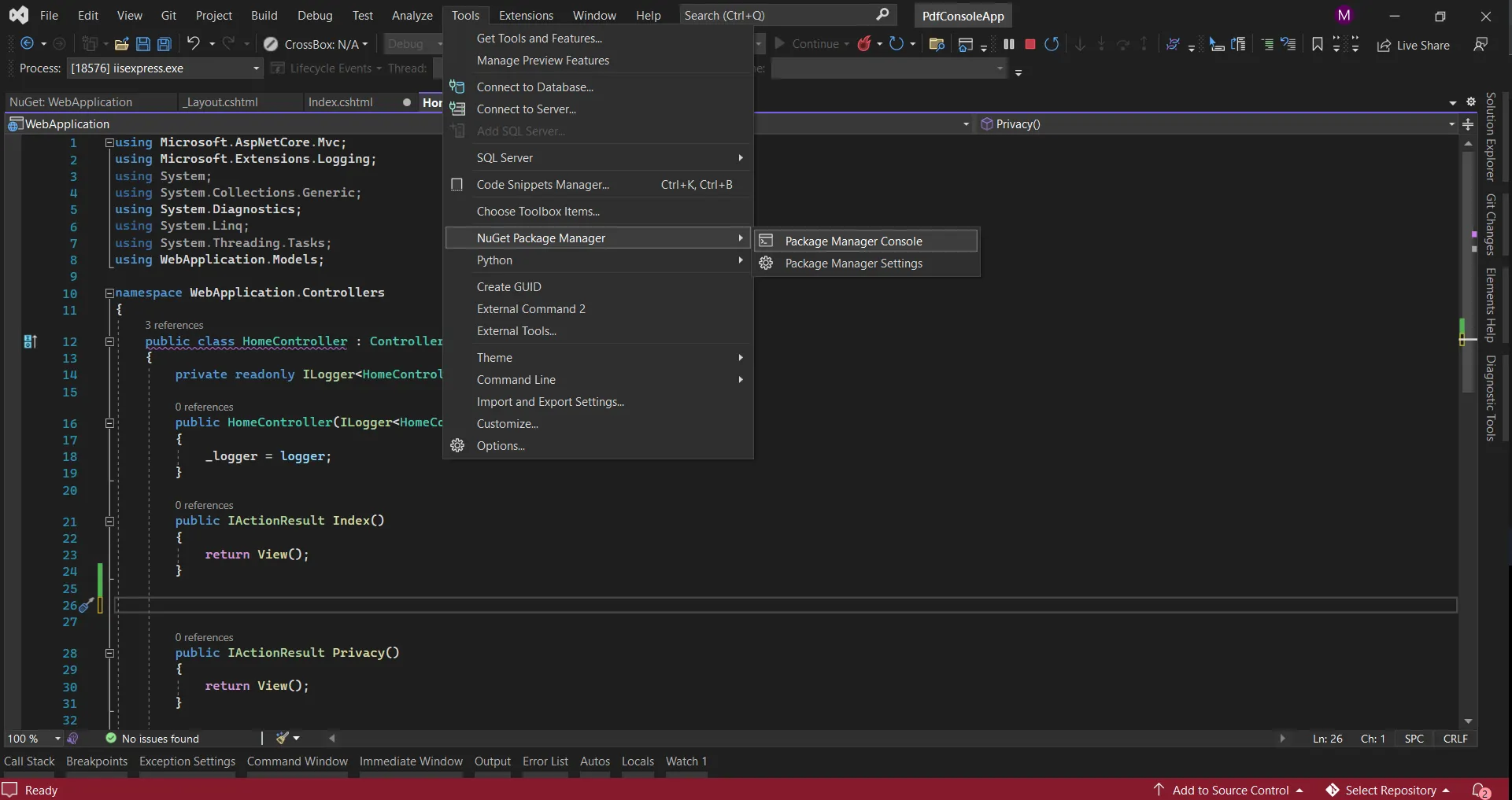
Install IronPDF by running the command above in the NuGet Package Manager Console, or search for the package in the NuGet Package Manager.
Configurando seu projeto ASP.NET Core
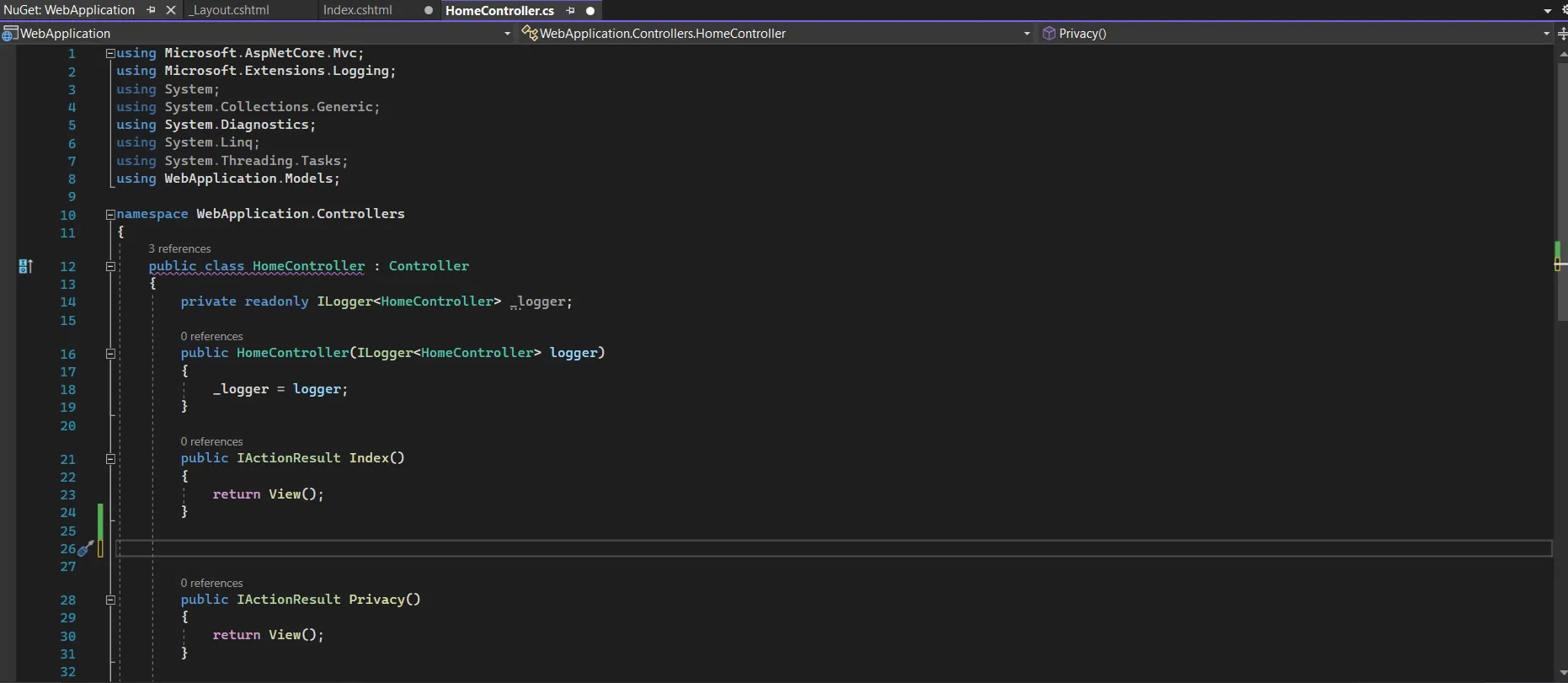
Vamos criar uma nova aplicação ASP.NET Core MVC configurada para geração de PDFs. Vamos construir um ambiente pronto para produção com injeção de dependência e tratamento de erros adequados. Este será um novo projeto .NET no Visual Studio; No entanto, você também pode usar um projeto já existente.
Criando o Projeto
Criaremos este projeto e daremos a ele um nome adequado executando o seguinte comando:
dotnet new mvc -n PdfGeneratorAppcd PdfGeneratorApp
dotnet new mvc -n PdfGeneratorApp
cd PdfGeneratorApp
Text
Instalando o IronPDF
Antes de começarmos a gerar documentos PDF em ASP.NET, adicione o IronPDF ao seu projeto executando as seguintes linhas no Console do Gerenciador de Pacotes NuGet :
using IronPdf;
using IronPdf.Extensions.Mvc.Core;
using Microsoft.AspNetCore.Mvc.ViewFeatures;
var builder = WebApplication.CreateBuilder(args);
// Configure IronPDF license (use your license key)
License.LicenseKey = "your-license-key";
// Add MVC services
builder.Services.AddControllersWithViews();
// Register IronPDF services
builder.Services.AddSingleton<IHttpContextAccessor, HttpContextAccessor>();
builder.Services.AddSingleton<ITempDataProvider, CookieTempDataProvider>();
builder.Services.AddSingleton<IRazorViewRenderer, RazorViewRenderer>();
// Configure ChromePdfRenderer as a service
builder.Services.AddSingleton<ChromePdfRenderer>(provider =>
{
    var renderer = new ChromePdfRenderer();
    // Configure rendering options
    renderer.RenderingOptions.MarginTop = 25;
    renderer.RenderingOptions.MarginBottom = 25;
    renderer.RenderingOptions.MarginLeft = 20;
    renderer.RenderingOptions.MarginRight = 20;
    renderer.RenderingOptions.EnableJavaScript = true;
    renderer.RenderingOptions.RenderDelay = 500; // Wait for JS execution
    return renderer;
});
var app = builder.Build();
// Configure middleware pipeline
if (!app.Environment.IsDevelopment())
{
    app.UseExceptionHandler("/Home/Error");
    app.UseHsts();
}
app.UseHttpsRedirection();
app.UseStaticFiles();
app.UseRouting();
app.UseAuthorization();
app.MapControllerRoute(
    name: "default",
    pattern: "{controller=Home}/{action=Index}/{id?}");
app.Run();
ImportsIronPdfImportsIronPdf.Extensions.Mvc.CoreImportsMicrosoft.AspNetCore.Mvc.ViewFeaturesImportsMicrosoft.Extensions.DependencyInjectionImportsMicrosoft.AspNetCore.BuilderImportsMicrosoft.AspNetCore.HostingModuleProgram Sub Main(args AsString()) Dim builder = WebApplication.CreateBuilder(args) ' Configure IronPDF license (use your license key)License.LicenseKey = "your-license-key" ' Add MVC services builder.Services.AddControllersWithViews() ' Register IronPDF services builder.Services.AddSingleton(OfIHttpContextAccessor, HttpContextAccessor)() builder.Services.AddSingleton(OfITempDataProvider, CookieTempDataProvider)() builder.Services.AddSingleton(OfIRazorViewRenderer, RazorViewRenderer)() ' Configure ChromePdfRenderer as a service builder.Services.AddSingleton(OfChromePdfRenderer)(Function(provider) Dim renderer = New ChromePdfRenderer() ' Configure rendering options renderer.RenderingOptions.MarginTop = 25 renderer.RenderingOptions.MarginBottom = 25 renderer.RenderingOptions.MarginLeft = 20 renderer.RenderingOptions.MarginRight = 20 renderer.RenderingOptions.EnableJavaScript = True renderer.RenderingOptions.RenderDelay = 500 ' Wait for JS execution Return renderer End Function) Dim app = builder.Build() ' Configure middleware pipeline IfNot app.Environment.IsDevelopment() Then app.UseExceptionHandler("/Home/Error") app.UseHsts() End If app.UseHttpsRedirection() app.UseStaticFiles() app.UseRouting() app.UseAuthorization() app.MapControllerRoute( name:="default", pattern:="{controller=Home}/{action=Index}/{id?}") app.Run() End SubEndModule
Imports IronPdf
Imports IronPdf.Extensions.Mvc.Core
Imports Microsoft.AspNetCore.Mvc.ViewFeatures
Imports Microsoft.Extensions.DependencyInjection
Imports Microsoft.AspNetCore.Builder
Imports Microsoft.AspNetCore.Hosting

Module Program
    Sub Main(args As String())
        Dim builder = WebApplication.CreateBuilder(args)

        ' Configure IronPDF license (use your license key)
        License.LicenseKey = "your-license-key"

        ' Add MVC services
        builder.Services.AddControllersWithViews()

        ' Register IronPDF services
        builder.Services.AddSingleton(Of IHttpContextAccessor, HttpContextAccessor)()
        builder.Services.AddSingleton(Of ITempDataProvider, CookieTempDataProvider)()
        builder.Services.AddSingleton(Of IRazorViewRenderer, RazorViewRenderer)()

        ' Configure ChromePdfRenderer as a service
        builder.Services.AddSingleton(Of ChromePdfRenderer)(Function(provider)
                                                                Dim renderer = New ChromePdfRenderer()
                                                                ' Configure rendering options
                                                                renderer.RenderingOptions.MarginTop = 25
                                                                renderer.RenderingOptions.MarginBottom = 25
                                                                renderer.RenderingOptions.MarginLeft = 20
                                                                renderer.RenderingOptions.MarginRight = 20
                                                                renderer.RenderingOptions.EnableJavaScript = True
                                                                renderer.RenderingOptions.RenderDelay = 500 ' Wait for JS execution
                                                                Return renderer
                                                            End Function)

        Dim app = builder.Build()

        ' Configure middleware pipeline
        If Not app.Environment.IsDevelopment() Then
            app.UseExceptionHandler("/Home/Error")
            app.UseHsts()
        End If

        app.UseHttpsRedirection()
        app.UseStaticFiles()
        app.UseRouting()
        app.UseAuthorization()

        app.MapControllerRoute(
            name:="default",
            pattern:="{controller=Home}/{action=Index}/{id?}")

        app.Run()
    End Sub
End Module
Essa configuração estabelece o IronPDF como um serviço único, garantindo o uso eficiente de recursos em toda a sua aplicação. Você pode modificar ainda mais o `RenderingOptions` para atender aos seus requisitos específicos. Neste ponto, a estrutura de pastas no Solução Explorer do Visual Studio deve ser semelhante a esta:
Geração de PDFs a partir de visualizações Razor
A abordagem mais eficaz para gerar novos documentos PDF no ASP.NET Core envolve o uso de views Razor para conversão de PDF . Isso permite que você utilize padrões MVC familiares, modelos fortemente tipados e a sintaxe Razor para criar PDFs dinâmicos a partir de arquivos HTML personalizados, páginas da web e outras fontes. De acordo com a documentação da Microsoft sobre Razor Pages , essa abordagem proporciona a separação de responsabilidades mais clara para cenários focados em páginas.
Criando o Modelo de Dados
Primeiro, vamos criar um modelo abrangente que represente um documento comercial típico:
namespace PdfGeneratorApp.Models{ public class InvoiceModel { public stringInvoiceNumber { get; set; } public DateTimeInvoiceDate { get; set; } public DateTimeDueDate { get; set; } public CompanyInfoVendor { get; set; } public CompanyInfoCustomer { get; set; } public List<InvoiceItem> Items { get; set; } public decimalSubtotal => Items?.Sum(x => x.Total) ?? 0; public decimalTaxRate { get; set; } public decimalTaxAmount => Subtotal * (TaxRate / 100); public decimalTotal => Subtotal + TaxAmount; public stringNotes { get; set; } public stringPaymentTerms { get; set; } } public class CompanyInfo { public stringName { get; set; } public stringAddress { get; set; } public stringCity { get; set; } public stringState { get; set; } public stringZipCode { get; set; } public stringEmail { get; set; } public stringPhone { get; set; } } public class InvoiceItem { public stringDescription { get; set; } public intQuantity { get; set; } public decimalUnitPrice { get; set; } public decimalTotal => Quantity * UnitPrice; }}
namespace PdfGeneratorApp.Models
{
    public class InvoiceModel
    {
        public string InvoiceNumber { get; set; }
        public DateTime InvoiceDate { get; set; }
        public DateTime DueDate { get; set; }
        public CompanyInfo Vendor { get; set; }
        public CompanyInfo Customer { get; set; }
        public List<InvoiceItem> Items { get; set; }
        public decimal Subtotal => Items?.Sum(x => x.Total) ?? 0;
        public decimal TaxRate { get; set; }
        public decimal TaxAmount => Subtotal * (TaxRate / 100);
        public decimal Total => Subtotal + TaxAmount;
        public string Notes { get; set; }
        public string PaymentTerms { get; set; }
    }
    public class CompanyInfo
    {
        public string Name { get; set; }
        public string Address { get; set; }
        public string City { get; set; }
        public string State { get; set; }
        public string ZipCode { get; set; }
        public string Email { get; set; }
        public string Phone { get; set; }
    }
    public class InvoiceItem
    {
        public string Description { get; set; }
        public int Quantity { get; set; }
        public decimal UnitPrice { get; set; }
        public decimal Total => Quantity * UnitPrice;
    }
}
ImportsSystemImportsSystem.Collections.GenericImportsSystem.LinqNamespacePdfGeneratorApp.Models Public Class InvoiceModel Public Property InvoiceNumberAsString Public Property InvoiceDateAsDateTime Public Property DueDateAsDateTime Public Property VendorAsCompanyInfo Public Property CustomerAsCompanyInfo Public Property ItemsAsList(OfInvoiceItem) PublicReadOnlyPropertySubtotalAsDecimal Get Return If(Items?.Sum(Function(x) x.Total), 0)End Get End Property Public Property TaxRateAsDecimal PublicReadOnlyPropertyTaxAmountAsDecimal Get ReturnSubtotal * (TaxRate / 100)End Get End Property PublicReadOnlyPropertyTotalAsDecimal Get ReturnSubtotal + TaxAmountEnd Get End Property Public Property NotesAsString Public Property PaymentTermsAsString End Class Public Class CompanyInfo Public Property NameAsString Public Property AddressAsString Public Property CityAsString Public Property StateAsString Public Property ZipCodeAsString Public Property EmailAsString Public Property PhoneAsString End Class Public Class InvoiceItem Public Property DescriptionAsString Public Property QuantityAsInteger Public Property UnitPriceAsDecimal PublicReadOnlyPropertyTotalAsDecimal Get ReturnQuantity * UnitPriceEnd Get End Property End ClassEndNamespace
Imports System
Imports System.Collections.Generic
Imports System.Linq

Namespace PdfGeneratorApp.Models
    Public Class InvoiceModel
        Public Property InvoiceNumber As String
        Public Property InvoiceDate As DateTime
        Public Property DueDate As DateTime
        Public Property Vendor As CompanyInfo
        Public Property Customer As CompanyInfo
        Public Property Items As List(Of InvoiceItem)
        Public ReadOnly Property Subtotal As Decimal
            Get
                Return If(Items?.Sum(Function(x) x.Total), 0)
            End Get
        End Property
        Public Property TaxRate As Decimal
        Public ReadOnly Property TaxAmount As Decimal
            Get
                Return Subtotal * (TaxRate / 100)
            End Get
        End Property
        Public ReadOnly Property Total As Decimal
            Get
                Return Subtotal + TaxAmount
            End Get
        End Property
        Public Property Notes As String
        Public Property PaymentTerms As String
    End Class

    Public Class CompanyInfo
        Public Property Name As String
        Public Property Address As String
        Public Property City As String
        Public Property State As String
        Public Property ZipCode As String
        Public Property Email As String
        Public Property Phone As String
    End Class

    Public Class InvoiceItem
        Public Property Description As String
        Public Property Quantity As Integer
        Public Property UnitPrice As Decimal
        Public ReadOnly Property Total As Decimal
            Get
                Return Quantity * UnitPrice
            End Get
        End Property
    End Class
End Namespace
Construindo a Visão da Razor
Crie uma visualização em Views/Invoice/InvoiceTemplate.cshtml que renderize o conteúdo do seu PDF:
Implementando o Controlador com Tratamento de Erros
Agora vamos criar um controlador robusto que gere PDFs com tratamento de erros abrangente:
using IronPdf;using IronPdf.Extensions.Mvc.Core;using Microsoft.AspNetCore.Mvc;using PdfGeneratorApp.Models;using System.Diagnostics;namespace PdfGeneratorApp.Controllers{ public class InvoiceController : Controller { private readonly ILogger<InvoiceController> _logger; private readonly IRazorViewRenderer _viewRenderer; private readonly ChromePdfRenderer _pdfRenderer; private readonly IWebHostEnvironment _environment; publicInvoiceController( ILogger<InvoiceController> logger, IRazorViewRenderer viewRenderer, ChromePdfRenderer pdfRenderer, IWebHostEnvironment environment) { _logger = logger; _viewRenderer = viewRenderer; _pdfRenderer = pdfRenderer; _environment = environment; } [HttpGet] public IActionResultIndex() { // Display a form or list of invoices returnView(); } [HttpGet] public async Task<IActionResult> GenerateInvoice(string invoiceNumber) { var stopwatch = Stopwatch.StartNew(); try { // Validate input if (string.IsNullOrEmpty(invoiceNumber)) { _logger.LogWarning("Invoice generation attempted without invoice number"); returnBadRequest("Invoice number is required"); } // Generate sample data (in production, fetch from database) var invoice = CreateSampleInvoice(invoiceNumber); // Log the generation attempt _logger.LogInformation($"Generating PDF for invoice {invoiceNumber}"); // Configure PDF rendering options _pdfRenderer.RenderingOptions.PaperOrientation = IronPdf.Rendering.PdfPaperOrientation.Portrait; _pdfRenderer.RenderingOptions.PaperSize = IronPdf.Rendering.PdfPaperSize.A4; _pdfRenderer.RenderingOptions.PrintHtmlBackgrounds = true; _pdfRenderer.RenderingOptions.CreatePdfFormsFromHtml = false; // Add custom header with page numbers _pdfRenderer.RenderingOptions.TextHeader = new TextHeaderFooter {CenterText = $"Invoice {invoice.InvoiceNumber}",DrawDividerLine = true,Font = IronSoftware.Drawing.FontTypes.Helvetica,FontSize = 10 }; // Add footer with page numbers _pdfRenderer.RenderingOptions.TextFooter = new TextHeaderFooter {LeftText = "{date} {time}",RightText = "Page {page} of {total-pages}",DrawDividerLine = true,Font = IronSoftware.Drawing.FontTypes.Helvetica,FontSize = 8 }; // Render the view to PDF PdfDocument pdf; try { pdf = _pdfRenderer.RenderRazorViewToPdf( _viewRenderer, "Views/Invoice/InvoiceTemplate.cshtml", invoice); } catch (Exception renderEx) { _logger.LogError(renderEx, "Failed to render Razor view to PDF"); throw new InvalidOperationException("PDF rendering failed. Please check the template.", renderEx); } // Apply metadata pdf.MetaData.Author = "PdfGeneratorApp"; pdf.MetaData.Title = $"Invoice {invoice.InvoiceNumber}"; pdf.MetaData.Subject = $"Invoice for {invoice.Customer.Name}"; pdf.MetaData.Keywords = "invoice, billing, payment"; pdf.MetaData.CreationDate = DateTime.UtcNow; pdf.MetaData.ModifiedDate = DateTime.UtcNow; // Optional: Add password protection // pdf.SecuritySettings.UserPassword = "user123"; // pdf.SecuritySettings.OwnerPassword = "owner456"; // pdf.SecuritySettings.AllowUserPrinting = IronPdf.Security.PdfPrintSecurity.FullPrintRights; // Log performance metrics stopwatch.Stop(); _logger.LogInformation($"PDF generated successfully for invoice {invoiceNumber} in {stopwatch.ElapsedMilliseconds}ms"); // Return the PDF fileResponse.Headers.Add("Content-Disposition", $"inline; filename=Invoice_{invoiceNumber}.pdf"); returnFile(pdf.BinaryData, "application/pdf", $"Invoice_{invoiceNumber}.pdf"); } catch (Exception ex) { _logger.LogError(ex, $"Error generating PDF for invoice {invoiceNumber}"); // In development, return detailed error if (_environment.IsDevelopment()) { returnStatusCode(500, new { error = "PDF generation failed", message = ex.Message, stackTrace = ex.StackTrace }); } // In production, return generic error returnStatusCode(500, "An error occurred while generating the PDF"); } } private InvoiceModelCreateSampleInvoice(string invoiceNumber) { return new InvoiceModel {InvoiceNumber = invoiceNumber,InvoiceDate = DateTime.Now,DueDate = DateTime.Now.AddDays(30),Vendor = new CompanyInfo {Name = "Tech Soluçãos Inc.",Address = "123 Business Ave",City = "New York",State = "NY",ZipCode = "10001",Email = "billing@techsolutions.com",Phone = "(555) 123-4567" },Customer = new CompanyInfo {Name = "Acme Corporation",Address = "456 Commerce St",City = "Los Angeles",State = "CA",ZipCode = "90001",Email = "accounts@acmecorp.com",Phone = "(555) 987-6543" },Items = new List<InvoiceItem> { new InvoiceItem {Description = "Software Development Services - 40 hours",Quantity = 40,UnitPrice = 150.00m }, new InvoiceItem {Description = "Project Management - 10 hours",Quantity = 10,UnitPrice = 120.00m }, new InvoiceItem {Description = "Quality Assurance Testing",Quantity = 1,UnitPrice = 2500.00m } },TaxRate = 8.875m,Notes = "Payment is due within 30 days. Late payments subject to 1.5% monthly interest.",PaymentTerms = "Net 30" }; } }}
using IronPdf;
using IronPdf.Extensions.Mvc.Core;
using Microsoft.AspNetCore.Mvc;
using PdfGeneratorApp.Models;
using System.Diagnostics;
namespace PdfGeneratorApp.Controllers
{
    public class InvoiceController : Controller
    {
        private readonly ILogger<InvoiceController> _logger;
        private readonly IRazorViewRenderer _viewRenderer;
        private readonly ChromePdfRenderer _pdfRenderer;
        private readonly IWebHostEnvironment _environment;
        public InvoiceController(
            ILogger<InvoiceController> logger,
            IRazorViewRenderer viewRenderer,
            ChromePdfRenderer pdfRenderer,
            IWebHostEnvironment environment)
        {
            _logger = logger;
            _viewRenderer = viewRenderer;
            _pdfRenderer = pdfRenderer;
            _environment = environment;
        }
        [HttpGet]
        public IActionResult Index()
        {
            // Display a form or list of invoices
            return View();
        }
        [HttpGet]
        public async Task<IActionResult> GenerateInvoice(string invoiceNumber)
        {
            var stopwatch = Stopwatch.StartNew();
            try
            {
                // Validate input
                if (string.IsNullOrEmpty(invoiceNumber))
                {
                    _logger.LogWarning("Invoice generation attempted without invoice number");
                    return BadRequest("Invoice number is required");
                }
                // Generate sample data (in production, fetch from database)
                var invoice = CreateSampleInvoice(invoiceNumber);
                // Log the generation attempt
                _logger.LogInformation($"Generating PDF for invoice {invoiceNumber}");
                // Configure PDF rendering options
                _pdfRenderer.RenderingOptions.PaperOrientation = IronPdf.Rendering.PdfPaperOrientation.Portrait;
                _pdfRenderer.RenderingOptions.PaperSize = IronPdf.Rendering.PdfPaperSize.A4;
                _pdfRenderer.RenderingOptions.PrintHtmlBackgrounds = true;
                _pdfRenderer.RenderingOptions.CreatePdfFormsFromHtml = false;
                // Add custom header with page numbers
                _pdfRenderer.RenderingOptions.TextHeader = new TextHeaderFooter
                {
                    CenterText = $"Invoice {invoice.InvoiceNumber}",
                    DrawDividerLine = true,
                    Font = IronSoftware.Drawing.FontTypes.Helvetica,
                    FontSize = 10
                };
                // Add footer with page numbers
                _pdfRenderer.RenderingOptions.TextFooter = new TextHeaderFooter
                {
                    LeftText = "{date} {time}",
                    RightText = "Page {page} of {total-pages}",
                    DrawDividerLine = true,
                    Font = IronSoftware.Drawing.FontTypes.Helvetica,
                    FontSize = 8
                };
                // Render the view to PDF
                PdfDocument pdf;
                try
                {
                    pdf = _pdfRenderer.RenderRazorViewToPdf(
                        _viewRenderer,
                        "Views/Invoice/InvoiceTemplate.cshtml",
                        invoice);
                }
                catch (Exception renderEx)
                {
                    _logger.LogError(renderEx, "Failed to render Razor view to PDF");
                    throw new InvalidOperationException("PDF rendering failed. Please check the template.", renderEx);
                }
                // Apply metadata
                pdf.MetaData.Author = "PdfGeneratorApp";
                pdf.MetaData.Title = $"Invoice {invoice.InvoiceNumber}";
                pdf.MetaData.Subject = $"Invoice for {invoice.Customer.Name}";
                pdf.MetaData.Keywords = "invoice, billing, payment";
                pdf.MetaData.CreationDate = DateTime.UtcNow;
                pdf.MetaData.ModifiedDate = DateTime.UtcNow;
                // Optional: Add password protection
                // pdf.SecuritySettings.UserPassword = "user123";
                // pdf.SecuritySettings.OwnerPassword = "owner456";
                // pdf.SecuritySettings.AllowUserPrinting = IronPdf.Security.PdfPrintSecurity.FullPrintRights;
                // Log performance metrics
                stopwatch.Stop();
                _logger.LogInformation($"PDF generated successfully for invoice {invoiceNumber} in {stopwatch.ElapsedMilliseconds}ms");
                // Return the PDF file
                Response.Headers.Add("Content-Disposition", $"inline; filename=Invoice_{invoiceNumber}.pdf");
                return File(pdf.BinaryData, "application/pdf", $"Invoice_{invoiceNumber}.pdf");
            }
            catch (Exception ex)
            {
                _logger.LogError(ex, $"Error generating PDF for invoice {invoiceNumber}");
                // In development, return detailed error
                if (_environment.IsDevelopment())
                {
                    return StatusCode(500, new
                    {
                        error = "PDF generation failed",
                        message = ex.Message,
                        stackTrace = ex.StackTrace
                    });
                }
                // In production, return generic error
                return StatusCode(500, "An error occurred while generating the PDF");
            }
        }
        private InvoiceModel CreateSampleInvoice(string invoiceNumber)
        {
            return new InvoiceModel
            {
                InvoiceNumber = invoiceNumber,
                InvoiceDate = DateTime.Now,
                DueDate = DateTime.Now.AddDays(30),
                Vendor = new CompanyInfo
                {
                    Name = "Tech Soluçãos Inc.",
                    Address = "123 Business Ave",
                    City = "New York",
                    State = "NY",
                    ZipCode = "10001",
                    Email = "billing@techsolutions.com",
                    Phone = "(555) 123-4567"
                },
                Customer = new CompanyInfo
                {
                    Name = "Acme Corporation",
                    Address = "456 Commerce St",
                    City = "Los Angeles",
                    State = "CA",
                    ZipCode = "90001",
                    Email = "accounts@acmecorp.com",
                    Phone = "(555) 987-6543"
                },
                Items = new List<InvoiceItem>
                {
                    new InvoiceItem
                    {
                        Description = "Software Development Services - 40 hours",
                        Quantity = 40,
                        UnitPrice = 150.00m
                    },
                    new InvoiceItem
                    {
                        Description = "Project Management - 10 hours",
                        Quantity = 10,
                        UnitPrice = 120.00m
                    },
                    new InvoiceItem
                    {
                        Description = "Quality Assurance Testing",
                        Quantity = 1,
                        UnitPrice = 2500.00m
                    }
                },
                TaxRate = 8.875m,
                Notes = "Payment is due within 30 days. Late payments subject to 1.5% monthly interest.",
                PaymentTerms = "Net 30"
            };
        }
    }
}
ImportsIronPdfImportsIronPdf.Extensions.Mvc.CoreImportsMicrosoft.AspNetCore.MvcImportsPdfGeneratorApp.ModelsImportsSystem.DiagnosticsNamespacePdfGeneratorApp.Controllers Public Class InvoiceControllerInheritsController PrivateReadOnly _logger AsILogger(OfInvoiceController) PrivateReadOnly _viewRenderer AsIRazorViewRenderer PrivateReadOnly _pdfRenderer AsChromePdfRenderer PrivateReadOnly _environment AsIWebHostEnvironment Public Sub New(logger AsILogger(OfInvoiceController), viewRenderer AsIRazorViewRenderer, pdfRenderer AsChromePdfRenderer, environment AsIWebHostEnvironment) _logger = logger _viewRenderer = viewRenderer _pdfRenderer = pdfRenderer _environment = environment End Sub <HttpGet> Public Function Index() AsIActionResult ' Display a form or list of invoices ReturnView() End Function <HttpGet> PublicAsync Function GenerateInvoice(invoiceNumber AsString) AsTask(OfIActionResult) Dim stopwatch = Stopwatch.StartNew()Try ' Validate input IfString.IsNullOrEmpty(invoiceNumber) Then _logger.LogWarning("Invoice generation attempted without invoice number") ReturnBadRequest("Invoice number is required") End If ' Generate sample data (in production, fetch from database) Dim invoice = CreateSampleInvoice(invoiceNumber) ' Log the generation attempt _logger.LogInformation($"Generating PDF for invoice {invoiceNumber}") ' Configure PDF rendering options _pdfRenderer.RenderingOptions.PaperOrientation = IronPdf.Rendering.PdfPaperOrientation.Portrait _pdfRenderer.RenderingOptions.PaperSize = IronPdf.Rendering.PdfPaperSize.A4 _pdfRenderer.RenderingOptions.PrintHtmlBackgrounds = True _pdfRenderer.RenderingOptions.CreatePdfFormsFromHtml = False ' Add custom header with page numbers _pdfRenderer.RenderingOptions.TextHeader = New TextHeaderFooterWith { .CenterText = $"Invoice {invoice.InvoiceNumber}", .DrawDividerLine = True, .Font = IronSoftware.Drawing.FontTypes.Helvetica, .FontSize = 10 } ' Add footer with page numbers _pdfRenderer.RenderingOptions.TextFooter = New TextHeaderFooterWith { .LeftText = "{date} {time}", .RightText = "Page {page} of {total-pages}", .DrawDividerLine = True, .Font = IronSoftware.Drawing.FontTypes.Helvetica, .FontSize = 8 } ' Render the view to PDF Dim pdf AsPdfDocumentTry pdf = _pdfRenderer.RenderRazorViewToPdf(_viewRenderer, "Views/Invoice/InvoiceTemplate.cshtml", invoice)Catch renderEx AsException _logger.LogError(renderEx, "Failed to render Razor view to PDF")Throw New InvalidOperationException("PDF rendering failed. Please check the template.", renderEx)EndTry ' Apply metadata pdf.MetaData.Author = "PdfGeneratorApp" pdf.MetaData.Title = $"Invoice {invoice.InvoiceNumber}" pdf.MetaData.Subject = $"Invoice for {invoice.Customer.Name}" pdf.MetaData.Keywords = "invoice, billing, payment" pdf.MetaData.CreationDate = DateTime.UtcNow pdf.MetaData.ModifiedDate = DateTime.UtcNow ' Optional: Add password protection ' pdf.SecuritySettings.UserPassword = "user123" ' pdf.SecuritySettings.OwnerPassword = "owner456" ' pdf.SecuritySettings.AllowUserPrinting = IronPdf.Security.PdfPrintSecurity.FullPrintRights ' Log performance metrics stopwatch.Stop() _logger.LogInformation($"PDF generated successfully for invoice {invoiceNumber} in {stopwatch.ElapsedMilliseconds}ms") ' Return the PDF file Response.Headers.Add("Content-Disposition", $"inline; filename=Invoice_{invoiceNumber}.pdf") ReturnFile(pdf.BinaryData, "application/pdf", $"Invoice_{invoiceNumber}.pdf")Catch ex AsException _logger.LogError(ex, $"Error generating PDF for invoice {invoiceNumber}") ' In development, return detailed error If _environment.IsDevelopment() Then ReturnStatusCode(500, New With { .error = "PDF generation failed", .message = ex.Message, .stackTrace = ex.StackTrace }) End If ' In production, return generic error ReturnStatusCode(500, "An error occurred while generating the PDF")EndTry End Function Private Function CreateSampleInvoice(invoiceNumber AsString) AsInvoiceModel Return New InvoiceModelWith { .InvoiceNumber = invoiceNumber, .InvoiceDate = DateTime.Now, .DueDate = DateTime.Now.AddDays(30), .Vendor = New CompanyInfoWith { .Name = "Tech Soluçãos Inc.", .Address = "123 Business Ave", .City = "New York", .State = "NY", .ZipCode = "10001", .Email = "billing@techsolutions.com", .Phone = "(555) 123-4567" }, .Customer = New CompanyInfoWith { .Name = "Acme Corporation", .Address = "456 Commerce St", .City = "Los Angeles", .State = "CA", .ZipCode = "90001", .Email = "accounts@acmecorp.com", .Phone = "(555) 987-6543" }, .Items = New List(OfInvoiceItem) From { New InvoiceItemWith { .Description = "Software Development Services - 40 hours", .Quantity = 40, .UnitPrice = 150D }, New InvoiceItemWith { .Description = "Project Management - 10 hours", .Quantity = 10, .UnitPrice = 120D }, New InvoiceItemWith { .Description = "Quality Assurance Testing", .Quantity = 1, .UnitPrice = 2500D } }, .TaxRate = 8.875D, .Notes = "Payment is due within 30 days. Late payments subject to 1.5% monthly interest.", .PaymentTerms = "Net 30" } End Function End ClassEndNamespace
Imports IronPdf
Imports IronPdf.Extensions.Mvc.Core
Imports Microsoft.AspNetCore.Mvc
Imports PdfGeneratorApp.Models
Imports System.Diagnostics

Namespace PdfGeneratorApp.Controllers
    Public Class InvoiceController
        Inherits Controller

        Private ReadOnly _logger As ILogger(Of InvoiceController)
        Private ReadOnly _viewRenderer As IRazorViewRenderer
        Private ReadOnly _pdfRenderer As ChromePdfRenderer
        Private ReadOnly _environment As IWebHostEnvironment

        Public Sub New(logger As ILogger(Of InvoiceController), viewRenderer As IRazorViewRenderer, pdfRenderer As ChromePdfRenderer, environment As IWebHostEnvironment)
            _logger = logger
            _viewRenderer = viewRenderer
            _pdfRenderer = pdfRenderer
            _environment = environment
        End Sub

        <HttpGet>
        Public Function Index() As IActionResult
            ' Display a form or list of invoices
            Return View()
        End Function

        <HttpGet>
        Public Async Function GenerateInvoice(invoiceNumber As String) As Task(Of IActionResult)
            Dim stopwatch = Stopwatch.StartNew()
            Try
                ' Validate input
                If String.IsNullOrEmpty(invoiceNumber) Then
                    _logger.LogWarning("Invoice generation attempted without invoice number")
                    Return BadRequest("Invoice number is required")
                End If

                ' Generate sample data (in production, fetch from database)
                Dim invoice = CreateSampleInvoice(invoiceNumber)
                ' Log the generation attempt
                _logger.LogInformation($"Generating PDF for invoice {invoiceNumber}")

                ' Configure PDF rendering options
                _pdfRenderer.RenderingOptions.PaperOrientation = IronPdf.Rendering.PdfPaperOrientation.Portrait
                _pdfRenderer.RenderingOptions.PaperSize = IronPdf.Rendering.PdfPaperSize.A4
                _pdfRenderer.RenderingOptions.PrintHtmlBackgrounds = True
                _pdfRenderer.RenderingOptions.CreatePdfFormsFromHtml = False

                ' Add custom header with page numbers
                _pdfRenderer.RenderingOptions.TextHeader = New TextHeaderFooter With {
                    .CenterText = $"Invoice {invoice.InvoiceNumber}",
                    .DrawDividerLine = True,
                    .Font = IronSoftware.Drawing.FontTypes.Helvetica,
                    .FontSize = 10
                }

                ' Add footer with page numbers
                _pdfRenderer.RenderingOptions.TextFooter = New TextHeaderFooter With {
                    .LeftText = "{date} {time}",
                    .RightText = "Page {page} of {total-pages}",
                    .DrawDividerLine = True,
                    .Font = IronSoftware.Drawing.FontTypes.Helvetica,
                    .FontSize = 8
                }

                ' Render the view to PDF
                Dim pdf As PdfDocument
                Try
                    pdf = _pdfRenderer.RenderRazorViewToPdf(_viewRenderer, "Views/Invoice/InvoiceTemplate.cshtml", invoice)
                Catch renderEx As Exception
                    _logger.LogError(renderEx, "Failed to render Razor view to PDF")
                    Throw New InvalidOperationException("PDF rendering failed. Please check the template.", renderEx)
                End Try

                ' Apply metadata
                pdf.MetaData.Author = "PdfGeneratorApp"
                pdf.MetaData.Title = $"Invoice {invoice.InvoiceNumber}"
                pdf.MetaData.Subject = $"Invoice for {invoice.Customer.Name}"
                pdf.MetaData.Keywords = "invoice, billing, payment"
                pdf.MetaData.CreationDate = DateTime.UtcNow
                pdf.MetaData.ModifiedDate = DateTime.UtcNow

                ' Optional: Add password protection
                ' pdf.SecuritySettings.UserPassword = "user123"
                ' pdf.SecuritySettings.OwnerPassword = "owner456"
                ' pdf.SecuritySettings.AllowUserPrinting = IronPdf.Security.PdfPrintSecurity.FullPrintRights

                ' Log performance metrics
                stopwatch.Stop()
                _logger.LogInformation($"PDF generated successfully for invoice {invoiceNumber} in {stopwatch.ElapsedMilliseconds}ms")

                ' Return the PDF file
                Response.Headers.Add("Content-Disposition", $"inline; filename=Invoice_{invoiceNumber}.pdf")
                Return File(pdf.BinaryData, "application/pdf", $"Invoice_{invoiceNumber}.pdf")
            Catch ex As Exception
                _logger.LogError(ex, $"Error generating PDF for invoice {invoiceNumber}")
                ' In development, return detailed error
                If _environment.IsDevelopment() Then
                    Return StatusCode(500, New With {
                        .error = "PDF generation failed",
                        .message = ex.Message,
                        .stackTrace = ex.StackTrace
                    })
                End If
                ' In production, return generic error
                Return StatusCode(500, "An error occurred while generating the PDF")
            End Try
        End Function

        Private Function CreateSampleInvoice(invoiceNumber As String) As InvoiceModel
            Return New InvoiceModel With {
                .InvoiceNumber = invoiceNumber,
                .InvoiceDate = DateTime.Now,
                .DueDate = DateTime.Now.AddDays(30),
                .Vendor = New CompanyInfo With {
                    .Name = "Tech Soluçãos Inc.",
                    .Address = "123 Business Ave",
                    .City = "New York",
                    .State = "NY",
                    .ZipCode = "10001",
                    .Email = "billing@techsolutions.com",
                    .Phone = "(555) 123-4567"
                },
                .Customer = New CompanyInfo With {
                    .Name = "Acme Corporation",
                    .Address = "456 Commerce St",
                    .City = "Los Angeles",
                    .State = "CA",
                    .ZipCode = "90001",
                    .Email = "accounts@acmecorp.com",
                    .Phone = "(555) 987-6543"
                },
                .Items = New List(Of InvoiceItem) From {
                    New InvoiceItem With {
                        .Description = "Software Development Services - 40 hours",
                        .Quantity = 40,
                        .UnitPrice = 150D
                    },
                    New InvoiceItem With {
                        .Description = "Project Management - 10 hours",
                        .Quantity = 10,
                        .UnitPrice = 120D
                    },
                    New InvoiceItem With {
                        .Description = "Quality Assurance Testing",
                        .Quantity = 1,
                        .UnitPrice = 2500D
                    }
                },
                .TaxRate = 8.875D,
                .Notes = "Payment is due within 30 days. Late payments subject to 1.5% monthly interest.",
                .PaymentTerms = "Net 30"
            }
        End Function
    End Class
End Namespace
Explicação do código
Para testar e executar o gerador de PDF acima, inicie o projeto e insira a seguinte URL: https://localhost:[port]/Invoice/GenerateInvoice?invoiceNumber=055 para gerar a fatura. Lembre-se de substituir a porta pelo número real da porta onde você hospedou a aplicação.
Saída
Como retornar PDFs de endpoints de API da Web para obter a máxima eficiência?
Para aplicações que exigem o fornecimento de PDFs por meio de APIs RESTful, veja como implementar uma entrega eficiente de PDFs com gerenciamento adequado de memória. Essa abordagem é particularmente útil ao construir microsserviços ou quando você precisa gerar PDFs em controladores da API Web do ASP.NET Core :
using Microsoft.AspNetCore.Mvc;using IronPdf;using System.IO;namespace PdfGeneratorApp.Controllers.Api{ [ApiController] [Route("api/[controller]")] public class PdfApiController : ControllerBase { private readonly ChromePdfRenderer _pdfRenderer; private readonly ILogger<PdfApiController> _logger; publicPdfApiController( ChromePdfRenderer pdfRenderer, ILogger<PdfApiController> logger) { _pdfRenderer = pdfRenderer; _logger = logger; } [HttpPost("generate-report")] public async Task<IActionResult> GenerateReport([FromBody] ReportRequest request) { try { // Validate request if (!ModelState.IsValid) { returnBadRequest(ModelState); } // Build HTML content dynamically var htmlContent = BuildReportHtml(request); // Generate PDF with memory-efficient streaming using var pdfDocument = _pdfRenderer.RenderHtmlAsPdf(htmlContent); // Apply compression for smaller file size pdfDocument.CompressImages(60); // 60% quality // Stream the PDF directly to response var stream = new MemoryStream(); pdfDocument.SaveAs(stream); stream.Position = 0; _logger.LogInformation($"Report generated for {request.ReportType}"); return new FileStreamResult(stream, "application/pdf") {FileDownloadName = $"Report_{DateTime.Now:yyyyMMdd_HHmmss}.pdf" }; } catch (Exception ex) { _logger.LogError(ex, "Failed to generate report"); returnStatusCode(500, new { error = "Report generation failed" }); } } [HttpGet("download/{documentId}")] public async Task<IActionResult> DownloadDocument(string documentId) { try { // In production, retrieve document from database or storage var documentPath = Path.Combine("wwwroot", "documents", $"{documentId}.pdf"); if (!System.IO.File.Exists(documentPath)) { returnNotFound(new { error = "Document not found" }); } var memory = new MemoryStream(); using (var stream = new FileStream(documentPath, FileMode.Open)) { await stream.CopyToAsync(memory); } memory.Position = 0; returnFile(memory, "application/pdf", $"Document_{documentId}.pdf"); } catch (Exception ex) { _logger.LogError(ex, $"Failed to download document {documentId}"); returnStatusCode(500, new { error = "Download failed" }); } } private stringBuildReportHtml(ReportRequest request) { return $@" <!DOCTYPE html> <html> <head> <style> body {{font-family: Arial, sans-serif; margin: 40px;}} h1 {{color: #2c3e50; border-bottom: 2px solid #3498db; padding-bottom: 10px;}} .report-date {{color: #7f8c8d; font-size: 14px;}} .data-table {{width: 100%; border-collapse: collapse; margin-top: 20px;}} .data-table th, .data-table td {{border: 1px solid #ddd; padding: 12px; text-align: left;}} .data-table th {{background-color: #3498db; color: white;}} </style> </head> <body> <h1>{request.ReportType} Report</h1> <p class='report-date'>Generated: {DateTime.Now:MMMM dd, yyyy HH:mm}</p> <p>{request.Description}</p> {GenerateDataTable(request.Data)} </body> </html>"; } private stringGenerateDataTable(List<ReportDataItem> data) { if (data == null || !data.Any()) return "<p>No data available</p>"; var table = "<table class='data-table'><thead><tr>"; // Add headers foreach (var prop in typeof(ReportDataItem).GetProperties()) { table += $"<th>{prop.Name}</th>"; } table += "</tr></thead><tbody>"; // Add data rows foreach (var item in data) { table += "<tr>"; foreach (var prop in typeof(ReportDataItem).GetProperties()) { var value = prop.GetValue(item) ?? ""; table += $"<td>{value}</td>"; } table += "</tr>"; } table += "</tbody></table>"; return table; } } public class ReportRequest { public stringReportType { get; set; } public stringDescription { get; set; } public List<ReportDataItem> Data { get; set; } } public class ReportDataItem { public stringName { get; set; } public stringCategory { get; set; } public decimalValue { get; set; } public DateTimeDate { get; set; } }}
using Microsoft.AspNetCore.Mvc;
using IronPdf;
using System.IO;
namespace PdfGeneratorApp.Controllers.Api
{
    [ApiController]
    [Route("api/[controller]")]
    public class PdfApiController : ControllerBase
    {
        private readonly ChromePdfRenderer _pdfRenderer;
        private readonly ILogger<PdfApiController> _logger;
        public PdfApiController(
            ChromePdfRenderer pdfRenderer,
            ILogger<PdfApiController> logger)
        {
            _pdfRenderer = pdfRenderer;
            _logger = logger;
        }
        [HttpPost("generate-report")]
        public async Task<IActionResult> GenerateReport([FromBody] ReportRequest request)
        {
            try
            {
                // Validate request
                if (!ModelState.IsValid)
                {
                    return BadRequest(ModelState);
                }
                // Build HTML content dynamically
                var htmlContent = BuildReportHtml(request);
                // Generate PDF with memory-efficient streaming
                using var pdfDocument = _pdfRenderer.RenderHtmlAsPdf(htmlContent);
                // Apply compression for smaller file size
                pdfDocument.CompressImages(60); // 60% quality
                // Stream the PDF directly to response
                var stream = new MemoryStream();
                pdfDocument.SaveAs(stream);
                stream.Position = 0;
                _logger.LogInformation($"Report generated for {request.ReportType}");
                return new FileStreamResult(stream, "application/pdf")
                {
                    FileDownloadName = $"Report_{DateTime.Now:yyyyMMdd_HHmmss}.pdf"
                };
            }
            catch (Exception ex)
            {
                _logger.LogError(ex, "Failed to generate report");
                return StatusCode(500, new { error = "Report generation failed" });
            }
        }
        [HttpGet("download/{documentId}")]
        public async Task<IActionResult> DownloadDocument(string documentId)
        {
            try
            {
                // In production, retrieve document from database or storage
                var documentPath = Path.Combine("wwwroot", "documents", $"{documentId}.pdf");
                if (!System.IO.File.Exists(documentPath))
                {
                    return NotFound(new { error = "Document not found" });
                }
                var memory = new MemoryStream();
                using (var stream = new FileStream(documentPath, FileMode.Open))
                {
                    await stream.CopyToAsync(memory);
                }
                memory.Position = 0;
                return File(memory, "application/pdf", $"Document_{documentId}.pdf");
            }
            catch (Exception ex)
            {
                _logger.LogError(ex, $"Failed to download document {documentId}");
                return StatusCode(500, new { error = "Download failed" });
            }
        }
        private string BuildReportHtml(ReportRequest request)
        {
            return $@"
                <!DOCTYPE html>
                <html>
                <head>
                    <style>
                        body {{font-family: Arial, sans-serif;
                            margin: 40px;}}
                        h1 {{color: #2c3e50;
                            border-bottom: 2px solid #3498db;
                            padding-bottom: 10px;}}
                        .report-date {{color: #7f8c8d;
                            font-size: 14px;}}
                        .data-table {{width: 100%;
                            border-collapse: collapse;
                            margin-top: 20px;}}
                        .data-table th, .data-table td {{border: 1px solid #ddd;
                            padding: 12px;
                            text-align: left;}}
                        .data-table th {{background-color: #3498db;
                            color: white;}}
                    </style>
                </head>
                <body>
                    <h1>{request.ReportType} Report</h1>
                    <p class='report-date'>Generated: {DateTime.Now:MMMM dd, yyyy HH:mm}</p>
                    <p>{request.Description}</p>
                    {GenerateDataTable(request.Data)}
                </body>
                </html>";
        }
        private string GenerateDataTable(List<ReportDataItem> data)
        {
            if (data == null || !data.Any())
                return "<p>No data available</p>";
            var table = "<table class='data-table'><thead><tr>";
            // Add headers
            foreach (var prop in typeof(ReportDataItem).GetProperties())
            {
                table += $"<th>{prop.Name}</th>";
            }
            table += "</tr></thead><tbody>";
            // Add data rows
            foreach (var item in data)
            {
                table += "<tr>";
                foreach (var prop in typeof(ReportDataItem).GetProperties())
                {
                    var value = prop.GetValue(item) ?? "";
                    table += $"<td>{value}</td>";
                }
                table += "</tr>";
            }
            table += "</tbody></table>";
            return table;
        }
    }
    public class ReportRequest
    {
        public string ReportType { get; set; }
        public string Description { get; set; }
        public List<ReportDataItem> Data { get; set; }
    }
    public class ReportDataItem
    {
        public string Name { get; set; }
        public string Category { get; set; }
        public decimal Value { get; set; }
        public DateTime Date { get; set; }
    }
}
ImportsMicrosoft.AspNetCore.MvcImportsIronPdfImportsSystem.IONamespacePdfGeneratorApp.Controllers.Api <ApiController> <Route("api/[controller]")> Public Class PdfApiControllerInheritsControllerBase PrivateReadOnly _pdfRenderer AsChromePdfRenderer PrivateReadOnly _logger AsILogger(OfPdfApiController) Public Sub New(pdfRenderer AsChromePdfRenderer, logger AsILogger(OfPdfApiController)) _pdfRenderer = pdfRenderer _logger = logger End Sub <HttpPost("generate-report")> PublicAsync Function GenerateReport(<FromBody> request AsReportRequest) AsTask(OfIActionResult)Try ' Validate request IfNotModelState.IsValidThen ReturnBadRequest(ModelState) End If ' Build HTML content dynamically Dim htmlContent = BuildReportHtml(request) ' Generate PDF with memory-efficient streaming using Dim pdfDocument = _pdfRenderer.RenderHtmlAsPdf(htmlContent) ' Apply compression for smaller file size pdfDocument.CompressImages(60) ' 60% quality ' Stream the PDF directly to response Dim stream = New MemoryStream() pdfDocument.SaveAs(stream) stream.Position = 0 _logger.LogInformation($"Report generated for {request.ReportType}") Return New FileStreamResult(stream, "application/pdf") With { .FileDownloadName = $"Report_{DateTime.Now:yyyyMMdd_HHmmss}.pdf" }Catch ex AsException _logger.LogError(ex, "Failed to generate report") ReturnStatusCode(500, New With { .error = "Report generation failed" })EndTry End Function <HttpGet("download/{documentId}")> PublicAsync Function DownloadDocument(documentId AsString) AsTask(OfIActionResult)Try ' In production, retrieve document from database or storage Dim documentPath = Path.Combine("wwwroot", "documents", $"{documentId}.pdf") IfNotSystem.IO.File.Exists(documentPath) Then ReturnNotFound(New With { .error = "Document not found" }) End If Dim memory = New MemoryStream()Using stream = New FileStream(documentPath, FileMode.Open)Await stream.CopyToAsync(memory)EndUsing memory.Position = 0 ReturnFile(memory, "application/pdf", $"Document_{documentId}.pdf")Catch ex AsException _logger.LogError(ex, $"Failed to download document {documentId}") ReturnStatusCode(500, New With { .error = "Download failed" })EndTry End Function Private Function BuildReportHtml(requestAsReportRequest) AsString Return $" <!DOCTYPE html> <html> <head> <style> body {{font-family: Arial, sans-serif; margin: 40px;}} h1 {{color: #2c3e50; border-bottom: 2px solid #3498db; padding-bottom: 10px;}} .report-date {{color: #7f8c8d; font-size: 14px;}} .data-table {{width: 100%; border-collapse: collapse; margin-top: 20px;}} .data-table th, .data-table td {{border: 1px solid #ddd; padding: 12px; text-align: left;}} .data-table th {{background-color: #3498db; color: white;}} </style> </head> <body> <h1>{request.ReportType} Report</h1> <p class='report-date'>Generated: {DateTime.Now:MMMM dd, yyyy HH:mm}</p> <p>{request.Description}</p> {GenerateDataTable(request.Data)} </body> </html>" End Function Private Function GenerateDataTable(data AsList(OfReportDataItem)) AsString If data Is NothingOrElseNot data.Any() Then Return "<p>No data available</p>" End If Dim table = "<table class='data-table'><thead><tr>" ' Add headers For Each prop InGetType(ReportDataItem).GetProperties() table += $"<th>{prop.Name}</th>" Next table += "</tr></thead><tbody>" ' Add data rows For Each item In data table += "<tr>" For Each prop InGetType(ReportDataItem).GetProperties() Dim value = prop.GetValue(item) OrElse"" table += $"<td>{value}</td>" Next table += "</tr>" Next table += "</tbody></table>" Return table End Function End Class Public Class ReportRequest Public Property ReportTypeAsString Public Property DescriptionAsString Public Property DataAsList(OfReportDataItem) End Class Public Class ReportDataItem Public Property NameAsString Public Property CategoryAsString Public Property ValueAsDecimal Public Property DateAsDateTime End ClassEndNamespace
Imports Microsoft.AspNetCore.Mvc
Imports IronPdf
Imports System.IO

Namespace PdfGeneratorApp.Controllers.Api
    <ApiController>
    <Route("api/[controller]")>
    Public Class PdfApiController
        Inherits ControllerBase

        Private ReadOnly _pdfRenderer As ChromePdfRenderer
        Private ReadOnly _logger As ILogger(Of PdfApiController)

        Public Sub New(pdfRenderer As ChromePdfRenderer, logger As ILogger(Of PdfApiController))
            _pdfRenderer = pdfRenderer
            _logger = logger
        End Sub

        <HttpPost("generate-report")>
        Public Async Function GenerateReport(<FromBody> request As ReportRequest) As Task(Of IActionResult)
            Try
                ' Validate request
                If Not ModelState.IsValid Then
                    Return BadRequest(ModelState)
                End If

                ' Build HTML content dynamically
                Dim htmlContent = BuildReportHtml(request)

                ' Generate PDF with memory-efficient streaming
                using Dim pdfDocument = _pdfRenderer.RenderHtmlAsPdf(htmlContent)

                ' Apply compression for smaller file size
                pdfDocument.CompressImages(60) ' 60% quality

                ' Stream the PDF directly to response
                Dim stream = New MemoryStream()
                pdfDocument.SaveAs(stream)
                stream.Position = 0
                _logger.LogInformation($"Report generated for {request.ReportType}")

                Return New FileStreamResult(stream, "application/pdf") With {
                    .FileDownloadName = $"Report_{DateTime.Now:yyyyMMdd_HHmmss}.pdf"
                }
            Catch ex As Exception
                _logger.LogError(ex, "Failed to generate report")
                Return StatusCode(500, New With {
                    .error = "Report generation failed"
                })
            End Try
        End Function

        <HttpGet("download/{documentId}")>
        Public Async Function DownloadDocument(documentId As String) As Task(Of IActionResult)
            Try
                ' In production, retrieve document from database or storage
                Dim documentPath = Path.Combine("wwwroot", "documents", $"{documentId}.pdf")

                If Not System.IO.File.Exists(documentPath) Then
                    Return NotFound(New With {
                        .error = "Document not found"
                    })
                End If

                Dim memory = New MemoryStream()
                Using stream = New FileStream(documentPath, FileMode.Open)
                    Await stream.CopyToAsync(memory)
                End Using
                memory.Position = 0

                Return File(memory, "application/pdf", $"Document_{documentId}.pdf")
            Catch ex As Exception
                _logger.LogError(ex, $"Failed to download document {documentId}")
                Return StatusCode(500, New With {
                    .error = "Download failed"
                })
            End Try
        End Function

        Private Function BuildReportHtml(request As ReportRequest) As String
            Return $"
                <!DOCTYPE html>
                <html>
                <head>
                    <style>
                        body {{font-family: Arial, sans-serif;
                            margin: 40px;}}
                        h1 {{color: #2c3e50;
                            border-bottom: 2px solid #3498db;
                            padding-bottom: 10px;}}
                        .report-date {{color: #7f8c8d;
                            font-size: 14px;}}
                        .data-table {{width: 100%;
                            border-collapse: collapse;
                            margin-top: 20px;}}
                        .data-table th, .data-table td {{border: 1px solid #ddd;
                            padding: 12px;
                            text-align: left;}}
                        .data-table th {{background-color: #3498db;
                            color: white;}}
                    </style>
                </head>
                <body>
                    <h1>{request.ReportType} Report</h1>
                    <p class='report-date'>Generated: {DateTime.Now:MMMM dd, yyyy HH:mm}</p>
                    <p>{request.Description}</p>
                    {GenerateDataTable(request.Data)}
                </body>
                </html>"
        End Function

        Private Function GenerateDataTable(data As List(Of ReportDataItem)) As String
            If data Is Nothing OrElse Not data.Any() Then
                Return "<p>No data available</p>"
            End If

            Dim table = "<table class='data-table'><thead><tr>"

            ' Add headers
            For Each prop In GetType(ReportDataItem).GetProperties()
                table += $"<th>{prop.Name}</th>"
            Next

            table += "</tr></thead><tbody>"

            ' Add data rows
            For Each item In data
                table += "<tr>"
                For Each prop In GetType(ReportDataItem).GetProperties()
                    Dim value = prop.GetValue(item) OrElse ""
                    table += $"<td>{value}</td>"
                Next
                table += "</tr>"
            Next

            table += "</tbody></table>"
            Return table
        End Function
    End Class

    Public Class ReportRequest
        Public Property ReportType As String
        Public Property Description As String
        Public Property Data As List(Of ReportDataItem)
    End Class

    Public Class ReportDataItem
        Public Property Name As String
        Public Property Category As String
        Public Property Value As Decimal
        Public Property Date As DateTime
    End Class
End Namespace
Adicionando cabeçalhos, rodapés e estilos profissionais
PDFs profissionais exigem cabeçalhos, rodapés e formatação consistentes. O IronPDF oferece opções simples baseadas em texto e opções avançadas baseadas em HTML. Ao usar estilos CSS para estilizar a marcação HTML, podemos criar cabeçalhos e rodapés personalizados em PDFs. O trecho de código a seguir explora como poderíamos usar isso em nosso projeto atual:
É possível observar as breves diferenças entre cabeçalhos básicos e estilizados. Com o IronPDF, você pode até adicionar cabeçalhos e rodapés HTML personalizados à sua fatura para estilizar ainda mais e torná-la verdadeiramente sua.
Para informações mais detalhadas sobre como adicionar cabeçalhos e rodapés, consulte este guia prático.
Saída
Como implementar o processamento em lote de PDFs de alto desempenho?
Precisa gerar centenas ou milhares de PDFs? Veja como obter o melhor desempenho com processamento paralelo, gerenciando a memória de forma eficiente. Baixe nosso exemplo completo em funcionamento para ver isso na prática.
using System.Collections.Concurrent;using System.Diagnostics;public class BatchPdfProcessor{ private readonly ChromePdfRenderer _renderer; private readonly ILogger<BatchPdfProcessor> _logger; private readonly SemaphoreSlim _semaphore; publicBatchPdfProcessor( ChromePdfRenderer renderer, ILogger<BatchPdfProcessor> logger) { _renderer = renderer; _logger = logger; // Limit concurrent PDF generation to prevent memory exhaustion _semaphore = new SemaphoreSlim(Environment.ProcessorCount); } public async Task<BatchProcessingResult> ProcessBatchAsync( List<BatchPdfRequest> requests, IProgress<BatchProgressReport> progress = null) { var result = new BatchProcessingResult {StartTime = DateTime.UtcNow,TotalRequests = requests.Count }; var successfulPdfs = new ConcurrentBag<GeneratedPdf>(); var errors = new ConcurrentBag<ProcessingError>(); var stopwatch = Stopwatch.StartNew(); // Process PDFs in parallel with controlled concurrency var tasks = requests.Select(async (request, index) => { await _semaphore.WaitAsync(); try { var taskStopwatch = Stopwatch.StartNew(); // Generate PDF var pdf = awaitGeneratePdfAsync(request); taskStopwatch.Stop(); successfulPdfs.Add(new GeneratedPdf {Id = request.Id,FileName = request.FileName,Data = pdf.BinaryData,GenerationTime = taskStopwatch.ElapsedMilliseconds,PageCount = pdf.PageCount }); // Report progress progress?.Report(new BatchProgressReport {ProcessedCount = successfulPdfs.Count + errors.Count,TotalCount = requests.Count,CurrentFile = request.FileName }); _logger.LogDebug($"Generated PDF {request.Id} in {taskStopwatch.ElapsedMilliseconds}ms"); } catch (Exception ex) { errors.Add(new ProcessingError {RequestId = request.Id,FileName = request.FileName,Error = ex.Message,StackTrace = ex.StackTrace }); _logger.LogError(ex, $"Failed to generate PDF for request {request.Id}"); } finally { _semaphore.Release(); } }); awaitTask.WhenAll(tasks); stopwatch.Stop(); // Compile results result.EndTime = DateTime.UtcNow; result.TotalProcessingTime = stopwatch.ElapsedMilliseconds; result.SuccessfulPdfs = successfulPdfs.ToList(); result.Errors = errors.ToList(); result.SuccessCount = successfulPdfs.Count; result.ErrorCount = errors.Count; result.AverageGenerationTime = successfulPdfs.Any() ? successfulPdfs.Average(p => p.GenerationTime) : 0; result.TotalPages = successfulPdfs.Sum(p => p.PageCount); result.TotalSizeBytes = successfulPdfs.Sum(p => p.Data.Length); // Log summary _logger.LogInformation($"Batch processing completed: {result.SuccessCount} successful, " + $"{result.ErrorCount} errors, {result.TotalProcessingTime}ms total time"); // Clean up memory after large batch if (requests.Count > 100) {GC.Collect();GC.WaitForPendingFinalizers();GC.Collect(); } return result; } private async Task<PdfDocument> GeneratePdfAsync(BatchPdfRequest request) { return awaitTask.Run(() => { // Configure renderer for this specific request var localRenderer = new ChromePdfRenderer(); localRenderer.RenderingOptions.PaperSize = request.PaperSize; localRenderer.RenderingOptions.MarginTop = request.MarginTop; localRenderer.RenderingOptions.MarginBottom = request.MarginBottom; // Generate PDF var pdf = localRenderer.RenderHtmlAsPdf(request.HtmlContent); // Apply compression if requested if (request.CompressImages) { pdf.CompressImages(request.CompressionQuality); } return pdf; }); }}public class BatchPdfRequest{ public stringId { get; set; } public stringFileName { get; set; } public stringHtmlContent { get; set; } public IronPdf.Rendering.PdfPaperSizePaperSize { get; set; } = IronPdf.Rendering.PdfPaperSize.A4; public intMarginTop { get; set; } = 25; public intMarginBottom { get; set; } = 25; public boolCompressImages { get; set; } = true; public intCompressionQuality { get; set; } = 80;}public class BatchProcessingResult{ public DateTimeStartTime { get; set; } public DateTimeEndTime { get; set; } public longTotalProcessingTime { get; set; } public intTotalRequests { get; set; } public intSuccessCount { get; set; } public intErrorCount { get; set; } public doubleAverageGenerationTime { get; set; } public intTotalPages { get; set; } public longTotalSizeBytes { get; set; } public List<GeneratedPdf> SuccessfulPdfs { get; set; } public List<ProcessingError> Errors { get; set; }}public class GeneratedPdf{ public stringId { get; set; } public stringFileName { get; set; } public byte[] Data { get; set; } public longGenerationTime { get; set; } public intPageCount { get; set; }}public class ProcessingError{ public stringRequestId { get; set; } public stringFileName { get; set; } public stringError { get; set; } public stringStackTrace { get; set; }}public class BatchProgressReport{ public intProcessedCount { get; set; } public intTotalCount { get; set; } public stringCurrentFile { get; set; } public doublePercentComplete => (double)ProcessedCount / TotalCount * 100;}
using System.Collections.Concurrent;
using System.Diagnostics;
public class BatchPdfProcessor
{
    private readonly ChromePdfRenderer _renderer;
    private readonly ILogger<BatchPdfProcessor> _logger;
    private readonly SemaphoreSlim _semaphore;
    public BatchPdfProcessor(
        ChromePdfRenderer renderer,
        ILogger<BatchPdfProcessor> logger)
    {
        _renderer = renderer;
        _logger = logger;
        // Limit concurrent PDF generation to prevent memory exhaustion
        _semaphore = new SemaphoreSlim(Environment.ProcessorCount);
    }
    public async Task<BatchProcessingResult> ProcessBatchAsync(
        List<BatchPdfRequest> requests,
        IProgress<BatchProgressReport> progress = null)
    {
        var result = new BatchProcessingResult
        {
            StartTime = DateTime.UtcNow,
            TotalRequests = requests.Count
        };
        var successfulPdfs = new ConcurrentBag<GeneratedPdf>();
        var errors = new ConcurrentBag<ProcessingError>();
        var stopwatch = Stopwatch.StartNew();
        // Process PDFs in parallel with controlled concurrency
        var tasks = requests.Select(async (request, index) =>
        {
            await _semaphore.WaitAsync();
            try
            {
                var taskStopwatch = Stopwatch.StartNew();
                // Generate PDF
                var pdf = await GeneratePdfAsync(request);
                taskStopwatch.Stop();
                successfulPdfs.Add(new GeneratedPdf
                {
                    Id = request.Id,
                    FileName = request.FileName,
                    Data = pdf.BinaryData,
                    GenerationTime = taskStopwatch.ElapsedMilliseconds,
                    PageCount = pdf.PageCount
                });
                // Report progress
                progress?.Report(new BatchProgressReport
                {
                    ProcessedCount = successfulPdfs.Count + errors.Count,
                    TotalCount = requests.Count,
                    CurrentFile = request.FileName
                });
                _logger.LogDebug($"Generated PDF {request.Id} in {taskStopwatch.ElapsedMilliseconds}ms");
            }
            catch (Exception ex)
            {
                errors.Add(new ProcessingError
                {
                    RequestId = request.Id,
                    FileName = request.FileName,
                    Error = ex.Message,
                    StackTrace = ex.StackTrace
                });
                _logger.LogError(ex, $"Failed to generate PDF for request {request.Id}");
            }
            finally
            {
                _semaphore.Release();
            }
        });
        await Task.WhenAll(tasks);
        stopwatch.Stop();
        // Compile results
        result.EndTime = DateTime.UtcNow;
        result.TotalProcessingTime = stopwatch.ElapsedMilliseconds;
        result.SuccessfulPdfs = successfulPdfs.ToList();
        result.Errors = errors.ToList();
        result.SuccessCount = successfulPdfs.Count;
        result.ErrorCount = errors.Count;
        result.AverageGenerationTime = successfulPdfs.Any()
            ? successfulPdfs.Average(p => p.GenerationTime)
            : 0;
        result.TotalPages = successfulPdfs.Sum(p => p.PageCount);
        result.TotalSizeBytes = successfulPdfs.Sum(p => p.Data.Length);
        // Log summary
        _logger.LogInformation($"Batch processing completed: {result.SuccessCount} successful, " +
                             $"{result.ErrorCount} errors, {result.TotalProcessingTime}ms total time");
        // Clean up memory after large batch
        if (requests.Count > 100)
        {
            GC.Collect();
            GC.WaitForPendingFinalizers();
            GC.Collect();
        }
        return result;
    }
    private async Task<PdfDocument> GeneratePdfAsync(BatchPdfRequest request)
    {
        return await Task.Run(() =>
        {
            // Configure renderer for this specific request
            var localRenderer = new ChromePdfRenderer();
            localRenderer.RenderingOptions.PaperSize = request.PaperSize;
            localRenderer.RenderingOptions.MarginTop = request.MarginTop;
            localRenderer.RenderingOptions.MarginBottom = request.MarginBottom;
            // Generate PDF
            var pdf = localRenderer.RenderHtmlAsPdf(request.HtmlContent);
            // Apply compression if requested
            if (request.CompressImages)
            {
                pdf.CompressImages(request.CompressionQuality);
            }
            return pdf;
        });
    }
}
public class BatchPdfRequest
{
    public string Id { get; set; }
    public string FileName { get; set; }
    public string HtmlContent { get; set; }
    public IronPdf.Rendering.PdfPaperSize PaperSize { get; set; } = IronPdf.Rendering.PdfPaperSize.A4;
    public int MarginTop { get; set; } = 25;
    public int MarginBottom { get; set; } = 25;
    public bool CompressImages { get; set; } = true;
    public int CompressionQuality { get; set; } = 80;
}
public class BatchProcessingResult
{
    public DateTime StartTime { get; set; }
    public DateTime EndTime { get; set; }
    public long TotalProcessingTime { get; set; }
    public int TotalRequests { get; set; }
    public int SuccessCount { get; set; }
    public int ErrorCount { get; set; }
    public double AverageGenerationTime { get; set; }
    public int TotalPages { get; set; }
    public long TotalSizeBytes { get; set; }
    public List<GeneratedPdf> SuccessfulPdfs { get; set; }
    public List<ProcessingError> Errors { get; set; }
}
public class GeneratedPdf
{
    public string Id { get; set; }
    public string FileName { get; set; }
    public byte[] Data { get; set; }
    public long GenerationTime { get; set; }
    public int PageCount { get; set; }
}
public class ProcessingError
{
    public string RequestId { get; set; }
    public string FileName { get; set; }
    public string Error { get; set; }
    public string StackTrace { get; set; }
}
public class BatchProgressReport
{
    public int ProcessedCount { get; set; }
    public int TotalCount { get; set; }
    public string CurrentFile { get; set; }
    public double PercentComplete => (double)ProcessedCount / TotalCount * 100;
}
ImportsSystem.Collections.ConcurrentImportsSystem.DiagnosticsPublic Class BatchPdfProcessor PrivateReadOnly _renderer AsChromePdfRenderer PrivateReadOnly _logger AsILogger(OfBatchPdfProcessor) PrivateReadOnly _semaphore AsSemaphoreSlim Public Sub New(renderer AsChromePdfRenderer, logger AsILogger(OfBatchPdfProcessor)) _renderer = renderer _logger = logger ' Limit concurrent PDF generation to prevent memory exhaustion _semaphore = New SemaphoreSlim(Environment.ProcessorCount) End Sub PublicAsync Function ProcessBatchAsync(requests AsList(OfBatchPdfRequest), Optional progress AsIProgress(OfBatchProgressReport) = Nothing) AsTask(OfBatchProcessingResult) Dim result As New BatchProcessingResultWith { .StartTime = DateTime.UtcNow, .TotalRequests = requests.Count } Dim successfulPdfs As New ConcurrentBag(OfGeneratedPdf)() Dim errors As New ConcurrentBag(OfProcessingError)() Dim stopwatch AsStopwatch = Stopwatch.StartNew() ' Process PDFs in parallel with controlled concurrency Dim tasks = requests.Select(Async Function(request, index)Await _semaphore.WaitAsync()Try Dim taskStopwatch AsStopwatch = Stopwatch.StartNew() ' Generate PDF Dim pdf = AwaitGeneratePdfAsync(request) taskStopwatch.Stop() successfulPdfs.Add(New GeneratedPdfWith { .Id = request.Id, .FileName = request.FileName, .Data = pdf.BinaryData, .GenerationTime = taskStopwatch.ElapsedMilliseconds, .PageCount = pdf.PageCount }) ' Report progress If progress IsNot Nothing Then progress.Report(New BatchProgressReportWith { .ProcessedCount = successfulPdfs.Count + errors.Count, .TotalCount = requests.Count, .CurrentFile = request.FileName }) End If _logger.LogDebug($"Generated PDF {request.Id} in {taskStopwatch.ElapsedMilliseconds}ms")Catch ex AsException errors.Add(New ProcessingErrorWith { .RequestId = request.Id, .FileName = request.FileName, .Error = ex.Message, .StackTrace = ex.StackTrace }) _logger.LogError(ex, $"Failed to generate PDF for request {request.Id}")Finally _semaphore.Release()EndTry End Function)AwaitTask.WhenAll(tasks) stopwatch.Stop() ' Compile results result.EndTime = DateTime.UtcNow result.TotalProcessingTime = stopwatch.ElapsedMilliseconds result.SuccessfulPdfs = successfulPdfs.ToList() result.Errors = errors.ToList() result.SuccessCount = successfulPdfs.Count result.ErrorCount = errors.Count result.AverageGenerationTime = If(successfulPdfs.Any(), successfulPdfs.Average(Function(p) p.GenerationTime), 0) result.TotalPages = successfulPdfs.Sum(Function(p) p.PageCount) result.TotalSizeBytes = successfulPdfs.Sum(Function(p) p.Data.Length) ' Log summary _logger.LogInformation($"Batch processing completed: {result.SuccessCount} successful, {result.ErrorCount} errors, {result.TotalProcessingTime}ms total time") ' Clean up memory after large batch If requests.Count > 100 ThenGC.Collect()GC.WaitForPendingFinalizers()GC.Collect() End If Return result End Function PrivateAsync Function GeneratePdfAsync(requestAsBatchPdfRequest) AsTask(OfPdfDocument) ReturnAwaitTask.Run(Function() ' Configure renderer for this specific request Dim localRenderer As New ChromePdfRenderer() localRenderer.RenderingOptions.PaperSize = request.PaperSize localRenderer.RenderingOptions.MarginTop = request.MarginTop localRenderer.RenderingOptions.MarginBottom = request.MarginBottom ' Generate PDF Dim pdf = localRenderer.RenderHtmlAsPdf(request.HtmlContent) ' Apply compression if requested If request.CompressImagesThen pdf.CompressImages(request.CompressionQuality) End If Return pdf End Function) End FunctionEnd ClassPublic Class BatchPdfRequest Public Property IdAsString Public Property FileNameAsString Public Property HtmlContentAsString Public Property PaperSizeAsIronPdf.Rendering.PdfPaperSize = IronPdf.Rendering.PdfPaperSize.A4 Public Property MarginTopAsInteger = 25 Public Property MarginBottomAsInteger = 25 Public Property CompressImagesAsBoolean = True Public Property CompressionQualityAsInteger = 80End ClassPublic Class BatchProcessingResult Public Property StartTimeAsDateTime Public Property EndTimeAsDateTime Public Property TotalProcessingTimeAsLong Public Property TotalRequestsAsInteger Public Property SuccessCountAsInteger Public Property ErrorCountAsInteger Public Property AverageGenerationTimeAsDouble Public Property TotalPagesAsInteger Public Property TotalSizeBytesAsLong Public Property SuccessfulPdfsAsList(OfGeneratedPdf) Public Property ErrorsAsList(OfProcessingError)End ClassPublic Class GeneratedPdf Public Property IdAsString Public Property FileNameAsString Public Property DataAsByte() Public Property GenerationTimeAsLong Public Property PageCountAsIntegerEnd ClassPublic Class ProcessingError Public Property RequestIdAsString Public Property FileNameAsString Public Property ErrorAsString Public Property StackTraceAsStringEnd ClassPublic Class BatchProgressReport Public Property ProcessedCountAsInteger Public Property TotalCountAsInteger Public Property CurrentFileAsString PublicReadOnlyPropertyPercentCompleteAsDouble Get ReturnCDbl(ProcessedCount) / TotalCount * 100End Get End PropertyEnd Class
Imports System.Collections.Concurrent
Imports System.Diagnostics

Public Class BatchPdfProcessor
    Private ReadOnly _renderer As ChromePdfRenderer
    Private ReadOnly _logger As ILogger(Of BatchPdfProcessor)
    Private ReadOnly _semaphore As SemaphoreSlim

    Public Sub New(renderer As ChromePdfRenderer, logger As ILogger(Of BatchPdfProcessor))
        _renderer = renderer
        _logger = logger
        ' Limit concurrent PDF generation to prevent memory exhaustion
        _semaphore = New SemaphoreSlim(Environment.ProcessorCount)
    End Sub

    Public Async Function ProcessBatchAsync(requests As List(Of BatchPdfRequest), Optional progress As IProgress(Of BatchProgressReport) = Nothing) As Task(Of BatchProcessingResult)
        Dim result As New BatchProcessingResult With {
            .StartTime = DateTime.UtcNow,
            .TotalRequests = requests.Count
        }
        Dim successfulPdfs As New ConcurrentBag(Of GeneratedPdf)()
        Dim errors As New ConcurrentBag(Of ProcessingError)()
        Dim stopwatch As Stopwatch = Stopwatch.StartNew()

        ' Process PDFs in parallel with controlled concurrency
        Dim tasks = requests.Select(Async Function(request, index)
                                        Await _semaphore.WaitAsync()
                                        Try
                                            Dim taskStopwatch As Stopwatch = Stopwatch.StartNew()
                                            ' Generate PDF
                                            Dim pdf = Await GeneratePdfAsync(request)
                                            taskStopwatch.Stop()
                                            successfulPdfs.Add(New GeneratedPdf With {
                                                .Id = request.Id,
                                                .FileName = request.FileName,
                                                .Data = pdf.BinaryData,
                                                .GenerationTime = taskStopwatch.ElapsedMilliseconds,
                                                .PageCount = pdf.PageCount
                                            })
                                            ' Report progress
                                            If progress IsNot Nothing Then
                                                progress.Report(New BatchProgressReport With {
                                                    .ProcessedCount = successfulPdfs.Count + errors.Count,
                                                    .TotalCount = requests.Count,
                                                    .CurrentFile = request.FileName
                                                })
                                            End If
                                            _logger.LogDebug($"Generated PDF {request.Id} in {taskStopwatch.ElapsedMilliseconds}ms")
                                        Catch ex As Exception
                                            errors.Add(New ProcessingError With {
                                                .RequestId = request.Id,
                                                .FileName = request.FileName,
                                                .Error = ex.Message,
                                                .StackTrace = ex.StackTrace
                                            })
                                            _logger.LogError(ex, $"Failed to generate PDF for request {request.Id}")
                                        Finally
                                            _semaphore.Release()
                                        End Try
                                    End Function)

        Await Task.WhenAll(tasks)
        stopwatch.Stop()

        ' Compile results
        result.EndTime = DateTime.UtcNow
        result.TotalProcessingTime = stopwatch.ElapsedMilliseconds
        result.SuccessfulPdfs = successfulPdfs.ToList()
        result.Errors = errors.ToList()
        result.SuccessCount = successfulPdfs.Count
        result.ErrorCount = errors.Count
        result.AverageGenerationTime = If(successfulPdfs.Any(), successfulPdfs.Average(Function(p) p.GenerationTime), 0)
        result.TotalPages = successfulPdfs.Sum(Function(p) p.PageCount)
        result.TotalSizeBytes = successfulPdfs.Sum(Function(p) p.Data.Length)

        ' Log summary
        _logger.LogInformation($"Batch processing completed: {result.SuccessCount} successful, {result.ErrorCount} errors, {result.TotalProcessingTime}ms total time")

        ' Clean up memory after large batch
        If requests.Count > 100 Then
            GC.Collect()
            GC.WaitForPendingFinalizers()
            GC.Collect()
        End If

        Return result
    End Function

    Private Async Function GeneratePdfAsync(request As BatchPdfRequest) As Task(Of PdfDocument)
        Return Await Task.Run(Function()
                                  ' Configure renderer for this specific request
                                  Dim localRenderer As New ChromePdfRenderer()
                                  localRenderer.RenderingOptions.PaperSize = request.PaperSize
                                  localRenderer.RenderingOptions.MarginTop = request.MarginTop
                                  localRenderer.RenderingOptions.MarginBottom = request.MarginBottom
                                  ' Generate PDF
                                  Dim pdf = localRenderer.RenderHtmlAsPdf(request.HtmlContent)
                                  ' Apply compression if requested
                                  If request.CompressImages Then
                                      pdf.CompressImages(request.CompressionQuality)
                                  End If
                                  Return pdf
                              End Function)
    End Function
End Class

Public Class BatchPdfRequest
    Public Property Id As String
    Public Property FileName As String
    Public Property HtmlContent As String
    Public Property PaperSize As IronPdf.Rendering.PdfPaperSize = IronPdf.Rendering.PdfPaperSize.A4
    Public Property MarginTop As Integer = 25
    Public Property MarginBottom As Integer = 25
    Public Property CompressImages As Boolean = True
    Public Property CompressionQuality As Integer = 80
End Class

Public Class BatchProcessingResult
    Public Property StartTime As DateTime
    Public Property EndTime As DateTime
    Public Property TotalProcessingTime As Long
    Public Property TotalRequests As Integer
    Public Property SuccessCount As Integer
    Public Property ErrorCount As Integer
    Public Property AverageGenerationTime As Double
    Public Property TotalPages As Integer
    Public Property TotalSizeBytes As Long
    Public Property SuccessfulPdfs As List(Of GeneratedPdf)
    Public Property Errors As List(Of ProcessingError)
End Class

Public Class GeneratedPdf
    Public Property Id As String
    Public Property FileName As String
    Public Property Data As Byte()
    Public Property GenerationTime As Long
    Public Property PageCount As Integer
End Class

Public Class ProcessingError
    Public Property RequestId As String
    Public Property FileName As String
    Public Property Error As String
    Public Property StackTrace As String
End Class

Public Class BatchProgressReport
    Public Property ProcessedCount As Integer
    Public Property TotalCount As Integer
    Public Property CurrentFile As String
    Public ReadOnly Property PercentComplete As Double
        Get
            Return CDbl(ProcessedCount) / TotalCount * 100
        End Get
    End Property
End Class
Exemplo de relatório de saúde no mundo real
Segue um exemplo específico de implementação para gerar relatórios médicos em conformidade com a HIPAA:
public class MedicalReportGenerator{ private readonly ChromePdfRenderer _renderer; private readonly ILogger<MedicalReportGenerator> _logger; publicMedicalReportGenerator( ChromePdfRenderer renderer, ILogger<MedicalReportGenerator> logger) { _renderer = renderer; _logger = logger; } public async Task<PdfDocument> GeneratePatientReport(PatientReportModel model) { var stopwatch = Stopwatch.StartNew(); // Configure for medical document standards _renderer.RenderingOptions.PaperSize = IronPdf.Rendering.PdfPaperSize.Letter; _renderer.RenderingOptions.MarginTop = 50; _renderer.RenderingOptions.MarginBottom = 40; // HIPAA-compliant header _renderer.RenderingOptions.HtmlHeader = new HtmlHeaderFooter {Height = 45,HtmlFragment = $@" <div style='width: 100%; font-size: 10px;'> <div style='float: left;'> <strong>CONFIDENTIAL MEDICAL RECORD</strong><br/> Patient: {model.PatientName} | MRN: {model.MedicalRecordNumber} </div> <div style='float: right; text-align: right;'> Generated: {{date}} {{time}}<br/> Provider: {model.ProviderName} </div> </div>" }; // Generate report HTML var html = GenerateMedicalReportHtml(model); // Create PDF with encryption for HIPAA compliance var pdf = _renderer.RenderHtmlAsPdf(html); // Apply 256-bit AES encryption pdf.SecuritySettings.UserPassword = GenerateSecurePassword(); pdf.SecuritySettings.OwnerPassword = GenerateOwnerPassword(); pdf.SecuritySettings.AllowUserCopyPasteContent = false; pdf.SecuritySettings.AllowUserPrinting = IronPdf.Security.PdfPrintSecurity.NoPrint; pdf.SecuritySettings.AllowUserFormData = false; pdf.SecuritySettings.AllowUserAnnotations = false; // Add audit metadata pdf.MetaData.Author = model.ProviderName; pdf.MetaData.Title = $"Medical Report - {model.PatientName}"; pdf.MetaData.Keywords = "medical,confidential,hipaa"; pdf.MetaData.CustomProperties.Add("ReportType", model.ReportType); pdf.MetaData.CustomProperties.Add("GeneratedBy", model.UserId); pdf.MetaData.CustomProperties.Add("Timestamp", DateTime.UtcNow.ToString("O")); stopwatch.Stop(); _logger.LogInformation($"Medical report generated in {stopwatch.ElapsedMilliseconds}ms for patient {model.MedicalRecordNumber}"); return pdf; } private stringGenerateMedicalReportHtml(PatientReportModel model) { // Generate comprehensive medical report HTML // This would typically use a Razor view in production return $@" <!DOCTYPE html> <html> <head> <style> body {{font-family: 'Segoe UI', Arial, sans-serif; margin: 0; padding: 20px;}} .header {{background: #f0f4f8; padding: 20px; margin-bottom: 30px;}} .patient-info {{display: grid; grid-template-columns: 1fr 1fr; gap: 20px; margin-bottom: 30px;}} .section {{margin-bottom: 30px;}} .section h2 {{color: #2c3e50; border-bottom: 2px solid #3498db; padding-bottom: 10px;}} .vital-signs {{display: grid; grid-template-columns: repeat(3, 1fr); gap: 15px;}} .vital-box {{background: #ecf0f1; padding: 15px; border-radius: 5px;}} .medication-table {{width: 100%; border-collapse: collapse;}} .medication-table th, .medication-table td {{border: 1px solid #ddd; padding: 10px; text-align: left;}} .medication-table th {{background: #3498db; color: white;}} .alert {{background: #e74c3c; color: white; padding: 10px; border-radius: 5px; margin-bottom: 20px;}} </style> </head> <body> <div class='header'> <h1>Patient Medical Report</h1> <p>Report Date: {DateTime.Now:MMMM dd, yyyy}</p> </div> {(model.HasAllergies ? "<div class='alert'>⚠ PATIENT HAS KNOWN ALLERGIES - SEE ALLERGY SECTION</div>" : "")} <div class='patient-info'> <div> <strong>Patient Name:</strong> {model.PatientName}<br/> <strong>Date of Birth:</strong> {model.DateOfBirth:MM/dd/yyyy}<br/> <strong>Age:</strong> {model.Age} years<br/> <strong>Gender:</strong> {model.Gender} </div> <div> <strong>MRN:</strong> {model.MedicalRecordNumber}<br/> <strong>Admission Date:</strong> {model.AdmissionDate:MM/dd/yyyy}<br/> <strong>Provider:</strong> {model.ProviderName}<br/> <strong>Department:</strong> {model.Department} </div> </div> <div class='section'> <h2>Vital Signs</h2> <div class='vital-signs'> <div class='vital-box'> <strong>Blood Pressure</strong><br/> {model.BloodPressure} </div> <div class='vital-box'> <strong>Heart Rate</strong><br/> {model.HeartRate} bpm </div> <div class='vital-box'> <strong>Temperature</strong><br/> {model.Temperature}°F </div> <div class='vital-box'> <strong>Respiratory Rate</strong><br/> {model.RespiratoryRate} /min </div> <div class='vital-box'> <strong>O2 Saturation</strong><br/> {model.OxygenSaturation}% </div> <div class='vital-box'> <strong>Weight</strong><br/> {model.Weight} lbs </div> </div> </div> <div class='section'> <h2>Current Medications</h2> <table class='medication-table'> <thead> <tr> <th>Medication</th> <th>Dosage</th> <th>Frequency</th> <th>Route</th> <th>Start Date</th> </tr> </thead> <tbody> {string.Join("", model.Medications.Select(m => $@" <tr> <td>{m.Name}</td> <td>{m.Dosage}</td> <td>{m.Frequency}</td> <td>{m.Route}</td> <td>{m.StartDate:MM/dd/yyyy}</td> </tr> "))} </tbody> </table> </div> <div class='section'> <h2>Clinical Notes</h2> <p>{model.ClinicalNotes}</p> </div> <div class='section'> <h2>Treatment Plan</h2> <p>{model.TreatmentPlan}</p> </div> </body> </html>"; } private stringGenerateSecurePassword() { // Generate cryptographically secure password using var rng = System.Security.Cryptography.RandomNumberGenerator.Create(); var bytes = new byte[32]; rng.GetBytes(bytes); returnConvert.ToBase64String(bytes); } private stringGenerateOwnerPassword() { // In production, retrieve from secure configuration return "SecureOwnerPassword123!"; }}public class PatientReportModel{ public stringPatientName { get; set; } public stringMedicalRecordNumber { get; set; } public DateTimeDateOfBirth { get; set; } public intAge { get; set; } public stringGender { get; set; } public DateTimeAdmissionDate { get; set; } public stringProviderName { get; set; } public stringDepartment { get; set; } public stringReportType { get; set; } public stringUserId { get; set; } // Vital Signs public stringBloodPressure { get; set; } public intHeartRate { get; set; } public decimalTemperature { get; set; } public intRespiratoryRate { get; set; } public intOxygenSaturation { get; set; } public decimalWeight { get; set; } // Medical Information public boolHasAllergies { get; set; } public List<Medication> Medications { get; set; } public stringClinicalNotes { get; set; } public stringTreatmentPlan { get; set; }}public class Medication{ public stringName { get; set; } public stringDosage { get; set; } public stringFrequency { get; set; } public stringRoute { get; set; } public DateTimeStartDate { get; set; }}
public class MedicalReportGenerator
{
    private readonly ChromePdfRenderer _renderer;
    private readonly ILogger<MedicalReportGenerator> _logger;
    public MedicalReportGenerator(
        ChromePdfRenderer renderer,
        ILogger<MedicalReportGenerator> logger)
    {
        _renderer = renderer;
        _logger = logger;
    }
    public async Task<PdfDocument> GeneratePatientReport(PatientReportModel model)
    {
        var stopwatch = Stopwatch.StartNew();
        // Configure for medical document standards
        _renderer.RenderingOptions.PaperSize = IronPdf.Rendering.PdfPaperSize.Letter;
        _renderer.RenderingOptions.MarginTop = 50;
        _renderer.RenderingOptions.MarginBottom = 40;
        // HIPAA-compliant header
        _renderer.RenderingOptions.HtmlHeader = new HtmlHeaderFooter
        {
            Height = 45,
            HtmlFragment = $@"
                <div style='width: 100%; font-size: 10px;'>
                    <div style='float: left;'>
                        <strong>CONFIDENTIAL MEDICAL RECORD</strong><br/>
                        Patient: {model.PatientName} | MRN: {model.MedicalRecordNumber}
                    </div>
                    <div style='float: right; text-align: right;'>
                        Generated: {{date}} {{time}}<br/>
                        Provider: {model.ProviderName}
                    </div>
                </div>"
        };
        // Generate report HTML
        var html = GenerateMedicalReportHtml(model);
        // Create PDF with encryption for HIPAA compliance
        var pdf = _renderer.RenderHtmlAsPdf(html);
        // Apply 256-bit AES encryption
        pdf.SecuritySettings.UserPassword = GenerateSecurePassword();
        pdf.SecuritySettings.OwnerPassword = GenerateOwnerPassword();
        pdf.SecuritySettings.AllowUserCopyPasteContent = false;
        pdf.SecuritySettings.AllowUserPrinting = IronPdf.Security.PdfPrintSecurity.NoPrint;
        pdf.SecuritySettings.AllowUserFormData = false;
        pdf.SecuritySettings.AllowUserAnnotations = false;
        // Add audit metadata
        pdf.MetaData.Author = model.ProviderName;
        pdf.MetaData.Title = $"Medical Report - {model.PatientName}";
        pdf.MetaData.Keywords = "medical,confidential,hipaa";
        pdf.MetaData.CustomProperties.Add("ReportType", model.ReportType);
        pdf.MetaData.CustomProperties.Add("GeneratedBy", model.UserId);
        pdf.MetaData.CustomProperties.Add("Timestamp", DateTime.UtcNow.ToString("O"));
        stopwatch.Stop();
        _logger.LogInformation($"Medical report generated in {stopwatch.ElapsedMilliseconds}ms for patient {model.MedicalRecordNumber}");
        return pdf;
    }
    private string GenerateMedicalReportHtml(PatientReportModel model)
    {
        // Generate comprehensive medical report HTML
        // This would typically use a Razor view in production
        return $@"
            <!DOCTYPE html>
            <html>
            <head>
                <style>
                    body {{font-family: 'Segoe UI', Arial, sans-serif; margin: 0; padding: 20px;}}
                    .header {{background: #f0f4f8; padding: 20px; margin-bottom: 30px;}}
                    .patient-info {{display: grid; grid-template-columns: 1fr 1fr; gap: 20px; margin-bottom: 30px;}}
                    .section {{margin-bottom: 30px;}}
                    .section h2 {{color: #2c3e50; border-bottom: 2px solid #3498db; padding-bottom: 10px;}}
                    .vital-signs {{display: grid; grid-template-columns: repeat(3, 1fr); gap: 15px;}}
                    .vital-box {{background: #ecf0f1; padding: 15px; border-radius: 5px;}}
                    .medication-table {{width: 100%; border-collapse: collapse;}}
                    .medication-table th, .medication-table td {{border: 1px solid #ddd; padding: 10px; text-align: left;}}
                    .medication-table th {{background: #3498db; color: white;}}
                    .alert {{background: #e74c3c; color: white; padding: 10px; border-radius: 5px; margin-bottom: 20px;}}
                </style>
            </head>
            <body>
                <div class='header'>
                    <h1>Patient Medical Report</h1>
                    <p>Report Date: {DateTime.Now:MMMM dd, yyyy}</p>
                </div>
                {(model.HasAllergies ? "<div class='alert'>⚠ PATIENT HAS KNOWN ALLERGIES - SEE ALLERGY SECTION</div>" : "")}
                <div class='patient-info'>
                    <div>
                        <strong>Patient Name:</strong> {model.PatientName}<br/>
                        <strong>Date of Birth:</strong> {model.DateOfBirth:MM/dd/yyyy}<br/>
                        <strong>Age:</strong> {model.Age} years<br/>
                        <strong>Gender:</strong> {model.Gender}
                    </div>
                    <div>
                        <strong>MRN:</strong> {model.MedicalRecordNumber}<br/>
                        <strong>Admission Date:</strong> {model.AdmissionDate:MM/dd/yyyy}<br/>
                        <strong>Provider:</strong> {model.ProviderName}<br/>
                        <strong>Department:</strong> {model.Department}
                    </div>
                </div>
                <div class='section'>
                    <h2>Vital Signs</h2>
                    <div class='vital-signs'>
                        <div class='vital-box'>
                            <strong>Blood Pressure</strong><br/>
                            {model.BloodPressure}
                        </div>
                        <div class='vital-box'>
                            <strong>Heart Rate</strong><br/>
                            {model.HeartRate} bpm
                        </div>
                        <div class='vital-box'>
                            <strong>Temperature</strong><br/>
                            {model.Temperature}°F
                        </div>
                        <div class='vital-box'>
                            <strong>Respiratory Rate</strong><br/>
                            {model.RespiratoryRate} /min
                        </div>
                        <div class='vital-box'>
                            <strong>O2 Saturation</strong><br/>
                            {model.OxygenSaturation}%
                        </div>
                        <div class='vital-box'>
                            <strong>Weight</strong><br/>
                            {model.Weight} lbs
                        </div>
                    </div>
                </div>
                <div class='section'>
                    <h2>Current Medications</h2>
                    <table class='medication-table'>
                        <thead>
                            <tr>
                                <th>Medication</th>
                                <th>Dosage</th>
                                <th>Frequency</th>
                                <th>Route</th>
                                <th>Start Date</th>
                            </tr>
                        </thead>
                        <tbody>
                            {string.Join("", model.Medications.Select(m => $@"
                                <tr>
                                    <td>{m.Name}</td>
                                    <td>{m.Dosage}</td>
                                    <td>{m.Frequency}</td>
                                    <td>{m.Route}</td>
                                    <td>{m.StartDate:MM/dd/yyyy}</td>
                                </tr>
                            "))}
                        </tbody>
                    </table>
                </div>
                <div class='section'>
                    <h2>Clinical Notes</h2>
                    <p>{model.ClinicalNotes}</p>
                </div>
                <div class='section'>
                    <h2>Treatment Plan</h2>
                    <p>{model.TreatmentPlan}</p>
                </div>
            </body>
            </html>";
    }
    private string GenerateSecurePassword()
    {
        // Generate cryptographically secure password
        using var rng = System.Security.Cryptography.RandomNumberGenerator.Create();
        var bytes = new byte[32];
        rng.GetBytes(bytes);
        return Convert.ToBase64String(bytes);
    }
    private string GenerateOwnerPassword()
    {
        // In production, retrieve from secure configuration
        return "SecureOwnerPassword123!";
    }
}
public class PatientReportModel
{
    public string PatientName { get; set; }
    public string MedicalRecordNumber { get; set; }
    public DateTime DateOfBirth { get; set; }
    public int Age { get; set; }
    public string Gender { get; set; }
    public DateTime AdmissionDate { get; set; }
    public string ProviderName { get; set; }
    public string Department { get; set; }
    public string ReportType { get; set; }
    public string UserId { get; set; }
    // Vital Signs
    public string BloodPressure { get; set; }
    public int HeartRate { get; set; }
    public decimal Temperature { get; set; }
    public int RespiratoryRate { get; set; }
    public int OxygenSaturation { get; set; }
    public decimal Weight { get; set; }
    // Medical Information
    public bool HasAllergies { get; set; }
    public List<Medication> Medications { get; set; }
    public string ClinicalNotes { get; set; }
    public string TreatmentPlan { get; set; }
}
public class Medication
{
    public string Name { get; set; }
    public string Dosage { get; set; }
    public string Frequency { get; set; }
    public string Route { get; set; }
    public DateTime StartDate { get; set; }
}
Public Class MedicalReportGenerator PrivateReadOnly _renderer AsChromePdfRenderer PrivateReadOnly _logger AsILogger(OfMedicalReportGenerator) Public Sub New( renderer AsChromePdfRenderer, logger AsILogger(OfMedicalReportGenerator)) _renderer = renderer _logger = logger End Sub PublicAsync Function GeneratePatientReport(model AsPatientReportModel) AsTask(OfPdfDocument) Dim stopwatch = Stopwatch.StartNew() ' Configure for medical document standards _renderer.RenderingOptions.PaperSize = IronPdf.Rendering.PdfPaperSize.Letter _renderer.RenderingOptions.MarginTop = 50 _renderer.RenderingOptions.MarginBottom = 40 ' HIPAA-compliant header _renderer.RenderingOptions.HtmlHeader = New HtmlHeaderFooterWith { .Height = 45, .HtmlFragment = $" <div style='width: 100%; font-size: 10px;'> <div style='float: left;'> <strong>CONFIDENTIAL MEDICAL RECORD</strong><br/> Patient: {model.PatientName} | MRN: {model.MedicalRecordNumber} </div> <div style='float: right; text-align: right;'> Generated: {{date}} {{time}}<br/> Provider: {model.ProviderName} </div> </div>" } ' Generate report HTML Dim html = GenerateMedicalReportHtml(model) ' Create PDF with encryption for HIPAA compliance Dim pdf = _renderer.RenderHtmlAsPdf(html) ' Apply 256-bit AES encryption pdf.SecuritySettings.UserPassword = GenerateSecurePassword() pdf.SecuritySettings.OwnerPassword = GenerateOwnerPassword() pdf.SecuritySettings.AllowUserCopyPasteContent = False pdf.SecuritySettings.AllowUserPrinting = IronPdf.Security.PdfPrintSecurity.NoPrint pdf.SecuritySettings.AllowUserFormData = False pdf.SecuritySettings.AllowUserAnnotations = False ' Add audit metadata pdf.MetaData.Author = model.ProviderName pdf.MetaData.Title = $"Medical Report - {model.PatientName}" pdf.MetaData.Keywords = "medical,confidential,hipaa" pdf.MetaData.CustomProperties.Add("ReportType", model.ReportType) pdf.MetaData.CustomProperties.Add("GeneratedBy", model.UserId) pdf.MetaData.CustomProperties.Add("Timestamp", DateTime.UtcNow.ToString("O")) stopwatch.Stop() _logger.LogInformation($"Medical report generated in {stopwatch.ElapsedMilliseconds}ms for patient {model.MedicalRecordNumber}") Return pdf End Function Private Function GenerateMedicalReportHtml(model AsPatientReportModel) AsString ' Generate comprehensive medical report HTML ' This would typically use a Razor view in production Return $" <!DOCTYPE html> <html> <head> <style> body {{font-family: 'Segoe UI', Arial, sans-serif; margin: 0; padding: 20px;}} .header {{background: #f0f4f8; padding: 20px; margin-bottom: 30px;}} .patient-info {{display: grid; grid-template-columns: 1fr 1fr; gap: 20px; margin-bottom: 30px;}} .section {{margin-bottom: 30px;}} .section h2 {{color: #2c3e50; border-bottom: 2px solid #3498db; padding-bottom: 10px;}} .vital-signs {{display: grid; grid-template-columns: repeat(3, 1fr); gap: 15px;}} .vital-box {{background: #ecf0f1; padding: 15px; border-radius: 5px;}} .medication-table {{width: 100%; border-collapse: collapse;}} .medication-table th, .medication-table td {{border: 1px solid #ddd; padding: 10px; text-align: left;}} .medication-table th {{background: #3498db; color: white;}} .alert {{background: #e74c3c; color: white; padding: 10px; border-radius: 5px; margin-bottom: 20px;}} </style> </head> <body> <div class='header'> <h1>Patient Medical Report</h1> <p>Report Date: {DateTime.Now:MMMM dd, yyyy}</p> </div> {(If(model.HasAllergies, "<div class='alert'>⚠ PATIENT HAS KNOWN ALLERGIES - SEE ALLERGY SECTION</div>", ""))} <div class='patient-info'> <div> <strong>PatientName:</strong> {model.PatientName}<br/> <strong>Date of Birth:</strong> {model.DateOfBirth:MM/dd/yyyy}<br/> <strong>Age:</strong> {model.Age} years<br/> <strong>Gender:</strong> {model.Gender} </div> <div> <strong>MRN:</strong> {model.MedicalRecordNumber}<br/> <strong>AdmissionDate:</strong> {model.AdmissionDate:MM/dd/yyyy}<br/> <strong>Provider:</strong> {model.ProviderName}<br/> <strong>Department:</strong> {model.Department} </div> </div> <div class='section'> <h2>VitalSigns</h2> <div class='vital-signs'> <div class='vital-box'> <strong>BloodPressure</strong><br/> {model.BloodPressure} </div> <div class='vital-box'> <strong>HeartRate</strong><br/> {model.HeartRate} bpm </div> <div class='vital-box'> <strong>Temperature</strong><br/> {model.Temperature}°F </div> <div class='vital-box'> <strong>RespiratoryRate</strong><br/> {model.RespiratoryRate} /min </div> <div class='vital-box'> <strong>O2Saturation</strong><br/> {model.OxygenSaturation}% </div> <div class='vital-box'> <strong>Weight</strong><br/> {model.Weight} lbs </div> </div> </div> <div class='section'> <h2>CurrentMedications</h2> <table class='medication-table'> <thead> <tr> <th>Medication</th> <th>Dosage</th> <th>Frequency</th> <th>Route</th> <th>StartDate</th> </tr> </thead> <tbody> {String.Join("", model.Medications.Select(Function(m) $" <tr> <td>{m.Name}</td> <td>{m.Dosage}</td> <td>{m.Frequency}</td> <td>{m.Route}</td> <td>{m.StartDate:MM/dd/yyyy}</td> </tr> "))} </tbody> </table> </div> <div class='section'> <h2>ClinicalNotes</h2> <p>{model.ClinicalNotes}</p> </div> <div class='section'> <h2>TreatmentPlan</h2> <p>{model.TreatmentPlan}</p> </div> </body> </html>" End Function Private Function GenerateSecurePassword() As String ' Generate cryptographically secure password Using rng = System.Security.Cryptography.RandomNumberGenerator.Create() Dim bytes = New Byte(31) {} rng.GetBytes(bytes) Return Convert.ToBase64String(bytes) End Using End Function Private Function GenerateOwnerPassword() As String ' In production, retrieve from secure configuration Return "SecureOwnerPassword123!" End FunctionEnd ClassPublic Class PatientReportModel Public Property PatientName As String Public Property MedicalRecordNumber As String Public Property DateOfBirth As DateTime Public Property Age As Integer Public Property Gender As String Public Property AdmissionDate As DateTime Public Property ProviderName As String Public Property Department As String Public Property ReportType As String Public Property UserId As String ' Vital Signs Public Property BloodPressure As String Public Property HeartRate As Integer Public Property Temperature As Decimal Public Property RespiratoryRate As Integer Public Property OxygenSaturation As Integer Public Property Weight As Decimal ' Medical Information Public Property HasAllergies As Boolean Public Property Medications As List(Of Medication) Public Property ClinicalNotes As String Public Property TreatmentPlan As StringEnd ClassPublic Class Medication Public Property Name As String Public Property Dosage As String Public Property Frequency As String Public Property Route As String Public Property StartDate As DateTimeEnd Class
Public Class MedicalReportGenerator
    Private ReadOnly _renderer As ChromePdfRenderer
    Private ReadOnly _logger As ILogger(Of MedicalReportGenerator)

    Public Sub New(
        renderer As ChromePdfRenderer,
        logger As ILogger(Of MedicalReportGenerator))
        _renderer = renderer
        _logger = logger
    End Sub

    Public Async Function GeneratePatientReport(model As PatientReportModel) As Task(Of PdfDocument)
        Dim stopwatch = Stopwatch.StartNew()
        ' Configure for medical document standards
        _renderer.RenderingOptions.PaperSize = IronPdf.Rendering.PdfPaperSize.Letter
        _renderer.RenderingOptions.MarginTop = 50
        _renderer.RenderingOptions.MarginBottom = 40
        ' HIPAA-compliant header
        _renderer.RenderingOptions.HtmlHeader = New HtmlHeaderFooter With {
            .Height = 45,
            .HtmlFragment = $"
                <div style='width: 100%; font-size: 10px;'>
                    <div style='float: left;'>
                        <strong>CONFIDENTIAL MEDICAL RECORD</strong><br/>
                        Patient: {model.PatientName} | MRN: {model.MedicalRecordNumber}
                    </div>
                    <div style='float: right; text-align: right;'>
                        Generated: {{date}} {{time}}<br/>
                        Provider: {model.ProviderName}
                    </div>
                </div>"
        }
        ' Generate report HTML
        Dim html = GenerateMedicalReportHtml(model)
        ' Create PDF with encryption for HIPAA compliance
        Dim pdf = _renderer.RenderHtmlAsPdf(html)
        ' Apply 256-bit AES encryption
        pdf.SecuritySettings.UserPassword = GenerateSecurePassword()
        pdf.SecuritySettings.OwnerPassword = GenerateOwnerPassword()
        pdf.SecuritySettings.AllowUserCopyPasteContent = False
        pdf.SecuritySettings.AllowUserPrinting = IronPdf.Security.PdfPrintSecurity.NoPrint
        pdf.SecuritySettings.AllowUserFormData = False
        pdf.SecuritySettings.AllowUserAnnotations = False
        ' Add audit metadata
        pdf.MetaData.Author = model.ProviderName
        pdf.MetaData.Title = $"Medical Report - {model.PatientName}"
        pdf.MetaData.Keywords = "medical,confidential,hipaa"
        pdf.MetaData.CustomProperties.Add("ReportType", model.ReportType)
        pdf.MetaData.CustomProperties.Add("GeneratedBy", model.UserId)
        pdf.MetaData.CustomProperties.Add("Timestamp", DateTime.UtcNow.ToString("O"))
        stopwatch.Stop()
        _logger.LogInformation($"Medical report generated in {stopwatch.ElapsedMilliseconds}ms for patient {model.MedicalRecordNumber}")
        Return pdf
    End Function

    Private Function GenerateMedicalReportHtml(model As PatientReportModel) As String
        ' Generate comprehensive medical report HTML
        ' This would typically use a Razor view in production
        Return $"
            <!DOCTYPE html>
            <html>
            <head>
                <style>
                    body {{font-family: 'Segoe UI', Arial, sans-serif; margin: 0; padding: 20px;}}
                    .header {{background: #f0f4f8; padding: 20px; margin-bottom: 30px;}}
                    .patient-info {{display: grid; grid-template-columns: 1fr 1fr; gap: 20px; margin-bottom: 30px;}}
                    .section {{margin-bottom: 30px;}}
                    .section h2 {{color: #2c3e50; border-bottom: 2px solid #3498db; padding-bottom: 10px;}}
                    .vital-signs {{display: grid; grid-template-columns: repeat(3, 1fr); gap: 15px;}}
                    .vital-box {{background: #ecf0f1; padding: 15px; border-radius: 5px;}}
                    .medication-table {{width: 100%; border-collapse: collapse;}}
                    .medication-table th, .medication-table td {{border: 1px solid #ddd; padding: 10px; text-align: left;}}
                    .medication-table th {{background: #3498db; color: white;}}
                    .alert {{background: #e74c3c; color: white; padding: 10px; border-radius: 5px; margin-bottom: 20px;}}
                </style>
            </head>
            <body>
                <div class='header'>
                    <h1>Patient Medical Report</h1>
                    <p>Report Date: {DateTime.Now:MMMM dd, yyyy}</p>
                </div>
                {(If(model.HasAllergies, "<div class='alert'>⚠ PATIENT HAS KNOWN ALLERGIES - SEE ALLERGY SECTION</div>", ""))}
                <div class='patient-info'>
                    <div>
                        <strong>Patient Name:</strong> {model.PatientName}<br/>
                        <strong>Date of Birth:</strong> {model.DateOfBirth:MM/dd/yyyy}<br/>
                        <strong>Age:</strong> {model.Age} years<br/>
                        <strong>Gender:</strong> {model.Gender}
                    </div>
                    <div>
                        <strong>MRN:</strong> {model.MedicalRecordNumber}<br/>
                        <strong>Admission Date:</strong> {model.AdmissionDate:MM/dd/yyyy}<br/>
                        <strong>Provider:</strong> {model.ProviderName}<br/>
                        <strong>Department:</strong> {model.Department}
                    </div>
                </div>
                <div class='section'>
                    <h2>Vital Signs</h2>
                    <div class='vital-signs'>
                        <div class='vital-box'>
                            <strong>Blood Pressure</strong><br/>
                            {model.BloodPressure}
                        </div>
                        <div class='vital-box'>
                            <strong>Heart Rate</strong><br/>
                            {model.HeartRate} bpm
                        </div>
                        <div class='vital-box'>
                            <strong>Temperature</strong><br/>
                            {model.Temperature}°F
                        </div>
                        <div class='vital-box'>
                            <strong>Respiratory Rate</strong><br/>
                            {model.RespiratoryRate} /min
                        </div>
                        <div class='vital-box'>
                            <strong>O2 Saturation</strong><br/>
                            {model.OxygenSaturation}%
                        </div>
                        <div class='vital-box'>
                            <strong>Weight</strong><br/>
                            {model.Weight} lbs
                        </div>
                    </div>
                </div>
                <div class='section'>
                    <h2>Current Medications</h2>
                    <table class='medication-table'>
                        <thead>
                            <tr>
                                <th>Medication</th>
                                <th>Dosage</th>
                                <th>Frequency</th>
                                <th>Route</th>
                                <th>Start Date</th>
                            </tr>
                        </thead>
                        <tbody>
                            {String.Join("", model.Medications.Select(Function(m) $"
                                <tr>
                                    <td>{m.Name}</td>
                                    <td>{m.Dosage}</td>
                                    <td>{m.Frequency}</td>
                                    <td>{m.Route}</td>
                                    <td>{m.StartDate:MM/dd/yyyy}</td>
                                </tr>
                            "))}
                        </tbody>
                    </table>
                </div>
                <div class='section'>
                    <h2>Clinical Notes</h2>
                    <p>{model.ClinicalNotes}</p>
                </div>
                <div class='section'>
                    <h2>Treatment Plan</h2>
                    <p>{model.TreatmentPlan}</p>
                </div>
            </body>
            </html>"
    End Function

    Private Function GenerateSecurePassword() As String
        ' Generate cryptographically secure password
        Using rng = System.Security.Cryptography.RandomNumberGenerator.Create()
            Dim bytes = New Byte(31) {}
            rng.GetBytes(bytes)
            Return Convert.ToBase64String(bytes)
        End Using
    End Function

    Private Function GenerateOwnerPassword() As String
        ' In production, retrieve from secure configuration
        Return "SecureOwnerPassword123!"
    End Function
End Class

Public Class PatientReportModel
    Public Property PatientName As String
    Public Property MedicalRecordNumber As String
    Public Property DateOfBirth As DateTime
    Public Property Age As Integer
    Public Property Gender As String
    Public Property AdmissionDate As DateTime
    Public Property ProviderName As String
    Public Property Department As String
    Public Property ReportType As String
    Public Property UserId As String
    ' Vital Signs
    Public Property BloodPressure As String
    Public Property HeartRate As Integer
    Public Property Temperature As Decimal
    Public Property RespiratoryRate As Integer
    Public Property OxygenSaturation As Integer
    Public Property Weight As Decimal
    ' Medical Information
    Public Property HasAllergies As Boolean
    Public Property Medications As List(Of Medication)
    Public Property ClinicalNotes As String
    Public Property TreatmentPlan As String
End Class

Public Class Medication
    Public Property Name As String
    Public Property Dosage As String
    Public Property Frequency As String
    Public Property Route As String
    Public Property StartDate As DateTime
End Class
Considerações de segurança
Ao gerar PDFs em ambientes de produção ou ao trabalhar com informações confidenciais, a segurança é fundamental. O IronPDF oferece diversos recursos de segurança:
Aplicando configurações de segurança
using System.Text.RegularExpressions;namespace PdfGeneratorApp.Utilities{ public static class PdfSecurityHelper { public static voidApplySecuritySettings(PdfDocument pdf, SecurityLevel level) { switch (level) { case SecurityLevel.Low: // Basic protection pdf.SecuritySettings.AllowUserCopyPasteContent = true; pdf.SecuritySettings.AllowUserPrinting = IronPdf.Security.PdfPrintSecurity.FullPrintRights; break; case SecurityLevel.Medium: // Restricted copying pdf.SecuritySettings.UserPassword = GeneratePassword(8); pdf.SecuritySettings.AllowUserCopyPasteContent = false; pdf.SecuritySettings.AllowUserPrinting = IronPdf.Security.PdfPrintSecurity.PrintLowQuality; break; case SecurityLevel.High: // Maximum security pdf.SecuritySettings.UserPassword = GeneratePassword(16); pdf.SecuritySettings.OwnerPassword = GeneratePassword(16); pdf.SecuritySettings.AllowUserCopyPasteContent = false; pdf.SecuritySettings.AllowUserPrinting = IronPdf.Security.PdfPrintSecurity.NoPrint; pdf.SecuritySettings.AllowUserAnnotations = false; pdf.SecuritySettings.AllowUserFormData = false; break; } } public enum SecurityLevel {Low,Medium,High }}
using System.Text.RegularExpressions;
namespace PdfGeneratorApp.Utilities
{
    public static class PdfSecurityHelper
    {
        public static void ApplySecuritySettings(PdfDocument pdf, SecurityLevel level)
        {
            switch (level)
            {
                case SecurityLevel.Low:
                    // Basic protection
                    pdf.SecuritySettings.AllowUserCopyPasteContent = true;
                    pdf.SecuritySettings.AllowUserPrinting = IronPdf.Security.PdfPrintSecurity.FullPrintRights;
                    break;
                case SecurityLevel.Medium:
                    // Restricted copying
                    pdf.SecuritySettings.UserPassword = GeneratePassword(8);
                    pdf.SecuritySettings.AllowUserCopyPasteContent = false;
                    pdf.SecuritySettings.AllowUserPrinting = IronPdf.Security.PdfPrintSecurity.PrintLowQuality;
                    break;
                case SecurityLevel.High:
                    // Maximum security
                    pdf.SecuritySettings.UserPassword = GeneratePassword(16);
                    pdf.SecuritySettings.OwnerPassword = GeneratePassword(16);
                    pdf.SecuritySettings.AllowUserCopyPasteContent = false;
                    pdf.SecuritySettings.AllowUserPrinting = IronPdf.Security.PdfPrintSecurity.NoPrint;
                    pdf.SecuritySettings.AllowUserAnnotations = false;
                    pdf.SecuritySettings.AllowUserFormData = false;
                    break;
            }
        }
    public enum SecurityLevel
    {
        Low,
        Medium,
        High
    }
}
ImportsSystem.Text.RegularExpressionsNamespacePdfGeneratorApp.Utilities PublicModulePdfSecurityHelper Public Sub ApplySecuritySettings(pdf AsPdfDocument, level AsSecurityLevel) Select Case level CaseSecurityLevel.Low ' Basic protection pdf.SecuritySettings.AllowUserCopyPasteContent = True pdf.SecuritySettings.AllowUserPrinting = IronPdf.Security.PdfPrintSecurity.FullPrintRights CaseSecurityLevel.Medium ' Restricted copying pdf.SecuritySettings.UserPassword = GeneratePassword(8) pdf.SecuritySettings.AllowUserCopyPasteContent = False pdf.SecuritySettings.AllowUserPrinting = IronPdf.Security.PdfPrintSecurity.PrintLowQuality CaseSecurityLevel.High ' Maximum security pdf.SecuritySettings.UserPassword = GeneratePassword(16) pdf.SecuritySettings.OwnerPassword = GeneratePassword(16) pdf.SecuritySettings.AllowUserCopyPasteContent = False pdf.SecuritySettings.AllowUserPrinting = IronPdf.Security.PdfPrintSecurity.NoPrint pdf.SecuritySettings.AllowUserAnnotations = False pdf.SecuritySettings.AllowUserFormData = False End Select End Sub PublicEnumSecurityLevelLowMediumHighEndEnumEndModuleEndNamespace
Imports System.Text.RegularExpressions

Namespace PdfGeneratorApp.Utilities

    Public Module PdfSecurityHelper

        Public Sub ApplySecuritySettings(pdf As PdfDocument, level As SecurityLevel)
            Select Case level
                Case SecurityLevel.Low
                    ' Basic protection
                    pdf.SecuritySettings.AllowUserCopyPasteContent = True
                    pdf.SecuritySettings.AllowUserPrinting = IronPdf.Security.PdfPrintSecurity.FullPrintRights
                Case SecurityLevel.Medium
                    ' Restricted copying
                    pdf.SecuritySettings.UserPassword = GeneratePassword(8)
                    pdf.SecuritySettings.AllowUserCopyPasteContent = False
                    pdf.SecuritySettings.AllowUserPrinting = IronPdf.Security.PdfPrintSecurity.PrintLowQuality
                Case SecurityLevel.High
                    ' Maximum security
                    pdf.SecuritySettings.UserPassword = GeneratePassword(16)
                    pdf.SecuritySettings.OwnerPassword = GeneratePassword(16)
                    pdf.SecuritySettings.AllowUserCopyPasteContent = False
                    pdf.SecuritySettings.AllowUserPrinting = IronPdf.Security.PdfPrintSecurity.NoPrint
                    pdf.SecuritySettings.AllowUserAnnotations = False
                    pdf.SecuritySettings.AllowUserFormData = False
            End Select
        End Sub

        Public Enum SecurityLevel
            Low
            Medium
            High
        End Enum

    End Module

End Namespace
Na classe auxiliar acima, usamos o enum SecurityLevel para definir diferentes opções de segurança para o PDF. Por exemplo, o SecurityLevel baixo aplica proteção básica, mas ainda permite FullPrintRights e copiar e colar do PDF, definindo a propriedade AllowUserCopyPasteContent como verdadeira. Essas configurações são habilitadas ajustando as propriedades da classe PDF com o IronPDF. Para uma lista completa de propriedades e opções de segurança, por favor consulte o guia prático.
Tratamento de erros e resolução de problemas
Problemas comuns e suas soluções para a geração de PDFs no ASP.NET Core têm sido amplamente discutidos na comunidade de desenvolvedores . Aqui estão soluções comprovadas para os desafios mais frequentes:
public class PdfMemoryManager : IDisposable{ private readonly List<PdfDocument> _openDocuments = new(); private readonly ILogger<PdfMemoryManager> _logger; private bool _disposed; publicPdfMemoryManager(ILogger<PdfMemoryManager> logger) { _logger = logger; } public PdfDocumentCreateDocument(ChromePdfRenderer renderer, string html) { try { var pdf = renderer.RenderHtmlAsPdf(html); _openDocuments.Add(pdf); return pdf; } catch (OutOfMemoryException ex) { _logger.LogError(ex, "Out of memory while generating PDF"); // Force garbage collectionCleanupMemory(); // Retry with reduced quality renderer.RenderingOptions.JpegQuality = 50; var pdf = renderer.RenderHtmlAsPdf(html); _openDocuments.Add(pdf); return pdf; } } private voidCleanupMemory() { // Dispose all open documents foreach (var doc in _openDocuments) { doc?.Dispose(); } _openDocuments.Clear(); // Force garbage collectionGC.Collect();GC.WaitForPendingFinalizers();GC.Collect(); _logger.LogInformation("Memory cleanup performed"); } public voidDispose() { if (!_disposed) {CleanupMemory(); _disposed = true; } }}
public class PdfMemoryManager : IDisposable
{
    private readonly List<PdfDocument> _openDocuments = new();
    private readonly ILogger<PdfMemoryManager> _logger;
    private bool _disposed;
    public PdfMemoryManager(ILogger<PdfMemoryManager> logger)
    {
        _logger = logger;
    }
    public PdfDocument CreateDocument(ChromePdfRenderer renderer, string html)
    {
        try
        {
            var pdf = renderer.RenderHtmlAsPdf(html);
            _openDocuments.Add(pdf);
            return pdf;
        }
        catch (OutOfMemoryException ex)
        {
            _logger.LogError(ex, "Out of memory while generating PDF");
            // Force garbage collection
            CleanupMemory();
            // Retry with reduced quality
            renderer.RenderingOptions.JpegQuality = 50;
            var pdf = renderer.RenderHtmlAsPdf(html);
            _openDocuments.Add(pdf);
            return pdf;
        }
    }
    private void CleanupMemory()
    {
        // Dispose all open documents
        foreach (var doc in _openDocuments)
        {
            doc?.Dispose();
        }
        _openDocuments.Clear();
        // Force garbage collection
        GC.Collect();
        GC.WaitForPendingFinalizers();
        GC.Collect();
        _logger.LogInformation("Memory cleanup performed");
    }
    public void Dispose()
    {
        if (!_disposed)
        {
            CleanupMemory();
            _disposed = true;
        }
    }
}
ImportsSystemImportsSystem.Collections.GenericPublic Class PdfMemoryManagerImplementsIDisposable PrivateReadOnly _openDocuments As New List(OfPdfDocument)() PrivateReadOnly _logger AsILogger(OfPdfMemoryManager) Private _disposed AsBoolean Public Sub New(logger AsILogger(OfPdfMemoryManager)) _logger = logger End Sub Public Function CreateDocument(renderer AsChromePdfRenderer, html AsString) AsPdfDocumentTry Dim pdf = renderer.RenderHtmlAsPdf(html) _openDocuments.Add(pdf) Return pdfCatch ex AsOutOfMemoryException _logger.LogError(ex, "Out of memory while generating PDF") ' Force garbage collectionCleanupMemory() ' Retry with reduced quality renderer.RenderingOptions.JpegQuality = 50 Dim pdf = renderer.RenderHtmlAsPdf(html) _openDocuments.Add(pdf) Return pdfEndTry End Function Private Sub CleanupMemory() ' Dispose all open documents For Each doc In _openDocuments doc?.Dispose() Next _openDocuments.Clear() ' Force garbage collectionGC.Collect()GC.WaitForPendingFinalizers()GC.Collect() _logger.LogInformation("Memory cleanup performed") End Sub Public Sub Dispose() ImplementsIDisposable.Dispose IfNot _disposed ThenCleanupMemory() _disposed = True End If End SubEnd Class
Imports System
Imports System.Collections.Generic

Public Class PdfMemoryManager
    Implements IDisposable

    Private ReadOnly _openDocuments As New List(Of PdfDocument)()
    Private ReadOnly _logger As ILogger(Of PdfMemoryManager)
    Private _disposed As Boolean

    Public Sub New(logger As ILogger(Of PdfMemoryManager))
        _logger = logger
    End Sub

    Public Function CreateDocument(renderer As ChromePdfRenderer, html As String) As PdfDocument
        Try
            Dim pdf = renderer.RenderHtmlAsPdf(html)
            _openDocuments.Add(pdf)
            Return pdf
        Catch ex As OutOfMemoryException
            _logger.LogError(ex, "Out of memory while generating PDF")
            ' Force garbage collection
            CleanupMemory()
            ' Retry with reduced quality
            renderer.RenderingOptions.JpegQuality = 50
            Dim pdf = renderer.RenderHtmlAsPdf(html)
            _openDocuments.Add(pdf)
            Return pdf
        End Try
    End Function

    Private Sub CleanupMemory()
        ' Dispose all open documents
        For Each doc In _openDocuments
            doc?.Dispose()
        Next
        _openDocuments.Clear()
        ' Force garbage collection
        GC.Collect()
        GC.WaitForPendingFinalizers()
        GC.Collect()
        _logger.LogInformation("Memory cleanup performed")
    End Sub

    Public Sub Dispose() Implements IDisposable.Dispose
        If Not _disposed Then
            CleanupMemory()
            _disposed = True
        End If
    End Sub
End Class
Problemas de renderização de fontes
public class FontTroubleshooter{ public static voidEnsureFontsAvailable(ChromePdfRenderer renderer) { // Embed fonts in the PDF renderer.RenderingOptions.CssMediaType = IronPdf.Rendering.PdfCssMediaType.Print; // Use web-safe fonts as fallback var fontFallback = @" <style> body { font-family: 'Segoe UI', Tahoma, Geneva, Verdana, sans-serif; } @font-face { font-family: 'CustomFont'; src: url('data:font/woff2;base64,YOUR_BASE64_FONT_HERE') format('woff2'); } </style>"; // Add to HTML head renderer.RenderingOptions.CustomCssUrl = "https://fonts.googleapis.com/css2?family=Roboto:wght@300;400;700&display=swap"; }}
public class FontTroubleshooter
{
    public static void EnsureFontsAvailable(ChromePdfRenderer renderer)
    {
        // Embed fonts in the PDF
        renderer.RenderingOptions.CssMediaType = IronPdf.Rendering.PdfCssMediaType.Print;
        // Use web-safe fonts as fallback
        var fontFallback = @"
            <style>
                body {
                    font-family: 'Segoe UI', Tahoma, Geneva, Verdana, sans-serif;
                }
                @font-face {
                    font-family: 'CustomFont';
                    src: url('data:font/woff2;base64,YOUR_BASE64_FONT_HERE') format('woff2');
                }
            </style>";
        // Add to HTML head
        renderer.RenderingOptions.CustomCssUrl = "https://fonts.googleapis.com/css2?family=Roboto:wght@300;400;700&display=swap";
    }
}
Public Class FontTroubleshooter PublicShared Sub EnsureFontsAvailable(renderer AsChromePdfRenderer) ' Embed fonts in the PDF renderer.RenderingOptions.CssMediaType = IronPdf.Rendering.PdfCssMediaType.Print ' Use web-safe fonts as fallback Dim fontFallback AsString = " <style> body { font-family: 'Segoe UI', Tahoma, Geneva, Verdana, sans-serif; } @font-face { font-family: 'CustomFont'; src: url('data:font/woff2;base64,YOUR_BASE64_FONT_HERE') format('woff2'); } </style>" ' Add to HTML head renderer.RenderingOptions.CustomCssUrl = "https://fonts.googleapis.com/css2?family=Roboto:wght@300;400;700&display=swap" End SubEnd Class
Public Class FontTroubleshooter
    Public Shared Sub EnsureFontsAvailable(renderer As ChromePdfRenderer)
        ' Embed fonts in the PDF
        renderer.RenderingOptions.CssMediaType = IronPdf.Rendering.PdfCssMediaType.Print
        ' Use web-safe fonts as fallback
        Dim fontFallback As String = "
            <style>
                body {
                    font-family: 'Segoe UI', Tahoma, Geneva, Verdana, sans-serif;
                }
                @font-face {
                    font-family: 'CustomFont';
                    src: url('data:font/woff2;base64,YOUR_BASE64_FONT_HERE') format('woff2');
                }
            </style>"
        ' Add to HTML head
        renderer.RenderingOptions.CustomCssUrl = "https://fonts.googleapis.com/css2?family=Roboto:wght@300;400;700&display=swap"
    End Sub
End Class
Exceções comuns e soluções
Exceção
Causa
Solução
IronPdf.Exceptions.IronPdfNativeException
Falha na inicialização do mecanismo do Chrome
Certifique-se de que os pacotes redistribuíveis do Visual C++ estejam instalados.
System.UnauthorizedAccessException
Permissões insuficientes
Conceda permissão de escrita à pasta temporária.
System.TimeoutException
O JavaScript está demorando muito.
Aumente o RenderDelay ou desative o JavaScript.
System.OutOfMemoryException
PDFs grandes ou processamento em lote
Implemente a paginação ou reduza a qualidade da imagem.
IronPdf.Exceptions.IronPdfLicensingException
Licença inválida ou expirada
Verifique a chave de licença na configuração.
Dicas de depuração
Com o IronPDF, você pode facilmente depurar e registrar todos os processos executados pelo seu aplicativo para pesquisar e verificar quaisquer entradas e saídas. Para habilitar o registro, defina `EnableDebugging` como verdadeiro e especifique um caminho de arquivo para o log atribuindo um valor à propriedade LogFilePath. Aqui está um pequeno trecho de código mostrando como fazer isso.
public class PdfDebugger{ private readonly ILogger<PdfDebugger> _logger; publicPdfDebugger(ILogger<PdfDebugger> logger) { _logger = logger; } public voidEnableDebugging(ChromePdfRenderer renderer) { // Enable detailed loggingIronPdf.Logging.Logger.EnableDebugging = true;IronPdf.Logging.Logger.LogFilePath = "IronPdf.log";IronPdf.Logging.Logger.LoggingMode = IronPdf.Logging.Logger.LoggingModes.All; // Log rendering settings _logger.LogDebug($"Paper Size: {renderer.RenderingOptions.PaperSize}"); _logger.LogDebug($"Margins: T{renderer.RenderingOptions.MarginTop} " + $"B{renderer.RenderingOptions.MarginBottom} " + $"L{renderer.RenderingOptions.MarginLeft} " + $"R{renderer.RenderingOptions.MarginRight}"); _logger.LogDebug($"JavaScript Enabled: {renderer.RenderingOptions.EnableJavaScript}"); _logger.LogDebug($"Render Delay: {renderer.RenderingOptions.RenderDelay}ms"); } public voidSaveDebugHtml(string html, string fileName) { // Save HTML for inspection var debugPath = Path.Combine("debug", $"{fileName}_{DateTime.Now:yyyyMMdd_HHmmss}.html");Directory.CreateDirectory("debug");File.WriteAllText(debugPath, html); _logger.LogDebug($"Debug HTML saved to: {debugPath}"); }}
public class PdfDebugger
{
    private readonly ILogger<PdfDebugger> _logger;
    public PdfDebugger(ILogger<PdfDebugger> logger)
    {
        _logger = logger;
    }
    public void EnableDebugging(ChromePdfRenderer renderer)
    {
        // Enable detailed logging
        IronPdf.Logging.Logger.EnableDebugging = true;
        IronPdf.Logging.Logger.LogFilePath = "IronPdf.log";
        IronPdf.Logging.Logger.LoggingMode = IronPdf.Logging.Logger.LoggingModes.All;
        // Log rendering settings
        _logger.LogDebug($"Paper Size: {renderer.RenderingOptions.PaperSize}");
        _logger.LogDebug($"Margins: T{renderer.RenderingOptions.MarginTop} " +
                         $"B{renderer.RenderingOptions.MarginBottom} " +
                         $"L{renderer.RenderingOptions.MarginLeft} " +
                         $"R{renderer.RenderingOptions.MarginRight}");
        _logger.LogDebug($"JavaScript Enabled: {renderer.RenderingOptions.EnableJavaScript}");
        _logger.LogDebug($"Render Delay: {renderer.RenderingOptions.RenderDelay}ms");
    }
    public void SaveDebugHtml(string html, string fileName)
    {
        // Save HTML for inspection
        var debugPath = Path.Combine("debug", $"{fileName}_{DateTime.Now:yyyyMMdd_HHmmss}.html");
        Directory.CreateDirectory("debug");
        File.WriteAllText(debugPath, html);
        _logger.LogDebug($"Debug HTML saved to: {debugPath}");
    }
}
ImportsSystemImportsSystem.IOImportsMicrosoft.Extensions.LoggingPublic Class PdfDebugger PrivateReadOnly _logger AsILogger(OfPdfDebugger) Public Sub New(logger AsILogger(OfPdfDebugger)) _logger = logger End Sub Public Sub EnableDebugging(renderer AsChromePdfRenderer) ' Enable detailed loggingIronPdf.Logging.Logger.EnableDebugging = TrueIronPdf.Logging.Logger.LogFilePath = "IronPdf.log"IronPdf.Logging.Logger.LoggingMode = IronPdf.Logging.Logger.LoggingModes.All ' Log rendering settings _logger.LogDebug($"Paper Size: {renderer.RenderingOptions.PaperSize}") _logger.LogDebug($"Margins: T{renderer.RenderingOptions.MarginTop} " & $"B{renderer.RenderingOptions.MarginBottom} " & $"L{renderer.RenderingOptions.MarginLeft} " & $"R{renderer.RenderingOptions.MarginRight}") _logger.LogDebug($"JavaScript Enabled: {renderer.RenderingOptions.EnableJavaScript}") _logger.LogDebug($"Render Delay: {renderer.RenderingOptions.RenderDelay}ms") End Sub Public Sub SaveDebugHtml(html AsString, fileName AsString) ' Save HTML for inspection Dim debugPath = Path.Combine("debug", $"{fileName}_{DateTime.Now:yyyyMMdd_HHmmss}.html")Directory.CreateDirectory("debug")File.WriteAllText(debugPath, html) _logger.LogDebug($"Debug HTML saved to: {debugPath}") End SubEnd Class
Imports System
Imports System.IO
Imports Microsoft.Extensions.Logging

Public Class PdfDebugger
    Private ReadOnly _logger As ILogger(Of PdfDebugger)

    Public Sub New(logger As ILogger(Of PdfDebugger))
        _logger = logger
    End Sub

    Public Sub EnableDebugging(renderer As ChromePdfRenderer)
        ' Enable detailed logging
        IronPdf.Logging.Logger.EnableDebugging = True
        IronPdf.Logging.Logger.LogFilePath = "IronPdf.log"
        IronPdf.Logging.Logger.LoggingMode = IronPdf.Logging.Logger.LoggingModes.All
        ' Log rendering settings
        _logger.LogDebug($"Paper Size: {renderer.RenderingOptions.PaperSize}")
        _logger.LogDebug($"Margins: T{renderer.RenderingOptions.MarginTop} " &
                         $"B{renderer.RenderingOptions.MarginBottom} " &
                         $"L{renderer.RenderingOptions.MarginLeft} " &
                         $"R{renderer.RenderingOptions.MarginRight}")
        _logger.LogDebug($"JavaScript Enabled: {renderer.RenderingOptions.EnableJavaScript}")
        _logger.LogDebug($"Render Delay: {renderer.RenderingOptions.RenderDelay}ms")
    End Sub

    Public Sub SaveDebugHtml(html As String, fileName As String)
        ' Save HTML for inspection
        Dim debugPath = Path.Combine("debug", $"{fileName}_{DateTime.Now:yyyyMMdd_HHmmss}.html")
        Directory.CreateDirectory("debug")
        File.WriteAllText(debugPath, html)
        _logger.LogDebug($"Debug HTML saved to: {debugPath}")
    End Sub
End Class
Melhores práticas de implantação local
Configuração do IIS
Para implantação no IIS, assegure-se de que a configuração esteja correta:
Certifique-se de que esses componentes estejam instalados no seu servidor de implantação:
.NET Runtime - Versão 6.0 ou posterior
Pacotes redistribuíveis do Visual C++ - 2015-2022 (x64)
Windows Server - 2012 R2 ou posterior recomendado.
Permissões do sistema de arquivos
# Grant IIS_IUSRS write access to temp foldericacls "C:\inetpub\wwwroot\YourApp\App_Data\Temp" /grant "IIS_IUSRS:(OI)(CI)M" /T# Grant access to IronPDF cache foldericacls "C:\Windows\Temp\IronPdf" /grant "IIS_IUSRS:(OI)(CI)M" /T
# Grant IIS_IUSRS write access to temp folder
icacls "C:\inetpub\wwwroot\YourApp\App_Data\Temp" /grant "IIS_IUSRS:(OI)(CI)M" /T
# Grant access to IronPDF cache folder
icacls "C:\Windows\Temp\IronPdf" /grant "IIS_IUSRS:(OI)(CI)M" /T
SHELL
Ajuste de desempenho
// Startup.cs or Program.cspublic voidConfigureServices(IServiceCollection services){ // Configure IronPDF for production services.AddSingleton<ChromePdfRenderer>(provider => { var renderer = new ChromePdfRenderer(); // Production optimizations renderer.RenderingOptions.RenderDelay = 50; // Minimize delay renderer.RenderingOptions.Timeout = 120; // 2 minutes max renderer.RenderingOptions.CssMediaType = IronPdf.Rendering.PdfCssMediaType.Print; // Enable caching for static resourcesInstallation.ChromeGpuMode = IronPdf.Engines.Chrome.ChromeGpuModes.Disabled;Installation.LinuxAndDockerDependenciesAutoConfig = false; return renderer; }); // Configure memory cache for generated PDFs services.AddMemoryCache(options => { options.SizeLimit = 100_000_000; // 100 MB cache });}
// Startup.cs or Program.cs
public void ConfigureServices(IServiceCollection services)
{
    // Configure IronPDF for production
    services.AddSingleton<ChromePdfRenderer>(provider =>
    {
        var renderer = new ChromePdfRenderer();
        // Production optimizations
        renderer.RenderingOptions.RenderDelay = 50; // Minimize delay
        renderer.RenderingOptions.Timeout = 120; // 2 minutes max
        renderer.RenderingOptions.CssMediaType = IronPdf.Rendering.PdfCssMediaType.Print;
        // Enable caching for static resources
        Installation.ChromeGpuMode = IronPdf.Engines.Chrome.ChromeGpuModes.Disabled;
        Installation.LinuxAndDockerDependenciesAutoConfig = false;
        return renderer;
    });
    // Configure memory cache for generated PDFs
    services.AddMemoryCache(options =>
    {
        options.SizeLimit = 100_000_000; // 100 MB cache
    });
}
ImportsIronPdfImportsMicrosoft.Extensions.DependencyInjectionPublic Sub ConfigureServices(services AsIServiceCollection) ' Configure IronPDF for production services.AddSingleton(OfChromePdfRenderer)(Function(provider) Dim renderer = New ChromePdfRenderer() ' Production optimizations renderer.RenderingOptions.RenderDelay = 50 ' Minimize delay renderer.RenderingOptions.Timeout = 120 ' 2 minutes max renderer.RenderingOptions.CssMediaType = IronPdf.Rendering.PdfCssMediaType.Print ' Enable caching for static resourcesInstallation.ChromeGpuMode = IronPdf.Engines.Chrome.ChromeGpuModes.DisabledInstallation.LinuxAndDockerDependenciesAutoConfig = False Return renderer End Function) ' Configure memory cache for generated PDFs services.AddMemoryCache(Sub(options) options.SizeLimit = 100000000 ' 100 MB cache End Sub)End Sub
Imports IronPdf
Imports Microsoft.Extensions.DependencyInjection

Public Sub ConfigureServices(services As IServiceCollection)
    ' Configure IronPDF for production
    services.AddSingleton(Of ChromePdfRenderer)(Function(provider)
                                                    Dim renderer = New ChromePdfRenderer()
                                                    ' Production optimizations
                                                    renderer.RenderingOptions.RenderDelay = 50 ' Minimize delay
                                                    renderer.RenderingOptions.Timeout = 120 ' 2 minutes max
                                                    renderer.RenderingOptions.CssMediaType = IronPdf.Rendering.PdfCssMediaType.Print
                                                    ' Enable caching for static resources
                                                    Installation.ChromeGpuMode = IronPdf.Engines.Chrome.ChromeGpuModes.Disabled
                                                    Installation.LinuxAndDockerDependenciesAutoConfig = False
                                                    Return renderer
                                                End Function)
    ' Configure memory cache for generated PDFs
    services.AddMemoryCache(Sub(options)
                                options.SizeLimit = 100000000 ' 100 MB cache
                            End Sub)
End Sub
Resumo das Melhores Práticas
Sempre descarte os objetos PdfDocument para evitar vazamentos de memória.
Reutilize instâncias de ChromePdfRenderer para obter melhor desempenho.
Implemente um tratamento de erros adequado com registro detalhado.
Higienize todos os dados inseridos pelo usuário antes da geração do PDF.
Utilize padrões async/await para melhor escalabilidade.
Configure os tempos limite apropriados para a renderização em JavaScript.
Comprima as imagens para reduzir o tamanho do arquivo.
Armazene em cache os PDFs gerados quando o conteúdo for estático.
Monitore o uso de memória durante o processamento em lote.
Teste com volumes de dados semelhantes aos de produção antes da implementação.
Transforme sua aplicação ASP.NET hoje mesmo
Agora você possui um conhecimento abrangente sobre como gerar PDFs em ASP.NET Core usando C# com IronPDF. Desde a conversão básica de visualizações Razor até o processamento em lote avançado com otimização de desempenho, você estará equipado para implementar a geração profissional de PDFs que correspondem exatamente ao que você vê no Chrome.
Principais conquistas que você desbloqueou:
Renderização perfeita em pixels usando o mecanismo Chrome do IronPDF, que elimina surpresas de formatação ao criar um PDF a partir de páginas HTML, páginas da web, etc.
Modelos prontos para produção com visualizações Razor , proporcionando geração de PDFs familiar e de fácil manutenção.
Tratamento de erros e gerenciamento de memória de nível empresarial para operação confiável em grande escala
Processamento em lote otimizado com geração paralela, capaz de lidar com milhares de documentos.
Recursos de segurança profissionais que protegem documentos confidenciais com criptografia de 256 bits
Transforme seus aplicativos ASP.NET Core com geração de PDFs de nível empresarial que funciona conforme o esperado e comece a desenvolver com o IronPDF hoje mesmo!
Curtis Chau é bacharel em Ciência da Computação (Universidade Carleton) e se especializa em desenvolvimento front-end, com experiência em Node.js, TypeScript, JavaScript e React. Apaixonado por criar interfaces de usuário intuitivas e esteticamente agradáveis, Curtis gosta de trabalhar com frameworks modernos e criar manuais bem estruturados e visualmente atraentes.





 Instalar com NuGet