푸터 콘텐츠로 바로가기
IRONPDF 사용

How to Merge PDF Files in VB.NET

This tutorial demonstrates how to merge PDF files in VB.NET.

IronPDF Features

IronPDF is a powerful PDF SDK foundation for PDF processing, making it simple for developers to produce, read, and edit PDF documents quickly. The IronPDF library converts HTML to PDF by using the Chrome engine. Xamarin, Blazor, Unity, HoloLens applications, Windows Forms, HTML, ASPX, Razor HTML, .NET Core, ASP.NET, and WPF are just a few of the many web components that the library supports. Both conventional Windows Applications and ASP.NET Web Applications can make use of Microsoft .NET and .NET Core programming.

IronPDF allows you to build PDFs that are visually appealing and contain a title and footer by utilizing HTML5, JavaScript, CSS, and pictures. Along with a powerful HTML-to-PDF converter that works with PDF files, the API library also has a standalone PDF conversion engine that is not dependent on any external resources.

  • The IronPDF library allows users to create PDFs from a variety of inputs, including image files, HTML, HTML5, ASPX, and Razor/MVC View.
  • Tools that can be used to work with interactive PDFs include filling out and submitting interactive forms.
  • Merge and divide PDFs, extract text and pictures from PDF files, search text in PDF files, rasterize PDFs to images, change font size and convert PDF files.
  • The library also offers the usage of user agents, proxies, cookies, HTTP headers, and form variables for authentication behind HTML login forms, as well as links as the foundation for PDF publications.
  • Password-protected PDF files can be accessed with IronPDF in exchange for usernames and passwords.
  • Using the IronPDF API, existing PDF files may be read and edited.
  • The library can extract images from PDF files in addition to adding text, graphics, bookmarks, watermarks, headers, and footers to PDF files.
  • Users can split and combine pages in a new or old PDF document. Without having an Acrobat Reader, IronPDF can also create PDF objects from text.
  • From CSS files and CSS media files, PDF documents can be produced.

To know more about the Merge PDF files using IronPDF, refer to the merge PDF files example.

Creating a .NET Core 6 Project

The examples in the parts that follow in this newsletter show how simple the IronPDF library is to use.

Creating a new project to merge PDF files is the first step.

Choose "New Project" from the "File" menu when Visual Studio is open.

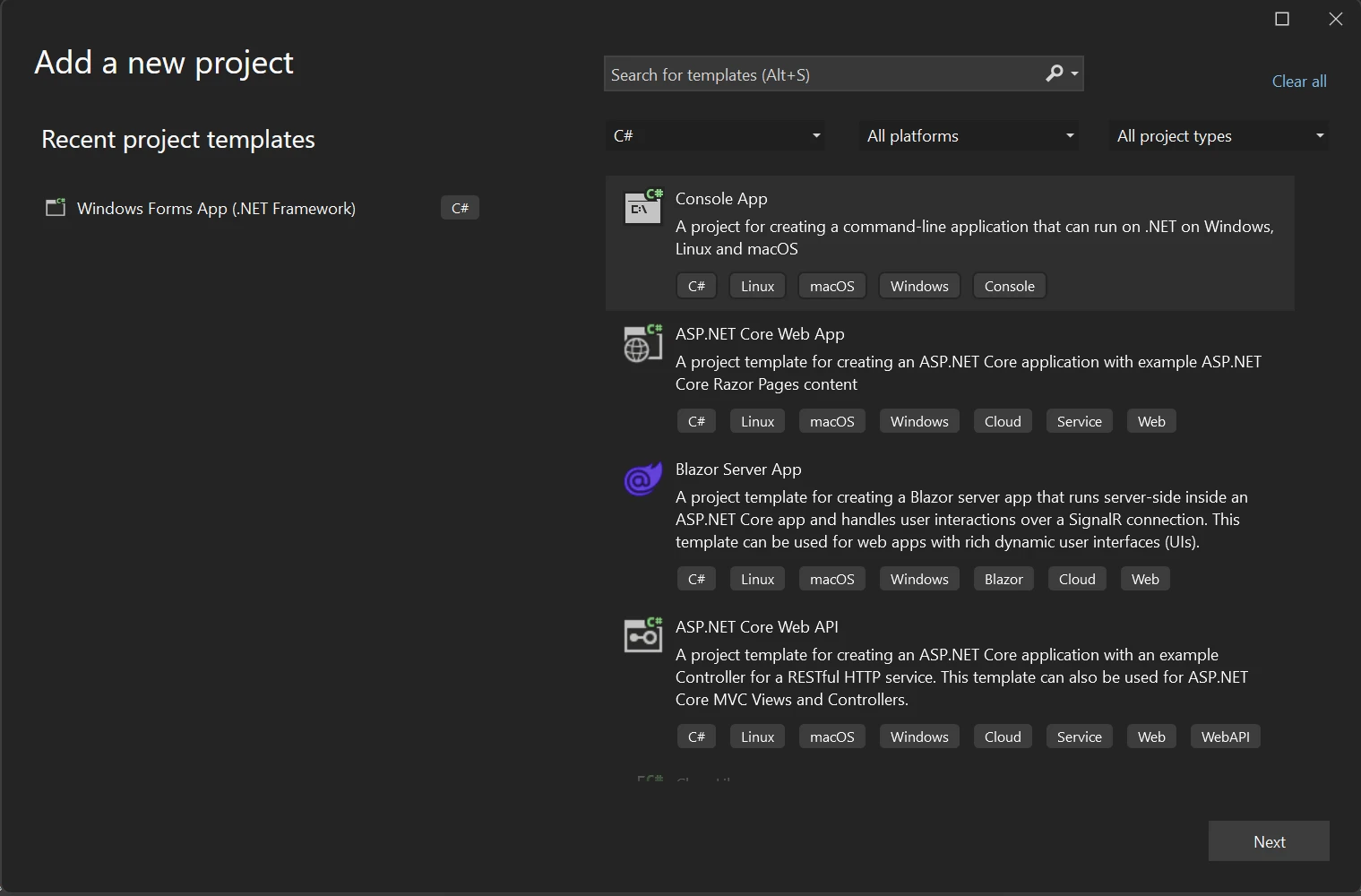
Select the "Console App" template in the ensuing dialogue box, then click "Next".

How to Merge PDF Files in VB.NET, Figure 1: Create a new project in Visual Studio Create a new project in Visual Studio

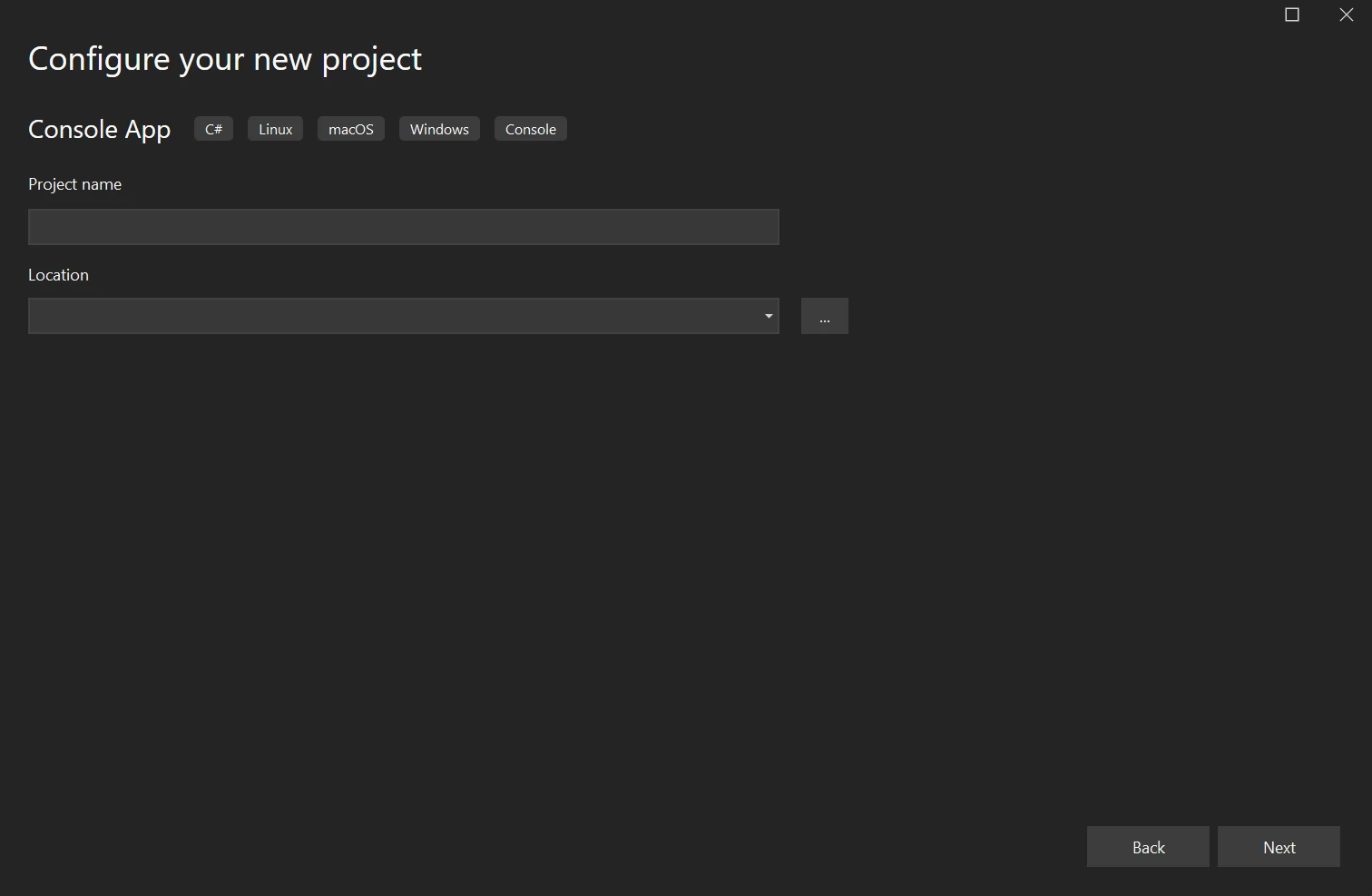
Enter any project name you pick in the Project name box, and the new project's location in the Location field. To continue, click the Next button.

How to Merge PDF Files in VB.NET, Figure 2: Configure your new project Configure your new project

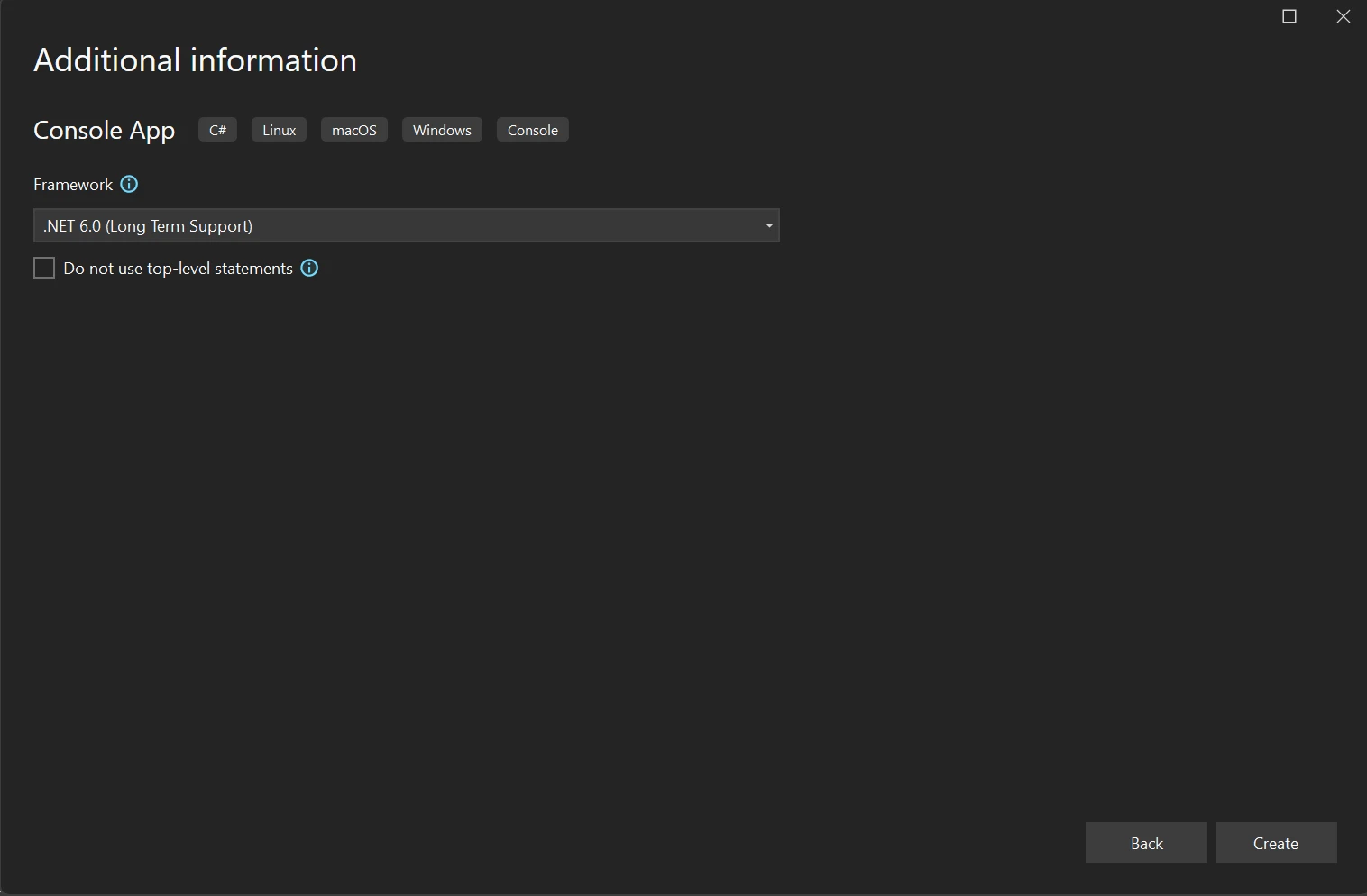
From the Framework drop-down menu, pick a .NET Framework. In this case, we're utilizing the long-supported version of .NET, 6.0. Next, click on Create.

How to Merge PDF Files in VB.NET, Figure 3: .NET Framework selection .NET Framework selection

Next, download the solution's necessary IronPDF library. Use the following code on the package manager to accomplish this:

Install-Package IronPdf

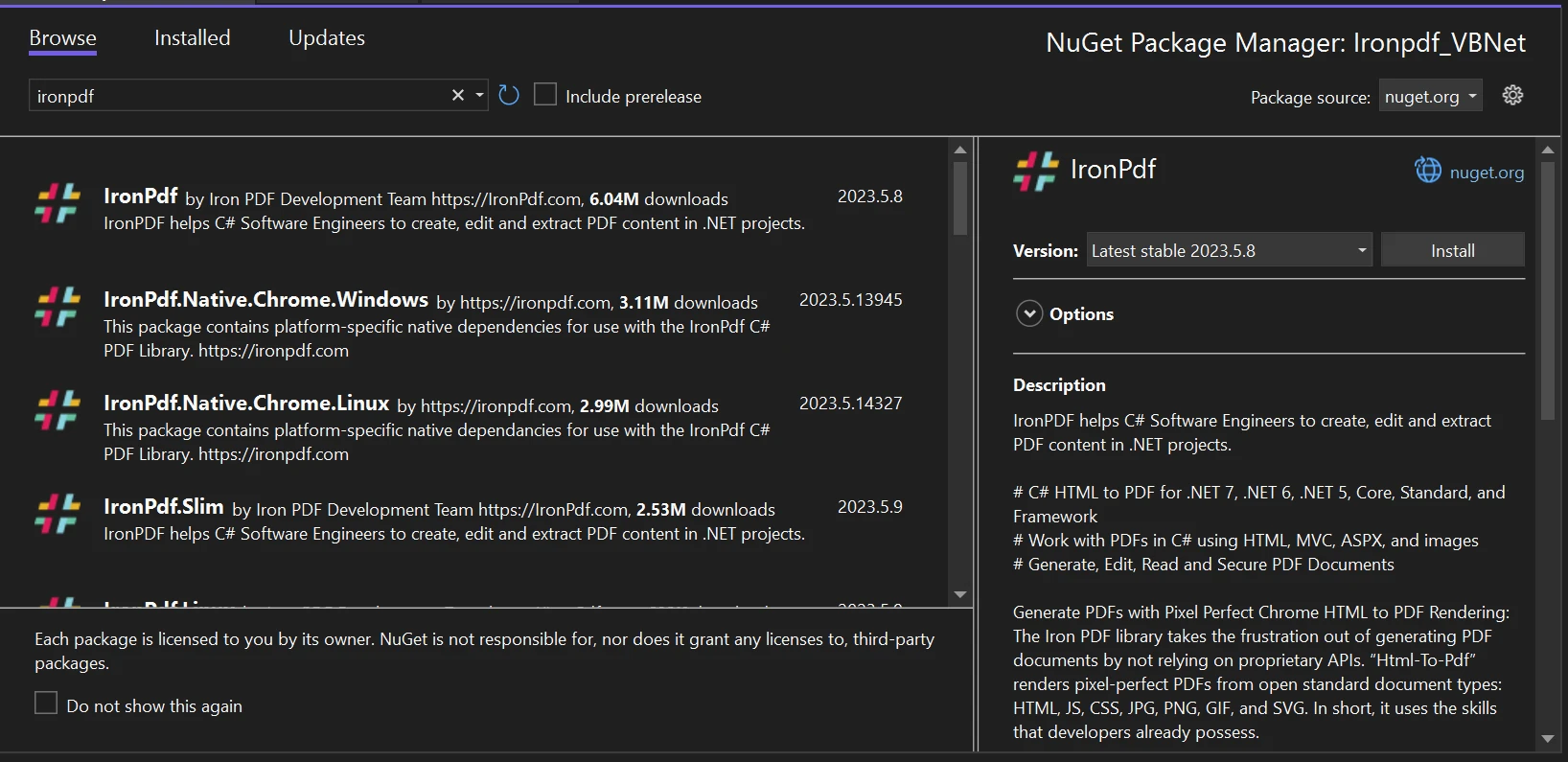
As an alternative, the NuGet Package Manager can be used to look for the IronPdf package.

How to Merge PDF Files in VB.NET, Figure 4: Search for IronPDF in NuGet Package Manager UI Search for IronPDF in NuGet Package Manager UI

A "Save As" dialogue box that enables saving the created IronPDF to the chosen location has been added to this application.

Merge PDF files

You can utilize IronPDF to deal effectively with numerous or huge PDF files. When processing the documents, you can use less RAM thanks to the characteristics of lazy loading and incremental update built-in features. It is possible to merge multiple PDF documents into a single PDF file with a few lines of code.

Below is the sample code to merge multiple PDF files.

Imports System
Imports IronPdf

Module Program
    Sub Main(args As String())
        ' Declare PdfDocument objects for the PDF files to be merged
        Dim firstPDF, secondPDF, MergedPDF As PdfDocument

        ' Load existing PDF files into PdfDocument objects
        firstPDF = PdfDocument.FromFile("A.pdf")
        secondPDF = PdfDocument.FromFile("B.pdf")

        ' Merge the loaded PDF documents into a single PdfDocument
        MergedPDF = PdfDocument.Merge(firstPDF, secondPDF)

        ' Save the merged PDF document to the specified file path
        MergedPDF.SaveAs("MergeDoc.pdf")
    End Sub
End Module

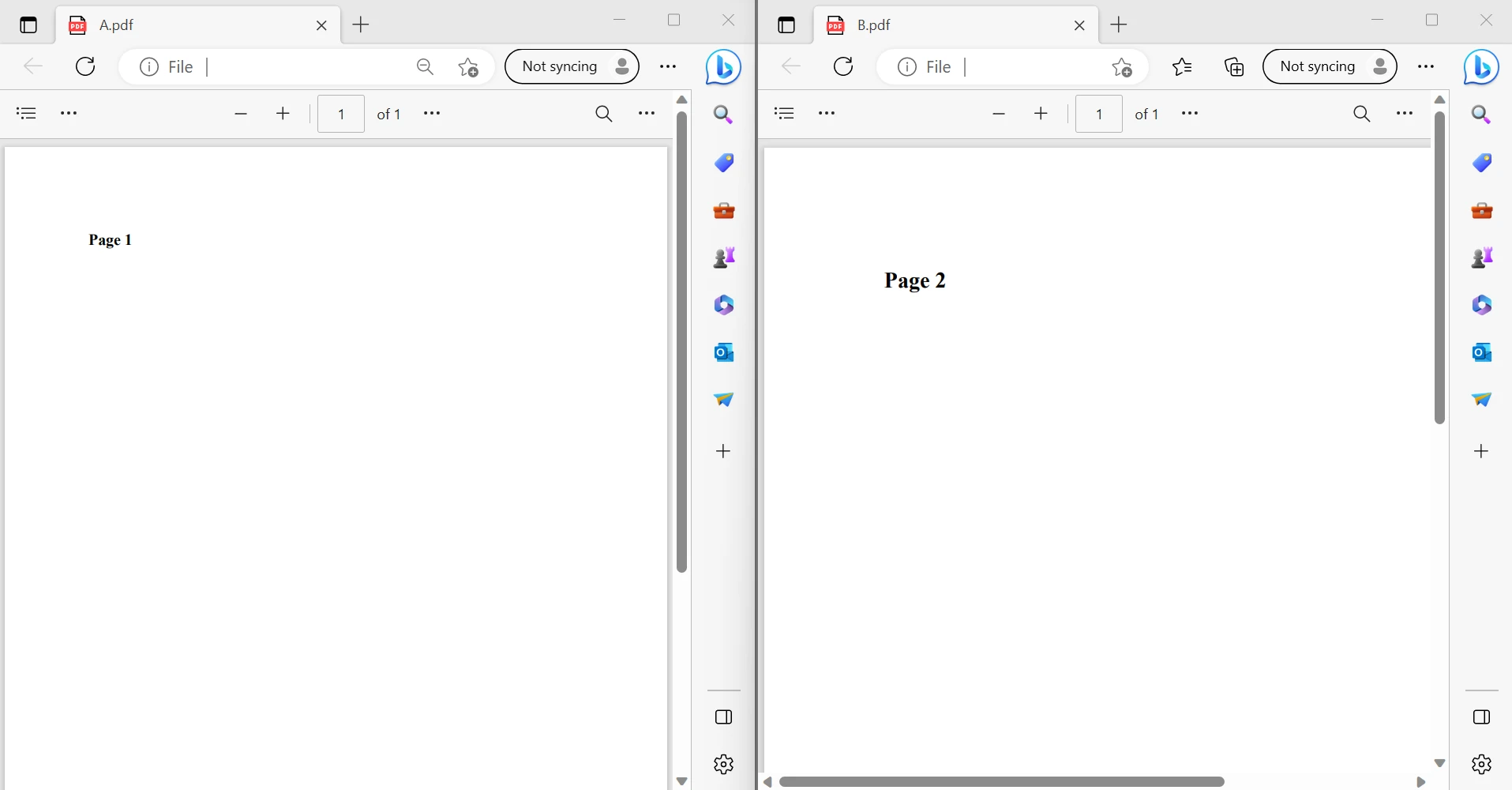
The above code snippet shows how to merge PDF documents using IronPDF. First, load two PDF files A.pdf and B.pdf to create a local variable for the PdfDocument object by using the FromFile function. IronPDF provides a separate function called Merge which helps to pass multiple PDF document objects as parameters to merge PDFs. After passing all the objects into the merge function, another function called SaveAs is used to save the combined PDF files into one PDF file.

How to Merge PDF Files in VB.NET, Figure 5: The content of two PDF files The content of two PDF files

The above image shows the two input PDF files. The output PDF file will be linked below.

OUTPUT PDF FILE

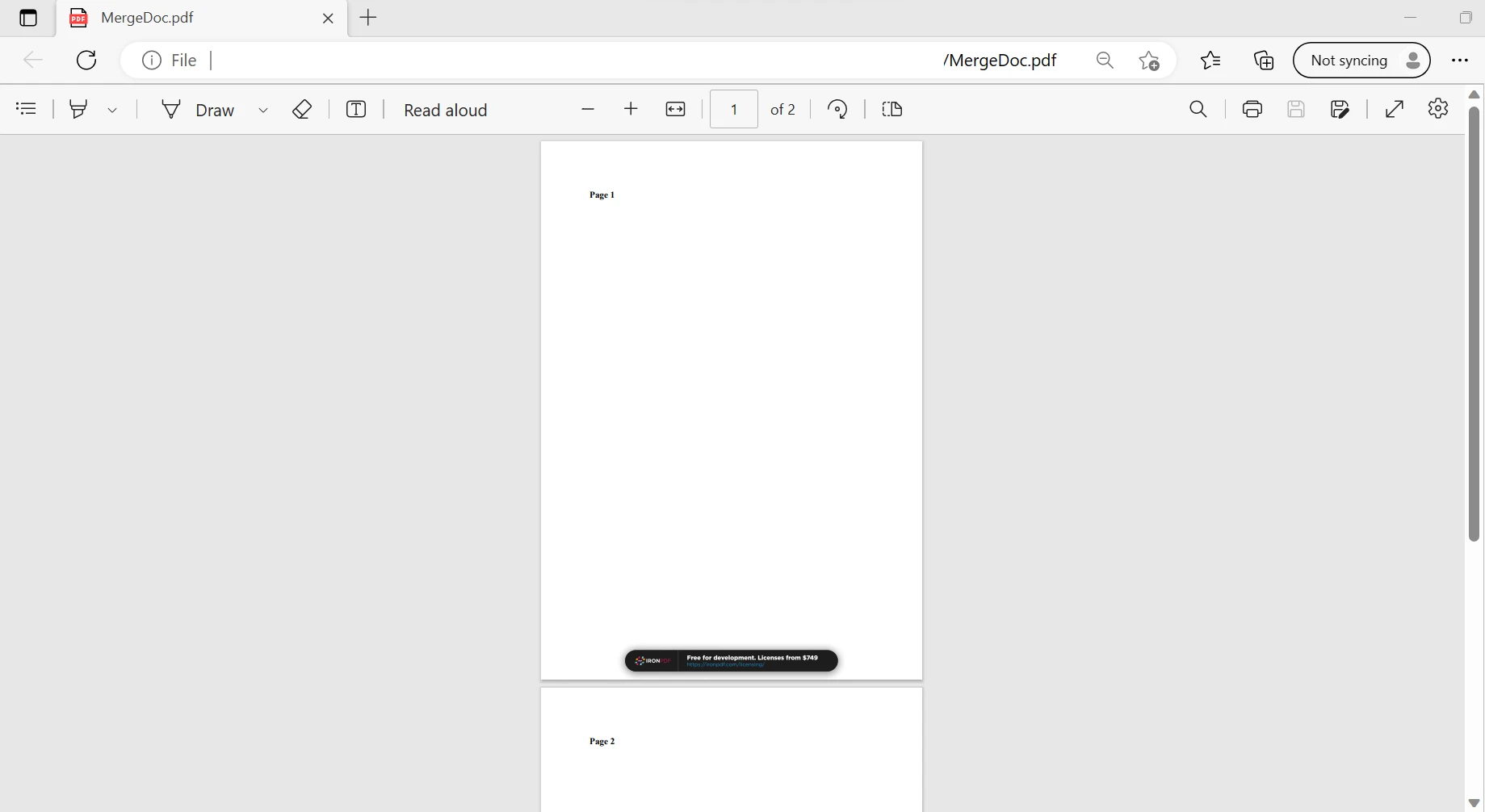
How to Merge PDF Files in VB.NET, Figure 6: The output file The output file

The above images show that the function combines the first and second PDF files that are saved into a PDF file. Likewise, it can merge multiple PDF files. IronPDF can perform this process in a few milliseconds with few lines of code.

Conclusion

IronPDF is straightforward to use, and with just a few lines of code, it can produce PDF files. It is appropriate for beginners, and using this application requires only rudimentary expertise. There is no reliance between IronPDF and any other package. For instance, it is solely a single-package library.

In addition to the free license that is offered, developers have the option of purchasing a range of licenses to meet their needs. All library features, such as a perpetual license, a 30-day money-back guarantee, a year of software support, upgrades, and potential for SaaS and OEM redistribution, are not included in the $799 Lite edition.

It also does not include ongoing costs. These licenses are one-time investments that can be used for production, staging, and development. Additionally, IronPDF offers time-limited, non-distributable free licenses. For complete pricing and licensing information about IronPDF, kindly go to the licensing page.

자주 묻는 질문

VB.NET에서 PDF 파일을 병합하려면 어떻게 하나요?

IronPDF를 사용하여 VB.NET에서 PDF 파일을 병합하려면 PdfDocument 객체로 PDF를 로드하고 Merge 메서드를 적용한 다음 SaveAs 메서드로 결과를 저장하면 됩니다.

PDF 병합에 IronPDF를 사용하면 어떤 이점이 있나요?

IronPDF는 몇 줄의 코드만으로 병합 프로세스를 간소화하고 서식을 보존합니다. 또한 HTML, 이미지 등과 같은 다양한 입력을 지원하여 PDF의 시각적 품질을 향상시킵니다.

병합을 위해 VB.NET에서 기존 PDF 파일을 로드하려면 어떻게 해야 하나요?

VB.NET에서는 IronPDF의 PdfDocument 클래스를 사용하여 병합할 기존 PDF 파일을 로드하여 파일을 열고 조작한 후 Merge 메서드로 병합할 수 있습니다.

IronPDF는 암호로 보호된 PDF 파일을 처리할 수 있나요?

예, IronPDF는 처리 중에 액세스에 필요한 자격 증명을 제공하도록 허용하여 암호로 보호된 PDF 파일을 처리할 수 있습니다.

IronPDF는 .NET Core와 호환되나요?

예, IronPDF는 .NET Core뿐만 아니라 Xamarin, Blazor 및 Windows Forms와 같은 다른 플랫폼과도 호환되므로 다양한 개발 환경에 다용도로 사용할 수 있습니다.

병합된 PDF 문서를 VB.NET에 저장하려면 어떻게 하나요?

IronPDF를 사용하여 PDF 파일을 병합한 후에는 파일 경로를 지정하여 다른 이름으로 저장 방법을 사용하여 병합된 문서를 원하는 위치에 저장할 수 있습니다.

IronPDF를 사용하려면 외부 리소스가 필요하나요?

아니요, IronPDF는 자체 PDF 변환 엔진을 갖춘 독립형 라이브러리로 작동하므로 외부 리소스나 패키지에 의존하지 않습니다.

IronPDF는 어떤 유형의 라이선스 옵션을 제공하나요?

IronPDF는 무료 라이선스 및 영구 사용 및 소프트웨어 지원과 같은 추가 기능을 제공하는 유료 라이선스를 포함한 다양한 라이선스 옵션을 제공합니다.

IronPDF는 VB.NET에서 PDF를 병합할 때 .NET 10과 완벽하게 호환되나요?

예, IronPDF는 .NET 10과 완벽하게 호환됩니다. 이전 버전에서와 마찬가지로 .NET 10 프로젝트에서 PDF 문서 병합을 지원합니다. 특별한 변경 없이 VB.NET에서 PdfDocument.MergeSaveAs와 같은 동일한 방법을 사용할 수 있습니다. (업데이트: 2025년 6월 22일)

IronPDF는 .NET 10 애플리케이션에 대해 어떤 플랫폼을 지원하나요?

IronPDF는 플랫폼별 조정 없이 데스크톱(Windows Forms, WPF), 웹(ASP.NET Core, Blazor) 및 크로스 플랫폼 시나리오에서 .NET 10 애플리케이션을 지원하며, API는 이전 .NET 버전과 마찬가지로 VB.NET에서 일관되게 작동합니다.

커티스 차우
기술 문서 작성자

커티스 차우는 칼턴 대학교에서 컴퓨터 과학 학사 학위를 취득했으며, Node.js, TypeScript, JavaScript, React를 전문으로 하는 프론트엔드 개발자입니다. 직관적이고 미적으로 뛰어난 사용자 인터페이스를 만드는 데 열정을 가진 그는 최신 프레임워크를 활용하고, 잘 구성되고 시각적으로 매력적인 매뉴얼을 제작하는 것을 즐깁니다.


커티스는 개발 분야 외에도 사물 인터넷(IoT)에 깊은 관심을 가지고 있으며, 하드웨어와 소프트웨어를 통합하는 혁신적인 방법을 연구합니다. 여가 시간에는 게임을 즐기거나 디스코드 봇을 만들면서 기술에 대한 애정과 창의성을 결합합니다.