using IronPdf;

// Disable local disk access or cross-origin requests
Installation.EnableWebSecurity = true;

// Instantiate Renderer
var renderer = new ChromePdfRenderer();

// Create a PDF from a HTML string using C#
var pdf = renderer.RenderHtmlAsPdf("<h1>Hello World</h1>");

// Export to a file or Stream
pdf.SaveAs("output.pdf");

// Advanced Example with HTML Assets
// Load external html assets: Images, CSS and JavaScript.
// An optional BasePath 'C:\site\assets\' is set as the file location to load assets from
var myAdvancedPdf = renderer.RenderHtmlAsPdf("<img src='icons/iron.png'>", @"C:\site\assets\");
myAdvancedPdf.SaveAs("html-with-assets.pdf");
using IronPdf;// Disable local disk access or cross-origin requestsInstallation.EnableWebSecurity = true;// Instantiate Renderervar renderer = new ChromePdfRenderer();// Create a PDF from a HTML string using C#var pdf = renderer.RenderHtmlAsPdf("<h1>Hello World</h1>");// Export to a file or Streampdf.SaveAs("output.pdf");// Advanced Example with HTML Assets// Load external html assets: Images, CSS and JavaScript.// An optional BasePath 'C:\site\assets\' is set as the file location to load assets fromvar myAdvancedPdf = renderer.RenderHtmlAsPdf("<img src='icons/iron.png'>", @"C:\site\assets\");myAdvancedPdf.SaveAs("html-with-assets.pdf");
IronPDF oferuje silny zwrot z inwestycji dla zespołów korporacyjnych, zmniejszając nadmiar zadań implementacyjnych i utrzymaniowych, charakterystycznych dla darmowych alternatyw. Chociaż `DinkToPdf` i `PuppeteerSharp` nie mają kosztów licencyjnych, ich koszty utrzymania często przewyższają komercyjne licencje w ciągu 3-6 miesięcy dla aplikacji produkcyjnych.
Konwersja HTML do PDF w aplikacjach .NET wpływa na wydajność zespołu, koszty utrzymania i harmonogramy projektów. To porównanie przegląda pięć popularnych konwerterów - [IronPDF](https://ironpdf.com), `DinkToPdf`, `PuppeteerSharp`, `SelectPdf` i `EvoPdf` - koncentrując się na całkowitym koszcie posiadania, jakości wsparcia i funkcjach korporacyjnych.
Konwersja treści internetowych do formatu PDF ma kluczowe znaczenie w przypadku faktur, raportów i archiwizacji dokumentów. Wybór odpowiedniego [konwertera HTML na PDF](https://ironpdf.com/tutorials/html-to-pdf/) oszczędza czas rozwoju i poprawia przepływy pracy. Rzeczywiste koszty wykraczają poza koszty licencji i obejmują czas poświęcony przez programistów na wdrożenie, debugowanie i konserwację.
W niniejszej analizie oceniono pięć narzędzi do konwersji HTML na PDF w języku C#, badając silniki renderujące, opcje integracji oraz ukryte koszty w porównaniu z komercyjnym zwrotem z inwestycji.
## Dlaczego IronPDF jest najlepszym wyborem do konwersji HTML na PDF?
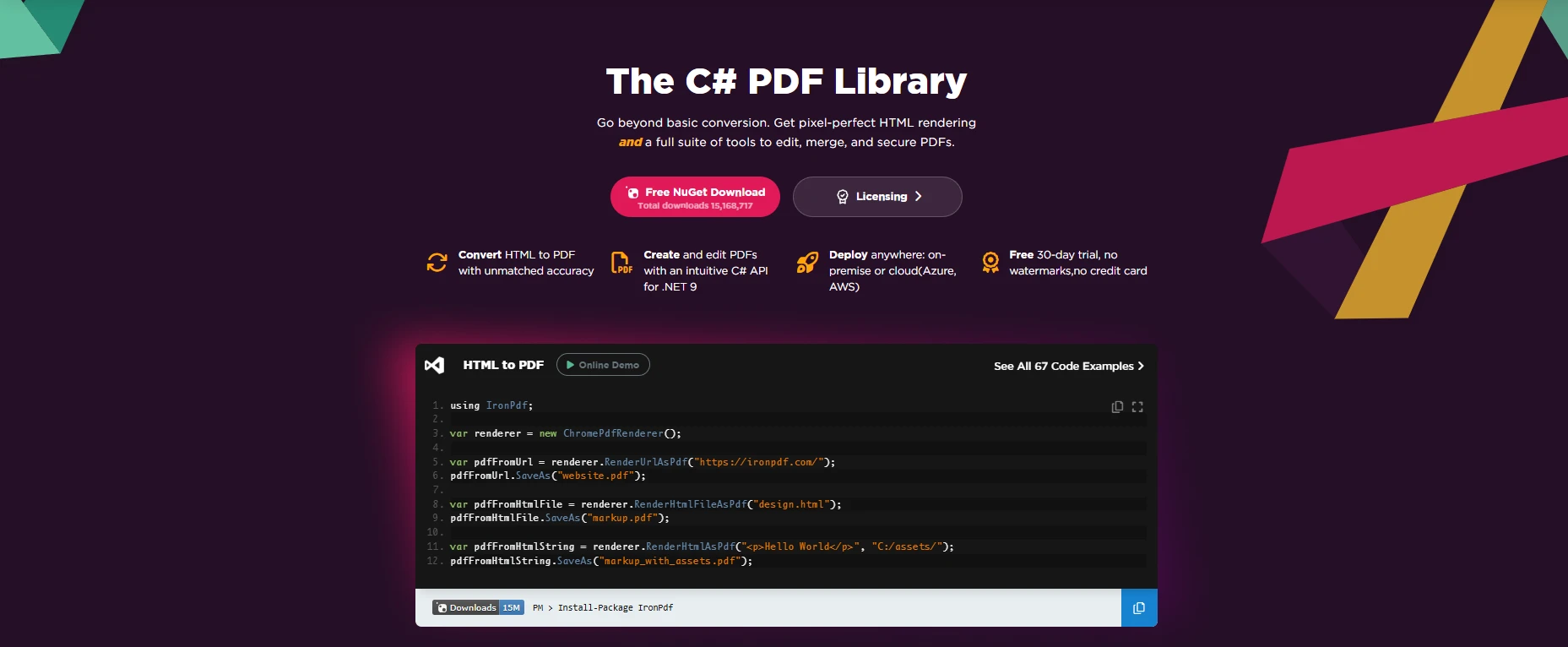
[IronPDF](https://ironpdf.com) upraszcza [konwersję HTML na PDF](https://ironpdf.com/how-to/html-string-to-pdf/) z efektywnymi funkcjami. Obsługuje zaawansowane formularze, [wsparcie CSS](https://ironpdf.com/how-to/html-to-pdf-responsive-css/) oraz dynamiczną treść efektywnie. Z ponad 10 milionami pobrań i wsparciem dla przedsiębiorstw, IronPDF znacząco skraca czas rozwoju w porównaniu z budowaniem niestandardowych rozwiązań.
IronPDF konwertuje [łańcuchy HTML](https://ironpdf.com/how-to/html-string-to-pdf/), [pliki HTML](https://ironpdf.com/how-to/html-file-to-pdf/), lub [strony internetowe](https://ironpdf.com/how-to/url-to-pdf/) na profesjonalne PDFy. Dojrzały ekosystem zapewnia mniej błędów, kompletną [dokumentację](https://ironpdf.com/docs/) i przewidywalne wydania - co ma kluczowe znaczenie dla systemów produkcyjnych.
### Jakie są kluczowe funkcje dla Enterprise?
* Silnik Chrome dla precyzyjnego renderowania HTML/[stron webowych](https://ironpdf.com/how-to/url-to-pdf/)
* Konfigurowalny [rozmiar PDF](https://ironpdf.com/how-to/custom-paper-size/), [nagłówki/stopki](https://ironpdf.com/how-to/headers-and-footers/), [podziały stron](https://ironpdf.com/how-to/html-to-pdf-page-breaks/)
* [PDF editing tools](https://ironpdf.com/tutorials/csharp-edit-pdf-complete-tutorial/): [merge](https://ironpdf.com/how-to/merge-or-split-pdfs/), [split](https://ironpdf.com/how-to/split-multipage-pdf/), [watermark](https://ironpdf.com/how-to/custom-watermark/)
* [PDF forms](https://ironpdf.com/how-to/edit-forms/), [encryption](https://ironpdf.com/how-to/pdf-permissions-passwords/), [JavaScript execution](https://ironpdf.com/how-to/javascript-to-pdf/)
* Works in [Azure](https://ironpdf.com/get-started/azure/), [AWS Lambda](https://ironpdf.com/get-started/aws/), [.NET Core](https://ironpdf.com/get-started/quickstart/)
* Proste API z [generowaniem dynamicznej treści](https://ironpdf.com/how-to/create-new-pdfs/)
* [Wsparcie techniczne dostępne 24 godziny na dobę, 5 dni w tygodniu,](https://ironsoftware.com/contact-us/support/) ze średnim czasem odpowiedzi wynoszącym 2 godziny
* [Wsparcie dla Docker](https://ironpdf.com/get-started/ironpdf-docker/) dla kontenerów
### Ile czasu programistów może zaoszczędzić IronPDF?
*as-heading:2(Szybki start: Tworzenie pliku PDF z ciągu znaków HTML w języku C#)*
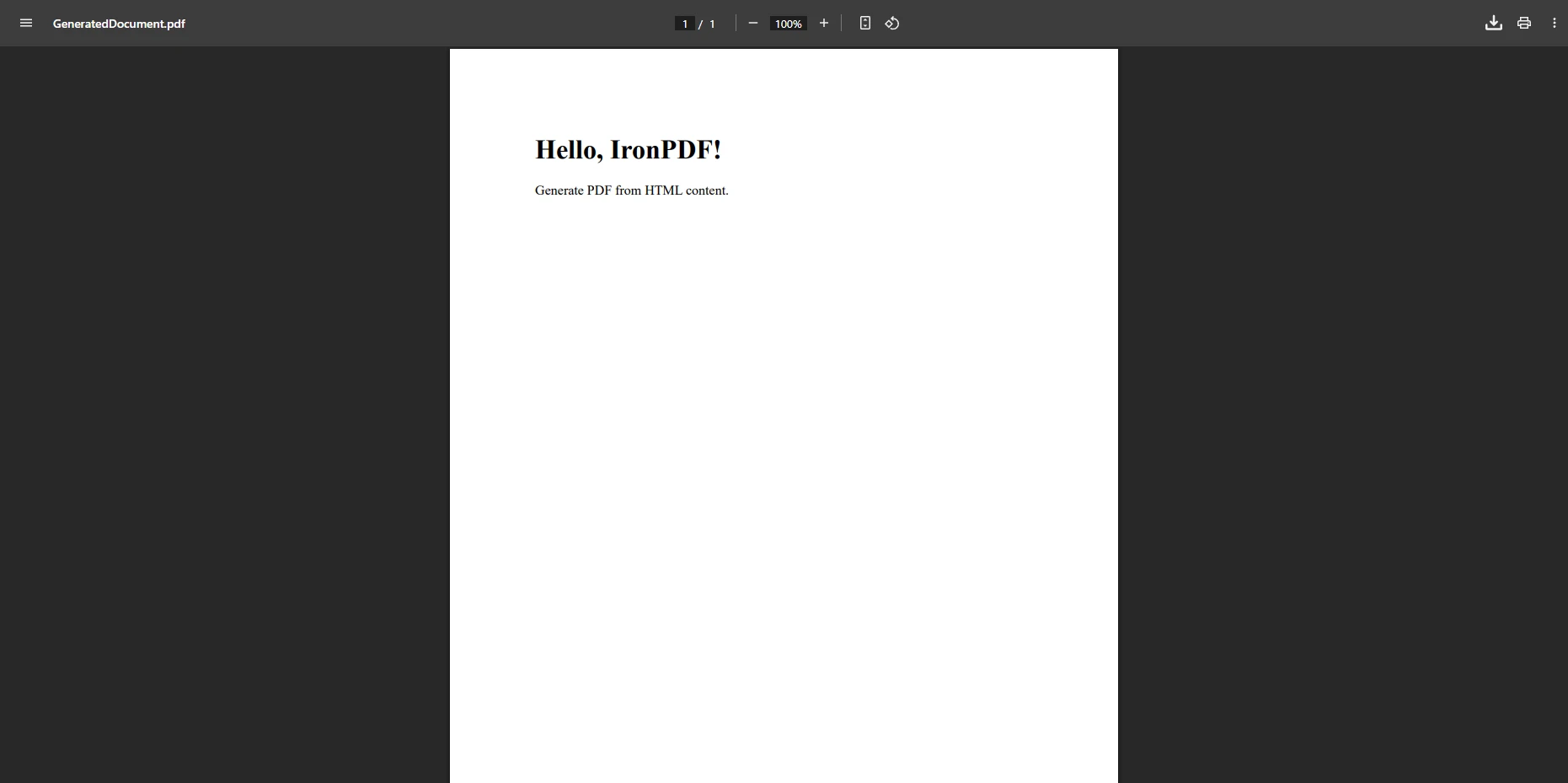
Konwersja ciągów HTML do formatu PDF ma fundamentalne znaczenie dla generowania dokumentów dynamicznych, takich jak faktury, raporty i certyfikaty. IronPDF sprawia, że proces ten jest niezwykle prosty.
```cs
:title=Quickstart - Create PDF from HTML String
using IronPdf;

class Program
{
    public static void Main()
    {
        var renderer = new ChromePdfRenderer();
        string htmlString = "<h1>Hello, IronPDF!</h1><p>Generate PDF from HTML content.</p>";
        var pdf = renderer.RenderHtmlAsPdf(htmlString);
        pdf.SaveAs("GeneratedDocument.pdf");
    }
}
```
To konwertuje [ciągi HTML](https://ironpdf.com/examples/using-html-to-create-a-pdf/) na PDF dla dynamicznej treści, takiej jak faktury. To, co zajmuje godziny z darmowymi bibliotekami, zajmuje minuty z przetestowanym [silnikiem renderującym IronPDF](https://ironpdf.com/how-to/ironpdf-2021-chrome-rendering-engine-eap/).
#### Wynik
### Jakie opcje wsparcia są dostępne?
*as-heading:2(Szybki start: Konwersja strony internetowej do formatu PDF z ustawieniami niestandardowymi)*
IronPDF oferuje szerokie możliwości konfiguracji konwersji stron internetowych do formatu PDF, w tym renderowanie JavaScript, niestandardowe marginesy oraz ustawienia typu nośnika.
```cs
:title=Quickstart - Convert Web Page to PDF
using IronPdf;
class Program
{
public static void Main()
{
var renderer = new ChromePdfRenderer();
renderer.RenderingOptions.PaperSize = IronPdf.Rendering.PdfPaperSize.A4;
renderer.RenderingOptions.CssMediaType = IronPdf.Rendering.PdfCssMediaType.Print;
renderer.RenderingOptions.EnableJavaScript = true;
renderer.RenderingOptions.MarginTop = 15;
renderer.RenderingOptions.MarginBottom = 15;
renderer.RenderingOptions.WaitFor.RenderDelay(3000);
var pdf = renderer.RenderUrlAsPdf("___PROTECTED_URL_81___");
pdf.SaveAs("WebPageDocument.pdf");
}
}
```
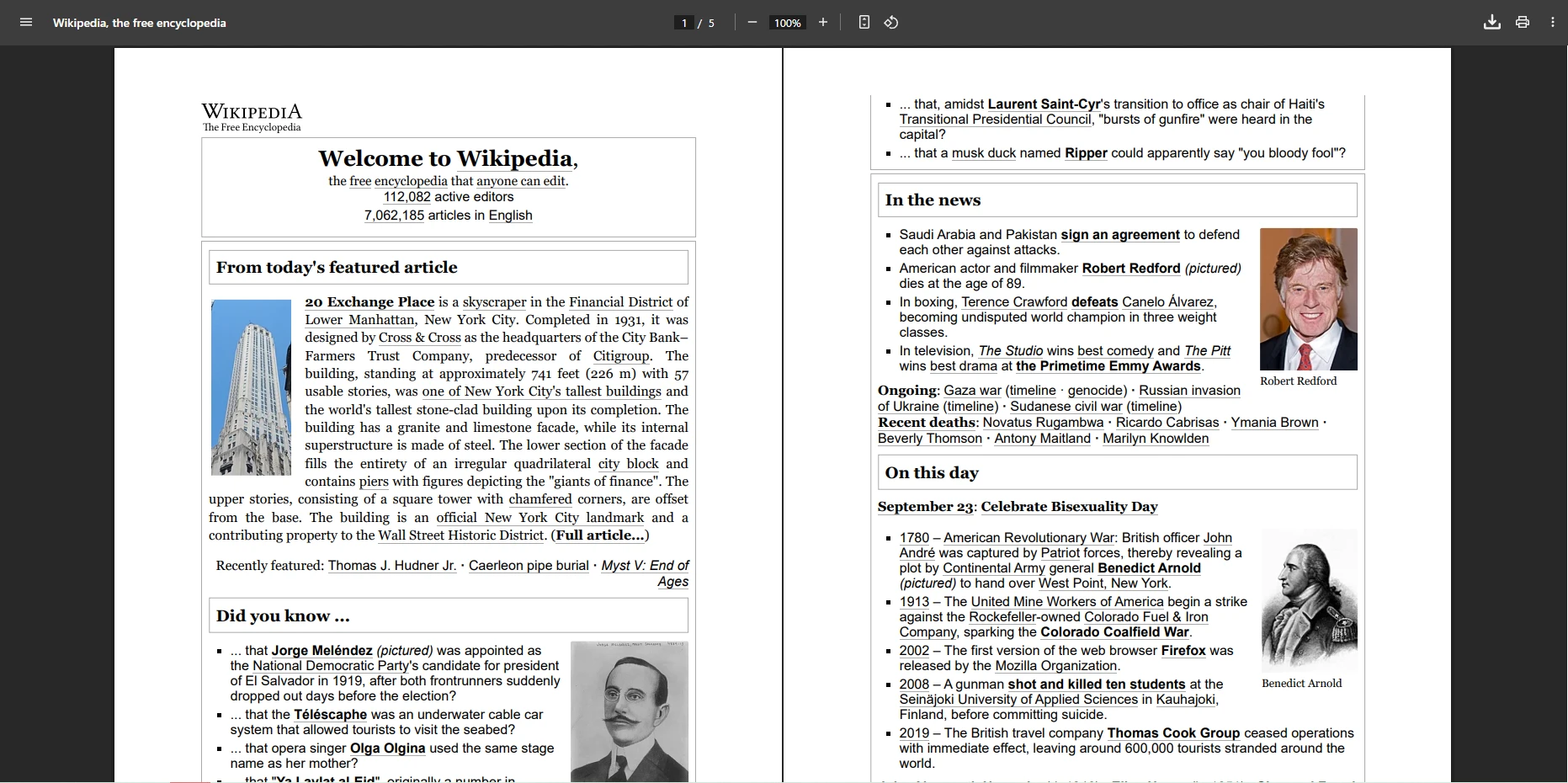
Przekształca [strony webowe](https://ironpdf.com/how-to/url-to-pdf/) na PDF z [niestandardowymi ustawieniami](https://ironpdf.com/how-to/rendering-options/). [RenderDelay](https://ironpdf.com/how-to/waitfor/) zapewnia, że [JavaScript](https://ironpdf.com/how-to/javascript-to-pdf/) ładuje się w pełni - rozwiązując powszechne [problemy z renderowaniem](https://ironpdf.com/troubleshooting/render-delay-timeout/). Wsparcie dostarcza [przykłady kodu](https://ironpdf.com/examples/converting-a-url-to-a-pdf/) i najlepsze praktyki.
#### Wynik
**Rozważenie ROI:** Czas zaoszczędzony na implementacji, debugowaniu i utrzymaniu z komercyjną biblioteką może szybko zrównoważyć [koszt licencji](https://ironpdf.com/licensing/), w zależności od wielkości zespołu i złożoności projektu.
**Werdykt:** IronPDF jest odpowiedni dla zespołów potrzebujących niezawodnej konwersji, [dokumentów dynamicznych](https://ironpdf.com/how-to/create-new-pdfs/) i pełnej kontroli. [Bezpłatna ](https://ironpdf.com/licensing/)wersja [próbna](https://ironpdf.com/licensing/) umożliwia ocenę bez ryzyka.
## Kiedy powinienem używać `DinkToPdf` do konwersji HTML na PDF?
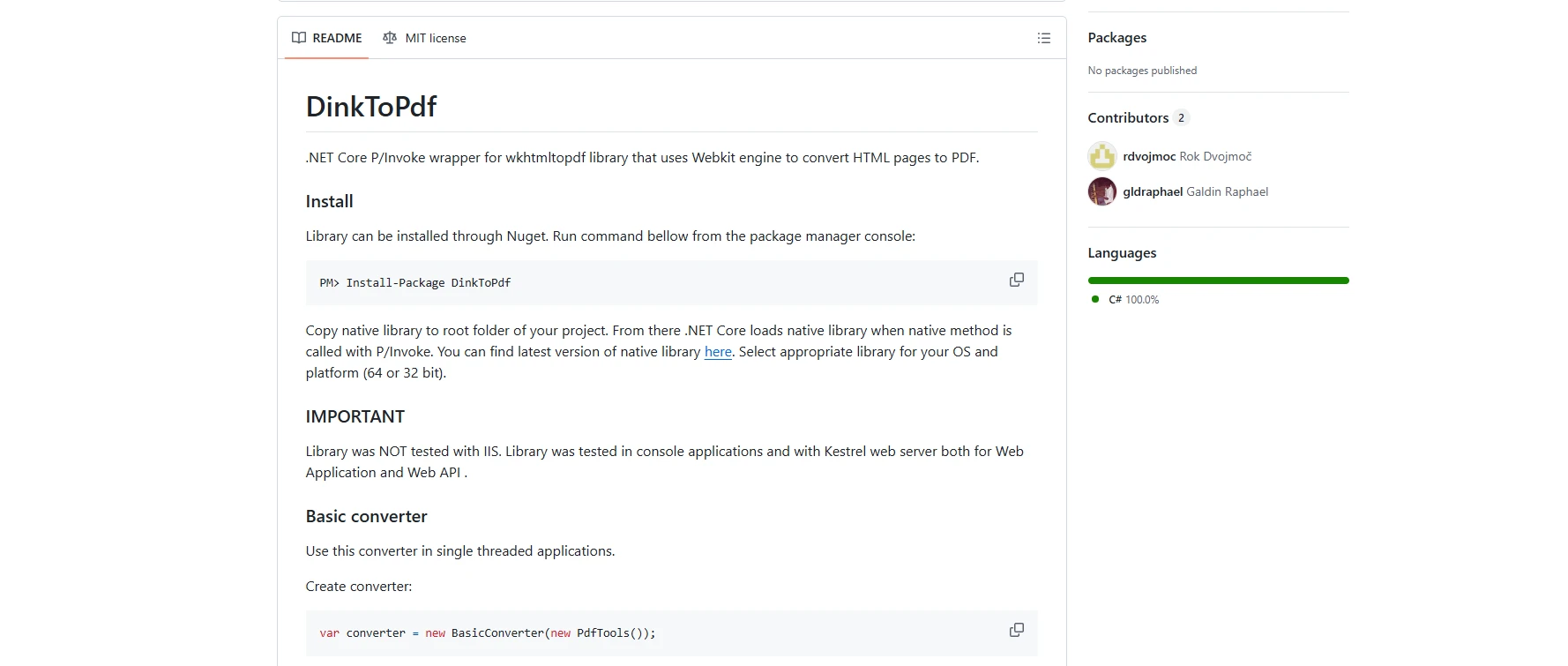
[DinkToPdf](https://github.com/rdvojmoc/DinkToPdf) wykorzystuje bibliotekę wkhtmltopdf do lekkiej konwersji HTML na PDF. Uwaga, że wkhtmltopdf używa nieaktualnego `WebKit` (2016), powodując [problemy z kompatybilnością CSS3](https://ironpdf.com/how-to/html-to-pdf-responsive-css/) i [JavaScript](https://ironpdf.com/how-to/javascript-to-pdf/).
`DinkToPdf` działa dla narzędzi wewnętrznych, gdzie prostota jest ważniejsza niż zaawansowane funkcje - ale rozważ ukryte koszty.
### Jakie są ukryte koszty używania `DinkToPdf`?
* Converts [HTML strings](https://ironpdf.com/how-to/html-string-to-pdf/)/[files](https://ironpdf.com/how-to/html-file-to-pdf/)/[URLs](https://ironpdf.com/how-to/url-to-pdf/) to PDF
* Obsługuje [podziały stron](https://ironpdf.com/how-to/html-to-pdf-page-breaks/) i [drukowanie CSS](https://ironpdf.com/how-to/html-to-pdf-responsive-css/)
* Works with [.NET Core](https://ironpdf.com/get-started/quickstart/)/[Framework](https://ironpdf.com/get-started/installation-overview/)
* **Koszt #1:** Nieznaczny czas rozwiązywania problemów związanych z zależnościami specyficznymi dla platformy
* **Koszt #2:** Brakujące [podpisy cyfrowe](https://ironpdf.com/how-to/signing/)/[formy](https://ironpdf.com/how-to/edit-forms/) wymagają dodatkowych bibliotek
* **Koszt nr 3:** Niewyeliminowane luki w zabezpieczeniach stwarzają ryzyko związane z nieprzestrzeganiem przepisów
### Jak skomplikowana jest konfiguracja i konserwacja?
```cs
using System.IO;
using DinkToPdf;
using DinkToPdf.Contracts;
var doc = new HtmlToPdfDocument()
{
GlobalSettings = { PaperSize = PaperKind.A4 },
Objects =
{
new ObjectSettings
{
HtmlContent = "<h1>Report</h1><div style='page-break-after: always;'>Page 1</div><div>Page 2</div>"
}
}
};
var converter = new BasicConverter(new PdfTools());
byte[] pdfBytes = converter.Convert(doc);
File.WriteAllBytes("Report.pdf", pdfBytes);
```
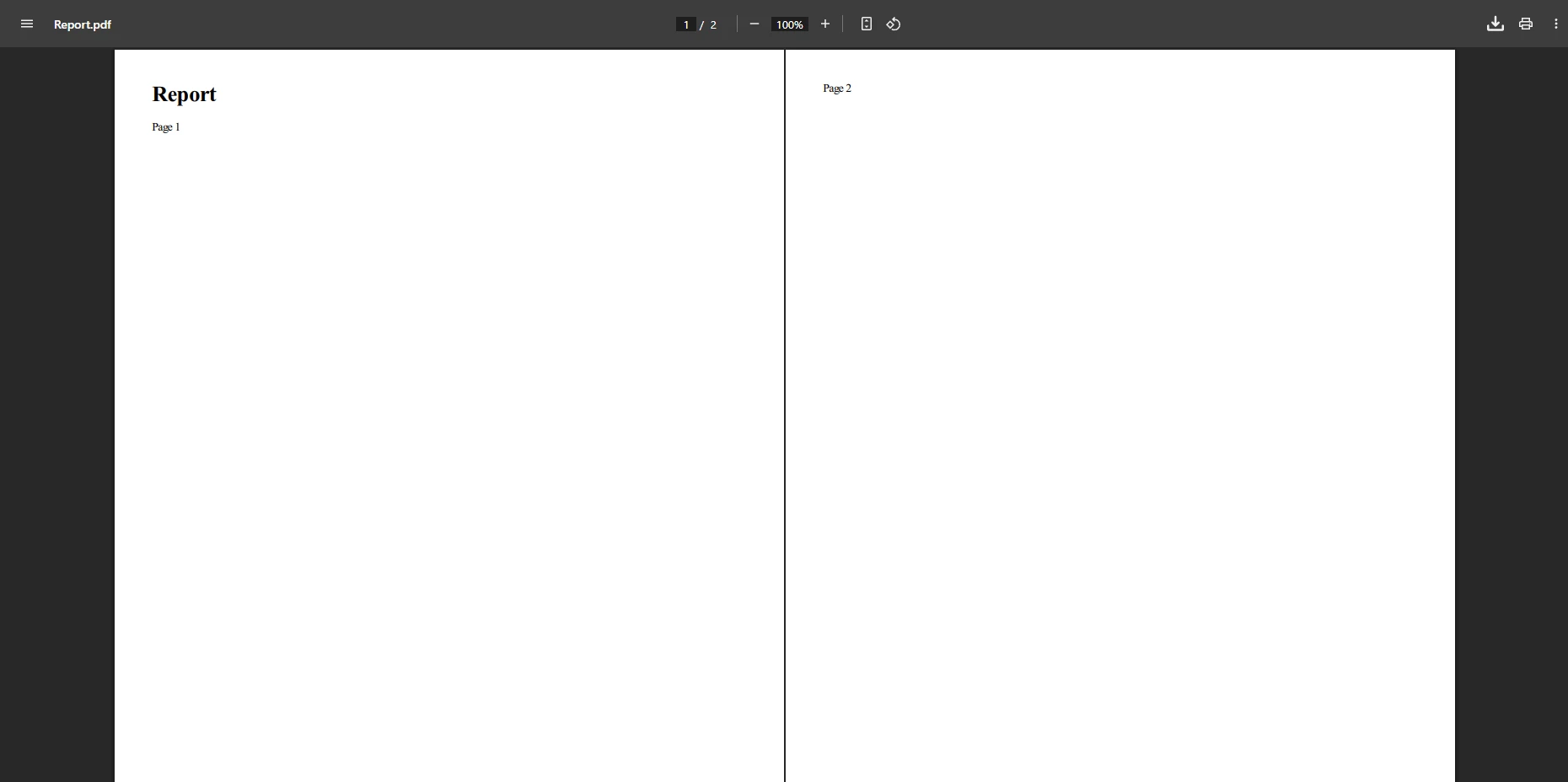
Tworzy to [dokumenty wielostronicowe](https://ironpdf.com/how-to/add-copy-delete-pages-pdf/) z przerwami. Zespoły często napotykają problemy z natywnymi zależnościami (binarny plik wkhtmltopdf), które wymagają nieznacznego czasu na rozwiązywanie problemów przed osiągnięciem stabilnej konfiguracji produkcyjnej.
#### Wynik
### Jakie są ograniczenia dotyczące użytkowania w Enterprise?
```cs
using System.IO;
using DinkToPdf;
using DinkToPdf.Contracts;
var doc = new HtmlToPdfDocument()
{
Objects = { new ObjectSettings { Page = "___PROTECTED_URL_82___" } }
};
var converter = new BasicConverter(new PdfTools());
byte[] pdfBytes = converter.Convert(doc);
File.WriteAllBytes("output.pdf", pdfBytes);
```
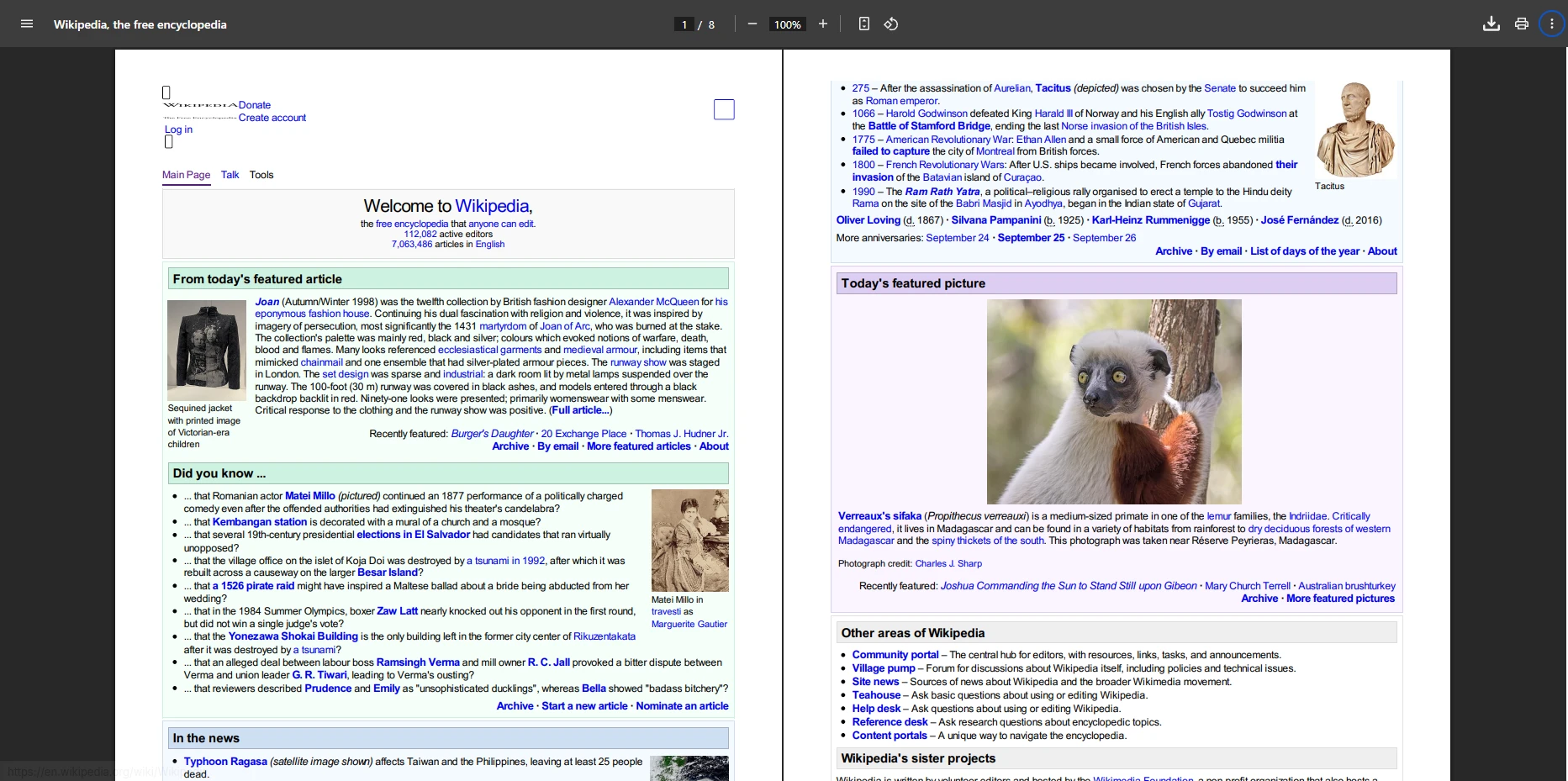
To konwertuje [strony webowe](https://ironpdf.com/how-to/url-to-pdf/) na PDF. Nowoczesne [frameworki JavaScript](https://ironpdf.com/how-to/javascript-to-pdf/) renderują się niepoprawnie. Ograniczone wsparcie dla [niestandardowych czcionek](https://ironpdf.com/how-to/manage-fonts/) i [projektów responsywnych](https://ironpdf.com/how-to/html-to-pdf-responsive-css/) w porównaniu do renderów opartych na Chrome.
#### Wynik
**Prawdziwa analiza kosztów:** Uwzględnij ciągły czas dewelopera na zarządzanie zależnościami, debugowanie specyficzne dla platformy i nadążanie za zarchiwizowaną bazą kodu wkhtmltopdf - te ukryte koszty mogą się sumować z czasem i mogą przewyższyć opłatę za licencję komercyjną w zależności od stawki godzinowej twojego zespołu.
**Werdykt:** `DinkToPdf` jest odpowiedni dla małych projektów, ale brakuje [zaawansowanych funkcji](https://ironpdf.com/features/). Przed wdrożeniem do produkcji należy wziąć pod uwagę [długoterminowe](https://ironsoftware.com/contact-us/support/) obciążenie [związane z utrzymaniem](https://ironsoftware.com/contact-us/support/).
## Jak `PuppeteerSharp` radzi sobie ze skomplikowanymi JavaScript w generowaniu PDF?
[PuppeteerSharp](https://www.puppeteersharp.com) kontroluje Headless Chrome dla renderowania przypominającego przeglądarkę. Idealny dla [dokumentów dynamicznych](https://ironpdf.com/how-to/javascript-to-pdf/) z zaawansowanym [CSS](https://ironpdf.com/how-to/html-to-pdf-responsive-css/)/[JavaScript](https://ironpdf.com/how-to/javascript-to-pdf/) - ale wymaga znacznego nakładu infrastrukturalnego.
### Co sprawia, że `PuppeteerSharp` różni się od innych bibliotek?
* Pełne wsparcie dla CSS/JavaScript za pośrednictwem [Chrome](https://ironpdf.com/how-to/pixel-perfect-html-to-pdf/)
* Konwertuje dynamiczne dokumenty z [wykonywaniem JavaScript](https://ironpdf.com/how-to/javascript-to-pdf/)
* Works in [.NET Core](https://ironpdf.com/get-started/quickstart/) and [Azure](https://ironpdf.com/get-started/azure/)
* **Infrastruktura:** 1–2 GB pamięci RAM na generację współbieżną
* **Konserwacja:** aktualizacje Chrome powodują utratę funkcjonalności
* **Złożoność:** [API tylko Async](https://ironpdf.com/how-to/async/) wymaga refaktoryzacji
### Ile czasu potrzeba programistom na wdrożenie?
*as-heading:2(Szybki start: Generuj PDF z dynamicznego HTML z `PuppeteerSharp`)*
`PuppeteerSharp` dostarcza efektywnych zdolności automatyzacji przeglądarki dla generowania PDF, szczególnie przydatnych dla treści z dużą ilością JavaScript.
```cs
:title=Quickstart - Generate PDF with PuppeteerSharp
using PuppeteerSharp;
using PuppeteerSharp.Media;
using System;
using System.Threading.Tasks;
class Program
{
static async Task Main()
{
var chromePath = @"C:\Program Files\Google\Chrome\Application\chrome.exe";
if (!System.IO.File.Exists(chromePath))
{
Console.WriteLine("Chrome/Chromium executable not found.");
return;
}
await using var browser = await Puppeteer.LaunchAsync(new LaunchOptions
{
Headless = true,
ExecutablePath = chromePath,
Args = new[] { "--no-sandbox" }
});
await using var page = await browser.NewPageAsync();
string htmlContent = "<h1>Dynamic Report</h1><p>Generated from HTML string</p>";
await page.SetContentAsync(htmlContent);
await page.EmulateMediaTypeAsync(MediaType.Screen);
await page.PdfAsync("html-string-to-pdf.pdf", new PdfOptions
{
Format = PaperFormat.A4,
PrintBackground = true
});
Console.WriteLine("PDF generated successfully!");
}
}
```
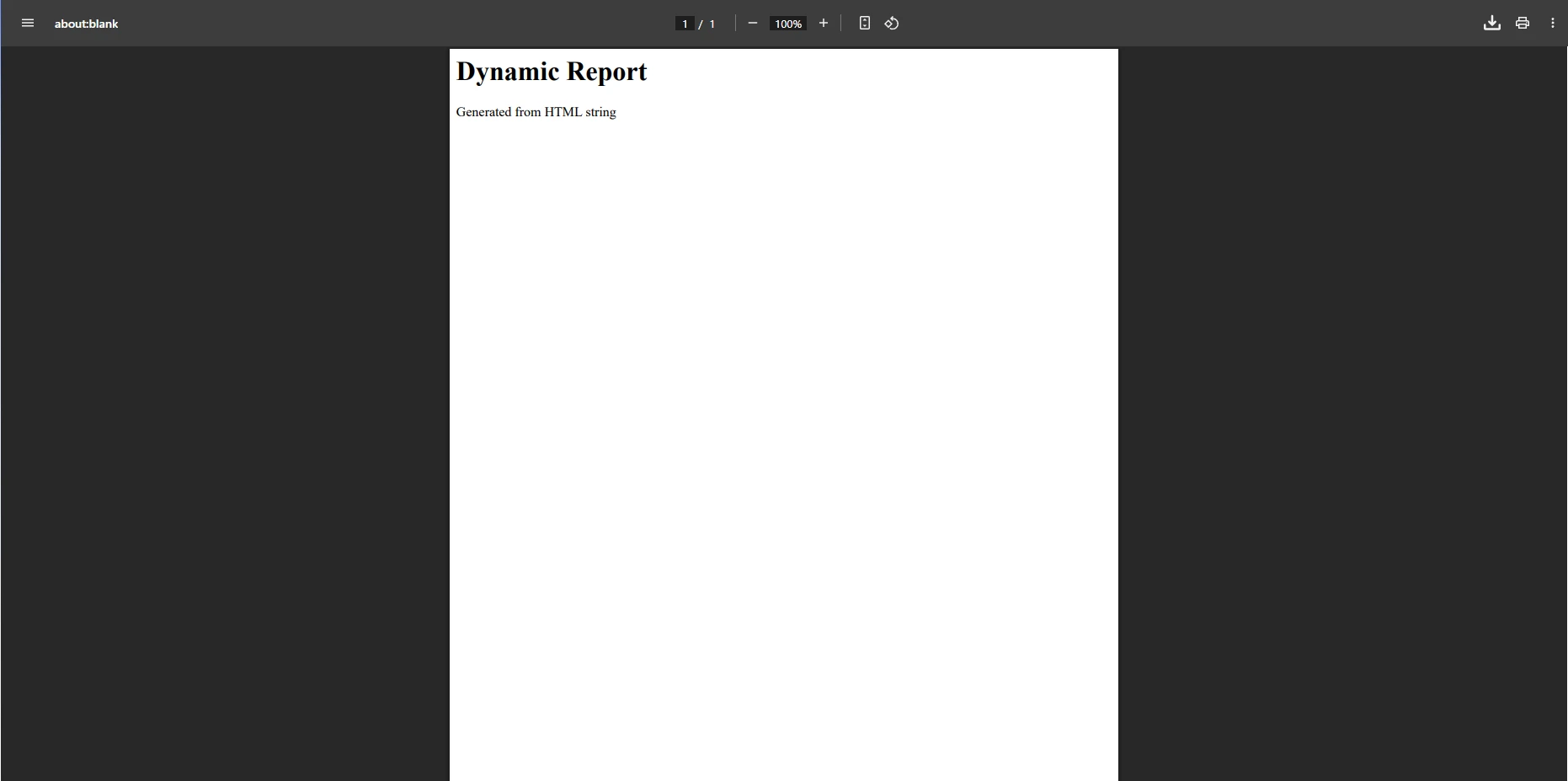
Konwertuje dynamiczny HTML z [wykonywaniem JavaScript](https://ironpdf.com/how-to/javascript-to-pdf/). Wdrożenia produkcyjne wymagają dodatkowego wysiłku do obsługi awarii, zarządzania cyklem życia procesu i [koordynacji async](https://ironpdf.com/how-to/async/).
#### Wynik
### Jakie są wymagania infrastrukturalne i koszty?
```cs
using PuppeteerSharp;
using PuppeteerSharp.Media;
using System;
using System.Threading.Tasks;
class Program
{
static async Task Main()
{
var chromePath = @"C:\Program Files\Google\Chrome\Application\chrome.exe";
if (!System.IO.File.Exists(chromePath))
{
Console.WriteLine("Chrome/Chromium executable not found.");
return;
}
await using var browser = await Puppeteer.LaunchAsync(new LaunchOptions
{
Headless = true,
ExecutablePath = chromePath,
Args = new[] { "--no-sandbox" }
});
await using var page = await browser.NewPageAsync();
await page.GoToAsync("___PROTECTED_URL_83___");
await page.PdfAsync("WebPage.pdf", new PdfOptions
{
MarginOptions = new MarginOptions { Top = "50px", Bottom = "50px" }
});
Console.WriteLine("PDF generated successfully!");
}
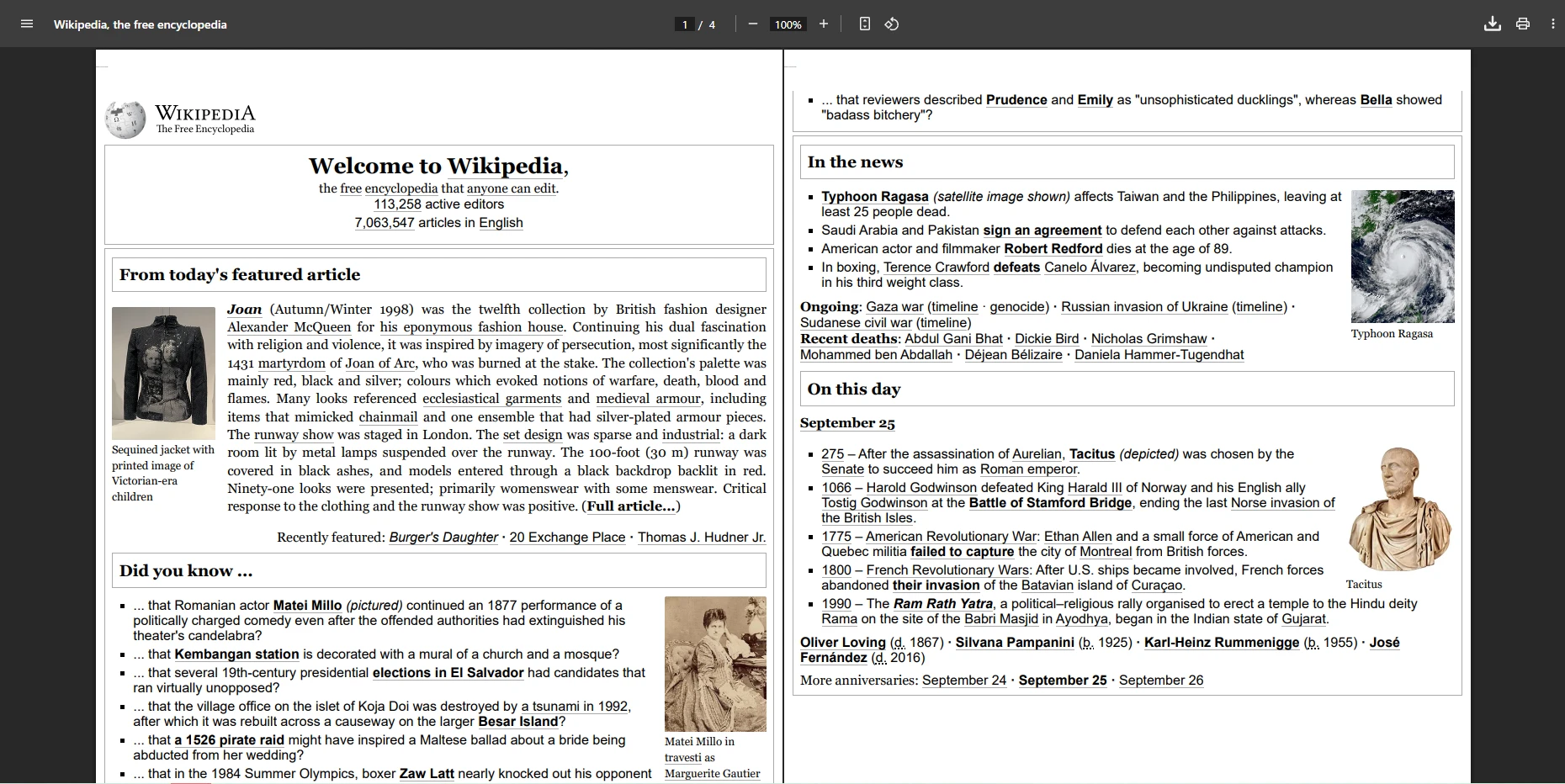
}
```
Produkcja wymaga zarządzania procesami Chrome, obsługi awarii i logiki ponownych prób - co zwiększa złożoność w porównaniu z [dedykowanymi bibliotekami](https://ironpdf.com/features/).
#### Wynik
**Uwagi dotyczące infrastruktury:**
- Dodatkowe 2-4GB RAM na serwer dla procesów Chrome
- `DevOps` wysiłku na zarządzanie wersją Chrome i aktualizacje
- Debugowanie awarii i wycieków pamięci zwiększa bieżący nadmiar zadań utrzymaniowych
**Werdykt:** `PuppeteerSharp` Excel leży w [pikselowej perfekcji renderowania](https://ironpdf.com/how-to/pixel-perfect-html-to-pdf/), ale wymaga znacznego nakładu infrastruktury i `DevOps` wiedzy specjalistycznej.
## Dlaczego wybrać `SelectPdf` do generowania PDF w przedsiębiorstwie?
[SelectPdf](https://selectpdf.com/html-to-pdf-api) oferuje komercyjną konwersję HTML do PDF z funkcjami Enterprise. Dziesięcioletnia obecność na rynku gwarantuje stabilność przy cenach z wyższej półki.
`SelectPdf` pasuje do aplikacji korporacyjnych potrzebujących [formularzy PDF](https://ironpdf.com/how-to/create-forms/), [szyfrowania](https://ironpdf.com/how-to/pdf-permissions-passwords/), [nagłówków/stopek](https://ironpdf.com/how-to/headers-and-footers/) i [przerw na stronach](https://ironpdf.com/how-to/html-to-pdf-page-breaks/). Dokładnie porównaj ceny z Twoimi wzorcami użytkowania.
### Jakiego zwrotu z inwestycji mogą oczekiwać zespoły od `SelectPdf`?
* Converts [HTML content](https://ironpdf.com/how-to/html-string-to-pdf/)/[files](https://ironpdf.com/how-to/html-file-to-pdf/)/[URLs](https://ironpdf.com/how-to/url-to-pdf/) consistently
* Supports [CSS](https://ironpdf.com/how-to/html-to-pdf-responsive-css/), [page breaks](https://ironpdf.com/how-to/html-to-pdf-page-breaks/), [headers/footers](https://ironpdf.com/how-to/headers-and-footers/)
* [Szyfrowanie PDF](https://ironpdf.com/how-to/pdf-permissions-passwords/) i [formularze](https://ironpdf.com/how-to/create-forms/) dla bezpiecznych dokumentów
* Licencja komercyjna z pomocą techniczną
* **Zwrot z inwestycji:** Znacznie mniej problemów z renderowaniem niż darmowe alternatywy oparte na wkhtmltopdf
* **Integracja:** Proste API zmniejsza początkowy wysiłek implementacyjny
* **Wsparcie:** E-mail wliczony; telefon wymaga korporacyjnego
### Jak `SelectPdf` porównuje się do darmowych alternatyw?
*as-heading:2(Szybki start: Utwórz PDF z dynamicznego HTML za pomocą `SelectPdf`)*
`SelectPdf` oferuje prostą metodę konwersji treści HTML na dokumenty PDF, co czyni go odpowiednim dla aplikacji korporacyjnych wymagających spójnych wyników.
```cs
:title=Quickstart - Create PDF with SelectPdf
var converter = new SelectPdf.HtmlToPdf();
string htmlContent = "<h1>Monthly Report</h1><p>This PDF is generated from inline HTML content.</p>";
var doc = converter.ConvertHtmlString(htmlContent);
doc.Save("InlineHtmlReport.pdf");
```
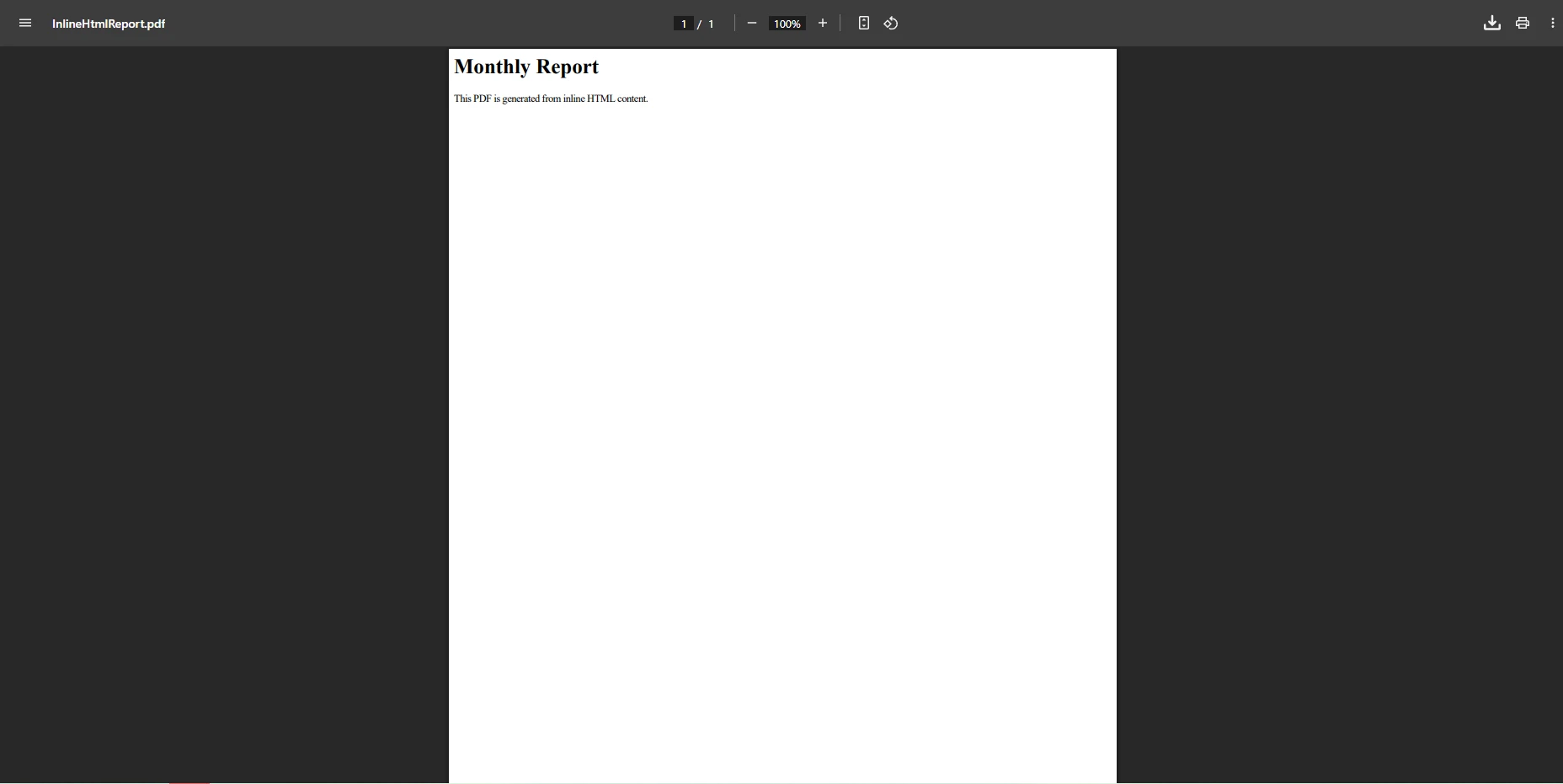
Converts inline [HTML](https://ironpdf.com/examples/using-html-to-create-a-pdf/) for [dynamic reports](https://ironpdf.com/how-to/csharp-pdf-reports/). `SelectPdf` poprawnie obsługuje większość [CSS](https://ironpdf.com/how-to/html-to-pdf-responsive-css/), chociaż [funkcje CSS3](https://ironpdf.com/troubleshooting/bootstrap-flex-css/) mogą wymagać obejść.
#### Wynik
### Jakie opcje wsparcia i licencjonowania są dostępne?
```cs
using SelectPdf;
var converter = new SelectPdf.HtmlToPdf();
converter.Options.DisplayHeader = true;
converter.Options.DisplayFooter = true;
var doc = converter.ConvertUrl("___PROTECTED_URL_84___");
doc.Save("WebPageWithHeader.pdf");
```
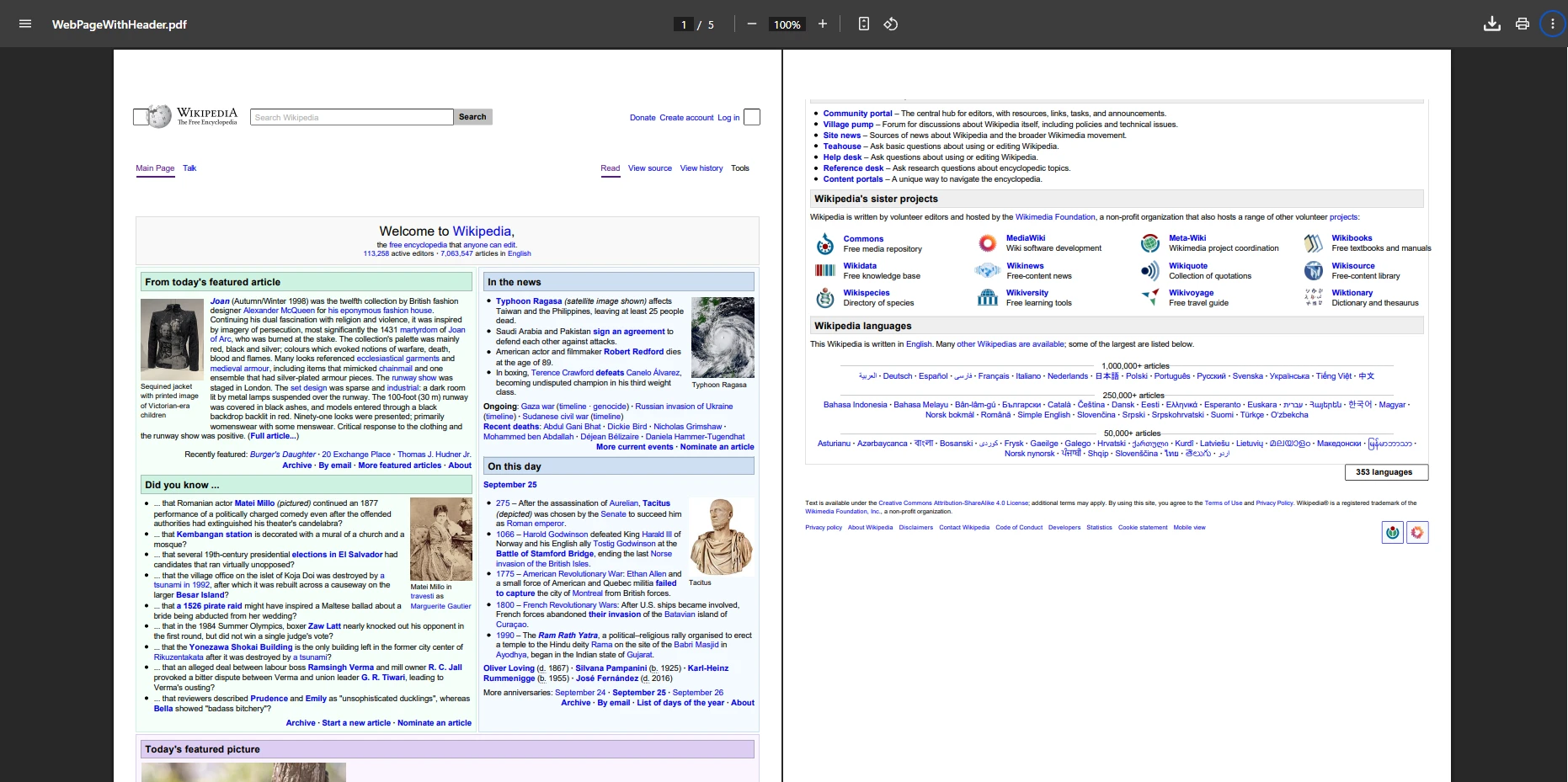
Konwertuje [strony internetowe](https://ironpdf.com/how-to/url-to-pdf/) z [niestandardowymi nagłówkami/stopkami](https://ironpdf.com/how-to/headers-and-footers/) dla dokumentów markowych. [Opcje nagłówków/stopek](https://ironpdf.com/examples/adding-headers-and-footers-advanced/) spełniają większość potrzeb biznesowych.
#### Wynik
**Analiza kosztów i korzyści:**
- **Licencja:** `$selectpdf.enterprise_oem` według wdrożenia
- **Wsparcie:** Średni czas odpowiedzi 24-48 godzin
**Werdykt:** `SelectPdf` dostarcza stabilne [funkcje korporacyjne](https://ironpdf.com/features/). Wyższa cena jest uzasadniona dla zespołów, które priorytetowo traktują niezawodność nad nowoczesne funkcje.## Dlaczego wybrać `EvoPdf` do workflow API do PDF?
[EvoPdf](https://www.evopdf.com/evopdf-chromium-html-to-pdf-converter-net.aspx) oferuje zaawansowane możliwości konwersji HTML na PDF, idealne do przetwarzania po stronie serwera i scenariuszy o wysokiej przepustowości.
`EvoPdf` jest dobrze dopasowany do aplikacji korporacyjnych z [asynchronicznym generowaniem](https://ironpdf.com/how-to/async/) dla API sieciowych. Wzorzec [byte[] output](https://ironpdf.com/how-to/pdf-memory-stream/) integruje się płynnie z architekturami [mikrousług](https://ironpdf.com/how-to/azure/).
### Radzenie sobie z generowaniem dużych wolumenów PDF przy użyciu `EvoPdf`
* Converts [HTML strings](https://ironpdf.com/how-to/html-string-to-pdf/), [files](https://ironpdf.com/how-to/html-file-to-pdf/), and [URLs](https://ironpdf.com/how-to/url-to-pdf/) efficiently
* Supports [print CSS](https://ironpdf.com/how-to/html-to-pdf-responsive-css/), [breaks](https://ironpdf.com/how-to/html-to-pdf-page-breaks/), and [headers/footers](https://ironpdf.com/how-to/headers-and-footers/)
* Offers [PDF encryption](https://ironpdf.com/how-to/pdf-permissions-passwords/) and [forms](https://ironpdf.com/how-to/create-forms/)
* Compatible with [.NET Core](https://ironpdf.com/get-started/quickstart/), [Framework](https://ironpdf.com/get-started/installation-overview/), and [Visual Studio](https://ironpdf.com/docs/)
* **Skalowalność:** Projekt bezpieczny dla wątków wspiera [scenariusze o dużej objętości i wielowątkowości](https://ironpdf.com/how-to/async/)
* **Projekt API:** Umożliwia [byte[] output](https://ironpdf.com/how-to/pdf-memory-stream/) dla streamingu/chmury
### Wyzwania integracyjne i rozwiązania
*as-heading:2(Szybki start: Generowanie PDF za pomocą `EvoPdf`)*
Podejście z tablicą bajtów `EvoPdf` oferuje elastyczność dla workflow sterowanych API i architektur chmurowych.
```cs
:title=Quickstart - Generate PDF with EvoPdf
using EvoPdf;
var htmlToPdf = new EvoPdf.HtmlToPdfConverter();
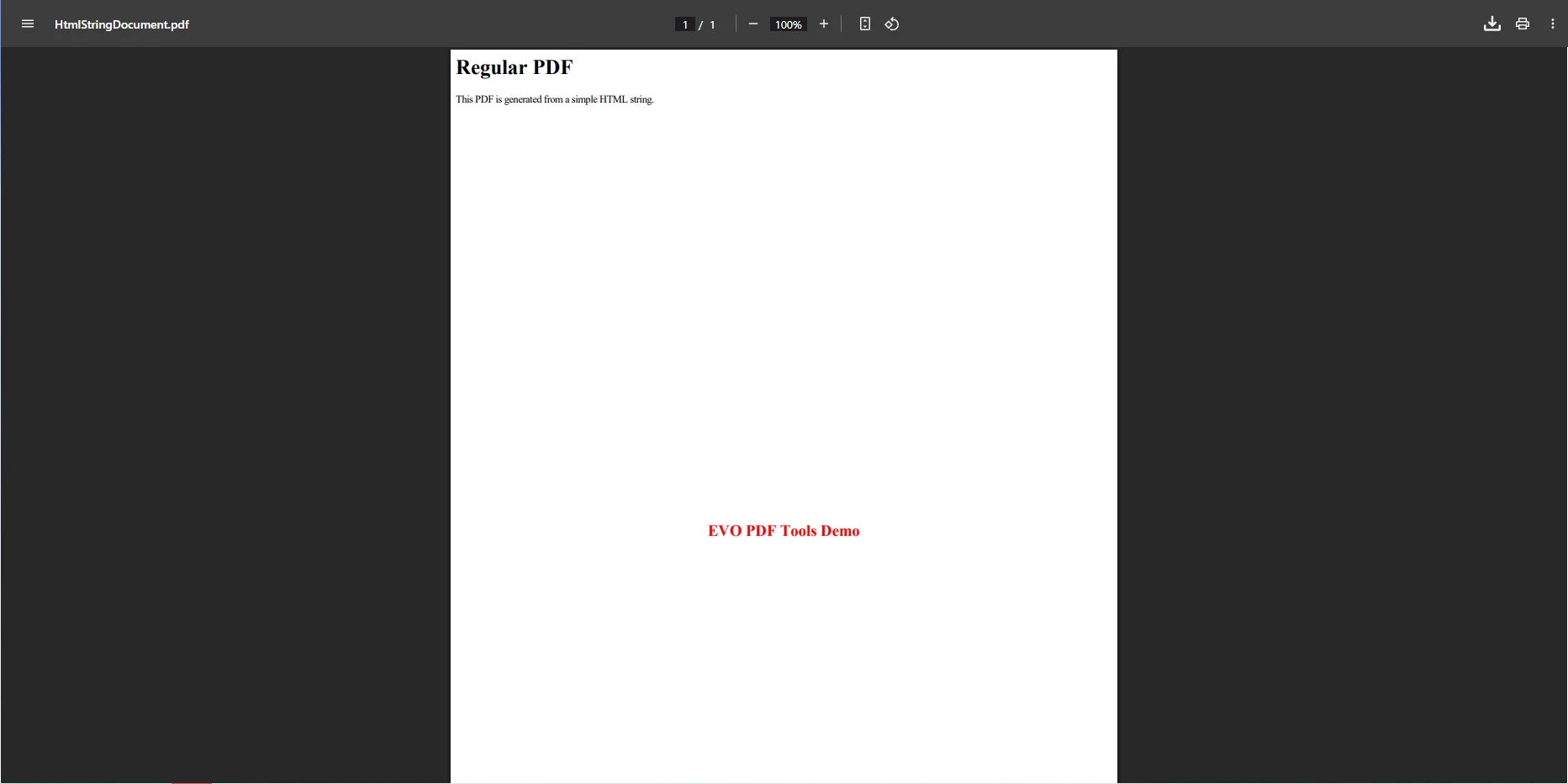
string htmlContent = "<h1>Regular PDF</h1><p>This PDF is generated from a simple HTML string.</p>";
byte[] pdfBytes = htmlToPdf.ConvertHtml(htmlContent, string.Empty);
File.WriteAllBytes("HtmlStringDocument.pdf", pdfBytes);
```
Zwraca [byte[]](https://ironpdf.com/how-to/export-save-pdf-csharp/) dla łatwego zapisu plików lub [streamingu API](https://ironpdf.com/how-to/pdf-to-memory-stream/). To podejście redukuje zużycie pamięci w sytuacjach o dużej objętości.
#### Wynik
### Kiedy `EvoPdf` jest dobrą inwestycją?
```cs
using EvoPdf;
using System.IO;
var htmlToPdf = new HtmlToPdfConverter();
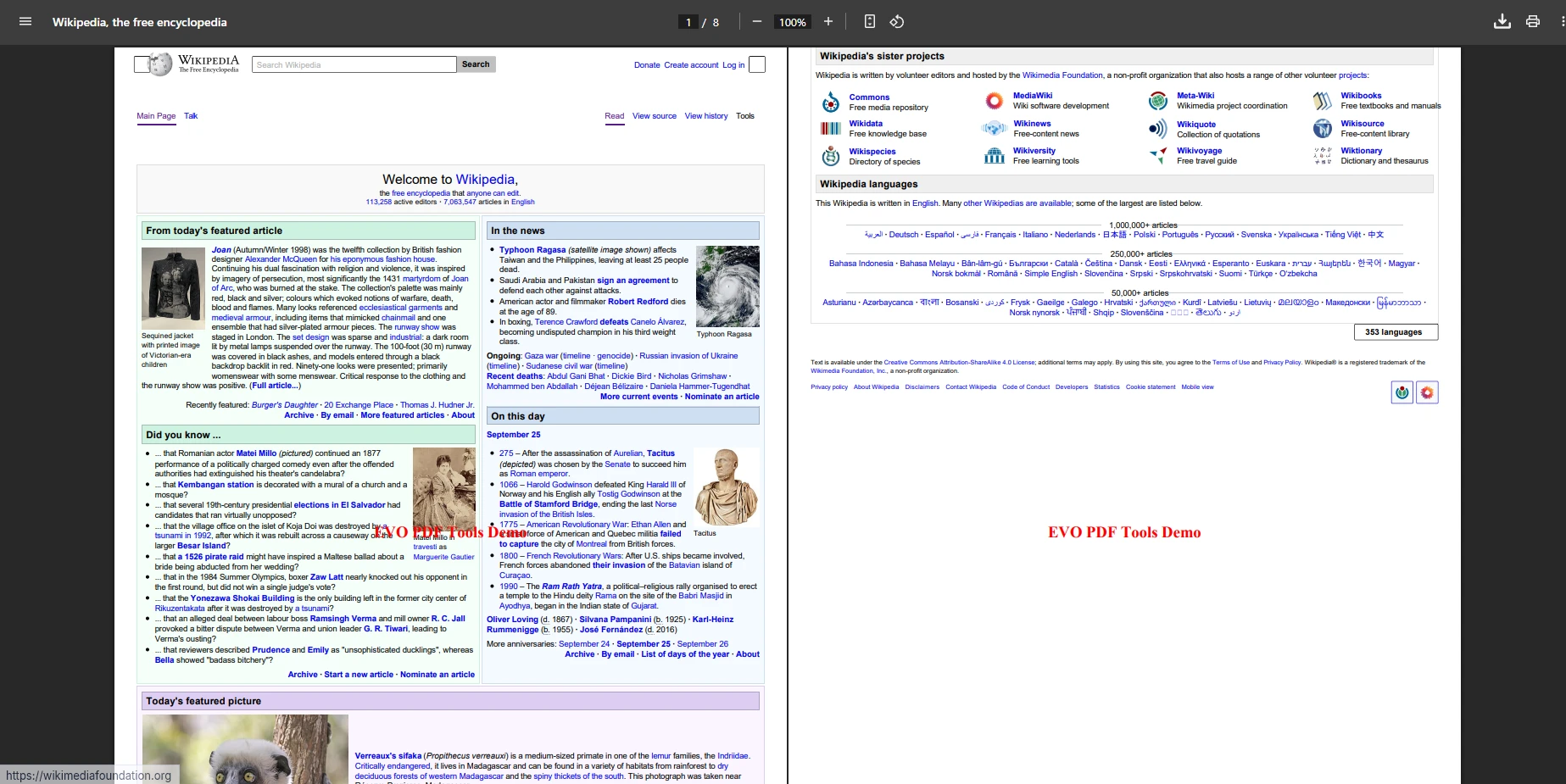
byte[] pdfBytes = htmlToPdf.ConvertUrl("___PROTECTED_URL_85___");
File.WriteAllBytes("WebPageEvoPdf.pdf", pdfBytes);
```
Szybkie [archiwizowanie stron internetowych](https://ironpdf.com/how-to/url-to-pdf/) bez wstępnego przetwarzania HTML. Efektywnie radzi sobie z [dużymi dokumentami](https://ironpdf.com/how-to/pdf-compression/) i złożonymi układami.
#### Wynik
**Analiza inwestycyjna:**
- **Licencja:** `$evopdf.toolkit` według wdrożenia
- **Projekt API:** [Wzorzec wyjścia byte[]](https://ironpdf.com/how-to/pdf-memory-stream/) ułatwia integrację z workflow stawiającym na streaming i chmurę
- **Infrastruktura:** Efektywne wykorzystanie pamięci pasuje do scenariuszy o dużej objętości
**Werdykt:** `EvoPdf` doskonale nadaje się do workflow sterowanych API i [generowania o dużej objętości](https://ironpdf.com/how-to/async/). Zwrot z inwestycji szybko dla [architektur API-first](https://ironpdf.com/how-to/pdf-to-memory-stream/).
## Porównanie bibliotek PDF
| **Funkcjonalność** |**IronPDF**| **`DinkToPdf`** | **`PuppeteerSharp`** | **`SelectPdf`** | **`EvoPdf`** |
|----------------------------|------------------------------------------------------------------|------------------------------------------------|--------------------------------------------------------|---------------------------------------------------------|-------------------------------------------------------------------------|
| **Główny nacisk** | HTML → PDF z silną integracją z .NET | Lekki wrapper wkhtmltopdf | Headless Chrome do perfekcyjnych pikselowo PDF | Komercyjne HTML → PDF z funkcjami korporacyjnymi | Korporacyjny HTML → PDF, wyjście byte[] dla API |
| **Wsparcie HTML** | Full [HTML5](https://ironpdf.com/how-to/html-string-to-pdf/), [CSS](https://ironpdf.com/how-to/html-to-pdf-responsive-css/), [JS](https://ironpdf.com/how-to/javascript-to-pdf/) support | Dobre wsparcie HTML/CSS, ograniczone/starsze JS | Pełne wsparcie HTML/CSS i nowoczesne JavaScript | Pełne HTML i CSS; ograniczone JavaScript | Pełne HTML/CSS; ograniczone JS |
| **Rodzaje konwersji** | Łańcuch HTML, plik, URL, [Razor/Widoki](https://ironpdf.com/how-to/cshtml-to-pdf-mvc-core/), [strony internetowe](https://ironpdf.com/how-to/url-to-pdf/) | HTML string, file, URL | Łańcuch HTML, plik, URL, dynamiczne strony | HTML string, file, URL | Łańcuch HTML, plik, URL |
| **Dodatkowe funkcje PDF** | [Forms](https://ironpdf.com/how-to/create-forms/), [encryption](https://ironpdf.com/how-to/pdf-permissions-passwords/), [signatures](https://ironpdf.com/how-to/signing/), [watermarking](https://ironpdf.com/how-to/custom-watermark/), [merge/split](https://ironpdf.com/how-to/merge-or-split-pdfs/) | Podstawowe [przerwy stron](https://ironpdf.com/how-to/html-to-pdf-page-breaks/), drukowanie CSS |Brak wbudowanych [formularzy](https://ironpdf.com/how-to/create-forms/)/[szyfrowania](https://ironpdf.com/how-to/pdf-permissions-passwords/)| [Headers/footers](https://ironpdf.com/how-to/headers-and-footers/), [TOC](https://ironpdf.com/how-to/table-of-contents/), [bookmarks](https://ironpdf.com/how-to/bookmarks/), [forms](https://ironpdf.com/how-to/create-forms/), [encryption](https://ironpdf.com/how-to/pdf-permissions-passwords/) | [Bookmarks](https://ironpdf.com/how-to/bookmarks/), [headers/footers](https://ironpdf.com/how-to/headers-and-footers/), [forms](https://ironpdf.com/how-to/create-forms/), [encryption](https://ironpdf.com/how-to/pdf-permissions-passwords/); returns [byte[]](https://ironpdf.com/how-to/pdf-memory-stream/) |
| **Typ wyjścia** | Obiekt dokumentu PDF / `SaveAs` | Plik PDF za pomocą konwertera |Plik PDF / [strumień](https://ironpdf.com/how-to/pdf-memory-stream/)| Obiekt dokumentu PDF / `SaveAs` |[byte[]](https://ironpdf.com/how-to/pdf-memory-stream/) (pisz używając File.`WriteAllBytes`)|
| **Wdrożenie** | [Windows](https://ironpdf.com/get-started/windows/), [Linux](https://ironpdf.com/get-started/linux/), [macOS](https://ironpdf.com/get-started/macos/), [Docker](https://ironpdf.com/get-started/ironpdf-docker/), [Azure](https://ironpdf.com/get-started/azure/), [AWS](https://ironpdf.com/get-started/aws/) |Windows, Linux, Docker|Windows, Linux, macOS, Docker, Azure| Przede wszystkim Windows; .NET wsparcie| Przede wszystkim Windows; .NET kompatybilny|
| **Łatwość użycia** | Bardzo prosty API, przyjazny dla początkujących | Prosty, ale wymaga natywnej binarki | Średni - wymaga Chromium; effective | Średni - prosty w użyciu API | Średni - skuteczny [wzorzec byte[]](https://ironpdf.com/how-to/pdf-memory-stream/) |
| **Pakiet NuGet** | ✅ | ✅ | ✅ | ✅ |✅|
| **Licencjonowanie** | Komercyjne ([darmowa wersja próbna](https://ironpdf.com/licensing/)) | Open source |Open source| Commercial (free trial) | Komercyjne (darmowa wersja próbna) |
| **Reakcja wsparcia** |2-4 godziny ([24/5](https://ironsoftware.com/contact-us/support/))| Community only | Tylko społeczność | 24-48 godzin | 24-72 godziny |
| **Prawdziwy roczny koszt** |`$professionalLicense` + minimalna konserwacja |0 $ + czas programisty (zmienne) |0 $ + infrastruktura/konserwacja (zmienne) |`$selectpdf.enterprise_oem` + umiarkowana konserwacja |`$evopdf.toolkit` + minimalna konserwacja |
| **Najlepsze dla** | Korporacyjne aplikacje .NET wymagające niezawodnego generowania | Lekkie/narzędzia wewnętrzne | [Perfekcyjne pikselowo renderowanie](https://ironpdf.com/how-to/pixel-perfect-html-to-pdf/) dla stron ciężkich od JS | Komercyjne aplikacje wymagające [formularzy](https://ironpdf.com/how-to/create-forms/)/[szyfrowania](https://ironpdf.com/how-to/pdf-permissions-passwords/) | Aplikacje sterowane API, archiwizacja, generowanie na dużą skalę |
## Wybór odpowiedniej biblioteki HTML do PDF
* [ **DinkToPdf**](https://ironpdf.com/blog/compare-to-other-components/dinktopdf-html-to-pdf-alternatives/)** (wkhtmltopdf):** Świetna darmowa/lekka opcja do narzędzi wewnętrznych lub mniejszych projektów. Szybkie i proste do konwersji kodu HTML/pliku/URL, z wsparciem dla drukowania CSS i przerw stron, ale brakuje mu wbudowanych funkcji formularzy i szyfrowania i jest związane z binarką wkhtmltopdf.
### Koszty darmowych a płatnych rozwiązań
* [**IronPDF**](https://ironpdf.com): Kompleksowe rozwiązanie dla przedsiębiorstw. Supports [HTML strings](https://ironpdf.com/how-to/html-string-to-pdf/), [files](https://ironpdf.com/how-to/html-file-to-pdf/), [URLs](https://ironpdf.com/how-to/url-to-pdf/), [Razor views](https://ironpdf.com/how-to/cshtml-to-pdf-mvc-core/), [forms](https://ironpdf.com/how-to/create-forms/), [encryption](https://ironpdf.com/how-to/pdf-permissions-passwords/). Licencja zaczyna się od `$liteLicense` z [darmową wersją próbną](https://ironpdf.com/licensing/) dostępną.
* **`DinkToPdf`**: Darmowa opcja do narzędzi wewnętrznych. Szybkie i proste, ale brakuje mu wbudowanych [formularzy](https://ironpdf.com/how-to/create-forms/)/[szyfrowania](https://ironpdf.com/how-to/pdf-permissions-passwords/). Uwzględnij bieżący czas programisty na konserwację i rozwiązywanie problemów specyficznych dla platformy.
* **`PuppeteerSharp`**: Dobrze pasuje do [stron ciężkich od JavaScript](https://ironpdf.com/how-to/javascript-to-pdf/) wymagających [perfekcyjnego pikselowo renderowania](https://ironpdf.com/how-to/pixel-perfect-html-to-pdf/). Uwzględnij koszty infrastruktury: zarządzanie procesem Chrome, zużycie pamięci i czas DevOps.
### Kalkulacja ROI dla twojego zespołu
* **`SelectPdf`**: Solidny wybór komercyjny z [funkcjami korporacyjnymi](https://ironpdf.com/features/) i wsparciem. Koszt licencji jest zrównoważony przez skrócenie czasu wdrożenia i niezawodną jakość wyjściową na poziomie korporacyjnym.
* **`EvoPdf`**: Idealny do [workflow stawiającego na API-first](https://ironpdf.com/how-to/pdf-to-memory-stream/) i [scenariuszy o dużej objętości](https://ironpdf.com/how-to/async/). Projekt API byte[] integruje się naturalnie z architekturami streamingu i mikrousług.
### Kluczowe kryteria decyzji
**Rozważ te czynniki:**
1. **Czas deweloperski**: Biblioteki komercyjne zazwyczaj zmniejszają początkowy wysiłek wdrożenia w porównaniu do budowania darmowych narzędzi
2. **Konserwacja**: Darmowe/narzędzia open-source mogą wymagać bieżącego wysiłku na aktualizacje zależności, poprawki bezpieczeństwa i poprawki specyficzne dla platformy
3. **Minimalizacja ryzyka**: Biblioteki komercyjne oferują SLA, poprawki bezpieczeństwa i dokumentację zgodności
4. **Produktywność zespołu**: Oceń godzinowy koszt czasu programisty w porównaniu z opłatą licencyjną w kontekście twojego zespołu
5. **Skala**: Przy dużych wolumenach PDF koszty infrastruktury (np. zarządzanie procesem Chrome z PuppeteerSharp) stają się istotnym czynnikiem kosztów
**Ostateczna rekomendacja:** Dla produkcyjnych aplikacji .NET, które priorytetowo traktują funkcje i niezawodność, [IronPDF](https://ironpdf.com) jest solidnym wyborem. Wybierz `PuppeteerSharp` do [renderowania stron ciężkich od JS](https://ironpdf.com/how-to/javascript-to-pdf/), `DinkToPdf` dla lekkich potrzeb lub `EvoPdf` dla specyficznych wymagań korporacyjnych.
Ukryte koszty darmowych bibliotek zazwyczaj przekraczają [licencje komercyjne](https://ironpdf.com/licensing/) w ciągu 3-6 miesięcy. Decyduj na podstawie całkowitego kosztu posiadania, a nie ceny początkowej.
## Zmaksymalizuj produktywność swojego zespołu
Doświadcz płynnej [konwersji HTML na PDF](https://ironpdf.com/how-to/pixel-perfect-html-to-pdf/) z IronPDF. Konwertuj [łańcuchy HTML](https://ironpdf.com/how-to/html-string-to-pdf/), [pliki](https://ironpdf.com/how-to/html-file-to-pdf/) i [strony internetowe](https://ironpdf.com/how-to/url-to-pdf/) na profesjonalne PDFy z minimalnym użyciem kodu. [Wsparcie dla przedsiębiorstw](https://ironsoftware.com/contact-us/support/) i kompleksowy zestaw funkcji pomagają zespołom działać szybciej i zmniejszać obciążenia związane z ciągłą konserwacją.
👉 [Wypróbuj darmową wersję próbną](https://ironpdf.com/licensing/) i zacznij [generować PDFy](https://ironpdf.com/how-to/create-new-pdfs/) już dziś. Zaufane przez ponad 10 milionów pobrań na całym świecie. [Rozpocznij z naszym przewodnikiem szybkiego startu](https://ironpdf.com/get-started/quickstart/) i odkryj naszą kompletną [dokumentację](https://ironpdf.com/docs/), [samouczki](https://ironpdf.com/tutorials/html-to-pdf/) i [przykłady](https://ironpdf.com/examples/converting-a-url-to-a-pdf/).
[[i:(DinkToPdf, PuppeteerSharp, SelectPDF i wkhtmltopdf są zarejestrowanymi znakami towarowymi ich właścicieli. Ta strona nie jest powiązana z, autoryzowana ani sponsorowana przez DinkToPdf, Outside Software SRL, PuppeteerSharp, SelectPdf ani wkhtmltopdf. Wszystkie nazwy produktów, logo i marki są własnością ich odpowiednich właścicieli. Porównania mają charakter wyłącznie informacyjny i odzwierciedlają informacje dostępne publicznie w momencie pisania.)]]
IronPDF oferuje silny zwrot z inwestycji dla zespołów korporacyjnych, zmniejszając nadmiar zadań implementacyjnych i utrzymaniowych, charakterystycznych dla darmowych alternatyw. Chociaż DinkToPdf i PuppeteerSharp nie mają kosztów licencyjnych, ich koszty utrzymania często przewyższają komercyjne licencje w ciągu 3-6 miesięcy dla aplikacji produkcyjnych.
Konwersja HTML do PDF w aplikacjach .NET wpływa na wydajność zespołu, koszty utrzymania i harmonogramy projektów. To porównanie przegląda pięć popularnych konwerterów - IronPDF, DinkToPdf, PuppeteerSharp, SelectPdf i EvoPdf - koncentrując się na całkowitym koszcie posiadania, jakości wsparcia i funkcjach korporacyjnych.
Konwersja treści internetowych do formatu PDF ma kluczowe znaczenie w przypadku faktur, raportów i archiwizacji dokumentów. Wybór odpowiedniego konwertera HTML na PDF oszczędza czas rozwoju i poprawia przepływy pracy. Rzeczywiste koszty wykraczają poza koszty licencji i obejmują czas poświęcony przez programistów na wdrożenie, debugowanie i konserwację.
W niniejszej analizie oceniono pięć narzędzi do konwersji HTML na PDF w języku C#, badając silniki renderujące, opcje integracji oraz ukryte koszty w porównaniu z komercyjnym zwrotem z inwestycji.
Dlaczego IronPDF jest najlepszym wyborem do konwersji HTML na PDF?
IronPDF upraszcza konwersję HTML na PDF z efektywnymi funkcjami. Obsługuje zaawansowane formularze, wsparcie CSS oraz dynamiczną treść efektywnie. Z ponad 10 milionami pobrań i wsparciem dla przedsiębiorstw, IronPDF znacząco skraca czas rozwoju w porównaniu z budowaniem niestandardowych rozwiązań.
IronPDF konwertuje łańcuchy HTML, pliki HTML, lub strony internetowe na profesjonalne PDFy. Dojrzały ekosystem zapewnia mniej błędów, kompletną dokumentację i przewidywalne wydania - co ma kluczowe znaczenie dla systemów produkcyjnych.
Jakie są kluczowe funkcje dla Enterprise?
Silnik Chrome dla precyzyjnego renderowania HTML/stron webowych
Szybki start: Tworzenie pliku PDF z ciągu znaków HTML w języku C#
Konwersja ciągów HTML do formatu PDF ma fundamentalne znaczenie dla generowania dokumentów dynamicznych, takich jak faktury, raporty i certyfikaty. IronPDF sprawia, że proces ten jest niezwykle prosty.
1Install IronPDF with NuGet Package Manager
PM > Install-Package IronPdf
Install-Package IronPdf
2Skopiuj i uruchom ten fragment kodu.
using IronPdf;class Program{ public static voidMain() { var renderer = new ChromePdfRenderer(); string htmlString = "<h1>Hello, IronPDF!</h1><p>Generate PDF from HTML content.</p>"; var pdf = renderer.RenderHtmlAsPdf(htmlString); pdf.SaveAs("GeneratedDocument.pdf"); }}
using IronPdf;

class Program
{
    public static void Main()
    {
        var renderer = new ChromePdfRenderer();
        string htmlString = "<h1>Hello, IronPDF!</h1><p>Generate PDF from HTML content.</p>";
        var pdf = renderer.RenderHtmlAsPdf(htmlString);
        pdf.SaveAs("GeneratedDocument.pdf");
    }
}
ImportsIronPdfClass Program PublicShared Sub Main() Dim renderer = New ChromePdfRenderer() Dim htmlString AsString = "<h1>Hello, IronPDF!</h1><p>Generate PDF from HTML content.</p>" Dim pdf = renderer.RenderHtmlAsPdf(htmlString) pdf.SaveAs("GeneratedDocument.pdf") End SubEnd Class
Imports IronPdf

Class Program
    Public Shared Sub Main()
        Dim renderer = New ChromePdfRenderer()
        Dim htmlString As String = "<h1>Hello, IronPDF!</h1><p>Generate PDF from HTML content.</p>"
        Dim pdf = renderer.RenderHtmlAsPdf(htmlString)
        pdf.SaveAs("GeneratedDocument.pdf")
    End Sub
End Class
3Wdrożenie do testowania w środowisku produkcyjnym
To konwertuje ciągi HTML na PDF dla dynamicznej treści, takiej jak faktury. To, co zajmuje godziny z darmowymi bibliotekami, zajmuje minuty z przetestowanym silnikiem renderującym IronPDF.
Wynik
Jakie opcje wsparcia są dostępne?
Szybki start: Konwersja strony internetowej do formatu PDF z ustawieniami niestandardowymi
IronPDF oferuje szerokie możliwości konfiguracji konwersji stron internetowych do formatu PDF, w tym renderowanie JavaScript, niestandardowe marginesy oraz ustawienia typu nośnika.
1Install IronPDF with NuGet Package Manager
PM > Install-Package IronPdf
Install-Package IronPdf
2Skopiuj i uruchom ten fragment kodu.
using IronPdf;class Program{ public static voidMain() { var renderer = new ChromePdfRenderer(); renderer.RenderingOptions.PaperSize = IronPdf.Rendering.PdfPaperSize.A4; renderer.RenderingOptions.CssMediaType = IronPdf.Rendering.PdfCssMediaType.Print; renderer.RenderingOptions.EnableJavaScript = true; renderer.RenderingOptions.MarginTop = 15; renderer.RenderingOptions.MarginBottom = 15; renderer.RenderingOptions.WaitFor.RenderDelay(3000); var pdf = renderer.RenderUrlAsPdf("___PROTECTED_URL_81___"); pdf.SaveAs("WebPageDocument.pdf"); }}
using IronPdf;

class Program
{
    public static void Main()
    {
        var renderer = new ChromePdfRenderer();
        renderer.RenderingOptions.PaperSize = IronPdf.Rendering.PdfPaperSize.A4;
        renderer.RenderingOptions.CssMediaType = IronPdf.Rendering.PdfCssMediaType.Print;
        renderer.RenderingOptions.EnableJavaScript = true;
        renderer.RenderingOptions.MarginTop = 15;
        renderer.RenderingOptions.MarginBottom = 15;
        renderer.RenderingOptions.WaitFor.RenderDelay(3000);

        var pdf = renderer.RenderUrlAsPdf("___PROTECTED_URL_81___");
        pdf.SaveAs("WebPageDocument.pdf");
    }
}
ImportsIronPdfModuleProgram Sub Main() Dim renderer = New ChromePdfRenderer() renderer.RenderingOptions.PaperSize = IronPdf.Rendering.PdfPaperSize.A4 renderer.RenderingOptions.CssMediaType = IronPdf.Rendering.PdfCssMediaType.Print renderer.RenderingOptions.EnableJavaScript = True renderer.RenderingOptions.MarginTop = 15 renderer.RenderingOptions.MarginBottom = 15 renderer.RenderingOptions.WaitFor.RenderDelay(3000) Dim pdf = renderer.RenderUrlAsPdf("___PROTECTED_URL_81___") pdf.SaveAs("WebPageDocument.pdf") End SubEndModule
Imports IronPdf

Module Program
    Sub Main()
        Dim renderer = New ChromePdfRenderer()
        renderer.RenderingOptions.PaperSize = IronPdf.Rendering.PdfPaperSize.A4
        renderer.RenderingOptions.CssMediaType = IronPdf.Rendering.PdfCssMediaType.Print
        renderer.RenderingOptions.EnableJavaScript = True
        renderer.RenderingOptions.MarginTop = 15
        renderer.RenderingOptions.MarginBottom = 15
        renderer.RenderingOptions.WaitFor.RenderDelay(3000)

        Dim pdf = renderer.RenderUrlAsPdf("___PROTECTED_URL_81___")
        pdf.SaveAs("WebPageDocument.pdf")
    End Sub
End Module
3Wdrożenie do testowania w środowisku produkcyjnym
Rozważenie ROI: Czas zaoszczędzony na implementacji, debugowaniu i utrzymaniu z komercyjną biblioteką może szybko zrównoważyć koszt licencji, w zależności od wielkości zespołu i złożoności projektu.
Werdykt: IronPDF jest odpowiedni dla zespołów potrzebujących niezawodnej konwersji, dokumentów dynamicznych i pełnej kontroli. Bezpłatna wersja próbna umożliwia ocenę bez ryzyka.
Kiedy powinienem używać DinkToPdf do konwersji HTML na PDF?
Koszt nr 3: Niewyeliminowane luki w zabezpieczeniach stwarzają ryzyko związane z nieprzestrzeganiem przepisów
Jak skomplikowana jest konfiguracja i konserwacja?
using System.IO;using DinkToPdf;using DinkToPdf.Contracts;var doc = new HtmlToPdfDocument(){GlobalSettings = { PaperSize = PaperKind.A4 },Objects = { new ObjectSettings {HtmlContent = "<h1>Report</h1><div style='page-break-after: always;'>Page 1</div><div>Page 2</div>" } }};var converter = new BasicConverter(new PdfTools());byte[] pdfBytes = converter.Convert(doc);File.WriteAllBytes("Report.pdf", pdfBytes);
using System.IO;
using DinkToPdf;
using DinkToPdf.Contracts;

var doc = new HtmlToPdfDocument()
{
    GlobalSettings = { PaperSize = PaperKind.A4 },
    Objects =
    {
        new ObjectSettings
        {
            HtmlContent = "<h1>Report</h1><div style='page-break-after: always;'>Page 1</div><div>Page 2</div>"
        }
    }
};

var converter = new BasicConverter(new PdfTools());
byte[] pdfBytes = converter.Convert(doc);
File.WriteAllBytes("Report.pdf", pdfBytes);
ImportsSystem.IOImportsDinkToPdfImportsDinkToPdf.ContractsDim doc As New HtmlToPdfDocument() With { .GlobalSettings = New GlobalSettings() With { .PaperSize = PaperKind.A4 }, .Objects = { New ObjectSettings() With { .HtmlContent = "<h1>Report</h1><div style='page-break-after: always;'>Page 1</div><div>Page 2</div>" } }}Dim converter As New BasicConverter(New PdfTools())Dim pdfBytes AsByte() = converter.Convert(doc)File.WriteAllBytes("Report.pdf", pdfBytes)
Imports System.IO
Imports DinkToPdf
Imports DinkToPdf.Contracts

Dim doc As New HtmlToPdfDocument() With {
    .GlobalSettings = New GlobalSettings() With {
        .PaperSize = PaperKind.A4
    },
    .Objects = {
        New ObjectSettings() With {
            .HtmlContent = "<h1>Report</h1><div style='page-break-after: always;'>Page 1</div><div>Page 2</div>"
        }
    }
}

Dim converter As New BasicConverter(New PdfTools())
Dim pdfBytes As Byte() = converter.Convert(doc)
File.WriteAllBytes("Report.pdf", pdfBytes)
Tworzy to dokumenty wielostronicowe z przerwami. Zespoły często napotykają problemy z natywnymi zależnościami (binarny plik wkhtmltopdf), które wymagają nieznacznego czasu na rozwiązywanie problemów przed osiągnięciem stabilnej konfiguracji produkcyjnej.
Wynik
Jakie są ograniczenia dotyczące użytkowania w Enterprise?
using System.IO;using DinkToPdf;using DinkToPdf.Contracts;var doc = new HtmlToPdfDocument(){Objects = { new ObjectSettings { Page = "___PROTECTED_URL_82___" } }};var converter = new BasicConverter(new PdfTools());byte[] pdfBytes = converter.Convert(doc);File.WriteAllBytes("output.pdf", pdfBytes);
using System.IO;
using DinkToPdf;
using DinkToPdf.Contracts;

var doc = new HtmlToPdfDocument()
{
    Objects = { new ObjectSettings { Page = "___PROTECTED_URL_82___" } }
};
var converter = new BasicConverter(new PdfTools());
byte[] pdfBytes = converter.Convert(doc);
File.WriteAllBytes("output.pdf", pdfBytes);
ImportsSystem.IOImportsDinkToPdfImportsDinkToPdf.ContractsDim doc = New HtmlToPdfDocument() With { .Objects = {New ObjectSettingsWith {.Page = "___PROTECTED_URL_82___" }}}Dim converter = New BasicConverter(New PdfTools())Dim pdfBytes AsByte() = converter.Convert(doc)File.WriteAllBytes("output.pdf", pdfBytes)
Imports System.IO
Imports DinkToPdf
Imports DinkToPdf.Contracts

Dim doc = New HtmlToPdfDocument() With {
    .Objects = {New ObjectSettings With {.Page = "___PROTECTED_URL_82___" }}
}
Dim converter = New BasicConverter(New PdfTools())
Dim pdfBytes As Byte() = converter.Convert(doc)
File.WriteAllBytes("output.pdf", pdfBytes)
Prawdziwa analiza kosztów: Uwzględnij ciągły czas dewelopera na zarządzanie zależnościami, debugowanie specyficzne dla platformy i nadążanie za zarchiwizowaną bazą kodu wkhtmltopdf - te ukryte koszty mogą się sumować z czasem i mogą przewyższyć opłatę za licencję komercyjną w zależności od stawki godzinowej twojego zespołu.
Jak PuppeteerSharp radzi sobie ze skomplikowanymi JavaScript w generowaniu PDF?
PuppeteerSharp kontroluje Headless Chrome dla renderowania przypominającego przeglądarkę. Idealny dla dokumentów dynamicznych z zaawansowanym CSS/JavaScript - ale wymaga znacznego nakładu infrastrukturalnego.
Co sprawia, że PuppeteerSharp różni się od innych bibliotek?
Pełne wsparcie dla CSS/JavaScript za pośrednictwem Chrome
Szybki start: Generuj PDF z dynamicznego HTML z PuppeteerSharp
PuppeteerSharp dostarcza efektywnych zdolności automatyzacji przeglądarki dla generowania PDF, szczególnie przydatnych dla treści z dużą ilością JavaScript.
1Install IronPDF with NuGet Package Manager
PM > Install-Package IronPdf
Install-Package IronPdf
2Skopiuj i uruchom ten fragment kodu.
using PuppeteerSharp;using PuppeteerSharp.Media;using System;using System.Threading.Tasks;class Program{ static async TaskMain() { var chromePath = @"C:\Program Files\Google\Chrome\Application\chrome.exe"; if (!System.IO.File.Exists(chromePath)) {Console.WriteLine("Chrome/Chromium executable not found."); return; } await using var browser = awaitPuppeteer.LaunchAsync(new LaunchOptions {Headless = true,ExecutablePath = chromePath,Args = new[] { "--no-sandbox" } }); await using var page = await browser.NewPageAsync(); string htmlContent = "<h1>Dynamic Report</h1><p>Generated from HTML string</p>"; await page.SetContentAsync(htmlContent); await page.EmulateMediaTypeAsync(MediaType.Screen); await page.PdfAsync("html-string-to-pdf.pdf", new PdfOptions {Format = PaperFormat.A4,PrintBackground = true });Console.WriteLine("PDF generated successfully!"); }}
using PuppeteerSharp;
using PuppeteerSharp.Media;
using System;
using System.Threading.Tasks;

class Program
{
    static async Task Main()
    {
        var chromePath = @"C:\Program Files\Google\Chrome\Application\chrome.exe";

        if (!System.IO.File.Exists(chromePath))
        {
            Console.WriteLine("Chrome/Chromium executable not found.");
            return;
        }

        await using var browser = await Puppeteer.LaunchAsync(new LaunchOptions
        {
            Headless = true,
            ExecutablePath = chromePath,
            Args = new[] { "--no-sandbox" }
        });

        await using var page = await browser.NewPageAsync();
        string htmlContent = "<h1>Dynamic Report</h1><p>Generated from HTML string</p>";
        await page.SetContentAsync(htmlContent);
        await page.EmulateMediaTypeAsync(MediaType.Screen);
        await page.PdfAsync("html-string-to-pdf.pdf", new PdfOptions
        {
            Format = PaperFormat.A4,
            PrintBackground = true
        });

        Console.WriteLine("PDF generated successfully!");
    }
}
ImportsPuppeteerSharpImportsPuppeteerSharp.MediaImportsSystemImportsSystem.Threading.TasksModuleProgramAsync Function Main() AsTask Dim chromePath = "C:\Program Files\Google\Chrome\Application\chrome.exe" IfNotSystem.IO.File.Exists(chromePath) ThenConsole.WriteLine("Chrome/Chromium executable not found.") Return End IfUsing browser = AwaitPuppeteer.LaunchAsync(New LaunchOptionsWith { .Headless = True, .ExecutablePath = chromePath, .Args = { "--no-sandbox" } })Using page = Await browser.NewPageAsync() Dim htmlContent AsString = "<h1>Dynamic Report</h1><p>Generated from HTML string</p>"Await page.SetContentAsync(htmlContent)Await page.EmulateMediaTypeAsync(MediaType.Screen)Await page.PdfAsync("html-string-to-pdf.pdf", New PdfOptionsWith { .Format = PaperFormat.A4, .PrintBackground = True })EndUsingEndUsingConsole.WriteLine("PDF generated successfully!") End FunctionEndModule
Imports PuppeteerSharp
Imports PuppeteerSharp.Media
Imports System
Imports System.Threading.Tasks

Module Program
    Async Function Main() As Task
        Dim chromePath = "C:\Program Files\Google\Chrome\Application\chrome.exe"

        If Not System.IO.File.Exists(chromePath) Then
            Console.WriteLine("Chrome/Chromium executable not found.")
            Return
        End If

        Using browser = Await Puppeteer.LaunchAsync(New LaunchOptions With {
            .Headless = True,
            .ExecutablePath = chromePath,
            .Args = { "--no-sandbox" }
        })
            Using page = Await browser.NewPageAsync()
                Dim htmlContent As String = "<h1>Dynamic Report</h1><p>Generated from HTML string</p>"
                Await page.SetContentAsync(htmlContent)
                Await page.EmulateMediaTypeAsync(MediaType.Screen)
                Await page.PdfAsync("html-string-to-pdf.pdf", New PdfOptions With {
                    .Format = PaperFormat.A4,
                    .PrintBackground = True
                })
            End Using
        End Using

        Console.WriteLine("PDF generated successfully!")
    End Function
End Module
3Wdrożenie do testowania w środowisku produkcyjnym
Konwertuje dynamiczny HTML z wykonywaniem JavaScript. Wdrożenia produkcyjne wymagają dodatkowego wysiłku do obsługi awarii, zarządzania cyklem życia procesu i koordynacji async.
Wynik
Jakie są wymagania infrastrukturalne i koszty?
using PuppeteerSharp;using PuppeteerSharp.Media;using System;using System.Threading.Tasks;class Program{ static async TaskMain() { var chromePath = @"C:\Program Files\Google\Chrome\Application\chrome.exe"; if (!System.IO.File.Exists(chromePath)) {Console.WriteLine("Chrome/Chromium executable not found."); return; } await using var browser = awaitPuppeteer.LaunchAsync(new LaunchOptions {Headless = true,ExecutablePath = chromePath,Args = new[] { "--no-sandbox" } }); await using var page = await browser.NewPageAsync(); await page.GoToAsync("___PROTECTED_URL_83___"); await page.PdfAsync("WebPage.pdf", new PdfOptions {MarginOptions = new MarginOptions { Top = "50px", Bottom = "50px" } });Console.WriteLine("PDF generated successfully!"); }}
using PuppeteerSharp;
using PuppeteerSharp.Media;
using System;
using System.Threading.Tasks;

class Program
{
    static async Task Main()
    {
        var chromePath = @"C:\Program Files\Google\Chrome\Application\chrome.exe";

        if (!System.IO.File.Exists(chromePath))
        {
            Console.WriteLine("Chrome/Chromium executable not found.");
            return;
        }

        await using var browser = await Puppeteer.LaunchAsync(new LaunchOptions
        {
            Headless = true,
            ExecutablePath = chromePath,
            Args = new[] { "--no-sandbox" }
        });

        await using var page = await browser.NewPageAsync();
        await page.GoToAsync("___PROTECTED_URL_83___");
        await page.PdfAsync("WebPage.pdf", new PdfOptions
        {
            MarginOptions = new MarginOptions { Top = "50px", Bottom = "50px" }
        });

        Console.WriteLine("PDF generated successfully!");
    }
}
ImportsPuppeteerSharpImportsPuppeteerSharp.MediaImportsSystemImportsSystem.Threading.TasksModuleProgramAsync Function Main() AsTask Dim chromePath AsString = "C:\Program Files\Google\Chrome\Application\chrome.exe" IfNotSystem.IO.File.Exists(chromePath) ThenConsole.WriteLine("Chrome/Chromium executable not found.") Return End IfAwaitUsing browser = AwaitPuppeteer.LaunchAsync(New LaunchOptionsWith { .Headless = True, .ExecutablePath = chromePath, .Args = New String() {"--no-sandbox"} })AwaitUsing page = Await browser.NewPageAsync()Await page.GoToAsync("___PROTECTED_URL_83___")Await page.PdfAsync("WebPage.pdf", New PdfOptionsWith { .MarginOptions = New MarginOptionsWith {.Top = "50px", .Bottom = "50px"} })EndUsingEndUsingConsole.WriteLine("PDF generated successfully!") End FunctionEndModule
Imports PuppeteerSharp
Imports PuppeteerSharp.Media
Imports System
Imports System.Threading.Tasks

Module Program
    Async Function Main() As Task
        Dim chromePath As String = "C:\Program Files\Google\Chrome\Application\chrome.exe"

        If Not System.IO.File.Exists(chromePath) Then
            Console.WriteLine("Chrome/Chromium executable not found.")
            Return
        End If

        Await Using browser = Await Puppeteer.LaunchAsync(New LaunchOptions With {
            .Headless = True,
            .ExecutablePath = chromePath,
            .Args = New String() {"--no-sandbox"}
        })

            Await Using page = Await browser.NewPageAsync()
                Await page.GoToAsync("___PROTECTED_URL_83___")
                Await page.PdfAsync("WebPage.pdf", New PdfOptions With {
                    .MarginOptions = New MarginOptions With {.Top = "50px", .Bottom = "50px"}
                })
            End Using

        End Using

        Console.WriteLine("PDF generated successfully!")
    End Function
End Module
Produkcja wymaga zarządzania procesami Chrome, obsługi awarii i logiki ponownych prób - co zwiększa złożoność w porównaniu z dedykowanymi bibliotekami.
Wynik
Uwagi dotyczące infrastruktury:
Dodatkowe 2-4GB RAM na serwer dla procesów Chrome
DevOps wysiłku na zarządzanie wersją Chrome i aktualizacje
Debugowanie awarii i wycieków pamięci zwiększa bieżący nadmiar zadań utrzymaniowych
Werdykt:PuppeteerSharp Excel leży w pikselowej perfekcji renderowania, ale wymaga znacznego nakładu infrastruktury i DevOps wiedzy specjalistycznej.
Dlaczego wybrać SelectPdf do generowania PDF w przedsiębiorstwie?
SelectPdf oferuje komercyjną konwersję HTML do PDF z funkcjami Enterprise. Dziesięcioletnia obecność na rynku gwarantuje stabilność przy cenach z wyższej półki.
Zwrot z inwestycji: Znacznie mniej problemów z renderowaniem niż darmowe alternatywy oparte na wkhtmltopdf
Integracja: Proste API zmniejsza początkowy wysiłek implementacyjny
Wsparcie: E-mail wliczony; telefon wymaga korporacyjnego
Jak SelectPdf porównuje się do darmowych alternatyw?
Szybki start: Utwórz PDF z dynamicznego HTML za pomocą SelectPdf
SelectPdf oferuje prostą metodę konwersji treści HTML na dokumenty PDF, co czyni go odpowiednim dla aplikacji korporacyjnych wymagających spójnych wyników.
1Install IronPDF with NuGet Package Manager
PM > Install-Package IronPdf
Install-Package IronPdf
2Skopiuj i uruchom ten fragment kodu.
var converter = new SelectPdf.HtmlToPdf();string htmlContent = "<h1>Monthly Report</h1><p>This PDF is generated from inline HTML content.</p>";var doc = converter.ConvertHtmlString(htmlContent);doc.Save("InlineHtmlReport.pdf");
var converter = new SelectPdf.HtmlToPdf();
string htmlContent = "<h1>Monthly Report</h1><p>This PDF is generated from inline HTML content.</p>";
var doc = converter.ConvertHtmlString(htmlContent);
doc.Save("InlineHtmlReport.pdf");
Dim converter = New SelectPdf.HtmlToPdf()Dim htmlContent AsString = "<h1>Monthly Report</h1><p>This PDF is generated from inline HTML content.</p>"Dim doc = converter.ConvertHtmlString(htmlContent)doc.Save("InlineHtmlReport.pdf")
Dim converter = New SelectPdf.HtmlToPdf()
Dim htmlContent As String = "<h1>Monthly Report</h1><p>This PDF is generated from inline HTML content.</p>"
Dim doc = converter.ConvertHtmlString(htmlContent)
doc.Save("InlineHtmlReport.pdf")
3Wdrożenie do testowania w środowisku produkcyjnym
Jakie opcje wsparcia i licencjonowania są dostępne?
using SelectPdf;var converter = new SelectPdf.HtmlToPdf();converter.Options.DisplayHeader = true;converter.Options.DisplayFooter = true;var doc = converter.ConvertUrl("___PROTECTED_URL_84___");doc.Save("WebPageWithHeader.pdf");
using SelectPdf;

var converter = new SelectPdf.HtmlToPdf();
converter.Options.DisplayHeader = true;
converter.Options.DisplayFooter = true;

var doc = converter.ConvertUrl("___PROTECTED_URL_84___");
doc.Save("WebPageWithHeader.pdf");
ImportsSelectPdfDim converter As New SelectPdf.HtmlToPdf()converter.Options.DisplayHeader = Trueconverter.Options.DisplayFooter = TrueDim doc = converter.ConvertUrl("___PROTECTED_URL_84___")doc.Save("WebPageWithHeader.pdf")
Imports SelectPdf

Dim converter As New SelectPdf.HtmlToPdf()
converter.Options.DisplayHeader = True
converter.Options.DisplayFooter = True

Dim doc = converter.ConvertUrl("___PROTECTED_URL_84___")
doc.Save("WebPageWithHeader.pdf")
Werdykt:SelectPdf dostarcza stabilne funkcje korporacyjne. Wyższa cena jest uzasadniona dla zespołów, które priorytetowo traktują niezawodność nad nowoczesne funkcje.## Dlaczego wybrać EvoPdf do workflow API do PDF?
EvoPdf oferuje zaawansowane możliwości konwersji HTML na PDF, idealne do przetwarzania po stronie serwera i scenariuszy o wysokiej przepustowości.
Projekt API: Umożliwia byte[] output dla streamingu/chmury
Wyzwania integracyjne i rozwiązania
Szybki start: Generowanie PDF za pomocą EvoPdf
Podejście z tablicą bajtów EvoPdf oferuje elastyczność dla workflow sterowanych API i architektur chmurowych.
1Install IronPDF with NuGet Package Manager
PM > Install-Package IronPdf
Install-Package IronPdf
2Skopiuj i uruchom ten fragment kodu.
using EvoPdf;var htmlToPdf = new EvoPdf.HtmlToPdfConverter();string htmlContent = "<h1>Regular PDF</h1><p>This PDF is generated from a simple HTML string.</p>";byte[] pdfBytes = htmlToPdf.ConvertHtml(htmlContent, string.Empty);File.WriteAllBytes("HtmlStringDocument.pdf", pdfBytes);
using EvoPdf;

var htmlToPdf = new EvoPdf.HtmlToPdfConverter();
string htmlContent = "<h1>Regular PDF</h1><p>This PDF is generated from a simple HTML string.</p>";
byte[] pdfBytes = htmlToPdf.ConvertHtml(htmlContent, string.Empty);
File.WriteAllBytes("HtmlStringDocument.pdf", pdfBytes);
Dim htmlToPdf = New EvoPdf.HtmlToPdfConverter()Dim htmlContent AsString = "<h1>Regular PDF</h1><p>This PDF is generated from a simple HTML string.</p>"Dim pdfBytes AsByte() = htmlToPdf.ConvertHtml(htmlContent, String.Empty)File.WriteAllBytes("HtmlStringDocument.pdf", pdfBytes)
Dim htmlToPdf = New EvoPdf.HtmlToPdfConverter()
Dim htmlContent As String = "<h1>Regular PDF</h1><p>This PDF is generated from a simple HTML string.</p>"
Dim pdfBytes As Byte() = htmlToPdf.ConvertHtml(htmlContent, String.Empty)
File.WriteAllBytes("HtmlStringDocument.pdf", pdfBytes)
3Wdrożenie do testowania w środowisku produkcyjnym
Zwraca byte[] dla łatwego zapisu plików lub streamingu API. To podejście redukuje zużycie pamięci w sytuacjach o dużej objętości.
Wynik
Kiedy EvoPdf jest dobrą inwestycją?
using EvoPdf;using System.IO;var htmlToPdf = new HtmlToPdfConverter();byte[] pdfBytes = htmlToPdf.ConvertUrl("___PROTECTED_URL_85___");File.WriteAllBytes("WebPageEvoPdf.pdf", pdfBytes);
using EvoPdf;
using System.IO;

var htmlToPdf = new HtmlToPdfConverter();
byte[] pdfBytes = htmlToPdf.ConvertUrl("___PROTECTED_URL_85___");
File.WriteAllBytes("WebPageEvoPdf.pdf", pdfBytes);
ImportsEvoPdfImportsSystem.IODim htmlToPdf As New HtmlToPdfConverter()Dim pdfBytes AsByte() = htmlToPdf.ConvertUrl("___PROTECTED_URL_85___")File.WriteAllBytes("WebPageEvoPdf.pdf", pdfBytes)
Imports EvoPdf
Imports System.IO

Dim htmlToPdf As New HtmlToPdfConverter()
Dim pdfBytes As Byte() = htmlToPdf.ConvertUrl("___PROTECTED_URL_85___")
File.WriteAllBytes("WebPageEvoPdf.pdf", pdfBytes)
Aplikacje sterowane API, archiwizacja, generowanie na dużą skalę
Wybór odpowiedniej biblioteki HTML do PDF
DinkToPdf** (wkhtmltopdf):** Świetna darmowa/lekka opcja do narzędzi wewnętrznych lub mniejszych projektów. Szybkie i proste do konwersji kodu HTML/pliku/URL, z wsparciem dla drukowania CSS i przerw stron, ale brakuje mu wbudowanych funkcji formularzy i szyfrowania i jest związane z binarką wkhtmltopdf.
DinkToPdf: Darmowa opcja do narzędzi wewnętrznych. Szybkie i proste, ale brakuje mu wbudowanych formularzy/szyfrowania. Uwzględnij bieżący czas programisty na konserwację i rozwiązywanie problemów specyficznych dla platformy.
SelectPdf: Solidny wybór komercyjny z funkcjami korporacyjnymi i wsparciem. Koszt licencji jest zrównoważony przez skrócenie czasu wdrożenia i niezawodną jakość wyjściową na poziomie korporacyjnym.
Czas deweloperski: Biblioteki komercyjne zazwyczaj zmniejszają początkowy wysiłek wdrożenia w porównaniu do budowania darmowych narzędzi
Konserwacja: Darmowe/narzędzia open-source mogą wymagać bieżącego wysiłku na aktualizacje zależności, poprawki bezpieczeństwa i poprawki specyficzne dla platformy
Minimalizacja ryzyka: Biblioteki komercyjne oferują SLA, poprawki bezpieczeństwa i dokumentację zgodności
Produktywność zespołu: Oceń godzinowy koszt czasu programisty w porównaniu z opłatą licencyjną w kontekście twojego zespołu
Skala: Przy dużych wolumenach PDF koszty infrastruktury (np. zarządzanie procesem Chrome z PuppeteerSharp) stają się istotnym czynnikiem kosztów
Ostateczna rekomendacja: Dla produkcyjnych aplikacji .NET, które priorytetowo traktują funkcje i niezawodność, IronPDF jest solidnym wyborem. Wybierz PuppeteerSharp do renderowania stron ciężkich od JS, DinkToPdf dla lekkich potrzeb lub EvoPdf dla specyficznych wymagań korporacyjnych.
Ukryte koszty darmowych bibliotek zazwyczaj przekraczają licencje komercyjne w ciągu 3-6 miesięcy. Decyduj na podstawie całkowitego kosztu posiadania, a nie ceny początkowej.
Zwróć uwagę: DinkToPdf, PuppeteerSharp, SelectPDF i wkhtmltopdf są zarejestrowanymi znakami towarowymi ich właścicieli. Ta strona nie jest powiązana z, autoryzowana ani sponsorowana przez DinkToPdf, Outside Software SRL, PuppeteerSharp, SelectPdf ani wkhtmltopdf. Wszystkie nazwy produktów, logo i marki są własnością ich odpowiednich właścicieli. Porównania mają charakter wyłącznie informacyjny i odzwierciedlają informacje dostępne publicznie w momencie pisania.
Curtis Chau posiada tytuł licencjata z informatyki (Uniwersytet Carleton) i specjalizuje się w front-endowym rozwoju, z ekspertką w Node.js, TypeScript, JavaScript i React. Pasjonuje się tworzeniem intuicyjnych i estetycznie przyjemnych interfejsów użytkownika, Curtis cieszy się pracą z nowoczesnymi frameworkami i tworzeniem dobrze zorganizowanych, atrakcyjnych wizualnie podręczników.





























