



Updated September 2, 2026
HTML to PDF in C#: Benchmarking 7 .NET Libraries (2026)
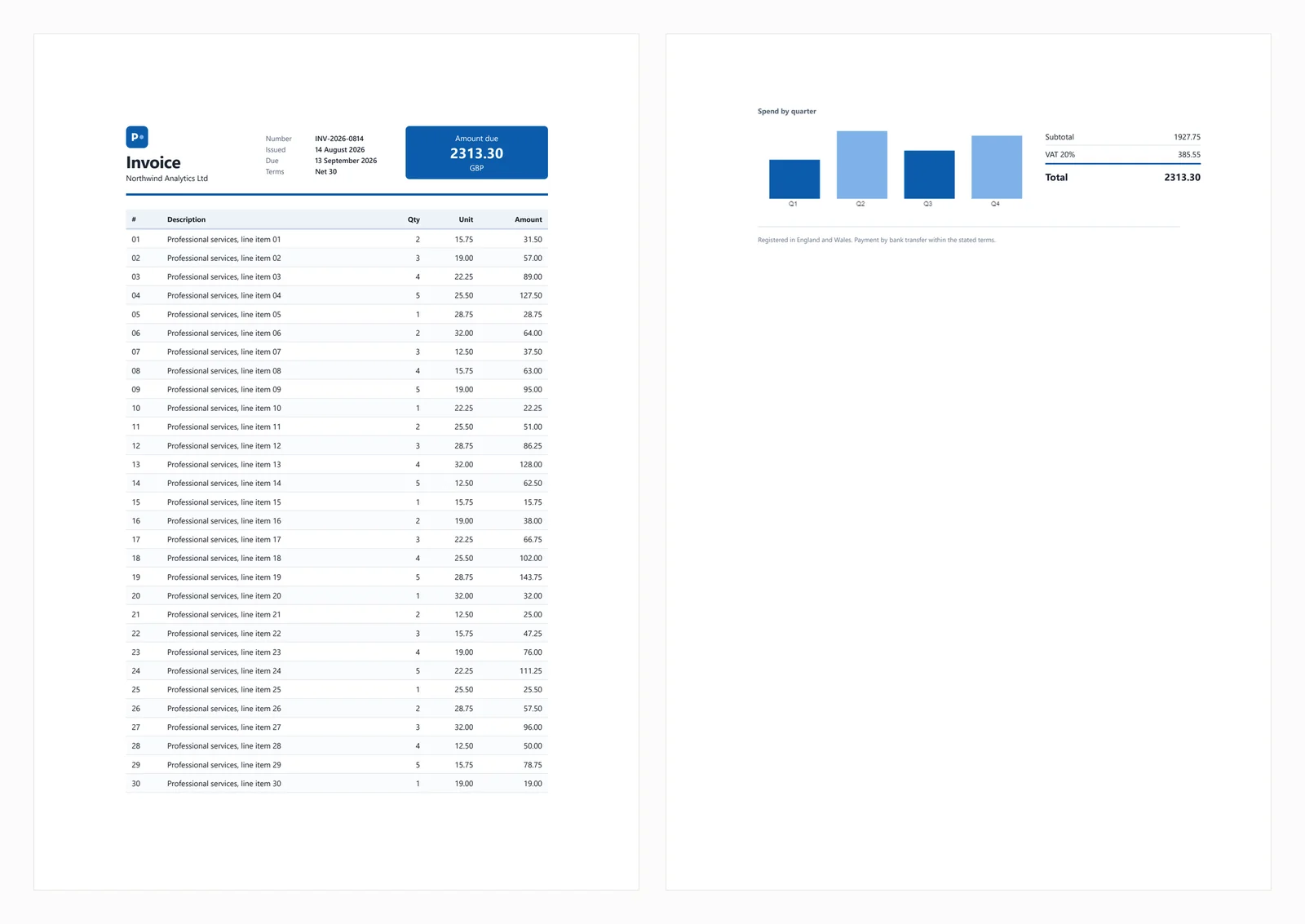
Compare 7 C# HTML to PDF libraries on .NET 10 for cold start, throughput, memory and rendering accuracy. Only 3 rendered the test invoice correctly.
Read More

IronPDF offers a strong return on investment for enterprise teams by reducing the implementation and maintenance overhead typical of free alternatives. While DinkToPdf and PuppeteerSharp have no licensing costs, their maintenance expenses often surpass commercial licenses within 3-6 months for production applications.
Converting HTML to PDF in .NET applications affects team productivity, maintenance costs, and project timelines. This comparison reviews five popular converters - IronPDF, DinkToPdf, PuppeteerSharp, SelectPdf, and EvoPdf - focusing on total cost of ownership, support quality, and enterprise features.
Web content to PDF conversion is crucial for invoices, reports, and document archiving. Choosing the right HTML to PDF converter saves development time and improves workflows. True costs extend beyond licensing, including developer time for implementation, debugging, and maintenance.
This analysis evaluates five tools for HTML to PDF C# conversion, examining rendering engines, integration options, and hidden costs versus commercial ROI.

IronPDF simplifies converting HTML into PDF with effective features. It handles complex forms, CSS support, and dynamic content efficiently. With over 10 million downloads and enterprise support, IronPDF significantly reduces development time compared to building custom solutions.
IronPDF converts HTML strings, HTML files, or web pages into professional PDFs. The mature ecosystem provides fewer bugs, complete documentation, and predictable releases - critical for production systems.
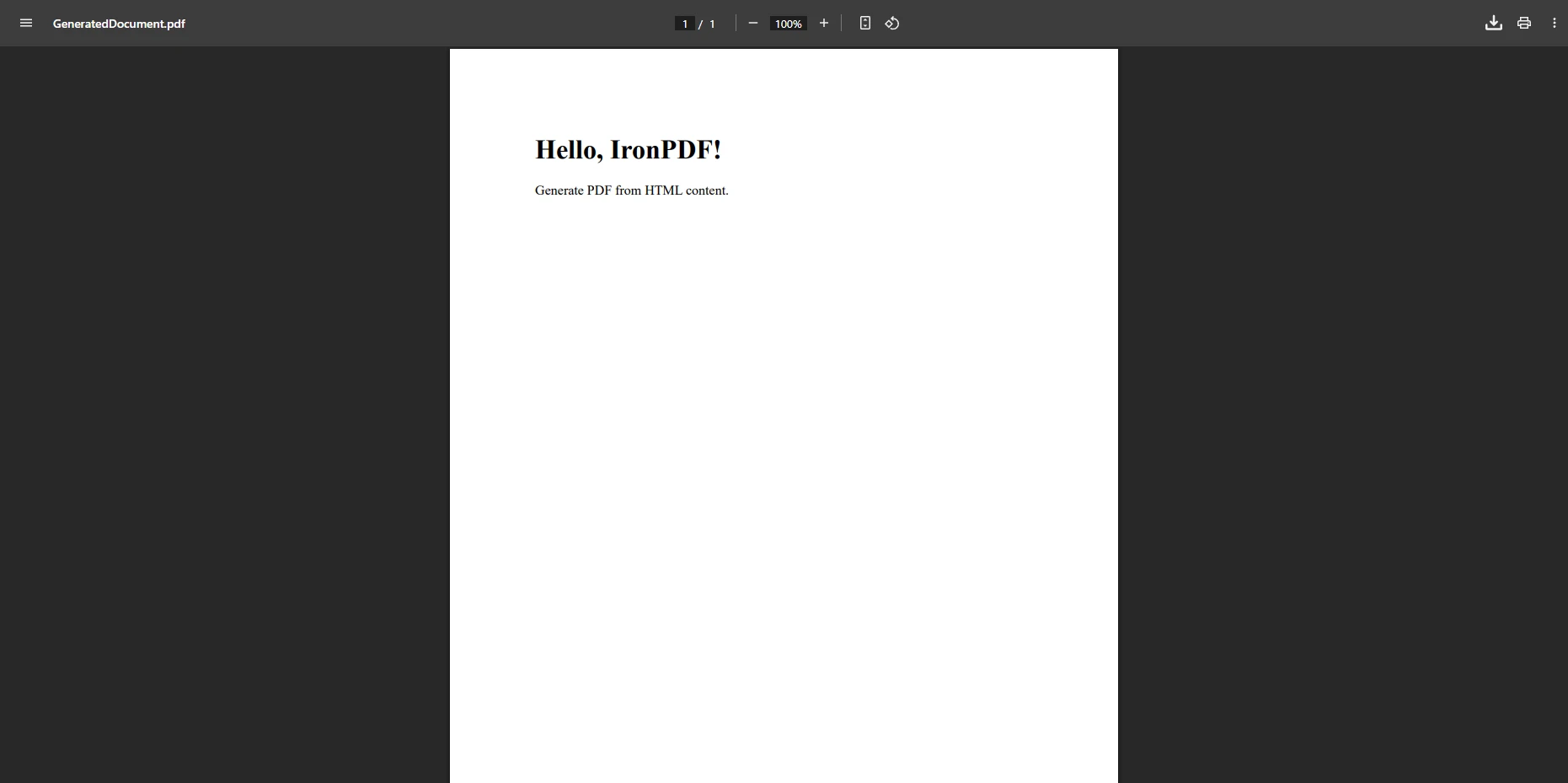
Converting HTML strings to PDF is fundamental for generating dynamic documents like invoices, reports, and certificates. IronPDF makes this process remarkably simple.
using IronPdf;

class Program
{
    public static void Main()
    {
        var renderer = new ChromePdfRenderer();
        string htmlString = "<h1>Hello, IronPDF!</h1><p>Generate PDF from HTML content.</p>";
        var pdf = renderer.RenderHtmlAsPdf(htmlString);
        pdf.SaveAs("GeneratedDocument.pdf");
    }
}Imports IronPdf
Class Program
Public Shared Sub Main()
Dim renderer = New ChromePdfRenderer()
Dim htmlString As String = "<h1>Hello, IronPDF!</h1><p>Generate PDF from HTML content.</p>"
Dim pdf = renderer.RenderHtmlAsPdf(htmlString)
pdf.SaveAs("GeneratedDocument.pdf")
End Sub
End Class
This converts HTML strings to PDF for dynamic content like invoices. What takes hours with free libraries takes minutes with IronPDF's tested rendering engine.
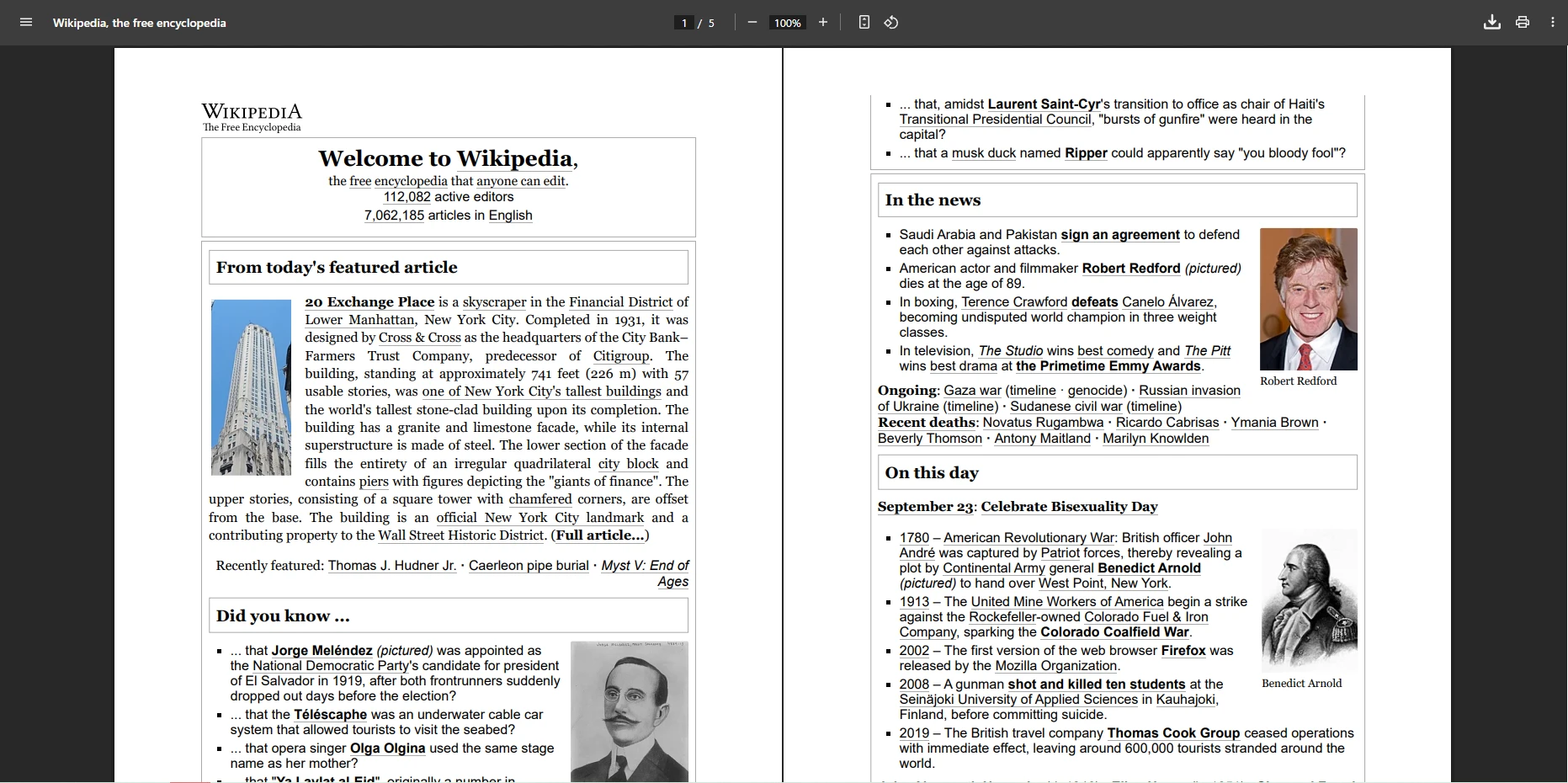
IronPDF provides extensive configuration options for converting web pages to PDFs, including JavaScript rendering, custom margins, and media type settings.
using IronPdf;

class Program
{
    public static void Main()
    {
        var renderer = new ChromePdfRenderer();
        renderer.RenderingOptions.PaperSize = IronPdf.Rendering.PdfPaperSize.A4;
        renderer.RenderingOptions.CssMediaType = IronPdf.Rendering.PdfCssMediaType.Print;
        renderer.RenderingOptions.EnableJavaScript = true;
        renderer.RenderingOptions.MarginTop = 15;
        renderer.RenderingOptions.MarginBottom = 15;
        renderer.RenderingOptions.WaitFor.RenderDelay(3000);

        var pdf = renderer.RenderUrlAsPdf("https://en.wikipedia.org/wiki/Main_Page");
        pdf.SaveAs("WebPageDocument.pdf");
    }
}Imports IronPdf
Class Program
Public Shared Sub Main()
Dim renderer = New ChromePdfRenderer()
renderer.RenderingOptions.PaperSize = IronPdf.Rendering.PdfPaperSize.A4
renderer.RenderingOptions.CssMediaType = IronPdf.Rendering.PdfCssMediaType.Print
renderer.RenderingOptions.EnableJavaScript = True
renderer.RenderingOptions.MarginTop = 15
renderer.RenderingOptions.MarginBottom = 15
renderer.RenderingOptions.WaitFor.RenderDelay(3000)
Dim pdf = renderer.RenderUrlAsPdf("https://en.wikipedia.org/wiki/Main_Page")
pdf.SaveAs("WebPageDocument.pdf")
End Sub
End ClassThis converts web pages to PDF with custom settings. RenderDelay ensures JavaScript loads completely - solving common rendering issues. Support provides code examples and best practices.
ROI Consideration: The time saved on implementation, debugging, and maintenance with a commercial library can offset the license cost relatively quickly, depending on team size and project complexity.
Verdict: IronPDF suits teams needing reliable conversion, dynamic documents, and full control. The free trial enables risk-free evaluation.
DinkToPdf for HTML to PDF Conversion?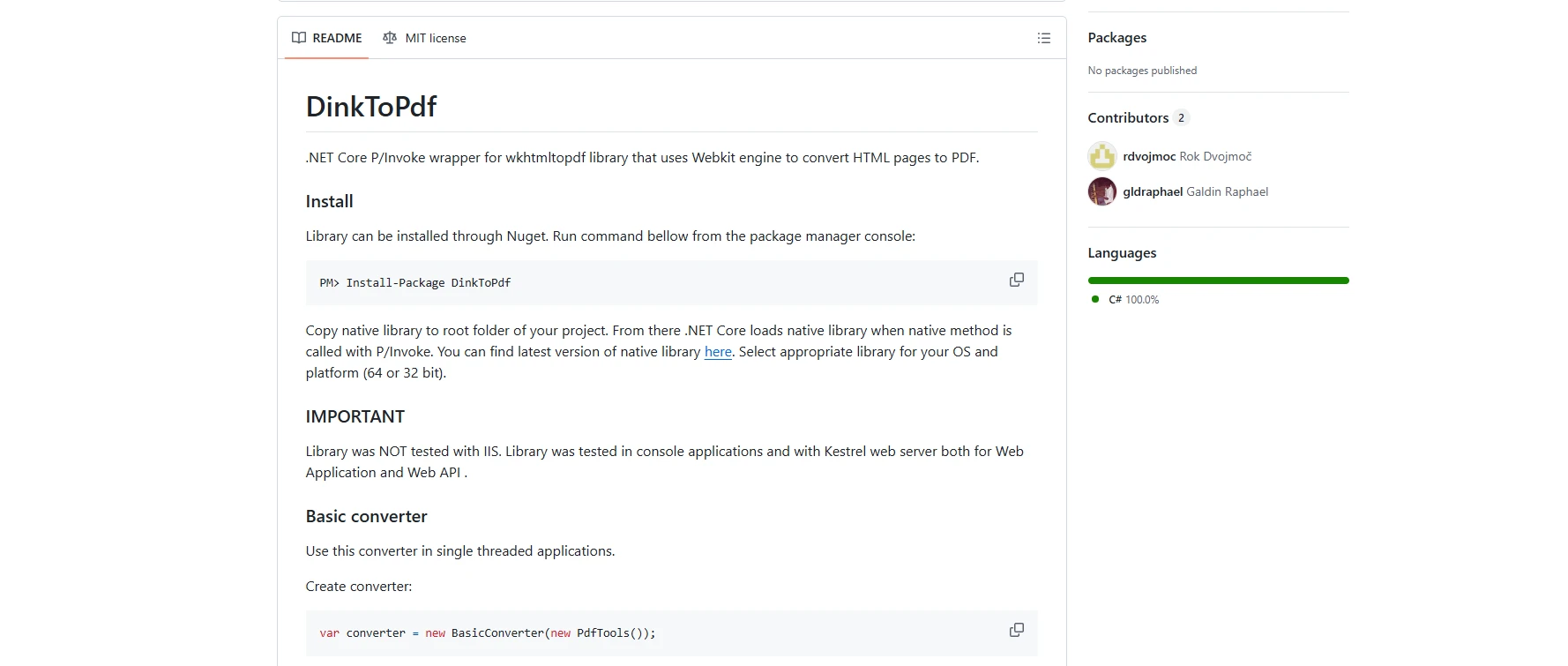
DinkToPdf wraps wkhtmltopdf for lightweight HTML to PDF conversion. Note that wkhtmltopdf uses outdated WebKit (2016), causing CSS3 and JavaScript compatibility issues.
DinkToPdf works for internal tools where simplicity matters more than advanced features - but consider the hidden costs.
DinkToPdf?using System.IO;
using DinkToPdf;
using DinkToPdf.Contracts;
var doc = new HtmlToPdfDocument()
{
GlobalSettings = { PaperSize = PaperKind.A4 },
Objects =
{
new ObjectSettings
{
HtmlContent = "<h1>Report</h1><div style='page-break-after: always;'>Page 1</div><div>Page 2</div>"
}
}
};
var converter = new BasicConverter(new PdfTools());
byte[] pdfBytes = converter.Convert(doc);
File.WriteAllBytes("Report.pdf", pdfBytes);Imports System.IO
Imports DinkToPdf
Imports DinkToPdf.Contracts
Dim doc As New HtmlToPdfDocument() With {
.GlobalSettings = New GlobalSettings() With {
.PaperSize = PaperKind.A4
},
.Objects = {
New ObjectSettings() With {
.HtmlContent = "<h1>Report</h1><div style='page-break-after: always;'>Page 1</div><div>Page 2</div>"
}
}
}
Dim converter As New BasicConverter(New PdfTools())
Dim pdfBytes As Byte() = converter.Convert(doc)
File.WriteAllBytes("Report.pdf", pdfBytes)This creates multi-page documents with breaks. Teams commonly encounter native dependency issues (the wkhtmltopdf binary) that require non-trivial troubleshooting time before reaching a stable production setup.
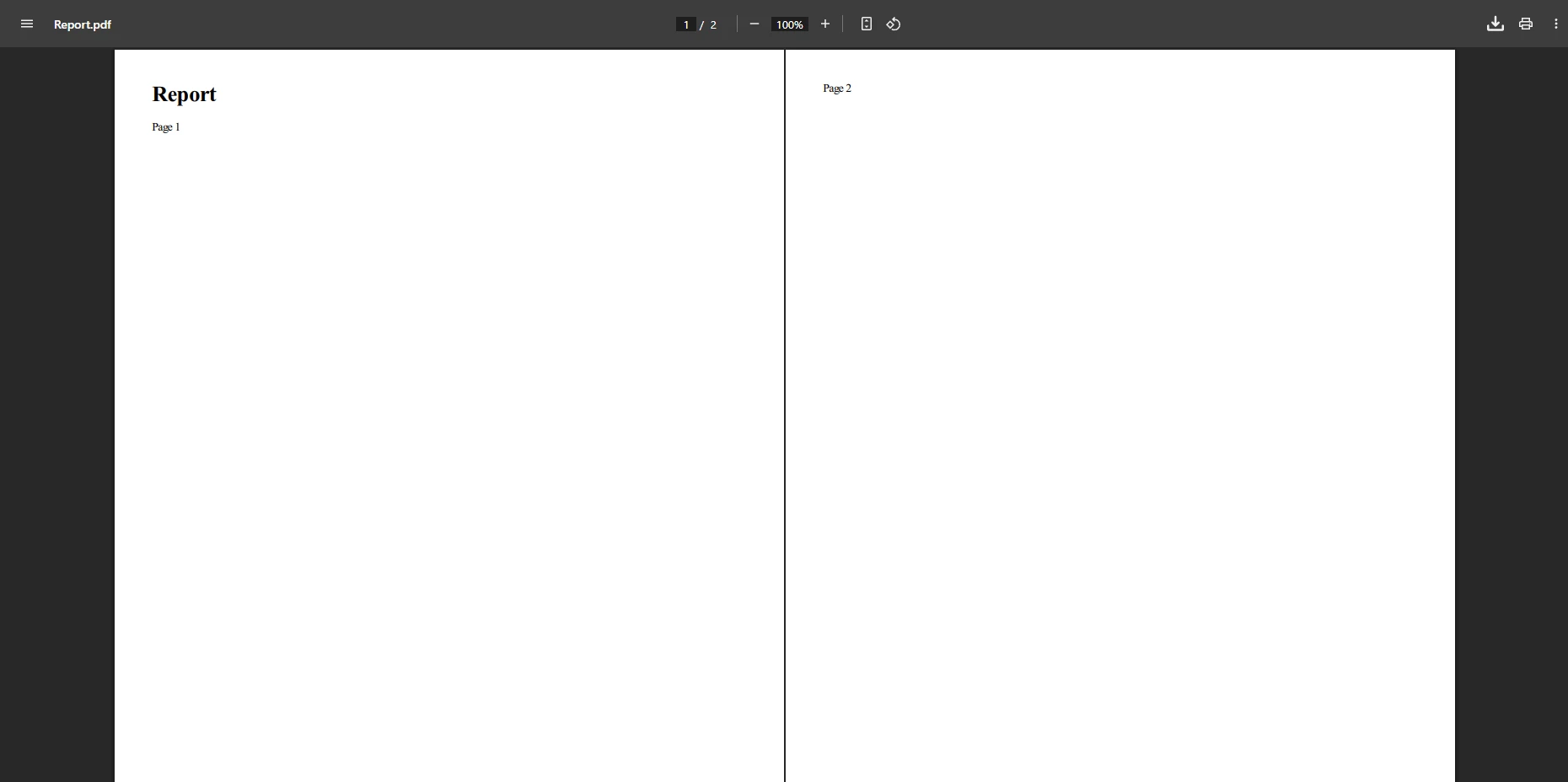
using System.IO;
using DinkToPdf;
using DinkToPdf.Contracts;

var doc = new HtmlToPdfDocument()
{
    Objects = { new ObjectSettings { Page = "https://en.wikipedia.org/wiki/Main_Page" } }
};
var converter = new BasicConverter(new PdfTools());
byte[] pdfBytes = converter.Convert(doc);
File.WriteAllBytes("output.pdf", pdfBytes);Imports System.IO
Imports DinkToPdf
Imports DinkToPdf.Contracts
Dim doc = New HtmlToPdfDocument() With {
.Objects = {New ObjectSettings With {.Page = "https://en.wikipedia.org/wiki/Main_Page"}}
}
Dim converter = New BasicConverter(New PdfTools())
Dim pdfBytes As Byte() = converter.Convert(doc)
File.WriteAllBytes("output.pdf", pdfBytes)This converts web pages to PDF. Modern JavaScript frameworks render incorrectly. Limited support for custom fonts and responsive design compared to Chrome-based renderers.
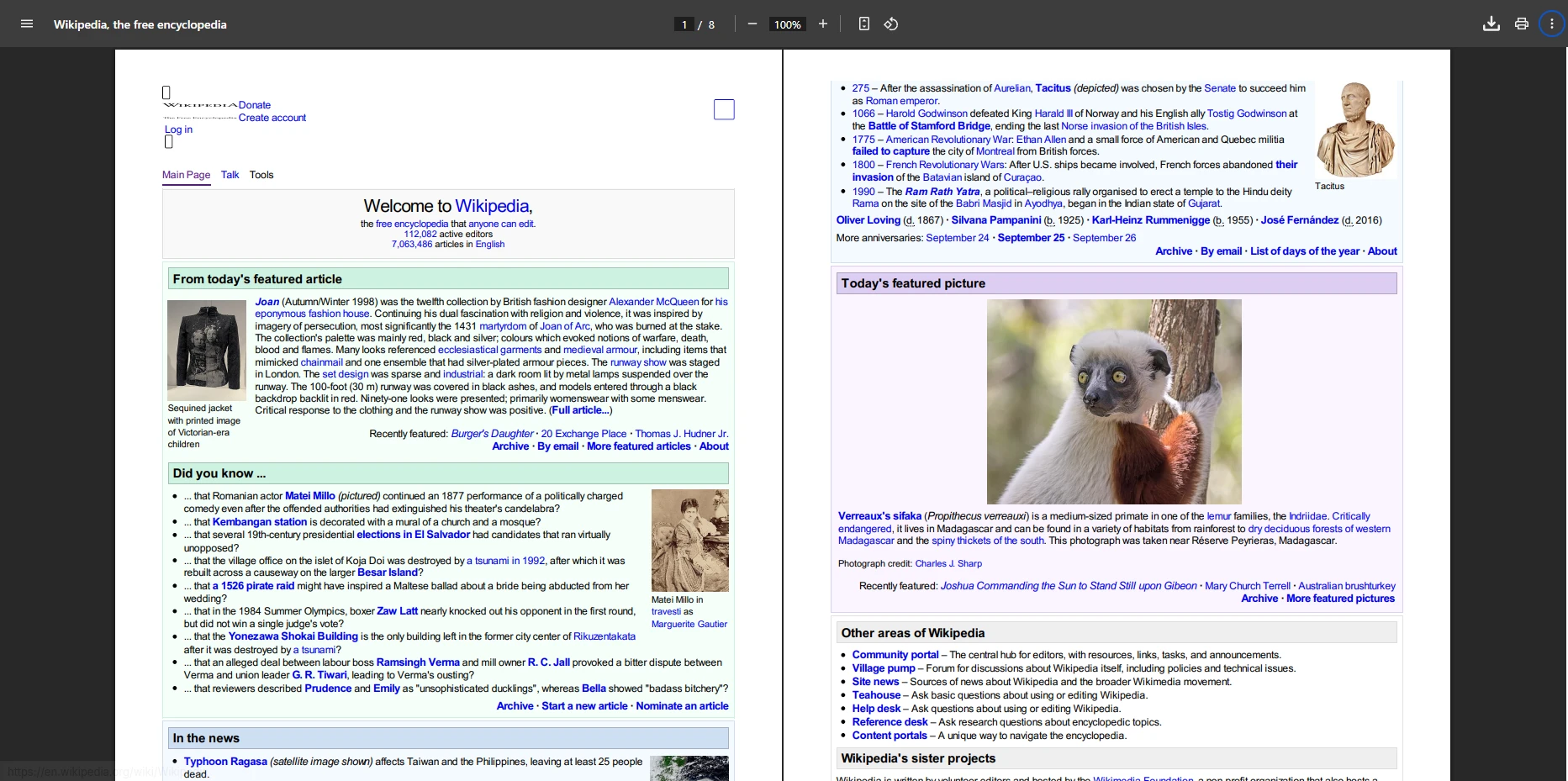
True Cost Analysis: Factor in the ongoing developer time for dependency management, platform-specific debugging, and keeping up with wkhtmltopdf's archived codebase - these hidden costs can add up over time and may exceed a commercial license fee depending on your team's hourly rate.
Verdict: DinkToPdf suits small projects but lacks advanced features. Consider the long-term maintenance burden before production use.
PuppeteerSharp Handle Complex JavaScript in PDF Generation?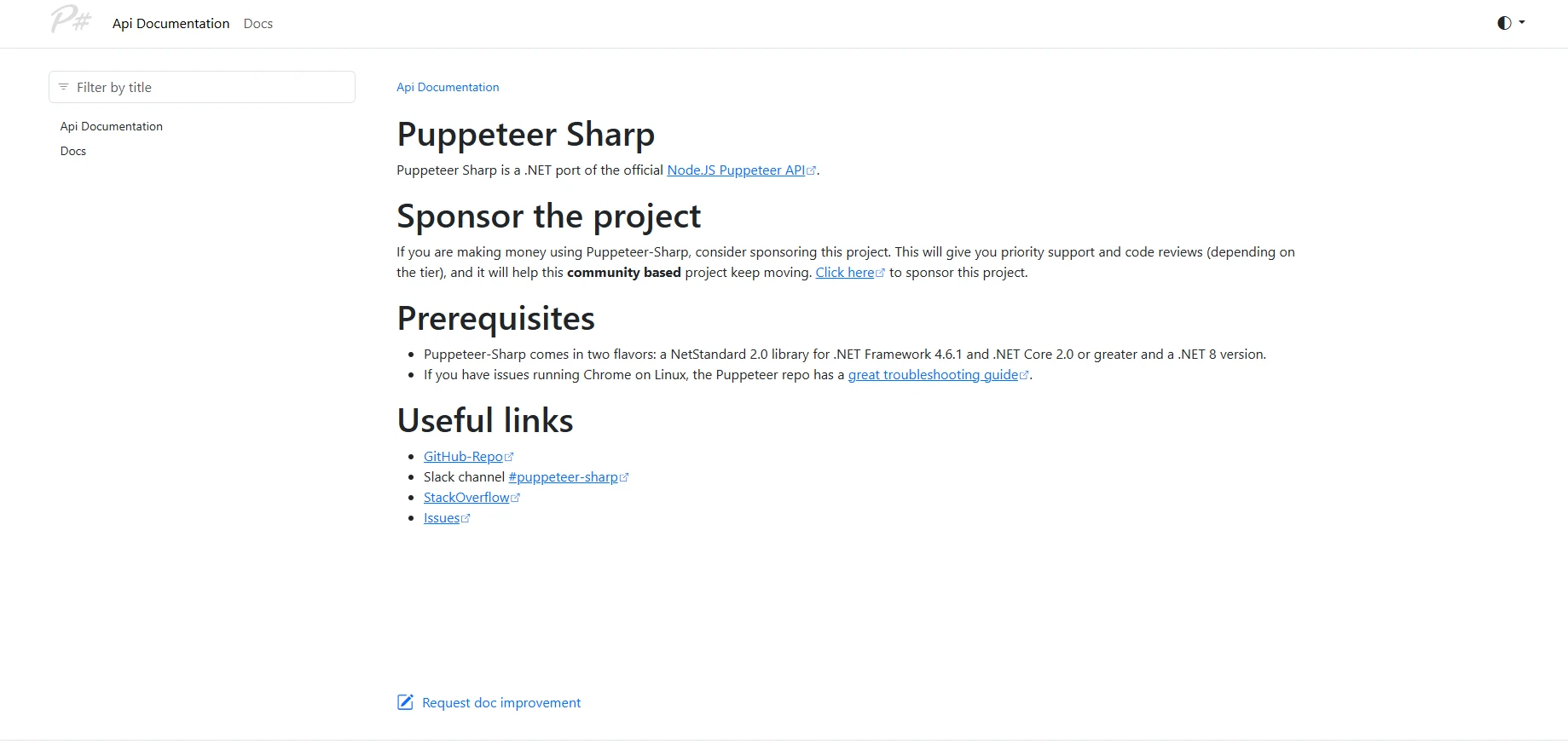
PuppeteerSharp controls Headless Chrome for browser-like rendering. Ideal for dynamic documents with complex CSS/JavaScript - but requires significant infrastructure overhead.
PuppeteerSharp Different from Other Libraries?PuppeteerSharp
PuppeteerSharp provides effective browser automation capabilities for PDF generation, especially useful for JavaScript-heavy content.
using PuppeteerSharp;
using PuppeteerSharp.Media;
using System;
using System.Threading.Tasks;

class Program
{
    static async Task Main()
    {
        var chromePath = @"C:\Program Files\Google\Chrome\Application\chrome.exe";

        if (!System.IO.File.Exists(chromePath))
        {
            Console.WriteLine("Chrome/Chromium executable not found.");
            return;
        }

        await using var browser = await Puppeteer.LaunchAsync(new LaunchOptions
        {
            Headless = true,
            ExecutablePath = chromePath,
            Args = new[] { "--no-sandbox" }
        });

        await using var page = await browser.NewPageAsync();
        string htmlContent = "<h1>Dynamic Report</h1><p>Generated from HTML string</p>";
        await page.SetContentAsync(htmlContent);
        await page.EmulateMediaTypeAsync(MediaType.Screen);
        await page.PdfAsync("html-string-to-pdf.pdf", new PdfOptions
        {
            Format = PaperFormat.A4,
            PrintBackground = true
        });

        Console.WriteLine("PDF generated successfully!");
    }
}Imports PuppeteerSharp
Imports PuppeteerSharp.Media
Imports System
Imports System.Threading.Tasks
Module Program
Async Function Main() As Task
Dim chromePath = "C:\Program Files\Google\Chrome\Application\chrome.exe"
If Not System.IO.File.Exists(chromePath) Then
Console.WriteLine("Chrome/Chromium executable not found.")
Return
End If
Using browser = Await Puppeteer.LaunchAsync(New LaunchOptions With {
.Headless = True,
.ExecutablePath = chromePath,
.Args = { "--no-sandbox" }
})
Using page = Await browser.NewPageAsync()
Dim htmlContent As String = "<h1>Dynamic Report</h1><p>Generated from HTML string</p>"
Await page.SetContentAsync(htmlContent)
Await page.EmulateMediaTypeAsync(MediaType.Screen)
Await page.PdfAsync("html-string-to-pdf.pdf", New PdfOptions With {
.Format = PaperFormat.A4,
.PrintBackground = True
})
End Using
End Using
Console.WriteLine("PDF generated successfully!")
End Function
End ModuleConverts dynamic HTML with JavaScript execution. Production deployments require additional effort for crash handling, process lifecycle management, and async coordination.
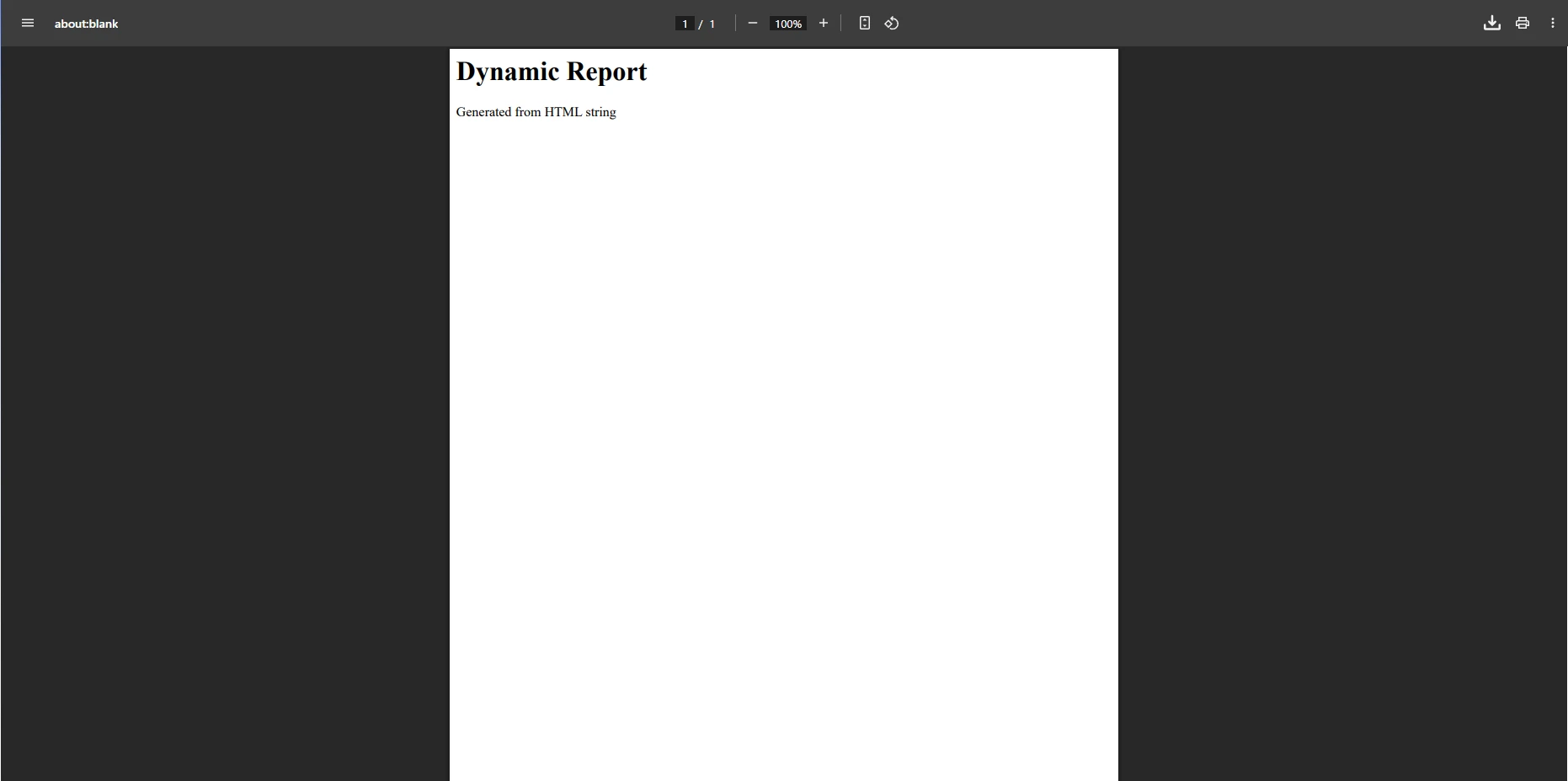
using PuppeteerSharp;
using PuppeteerSharp.Media;
using System;
using System.Threading.Tasks;

class Program
{
    static async Task Main()
    {
        var chromePath = @"C:\Program Files\Google\Chrome\Application\chrome.exe";

        if (!System.IO.File.Exists(chromePath))
        {
            Console.WriteLine("Chrome/Chromium executable not found.");
            return;
        }

        await using var browser = await Puppeteer.LaunchAsync(new LaunchOptions
        {
            Headless = true,
            ExecutablePath = chromePath,
            Args = new[] { "--no-sandbox" }
        });

        await using var page = await browser.NewPageAsync();
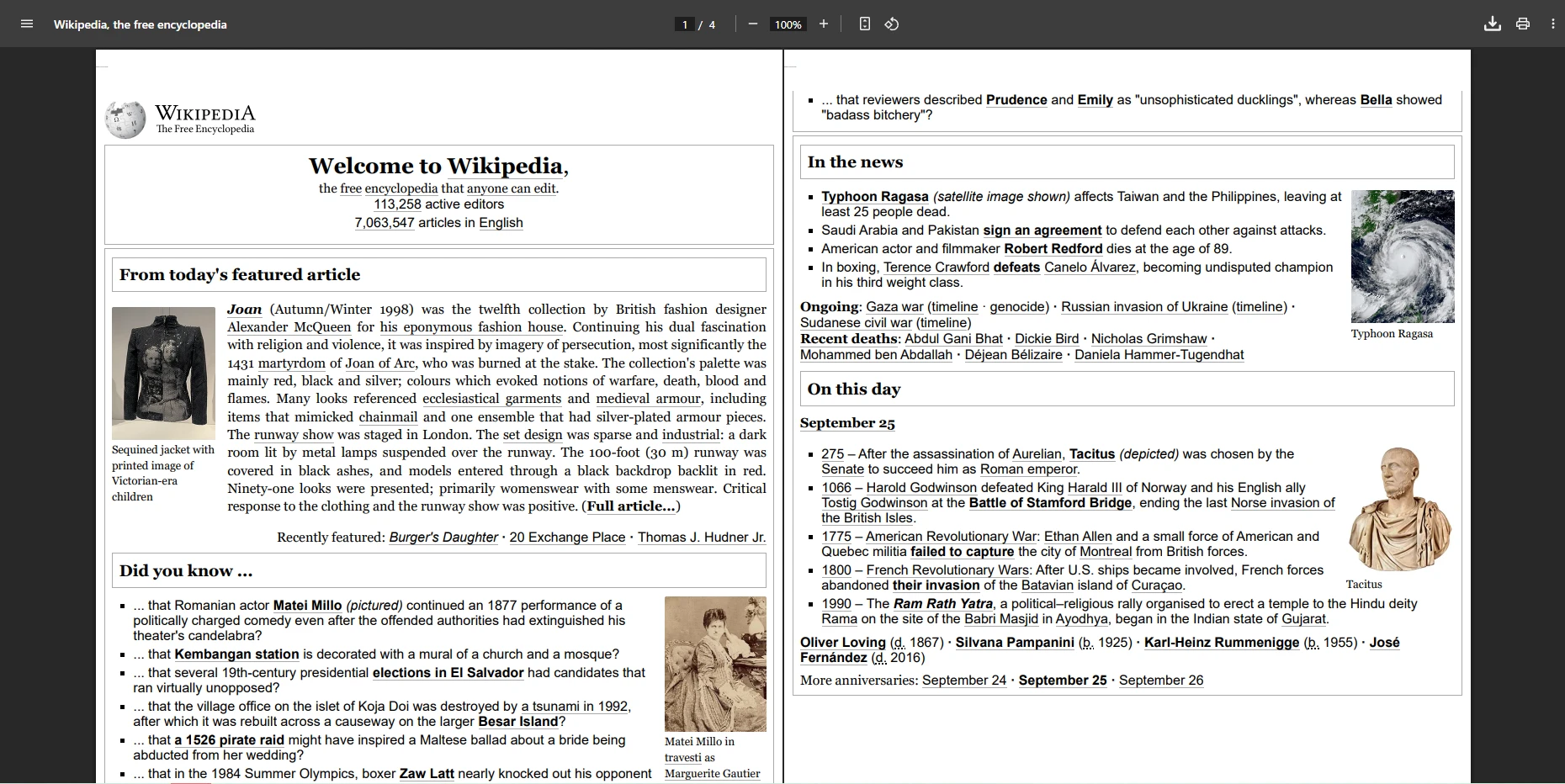
        await page.GoToAsync("https://en.wikipedia.org/wiki/Main_Page");
        await page.PdfAsync("WebPage.pdf", new PdfOptions
        {
            MarginOptions = new MarginOptions { Top = "50px", Bottom = "50px" }
        });

        Console.WriteLine("PDF generated successfully!");
    }
}Imports PuppeteerSharp
Imports PuppeteerSharp.Media
Imports System
Imports System.Threading.Tasks
Module Program
Async Function Main() As Task
Dim chromePath = "C:\Program Files\Google\Chrome\Application\chrome.exe"
If Not System.IO.File.Exists(chromePath) Then
Console.WriteLine("Chrome/Chromium executable not found.")
Return
End If
Using browser = Await Puppeteer.LaunchAsync(New LaunchOptions With {
.Headless = True,
.ExecutablePath = chromePath,
.Args = New String() {"--no-sandbox"}
})
Using page = Await browser.NewPageAsync()
Await page.GoToAsync("https://en.wikipedia.org/wiki/Main_Page")
Await page.PdfAsync("WebPage.pdf", New PdfOptions With {
.MarginOptions = New MarginOptions With {
.Top = "50px",
.Bottom = "50px"
}
})
End Using
End Using
Console.WriteLine("PDF generated successfully!")
End Function
End ModuleProduction requires managing Chrome processes, crash handling, and retry logic - adding complexity compared to dedicated libraries.
Infrastructure Considerations:
DevOps effort for Chrome version management and updatesVerdict: PuppeteerSharp excels at pixel-perfect rendering but requires substantial infrastructure investment and DevOps expertise.
SelectPdf for Enterprise PDF Generation?
SelectPdf provides commercial HTML to PDF conversion with enterprise features. A decade of market presence ensures stability at premium pricing.
SelectPdf suits enterprise applications needing PDF forms, encryption, headers/footers, and page breaks. Evaluate pricing against your usage patterns carefully.
SelectPdf?SelectPdf Compare to Free Alternatives?SelectPdf
SelectPdf offers a straightforward approach to converting HTML content to PDF documents, making it suitable for enterprise applications requiring consistent output.
var converter = new SelectPdf.HtmlToPdf();
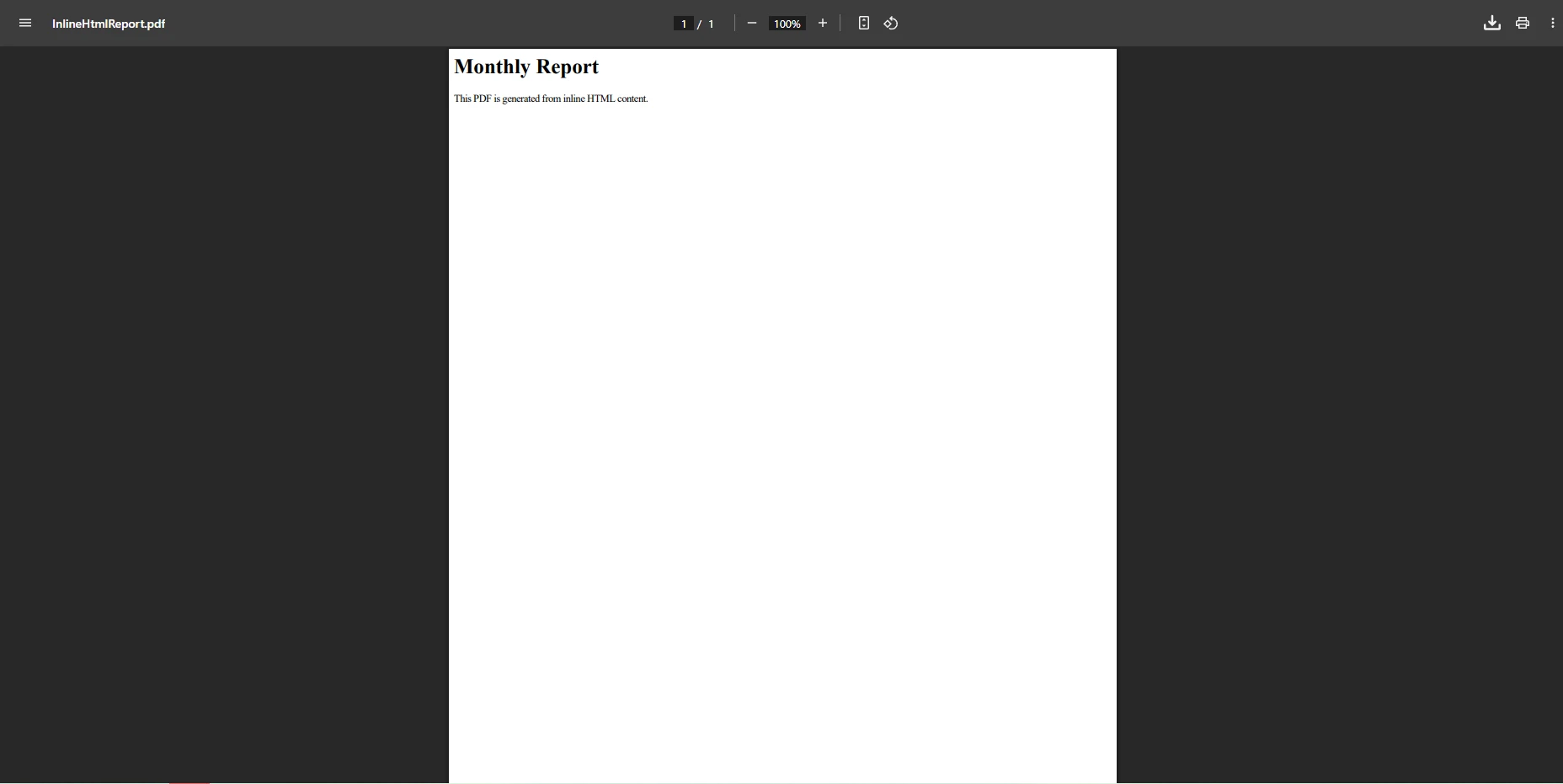
string htmlContent = "<h1>Monthly Report</h1><p>This PDF is generated from inline HTML content.</p>";
var doc = converter.ConvertHtmlString(htmlContent);
doc.Save("InlineHtmlReport.pdf");Dim converter = New SelectPdf.HtmlToPdf()
Dim htmlContent As String = "<h1>Monthly Report</h1><p>This PDF is generated from inline HTML content.</p>"
Dim doc = converter.ConvertHtmlString(htmlContent)
doc.Save("InlineHtmlReport.pdf")Converts inline HTML for dynamic reports. SelectPdf handles most CSS correctly, though CSS3 features may need workarounds.
using SelectPdf;

var converter = new SelectPdf.HtmlToPdf();
converter.Options.DisplayHeader = true;
converter.Options.DisplayFooter = true;

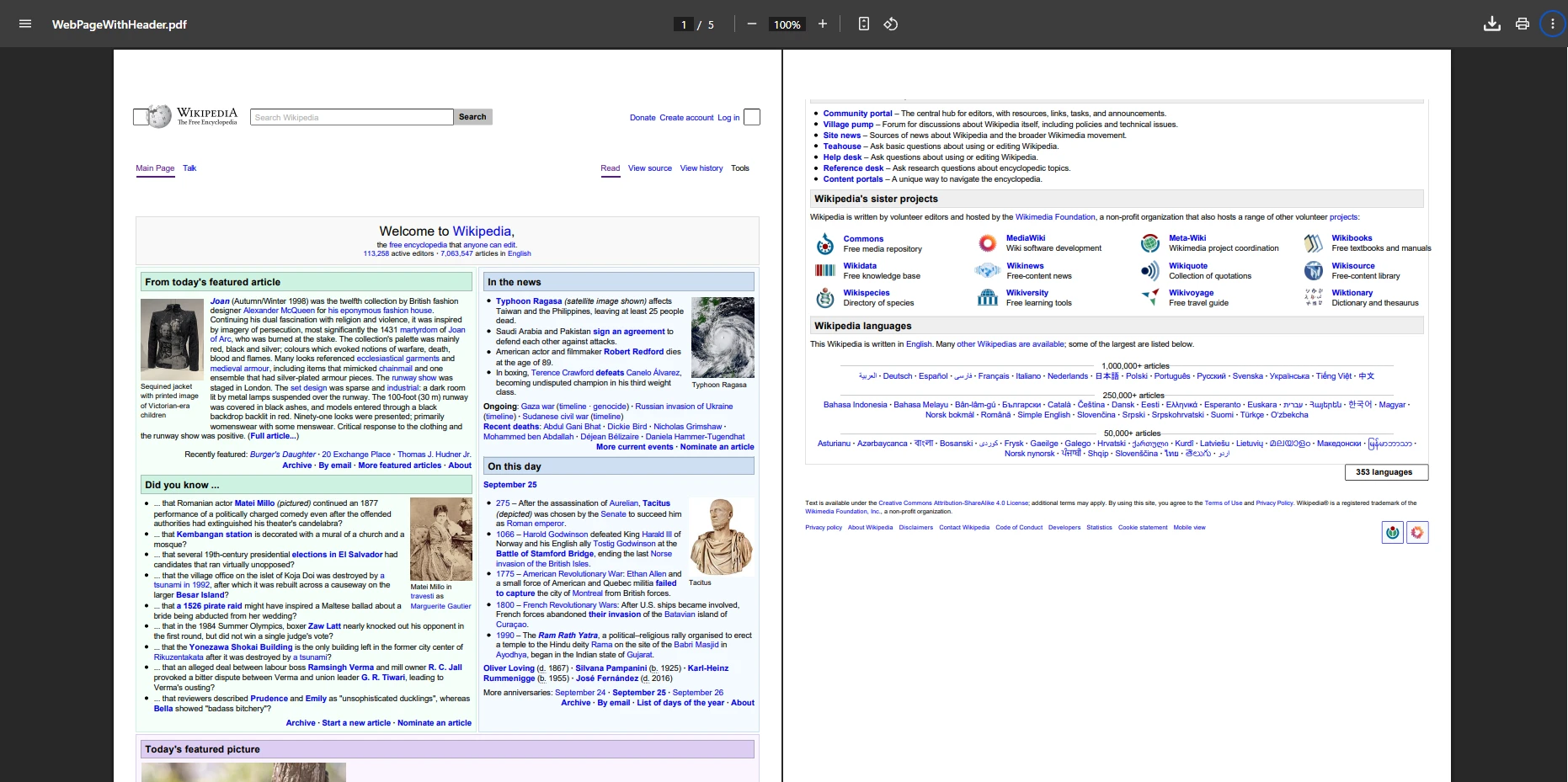
var doc = converter.ConvertUrl("https://en.wikipedia.org/wiki/Main_Page");
doc.Save("WebPageWithHeader.pdf");Imports SelectPdf
Dim converter As New SelectPdf.HtmlToPdf()
converter.Options.DisplayHeader = True
converter.Options.DisplayFooter = True
Dim doc = converter.ConvertUrl("https://en.wikipedia.org/wiki/Main_Page")
doc.Save("WebPageWithHeader.pdf")Converts web pages with custom headers/footers for branded documents. Header/footer options meet most business needs.
Cost-Benefit Analysis:
Verdict: SelectPdf delivers stable enterprise features. Higher pricing justified for teams prioritizing reliability over modern features.## Why Choose EvoPdf for API-Driven PDF Workflows?
EvoPdf offers advanced HTML to PDF conversion capabilities, ideal for server-side processing and high-throughput scenarios.
EvoPdf is well-suited for enterprise applications with asynchronous generation for web APIs. The byte[] output pattern integrates seamlessly with microservices architectures.
EvoPdfEvoPdf
EvoPdf's byte array approach offers flexibility for API-driven workflows and cloud architectures.
using EvoPdf;

var htmlToPdf = new EvoPdf.HtmlToPdfConverter();
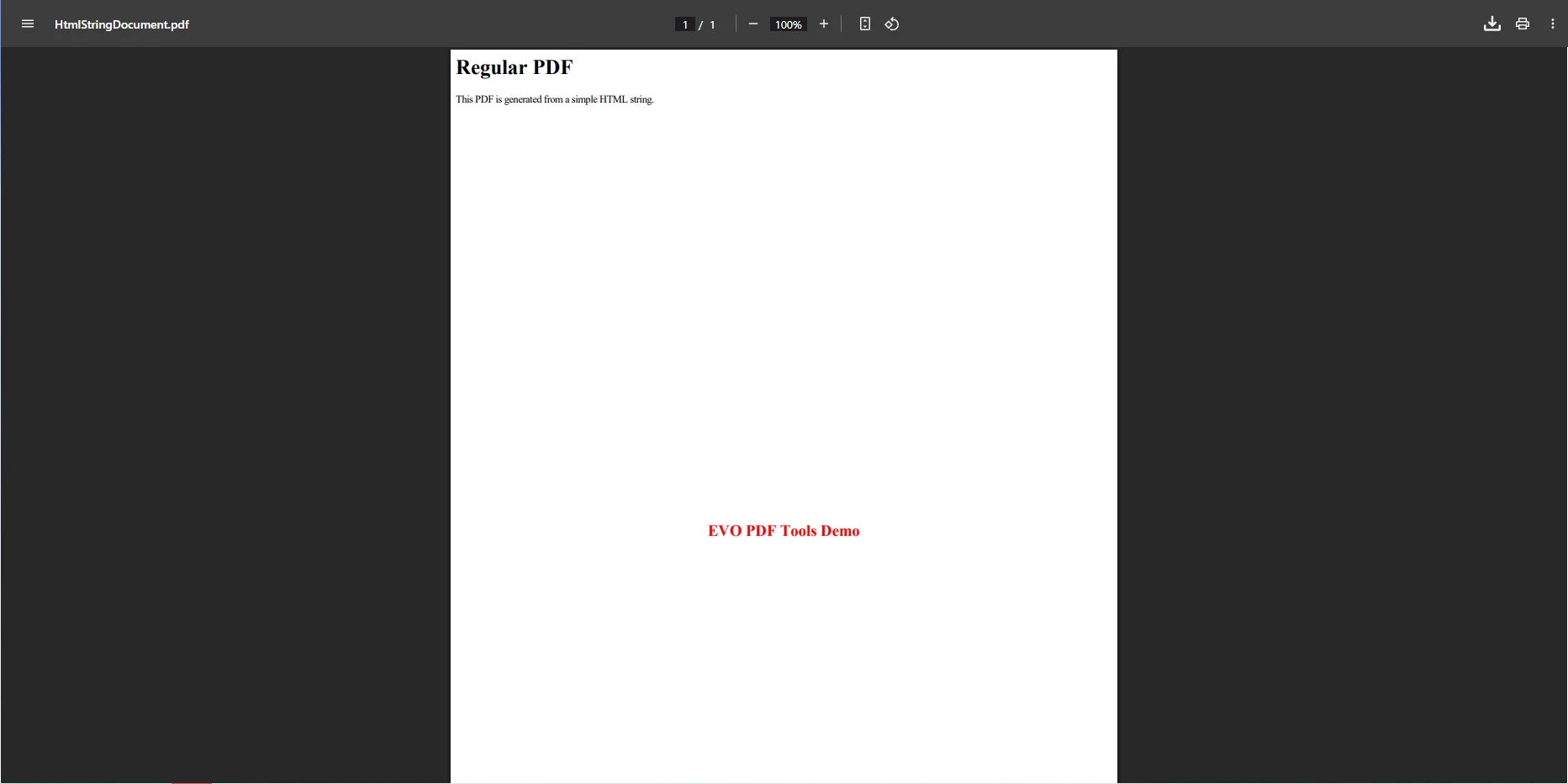
string htmlContent = "<h1>Regular PDF</h1><p>This PDF is generated from a simple HTML string.</p>";
byte[] pdfBytes = htmlToPdf.ConvertHtml(htmlContent, string.Empty);
File.WriteAllBytes("HtmlStringDocument.pdf", pdfBytes);Dim htmlToPdf = New EvoPdf.HtmlToPdfConverter()
Dim htmlContent As String = "<h1>Regular PDF</h1><p>This PDF is generated from a simple HTML string.</p>"
Dim pdfBytes As Byte() = htmlToPdf.ConvertHtml(htmlContent, String.Empty)
File.WriteAllBytes("HtmlStringDocument.pdf", pdfBytes)Returns byte[] for easy file writing or API streaming. This approach reduces memory usage in high-volume scenarios.
EvoPdf a Good Investment?using EvoPdf;
using System.IO;
var htmlToPdf = new HtmlToPdfConverter();
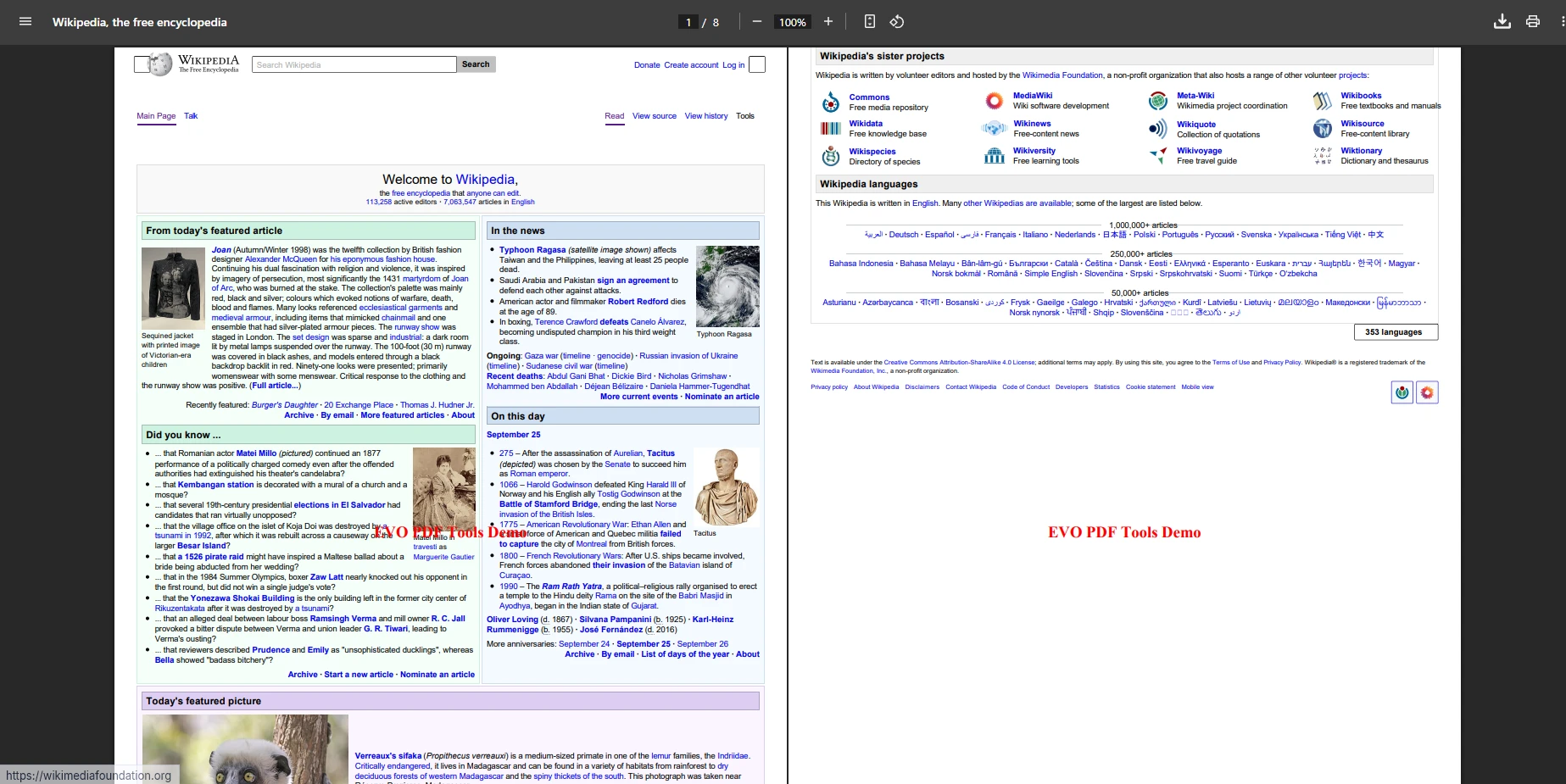
byte[] pdfBytes = htmlToPdf.ConvertUrl("https://en.wikipedia.org/wiki/Main_Page");
File.WriteAllBytes("WebPageEvoPdf.pdf", pdfBytes);Dim htmlToPdf = New HtmlToPdfConverter()
Dim pdfBytes As Byte() = htmlToPdf.ConvertUrl("https://en.wikipedia.org/wiki/Main_Page")
File.WriteAllBytes("WebPageEvoPdf.pdf", pdfBytes)Quick web page archiving without HTML preprocessing. Efficiently handles large documents and complex layouts.
Investment Analysis:
Verdict: EvoPdf excels for API-driven workflows and high-volume generation. Investment returns quickly for API-first architectures.
| Feature | IronPDF | DinkToPdf | PuppeteerSharp | SelectPdf | EvoPdf |
|---|---|---|---|---|---|
| Primary Focus | HTML → PDF with strong .NET integration | Lightweight wkhtmltopdf wrapper | Headless Chrome for pixel-perfect PDFs | Commercial HTML → PDF with enterprise features | Enterprise HTML → PDF, byte[] output for APIs |
| HTML Support | Full HTML5, CSS, JS support | Good HTML/CSS, limited/older JS | Full HTML/CSS & modern JavaScript | Full HTML & CSS; limited JavaScript | Full HTML/CSS; limited JS |
| Conversion Types | HTML string, file, URL, Razor/Views, web pages | HTML string, file, URL | HTML string, file, URL, dynamic pages | HTML string, file, URL | HTML string, file, URL |
| Extra PDF Features | Forms, encryption, signatures, watermarking, merge/split | Basic page breaks, print CSS | No built-in forms/encryption | Headers/footers, TOC, bookmarks, forms, encryption | Bookmarks, headers/footers, forms, encryption; returns byte[] |
| Output Type | PDF document object / SaveAs | PDF file via converter | PDF file / stream | PDF document object / SaveAs | byte[] (write with File.WriteAllBytes) |
| Deployment | Windows, Linux, macOS, Docker, Azure, AWS | Windows, Linux, Docker | Windows, Linux, macOS, Docker, Azure | Primarily Windows; .NET support | Primarily Windows; .NET compatible |
| Ease of Use | Very simple API, beginner-friendly | Simple but needs native binary | Moderate - needs Chromium; effective | Moderate - straightforward API | Moderate - effective byte[] pattern |
| NuGet Package | ✅ | ✅ | ✅ | ✅ | ✅ |
| Licensing | Commercial (free trial) | Open source | Open source | Commercial (free trial) | Commercial (free trial) |
| Support Response | 2-4 hours (24/5) | Community only | Community only | 24-48 hours | 24-72 hours |
| True Annual Cost | $999-$2,399 + minimal maintenance | $0 + developer time (varies) | $0 + infrastructure/maintenance (varies) | $499-$1,599 + moderate maintenance | $450-$1,400 + minimal maintenance |
| Best For | Enterprise .NET apps needing reliable generation | Lightweight/internal tools | Pixel-perfect rendering of JS-heavy pages | Commercial apps needing forms/encryption | API-driven apps, archiving, large-scale generation |
DinkToPdf: Free option for internal tools. Fast and simple but lacks built-in forms/encryption. Factor in ongoing developer time for maintenance and platform-specific issue resolution.PuppeteerSharp: Well-suited for JavaScript-heavy pages needing pixel-perfect rendering. Factor in infrastructure overhead: Chrome process management, memory usage, and DevOps time.SelectPdf: Solid commercial choice with enterprise features and support. The license cost is offset by reduced implementation time and reliable enterprise-grade output.EvoPdf: Ideal for API-first workflows and high-volume scenarios. The byte[] API design integrates naturally into streaming and microservice architectures.Consider these factors:
Final recommendation: For production .NET applications prioritizing features and reliability, IronPDF is a strong choice. Choose PuppeteerSharp for JS-heavy rendering, DinkToPdf for lightweight needs, or SelectPdf/EvoPdf for specific enterprise requirements.
Hidden costs of free libraries typically exceed commercial licenses within 3-6 months. Base your decisions on total ownership cost, not upfront pricing.
Experience smooth HTML to PDF conversion with IronPDF. Convert HTML strings, files, and web pages into professional PDFs with minimal code. Enterprise support and a comprehensive feature set help teams move faster and reduce ongoing maintenance burden.
👉 Try the free trial and start generating PDFs today. Trusted by over 10 million downloads worldwide. Get started with our quickstart guide and explore our complete documentation, tutorials, and examples.

Curtis Chau holds a Bachelor’s degree in Computer Science (Carleton University) and specializes in front-end development with expertise in Node.js, TypeScript, JavaScript, and React. Passionate about crafting intuitive and aesthetically pleasing user interfaces, Curtis enjoys working with modern frameworks and creating well-structured, visually appealing manuals.



IronPDF is a part of IRONSUITE
10 .NET API products for your office documents

When you need your PDF to look like HTML, fast.


