


HttpClient em C# (Como funciona para desenvolvedores)

A classe HttpClient , parte do .NET Framework, fornece métodos para enviar solicitações HTTP e receber respostas HTTP de um recurso identificado por um URI. Simplifica a realização de chamadas de requisição HTTP, sejam elas requisições GET, POST, PUT ou DELETE. Este guia abordará o uso essencial do HttpClient em cenários práticos e apresentará a biblioteca IronPDF .
Criando uma nova instância de HttpClient
A classe HttpClient é usada para enviar solicitações HTTP. Você pode criar uma nova instância da seguinte forma:
using System;
using System.Net.Http;
using System.Threading.Tasks;

class Program
{
    static async Task Main(string[] args)
    {
        using var client = new HttpClient(); // Create a new instance of HttpClient

        // Send a GET request to the specified URI and store the HTTP response
        var response = await client.GetAsync("https://api.weatherapi.com/v1/current.json?key=YOUR_API_KEY&q=London");

        // Retrieve the response content as a string
        var responseBody = await response.Content.ReadAsStringAsync();

        // Print the response content to the console
        Console.WriteLine(responseBody);
    }
}
using System;
using System.Net.Http;
using System.Threading.Tasks;
class Program
{
static async Task Main(string[] args)
{
using var client = new HttpClient(); // Create a new instance of HttpClient
// Send a GET request to the specified URI and store the HTTP response
var response = await client.GetAsync("https://api.weatherapi.com/v1/current.json?key=YOUR_API_KEY&q=London");
// Retrieve the response content as a string
var responseBody = await response.Content.ReadAsStringAsync();
// Print the response content to the console
Console.WriteLine(responseBody);
}
}Imports System
Imports System.Net.Http
Imports System.Threading.Tasks
Friend Class Program
Shared Async Function Main(ByVal args() As String) As Task
Dim client = New HttpClient() ' Create a new instance of HttpClient
' Send a GET request to the specified URI and store the HTTP response
Dim response = Await client.GetAsync("https://api.weatherapi.com/v1/current.json?key=YOUR_API_KEY&q=London")
' Retrieve the response content as a string
Dim responseBody = Await response.Content.ReadAsStringAsync()
' Print the response content to the console
Console.WriteLine(responseBody)
End Function
End ClassNeste exemplo:
- Uma nova instância HttpClient é criada usando
var client = new HttpClient(). - Um pedido HTTP GET é enviado usando o método
GetAsync. - O
HttpResponseMessageé armazenado emvar response. - O conteúdo da resposta é recuperado usando
response.Content.ReadAsStringAsync().
Envio de solicitações HTTP
Requisição HTTP GET
Para fazer uma requisição HTTP GET e processar a resposta:
using System;
using System.Net.Http;
using System.Threading.Tasks;

class Example
{
    static async Task Main(string[] args)
    {
        var client = new HttpClient();
        var response = await client.GetAsync("https://api.weatherapi.com/v1/current.json?key=YOUR_API_KEY&q=Paris");

        // Check if the request was successful
        if (response.IsSuccessStatusCode)
        {
            var responseBody = await response.Content.ReadAsStringAsync();
            Console.WriteLine(responseBody);
        }
    }
}
using System;
using System.Net.Http;
using System.Threading.Tasks;
class Example
{
static async Task Main(string[] args)
{
var client = new HttpClient();
var response = await client.GetAsync("https://api.weatherapi.com/v1/current.json?key=YOUR_API_KEY&q=Paris");
// Check if the request was successful
if (response.IsSuccessStatusCode)
{
var responseBody = await response.Content.ReadAsStringAsync();
Console.WriteLine(responseBody);
}
}
}Imports System
Imports System.Net.Http
Imports System.Threading.Tasks
Friend Class Example
Shared Async Function Main(ByVal args() As String) As Task
Dim client = New HttpClient()
Dim response = Await client.GetAsync("https://api.weatherapi.com/v1/current.json?key=YOUR_API_KEY&q=Paris")
' Check if the request was successful
If response.IsSuccessStatusCode Then
Dim responseBody = Await response.Content.ReadAsStringAsync()
Console.WriteLine(responseBody)
End If
End Function
End Class- A propriedade
IsSuccessStatusCodegarante que o pedido foi bem-sucedido. - O corpo da resposta é lido de forma assíncrona com
ReadAsStringAsync().
Requisição HTTP POST
O envio de uma solicitação POST envolve a adição de um corpo à solicitação:
using System;
using System.Net.Http;
using System.Text;
using System.Threading.Tasks;

class Example
{
    static async Task Main(string[] args)
    {
        var client = new HttpClient();
        var requestBody = new StringContent("{ \"location\": \"New York\" }", Encoding.UTF8, "application/json");

        // Send the POST request with the specified body
        var response = await client.PostAsync("https://api.weatherapi.com/v1/forecast.json?key=YOUR_API_KEY", requestBody);

        // Check if the request was successful
        if (response.IsSuccessStatusCode)
        {
            var responseBody = await response.Content.ReadAsStringAsync();
            Console.WriteLine(responseBody);
        }
    }
}
using System;
using System.Net.Http;
using System.Text;
using System.Threading.Tasks;
class Example
{
static async Task Main(string[] args)
{
var client = new HttpClient();
var requestBody = new StringContent("{ \"location\": \"New York\" }", Encoding.UTF8, "application/json");
// Send the POST request with the specified body
var response = await client.PostAsync("https://api.weatherapi.com/v1/forecast.json?key=YOUR_API_KEY", requestBody);
// Check if the request was successful
if (response.IsSuccessStatusCode)
{
var responseBody = await response.Content.ReadAsStringAsync();
Console.WriteLine(responseBody);
}
}
}Imports System
Imports System.Net.Http
Imports System.Text
Imports System.Threading.Tasks
Friend Class Example
Shared Async Function Main(ByVal args() As String) As Task
Dim client = New HttpClient()
Dim requestBody = New StringContent("{ ""location"": ""New York"" }", Encoding.UTF8, "application/json")
' Send the POST request with the specified body
Dim response = Await client.PostAsync("https://api.weatherapi.com/v1/forecast.json?key=YOUR_API_KEY", requestBody)
' Check if the request was successful
If response.IsSuccessStatusCode Then
Dim responseBody = Await response.Content.ReadAsStringAsync()
Console.WriteLine(responseBody)
End If
End Function
End ClassPostAsyncenvia o pedido com o corpo especificado (requestBody).- O tipo de conteúdo deve ser especificado (application/json).
Requisição HTTP PUT
Uma requisição HTTP PUT atualiza recursos:
using System;
using System.Net.Http;
using System.Text;
using System.Threading.Tasks;

class Example
{
    static async Task Main(string[] args)
    {
        var client = new HttpClient();
        var requestBody = new StringContent("{ \"location\": \"Tokyo\", \"days\": 3 }", Encoding.UTF8, "application/json");

        // Send a PUT request to update the resource
        var response = await client.PutAsync("https://api.weatherapi.com/v1/forecast.json?key=YOUR_API_KEY", requestBody);

        // Check if the request was successful
        if (response.IsSuccessStatusCode)
        {
            var responseBody = await response.Content.ReadAsStringAsync();
            Console.WriteLine(responseBody);
        }
    }
}
using System;
using System.Net.Http;
using System.Text;
using System.Threading.Tasks;
class Example
{
static async Task Main(string[] args)
{
var client = new HttpClient();
var requestBody = new StringContent("{ \"location\": \"Tokyo\", \"days\": 3 }", Encoding.UTF8, "application/json");
// Send a PUT request to update the resource
var response = await client.PutAsync("https://api.weatherapi.com/v1/forecast.json?key=YOUR_API_KEY", requestBody);
// Check if the request was successful
if (response.IsSuccessStatusCode)
{
var responseBody = await response.Content.ReadAsStringAsync();
Console.WriteLine(responseBody);
}
}
}Imports System
Imports System.Net.Http
Imports System.Text
Imports System.Threading.Tasks
Friend Class Example
Shared Async Function Main(ByVal args() As String) As Task
Dim client = New HttpClient()
Dim requestBody = New StringContent("{ ""location"": ""Tokyo"", ""days"": 3 }", Encoding.UTF8, "application/json")
' Send a PUT request to update the resource
Dim response = Await client.PutAsync("https://api.weatherapi.com/v1/forecast.json?key=YOUR_API_KEY", requestBody)
' Check if the request was successful
If response.IsSuccessStatusCode Then
Dim responseBody = Await response.Content.ReadAsStringAsync()
Console.WriteLine(responseBody)
End If
End Function
End ClassPutAsyncenvia um pedido PUT para atualizar o recurso no URI especificado.- O corpo da solicitação normalmente contém os dados a serem atualizados.
Solicitação HTTP DELETE
Para enviar uma solicitação HTTP DELETE:
using System;
using System.Net.Http;
using System.Threading.Tasks;

class Example
{
    static async Task Main(string[] args)
    {
        var client = new HttpClient();

        // Send a DELETE request to remove the resource
        var response = await client.DeleteAsync("https://api.weatherapi.com/v1/locations/1?key=YOUR_API_KEY");

        // Check if the request was successful
        if (response.IsSuccessStatusCode)
        {
            Console.WriteLine("Resource deleted successfully");
        }
    }
}
using System;
using System.Net.Http;
using System.Threading.Tasks;
class Example
{
static async Task Main(string[] args)
{
var client = new HttpClient();
// Send a DELETE request to remove the resource
var response = await client.DeleteAsync("https://api.weatherapi.com/v1/locations/1?key=YOUR_API_KEY");
// Check if the request was successful
if (response.IsSuccessStatusCode)
{
Console.WriteLine("Resource deleted successfully");
}
}
}Imports System
Imports System.Net.Http
Imports System.Threading.Tasks
Friend Class Example
Shared Async Function Main(ByVal args() As String) As Task
Dim client = New HttpClient()
' Send a DELETE request to remove the resource
Dim response = Await client.DeleteAsync("https://api.weatherapi.com/v1/locations/1?key=YOUR_API_KEY")
' Check if the request was successful
If response.IsSuccessStatusCode Then
Console.WriteLine("Resource deleted successfully")
End If
End Function
End ClassDeleteAsyncenvia um pedido DELETE para remover o recurso.
Tratamento de respostas HTTP
Cada requisição HTTP retorna um objeto HttpResponseMessage, que inclui o corpo da resposta, os cabeçalhos e o código de status. Por exemplo:
using System;
using System.Net.Http;
using System.Threading.Tasks;

class Example
{
    static async Task Main(string[] args)
    {
        var client = new HttpClient();
        var response = await client.GetAsync("https://api.weatherapi.com/v1/current.json?key=YOUR_API_KEY&q=Sydney");

        // Check if the request was successful
        if (response.IsSuccessStatusCode)
        {
            var responseBody = await response.Content.ReadAsStringAsync();
            Console.WriteLine(responseBody);
        }
        else
        {
            Console.WriteLine($"Error: {response.StatusCode}");
        }
    }
}
using System;
using System.Net.Http;
using System.Threading.Tasks;
class Example
{
static async Task Main(string[] args)
{
var client = new HttpClient();
var response = await client.GetAsync("https://api.weatherapi.com/v1/current.json?key=YOUR_API_KEY&q=Sydney");
// Check if the request was successful
if (response.IsSuccessStatusCode)
{
var responseBody = await response.Content.ReadAsStringAsync();
Console.WriteLine(responseBody);
}
else
{
Console.WriteLine($"Error: {response.StatusCode}");
}
}
}Imports System
Imports System.Net.Http
Imports System.Threading.Tasks
Friend Class Example
Shared Async Function Main(ByVal args() As String) As Task
Dim client = New HttpClient()
Dim response = Await client.GetAsync("https://api.weatherapi.com/v1/current.json?key=YOUR_API_KEY&q=Sydney")
' Check if the request was successful
If response.IsSuccessStatusCode Then
Dim responseBody = Await response.Content.ReadAsStringAsync()
Console.WriteLine(responseBody)
Else
Console.WriteLine($"Error: {response.StatusCode}")
End If
End Function
End ClassResponse.StatusCodefornece o código de estado (por exemplo, 200, 404).response.Contentcontém o corpo de resposta, que pode ser lido de forma assíncrona usandoReadAsStringAsync().
Utilização eficiente do HttpClient
As instâncias de HttpClient devem ser reutilizadas para aproveitar o agrupamento de conexões e evitar o esgotamento dos recursos do sistema. Um padrão típico é criar uma única instância de HttpClient para toda a vida útil da sua aplicação ou serviço. Isso pode ser feito usando uma variável estática ou injeção de dependência para aplicações web.
Exemplo de HttpClient estático
public static class HttpClientProvider
{
    private static readonly HttpClient client = new HttpClient();
    public static HttpClient Client => client;
}
public static class HttpClientProvider
{
private static readonly HttpClient client = new HttpClient();
public static HttpClient Client => client;
}Public Module HttpClientProvider
'INSTANT VB NOTE: The field client was renamed since Visual Basic does not allow fields to have the same name as other class members:
Private ReadOnly client_Conflict As New HttpClient()
Public ReadOnly Property Client() As HttpClient
Get
Return client_Conflict
End Get
End Property
End ModuleA instância do HttpClient é reutilizada em toda a aplicação, reduzindo a sobrecarga de criação de novas conexões HTTP.
Utilizando HttpClient com Injeção de Dependência
Em uma aplicação web, a abordagem recomendada é registrar o HttpClient como um serviço singleton:
public void ConfigureServices(IServiceCollection services)
{
    services.AddHttpClient();
}
public void ConfigureServices(IServiceCollection services)
{
services.AddHttpClient();
}Public Sub ConfigureServices(ByVal services As IServiceCollection)
services.AddHttpClient()
End SubVocê também pode criar clientes nomeados e clientes tipados para configurações mais específicas.
Configurações de agrupamento de conexões e proxy
Ao reutilizar instâncias de HttpClient, você se beneficia do agrupamento de conexões, o que melhora o desempenho de várias solicitações para o mesmo servidor. Você também pode configurar as definições de proxy usando a classe HttpClientHandler:
using System.Net;
using System.Net.Http;

var handler = new HttpClientHandler
{
    Proxy = new WebProxy("http://proxyserver:port"), // Set the proxy server
    UseProxy = true
};

var client = new HttpClient(handler);
using System.Net;
using System.Net.Http;
var handler = new HttpClientHandler
{
Proxy = new WebProxy("http://proxyserver:port"), // Set the proxy server
UseProxy = true
};
var client = new HttpClient(handler);Imports System.Net
Imports System.Net.Http
Private handler = New HttpClientHandler With {
.Proxy = New WebProxy("http://proxyserver:port"),
.UseProxy = True
}
Private client = New HttpClient(handler)Tratamento de erros e códigos de status
Para lidar com diferentes códigos de status HTTP, verifique a propriedade HttpResponseMessage.StatusCode:
using System;
using System.Net;
using System.Net.Http;
using System.Threading.Tasks;

async Task MakeRequestAsync()
{
    try
    {
        using var client = new HttpClient();
        var response = await client.GetAsync("https://api.weatherapi.com/v1/current.json?key=YOUR_API_KEY&q=Berlin");

        // Handle the response based on the status code
        switch (response.StatusCode)
        {
            case HttpStatusCode.OK:
                Console.WriteLine("Success");
                var content = await response.Content.ReadAsStringAsync();
                Console.WriteLine($"Response content: {content}");
                break;
            case HttpStatusCode.NotFound:
                Console.WriteLine("Resource not found");
                break;
            case HttpStatusCode.Unauthorized:
                Console.WriteLine("Unauthorized access");
                break;
            case HttpStatusCode.InternalServerError:
                Console.WriteLine("Server error occurred");
                break;
            default:
                Console.WriteLine($"Unexpected status code: {response.StatusCode}");
                break;
        }
    }
    catch (HttpRequestException e)
    {
        Console.WriteLine($"Request error: {e.Message}");
    }
    catch (Exception e)
    {
        Console.WriteLine($"An error occurred: {e.Message}");
    }
}
using System;
using System.Net;
using System.Net.Http;
using System.Threading.Tasks;
async Task MakeRequestAsync()
{
try
{
using var client = new HttpClient();
var response = await client.GetAsync("https://api.weatherapi.com/v1/current.json?key=YOUR_API_KEY&q=Berlin");
// Handle the response based on the status code
switch (response.StatusCode)
{
case HttpStatusCode.OK:
Console.WriteLine("Success");
var content = await response.Content.ReadAsStringAsync();
Console.WriteLine($"Response content: {content}");
break;
case HttpStatusCode.NotFound:
Console.WriteLine("Resource not found");
break;
case HttpStatusCode.Unauthorized:
Console.WriteLine("Unauthorized access");
break;
case HttpStatusCode.InternalServerError:
Console.WriteLine("Server error occurred");
break;
default:
Console.WriteLine($"Unexpected status code: {response.StatusCode}");
break;
}
}
catch (HttpRequestException e)
{
Console.WriteLine($"Request error: {e.Message}");
}
catch (Exception e)
{
Console.WriteLine($"An error occurred: {e.Message}");
}
}Imports System
Imports System.Net
Imports System.Net.Http
Imports System.Threading.Tasks
Async Function MakeRequestAsync() As Task
Try
Dim client = New HttpClient()
Dim response = Await client.GetAsync("https://api.weatherapi.com/v1/current.json?key=YOUR_API_KEY&q=Berlin")
' Handle the response based on the status code
Select Case response.StatusCode
Case HttpStatusCode.OK
Console.WriteLine("Success")
Dim content = Await response.Content.ReadAsStringAsync()
Console.WriteLine($"Response content: {content}")
Case HttpStatusCode.NotFound
Console.WriteLine("Resource not found")
Case HttpStatusCode.Unauthorized
Console.WriteLine("Unauthorized access")
Case HttpStatusCode.InternalServerError
Console.WriteLine("Server error occurred")
Case Else
Console.WriteLine($"Unexpected status code: {response.StatusCode}")
End Select
Catch e As HttpRequestException
Console.WriteLine($"Request error: {e.Message}")
Catch e As Exception
Console.WriteLine($"An error occurred: {e.Message}")
End Try
End FunctionTratamento do corpo da resposta JSON
Você trabalha frequentemente com respostas em formato JSON. Você pode desserializar o conteúdo da resposta em um objeto fortemente tipado:
using System;
using System.Net.Http;
using System.Text.Json;
using System.Threading.Tasks;

class Example
{
    static async Task Main(string[] args)
    {
        var client = new HttpClient();
        var response = await client.GetAsync("https://api.weatherapi.com/v1/current.json?key=YOUR_API_KEY&q=London");
        var jsonString = await response.Content.ReadAsStringAsync();

        // Deserialize the JSON response into a WeatherResponse object
        var weatherResponse = JsonSerializer.Deserialize<WeatherResponse>(jsonString);

        Console.WriteLine($"Location: {weatherResponse.Location}, Temperature: {weatherResponse.Temperature}");
    }
}

public class WeatherResponse
{
    public string Location { get; set; }
    public double Temperature { get; set; }
}
using System;
using System.Net.Http;
using System.Text.Json;
using System.Threading.Tasks;
class Example
{
static async Task Main(string[] args)
{
var client = new HttpClient();
var response = await client.GetAsync("https://api.weatherapi.com/v1/current.json?key=YOUR_API_KEY&q=London");
var jsonString = await response.Content.ReadAsStringAsync();
// Deserialize the JSON response into a WeatherResponse object
var weatherResponse = JsonSerializer.Deserialize<WeatherResponse>(jsonString);
Console.WriteLine($"Location: {weatherResponse.Location}, Temperature: {weatherResponse.Temperature}");
}
}
public class WeatherResponse
{
public string Location { get; set; }
public double Temperature { get; set; }
}Imports System
Imports System.Net.Http
Imports System.Text.Json
Imports System.Threading.Tasks
Friend Class Example
Shared Async Function Main(ByVal args() As String) As Task
Dim client = New HttpClient()
Dim response = Await client.GetAsync("https://api.weatherapi.com/v1/current.json?key=YOUR_API_KEY&q=London")
Dim jsonString = Await response.Content.ReadAsStringAsync()
' Deserialize the JSON response into a WeatherResponse object
Dim weatherResponse = JsonSerializer.Deserialize(Of WeatherResponse)(jsonString)
Console.WriteLine($"Location: {weatherResponse.Location}, Temperature: {weatherResponse.Temperature}")
End Function
End Class
Public Class WeatherResponse
Public Property Location() As String
Public Property Temperature() As Double
End ClassO método ReadAsStringAsync() simplifica a leitura de conteúdo JSON diretamente em objetos C#.
Apresentando o IronPDF
IronPDF é uma biblioteca .NET para PDF projetada para criar, manipular e converter arquivos PDF em C#. É amplamente utilizado para gerar PDFs de alta qualidade a partir de HTML , CSS, JavaScript e outros formatos. O IronPDF oferece recursos como conversão de HTML para PDF, fusão de PDFs, marca d'água e até mesmo operações avançadas como assinaturas digitais e criptografia de PDF. É compatível com diversas plataformas, incluindo Windows, Linux e macOS, tornando-se uma solução versátil para desenvolvimento multiplataforma.
Utilizando o IronPDF com o HttpClient
Combinar o IronPDF com a classe HttpClient em C# é uma maneira eficaz de gerar e manipular documentos PDF a partir de recursos da web dinamicamente. Por exemplo, você pode recuperar conteúdo HTML de uma URL através do HttpClient e, em seguida, converter esse HTML em um documento PDF usando o IronPDF. Isso é útil ao gerar relatórios, faturas ou qualquer documento dinamicamente com base em conteúdo da web em tempo real.
using System;
using System.Net.Http;
using System.Text.Json;
using System.Threading.Tasks;
using IronPdf;

class Program
{
    static async Task Main(string[] args)
    {
        License.LicenseKey = "YOUR_LICENSE_KEY"; // Set your IronPDF license key
        using var client = new HttpClient();
        var response = await client.GetAsync("https://api.weatherapi.com/v1/forecast.json?key=YOUR_API_KEY&q=London&days=3");

        // Check if the request was successful
        if (response.IsSuccessStatusCode)
        {
            var jsonContent = await response.Content.ReadAsStringAsync();
            var jsonElement = JsonSerializer.Deserialize<JsonElement>(jsonContent);

            // Format the JSON content for pretty-printing
            var formattedJson = JsonSerializer.Serialize(jsonElement, new JsonSerializerOptions { WriteIndented = true });

            // Escape the JSON for HTML
            formattedJson = System.Web.HttpUtility.HtmlEncode(formattedJson);

            // Create an HTML string for PDF generation
            var htmlContent = $@"
            <html>
            <head>
                <style>
                    body {{font-family: Arial, sans-serif;}}
                    pre {{background-color: #f4f4f4; padding: 20px; border-radius: 5px; white-space: pre-wrap; word-wrap: break-word;}}
                </style>
            </head>
            <body>
                <h1>Weather Forecast (JSON Data)</h1>
                <pre>{formattedJson}</pre>
            </body>
            </html>";

            // Generate the PDF from the HTML content
            var renderer = new ChromePdfRenderer();
            var pdf = renderer.RenderHtmlAsPdf(htmlContent);

            // Save the PDF to a file
            pdf.SaveAs("F://weather_report.pdf");

            Console.WriteLine("PDF generated successfully!");
        }
        else
        {
            Console.WriteLine($"Failed to retrieve content. Status code: {response.StatusCode}");
        }
    }
}
using System;
using System.Net.Http;
using System.Text.Json;
using System.Threading.Tasks;
using IronPdf;
class Program
{
static async Task Main(string[] args)
{
License.LicenseKey = "YOUR_LICENSE_KEY"; // Set your IronPDF license key
using var client = new HttpClient();
var response = await client.GetAsync("https://api.weatherapi.com/v1/forecast.json?key=YOUR_API_KEY&q=London&days=3");
// Check if the request was successful
if (response.IsSuccessStatusCode)
{
var jsonContent = await response.Content.ReadAsStringAsync();
var jsonElement = JsonSerializer.Deserialize<JsonElement>(jsonContent);
// Format the JSON content for pretty-printing
var formattedJson = JsonSerializer.Serialize(jsonElement, new JsonSerializerOptions { WriteIndented = true });
// Escape the JSON for HTML
formattedJson = System.Web.HttpUtility.HtmlEncode(formattedJson);
// Create an HTML string for PDF generation
var htmlContent = $@"
<html>
<head>
<style>
body {{font-family: Arial, sans-serif;}}
pre {{background-color: #f4f4f4; padding: 20px; border-radius: 5px; white-space: pre-wrap; word-wrap: break-word;}}
</style>
</head>
<body>
<h1>Weather Forecast (JSON Data)</h1>
<pre>{formattedJson}</pre>
</body>
</html>";
// Generate the PDF from the HTML content
var renderer = new ChromePdfRenderer();
var pdf = renderer.RenderHtmlAsPdf(htmlContent);
// Save the PDF to a file
pdf.SaveAs("F://weather_report.pdf");
Console.WriteLine("PDF generated successfully!");
}
else
{
Console.WriteLine($"Failed to retrieve content. Status code: {response.StatusCode}");
}
}
}Imports System
Imports System.Net.Http
Imports System.Text.Json
Imports System.Threading.Tasks
Imports IronPdf
Module Program
Async Function Main(args As String()) As Task
License.LicenseKey = "YOUR_LICENSE_KEY" ' Set your IronPDF license key
Using client As New HttpClient()
Dim response = Await client.GetAsync("https://api.weatherapi.com/v1/forecast.json?key=YOUR_API_KEY&q=London&days=3")
' Check if the request was successful
If response.IsSuccessStatusCode Then
Dim jsonContent = Await response.Content.ReadAsStringAsync()
Dim jsonElement = JsonSerializer.Deserialize(Of JsonElement)(jsonContent)
' Format the JSON content for pretty-printing
Dim formattedJson = JsonSerializer.Serialize(jsonElement, New JsonSerializerOptions With {.WriteIndented = True})
' Escape the JSON for HTML
formattedJson = System.Web.HttpUtility.HtmlEncode(formattedJson)
' Create an HTML string for PDF generation
Dim htmlContent = $"
<html>
<head>
<style>
body {{font-family: Arial, sans-serif;}}
pre {{background-color: #f4f4f4; padding: 20px; border-radius: 5px; white-space: pre-wrap; word-wrap: break-word;}}
</style>
</head>
<body>
<h1>Weather Forecast (JSON Data)</h1>
<pre>{formattedJson}</pre>
</body>
</html>"
' Generate the PDF from the HTML content
Dim renderer As New ChromePdfRenderer()
Dim pdf = renderer.RenderHtmlAsPdf(htmlContent)
' Save the PDF to a file
pdf.SaveAs("F://weather_report.pdf")
Console.WriteLine("PDF generated successfully!")
Else
Console.WriteLine($"Failed to retrieve content. Status code: {response.StatusCode}")
End If
End Using
End Function
End Module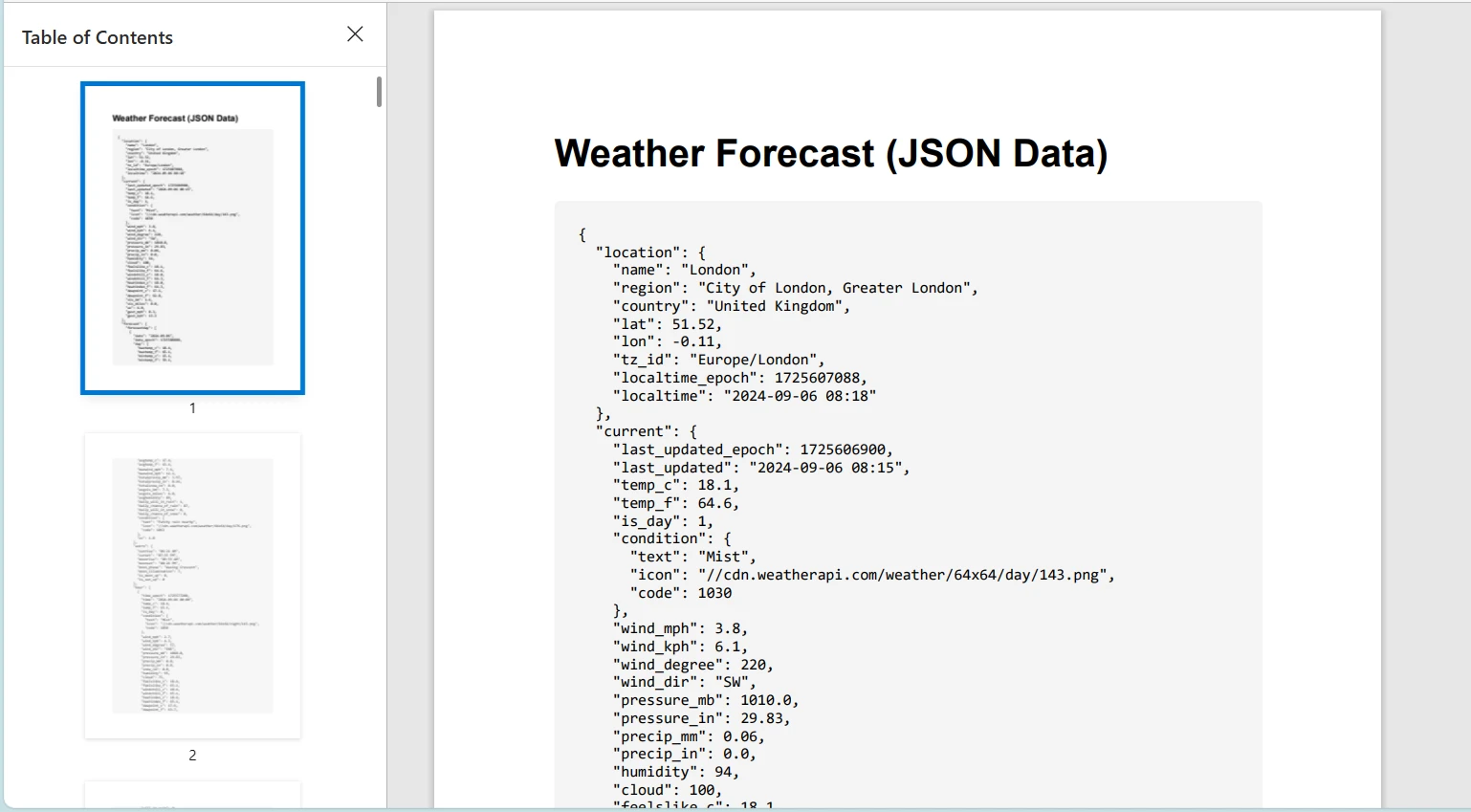
Lembre-se de substituir "YOUR_API_KEY" por uma chave de API ao usar uma API de previsão do tempo real.
Conclusão
Este tutorial explorou o uso da classe HttpClient em C# para enviar solicitações HTTP e lidar com respostas. Também apresentamos o IronPDF, uma biblioteca poderosa para gerar PDFs em aplicativos .NET . Demonstramos como combinar essas tecnologias, recuperando conteúdo HTML de um serviço web usando o HttpClient e convertendo-o para PDF usando o IronPDF.
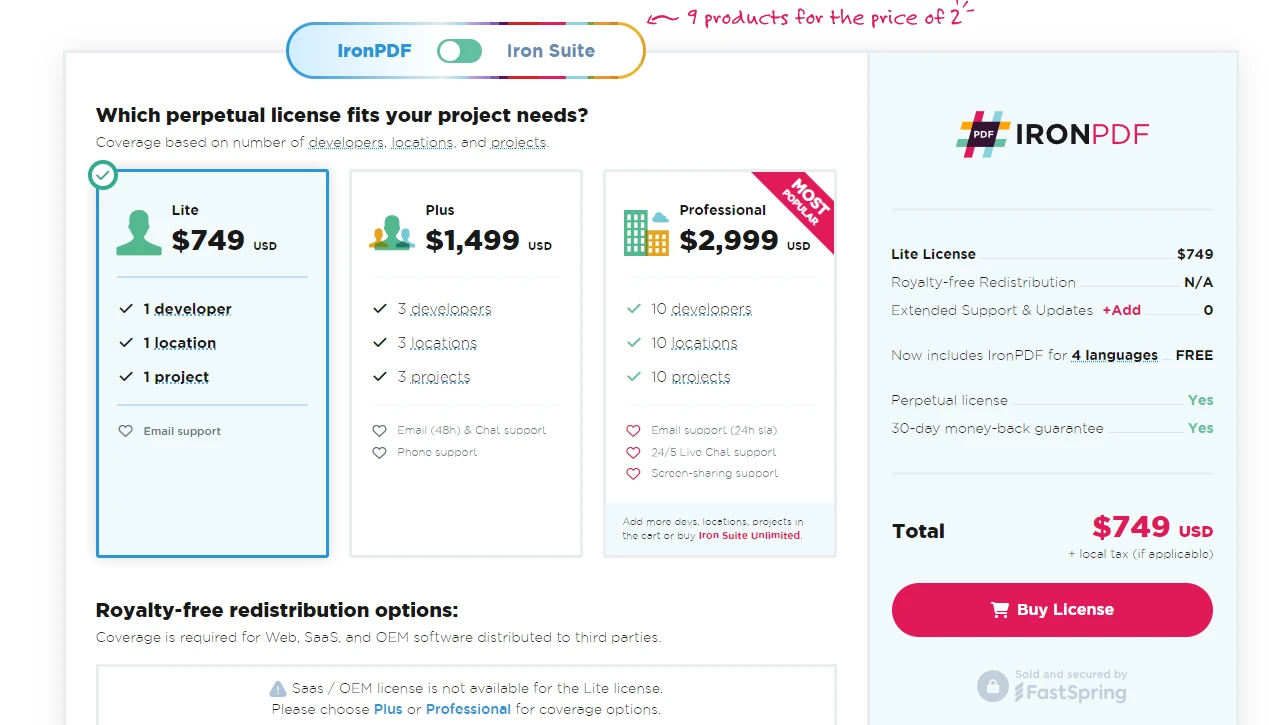
IronPDF oferece uma versão de teste gratuita e suas licenças começam em $999, tornando-o uma ferramenta valiosa para desenvolvedores que buscam capacidades abrangentes de geração de PDF.
Perguntas frequentes
Como posso converter conteúdo HTML para PDF em C#?
Você pode usar o IronPDF para converter conteúdo HTML em PDF utilizando seus métodos, como RenderHtmlAsPdf . Isso permite transformar facilmente strings HTML, incluindo CSS e JavaScript, em documentos PDF profissionais.
Como posso combinar HttpClient com geração de PDF em C#?
Ao integrar o HttpClient com o IronPDF, você pode recuperar conteúdo HTML de recursos da web e, em seguida, converter esse conteúdo em documentos PDF usando os métodos de conversão do IronPDF. Isso é particularmente útil para criar relatórios ou faturas a partir de dados em tempo real.
Qual a importância de reutilizar instâncias de HttpClient?
Reutilizar instâncias de HttpClient é crucial para o gerenciamento eficiente de recursos. Isso aproveita o agrupamento de conexões, minimizando a sobrecarga de criar novas conexões para cada solicitação, o que melhora o desempenho dos aplicativos.
Como posso desserializar respostas JSON em C#?
Em C#, as respostas JSON podem ser desserializadas usando a classe JsonSerializer . Após recuperar o conteúdo da resposta como uma string, você pode usar JsonSerializer.Deserialize para convertê-lo em um objeto C# fortemente tipado.
Quais são as melhores práticas para lidar com códigos de status HTTP em C#?
O tratamento de códigos de status HTTP em C# envolve a verificação da propriedade StatusCode do ` HttpResponseMessage . Utilize instruções condicionais para gerenciar códigos específicos, como HttpStatusCode.OK ou HttpStatusCode.NotFound , para implementar o tratamento de erros apropriado.
Como o IronPDF aprimora aplicativos .NET com recursos de PDF?
O IronPDF aprimora aplicativos .NET, fornecendo ferramentas robustas para criar, manipular e converter arquivos PDF. Ele oferece suporte à geração de PDFs de alta qualidade a partir de HTML, CSS e JavaScript, permitindo que os desenvolvedores produzam documentos dinâmicos com facilidade.
Posso usar o HttpClient para obter conteúdo HTML para conversão em PDF?
Sim, o HttpClient pode obter conteúdo HTML de recursos da web, que pode então ser convertido em PDF usando o IronPDF. Essa abordagem é excelente para gerar PDFs a partir de dados da web em tempo real ou conteúdo dinâmico.
Como configuro as definições de proxy para o HttpClient em C#?
Para configurar as definições de proxy para o HttpClient, você pode usar a classe HttpClientHandler . Defina a propriedade Proxy para uma instância WebProxy e habilite a opção UseProxy ao criar a instância do HttpClient.










 Comece GRATUITAMENTE
 Comece GRATUITAMENTE
 Agende uma demonstração ao vivo gratuita





 Não é necessário cartão de crédito nem criação de conta.










