


BouncyCastle C#(開發者的工作原理)

BouncyCastle C# 是一個全面的函式庫,為 .NET 開發人員提供廣泛的加密演算法和工具選擇。 本指南旨在向初學者介紹 Bouncy Castle 的基本知識,強調其作為安全供應商的功能,並提供日常使用的實例。 我們也將學習如何與 IronPDF 適用於 .NET PDF Library 搭配使用。
Bouncy Castle 簡介
Bouncy Castle 是加密安全領域中功能強大且用途廣泛的函式庫。 這是一個註冊的澳洲慈善專案,旨在為 Java 和 C# 提供高品質的安全服務。 該函式庫以 MIT X Consortium License 為基礎的授權維護,鼓勵廣泛使用與貢獻。
瞭解 Bouncy Castle 的目的
Bouncy Castle 是一家安全供應商,提供廣泛的加密演算法。 其多功能性可滿足各種安全需求,從基本的加密到複雜的數位簽章。 作為初學者,瞭解 Bouncy Castle 的適用範圍是在專案中有效實施的關鍵。
在 C# 中開始使用 Bouncy Castle
在 C# 中實作 Bouncy Castle 從設定環境和瞭解其基本元件開始。
設定
下載函式庫:要開始使用,請從官方 Bouncy Castle 網站下載最新版本的 Bouncy Castle 套件。 確保您選擇符合專案需求的正確版本。
整合到您的專案中:下載後,將 Bouncy Castle 整合到您的 C# 專案中。 這通常需要在專案設定中加入函式庫作為參考。
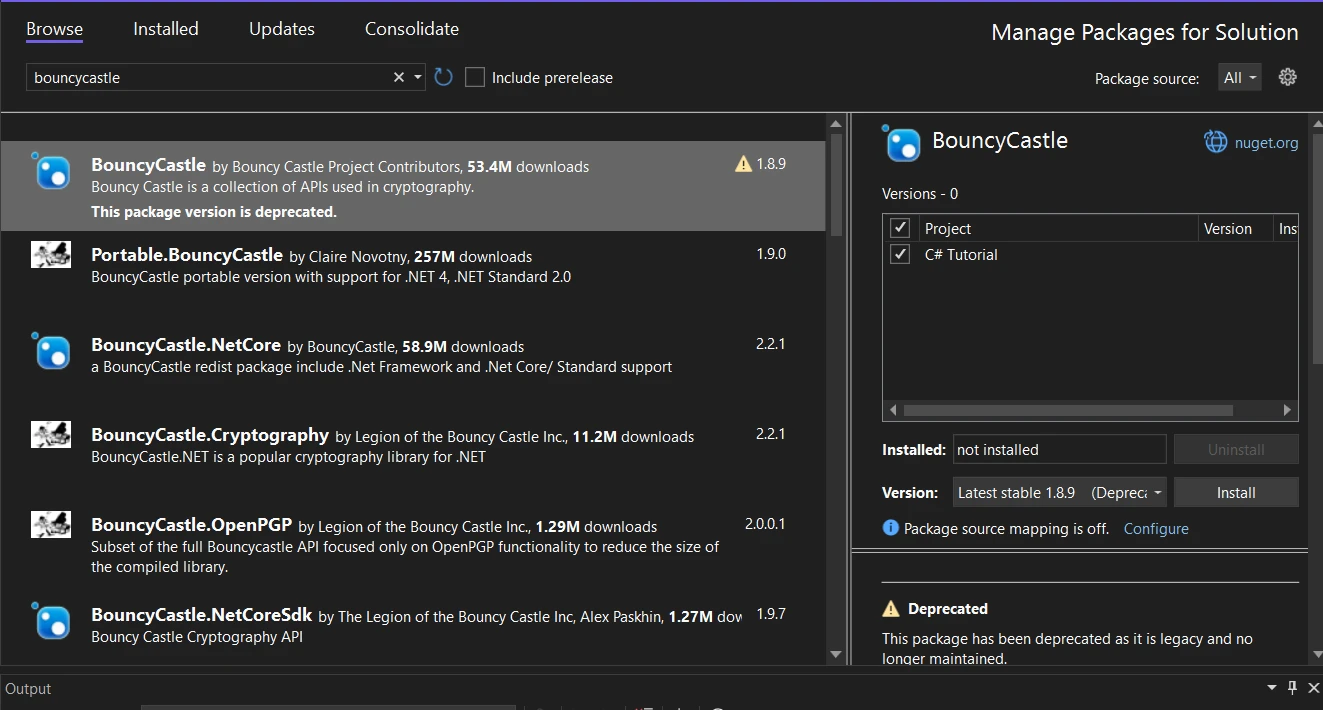
您也可以使用 NuGet Package Manager 下載和安裝,方法是在 NuGet Package Manager 的搜尋列中搜尋"Bouncycastle"。
 。
。
基本加密範例
在這個範例中,我將使用 C# 的 Bouncy Castle 來示範一個使用 AES(進階加密標準)的簡單加密情境。
using Org.BouncyCastle.Crypto;
using Org.BouncyCastle.Crypto.Engines;
using Org.BouncyCastle.Crypto.Generators;
using Org.BouncyCastle.Crypto.Modes;
using Org.BouncyCastle.Crypto.Parameters;
using Org.BouncyCastle.Security;
using System.Text;

public class SimpleEncryption
{
    /// <summary>
    /// Encrypts data using AES encryption with a given password.
    /// </summary>
    /// <param name="message">The message to encrypt.</param>
    /// <param name="password">The password for key derivation.</param>
    /// <returns>The encrypted message as a byte array.</returns>
    public static byte[] EncryptData(string message, string password)
    {
        // Generate a random salt
        var salt = new byte[8];
        new SecureRandom().NextBytes(salt);

        // Derive key and IV from the password and salt
        Pkcs5S2ParametersGenerator generator = new Pkcs5S2ParametersGenerator();
        generator.Init(PbeParametersGenerator.Pkcs5PasswordToBytes(password.ToCharArray()), salt, 1000);
        ParametersWithIV keyParam = (ParametersWithIV)generator.GenerateDerivedMacParameters(256 + 128);

        // Create AES cipher in CBC mode with PKCS7 padding
        var cipher = new PaddedBufferedBlockCipher(new CbcBlockCipher(new AesEngine()));
        cipher.Init(true, keyParam);

        // Convert message to byte array and encrypt
        byte[] inputBytes = Encoding.UTF8.GetBytes(message);
        byte[] outputBytes = new byte[cipher.GetOutputSize(inputBytes.Length)];
        int length = cipher.ProcessBytes(inputBytes, 0, inputBytes.Length, outputBytes, 0);
        cipher.DoFinal(outputBytes, length);

        return outputBytes;
    }
}
using Org.BouncyCastle.Crypto;
using Org.BouncyCastle.Crypto.Engines;
using Org.BouncyCastle.Crypto.Generators;
using Org.BouncyCastle.Crypto.Modes;
using Org.BouncyCastle.Crypto.Parameters;
using Org.BouncyCastle.Security;
using System.Text;
public class SimpleEncryption
{
/// <summary>
/// Encrypts data using AES encryption with a given password.
/// </summary>
/// <param name="message">The message to encrypt.</param>
/// <param name="password">The password for key derivation.</param>
/// <returns>The encrypted message as a byte array.</returns>
public static byte[] EncryptData(string message, string password)
{
// Generate a random salt
var salt = new byte[8];
new SecureRandom().NextBytes(salt);
// Derive key and IV from the password and salt
Pkcs5S2ParametersGenerator generator = new Pkcs5S2ParametersGenerator();
generator.Init(PbeParametersGenerator.Pkcs5PasswordToBytes(password.ToCharArray()), salt, 1000);
ParametersWithIV keyParam = (ParametersWithIV)generator.GenerateDerivedMacParameters(256 + 128);
// Create AES cipher in CBC mode with PKCS7 padding
var cipher = new PaddedBufferedBlockCipher(new CbcBlockCipher(new AesEngine()));
cipher.Init(true, keyParam);
// Convert message to byte array and encrypt
byte[] inputBytes = Encoding.UTF8.GetBytes(message);
byte[] outputBytes = new byte[cipher.GetOutputSize(inputBytes.Length)];
int length = cipher.ProcessBytes(inputBytes, 0, inputBytes.Length, outputBytes, 0);
cipher.DoFinal(outputBytes, length);
return outputBytes;
}
}Imports Org.BouncyCastle.Crypto
Imports Org.BouncyCastle.Crypto.Engines
Imports Org.BouncyCastle.Crypto.Generators
Imports Org.BouncyCastle.Crypto.Modes
Imports Org.BouncyCastle.Crypto.Parameters
Imports Org.BouncyCastle.Security
Imports System.Text
Public Class SimpleEncryption
''' <summary>
''' Encrypts data using AES encryption with a given password.
''' </summary>
''' <param name="message">The message to encrypt.</param>
''' <param name="password">The password for key derivation.</param>
''' <returns>The encrypted message as a byte array.</returns>
Public Shared Function EncryptData(ByVal message As String, ByVal password As String) As Byte()
' Generate a random salt
Dim salt = New Byte(7){}
Call (New SecureRandom()).NextBytes(salt)
' Derive key and IV from the password and salt
Dim generator As New Pkcs5S2ParametersGenerator()
generator.Init(PbeParametersGenerator.Pkcs5PasswordToBytes(password.ToCharArray()), salt, 1000)
Dim keyParam As ParametersWithIV = CType(generator.GenerateDerivedMacParameters(256 + 128), ParametersWithIV)
' Create AES cipher in CBC mode with PKCS7 padding
Dim cipher = New PaddedBufferedBlockCipher(New CbcBlockCipher(New AesEngine()))
cipher.Init(True, keyParam)
' Convert message to byte array and encrypt
Dim inputBytes() As Byte = Encoding.UTF8.GetBytes(message)
Dim outputBytes(cipher.GetOutputSize(inputBytes.Length) - 1) As Byte
Dim length As Integer = cipher.ProcessBytes(inputBytes, 0, inputBytes.Length, outputBytes, 0)
cipher.DoFinal(outputBytes, length)
Return outputBytes
End Function
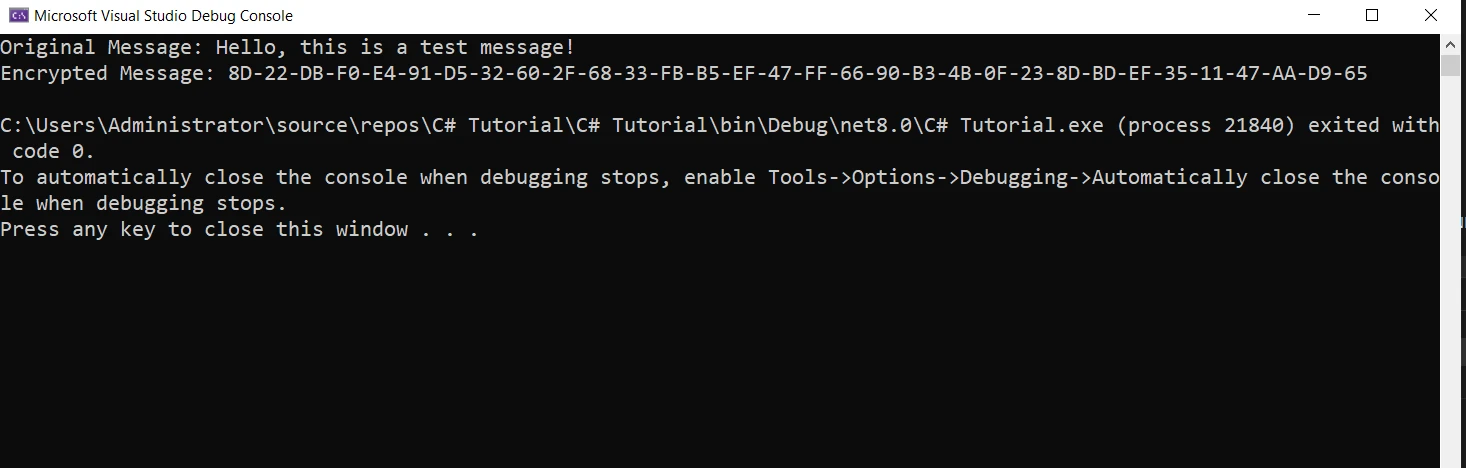
End Class本代碼片段演示了如何使用 C# 中 Bouncy Castle 的加密庫創建一個基本的加密方法。 要使用此方法,您需要呼叫 EncryptData,並傳入您要加密的訊息和密碼。 舉例來說
string message = "Hello, this is a test message!";
string password = "StrongPassword123";
byte[] encryptedMessage = SimpleEncryption.EncryptData(message, password);
Console.WriteLine("Original Message: " + message);
Console.WriteLine("Encrypted Message: " + BitConverter.ToString(encryptedMessage));
string message = "Hello, this is a test message!";
string password = "StrongPassword123";
byte[] encryptedMessage = SimpleEncryption.EncryptData(message, password);
Console.WriteLine("Original Message: " + message);
Console.WriteLine("Encrypted Message: " + BitConverter.ToString(encryptedMessage));Dim message As String = "Hello, this is a test message!"
Dim password As String = "StrongPassword123"
Dim encryptedMessage() As Byte = SimpleEncryption.EncryptData(message, password)
Console.WriteLine("Original Message: " & message)
Console.WriteLine("Encrypted Message: " & BitConverter.ToString(encryptedMessage))本範例相當基本,僅供介紹之用。 在實際應用中,您應該考慮更穩健的做法,例如將鹽值和 IV 與加密資料一起儲存,並處理加密過程中可能產生的異常。
進階用法與客製化
Bouncy Castle 不限於基本功能。 它允許客製化並支援先進的加密演算法。
NTRU Prime 及其他先進演算法
Bouncy Castle 支援多種演算法,包括進階的 NTRU Prime。 這可讓開發人員彈性選擇最適合其特定需求的演算法。
異常處理與安全性最佳實務
在加密應用程式中,適當的異常處理至關重要。 Bouncy Castle 的方法可能會拋出異常,正確處理這些異常可確保應用程式的穩健性和安全性。
將 IronPDF 與 Bouncy Castle 整合。
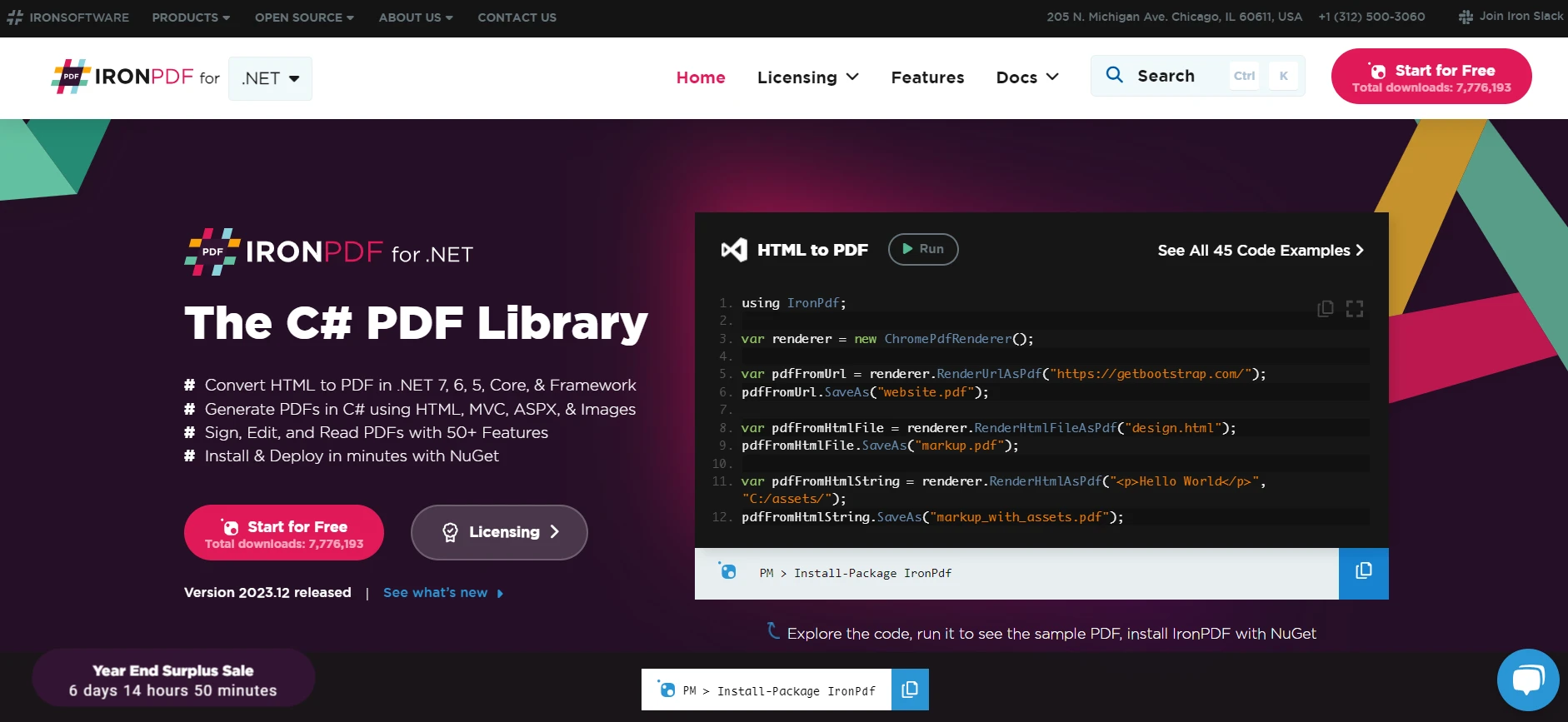
IronPDF透過提供處理 PDF 文件的功能來補充 Bouncy Castle,然後再使用 Bouncy Castle 的加密功能來保護 PDF 文件。 以下是如何整合這兩個功能強大的函式庫:
IronPDF 的突出功能是其HTML 至 PDF 的轉換功能,可保留所有版面和樣式。 它可以將網頁內容轉換成 PDF,適用於報告、發票和文件。 您可以將 HTML 檔案、URL 和 HTML 字串無縫轉換為 PDF。
開始使用 IronPDF
using IronPdf;

class Program
{
    static void Main(string[] args)
    {
        var renderer = new ChromePdfRenderer();

        // 1. Convert HTML String to PDF
        var htmlContent = "<h1>Hello, IronPDF!</h1><p>This is a PDF from an HTML string.</p>";
        var pdfFromHtmlString = renderer.RenderHtmlAsPdf(htmlContent);
        pdfFromHtmlString.SaveAs("HTMLStringToPDF.pdf");

        // 2. Convert HTML File to PDF
        var htmlFilePath = "path_to_your_html_file.html"; // Specify the path to your HTML file
        var pdfFromHtmlFile = renderer.RenderHtmlFileAsPdf(htmlFilePath);
        pdfFromHtmlFile.SaveAs("HTMLFileToPDF.pdf");

        // 3. Convert URL to PDF
        var url = "http://ironpdf.com"; // Specify the URL
        var pdfFromUrl = renderer.RenderUrlAsPdf(url);
        pdfFromUrl.SaveAs("URLToPDF.pdf");
    }
}
using IronPdf;
class Program
{
static void Main(string[] args)
{
var renderer = new ChromePdfRenderer();
// 1. Convert HTML String to PDF
var htmlContent = "<h1>Hello, IronPDF!</h1><p>This is a PDF from an HTML string.</p>";
var pdfFromHtmlString = renderer.RenderHtmlAsPdf(htmlContent);
pdfFromHtmlString.SaveAs("HTMLStringToPDF.pdf");
// 2. Convert HTML File to PDF
var htmlFilePath = "path_to_your_html_file.html"; // Specify the path to your HTML file
var pdfFromHtmlFile = renderer.RenderHtmlFileAsPdf(htmlFilePath);
pdfFromHtmlFile.SaveAs("HTMLFileToPDF.pdf");
// 3. Convert URL to PDF
var url = "http://ironpdf.com"; // Specify the URL
var pdfFromUrl = renderer.RenderUrlAsPdf(url);
pdfFromUrl.SaveAs("URLToPDF.pdf");
}
}Imports IronPdf
Friend Class Program
Shared Sub Main(ByVal args() As String)
Dim renderer = New ChromePdfRenderer()
' 1. Convert HTML String to PDF
Dim htmlContent = "<h1>Hello, IronPDF!</h1><p>This is a PDF from an HTML string.</p>"
Dim pdfFromHtmlString = renderer.RenderHtmlAsPdf(htmlContent)
pdfFromHtmlString.SaveAs("HTMLStringToPDF.pdf")
' 2. Convert HTML File to PDF
Dim htmlFilePath = "path_to_your_html_file.html" ' Specify the path to your HTML file
Dim pdfFromHtmlFile = renderer.RenderHtmlFileAsPdf(htmlFilePath)
pdfFromHtmlFile.SaveAs("HTMLFileToPDF.pdf")
' 3. Convert URL to PDF
Dim url = "http://ironpdf.com" ' Specify the URL
Dim pdfFromUrl = renderer.RenderUrlAsPdf(url)
pdfFromUrl.SaveAs("URLToPDF.pdf")
End Sub
End Class使用 NuGet 套件管理員安裝
要使用 NuGet Package Manager 將 IronPDF 整合到您的 Bouncy Castle C# 專案中,請遵循以下步驟:
1.開啟 Visual Studio,在解決方案總管中,用滑鼠右鍵按一下專案。 2.從上下文功能表中選擇"管理 NuGet 套件..."。 3.前往瀏覽標籤,搜尋 IronPDF。 4.從搜尋結果中選擇 IronPDF 函式庫,然後按一下安裝按鈕。 5.接受任何許可協議提示。
如果您想透過套件管理員控制台將 IronPDF 包含在專案中,請在套件管理員控制台執行下列指令:
Install-Package IronPdf
它將擷取 IronPDF 並安裝到您的專案中。
使用 NuGet 網站安裝
如需 IronPDF 的詳細概述,包括其功能、相容性和其他下載選項,請造訪 NuGet 網站上的 IronPDF 頁面,網址為 https://www.nuget.org/packages/IronPdf。
透過 DLL 安裝
另外,您也可以使用 IronPDF 的 DLL 檔案,直接將 IronPDF 納入您的專案中。從此 IronPDF Direct Download 下載包含 DLL 的 ZIP 檔案。 解壓縮,並將 DLL 包含在您的專案中。
使用 IronPDF 生成 PDF.
首先,讓我們使用 IronPDF 建立一個簡單的 PDF 文件:
using IronPdf;

public class PdfGenerator
{
    /// <summary>
    /// Creates a simple PDF from HTML content.
    /// </summary>
    /// <param name="filePath">The file path to save the PDF.</param>
    /// <param name="content">The HTML content to render as PDF.</param>
    public static void CreateSimplePdf(string filePath, string content)
    {
        var renderer = new ChromePdfRenderer();
        var pdf = renderer.RenderHtmlAsPdf(content);
        pdf.SaveAs(filePath);
    }
}
using IronPdf;
public class PdfGenerator
{
/// <summary>
/// Creates a simple PDF from HTML content.
/// </summary>
/// <param name="filePath">The file path to save the PDF.</param>
/// <param name="content">The HTML content to render as PDF.</param>
public static void CreateSimplePdf(string filePath, string content)
{
var renderer = new ChromePdfRenderer();
var pdf = renderer.RenderHtmlAsPdf(content);
pdf.SaveAs(filePath);
}
}Imports IronPdf
Public Class PdfGenerator
''' <summary>
''' Creates a simple PDF from HTML content.
''' </summary>
''' <param name="filePath">The file path to save the PDF.</param>
''' <param name="content">The HTML content to render as PDF.</param>
Public Shared Sub CreateSimplePdf(ByVal filePath As String, ByVal content As String)
Dim renderer = New ChromePdfRenderer()
Dim pdf = renderer.RenderHtmlAsPdf(content)
pdf.SaveAs(filePath)
End Sub
End Class在這段程式碼中,我們使用 IronPDF 的 ChromePdfRenderer 類將 HTML 內容渲染為 PDF 並儲存到檔案中。
使用 Bouncy Castle 加密 PDF 文件
生成 PDF 後,我們可以使用 Bouncy Castle 加密。 在此,我們將修改 EncryptData 方法以處理 PDF 檔案:
using System.IO;
using System.Text;

// ... [Previous Bouncy Castle using statements]

public class PdfEncryption
{
    /// <summary>
    /// Encrypts a PDF file using AES encryption.
    /// </summary>
    /// <param name="inputFilePath">The path to the input PDF file.</param>
    /// <param name="outputFilePath">The path to save the encrypted PDF file.</param>
    /// <param name="password">The password used for encryption.</param>
    public static void EncryptPdfFile(string inputFilePath, string outputFilePath, string password)
    {
        // Read the PDF file
        byte[] pdfBytes = File.ReadAllBytes(inputFilePath);

        // Encrypt the PDF bytes
        byte[] encryptedBytes = SimpleEncryption.EncryptData(Encoding.UTF8.GetString(pdfBytes), password);

        // Write the encrypted bytes to a new file
        File.WriteAllBytes(outputFilePath, encryptedBytes);
    }
}
using System.IO;
using System.Text;
// ... [Previous Bouncy Castle using statements]
public class PdfEncryption
{
/// <summary>
/// Encrypts a PDF file using AES encryption.
/// </summary>
/// <param name="inputFilePath">The path to the input PDF file.</param>
/// <param name="outputFilePath">The path to save the encrypted PDF file.</param>
/// <param name="password">The password used for encryption.</param>
public static void EncryptPdfFile(string inputFilePath, string outputFilePath, string password)
{
// Read the PDF file
byte[] pdfBytes = File.ReadAllBytes(inputFilePath);
// Encrypt the PDF bytes
byte[] encryptedBytes = SimpleEncryption.EncryptData(Encoding.UTF8.GetString(pdfBytes), password);
// Write the encrypted bytes to a new file
File.WriteAllBytes(outputFilePath, encryptedBytes);
}
}Imports System.IO
Imports System.Text
' ... [Previous Bouncy Castle using statements]
Public Class PdfEncryption
''' <summary>
''' Encrypts a PDF file using AES encryption.
''' </summary>
''' <param name="inputFilePath">The path to the input PDF file.</param>
''' <param name="outputFilePath">The path to save the encrypted PDF file.</param>
''' <param name="password">The password used for encryption.</param>
Public Shared Sub EncryptPdfFile(ByVal inputFilePath As String, ByVal outputFilePath As String, ByVal password As String)
' Read the PDF file
Dim pdfBytes() As Byte = File.ReadAllBytes(inputFilePath)
' Encrypt the PDF bytes
Dim encryptedBytes() As Byte = SimpleEncryption.EncryptData(Encoding.UTF8.GetString(pdfBytes), password)
' Write the encrypted bytes to a new file
File.WriteAllBytes(outputFilePath, encryptedBytes)
End Sub
End Class在此方法中,我們以位元組的形式讀取 PDF 檔案,使用先前定義的 SimpleEncryption 類別加密這些位元組,然後將加密的位元組寫入新檔案。
結論
 。
。
總而言之,Bouncy Castle C# 與 IronPDF 的結合提供了在 .NET 應用程式中建立 PDF 文件並確保其安全性的解決方案。 Bouncy Castle 提供必要的加密工具以保護資料安全,而 IronPDF 則帶來 PDF 建立與操作的便利性。 在需要高度文件安全性和保密性的情況下,這種整合尤其有價值。
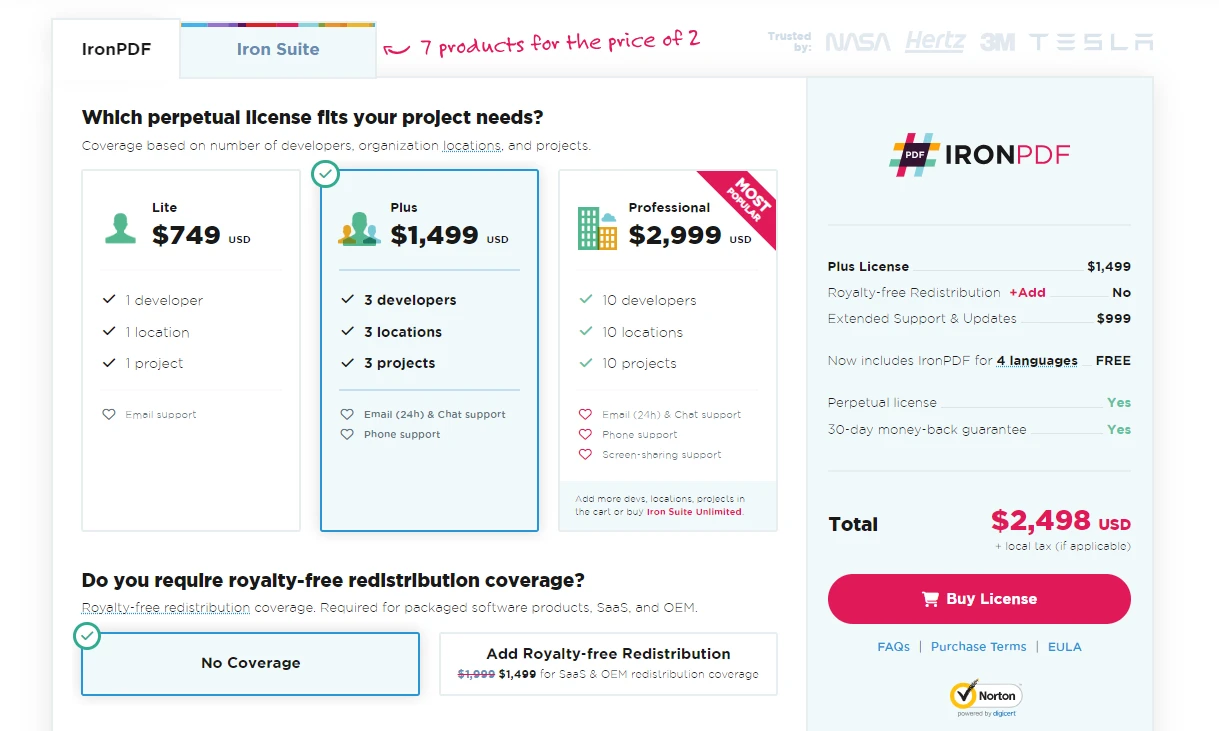
對於那些有興趣探索 IronPDF 的人,圖書館提供了免費的試用版,讓開發人員可以實驗和評估其功能。 如果您決定將 IronPDF 整合到您的生產環境中,可提供授權資訊和選項。
常見問題
如何在 .NET 應用程式中使用 BouncyCastle 實現加密技術?
要在 .NET 應用程式中實現加密技術,可以使用 BouncyCastle 函式庫,它提供範圍廣泛的加密演算法。可以從其官方網站或通過 NuGet 套件管理器下載,然後在專案中將其添加為參考。
如何在 C# 中將 HTML 轉換為 PDF?
你可以使用 IronPDF 在 C# 中將 HTML 轉換為 PDF,利用 RenderHtmlAsPdf 方法處理 HTML 字串,或使用 RenderHtmlFileAsPdf 方法處理 HTML 文件,以生成 PDF 文檔。
可以在 .NET 應用程式中保護生成的 PDF 嗎?
是的,可以在 .NET 應用程式中保護生成的 PDF。在使用 IronPDF 創建 PDF 之後,可以利用 BouncyCastle 對其進行加密,方法是將 PDF 轉換為位元組數組,應用 AES 等加密演算法,並將加密數據保存到新文件中。
如何將 BouncyCastle 整合到 C# 專案中的 PDF 函式庫中?
要在 C# 專案中將 BouncyCastle 與 IronPDF 等 PDF 函式庫整合,可以使用 NuGet 套件管理器安裝這兩個函式庫。使用 IronPDF 來創建 PDF,並利用 BouncyCastle 向這些文檔添加加密安全功能。
開始使用 BouncyCastle C# 的基本步驟有哪些?
首先通過 NuGet 套件管理器下載 BouncyCastle 函式庫,然後將其作為參考添加到 C# 專案中。接下來可以使用其加密演算法,執行加密、解密和數字簽名等不同的加密操作。
購買之前有沒有可以測試 PDF 函式庫功能的方法?
是的,IronPDF 提供免費試用版,開發者可以使用它來探索和評估其功能,比如 HTML 到 PDF 轉換,以便在購買許可證之前做出決定。
BouncyCastle 支持哪些先進的加密演算法?
BouncyCastle 支持範圍廣泛的高級加密演算法,其中包括最前沿的 NTRU Prime,為開發者選擇適合其應用程式的演算法提供靈活性和安全性。
如何確保我的加密操作在 C# 中是安全的?
通過遵循最佳實踐來確保加密操作的安全性,例如安全存儲加密密鑰、正確處理異常以及在安全環境中進行操作以防止未經授權的訪問。
可以在 .NET 應用程式中管理 PDF 文檔嗎?
是的,可以使用 IronPDF 在 .NET 應用程式中管理 PDF 文檔。它允許您創建、編輯和將 HTML 轉換為 PDF,提升文檔管理能力。









 立即免費開始
 立即免費開始
 預約免費線上示範





 無需信用卡或註冊帳號










