




已更新 2026年4月23日
在 .NET 中用 Microsoft.Extensions.AI 簡化 LLM 整合
AI 正在改變軟體開發,但將大型語言模型 (LLM) 整合到 .NET 中一直很複雜。利用 IronPdf.AI 將 AI 整合推向更遠,為 .NET 應用程式帶來由 OpenAI 驅動的 PDF 解析、資料擷取和內容總結。
閱讀更多

在當今資料驅動的世界中,為報告、發票和各種文件生成動態內容對企業和開發者來說至關重要。 在眾多可用的工具中,IronPDF 作為一個強大的程式庫在.NET應用程式中建立和操作PDF文件脫穎而出。
數學運算,特別是冪次運算,在生成需要計算的內容時,如財務報告或科學文件,可能是必不可少的。 本文將探索如何利用C#的冪次方法(Math.Pow)來進行冪次運算,並使用IronPDF將這些計算整合到您的PDF生成工作流中。 到最後,您將了解如何運用此功能並受到鼓勵在您的專案中嘗試IronPDF的免費試用版。
冪次是數學中的一個基本概念,表示基數被自身相乘的次數。 在表達式aⁿ中,a是基數,n是冪次。 例如,2³表示2×2×2=8。
在C#中,您可以使用屬於System命名空間中的公開靜態Math.Pow方法進行此計算。 此方法接受兩個參數:基數(指定的數字)和冪次(指定的冪次)。 以下是您可以如何使用它:
double result = Math.Pow(2, 3); // result is 8.0Dim result As Double = Math.Pow(2, 3) ' result is 8.0此操作返回一個double,特別是在處理非整數結果時,這一點對於精度很重要。
在PDF生成中使用冪次可以顯著增強資料表示和文件的可讀性。 以下是幾個冪次可能特別有用的情境:
通過將像冪次這樣的數學運算整合到您的PDF生成中,您可以為使用者提供更加豐富、更具資訊性的內容。
要開始使用IronPDF,您可以自行探索它所提供的所有功能,然後再購買。 如果已經安裝了,則可以跳到下一部分,否則,以下步驟涵蓋了如何安裝IronPDF程式庫。
要使用 NuGet 包管理器控制台安裝 IronPDF,打開 Visual Studio 並導航到套件管理器控制台。 然後運行以下命令:
打開Visual Studio,轉到"工具 -> NuGet Package Manager -> Manage NuGet Packages for Solution"並搜尋IronPDF。 在此之後,您只需要選擇您的專案並點擊"安裝",IronPDF就會被新增到您的專案中。
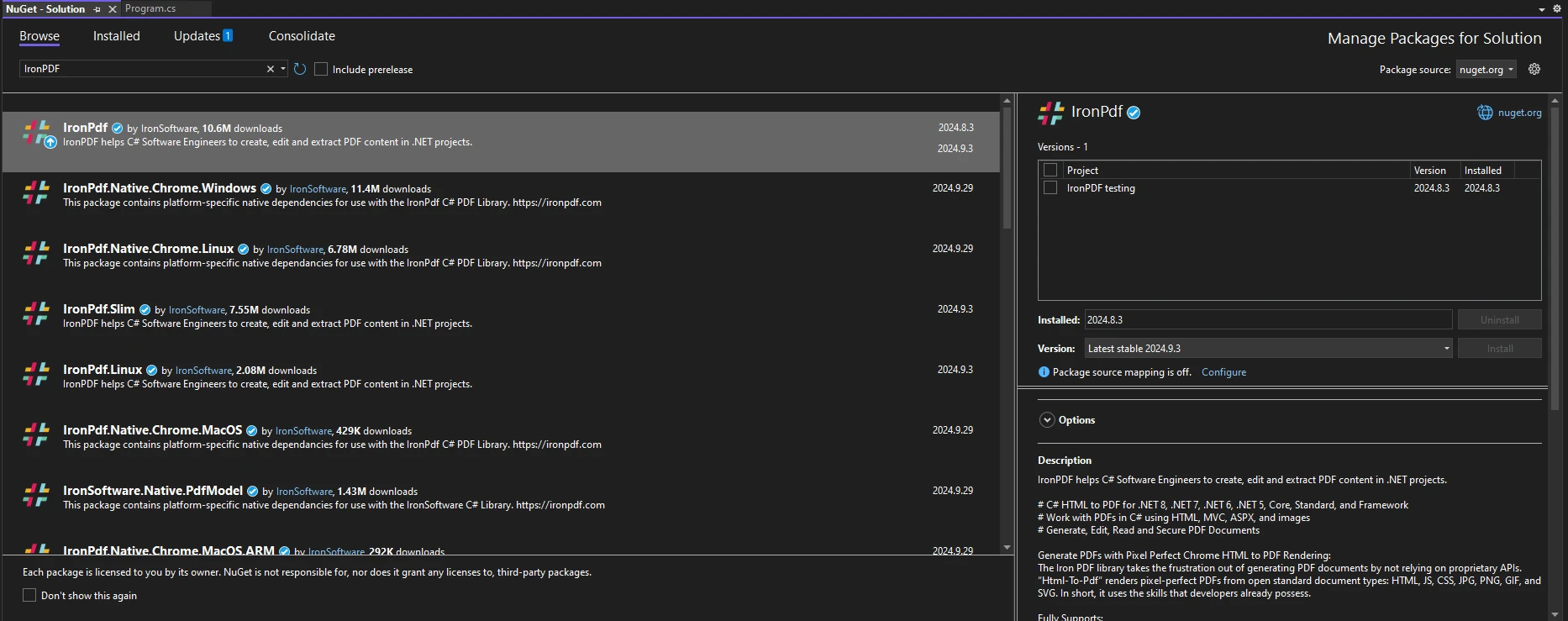
一旦您安裝了 IronPDF,開始使用 IronPDF 所需做的只是將正確的 using 語句新增到程式碼頂部:
using IronPdf;Imports IronPdf設置好IronPDF後,您可以開始建立一個簡單的PDF來演示Math.Pow的使用。 以下是一段程式碼範例,顯示如何生成包含冪次計算的PDF文件:
// Create a PDF renderer
ChromePdfRenderer renderer = new ChromePdfRenderer();

// Define the base and exponent
double baseNumber = 2;
double exponent = 3;

// Calculate the result using Math.Pow
double result = Math.Pow(baseNumber, exponent);

// Create HTML content with the calculation result
string htmlContent = $@"
    <html>
    <head>
        <style>
            body {{font-family: Arial, sans-serif;}}
            h1 {{color: #4CAF50;}}
            p {{font-size: 16px;}}
        </style>
    </head>
    <body>
        <h1>Exponent Calculation Result</h1>
        <p>The result of {baseNumber}^{exponent} is: <strong>{result}</strong></p>
    </body>
    </html>";

// Convert HTML content into a PDF document
PdfDocument pdf = renderer.RenderHtmlAsPdf(htmlContent);

// Save the PDF to a file
pdf.SaveAs("ExponentCalculation.pdf");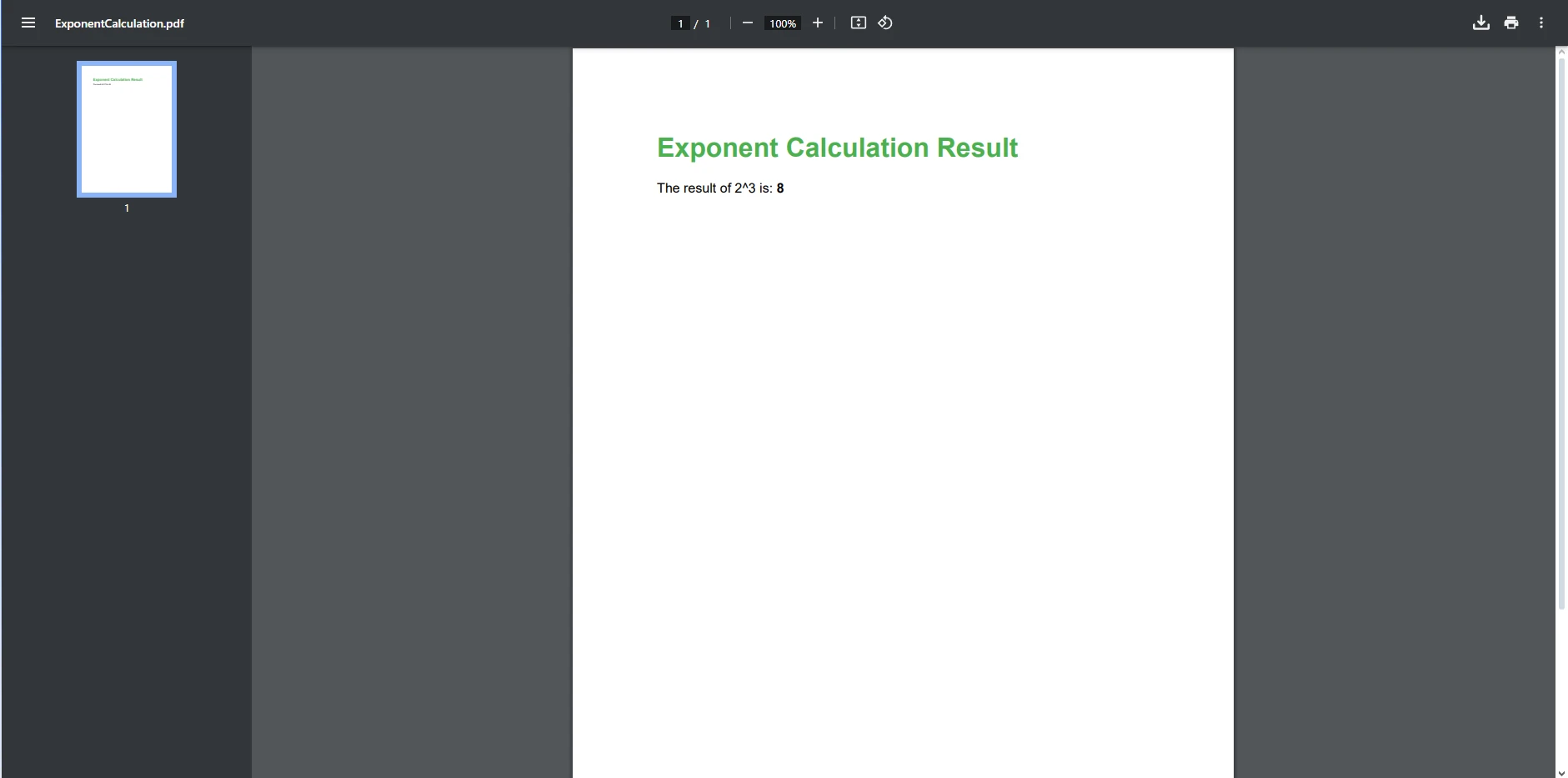
在此範例中:
ChromePdfRenderer的實例,這是將HTML內容呈現為PDF的主課程。Math.Pow進行計算,然後構建一個顯示此返回值的HTML字串。RenderHtmlAsPdf方法接收HTML內容並將其轉換成PDF文件。生成PDF時,適當的格式對於使內容可讀且引人入勝至關重要。 HTML內容可以使用CSS進行樣式化以提高其視覺吸引力。 以下是格式化您的PDF輸出的技巧:
一旦您對基本的冪次計算感到熟悉,您可以探索更複雜的情境。 例如,計算投資的未來價值可以作為一個非常好的冪次用例。
考慮以下範例,使用複利公式計算投資的未來價值:
public static void Main(string[] args)
{
    // Create a PDF renderer
    ChromePdfRenderer renderer = new ChromePdfRenderer();

    // Define principal, rate, and time
    double principal = 1000; // Initial investment
    double rate = 0.05; // Interest rate (5%)
    int time = 10; // Number of years

    // Calculate future value using the formula: FV = P * (1 + r)^t
    double futureValue = principal * Math.Pow((1 + rate), time);

    // Create HTML content for the future value
    string investmentHtml = $@"
        <html>
        <body>
            <p>The future value of an investment of ${principal} at a rate of {rate * 100}% over {time} years is: <strong>${futureValue:F2}</strong></p>
        </body>
        </html>";

    // Render the HTML as a PDF document
    PdfDocument pdf = renderer.RenderHtmlAsPdf(investmentHtml);

    // Save the document
    pdf.SaveAs("InvestmentCalculations.pdf");
}Public Shared Sub Main(ByVal args() As String)
' Create a PDF renderer
Dim renderer As New ChromePdfRenderer()
' Define principal, rate, and time
Dim principal As Double = 1000 ' Initial investment
Dim rate As Double = 0.05 ' Interest rate (5%)
Dim time As Integer = 10 ' Number of years
' Calculate future value using the formula: FV = P * (1 + r)^t
Dim futureValue As Double = principal * Math.Pow((1 + rate), time)
' Create HTML content for the future value
Dim investmentHtml As String = $"
<html>
<body>
<p>The future value of an investment of ${principal} at a rate of {rate * 100}% over {time} years is: <strong>${futureValue:F2}</strong></p>
</body>
</html>"
' Render the HTML as a PDF document
Dim pdf As PdfDocument = renderer.RenderHtmlAsPdf(investmentHtml)
' Save the document
pdf.SaveAs("InvestmentCalculations.pdf")
End Sub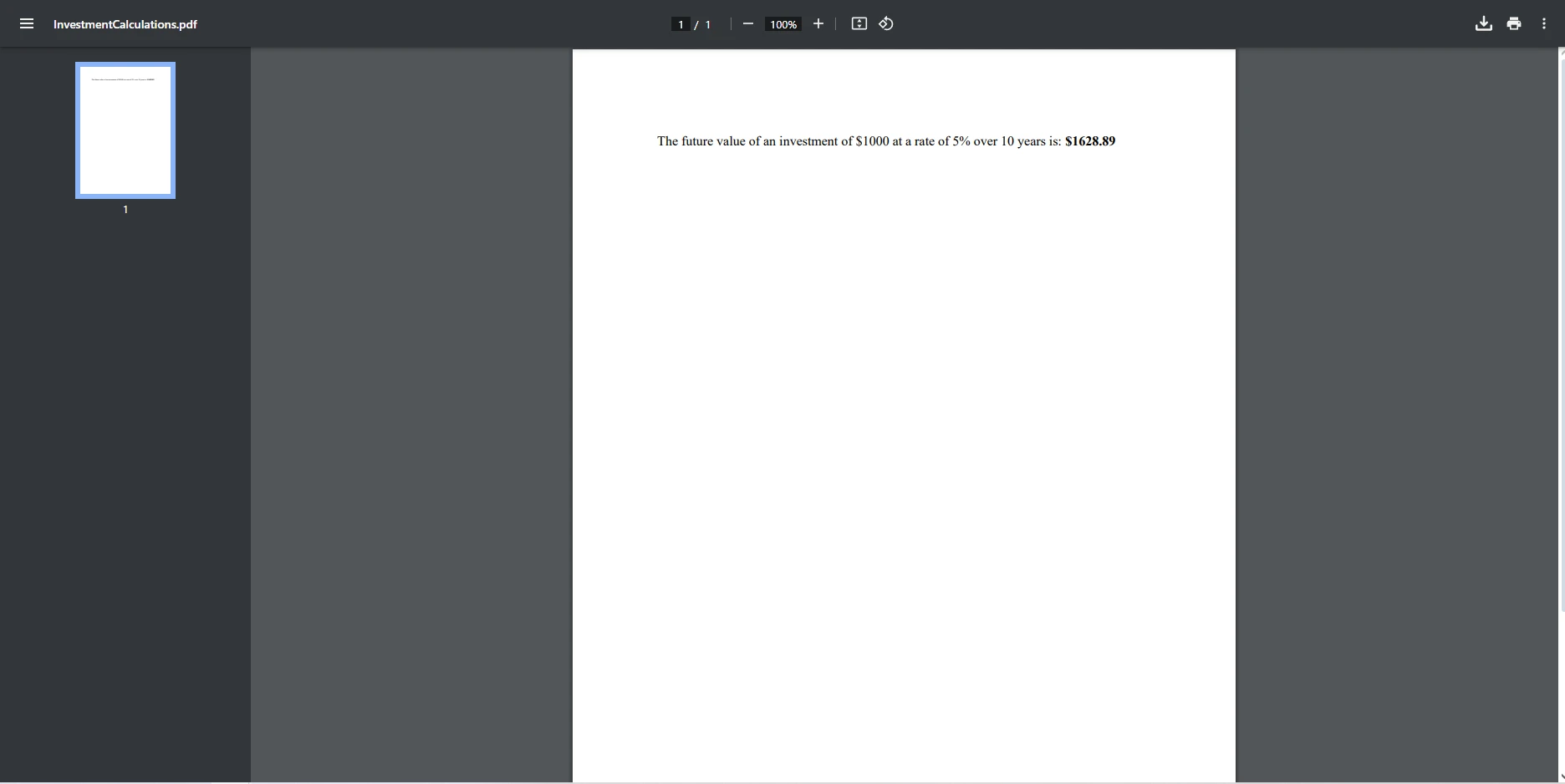
在此範例中:
通過擴展這些概念,您可以建立滿足各種使用者需求的動態和響應式報告。
在本文中,我們探索了使用C#冪次運算結合IronPDF生成動態且資訊豐富的PDF的意義。 Math.Pow冪次值允許您執行複雜的計算並以使用者友好的格式顯示結果。 冪次運算是表現一個數字提升到特定次方的強大工具,可以轉換資料。 理解如何將這些數學運算整合到您的PDF生成過程中,您可以顯著提高文件的價值。
當您考慮將這些功能加入您的專案時,我們強烈建議您下載並試用䄞PDF的免費試用版,這樣您可以在承諾購買授權前探索IronPDF所提供的豐富功能。 憑藉其強大的功能和直觀的介面,IronPDF可以提升您的PDF生成體驗,讓您更輕鬆地建立脫穎而出的文件。

Jacob Mellor是Iron Software的首席技術官,一位在C# PDF技術上開創先河的遠見工程師。作為Iron Software核心程式碼庫的原開發者,他從創立以來就一直在塑造公司的產品架構,與首席執行官Cameron Rimington一起將公司轉變為服務於NASA、特斯拉和全球政府公司的50多名人員的公司。



IronPDF 是 IRONSUITE 的一部分
10 款適用於辦公室文件的 .NET API 產品

當您需要您的PDF看起來像HTML一樣快速。












