


Convert JPEG to PDF .NET | IronPDF for .NET C# Tutorial

在商業應用中,將多個PDF文件合併為一個單一文件是常見的需求。 無論是生成綜合財務報告、打包法律合同進行存檔,還是組裝多部分發票,用程式合併PDF可以節省時間並消除手動步驟。 IronPDF提供了一個簡單的API,只需幾行C#程式碼即可實現此功能,無需外部工具或命令行工具。
本指南涵蓋了每一種實際場景:兩個文件合併、多文件列表合併、使用MemoryStream的記憶體處理,以及合併後的操作如密碼保護和壓縮。
立即開始免費試用,在您的.NET應用程式中新增PDF合併功能。
如何開始使用IronPDF?
在寫任何合併程式碼之前,從NuGet安裝IronPDF。 該套件目標.NET Framework 4.6.2+和.NET 5/6/7/8/9/10,因而可在控制台應用程式、ASP.NET Core服務、Azure Functions和Windows Forms項目中使用,無需其他運行時依賴項。
打開NuGet包管理器控制台並運行:
Install-Package IronPdf
或使用.NET CLI:
dotnet add package IronPdf
如需逐步設置指南,包括授權金鑰應用,請查看IronPDF安裝概述。 套件安裝和授權金鑰應用完成後,您可以執行本指南中的每個範例而無需修改。
如何程式化合併PDF文件?
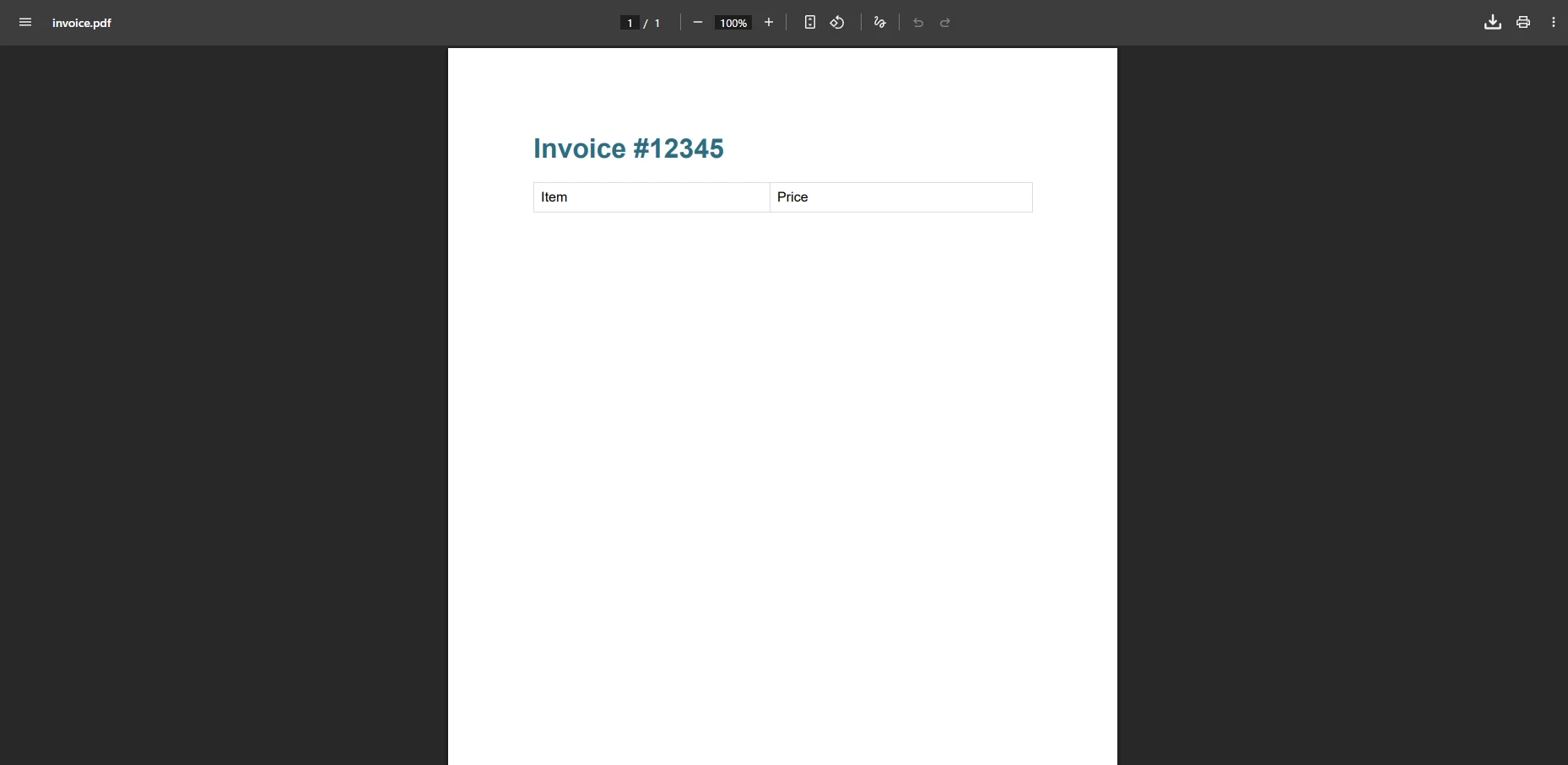
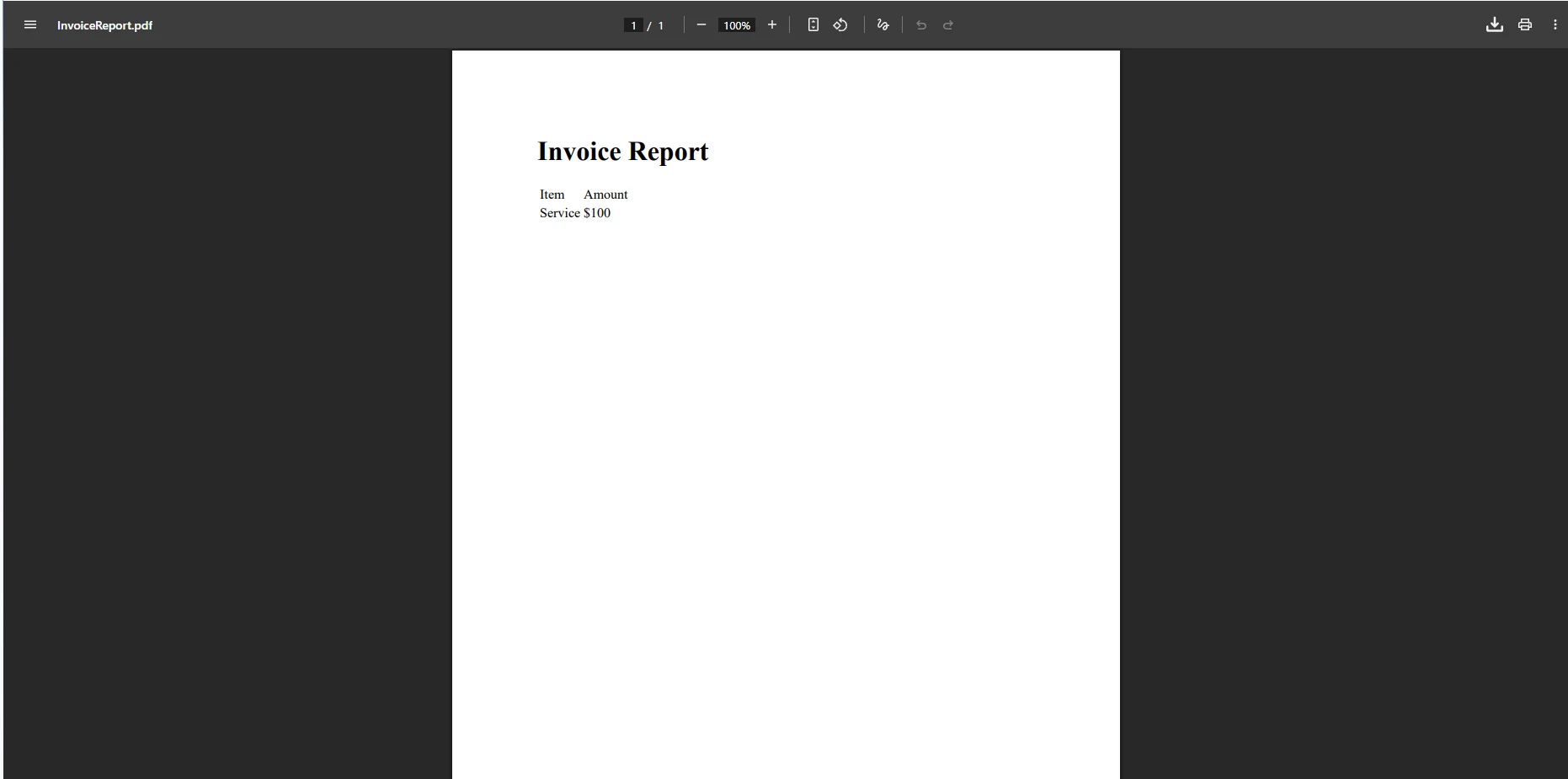
PdfDocument.Merge方法提供了將兩個PDF文件合併為一個PDF的最直接方式。 使用Merge,然後保存結果。
輸入發票一
輸入發票二
using IronPdf;

// Load two input PDF files from disk
PdfDocument pdfA = PdfDocument.FromFile("invoice_one.pdf");
PdfDocument pdfB = PdfDocument.FromFile("invoice_two.pdf");

// Merge PDF documents into a single PDF
PdfDocument merged = PdfDocument.Merge(pdfA, pdfB);

// Save the merged document
merged.SaveAs("combined_invoices.pdf");
using IronPdf;
// Load two input PDF files from disk
PdfDocument pdfA = PdfDocument.FromFile("invoice_one.pdf");
PdfDocument pdfB = PdfDocument.FromFile("invoice_two.pdf");
// Merge PDF documents into a single PDF
PdfDocument merged = PdfDocument.Merge(pdfA, pdfB);
// Save the merged document
merged.SaveAs("combined_invoices.pdf");Imports IronPdf
' Load two input PDF files from disk
Dim pdfA As PdfDocument = PdfDocument.FromFile("invoice_one.pdf")
Dim pdfB As PdfDocument = PdfDocument.FromFile("invoice_two.pdf")
' Merge PDF documents into a single PDF
Dim merged As PdfDocument = PdfDocument.Merge(pdfA, pdfB)
' Save the merged document
merged.SaveAs("combined_invoices.pdf")輸出
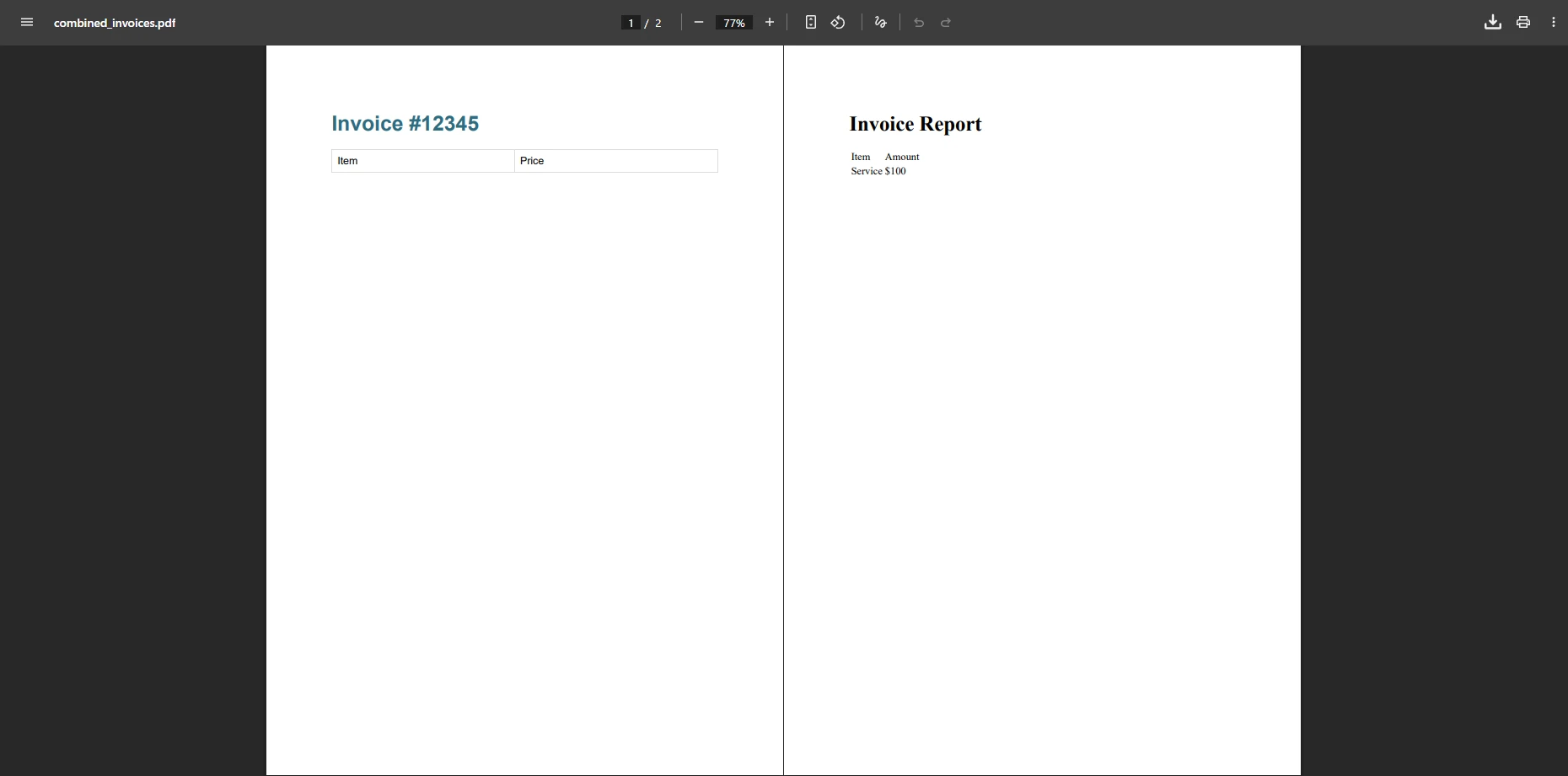
PdfDocument實例,並返回一個包含兩個源的所有頁面的新文件。 生成的文件保留了每個輸入文件的原始格式、圖像、字體和嵌入內容。 合併文件生成後,您可以將其保存到磁碟、從Web端點返回,或在交付給使用者之前新增頁眉和頁腳。
請注意,PdfDocument.FromFile可以處理檔案路徑和URI字串,因此雲儲存中的文件可以直接通過URL載入。 合併操作是不破壞性的:呼叫後兩個源物件保持不變。
如何一次合併多個PDF文件?
如果您需要合併兩個以上的文件,請將Merge方法。 此方法從三個文件擴展到數百個文件,而不改變您的程式碼結構。
using IronPdf;

// Build a list of quarterly reports
List<PdfDocument> pdfsToMerge = new()
{
    PdfDocument.FromFile("report_q1.pdf"),
    PdfDocument.FromFile("report_q2.pdf"),
    PdfDocument.FromFile("report_q3.pdf"),
    PdfDocument.FromFile("report_q4.pdf")
};

// Combine into one annual report
PdfDocument merged = PdfDocument.Merge(pdfsToMerge);

// Save the final document
merged.SaveAs("annual_report.pdf");
using IronPdf;
// Build a list of quarterly reports
List<PdfDocument> pdfsToMerge = new()
{
PdfDocument.FromFile("report_q1.pdf"),
PdfDocument.FromFile("report_q2.pdf"),
PdfDocument.FromFile("report_q3.pdf"),
PdfDocument.FromFile("report_q4.pdf")
};
// Combine into one annual report
PdfDocument merged = PdfDocument.Merge(pdfsToMerge);
// Save the final document
merged.SaveAs("annual_report.pdf");Imports IronPdf
' Build a list of quarterly reports
Dim pdfsToMerge As New List(Of PdfDocument) From {
PdfDocument.FromFile("report_q1.pdf"),
PdfDocument.FromFile("report_q2.pdf"),
PdfDocument.FromFile("report_q3.pdf"),
PdfDocument.FromFile("report_q4.pdf")
}
' Combine into one annual report
Dim merged As PdfDocument = PdfDocument.Merge(pdfsToMerge)
' Save the final document
merged.SaveAs("annual_report.pdf")合併的PDF文件
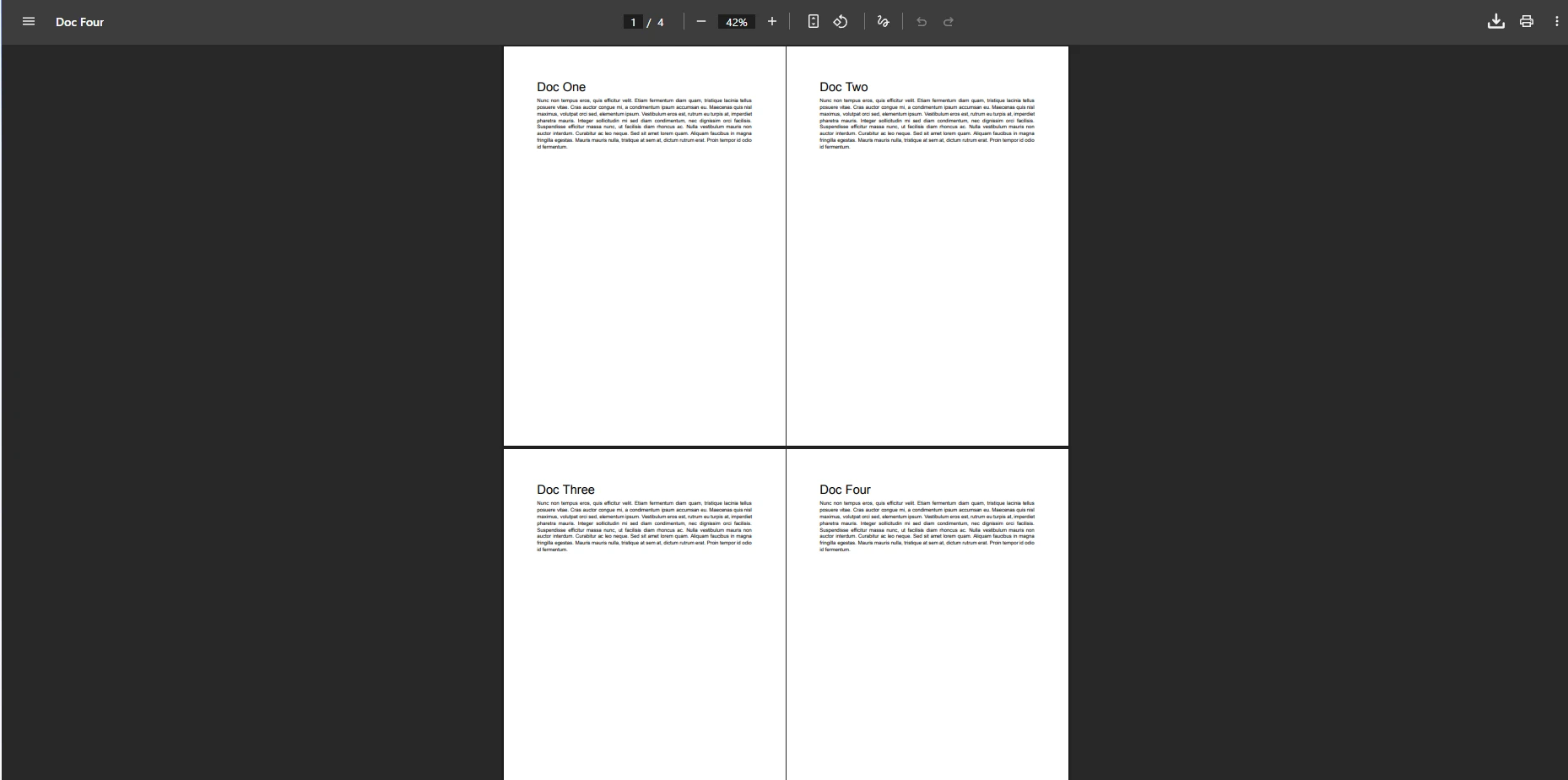
IronPDF以列表順序處理頁面,因此您的List<PdfDocument>中的文件順序直接控制輸出中的頁面順序。 如果您需要在合併後重新排序頁面,頁面管理API允許您從任何PdfDocument中複製、移動或刪除單獨的頁面。
此模式也適用於運行時生成的文件。例如,您可以為報告的每一部分將HTML轉換為PDF,並合併結果PdfDocument物件,而無需將中間文件寫入磁碟。 當源內容來自Word文件時,同樣適用於DOCX到PDF的轉換。
如何使用MemoryStream合併PDF文件?
在無法寫入磁碟或速度過慢的情況下,Web服務和無伺服器功能需要在記憶體中處理。 IronPDF支持從字節陣列載入PDF文件,並通過Stream格式披露合併結果。
using IronPdf;
using System.IO;

// Load PDF content as byte arrays (e.g., from database or HTTP response)
byte[] firstFileBytes = File.ReadAllBytes("contract_part1.pdf");
byte[] secondFileBytes = File.ReadAllBytes("contract_part2.pdf");

// Create PdfDocument objects from byte arrays
PdfDocument doc1 = new PdfDocument(firstFileBytes);
PdfDocument doc2 = new PdfDocument(secondFileBytes);

// Merge and access the result as a stream
PdfDocument merged = PdfDocument.Merge(doc1, doc2);
MemoryStream outputStream = merged.Stream;

// Optionally save to disk as well
merged.SaveAs("merged_contract.pdf");
using IronPdf;
using System.IO;
// Load PDF content as byte arrays (e.g., from database or HTTP response)
byte[] firstFileBytes = File.ReadAllBytes("contract_part1.pdf");
byte[] secondFileBytes = File.ReadAllBytes("contract_part2.pdf");
// Create PdfDocument objects from byte arrays
PdfDocument doc1 = new PdfDocument(firstFileBytes);
PdfDocument doc2 = new PdfDocument(secondFileBytes);
// Merge and access the result as a stream
PdfDocument merged = PdfDocument.Merge(doc1, doc2);
MemoryStream outputStream = merged.Stream;
// Optionally save to disk as well
merged.SaveAs("merged_contract.pdf");Imports IronPdf
Imports System.IO
' Load PDF content as byte arrays (e.g., from database or HTTP response)
Dim firstFileBytes As Byte() = File.ReadAllBytes("contract_part1.pdf")
Dim secondFileBytes As Byte() = File.ReadAllBytes("contract_part2.pdf")
' Create PdfDocument objects from byte arrays
Dim doc1 As New PdfDocument(firstFileBytes)
Dim doc2 As New PdfDocument(secondFileBytes)
' Merge and access the result as a stream
Dim merged As PdfDocument = PdfDocument.Merge(doc1, doc2)
Dim outputStream As MemoryStream = merged.Stream
' Optionally save to disk as well
merged.SaveAs("merged_contract.pdf")合併合同文件
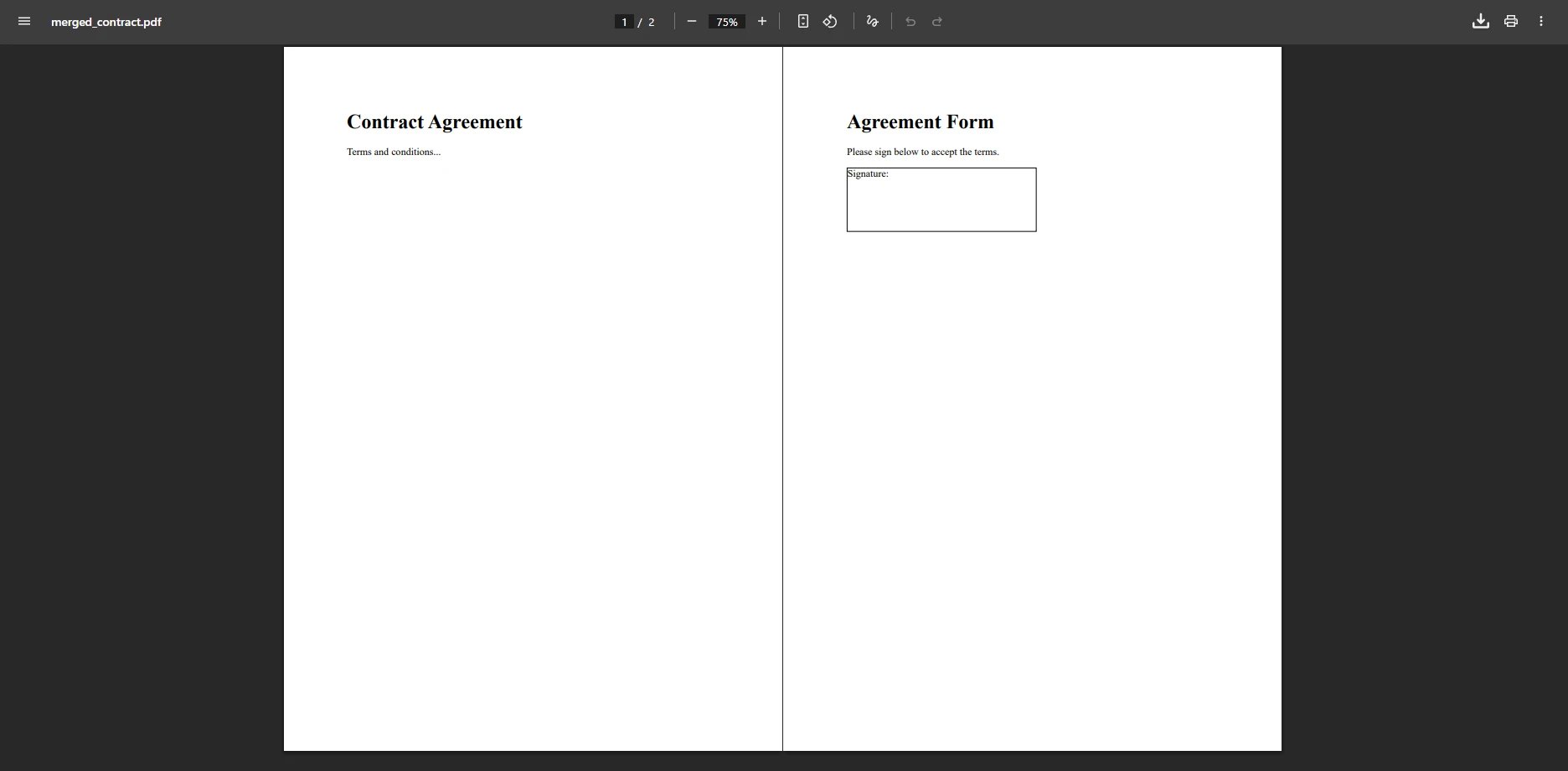
MemoryStream,準備寫入HTTP響應或傳送到另一個處理步驟。在ASP.NET Core控制器中,您可以直接返回File(outputStream, "application/pdf", "merged.pdf")。 未建立臨時文件,簡化了清理工作並減少了高吞吐量場景中的磁碟開銷。
IronPDF以字串文件路徑、字節陣列和流作為輸入源,因此您可以在相同的合併呼叫中自由混合搭配。 從資料庫BLOB載入的文件可以與從URL獲取的文件合併,而不需要任何中間轉換步驟。
如何在合併文件中保留標籤和導航?
合併PDF文件時,IronPDF將每個源文件的標籤結構轉移到合併輸出中。 讀者在合併輸出的導航窗格中看到所有合併文件的完整目錄,使使用者很容易在不同源文件中跳轉。 根據PDF規範中的說明,標籤儲存在文件大綱字典中,而IronPDF正確重建了這個結構以適應所有合併源。
標籤保留是自動完成的,無需額外配置。 如果源文件包含巢狀標籤(章節和小節),則層級結構在合併輸出中保留。 若合併文件需要統一目錄而不是每個文件單獨的標籤樹,目錄API允許您在合併後構建自定義的導航結構。
如果源文件缺少標籤元資料,則合併輸出中將不包含該部分的目錄條目。 在交付合併文件以滿足合規性或存檔要求之前,請檢查生成的OutlineManager屬性以驗證哪些標籤被保留。 您可以程式化地重命名標籤標籤,重新排序條目,或注入新項目,以將不同源文件中的內容橋接到邏輯層次結構中。 對於還需要PDF/A轉換以進行長期存檔的工作流程,請在合併後應用合規性轉換步驟,而不是對每個源文件單獨應用。 在一個過程中轉換最終合併文件更為有效,並避免重新轉換可能需要進一步編輯的輸出。
合併後,您還可以使用頁碼功能為合併文件新增頁碼,這對於輸出跨越多頁的從多個源獲取的文件非常有用。
如何應用密碼保護於合併的PDF?
合併後,生成的PdfDocument 提供SecuritySettings 用於應用使用者和所有者密碼,限制列印、複製和編輯權限。
using IronPdf;

PdfDocument pdfA = PdfDocument.FromFile("part1.pdf");
PdfDocument pdfB = PdfDocument.FromFile("part2.pdf");

PdfDocument merged = PdfDocument.Merge(pdfA, pdfB);

// Require a password to open the document
merged.SecuritySettings.UserPassword = "reader123";

// Owner password controls permissions such as printing and editing
merged.SecuritySettings.OwnerPassword = "admin456";

merged.SaveAs("secured_merged.pdf");
using IronPdf;
PdfDocument pdfA = PdfDocument.FromFile("part1.pdf");
PdfDocument pdfB = PdfDocument.FromFile("part2.pdf");
PdfDocument merged = PdfDocument.Merge(pdfA, pdfB);
// Require a password to open the document
merged.SecuritySettings.UserPassword = "reader123";
// Owner password controls permissions such as printing and editing
merged.SecuritySettings.OwnerPassword = "admin456";
merged.SaveAs("secured_merged.pdf");Imports IronPdf
Dim pdfA As PdfDocument = PdfDocument.FromFile("part1.pdf")
Dim pdfB As PdfDocument = PdfDocument.FromFile("part2.pdf")
Dim merged As PdfDocument = PdfDocument.Merge(pdfA, pdfB)
' Require a password to open the document
merged.SecuritySettings.UserPassword = "reader123"
' Owner password controls permissions such as printing and editing
merged.SecuritySettings.OwnerPassword = "admin456"
merged.SaveAs("secured_merged.pdf")UserPassword 在讀者查看文件之前出現提示,而OwnerPassword 標識權限變更。 您可以將密碼保護與列印限制、複製防止標記和數位簽章結合在一起。 如需完整的權限選項指南,PDF安全教程涵蓋了所有可用設置。
若源文件本身有密碼保護,而您擁有所有者憑證,IronPDF可以解密加密的PDF,然後進行合併。 這意味着您可以將來自不同供應商或系統的安全文件合併成單一的重新保護輸出,而不需手動解鎖步驟。
如何縮小合併PDF的文件大小?
合併有許多圖像的大文件可能會生成需要耗費大量空間或時間來儲存或發送的輸出。 IronPDF的PDF壓縮API可以透過在較低品質設置下重新壓縮嵌入的圖片顯著降低文件大小,同時保留文字清晰度。
using IronPdf;

PdfDocument pdfA = PdfDocument.FromFile("report_section1.pdf");
PdfDocument pdfB = PdfDocument.FromFile("report_section2.pdf");

PdfDocument merged = PdfDocument.Merge(pdfA, pdfB);

// Compress embedded images to reduce output file size
merged.CompressImages(60); // quality 0–100

merged.SaveAs("compressed_merged.pdf");
using IronPdf;
PdfDocument pdfA = PdfDocument.FromFile("report_section1.pdf");
PdfDocument pdfB = PdfDocument.FromFile("report_section2.pdf");
PdfDocument merged = PdfDocument.Merge(pdfA, pdfB);
// Compress embedded images to reduce output file size
merged.CompressImages(60); // quality 0–100
merged.SaveAs("compressed_merged.pdf");IRON VB CONVERTER ERROR developers@ironsoftware.comCompressImages 的整數參數是一個品質百分比:50至75之間的值通常可以將圖像密集型文件的文件大小減少40-70%,並且對文字內容沒有顯著的退化。 對於包含矢量圖像和最少的光柵圖像的文件,儲蓄較少,但無論如何都可以安全包含此呼叫。
合併PDF的常見使用範例有哪些?
PdfDocument.Merge API適用於在.NET應用程式中生產使用的一系列廣泛的文件工作流程:
| 使用場景 | 輸入來源 | 推薦方法 |
|---|---|---|
| 年度財務報告 | 磁碟上的四個季度PDF文件 | 使用Merge(List<PdfDocument>)進行列表合併 |
| 多部分法律合同 | 來自資料庫的主合同+修正案 | 字節陣列載入+記憶體中合併 |
| 發票合併 | 按項目行呈現的HTML發票 | 每個項目HTML到PDF,然後進行列表合併 |
| 自動化報告傳遞 | 混合DOCX和PDF原文件 | Docx到PDF轉換,然後合併 |
| 安全文件存檔 | 多個部門報告 | 列表合併+SecuritySettings |
對於需要在合併前選擇性提取文件的工作流程,分割PDF API可以從源文件中提取特定的頁面範圍。 您可以直接在PDF文件之間複製頁面,這對於只有大文件中的某些部分需要出現在合併輸出中時非常有用。
IronPDF還支持從合併文件中提取文字和圖像以便進一步處理,從而使其適合在更大資料管道中作為中央文件組裝步驟。
下一步如何?
IronPDF的PdfDocument.Merge方法涵蓋了.NET PDF合併場景的全部範圍,並且程式碼極少:兩文件合併,多文件列表合併,記憶體中處理,密碼保護的輸出,合併後壓縮。 每種方法在無論輸入源型別是何時使用相同的一致API。
開始免費試用以在您自己的項目中運行這些範例。 對於生產部署,請查看符合您團隊大小和使用情況的授權選項。
新增合併支援後,探索相關文件操作:將PDF分割為多個文件,為多頁輸出新增頁碼,或將水印應用於合併文件中的所有頁面。

常見問題
如何在C#中合併兩個PDF文件?
使用PdfDocument.FromFile載入每個文件,然後調用PdfDocument.Merge(pdfA, pdfB)並使用merged.SaveAs保存結果。
如何在.NET中合併超過兩個PDF文件?
建立包含所有來源文件的List<PdfDocument>,並將其傳遞給PdfDocument.Merge(list)。輸出保留列表順序。
您可以在記憶體中合併PDF而不寫入磁碟嗎?
是的。使用new PdfDocument(bytes)從位元組陣列載入文件,合併它們並通過merged.Stream存取結果以避免任何磁碟寫入。
IronPDF在合併PDFs時是否保留書籤?
是的。IronPDF會自動將每個源文件中的書籤(大綱)結構保留下來,並將其轉移到合併輸出中,包括巢狀的書籤層級。
如何在C#中密碼保護合併的PDF?
合併後,設置merged.SecuritySettings.UserPassword為閱讀器密碼,設置merged.SecuritySettings.OwnerPassword為許可密碼,然後調用SaveAs。
如何減少合併PDF的文件大小?
在保存之前,調用merged.CompressImages(quality),設置quality值在50到75之間。這將重新壓縮嵌入的光柵圖像,通常對於以圖像為主的文件減少40-70%的文件大小。
IronPDF能合併加密的PDF文件嗎?
是的。當您擁有擁有者密碼時,IronPDF可以載入並合併加密的PDFs。使用PdfDocument.FromFile(path, password)在合併之前解鎖文件。
IronPDF的合併API是否適用於ASP.NET Core?
是的。合併結果可以從ASP.NET Core的控制器動作中作為File(merged.Stream, "application/pdf", "merged.pdf")返回。










 免費開始
免費開始 免費開始
免費開始 預訂免費直播演示
















