



已更新 2026年4月23日
深流 io (开发者如何使用)
在本文中,我们将学习如何使用开放实时服务器深流和 IronPDF 生成 PDF。
阅读更多

Python中的hashlib模块是用于处理安全哈希和消息摘要算法的强大工具。 该模块为众多安全哈希算法提供了标准接口,使其成为需要确保数据完整性和安全性的开发人员的多功能选择。 稍后在文章中,我们还将查看来自Iron Software的多功能PDF生成库IronPDF,并编写一个使用这两个库的脚本以演示其使用方式。
hashlib模块是Python标准库的一部分,因此无需单独安装。 它包括各种加密哈希函数,如MD5、SHA-1、SHA-224、SHA-256、SHA-384、SHA-512以及SHA-3系列。 这些函数用于创建哈希对象,随后可以用于生成数据的哈希值。
1.广泛的算法: hashlib支持多种哈希算法,包括较旧的算法(如 MD5 和 SHA-1)以及较新的算法(如 SHA-256 和 SHA-3)。 2.**简单接口:**每个哈希算法都有一个构造方法,该方法返回一个哈希对象。 该对象可以使用update方法输入数据,并使用digest或hexdigest方法生成哈希值。 3.**安全性:**虽然像 MD5 和 SHA-1 这样的一些算法存在已知的漏洞,但 hashlib 包含了更安全的选项,如 SHA-256 和 SHA-3。
hashlib是一个内置模块,不需要显式安装。
这是一个简单例子,展示了如何使用hashlib通过哈希构造器生成SHA-256哈希:
import hashlib

# Creating hash objects with SHA-256
hash_object = hashlib.sha256()
# Update the hash object with data
hash_object.update(b'IronPDF from Iron Software is Awesome')
# Get the hexadecimal representation of the hash
hash_hex = hash_object.hexdigest()  # hash_hex is the hexadecimal digest
print(hash_hex)  # Output the hash
# Output: 6fc0c7d6af8eb51f0cd89281db55c6a6b76b5310226fa5af2272a8eb42cc1bfe***多线程支持:**使用加密哈希函数时,如果一次提供超过 2047 字节的数据,hashlib 会在计算哈希值时释放全局解释器锁 (GIL),从而在多线程应用程序中实现更好的性能。 ***自定义哈希算法:**如果您的 Python 发行版的 hashlib 链接到提供额外算法的 OpenSSL 版本,则可以通过 new() 方法访问它们。
import hashlib

# Simple hashing example
data = b'Hello, World!'
hash_object = hashlib.sha256(data)
hex_dig = hash_object.hexdigest()
print("SHA-256 Hash:", hex_dig)
# Output: SHA-256 Hash: dffd6021bb2bd5b0af676290809ec3a53191dd81c7f70a4b28688a362182986f此代码为输入数据生成SHA-256哈希。
import hashlib

# Hashing with different digest sizes
data = b'Hello, World!'

# MD5, SHA-256, and SHA-512 hash generation
hash_md5 = hashlib.md5(data).hexdigest()
hash_sha256 = hashlib.sha256(data).hexdigest()
hash_sha512 = hashlib.sha512(data).hexdigest()

# Print each hash
print("MD5 Hash (hex):", hash_md5)
print("SHA-256 Hash (hex):", hash_sha256)
print("SHA-512 Hash (hex):", hash_sha512)
# Output:
# MD5 Hash (hex): 65a8e27d8879283831b664bd8b7f0ad4
# SHA-256 Hash (hex): dffd6021bb2bd5b0af676290809ec3a53191dd81c7f70a4b28688a362182986f
# SHA-512 Hash (hex): 374d794a95cdcfd8b35993185fef9ba368f160d8daf432d08ba9f1ed1e5abe6cc69291e0fa2fe0006a52570ef18c19def4e617c33ce52ef0a6e5fbe318cb0387此代码使用提供的数据生成MD5、SHA-256和SHA-512的哈希。
import hashlib
from hashlib import blake2b

# Keyed hashing example
h = blake2b(key=b'pseudorandom key', digest_size=16)
h.update(b'message data')
print(h.hexdigest())
# Output: 3d363ff7401e02026f4a4687d4863ced此代码演示如何使用Blake2b算法创建带键哈希。
import hashlib
import os

# Randomized hashing example using PBKDF2-HMAC
data = b'Hello, World!'
salt = os.urandom(16)  # Generate a random salt
hash_object = hashlib.pbkdf2_hmac('sha256', data, salt, 100000)
hex_dig = hash_object.hex()
print("Randomized Hash (SHA-256):", hex_dig)
# Output: Randomized Hash (SHA-256): a2a3c1a30a2add1867d55eac97fd9c84dc679691c0f15ae09c01e1bcc63ba47a这些示例涵盖了使用不同摘要大小的基本哈希。 可以根据具体需求或偏好进行调整,比如使用不同的算法或参数。
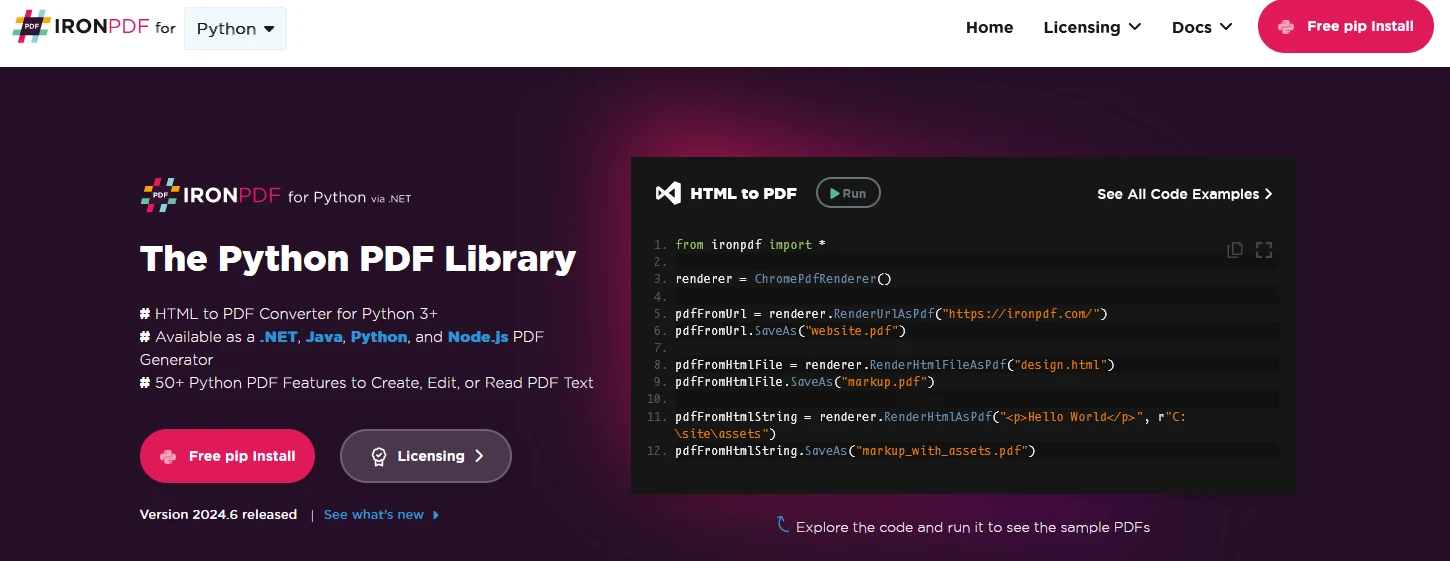
IronPDF 是一个强大的Python库,用于使用HTML、CSS、图像和JavaScript创建、编辑和签署PDF。 它提供高性能的能力,内存使用最小。 用户可以从HTML生成PDF,合并或拆分PDF文件,提取PDF中的文本和图像,应用水印,将PDF栅格化为图像格式如JPEG和PNG,加密PDF文件等。 IronPDF提供了广泛的PDF操作。
用户可以将HTML文件、HTML字符串和URL转换为PDF。 例如,使用IronPDF的Chrome PDF渲染器将网页渲染为PDF。
IronPDF为Python 3+版本设计,可在Windows、Mac、Linux或云平台上运行。
IronPDF也适用于.NET, Java, Python, 和Node.js。
用户可以通过IronPDF设置属性,使用密码和权限添加安全性,和应用数字签名到PDF。
IronPDF允许您自定义PDF文件,使用页眉、页脚,页码和可调的边距。 它还支持响应式布局和自定义纸张大小。
IronPDF包也符合PDF标准,如PDF/A和PDF/UA。 它支持UTF-8字符编码并处理图像、CSS和字体等资产。
首先,让我们创建一个Python文件来添加我们的脚本。在本例中,我们使用Visual Studio Code作为代码编辑器。
打开Visual Studio Code,创建一个文件hashlibDemo.py。
安装IronPDF库:
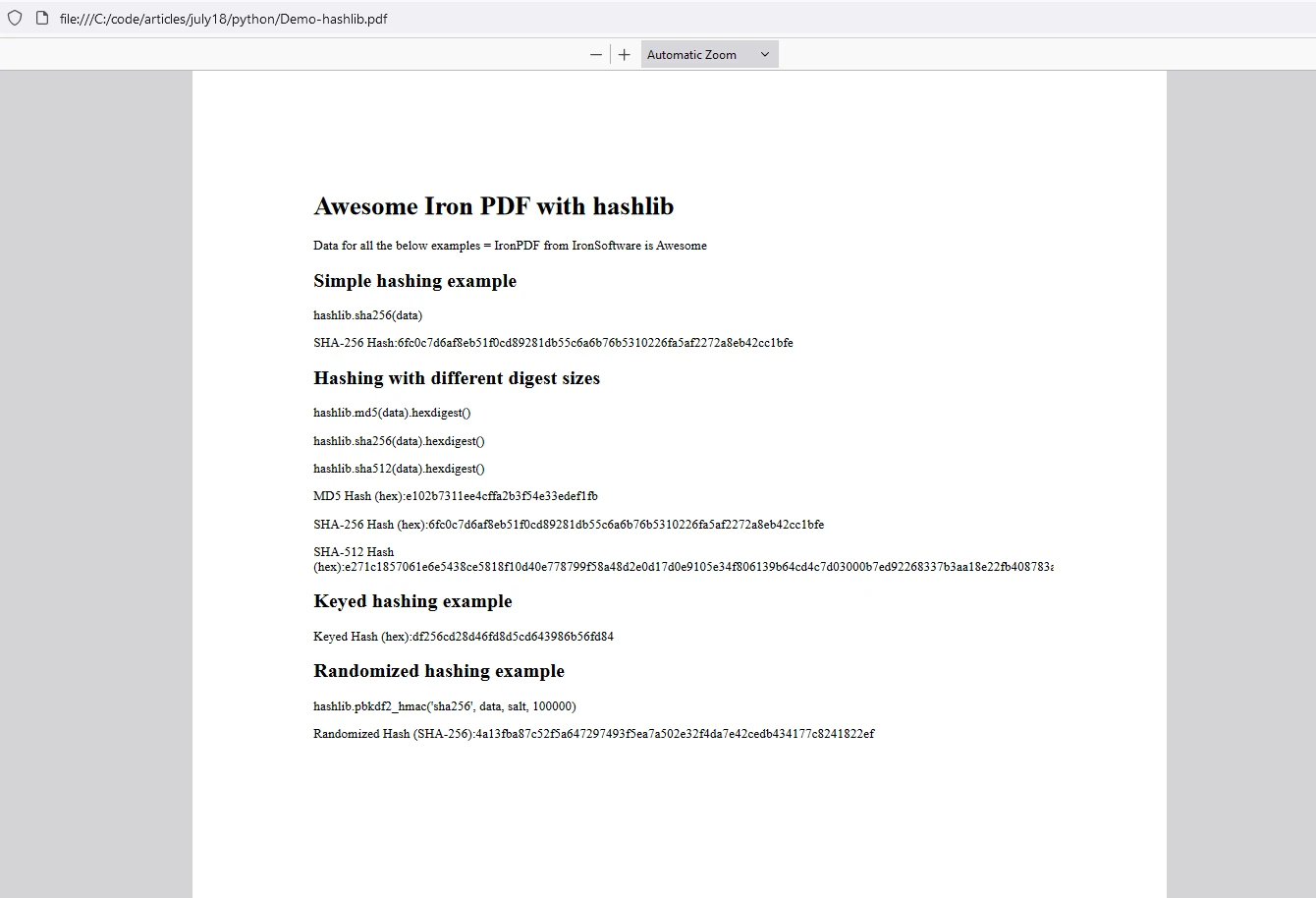
然后添加以下代码来演示IronPDF和Hashlib Python包的使用
import hashlib
import os
from hashlib import blake2b
from ironpdf import *

# Apply your license key
License.LicenseKey = "your key"

# Create a PDF from a HTML string using Python
content = "<h1>Awesome Iron PDF with hashlib</h1>"
content += "<p>Data for all the below examples = IronPDF from Iron Software is Awesome</p>"
content += "<h2> Simple hashing example</h2>"

# Simple hashing example
data = b'IronPDF from Iron Software is Awesome'
content += "<p>hashlib.sha256(data)</p>"
hash_object = hashlib.sha256(data)
hex_dig = hash_object.hexdigest()
print("SHA-256 Hash:", hex_dig)
content += "<p>SHA-256 Hash:"+str(hex_dig)+"</p>"

content += "<h2> Hashing with different digest sizes</h2>"
# Hashing with different digest sizes
hash_md5 = hashlib.md5(data).hexdigest()
content += "<p>hashlib.md5(data).hexdigest()</p>"
hash_sha256 = hashlib.sha256(data).hexdigest()
content += "<p>hashlib.sha256(data).hexdigest()</p>"
hash_sha512 = hashlib.sha512(data).hexdigest()
content += "<p>hashlib.sha512(data).hexdigest()</p>"

print("MD5 Hash (hex):", hash_md5)
print("SHA-256 Hash (hex):", hash_sha256)
print("SHA-512 Hash (hex):", hash_sha512)
content += "<p>MD5 Hash (hex):"+str(hash_md5)+"</p>"
content += "<p>SHA-256 Hash (hex):"+str(hash_sha256)+"</p>"
content += "<p>SHA-512 Hash (hex):"+str(hash_sha512)+"</p>"

# Keyed hashing example
content += "<h2> Keyed hashing example</h2>"
h = blake2b(key=b'pseudorandom key', digest_size=16)
content += "<p></p>"
h.update(data)
print(h.hexdigest())
content += "<p>Keyed Hash (hex):"+str(h.hexdigest())+"</p>"

# Randomized hashing example
content += "<h2> Randomized hashing example </h2>"
salt = os.urandom(16)  # Generate a random salt
hash_object = hashlib.pbkdf2_hmac('sha256', data, salt, 100000)
content += "<p>hashlib.pbkdf2_hmac('sha256', data, salt, 100000)</p>"
hex_dig = hash_object.hex()
print("Randomized Hash (SHA-256):", hex_dig)
content += "<p>Randomized Hash (SHA-256):"+str(hex_dig)+"</p>"

# Generate PDF using IronPDF
renderer = ChromePdfRenderer()
pdf = renderer.RenderHtmlAsPdf(content)
# Export to a file or Stream
pdf.SaveAs("Demo-hashlib.pdf")提供的代码展示了如何使用Python的hashlib库实现各种哈希技术:
b'IronPDF from Iron Software is Awesome')。
2.**使用不同摘要长度进行哈希:**本节演示使用 MD5、SHA-256 和 SHA-512 算法对确切的数据字符串进行哈希。b'pseudorandom key')对数据进行带密钥的哈希处理。
4.**随机哈希示例:**利用 PBKDF2-HMAC 算法和 SHA-256 生成带有随机生成盐的随机哈希。每个示例都展示了加密哈希的不同方面,如标准哈希、带键哈希和随机哈希技术。

IronPDF 运行在Python许可证密钥上。 IronPDF for Python提供免费试用许可证密钥,允许用户在购买前测试其丰富功能。
在使用 IronPDF 包 之前,将许可证密钥放置在脚本的开头:
from ironpdf import *
# Apply your license key
License.LicenseKey = "key"hashlib模块是Python标准库的关键组成部分,为各种应用程序提供强大且安全的哈希函数。 无论您是确保数据完整性、安全存储密码,还是创建数字签名,hashlib都提供所需工具。 另一方面,IronPDF 是一个强大的PDF生成和PDF操作库。 通过这两个库,开发人员可以快速生成哈希并将其存储为PDF格式。

Curtis Chau 拥有卡尔顿大学的计算机科学学士学位,专注于前端开发,精通 Node.js、TypeScript、JavaScript 和 React。他热衷于打造直观且美观的用户界面,喜欢使用现代框架并创建结构良好、视觉吸引力强的手册。

当您需要PDF看起来像HTML时,速度快。














