



Updated September 2, 2026
HTML to PDF in C#: Benchmarking 7 .NET Libraries (2026)
Compare 7 C# HTML to PDF libraries on .NET 10 for cold start, throughput, memory and rendering accuracy. Only 3 rendered the test invoice correctly.
Read More

For this tutorial, we will be looking at how to extract text from PDF (Portable Document Format) documents in C# using two different PDF libraries.
In today's modern web age, there are a number of libraries out there that are capable of extracting text and images from PDF files for parsing and reading. Today, we will be using two powerful PDF libraries, IronPDF and QuestPDF, to extract text from a PDF file. By comparing how these two libraries handle a simple text extraction task, we can determine which may be better suited for handling such advanced PDF tasks. Before we get into the comparison section, let's first take a moment to look at a brief introduction for each library.
QuestPDF is a cutting-edge, open-source PDF generation library designed specifically for .NET developers. It utilizes a modern declarative API that enables users to define and generate complex PDF layouts with great flexibility and precision. While QuestPDF's primary focus is on document generation rather than text extraction, it provides a clean, intuitive approach to building documents from scratch and manipulating different elements within the document. This makes it particularly well-suited for applications requiring customized, dynamic PDF content.
IronPDF is a versatile PDF processing library designed to make working with PDFs in C# easier and more efficient. Unlike QuestPDF, IronPDF is specifically built for both PDF generation and manipulation. Features it offers include PDF encryption, extensive support for editing and annotating existing PDFs, converting various documents to PDF format, adding in headers and footers (which can be used to display page numbers), editing document metadata, multithreading & asynchronous support, and advanced PDF conversion tools.
On top of its rich set of features, IronPDF provides full cross-platform support, offering support for .NET 5/6/7, .NET Core, and .NET Framework. It is also fully compatible with Windows, macOS, Linux, and cloud platforms like Azure and AWS, making it a great choice for cross-platform .NET applications.
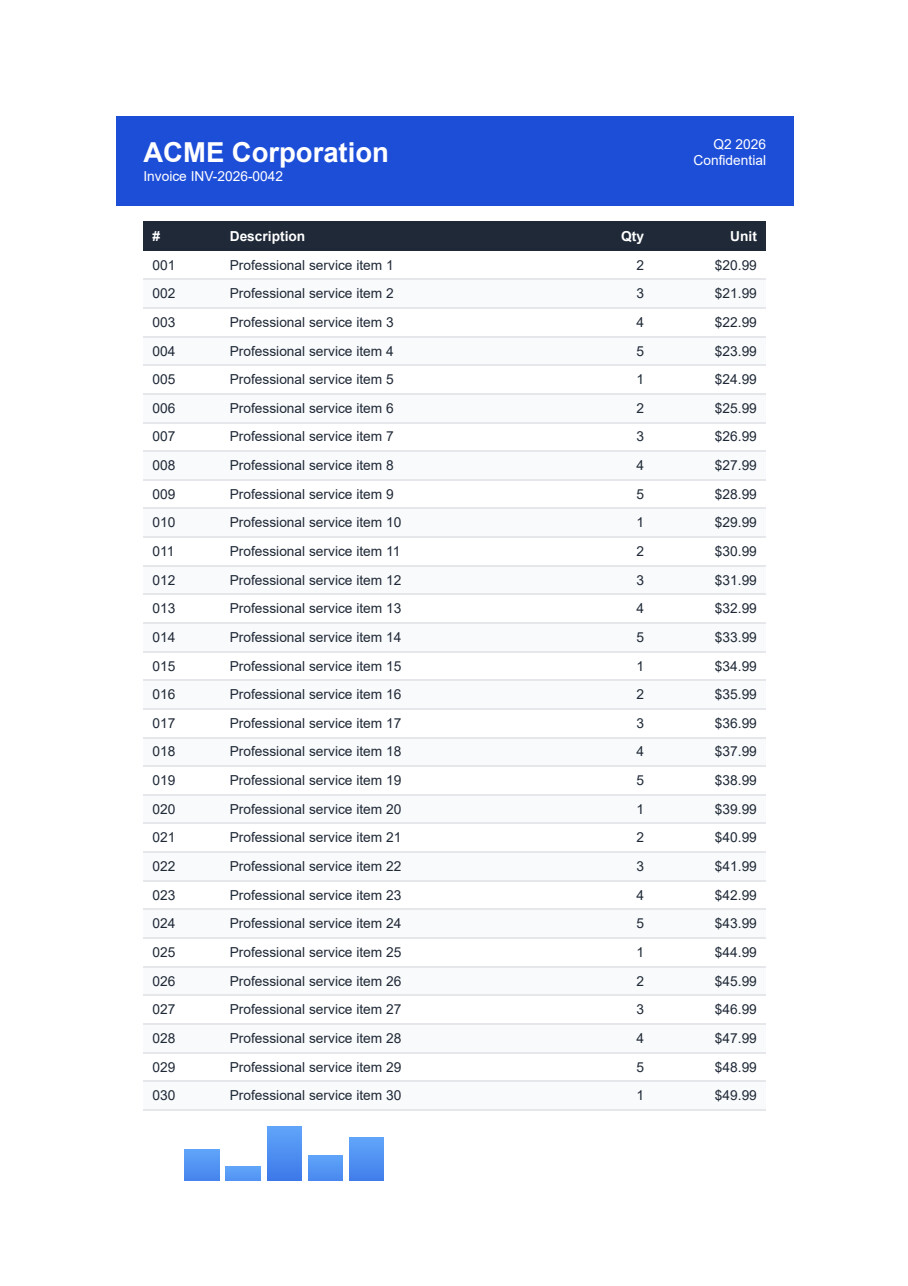
For today's example, we will be extracting text from our example invoice PDF document using both libraries.
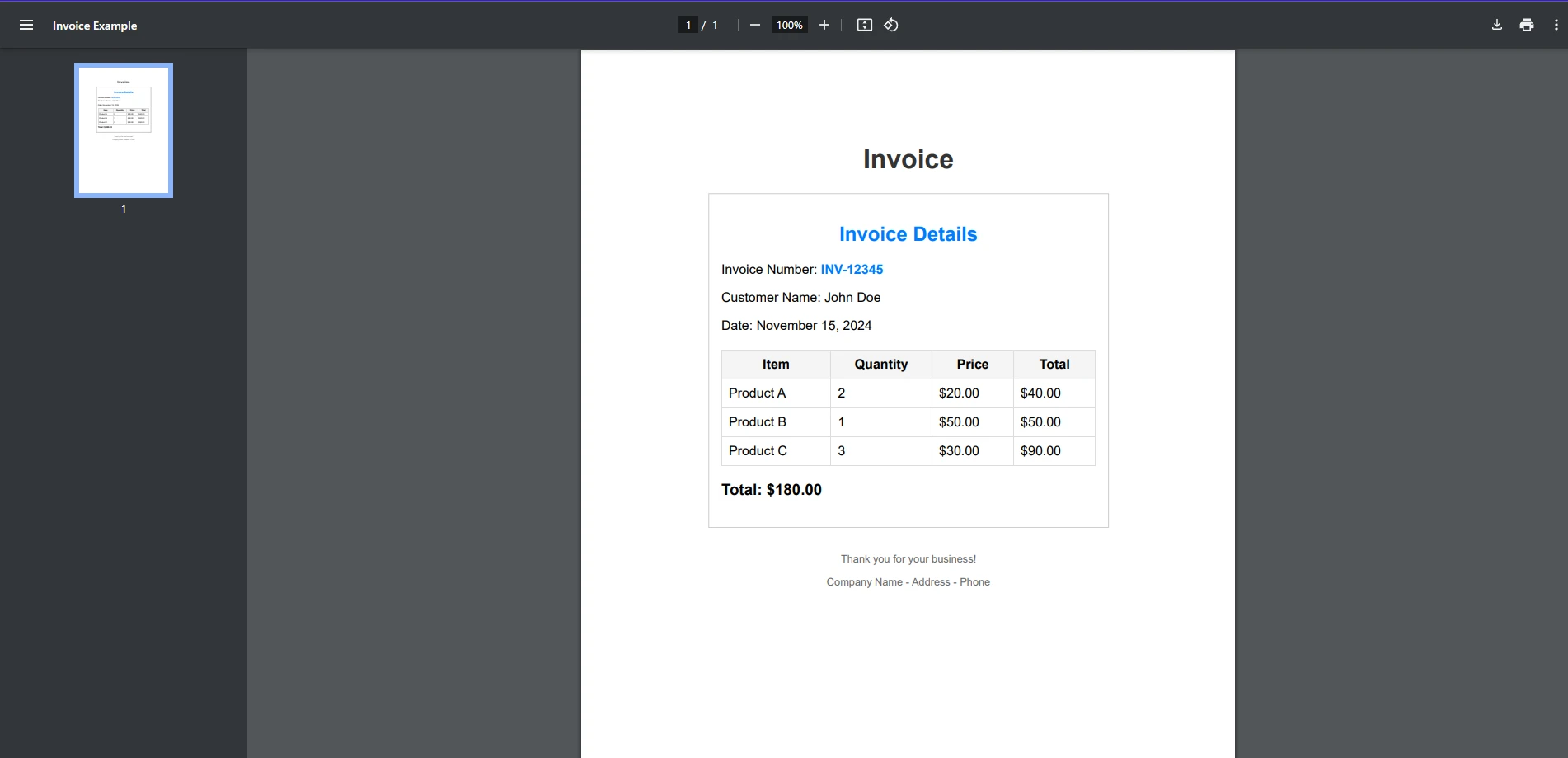
First, we will be looking at if QuestPDF can handle this task.
Unfortunately, while QuestPDF excels at handling PDF creation and the performance of certain PDF tasks, text extraction is not among the features it currently has to offer. Although QuestPDF is not inherently designed for extracting text from existing PDF files, it does provide basic tools for working with PDFs, which can be extended for text extraction with additional logic or third-party integrations. For example, QuestPDF could be used to generate PDF documents with structured content, and you could implement a custom solution to extract content based on the document's structure using a third-party library.
Text extraction is just one of the tasks that IronPDF excels at when it comes to working with PDFs. In just a few lines of code, we are able to extract text from an entire PDF document. This can be seen in the following code snippet:
using IronPdf;

public class Program
{
    public static void Main(string[] args)
    {
        // Load the PDF document
        PdfDocument pdf = PdfDocument.FromFile("exampleInvoice.pdf");

        // Extract all the text from the loaded PDF document
        string text = pdf.ExtractAllText();

        // Print the extracted text to the console
        Console.WriteLine(text);
    }
}Imports IronPdf
Public Class Program
Public Shared Sub Main(args As String())
' Load the PDF document
Dim pdf As PdfDocument = PdfDocument.FromFile("exampleInvoice.pdf")
' Extract all the text from the loaded PDF document
Dim text As String = pdf.ExtractAllText()
' Print the extracted text to the console
Console.WriteLine(text)
End Sub
End Class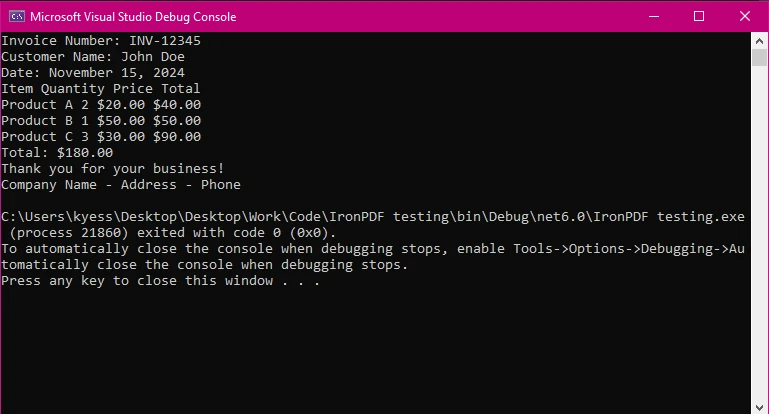
IronPDF provides a simple API for extracting text, making it ideal for developers focused on efficiency. In just three lines, we were able to extract the text content within our PDF document and display it to be read. From here, you could easily save the extracted text for further use or manipulation.
QuestPDF, on the other hand, could not handle a task such as text extraction, due to a more limited number of features than libraries such as IronPDF. While it can handle other tasks such as PDF generation and basic manipulation, you would need to implement external libraries in order to extract text.
When it comes to extracting text, QuestPDF is free through the use of its community license for private projects, but also has the option of commercial licenses.
Both libraries are accurate and reliable, but the choice ultimately depends on your project requirements.
For a deeper comparison of these libraries, check out the full blog on IronPDF vs QuestPDF.

Curtis Chau holds a Bachelor’s degree in Computer Science (Carleton University) and specializes in front-end development with expertise in Node.js, TypeScript, JavaScript, and React. Passionate about crafting intuitive and aesthetically pleasing user interfaces, Curtis enjoys working with modern frameworks and creating well-structured, visually appealing manuals.

IronPDF is a part of IRONSUITE
10 .NET API products for your office documents











When you need your PDF to look like HTML, fast.


