




업데이트됨 2026년 5월 8일
월별 계정 명세서를 PDF 문서로 생성하기
개발자는 IronPDF C# PDF 라이브러리를 사용하여 외부 서비스에 의존하지 않고도 .NET 프로젝트 내에서 HTML을 신뢰할 수 있는 PDF 파일로 변환할 수 있습니다.
더 읽어보기

Adobe의 포터블 문서 형식(PDF)은 문서 보기 및 교환에 널리 사용됩니다. 개발자는 종종 클라이언트의 요구를 충족하기 위해 PDF를 생성해야 하며, 현대적인 라이브러리는 이 과정을 단순화했습니다. 프로젝트를 위해 라이브러리를 선택할 때에는 빌드, 읽기 및 변환 기능과 같은 기능을 고려하는 것이 중요합니다.
IronPDF는 Chrome 엔진을 사용하여 HTML을 PDF로 변환할 수 있는 PDF 문서 생성, 읽기 및 편집을 위한 다용도 라이브러리입니다. ASP.NET 웹 응용 프로그램과 전통적인 Windows 애플리케이션 모두에서 사용할 수 있는 다양한 웹 구성 요소를 지원합니다. 라이브러리는 HTML5, JavaScript, CSS, 이미지를 사용하여 시각적으로 매력적인 PDF를 생성할 수 있으며, 강력한 HTML-to-PDF 변환기가 포함되어 있습니다.
웹 페이지에서 PDF 파일을 생성하는 것은 IronPDF의 내장된 Chrome 브라우저 및 API 라이브러리로 간단합니다. URL을 제공하고 IronPDF API 라이브러리를 통해 PDF 파일로 변환하세요. 문서 변환은 몇 줄의 코드로 신속하게 완료될 수 있습니다:
// Create a new instance of the ChromePdfRenderer class
var renderer = new IronPdf.ChromePdfRenderer();

// Convert the specified URL to a PDF
var pdf = renderer.RenderUrlAsPdf("https://www.google.co.in/");

// Save the PDF to the specified path
pdf.SaveAs("result.pdf");' Create a new instance of the ChromePdfRenderer class
Dim renderer = New IronPdf.ChromePdfRenderer()
' Convert the specified URL to a PDF
Dim pdf = renderer.RenderUrlAsPdf("https://www.google.co.in/")
' Save the PDF to the specified path
pdf.SaveAs("result.pdf")URL을 PDF 문서로 빠르게 변환하는 데 RenderUrlAsPdf 메서드를 사용할 수 있습니다. URL과 원하는 저장 위치를 제공하면 IronPDF가 위에서 제공된 정보에 따라 PDF 파일을 생성합니다. 이는 몇 줄의 코드로 웹 페이지를 PDF 문서로 쉽게 변환할 수 있게 해줍니다.
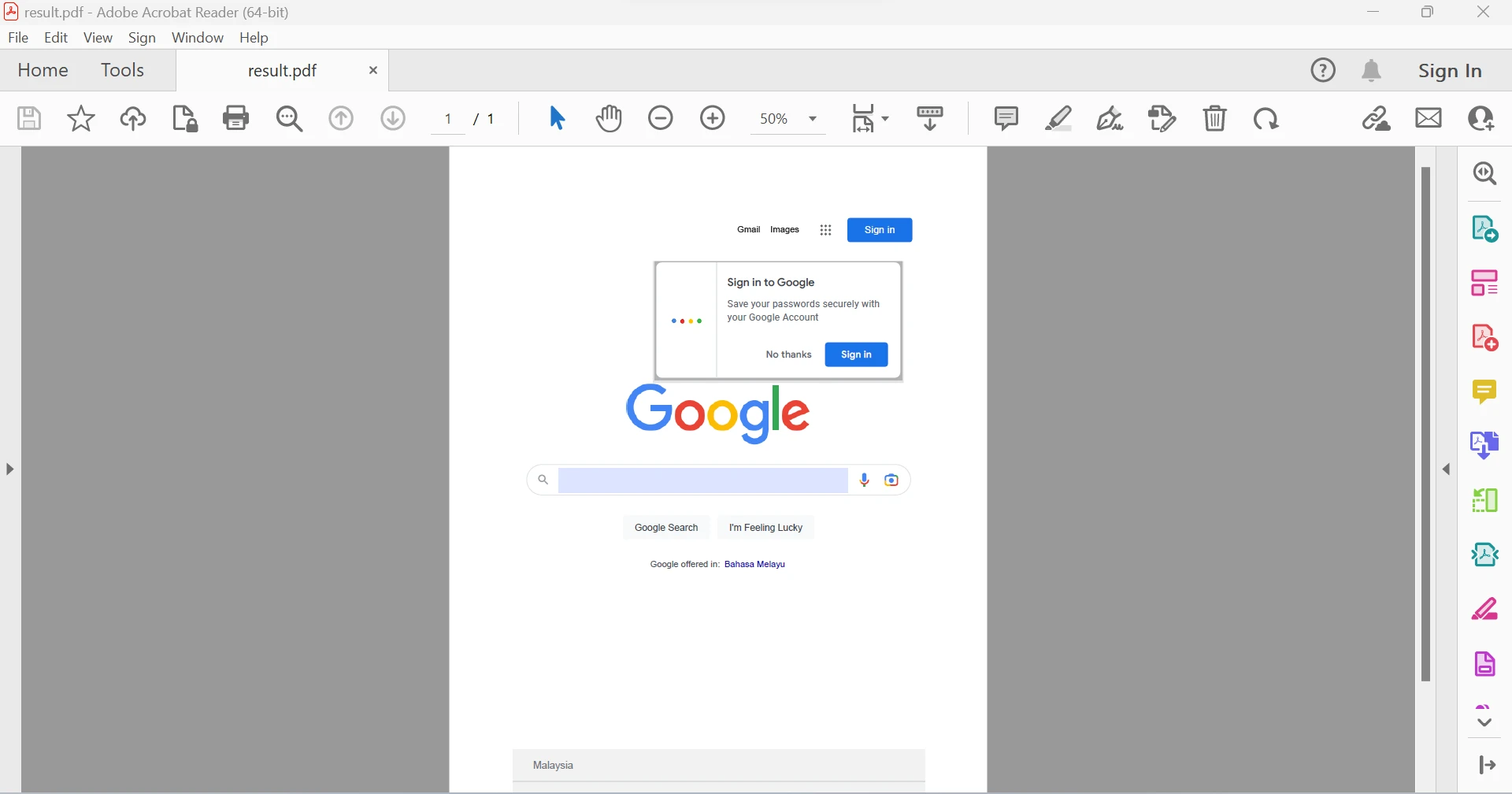 Google URL에서 생성된 PDF 파일
HTML 문자열은 IronPDF API 라이브러리를 사용하여 PDF 파일로 빠르게 변환할 수 있습니다. 다음 코드 조각은 HTML 문자열을 문서로 변환하며, 모든 HTML 태그를 PDF 파일로 변환할 수 있습니다.
// Create a new instance of the ChromePdfRenderer class
var renderer = new IronPdf.ChromePdfRenderer();

// Convert the specified HTML string to a PDF
var pdf = renderer.RenderHtmlAsPdf("<p>Hello world!!</p>");

// Save the PDF to the specified path
pdf.SaveAs("result.pdf");' Create a new instance of the ChromePdfRenderer class
Dim renderer = New IronPdf.ChromePdfRenderer()
' Convert the specified HTML string to a PDF
Dim pdf = renderer.RenderHtmlAsPdf("<p>Hello world!!</p>")
' Save the PDF to the specified path
pdf.SaveAs("result.pdf")이 코드 스니핏은 HTML 텍스트를 PDF로 변환하기 위해 RenderHtmlAsPdf 함수를 사용하는 방법을 보여줍니다. HTML을 문자열로 변환하는 함수는 필요한 만큼의 HTML 코드를 수용할 수 있습니다. 그런 다음 SaveAs 기능을 사용하여 문서를 저장하면 프로세스를 빠르고 쉽게 완료할 수 있습니다.
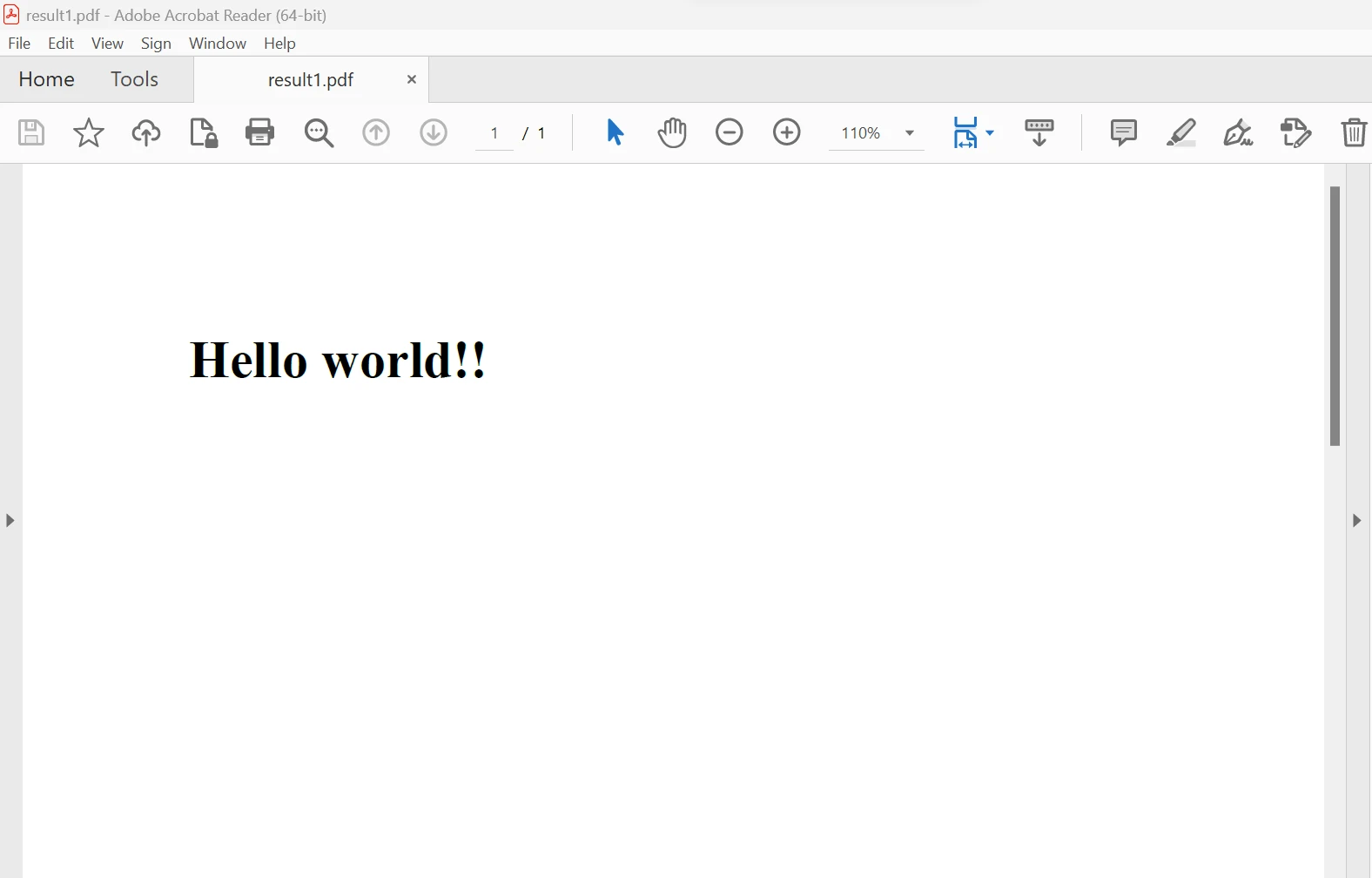 HTML 문자열에서 생성된 PDF 파일
IronPDF API 라이브러리를 사용하면 HTML 파일을 PDF 파일로 빠르게 변환할 수 있습니다. 다음 샘플 코드를 사용하여 모든 HTML 태그를 PDF 파일로 변환할 수 있습니다.
// Create a new instance of the ChromePdfRenderer class
var renderer = new IronPdf.ChromePdfRenderer();

// Convert the specified HTML file to a PDF
var pdf = renderer.RenderHtmlFileAsPdf("test.html");

// Save the PDF to the specified path
pdf.SaveAs("result.pdf");' Create a new instance of the ChromePdfRenderer class
Dim renderer = New IronPdf.ChromePdfRenderer()
' Convert the specified HTML file to a PDF
Dim pdf = renderer.RenderHtmlFileAsPdf("test.html")
' Save the PDF to the specified path
pdf.SaveAs("result.pdf")HTML 텍스트는 다음과 같습니다:
<p style="color:red">Hello world</p>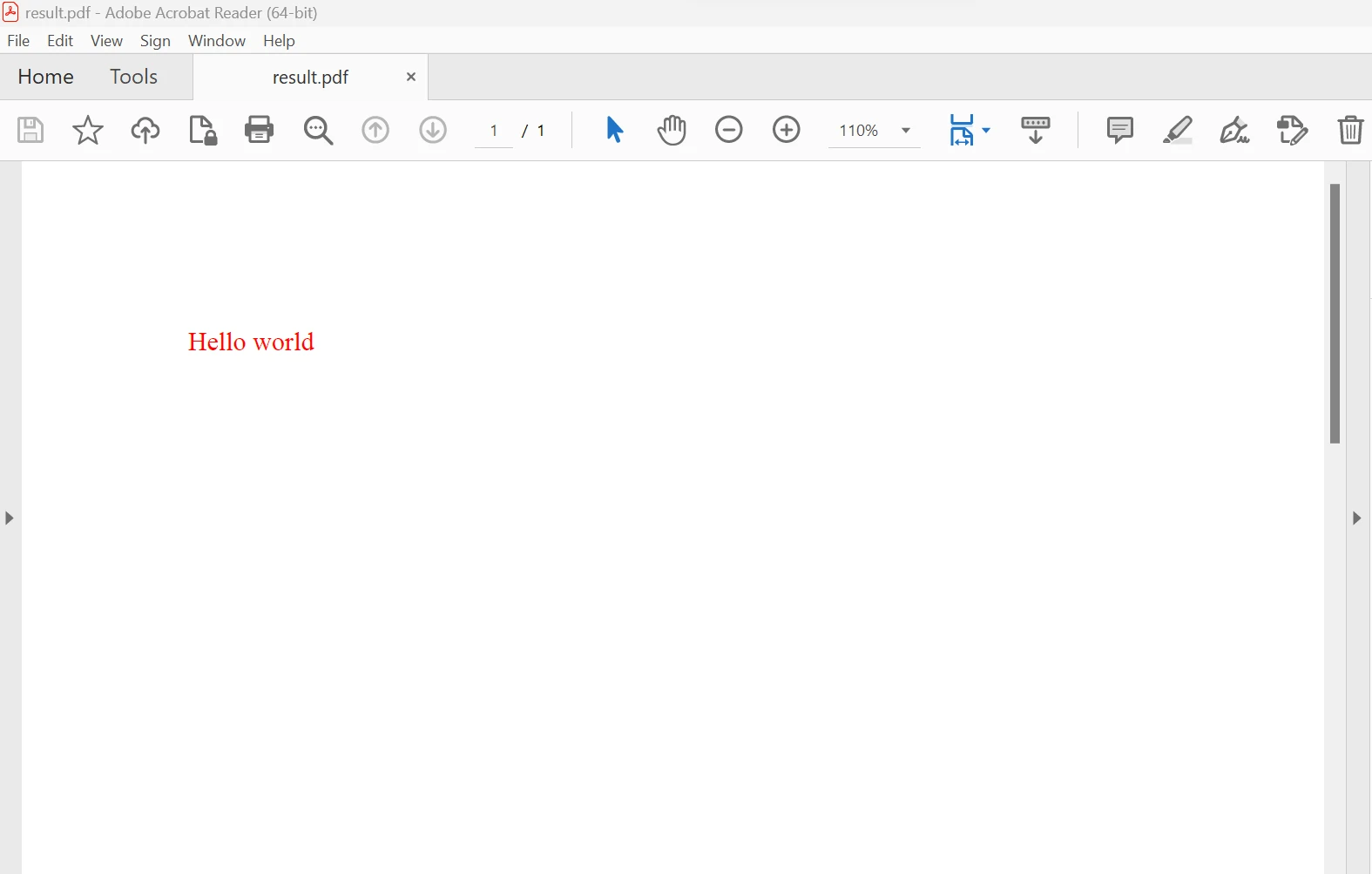 HTML 파일에서 생성된 PDF 파일
IronPDF API 라이브러리를 사용하면 리치 텍스트 파일(RTF)에서 빠르게 PDF를 생성할 수 있습니다. RTF를 PDF로 변환하기 위한 샘플 코드는 여러 RTF 파일을 하나의 PDF 파일로 변환하는 데 사용할 수 있습니다. 코드는 아래에 제공됩니다.
// Create a new instance of the ChromePdfRenderer class
var renderer = new IronPdf.ChromePdfRenderer();

// Convert the specified RTF file to a PDF
var pdf = renderer.RenderRtfFileAsPdf("test.rtf");

// Save the PDF to the specified path
pdf.SaveAs("result.pdf");' Create a new instance of the ChromePdfRenderer class
Dim renderer = New IronPdf.ChromePdfRenderer()
' Convert the specified RTF file to a PDF
Dim pdf = renderer.RenderRtfFileAsPdf("test.rtf")
' Save the PDF to the specified path
pdf.SaveAs("result.pdf")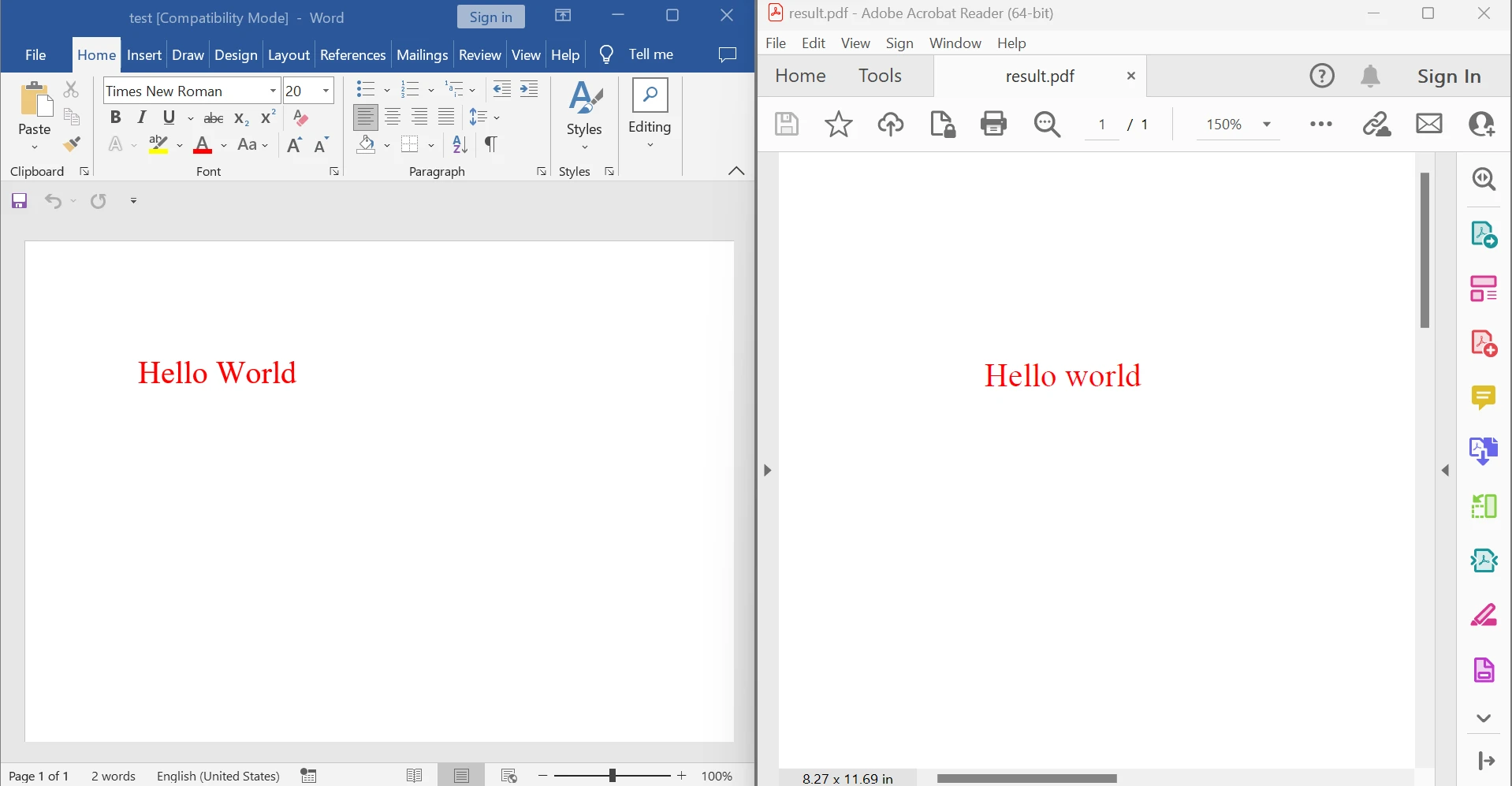 RTF 파일에서 출력된 PDF 파일
위 그림에서 왼쪽은 원본 문서, 오른쪽은 변환된 PDF 파일을 보여줍니다. 또한, 아래에 제공된 코드를 사용하여 RTF 문자열을 PDF로 생성할 수 있습니다.
// Create a new instance of the ChromePdfRenderer class
var renderer = new IronPdf.ChromePdfRenderer();

// Convert the specified RTF string to a PDF
var pdf = renderer.RenderRtfStringAsPdf("{\\rtf1...}");

// Save the PDF to the specified path
pdf.SaveAs("result.pdf");' Create a new instance of the ChromePdfRenderer class
Dim renderer = New IronPdf.ChromePdfRenderer()
' Convert the specified RTF string to a PDF
Dim pdf = renderer.RenderRtfStringAsPdf("{\rtf1...}")
' Save the PDF to the specified path
pdf.SaveAs("result.pdf")IronPDF API 모듈 덕분에 마크다운 파일에서 빠른 PDF 생성이 가능합니다. 아래에 제시된 변환을 위한 샘플 코드를 사용하여 여러 개의 마크다운 파일을 PDF 파일로 변환할 수 있습니다.
// Create a new instance of the ChromePdfRenderer class
var renderer = new IronPdf.ChromePdfRenderer();

// Convert the specified Markdown file to a PDF
var pdf = renderer.RenderMarkdownFileAsPdf("Markdown.md");

// Save the PDF to the specified path
pdf.SaveAs("Markdown_result.pdf");' Create a new instance of the ChromePdfRenderer class
Dim renderer = New IronPdf.ChromePdfRenderer()
' Convert the specified Markdown file to a PDF
Dim pdf = renderer.RenderMarkdownFileAsPdf("Markdown.md")
' Save the PDF to the specified path
pdf.SaveAs("Markdown_result.pdf")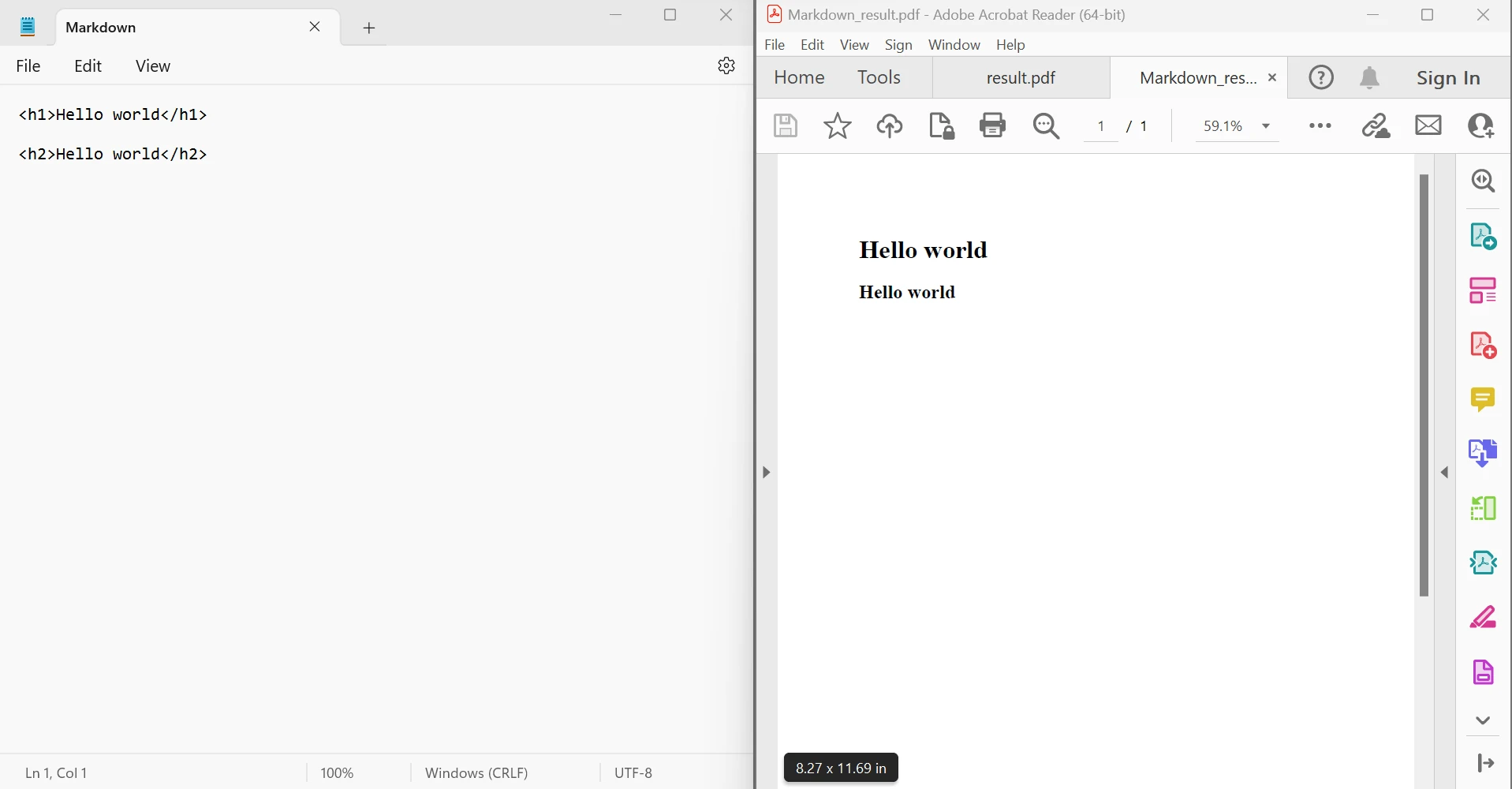 마크다운 파일에서 출력된 PDF 파일
위 그림에서 볼 수 있듯이 원본 문서는 왼쪽에 있으며 변환된 PDF 파일은 오른쪽에 있습니다. 아래에 제공된 코드를 사용하여 MD 문자열을 PDF로 변환할 수 있습니다. IronPDF를 사용한 HTML 변환에 대한 추가 정보는 이 HTML to PDF Conversion Tutorial을 방문하십시오.
// Create a new instance of the ChromePdfRenderer class
var renderer = new IronPdf.ChromePdfRenderer();

// Convert the specified Markdown string to a PDF
var pdf = renderer.RenderMarkdownStringAsPdf("# Hello world\n\nHello world");

// Save the PDF to the specified path
pdf.SaveAs("Markdown_result.pdf");Imports Microsoft.VisualBasic
' Create a new instance of the ChromePdfRenderer class
Dim renderer = New IronPdf.ChromePdfRenderer()
' Convert the specified Markdown string to a PDF
Dim pdf = renderer.RenderMarkdownStringAsPdf("# Hello world" & vbLf & vbLf & "Hello world")
' Save the PDF to the specified path
pdf.SaveAs("Markdown_result.pdf")IronPDF API 라이브러리 사용 방법에 대한 자세한 정보는 개발자 설명서 IronPDF Documentation Resource를 참조하십시오.
IronPDF 라이브러리는 개발을 위한 무료 라이선스를 제공하며, 개발자의 필요에 따라 프로덕션 환경에서 사용할 수 있는 여러 라이선스를 구매할 수 있습니다. Lite 번들은 $999의 초기 가격이 있으며, 지속적인 비용이 없습니다. 라이선스에는 영구 라이선스, 30일 환불 보장, 1년간 제품 지원 및 업그레이드, SaaS 및 OEM용 재배포 가능성이 포함됩니다. 개발, 스테이징, 프로덕션에서 사용할 수 있는 일회성 구매입니다. IronPDF는 추가로 기간 제한이 있는 무료 라이선스와 재배포 보호를 위한 무료 라이선스도 제공합니다. IronPDF의 가격 정보 및 라이선싱에 대한 전체 개요는 IronPDF Licensing Information Page를 방문하십시오.

커티스 차우는 칼턴 대학교에서 컴퓨터 과학 학사 학위를 취득했으며, Node.js, TypeScript, JavaScript, React를 전문으로 하는 프론트엔드 개발자입니다. 직관적이고 미적으로 뛰어난 사용자 인터페이스를 만드는 데 열정을 가진 그는 최신 프레임워크를 활용하고, 잘 구성되고 시각적으로 매력적인 매뉴얼을 제작하는 것을 즐깁니다.



IronPDF는 IRON SUITE 의 일부입니다.
10개의 .NET API 제품, 당신의 사무 문서를 위해











PDF 파일을 HTML처럼 빠르게 변환해야 할 때.


