


업데이트됨 2026년 4월 21일
Python으로 Scrapy 사용하기 (개발자를 위한 작동 방식)
여기 Python 기반 웹 스크래핑 프레임워크인 Scrapy와 온라인 데이터 추출 및 동적 PDF 생성을 최적화하기 위해 함께 작동하는 강력한 라이브러리인 IronPDF가 있습니다.
더 읽어보기

PDF에서 상호작용 요소를 제거하고 편집 불가능한 정적인 형식으로 변환해야 하는 경우가 있습니다. Python에서는 IronPDF 라이브러리를 사용하여 이를 구현할 수 있습니다. 이 글에서는 IronPDF 사용하여 PDF 파일을 평면화하는 방법에 대해 자세히 살펴보겠습니다.
FromFile 메서드를 사용하여 PDF 파일을 가져옵니다.Flatten 메서드를 사용하십시오.SaveAs 메서드를 사용하여 병합된 PDF 파일을 내보냅니다.Python은 프로그래머가 그래픽 사용자 인터페이스를 빠르고 쉽게 설계할 수 있도록 도와주는 컴퓨터 언어입니다. Python은 다른 언어들에 비해 프로그래머들에게 훨씬 더 역동적인 환경을 제공합니다. 결과적으로 IronPDF 라이브러리를 Python에 도입하는 것은 간단한 절차입니다. 빠르고 안전하게 완벽한 기능을 갖춘 GUI를 개발하기 위해 PyQt, wxWidgets, Kivy를 비롯한 다양한 사전 설치된 도구와 여러 패키지 및 라이브러리를 사용할 수 있습니다. IronPDF 사용하면 Python뿐만 아니라 다른 언어도 지원하는 .NET Core 와 같은 다른 프레임워크의 여러 기능을 통합할 수 있습니다. Python IronPDF 에 대해 자세히 알아보려면 여기를 클릭하십시오.
IronPDF Python을 이용한 웹 디자인 및 개발을 더욱 간편하게 만들어줍니다. Django, Flask, 그리고 Pyramid는 그 결과로 널리 받아들여진 세 가지 Python 웹 개발 패러다임입니다. 이러한 프레임워크를 사용한 웹사이트 및 온라인 서비스 중 일부만 나열하자면 레딧, 모질라, 스포티파이 등이 있습니다.
IronPDF 사용하면 HTML, HTML5, ASPX, Razor /MVC View 등 다양한 소스에서 PDF 문서를 생성 할 수 있습니다. 이 프로그램은 HTML 페이지와 이미지를 PDF 파일로 생성할 수 있는 옵션을 제공합니다. IronPDF 툴킷은 대화형 PDF 생성, 대화형 양식 작성 및 제출, PDF 파일 분할 및 병합 , 텍스트 및 이미지 추출, PDF 파일 내 텍스트 검색, PDF를 이미지로 래스터 화, 글꼴 크기 변경, PDF 파일 변환 등 다양한 작업을 지원합니다. IronPDF 사용자 에이전트, 프록시, 쿠키, HTTP 헤더 및 폼 변수를 지원하여 HTML 로그인 폼 유효성 검사를 제공합니다.
IronPDF 를 사용하면 평면화된 PDF 문서를 쉽게 생성할 수 있습니다.
PC에 Python이 설치되어 있는지 확인하십시오. 운영 체제와 호환되는 최신 버전의 Python을 다운로드 하고 설치하려면 Python 공식 웹사이트를 방문하세요. Python을 설치한 후에는 가상 환경을 생성하여 프로젝트에 필요한 구성 요소를 분리하십시오. 모듈 venv을(를) 사용하여 변환 프로젝트에 깔끔하고 별도의 작업 공간을 제공할 수 있는 가상 환경을 생성하고 관리할 수 있습니다.
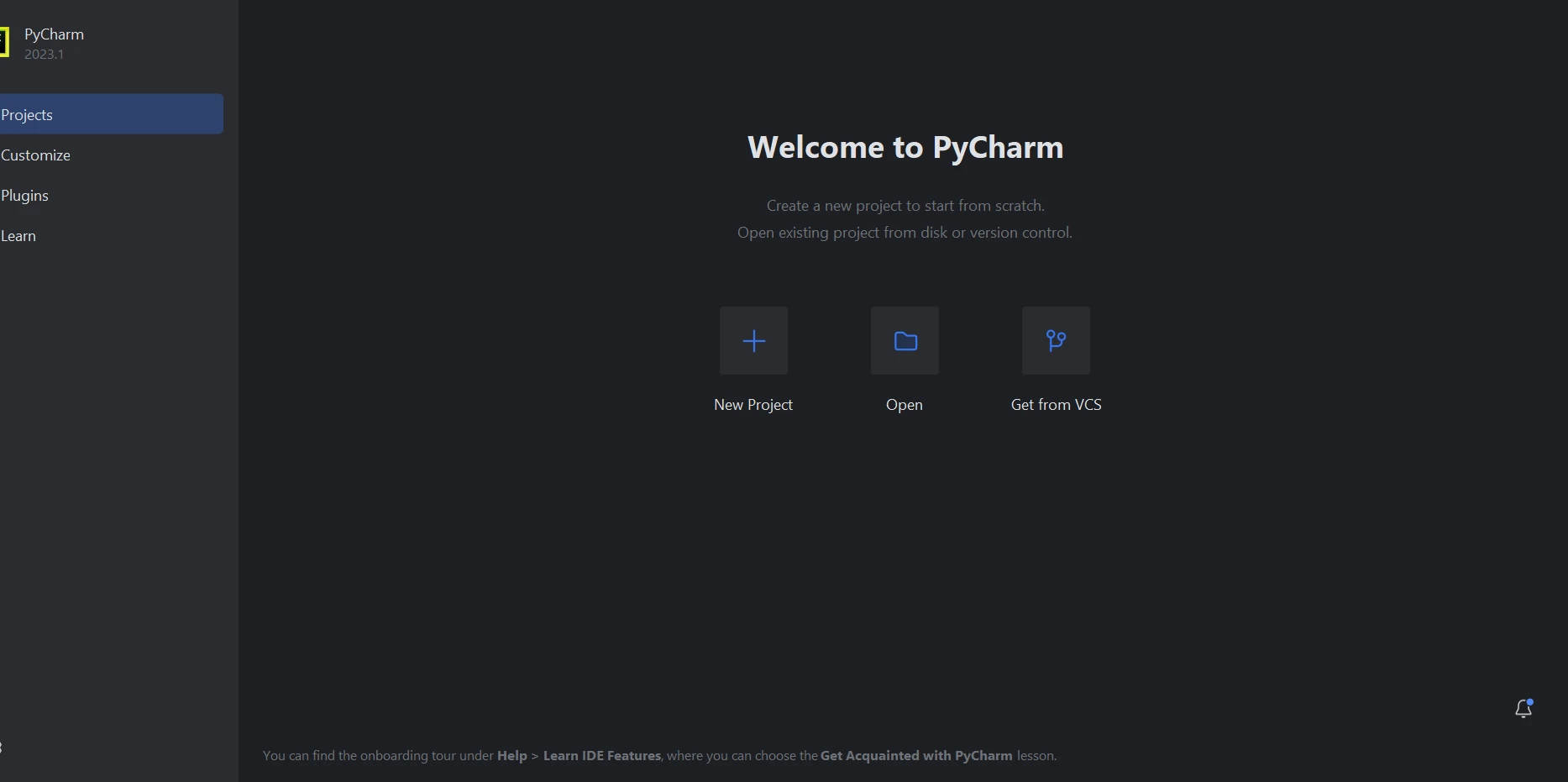
이 튜토리얼에서는 Python 코드를 작성하는 데 PyCharm을 IDE로 사용하는 것을 권장합니다.
PyCharm IDE가 실행되면 "새 프로젝트"를 선택하세요.
Python에서 PDF 파일을 평면화하는 방법, 그림 1: PyCharm에서 새 프로젝트 생성
PyCharm에서 새 프로젝트 생성
"새 프로젝트"를 선택하면 프로젝트 환경과 위치를 지정할 수 있는 새 창이 열립니다. 아래 이미지를 보시면 이해하는 데 도움이 될 것입니다.
Python에서 PDF 파일을 평면화하는 방법, 그림 2: 프로젝트 환경 및 위치 지정
프로젝트 환경 및 위치를 지정하십시오.
프로젝트 위치와 환경 경로를 선택한 후 [생성] 버튼을 클릭하여 새 프로젝트를 시작하십시오. 그러면 새로 나타나는 창에서 소프트웨어를 빌드할 수 있습니다. 이 튜토리얼에서는 Python 3.9를 사용합니다.
Python에서 PDF 파일을 평면화하는 방법, 그림 3: PyCharm에서 새로운 Python 프로젝트가 성공적으로 생성되었습니다
PyCharm에서 새 Python 프로젝트가 성공적으로 생성되었습니다.
IronPDF Python용 은 주로 .NET 6.0을 사용합니다. 따라서 IronPDF for Python을 사용하려면 컴퓨터에 .NET 6.0 런타임이 설치되어 있어야 합니다. Linux 및 Mac 사용자는 이 Python 모듈을 사용하기 전에 .NET 설치해야 할 수 있습니다. 필요한 런타임 환경을 얻으려면 Microsoft의 이 다운로드 페이지 로 이동하십시오.
PDF 파일을 생성, 편집 및 열기 위한 패키지 ironpdf을(를) 설치하려면 PyCharm에서 터미널을 열고 다음 명령을 실행하십시오:
Python에서 PDF 파일을 평면화하는 방법, 그림 4: IronPDF Install-Package
IronPDF 패키지를 설치하세요.
IronPDF 를 사용하면 단 몇 줄의 코드로 PDF를 쉽게 평면화할 수 있습니다. 아래는 텍스트 상자 양식과 달력 컨트롤이 포함된 샘플 PDF 파일 원본입니다.
Python에서 PDF 파일을 평면화하는 방법, 그림 5: 달력 및 텍스트 상자 컨트롤이 있는 양식을 포함한 소스 PDF
달력과 텍스트 상자 컨트롤이 포함된 양식이 있는 원본 PDF 파일입니다.
PDF 양식에는 텍스트 상자 두 개와 달력 컨트롤 하나를 포함하여 총 세 개의 필드가 있습니다. 또한 일부 폼 필드 값도 포함되어 있습니다. 다음은 예시 코드입니다.
from ironpdf import PdfDocument

# Load the PDF document from a specified file path
pdf = PdfDocument.FromFile('F:\\PDF\\EditorDemo.pdf')

# Call the Flatten method to remove all form fields and controls
pdf.Flatten()

# Save the flattened PDF to a new file
pdf.SaveAs("flattenpdf.pdf")이 예제는 모듈 ironpdf을(를) 가져와 PDF 작업에 활용할 기능을 설정하는 것으로 시작합니다. PdfDocument.FromFile()를 사용하여 기존 PDF 파일을 로드하여 다양한 조작을 허용합니다. 양식 필드와 같은 대화형 요소를 제거하고 이를 PDF 콘텐츠의 정적 부분으로 변환하기 위해 Flatten() 메서드가 호출됩니다. 마지막으로, 수정된 PDF를 새 파일에 저장하여 평면화 과정을 완료하기 위해 SaveAs()을(를) 사용합니다.
Python에서 PDF 파일을 평면화하는 방법, 그림 6: 출력 평면화된 PDF
출력된 평면화된 PDF
PDF 병합에 대한 자세한 내용은 상세 예제가 포함된 다음 코드 링크를 참조하세요.
IronPDF 라이브러리는 위험을 최소화하고 데이터 보호를 보장하는 강력한 보안 방법을 제공합니다. 널리 사용되는 모든 브라우저와 호환되며 특정 브라우저에 제한되지 않습니다. IronPDF 사용하면 프로그래머는 단 몇 줄의 코드로 PDF 파일을 쉽게 생성하고 읽을 수 있습니다. IronPDF 라이브러리는 개발자의 다양한 요구를 충족하기 위해 무료 개발자 라이선스와 구매 가능한 추가 개발자 라이선스를 포함한 다양한 라이선스 옵션을 제공합니다.
Lite 패키지 $999은(는) 영구 라이선스, 30일 환불 보장, 1년 간의 소프트웨어 지원 및 업그레이드 가능성을 제공합니다. 최초 구매 이후에는 추가 비용이 발생하지 않습니다. 프로덕션, 스테이징 및 개발 환경 모두 이러한 라이선스를 사용합니다.
IronPDF 시간 및 재배포 제한이 있는 무료 라이선스도 제공합니다. 평가판 라이선스 기간 동안 사용자는 워터마크 없이 실제 사용 환경에서 제품을 평가할 수 있습니다. IronPDF 평가판 가격 및 라이선스 방법에 대한 자세한 내용은 다음 라이선스 페이지를 참조하십시오.

커티스 차우는 칼턴 대학교에서 컴퓨터 과학 학사 학위를 취득했으며, Node.js, TypeScript, JavaScript, React를 전문으로 하는 프론트엔드 개발자입니다. 직관적이고 미적으로 뛰어난 사용자 인터페이스를 만드는 데 열정을 가진 그는 최신 프레임워크를 활용하고, 잘 구성되고 시각적으로 매력적인 매뉴얼을 제작하는 것을 즐깁니다.

IronPDF는 IRON SUITE 의 일부입니다.
10개의 .NET API 제품, 당신의 사무 문서를 위해

PDF 파일을 HTML처럼 빠르게 변환해야 할 때.

