




已更新 2026年4月23日
在 .NET 中用 Microsoft.Extensions.AI 簡化 LLM 整合
AI 正在改變軟體開發,但將大型語言模型 (LLM) 整合到 .NET 中一直很複雜。利用 IronPdf.AI 將 AI 整合推向更遠,為 .NET 應用程式帶來由 OpenAI 驅動的 PDF 解析、資料擷取和內容總結。
閱讀更多

在現代C#開發中,有效地管理和分組資料對於建立穩健的應用程式至關重要。 C#中的一個功能是命名元組,它提供了一種簡單但強大的方法來組織相關資料,無需定義完整類別的複雜性。 通過利用命名元組的力量,您可以輕鬆建立複雜但易於閱讀的資料結構,可用於動態報告生成、開具發票等。 結合IronPDF,這是一個領先的C#生成PDF的程式庫,命名元組可以顯著簡化從結構化資料生成動態報告和發票的過程。
在本文中,我們將探討如何在C#中使用命名元組來有效管理資料並使用IronPDF生成專業PDF。
C#中的元組是輕量級的資料結構,允許將多個值組合到一個單一物件中。 在C# 7.0中引入的命名元組,比此概念更進一步,允許您為每個值標籤,使您的程式碼更加可讀和易於維護。 元組字面量是命名元組的近親,因此請勿將兩者混淆。 雖然元組字面量是儲存資料的另一種簡便方法,但由於它們是許多無名元素的元組,存取效率可能較低。
使用命名元組,可以輕鬆將多個資料元素一起儲存,提供了一種輕量且易於存取的方法來處理變數。 當您處理複雜的資料結構時,元組可能會變得更難管理,但您可以通過閱讀下文來學習如何像專家一樣應用元組。
例如,與其通過索引存取元素,不如使用命名元組按名稱引用元組欄位。 這為您的程式碼新增了清晰度,尤其在處理複雜資料時。 只要記得在使用元組語法定義變數時,使用駝峰式命名是一種良好的做法。
// Declaration of a named tuple
(string firstName, string lastName, int age) person = ("Jane", "Doe", 25);

// Printing the tuple values to the console
Console.WriteLine($"Name: {person.firstName} {person.lastName}, Age: {person.age}");' Declaration of a named tuple
Dim person As (firstName As String, lastName As String, age As Integer) = ("Jane", "Doe", 25)
' Printing the tuple values to the console
Console.WriteLine($"Name: {person.firstName} {person.lastName}, Age: {person.age}")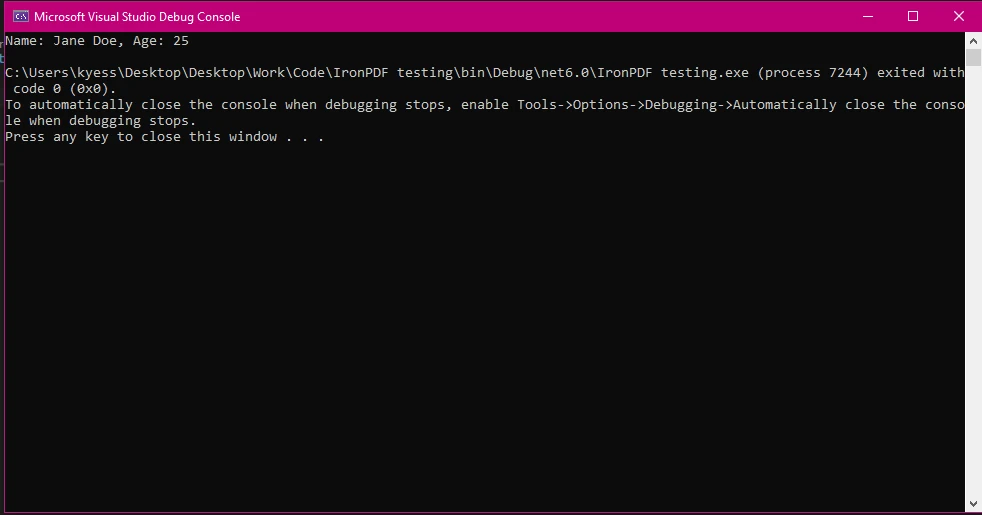
在C#應用程式中,命名元組提供了幾個優點:
person.Item1,不如使用 person.firstName 或 person.lastName,使您的程式碼更直觀。以下是一個例子,展示了命名元組如何簡化報告場景中的資料處理:
// Using named tuples for reporting purposes
(string reportName, DateTime reportDate, decimal totalSales) salesReport = ("Q3 Sales Report", DateTime.Now, 15000.75m);

// Print the report details using the named tuple
Console.WriteLine($"{salesReport.reportName} generated on {salesReport.reportDate} with total sales: {salesReport.totalSales:C}");' Using named tuples for reporting purposes
Dim salesReport As (reportName As String, reportDate As DateTime, totalSales As Decimal) = ("Q3 Sales Report", DateTime.Now, 15000.75D)
' Print the report details using the named tuple
Console.WriteLine($"{salesReport.reportName} generated on {salesReport.reportDate} with total sales: {salesReport.totalSales:C}")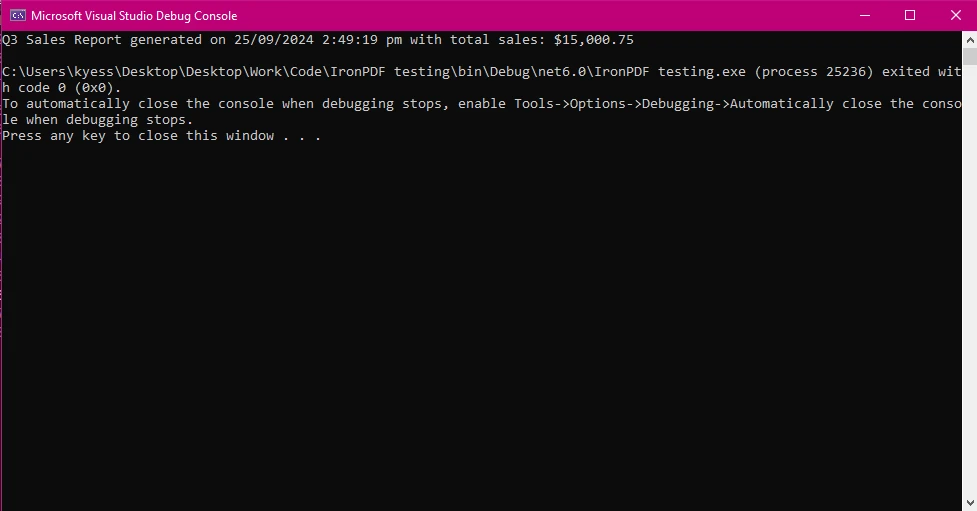
要建立命名元組,為每個元素定義一個具體型別和欄位名稱:
(string productName, int id, decimal price) product = ("Laptop", 5, 799.99m);Dim product As (productName As String, id As Integer, price As Decimal) = ("Laptop", 5, 799.99D)存取這些值很簡單:
// Print product details using named tuple
Console.WriteLine($"Product: {product.productName}, Product ID: #{product.id}, Price: {product.price:C}");' Print product details using named tuple
Console.WriteLine($"Product: {product.productName}, Product ID: #{product.id}, Price: {product.price:C}")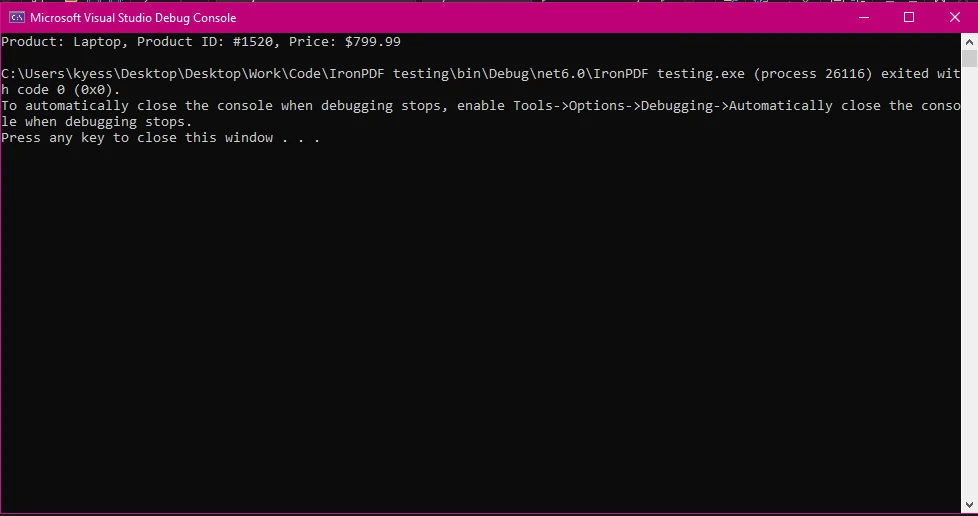
命名元組非常適合組織相關資訊,如使用者詳情、訂單資訊或報告資料。
要開始使用IronPDF,您首先需要安裝它。 如果已經安裝,您可以跳到下一節。 否則,以下步驟將介紹如何安裝IronPDF程式庫。
要通過NuGet包管理器控制台安裝IronPDF,打開Visual Studio並導航到包管理器控制台。 然後運行以下命令:
IronPDF將被新增到您的專案,您可以立即開始工作。
打開Visual Studio,進入"工具 -> NuGet套件管理器 -> 管理解決方案的NuGet套件",然後搜索IronPDF。 從這裡,您只需選擇您的專案並點擊"安裝",IronPDF就會被新增到您的專案中。
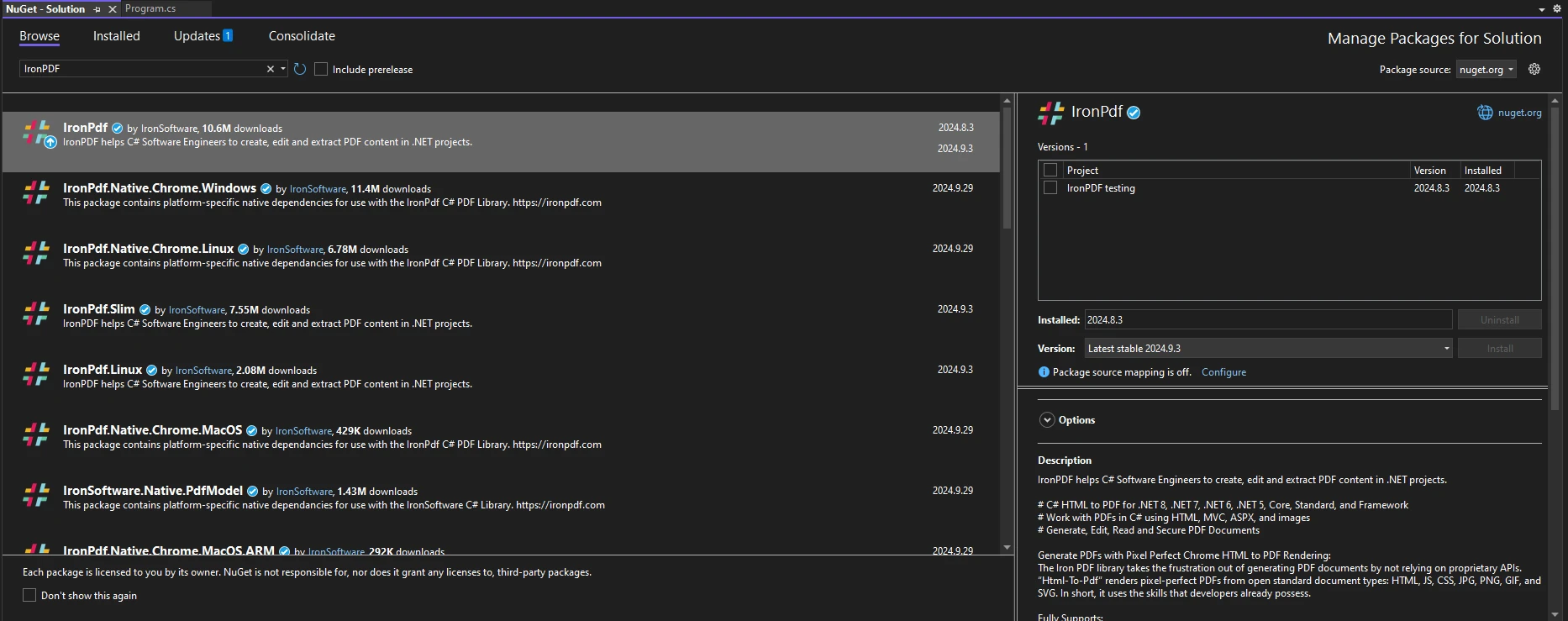
安裝IronPDF後,您只需在程式碼頂部新增合適的using語句即可開始使用它:
using IronPdf;Imports IronPdfIronPDF允許您無縫地將結構化資料轉換為PDF。 您可以將命名元組與IronPDF結合以生成動態內容,例如發票或報告。 以下是如何將客戶資料儲存在命名元組中,並使用IronPDF生成PDF:
using IronPdf;

(string customerName, decimal orderTotal, DateTime orderDate) order = ("Jane Smith", 199.99m, DateTime.Now);

// Create HTML content using named tuple data
string htmlContent = $@"
<h1>Order Invoice</h1>
<p>Customer: {order.customerName}</p>
<p>Order Total: {order.orderTotal:C}</p>
<p>Order Date: {order.orderDate:d}</p>";

// Convert HTML to PDF using IronPDF's ChromePdfRenderer
ChromePdfRenderer Renderer = new ChromePdfRenderer();
PdfDocument pdf = Renderer.RenderHtmlAsPdf(htmlContent);
pdf.SaveAs("invoice.pdf");Imports IronPdf
Dim order As (customerName As String, orderTotal As Decimal, orderDate As DateTime) = ("Jane Smith", 199.99D, DateTime.Now)
' Create HTML content using named tuple data
Dim htmlContent As String = $"
<h1>Order Invoice</h1>
<p>Customer: {order.customerName}</p>
<p>Order Total: {order.orderTotal:C}</p>
<p>Order Date: {order.orderDate:d}</p>"
' Convert HTML to PDF using IronPDF's ChromePdfRenderer
Dim Renderer As New ChromePdfRenderer()
Dim pdf As PdfDocument = Renderer.RenderHtmlAsPdf(htmlContent)
pdf.SaveAs("invoice.pdf")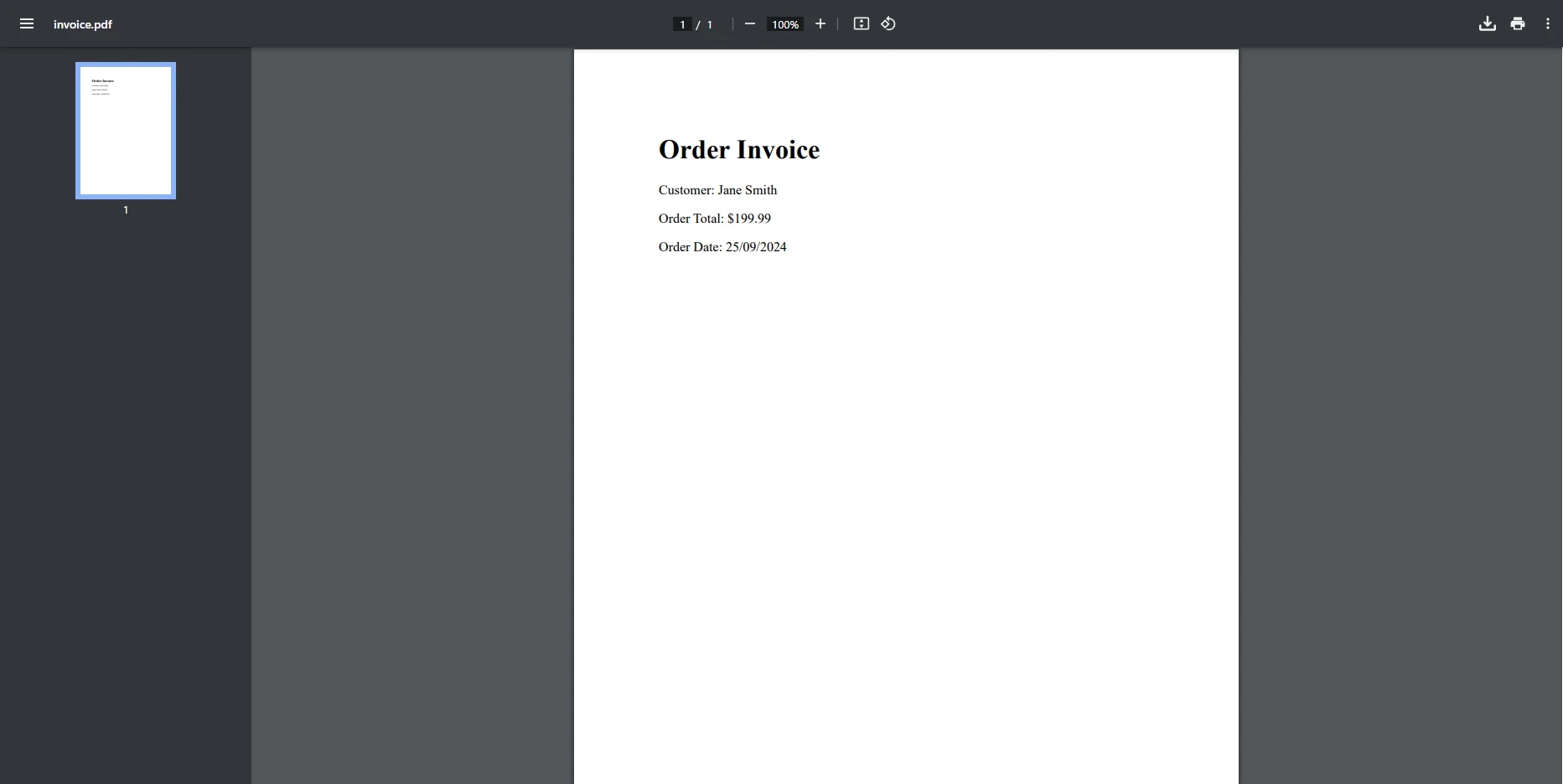
在此範例中,建立了一個名為order的命名元組,用於生成HTML內容,然後利用IronPDF的能力將其轉換為PDF。 ChromePdfRenderer類被使用,RenderHtmlAsPdf方法將HTML內容渲染為PDF文件,然後使用SaveAs方法保存。
假設您想為多個使用者生成報告,將其資訊儲存在命名元組中,然後使用IronPDF將其資料轉換為PDF報告。 這裡有一個實際的例子:
using IronPdf;
using System.Collections.Generic;

var userList = new List<(string Name, int Age, string Email)>
{
    ("Alice", 30, "alice@example.com"),
    ("Bob", 25, "bob@example.com"),
    ("Charlie", 35, "charlie@example.com")
};

string htmlReport = "<h1>User Report</h1><ul>";

// Loop through the list of named tuples to generate report content
foreach (var user in userList)
{
    htmlReport += $"<li>Name: {user.Name}, Age: {user.Age}, Email: {user.Email}</li>";
}
htmlReport += "</ul>";

// Convert the HTML report to PDF
ChromePdfRenderer Renderer = new ChromePdfRenderer();
PdfDocument pdf = Renderer.RenderHtmlAsPdf(htmlReport);
pdf.SaveAs("user_report.pdf");Imports IronPdf
Imports System.Collections.Generic
Private userList = New List(Of (Name As String, Age As Integer, Email As String)) From {("Alice", 30, "alice@example.com"), ("Bob", 25, "bob@example.com"), ("Charlie", 35, "charlie@example.com")}
Private htmlReport As String = "<h1>User Report</h1><ul>"
' Loop through the list of named tuples to generate report content
For Each user In userList
htmlReport &= $"<li>Name: {user.Name}, Age: {user.Age}, Email: {user.Email}</li>"
Next user
htmlReport &= "</ul>"
' Convert the HTML report to PDF
Dim Renderer As New ChromePdfRenderer()
Dim pdf As PdfDocument = Renderer.RenderHtmlAsPdf(htmlReport)
pdf.SaveAs("user_report.pdf")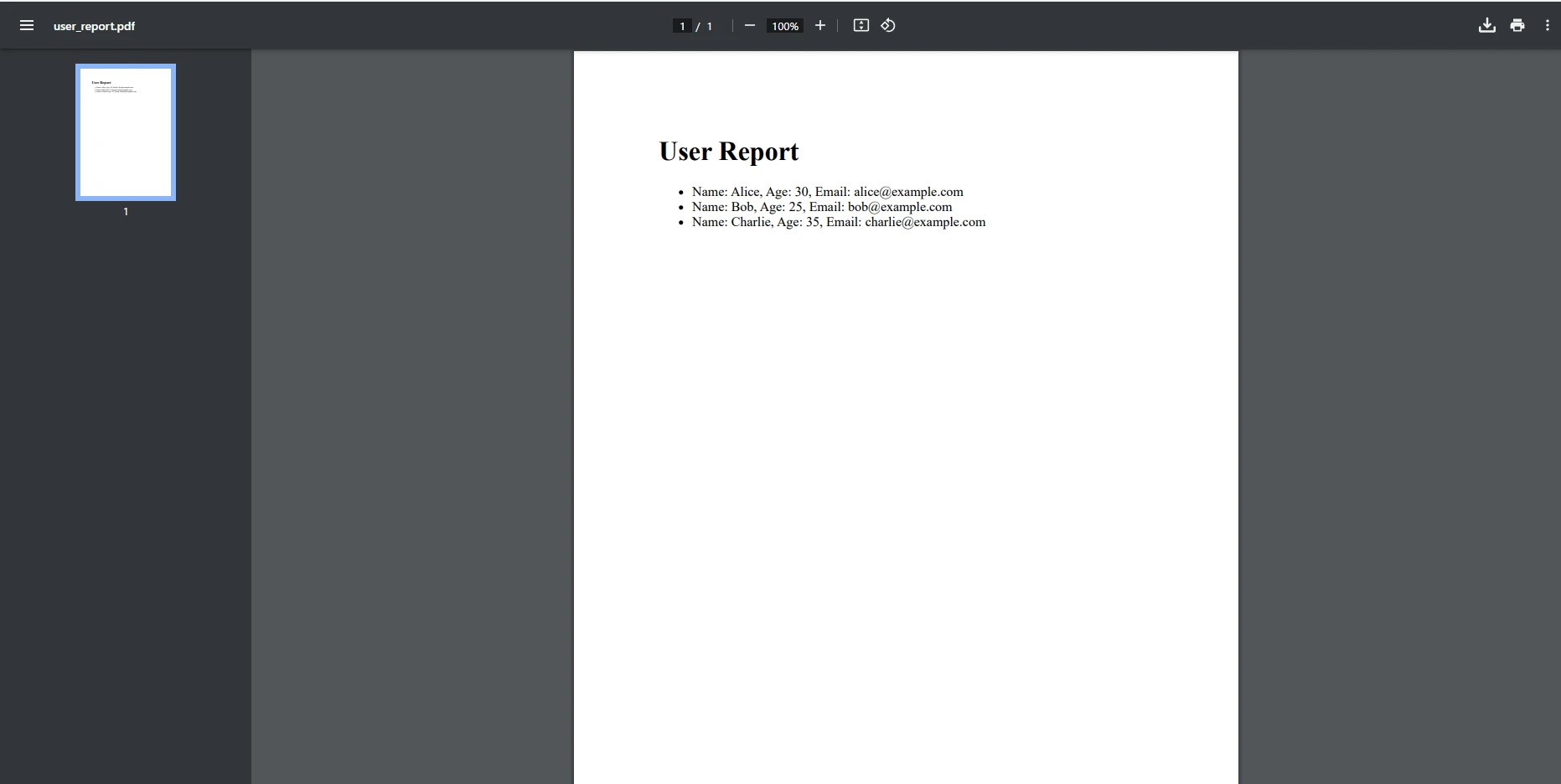
在此範例中,建立了一個包含多個命名元組的列表。 使用foreach迴圈迭代列表並動態將資料追加到HTML報告內容中,然後將其轉換為PDF。
當命名元組與迴圈結合時,特別有用於生成多個PDF,例如為訂單列表建立單獨的發票。 以下是如何迴圈遍歷命名元組列表並為每個條目生成PDF:
using IronPdf;
using System.Collections.Generic;

var orders = new List<(string customerName, decimal orderTotal, DateTime orderDate)>
{
    ("Alice", 120.50m, DateTime.Now),
    ("Bob", 85.75m, DateTime.Now),
    ("Charlie", 199.99m, DateTime.Now)
};

// Iterate through the list of orders and generate a PDF for each
foreach (var order in orders)
{
    string htmlContent = $@"
        <h1>Order Invoice</h1>
        <p>Customer: {order.customerName}</p>
        <p>Order Total: {order.orderTotal:C}</p>
        <p>Order Date: {order.orderDate:d}</p>";

    ChromePdfRenderer Renderer = new ChromePdfRenderer();
    PdfDocument pdf = Renderer.RenderHtmlAsPdf(htmlContent);
    pdf.SaveAs($"{order.customerName}_invoice.pdf");
}Imports IronPdf
Imports System.Collections.Generic
Private orders = New List(Of (customerName As String, orderTotal As Decimal, orderDate As DateTime)) From {("Alice", 120.50D, DateTime.Now), ("Bob", 85.75D, DateTime.Now), ("Charlie", 199.99D, DateTime.Now)}
' Iterate through the list of orders and generate a PDF for each
For Each order In orders
Dim htmlContent As String = $"
<h1>Order Invoice</h1>
<p>Customer: {order.customerName}</p>
<p>Order Total: {order.orderTotal:C}</p>
<p>Order Date: {order.orderDate:d}</p>"
Dim Renderer As New ChromePdfRenderer()
Dim pdf As PdfDocument = Renderer.RenderHtmlAsPdf(htmlContent)
pdf.SaveAs($"{order.customerName}_invoice.pdf")
Next order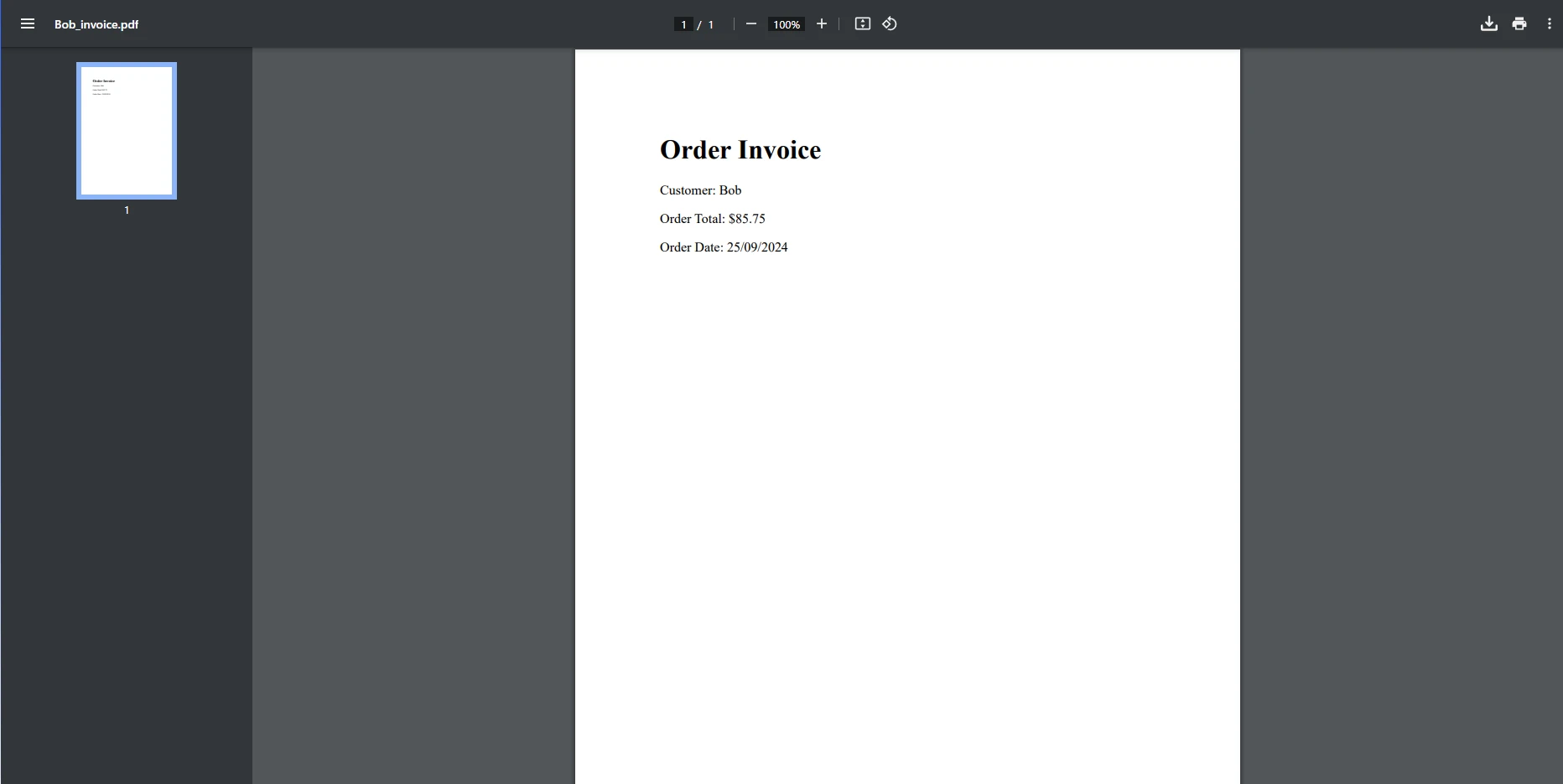
在此範例中,使用了一個包含多個元組的列表,並且在迭代列表時,為每個元組建立了一個新的PDF文件。 在需要為獨特資料生成單獨的發票或報告的場景中特別有用。
命名元組也可以用於動態填充自訂HTML模板中的資料。 例如,可以將資料儲存在命名元組中,然後在將此資料插入HTML模板中,最後轉換為PDF:
using IronPdf;
using System.IO;

// Define a single named tuple with product data
(string productName, decimal price, int count) product = ("Laptop", 799.99m, 5);

// Read the HTML template from a file
string htmlTemplate = File.ReadAllText("template.html");

// Replace placeholders in the template with values from the named tuple
string filledTemplate = htmlTemplate
    .Replace("{0}", product.productName)
    .Replace("{1:C}", product.price.ToString("C"))
    .Replace("{2}", product.count.ToString());

// Convert the filled template to PDF
ChromePdfRenderer Renderer = new ChromePdfRenderer();
PdfDocument pdf = Renderer.RenderHtmlAsPdf(filledTemplate);
pdf.SaveAs("product_report.pdf");Imports IronPdf
Imports System.IO
' Define a single named tuple with product data
Dim product As (productName As String, price As Decimal, count As Integer) = ("Laptop", 799.99D, 5)
' Read the HTML template from a file
Dim htmlTemplate As String = File.ReadAllText("template.html")
' Replace placeholders in the template with values from the named tuple
Dim filledTemplate As String = htmlTemplate.Replace("{0}", product.productName).Replace("{1:C}", product.price.ToString("C")).Replace("{2}", product.count.ToString())
' Convert the filled template to PDF
Dim Renderer As New ChromePdfRenderer()
Dim pdf As PdfDocument = Renderer.RenderHtmlAsPdf(filledTemplate)
pdf.SaveAs("product_report.pdf")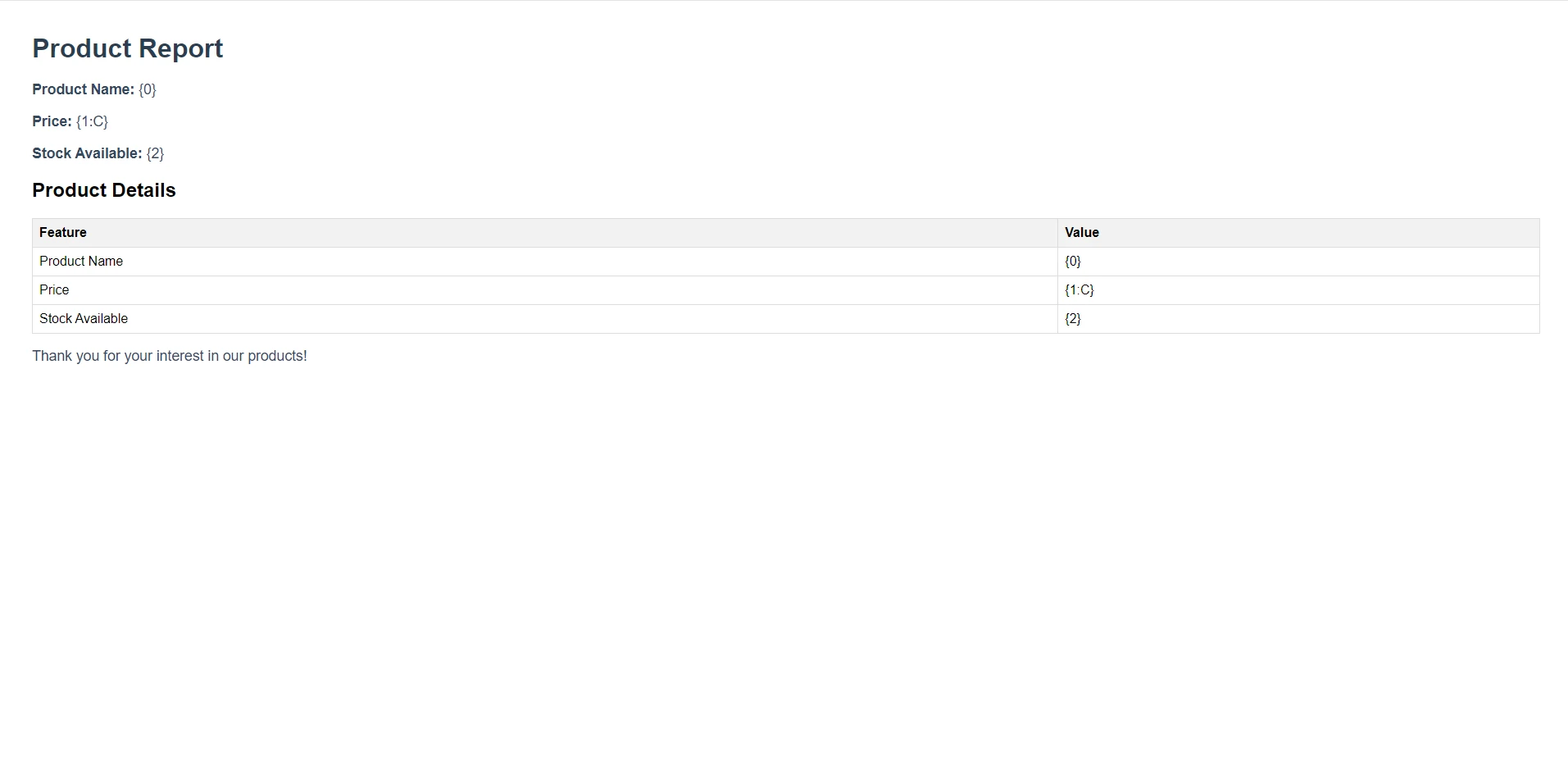
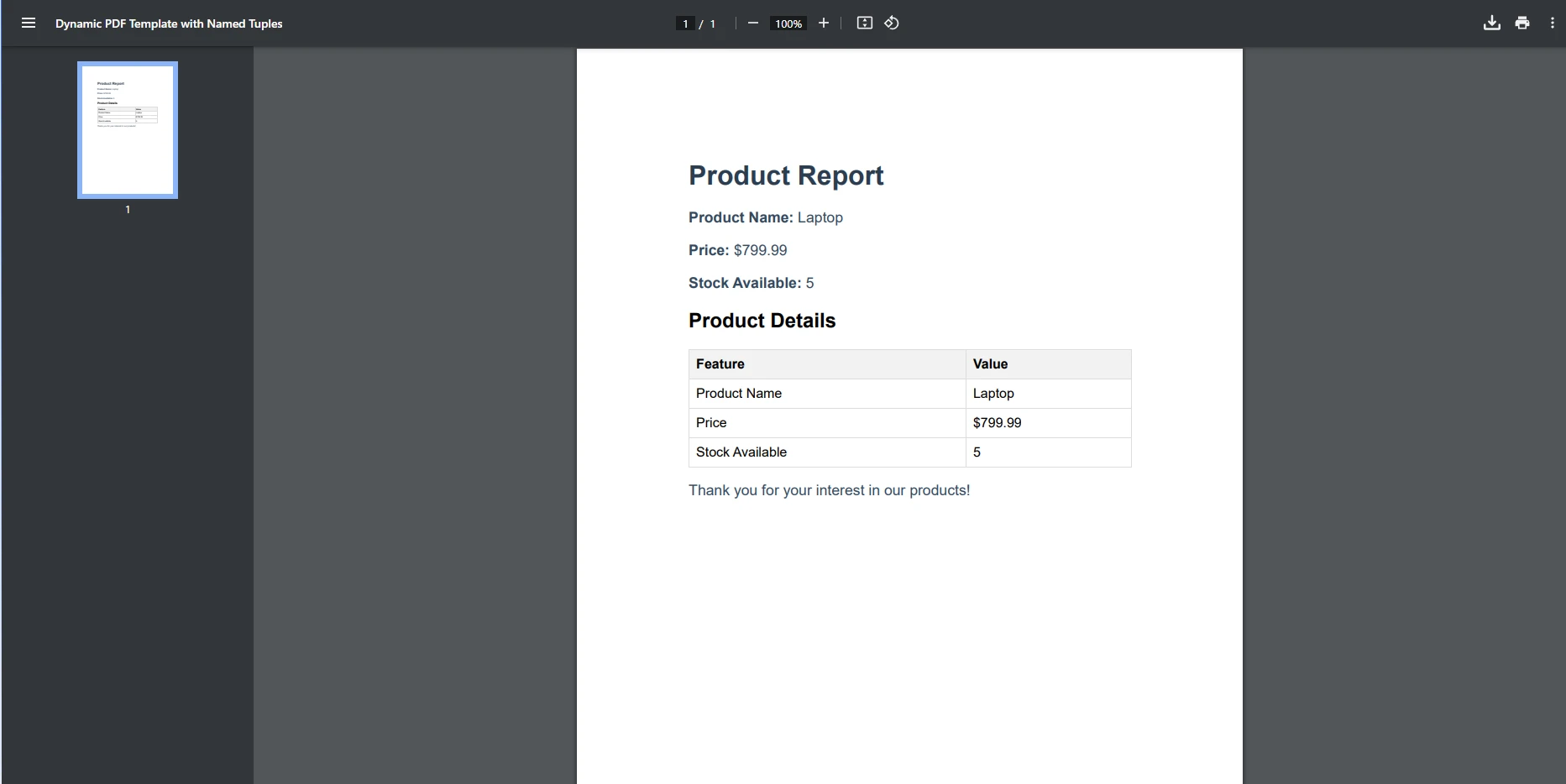
此範例展示瞭如何使用命名元組動態填充HTML模板。 HTML中的佔位符將被元組中的資料替換,更新後的模板隨即轉換為PDF。 此方法可擴展用於涉及迴圈或其他動態資料的更高級場景。
IronPDF的強大功能,如HTML轉PDF、圖像和文字印章、PDF加密和自訂水印,使其成為生成動態資料驅動的PDF的理想選擇。 無論您在構建報告、發票或複雜摘要,IronPDF都通過無縫的資料整合簡化了過程。
IronPDF可以輕鬆與.NET的資料結構(包括命名元組)整合。 這使您能夠直觀地管理資料,並生成複雜的PDF而無需大量程式碼。 與其他PDF程式庫相比,IronPDF為開發者提供了更平滑且高效的體驗。 得益於元組的使用,您可以生成所需數量的PDF,利用元組的力量來確保您的迴圈正在返回多個值。
C#中的命名元組提供了一種簡單且有效的資料組織和管理方式,而IronPDF提供了一個實用的解決方案來利用其功能產生動態文件。 嘗試在您的報告和發票生成過程中結合命名元組使用IronPDF的豐富功能集,以簡化流程。

Jacob Mellor是Iron Software的首席技術官,一位在C# PDF技術上開創先河的遠見工程師。作為Iron Software核心程式碼庫的原開發者,他從創立以來就一直在塑造公司的產品架構,與首席執行官Cameron Rimington一起將公司轉變為服務於NASA、特斯拉和全球政府公司的50多名人員的公司。



IronPDF 是 IRONSUITE 的一部分
10 款適用於辦公室文件的 .NET API 產品

當您需要您的PDF看起來像HTML一樣快速。












