




已更新 2026年4月23日
在 .NET 中用 Microsoft.Extensions.AI 簡化 LLM 整合
AI 正在改變軟體開發,但將大型語言模型 (LLM) 整合到 .NET 中一直很複雜。利用 IronPdf.AI 將 AI 整合推向更遠,為 .NET 應用程式帶來由 OpenAI 驅動的 PDF 解析、資料擷取和內容總結。
閱讀更多

面向物件程式設計 (OOP) 是軟體開發中的一個基本概念,使程式設計師可以建立模組化、可重用和可適應的程式碼。 C#,一種現代的面向物件程式設計語言,提供了構建複雜應用程式的強大架構。 本指南使用C#介紹OOP概念,重點在於實用的實現和編碼範例,以幫助初學者有效理解和應用這些原理。 我們還將討論如何在C#中應用這些原理以IronPDF程式庫的使用為例。
OOP的核心是幾個關鍵概念:類別、物件、繼承、多型、抽象和封裝。 這些概念允許開發人員對現實世界的事物進行建模,管理複雜性,並提高程式碼的可維護性。
一個類別建立單獨的物件。 類別是一個藍圖,定義了該類別的所有物件共享的資料和行為。 物件是類別的具體實現。 物件體現了真實的值,而不是該類別藍圖中定義的抽象占位符。
public class Car // A class declared as 'Car' defines its structure and behavior.
{
    public string Name;
    public string Color;

    public void DisplayInfo()
    {
        Console.WriteLine($"Name: {Name}, Color: {Color}");
    }
}

class Program // This is the program class, serving as the entry point of a C# program.
{
    static void Main(string[] args)
    {
        Car myCar = new Car();
        myCar.Name = "Toyota";
        myCar.Color = "Red";
        myCar.DisplayInfo();
    }
}Public Class Car ' A class declared as 'Car' defines its structure and behavior.
Public Name As String
Public Color As String
Public Sub DisplayInfo()
Console.WriteLine($"Name: {Name}, Color: {Color}")
End Sub
End Class
Friend Class Program ' This is the program class, serving as the entry point of a C# program.
Shared Sub Main(ByVal args() As String)
Dim myCar As New Car()
myCar.Name = "Toyota"
myCar.Color = "Red"
myCar.DisplayInfo()
End Sub
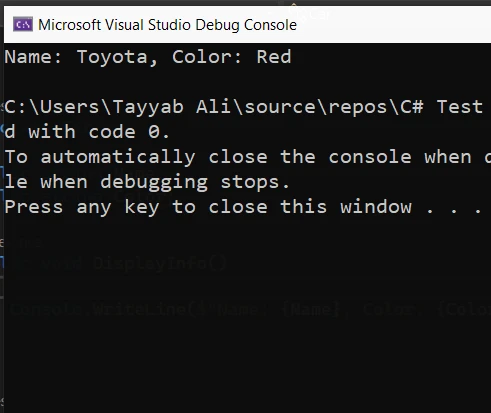
End Class在此範例中,Car 類別有兩個資料成員 (Name 和 Color) 和一個方法 (DisplayInfo)。 Main 方法作為應用程式的入口點,建立 Car 類的實例並分配其欄位的值,然後調用其方法來顯示這些值。
繼承允許一個類別繼承現有類別的屬性和方法。 屬性被繼承的類別稱為基類,繼承這些屬性的類別稱為衍生類。
public class Vehicle
{
    public string LicensePlate;

    public void Honk()
    {
        Console.WriteLine("Honking");
    }
}

public class Truck : Vehicle // Truck is a child class derived from the Vehicle base class.
{
    public int CargoCapacity;
}

class Program
{
    static void Main(string[] args)
    {
        Truck myTruck = new Truck();
        myTruck.LicensePlate = "ABC123";
        myTruck.CargoCapacity = 5000;
        myTruck.Honk();
    }
}Public Class Vehicle
Public LicensePlate As String
Public Sub Honk()
Console.WriteLine("Honking")
End Sub
End Class
Public Class Truck ' Truck is a child class derived from the Vehicle base class.
Inherits Vehicle
Public CargoCapacity As Integer
End Class
Friend Class Program
Shared Sub Main(ByVal args() As String)
Dim myTruck As New Truck()
myTruck.LicensePlate = "ABC123"
myTruck.CargoCapacity = 5000
myTruck.Honk()
End Sub
End Class在此範例中,Truck 是 Vehicle 基類的衍生類,繼承了其 LicensePlate 欄位和 Honk 方法,並新增了一個新欄位,CargoCapacity。
多型使得物件可以作為其基類的實例處理,而不是具體的類別。 抽象允許您定義不能實例化但可以用作基類的抽象類別和介面。
抽象類別不能被實例化,通常用來提供多個衍生類可以共享的基類的共同比較。
public abstract class Shape
{
    public abstract void Draw();
}

public class Circle : Shape
{
    public override void Draw()
    {
        Console.WriteLine("Drawing a circle");
    }
}Public MustInherit Class Shape
Public MustOverride Sub Draw()
End Class
Public Class Circle
Inherits Shape
Public Overrides Sub Draw()
Console.WriteLine("Drawing a circle")
End Sub
End Class介面建立了一種協議,或稱為合約,類別可以通過實現其定義的方法來履行。 類別可以實現多個介面,實現一種多型形式。
public interface IDrawable
{
    void Draw();
}

public interface IColorable
{
    void Color();
}

public class CustomShape : IDrawable, IColorable // Defining a new class CustomShape that implements IDrawable and IColorable.
{
    public void Draw()
    {
        Console.WriteLine("Custom shape drawn");
    }

    public void Color()
    {
        Console.WriteLine("Custom shape colored");
    }
}Public Interface IDrawable
Sub Draw()
End Interface
Public Interface IColorable
Sub Color()
End Interface
Public Class CustomShape ' Defining a new class CustomShape that implements IDrawable and IColorable.
Implements IDrawable, IColorable
Public Sub Draw() Implements IDrawable.Draw
Console.WriteLine("Custom shape drawn")
End Sub
Public Sub Color() Implements IColorable.Color
Console.WriteLine("Custom shape colored")
End Sub
End Class封裝是一種限制物件某些組件的存取並防止外部查看內部表示的機制。 這是通過使用存取修飾符來實現的。
public class Person
{
    private string name; // Private variable, inaccessible outside the class
    public string Name   // Public property to access the private variable
    {
        get { return name; }
        set { name = value; }
    }
}

// Example showing a simple customer class with encapsulated data
public class Customer
{
    public string Name { get; set; }
    public string Address { get; set; }
}Public Class Person
'INSTANT VB NOTE: The field name was renamed since Visual Basic does not allow fields to have the same name as other class members:
Private name_Conflict As String ' Private variable, inaccessible outside the class
Public Property Name() As String ' Public property to access the private variable
Get
Return name_Conflict
End Get
Set(ByVal value As String)
name_Conflict = value
End Set
End Property
End Class
' Example showing a simple customer class with encapsulated data
Public Class Customer
Public Property Name() As String
Public Property Address() As String
End Class在此範例中,name 欄位是私有的,無法在 Person 類之外存取。 對此欄位的存取是通過公有 Name 屬性提供的,它包括 get 和 set 方法。
現在,我們將探討一個涉及多個類別的範例來演示這些原理的實際應用。
using System;

namespace OOPExample
{
    public class Program
    {
        static void Main(string[] args)
        {
            ElectricCar myElectricCar = new ElectricCar();
            myElectricCar.Make = "Tesla";
            myElectricCar.Model = "Model 3";
            myElectricCar.BatteryLevel = 100;
            myElectricCar.Drive();
            myElectricCar.Charge();
        }
    }

    public abstract class Vehicle
    {
        public string Make { get; set; }
        public string Model { get; set; }

        public abstract void Drive();
    }

    public class Car : Vehicle
    {
        public override void Drive()
        {
            Console.WriteLine($"The {Make} {Model} is driving.");
        }
    }

    public class ElectricCar : Car
    {
        public int BatteryLevel { get; set; }

        public void Charge()
        {
            Console.WriteLine("Charging the car.");
        }

        public override void Drive()
        {
            Console.WriteLine($"The {Make} {Model} is driving silently.");
        }
    }
}Imports System
Namespace OOPExample
Public Class Program
Shared Sub Main(ByVal args() As String)
Dim myElectricCar As New ElectricCar()
myElectricCar.Make = "Tesla"
myElectricCar.Model = "Model 3"
myElectricCar.BatteryLevel = 100
myElectricCar.Drive()
myElectricCar.Charge()
End Sub
End Class
Public MustInherit Class Vehicle
Public Property Make() As String
Public Property Model() As String
Public MustOverride Sub Drive()
End Class
Public Class Car
Inherits Vehicle
Public Overrides Sub Drive()
Console.WriteLine($"The {Make} {Model} is driving.")
End Sub
End Class
Public Class ElectricCar
Inherits Car
Public Property BatteryLevel() As Integer
Public Sub Charge()
Console.WriteLine("Charging the car.")
End Sub
Public Overrides Sub Drive()
Console.WriteLine($"The {Make} {Model} is driving silently.")
End Sub
End Class
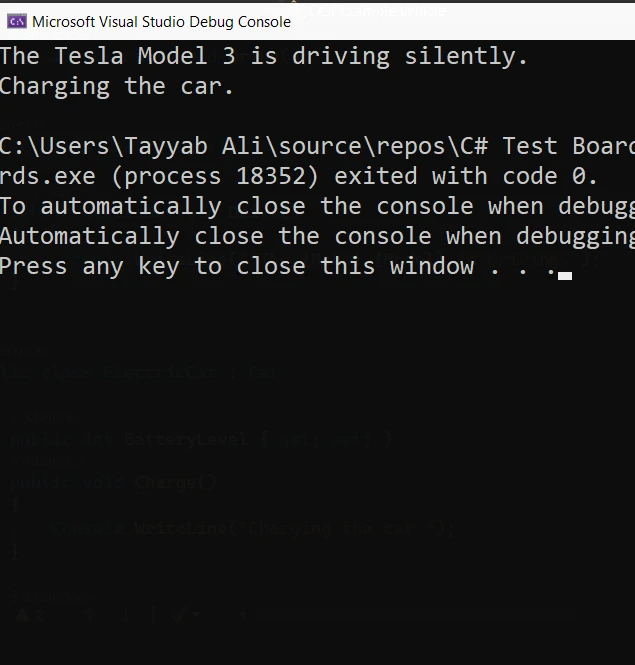
End Namespace在此範例中,Drive() 是 Vehicle 抽象類的抽象方法。 Car 是實現 Drive() 的衍生類,而 ElectricCar 在層次結構中是另一層,新增了新功能,如 BatteryLevel 和其自己的 Drive() 實現。 此結構顯示了抽象、封裝、繼承和多型在 C# 應用程式中共同發揮作用。
IronPDF library for .NET 是一個為 C# 開發者設計的多功能工具,旨在簡化在 .NET 應用程式中建立、編輯和提取 PDF 文件的過程。 IronPDF 能夠輕鬆地從 HTML 字串、URL 或 ASPX 檔案生成 PDF,提供了對 PDF 建立和操作過程的高控制水平。 此外,IronPDF 支援諸如新增頁眉和頁腳、水印和加密等高級功能,使其成為處理 .NET 應用程式中 PDF 的全面解決方案。
這裡是一個簡化的範例,展示了如何在 C# 應用程式中使用 IronPDF,包含 virtual 關鍵字,以說明如何通過繼承擴展 IronPDF 的功能,這是 OOP 的核心概念。假設我們有一個基類生成基本的 PDF 報告,及一個衍生類擴展此功能以包含自定義頁眉:
using IronPdf;

public class BasicReportGenerator
{
    public virtual PdfDocument GenerateReport(string htmlContent)
    {
        var renderer = new ChromePdfRenderer();
        var pdf = renderer.RenderHtmlAsPdf(htmlContent);
        return pdf;
    }
}

public class CustomReportGenerator : BasicReportGenerator
{
    public override PdfDocument GenerateReport(string htmlContent)
    {
        var pdf = base.GenerateReport(htmlContent);
        AddCustomHeader(pdf, "Custom Report Header");
        return pdf;
    }

    private void AddCustomHeader(PdfDocument document, string headerContent)
    {
        // Create text header
        TextHeaderFooter textHeader = new TextHeaderFooter
        {
            CenterText = headerContent,
        };
        document.AddTextHeaders(textHeader);
    }
}

class Program
{
    static void Main(string[] args)
    {
        License.LicenseKey = "License-Key";
        // HTML content for the report
        string htmlContent = "<html><body><h1>Sample Report</h1><p>This is a sample report content.</p></body></html>";

        // Using BasicReportGenerator
        BasicReportGenerator basicReportGenerator = new BasicReportGenerator();
        var basicPdf = basicReportGenerator.GenerateReport(htmlContent);
        basicPdf.SaveAs("basic_report.pdf");

        // Using CustomReportGenerator
        CustomReportGenerator customReportGenerator = new CustomReportGenerator();
        var customPdf = customReportGenerator.GenerateReport(htmlContent);
        customPdf.SaveAs("custom_report.pdf");

        Console.WriteLine("PDF reports generated successfully.");
    }
}Imports IronPdf
Public Class BasicReportGenerator
Public Overridable Function GenerateReport(ByVal htmlContent As String) As PdfDocument
Dim renderer = New ChromePdfRenderer()
Dim pdf = renderer.RenderHtmlAsPdf(htmlContent)
Return pdf
End Function
End Class
Public Class CustomReportGenerator
Inherits BasicReportGenerator
Public Overrides Function GenerateReport(ByVal htmlContent As String) As PdfDocument
Dim pdf = MyBase.GenerateReport(htmlContent)
AddCustomHeader(pdf, "Custom Report Header")
Return pdf
End Function
Private Sub AddCustomHeader(ByVal document As PdfDocument, ByVal headerContent As String)
' Create text header
Dim textHeader As New TextHeaderFooter With {.CenterText = headerContent}
document.AddTextHeaders(textHeader)
End Sub
End Class
Friend Class Program
Shared Sub Main(ByVal args() As String)
License.LicenseKey = "License-Key"
' HTML content for the report
Dim htmlContent As String = "<html><body><h1>Sample Report</h1><p>This is a sample report content.</p></body></html>"
' Using BasicReportGenerator
Dim basicReportGenerator As New BasicReportGenerator()
Dim basicPdf = basicReportGenerator.GenerateReport(htmlContent)
basicPdf.SaveAs("basic_report.pdf")
' Using CustomReportGenerator
Dim customReportGenerator As New CustomReportGenerator()
Dim customPdf = customReportGenerator.GenerateReport(htmlContent)
customPdf.SaveAs("custom_report.pdf")
Console.WriteLine("PDF reports generated successfully.")
End Sub
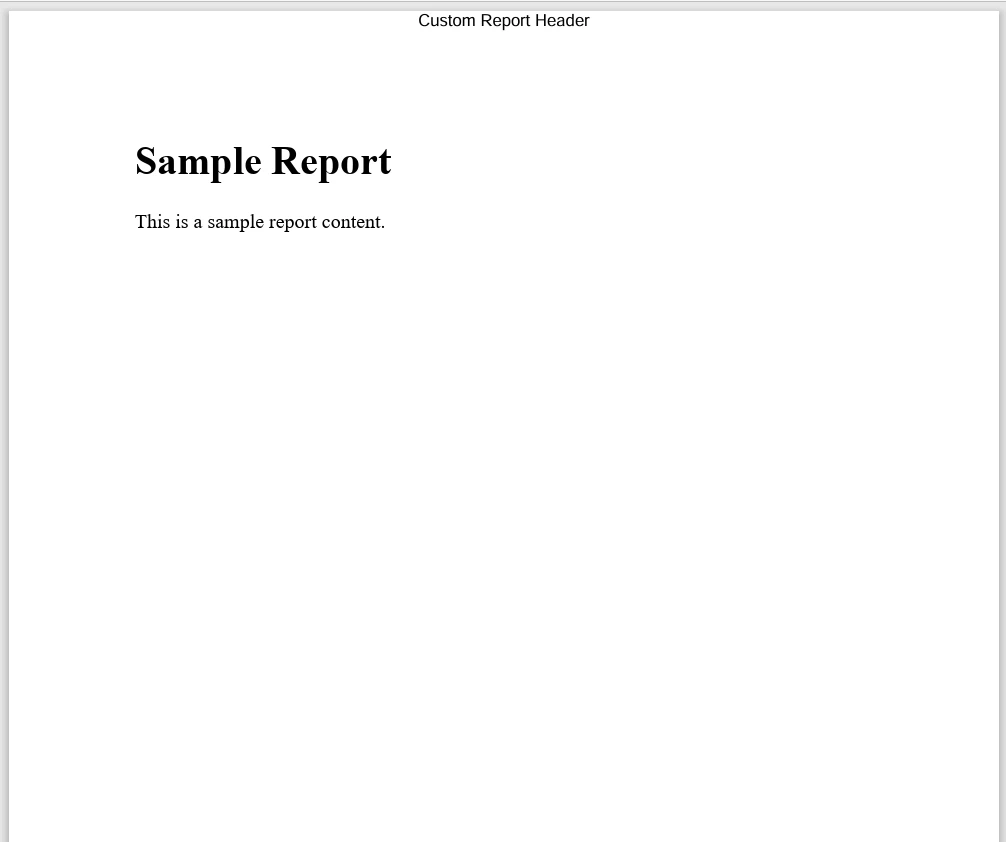
End Class在此範例中,BasicReportGenerator 具有一個方法 GenerateReport,它接收 HTML 內容並使用 IronPDF 生成 PDF 文件。 CustomReportGenerator 類繼承自 BasicReportGenerator,覆寫 GenerateReport 方法,以便在基類方法生成 PDF 之後新增自定義頁眉。 以下是程式碼生成的自定義報告:
通過理解和應用 OOP 的基本原則,初學者可以邁出掌握 C# 和開發強大軟體解決方案的重要一步。 繼承和多型允許程式碼重用和靈活性,讓新類別可以依據現有的結構和功能進行構建。 抽象和封裝確保類別只向外界公開必要的內容,保持內部運作的私密性和安全性,避免未經授權的使用。 您可以嘗試使用 IronPDF 免費試用C# PDF生成,可從liteLicense開始使用。

Jacob Mellor是Iron Software的首席技術官,一位在C# PDF技術上開創先河的遠見工程師。作為Iron Software核心程式碼庫的原開發者,他從創立以來就一直在塑造公司的產品架構,與首席執行官Cameron Rimington一起將公司轉變為服務於NASA、特斯拉和全球政府公司的50多名人員的公司。



IronPDF 是 IRONSUITE 的一部分
10 款適用於辦公室文件的 .NET API 產品

當您需要您的PDF看起來像HTML一樣快速。


