

memcached npm(開發者的使用方法)

在當代網頁開發中,提供完美的使用者體驗取決於最大化網頁應用程式的性能。 Memcached 是一個有效的高性能分佈式快取解決方案,可在此過程中使用。它允許應用程式在記憶體中儲存和檢索資料,消除重複的資料庫查詢,大幅加快響應時間。
使用像 IronPDF 這樣的工具,可以更快速地將 Memcached 與 Node.js 應用程式整合。 除了讓在 Node.js 中建立 PDF 文件變得更容易外,IronPDF 還具有 Memcached 互動功能,使其能夠有效地快取動態生成的材料,包括帳單、報告和其他資料密集型文件。
本介紹探討如何在 Node.js 環境中結合 IronPDF 與 Memcached,以增強應用程式性能和擴展性。 我們將探討設置 Memcached、將其與 IronPDF 結合以快取 PDF 文件,並結合使用這兩項技術建立快速載入並具響應性的網頁應用程式。
讓我們更深入地探討如何通過結合 Memcached 和 IronPDF 來最大化您的 Node.js 應用程式的性能。
什麼是 Memcached npm?
一個名為Memcached的客戶端程式庫,用於 Node.js,能夠在 Node.js 應用程式與 Memcached 伺服器之間進行通信。 Memcached 是一個高速運行的分佈式記憶體物件快取系統。 透過將物件和資料快取到 RAM 中,減少資料庫查詢的頻率,它經常用於加速動態網頁應用程式。 此快取方法增強了應用程式的可擴展性和響應速度。
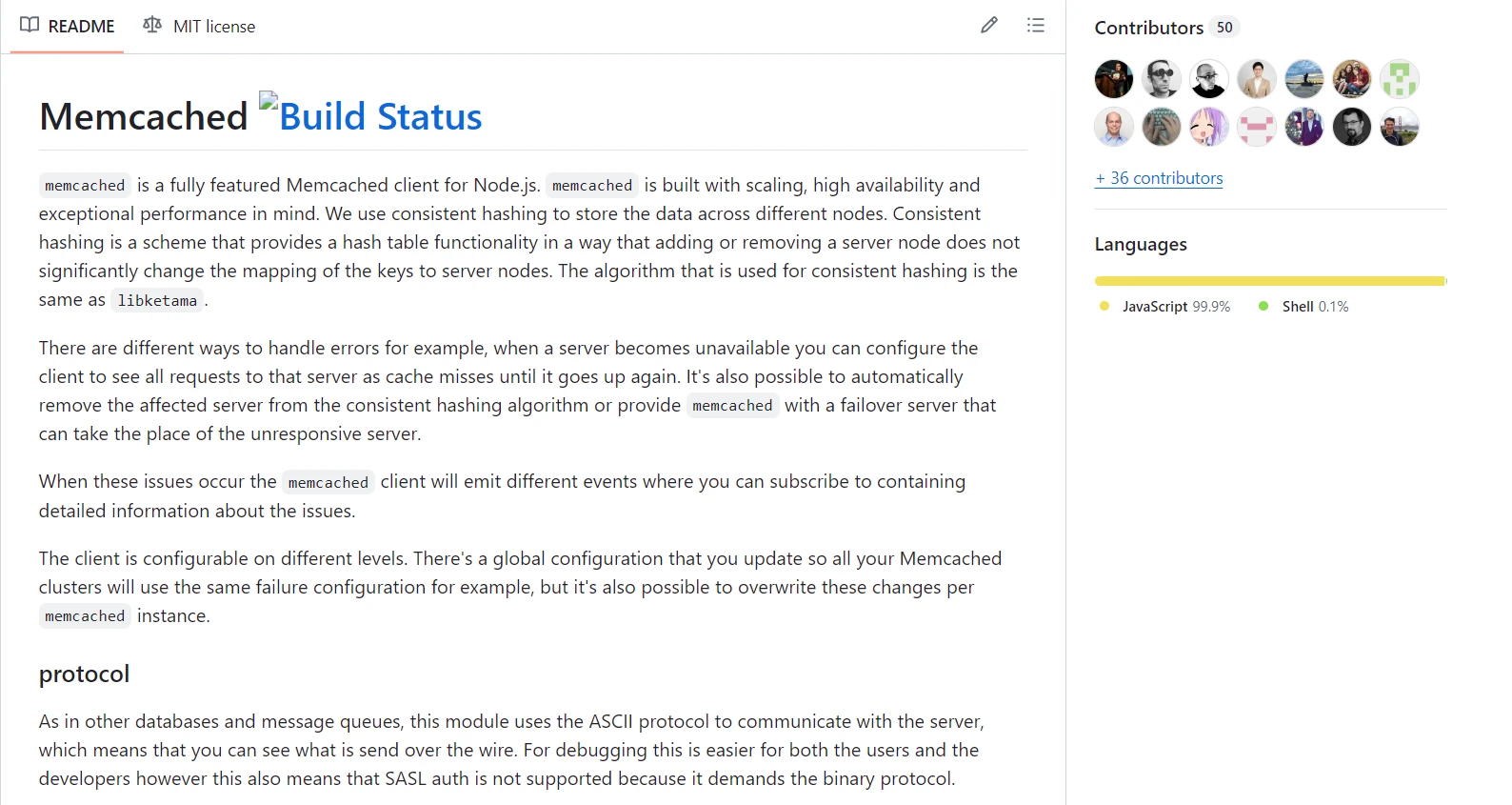
在使用 Node.js 的 Memcached 涉及將 Memcached 客戶端程式庫加入到您的應用程式的程式碼中。 此客戶端程式庫允許您連接到 Memcached 伺服器,並執行例如儲存和檢索快取資料、處理快取失效和過期,以及將鍵值對儲存於記憶體中的操作。
Node.js 的 Memcached 受 Apache 版本 2.0 授權支持,確保了靈活性和開源可存取性。 各種客戶端程式庫目標是無縫整合,通過配置文件進行簡單設置。 這些程式庫遵循最佳實踐,提供穩定的方案來高效地快取資料。 範例源程式碼展示了實施的簡易性,使開發人員能夠利用 Memcached 強大的快取能力來優化性能。
Node.js 的 Memcached 因其提供了幾個關鍵功能,是提高網頁應用程式性能的重要工具:
高性能
Memcached 專為快速資料儲存和檢索而設計。 與傳統的基於磁碟的資料庫相比,它提供了極快的存取速度,因為它完全在記憶體中運行。
分佈式快取
因為 Memcached 是一個分佈式快取系統,所以可以通過向集群新增更多伺服器或節點來橫向擴展。 這能將工作負載分散到多個伺服器,使應用程式能夠處理更高的請求率及更大數量的資料。
簡單的鍵值儲存
Memcached 作為一個基本的鍵值儲存來運作。 它將資訊以鍵值對的形式儲存,其中值可以是任何型別的資料物件(二進制、JSON、文字等),而鍵是一個唯一識別符。 它的簡單性促進了與各種應用程式的易於整合。
高效的快取機制
Memcached 提供設定資料快取過期時間的技術。 透過防止陳舊資料無限期逗留,這增強了應用程式的資料一致性和新鮮度。
並發支持
Memcached 通常為 Node.js 提供非同步 APIs,使 Node.js 應用程式能夠執行非阻塞操作。 其非同步性補充了 Node.js 的事件驅動架構,使應用程式能夠在高流量下不會出現延遲現象。
擴展性和靈活性
Memcached 可通過擴展 Memcached 集群並新增額外的伺服器來橫向擴展。 應用程式可以在不妥協性能的情況下處理增加的流量和資料量,得益於此擴展性。
與 Node.js 生態系統的整合
Node.js 的 Memcached 程式庫在 Node.js 生態系統中無縫整合且具有良好支持。 這些程式庫提供可靠的 APIs 來管理快取資料、建立與 Memcached 伺服器的連線以及高效控制快取操作。
快取失效
當資料更新或過期時,Memcached 使應用程式能夠直接使快取的資料失效(移除)。 這有助於維護資料的完整性,並確保使用者始終獲得最新資訊。
在 Node.js 中建立並配置 Memcached
在 Node.js 應用程式中建立和設置 Memcached 要遵循的步驟如下:
安裝 Memcached 伺服器
在您運行 Node.js 應用程式的計算機或伺服器上安裝 Memcached 伺服器是第一步。確保您擁有與其相容的 npm 和 Node.js 版本。 如果您使用的是已終止支持的 Node.js 版本,請考慮在繼續之前將其更新至一個仍受支持的 LTS 版本。 根據您的操作系統,安裝指引會有所不同。
npm install memcachednpm install memcached在您的 Node.js 應用程式中配置和使用 Memcached
安裝 Memcached 伺服器和 Memcached 客戶端程式庫後,您即可在您的 Node.js 應用程式中使用和配置 Memcached。 請看此範例源程式碼:
const Memcached = require('memcached');

// Connect to Memcached server
const memcached = new Memcached('localhost:11211'); // Replace with your Memcached server address and port

// Example: Setting a value in Memcached
memcached.set('key1', 'Hello Memcached!', function (err) {
  if (err) {
    console.error('Error setting value:', err);
    return;
  }
  console.log('Value stored successfully!');
});

// Example: Retrieving a value from Memcached
memcached.get('key1', function (err, data) {
  if (err) {
    console.error('Error retrieving value:', err);
    return;
  }
  console.log('Retrieved value:', data);
});

// Example: Deleting a value from Memcached
memcached.del('key1', function (err) {
  if (err) {
    console.error('Error deleting value:', err);
    return;
  }
  console.log('Value deleted successfully!');
});
const Memcached = require('memcached');
// Connect to Memcached server
const memcached = new Memcached('localhost:11211'); // Replace with your Memcached server address and port
// Example: Setting a value in Memcached
memcached.set('key1', 'Hello Memcached!', function (err) {
if (err) {
console.error('Error setting value:', err);
return;
}
console.log('Value stored successfully!');
});
// Example: Retrieving a value from Memcached
memcached.get('key1', function (err, data) {
if (err) {
console.error('Error retrieving value:', err);
return;
}
console.log('Retrieved value:', data);
});
// Example: Deleting a value from Memcached
memcached.del('key1', function (err) {
if (err) {
console.error('Error deleting value:', err);
return;
}
console.log('Value deleted successfully!');
});
配置選項
在建立 Memcached 客戶端的實例時,可以設置例如伺服器位置、超時和連接池等選項:
const memcached = new Memcached('localhost:11211', {
  timeout: 2000, // Connection timeout in milliseconds (default: 5000)
  retries: 2,    // Number of retries to connect (default: 0)
  retry: 1000,   // Retry delay in milliseconds (default: 30000)
  poolSize: 10   // Number of connections to create (default: 10)
});
const memcached = new Memcached('localhost:11211', {
timeout: 2000, // Connection timeout in milliseconds (default: 5000)
retries: 2, // Number of retries to connect (default: 0)
retry: 1000, // Retry delay in milliseconds (default: 30000)
poolSize: 10 // Number of connections to create (default: 10)
});透過根據這些指南建立和配置 Memcached,您可以利用其快取功能來提高您的 Node.js 應用程式的性能。 根據您的具體應用程式要求和部署環境來調整配置和使用案例。
快速入門
您可以運用這些方法來開始在 Node.js 應用程式中整合 Memcached 和 IronPDF。
什麼是IronPDF?
IronPDF for Node.js 旨在從 HTML 內容生成高品質的 PDF 頁面。 它簡化了將 JavaScript、HTML 和 CSS 轉換為準確格式的 PDF 的過程,同時不損害原始網頁內容的完整性。 這是一個對需要生成動態、可列印文件,例如報告、發票和證書的網頁應用程式來說非常有價值的工具。
IronPDF 包含可自定義的頁面設置、頁眉、頁腳以及新增字體和圖像的功能。 它支持複雜的佈局和樣式,確保生成的 PDF 符合預期設計。 此外,IronPDF 處理 HTML 中 JavaScript 的執行,實現動態和互動內容的精確渲染。
IronPDF的功能
從HTML生成PDF
將HTML、CSS和JavaScript轉換為PDF。 IronPDF 支持當代網頁標準,例如媒體查詢和響應式設計。 這對於使用 HTML 和 CSS 動態格式化 PDF 文件、報告和發票特別有用。
PDF編輯
向現有的 PDF 新增文字、圖像和其他材料。 從 PDF 文件中提取文字和圖像,將多個 PDF 合併為一個文件,並將 PDF 文件拆分為幾個不同的文件。 新增頁眉、頁腳、註釋和水印。
PDF 轉換
將多種文件型別(如 Word、Excel 及圖像文件)轉換為 PDF。 IronPDF 對於將 PDF 文件轉換為圖像格式(PNG、JPEG 等)特別有用。
效能和可靠性
高性能和可靠性是工業背景下的重要設計原則。 IronPDF 能夠有效地處理大文件集。
安裝IronPDF
若要獲得在 Node 項目中處理 PDF 所需的工具,請安裝 IronPDF 套件:
npm i @ironsoftware/ironpdf
使用 Memcached 客戶端生成 PDF
要連接到 Memcached 並驗證連線性,請編寫一個 Node.js 腳本。 請看此範例範例:
const Memcached = require('memcached');
const IronPdf = require("@ironsoftware/ironpdf");
const document = IronPdf.PdfDocument;
var config = IronPdf.IronPdfGlobalConfig;
config.setConfig({ licenseKey: '' }); // Set your license key here

// Connect to Memcached server
const memcached = new Memcached('localhost:11211'); // Replace with your Memcached server address and port

// Example: Setting a value in Memcached
memcached.set('key', 'Hello, IronPDF!', 3600, function (err) {
  if (err) {
    console.error('Error setting value:', err);
    return;
  }
  console.log('Value stored successfully!');
});

// Example: Retrieving a value from Memcached
memcached.get('key', function (err, data) {
  if (err) {
    console.error('Error retrieving value:', err);
    return;
  }
  console.log('Retrieved value:', data);
  const htmlContent = `<html><body><h1>${data}</h1></body></html>`;

  // Asynchronously generate a PDF from the HTML content
  document.fromHtml(htmlContent).then((pdfres) => {
    const filePath = `${Date.now()}.pdf`; // Generate a unique filename based on timestamp

    // Save the generated PDF to a file
    pdfres.saveAs(filePath).then(() => {
      console.log('PDF generation completed. File saved as:', filePath);
    }).catch((e) => {
      console.log('Error saving PDF:', e);
    });
  }).catch((e) => {
    console.log('Error generating PDF:', e);
  });
});
const Memcached = require('memcached');
const IronPdf = require("@ironsoftware/ironpdf");
const document = IronPdf.PdfDocument;
var config = IronPdf.IronPdfGlobalConfig;
config.setConfig({ licenseKey: '' }); // Set your license key here
// Connect to Memcached server
const memcached = new Memcached('localhost:11211'); // Replace with your Memcached server address and port
// Example: Setting a value in Memcached
memcached.set('key', 'Hello, IronPDF!', 3600, function (err) {
if (err) {
console.error('Error setting value:', err);
return;
}
console.log('Value stored successfully!');
});
// Example: Retrieving a value from Memcached
memcached.get('key', function (err, data) {
if (err) {
console.error('Error retrieving value:', err);
return;
}
console.log('Retrieved value:', data);
const htmlContent = `<html><body><h1>${data}</h1></body></html>`;
// Asynchronously generate a PDF from the HTML content
document.fromHtml(htmlContent).then((pdfres) => {
const filePath = `${Date.now()}.pdf`; // Generate a unique filename based on timestamp
// Save the generated PDF to a file
pdfres.saveAs(filePath).then(() => {
console.log('PDF generation completed. File saved as:', filePath);
}).catch((e) => {
console.log('Error saving PDF:', e);
});
}).catch((e) => {
console.log('Error generating PDF:', e);
});
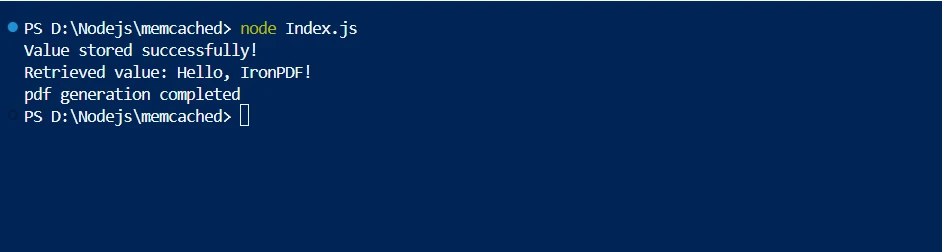
});在這個 Node.js 程式碼片段中,Memcached 作為一個分佈式快取系統運作,通過將資料儲存於記憶體中來減少冗餘資料處理並提高性能。 該片段初始化 Memcached 並連接到本地伺服器(localhost:11211)。 為了驗證連線性,它儲存並檢索字串"Hello, IronPDF!"
IronPDF 的 fromHtml 方法被用來異步地將 HTML 內容轉換成 PDF 文件。 這個函式採用一個 HTML 字串(htmlContent)並從中建立一個 PDF 文件。 生成的 PDF 然後被保存到本地文件,確保有效的資料管理,並展示了快取如何通過減少資源密集型任務來提高應用程式的響應性。
總體來說,這種整合展示了如何通過快速存取快取文件,結合 Memcached,以提高 Node.js 應用程式中利用 IronPDF 生成的 PDF 的可擴展性和降低計算成本。 可以進行修改來處理更大的資料集,包含錯誤處理,以及根據特定應用程式和部署情境的需求來優化快取技術。
結論
總結來說,在 Node.js 中結合 Memcached 和 IronPDF 是提升應用程式的可擴展性和性能的一種強大方法。 通過利用 Memcached 的分佈式快取能力,我們可以有效地儲存和檢索動態生成的 PDF 文件,減少計算開銷和加快響應時間。 Memcached 確保了對儲存內容的快速存取,促進更為無縫的使用者體驗,而 IronPDF 憑藉其流暢的 HTML 到 PDF 轉換保證了文件建立的靈活性。
這種結合最大化地利用了可用的資源,促進了在網頁應用程式中順利交付資料密集型文件。 隨著快取策略和整合技術的持續演進和精進,Memcached 和 IronPDF 將在維持現代 Node.js 應用程式的高性能標準方面發揮關鍵作用。
附加 OCR、條碼掃描、PDF 生成、Excel 連接以及其他功能到您的 .NET 開發工具集中是可能的,並且 Iron Software 讓開發人員能夠存取更多的線上應用和功能。 Iron Software 的高可配置系統和套件與核心支持相結合,促進更高效的開發。
如果授權選項具體到專案且易於理解,開發人員可以更容易地選擇理想的模式。 這些功能幫助開發人員找到針對不同問題的簡單、高效且良好整合的解決方案。






 免費開始
免費開始 免費開始
免費開始 預訂免費直播演示
















