

在 Python 中使用 WhisperX 進行轉錄

Python 已經鞏固了其作為全球最具多樣性和強大編程語言之一的地位,這主要是由於其廣泛的程式庫和框架生態系統。 在機器學習和自然語言處理(NLP)領域中,一個引人注目的程式庫是 WhisperX。 在本文中,我們將探討什麼是 WhisperX,其主要功能,以及如何在各種應用中利用它。 此外,我們將介紹 IronPDF,另一個強大的 Python 程式庫,並展示如何與 WhisperX 結合使用,附上一個實用的程式碼範例。
什麼是 WhisperX?
WhisperX 是一個專為語音識別和 NLP 任務設計的先進 Python 程式庫。 它利用最先進的機器學習模型將口語轉換為書面文字,並具有高準確度的語言檢測和時間準確的語音轉錄。 WhisperX 特別適用於需要即時翻譯的應用,如虛擬助手、自動化客服系統和轉錄服務。
WhisperX 的關鍵特性
- 高準確度:WhisperX 使用前沿的算法和大型資料集訓練其模型,確保在語音識別中的高準確度。
- 即時處理:該程式庫經過優化,可以即時處理,這使其非常適合需要立即轉錄和響應的應用。
- 語言支持:WhisperX 支持多種語言,滿足全球受眾和多樣化的使用案例。
- 容易整合:借助其良好記錄的 API,WhisperX 可以輕鬆地整合到現有的 Python 應用中。
- 自訂化:使用者可以微調模型,以更好地適應特定的口音、方言和術語。
開始使用 WhisperX
要開始使用 WhisperX,您需要安裝該程式庫。 這可以通過 pip,Python 套件管理器來完成。 假設您已安裝 Python 和 pip,可以使用以下命令安裝 WhisperX:
pip install whisperxpip install whisperxWhisperX 的基本使用 - 快速自動語音識別
這是演示如何使用 WhisperX 轉錄音訊文件的基本範例:
import whisperx

# Initialize the WhisperX recognizer
recognizer = whisperx.Recognizer()

# Load your audio
audio_file = "path_to_your_audio_file.wav"

# Perform transcription
transcription = recognizer.transcribe(audio_file)

# Print the transcription
print("Transcription:", transcription)
import whisperx
# Initialize the WhisperX recognizer
recognizer = whisperx.Recognizer()
# Load your audio
audio_file = "path_to_your_audio_file.wav"
# Perform transcription
transcription = recognizer.transcribe(audio_file)
# Print the transcription
print("Transcription:", transcription)這個簡單的範例展示了如何初始化 WhisperX 語音識別器、載入音訊並執行轉錄,以高準確度將口語轉換為文字。

WhisperX 的高級功能
WhisperX 還提供高級功能,如說話者識別,這對於多說話者環境至關重要。 這裡有一個如何使用這一功能的範例:
import whisperx

# Initialize the WhisperX recognizer with speaker identification enabled
recognizer = whisperx.Recognizer(speaker_identification=True)

# Load your audio file
audio_file = "path_to_your_audio_file.wav"

# Perform transcription with speaker identification
transcription, speakers = recognizer.transcribe(audio_file)

# Print the transcription with speaker labels
for i, segment in enumerate(transcription):
    print(f"Speaker {speakers[i]}: {segment}")
import whisperx
# Initialize the WhisperX recognizer with speaker identification enabled
recognizer = whisperx.Recognizer(speaker_identification=True)
# Load your audio file
audio_file = "path_to_your_audio_file.wav"
# Perform transcription with speaker identification
transcription, speakers = recognizer.transcribe(audio_file)
# Print the transcription with speaker labels
for i, segment in enumerate(transcription):
print(f"Speaker {speakers[i]}: {segment}")在這個範例中,WhisperX 不僅轉錄音訊,還識別不同的說話者,並相應地標記每個部分。
IronPDF for Python
雖然 WhisperX 負責將音訊轉換為文字,但通常需要以結構化且專業的格式呈現資料。 這就是 IronPDF for Python 的用武之地。 IronPDF 是一個強大的程式庫,用於以程式化的方式生成、編輯和操作 PDF 文件。 它使開發者能夠從頭生成 PDF,將 HTML 轉換為 PDF 等。
安裝 IronPDF
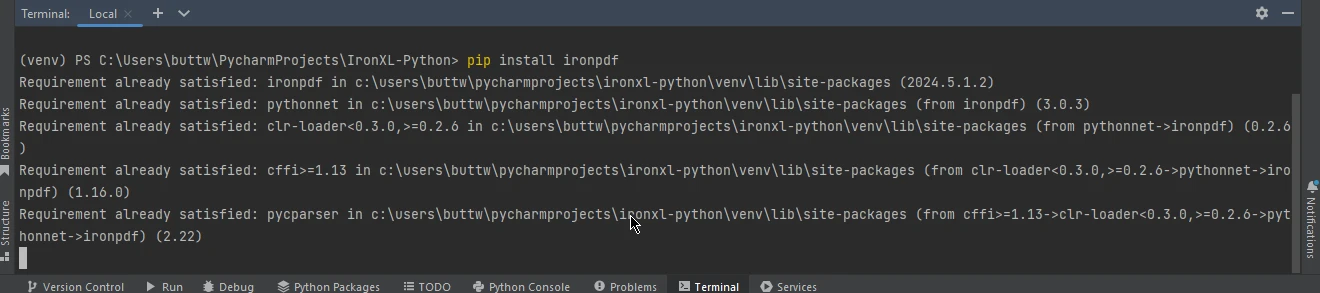
可以使用 pip 安裝 IronPDF:
pip install ironpdf
結合使用 WhisperX 和 IronPDF
現在我們來建立一個實用範例,演示如何使用 WhisperX 轉錄音訊文件,然後使用 IronPDF 生成包含轉錄內容的 PDF 文件。
import whisperx
from ironpdf import IronPdf

# Initialize the WhisperX recognizer
recognizer = whisperx.Recognizer()

# Load your audio file
audio_file = "path_to_your_audio_file.wav"

# Perform transcription
transcription = recognizer.transcribe(audio_file)

# Create a PDF document using IronPDF
renderer = IronPdf.ChromePdfRenderer()
pdf_from_html = renderer.RenderHtmlAsPdf(f"<h1>Transcription</h1><p>{transcription}</p>")

# Save the PDF to a file
output_file = "transcription_output.pdf"
pdf_from_html.save(output_file)
print(f"Transcription saved to {output_file}")
import whisperx
from ironpdf import IronPdf
# Initialize the WhisperX recognizer
recognizer = whisperx.Recognizer()
# Load your audio file
audio_file = "path_to_your_audio_file.wav"
# Perform transcription
transcription = recognizer.transcribe(audio_file)
# Create a PDF document using IronPDF
renderer = IronPdf.ChromePdfRenderer()
pdf_from_html = renderer.RenderHtmlAsPdf(f"<h1>Transcription</h1><p>{transcription}</p>")
# Save the PDF to a file
output_file = "transcription_output.pdf"
pdf_from_html.save(output_file)
print(f"Transcription saved to {output_file}")綜合程式碼範例的解釋
WhisperX 轉錄:
- 初始化 WhisperX 語音識別器並載入音訊文件。
transcribe方法處理音訊並返回轉錄結果。
使用 IronPDF 建立 PDF:
- 建立
IronPdf.ChromePdfRenderer的實例。 - 使用
RenderHtmlAsPdf方法,將包含轉錄文字的 HTML 格式字串新增到 PDF。 save方法將 PDF 寫入文件。
- 建立
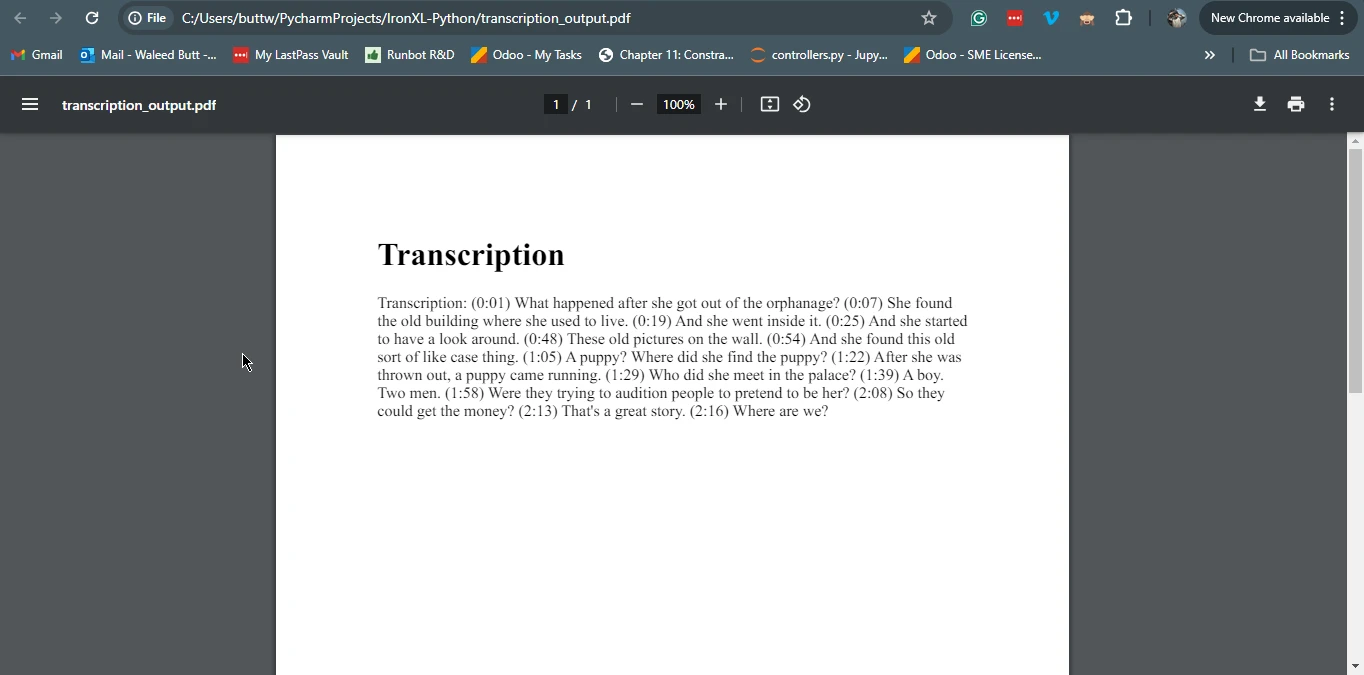
這個綜合範例展示了如何利用 WhisperX 和 IronPDF 的優勢,建立一個完整的解決方案,轉錄音訊並生成包含轉錄內容的 PDF 文件。
結論
WhisperX 是任何想在其應用中實現語音識別、說話者分離和轉錄的人的強大工具。 其高準確度、即時處理能力和對多種語言的支持使其成為 NLP 領域的重要資產。另一方面,IronPDF 提供了一種以程式化方式建立和操作 PDF 文件的便捷方式。 通過結合 WhisperX 和 IronPDF,開發者可以建立全面的解決方案,不僅轉錄音訊,還以精緻、專業的格式展示轉錄內容。
無論您是在構建虛擬助手、客戶服務聊天機器人還是轉錄服務,WhisperX 和 IronPDF 提供了提升您的應用能力並為使用者提供高質量結果所需的工具。
如需了解有關 IronPDF 授權的更多資訊,請存取 IronPDF 授權頁面。 此外,我們的詳細教程《HTML 到 PDF 轉換》可供進一步探索。









 免費開始
免費開始 免費開始
免費開始 預訂免費直播演示
















