



Updated September 2, 2026
HTML to PDF in C#: Benchmarking 7 .NET Libraries (2026)
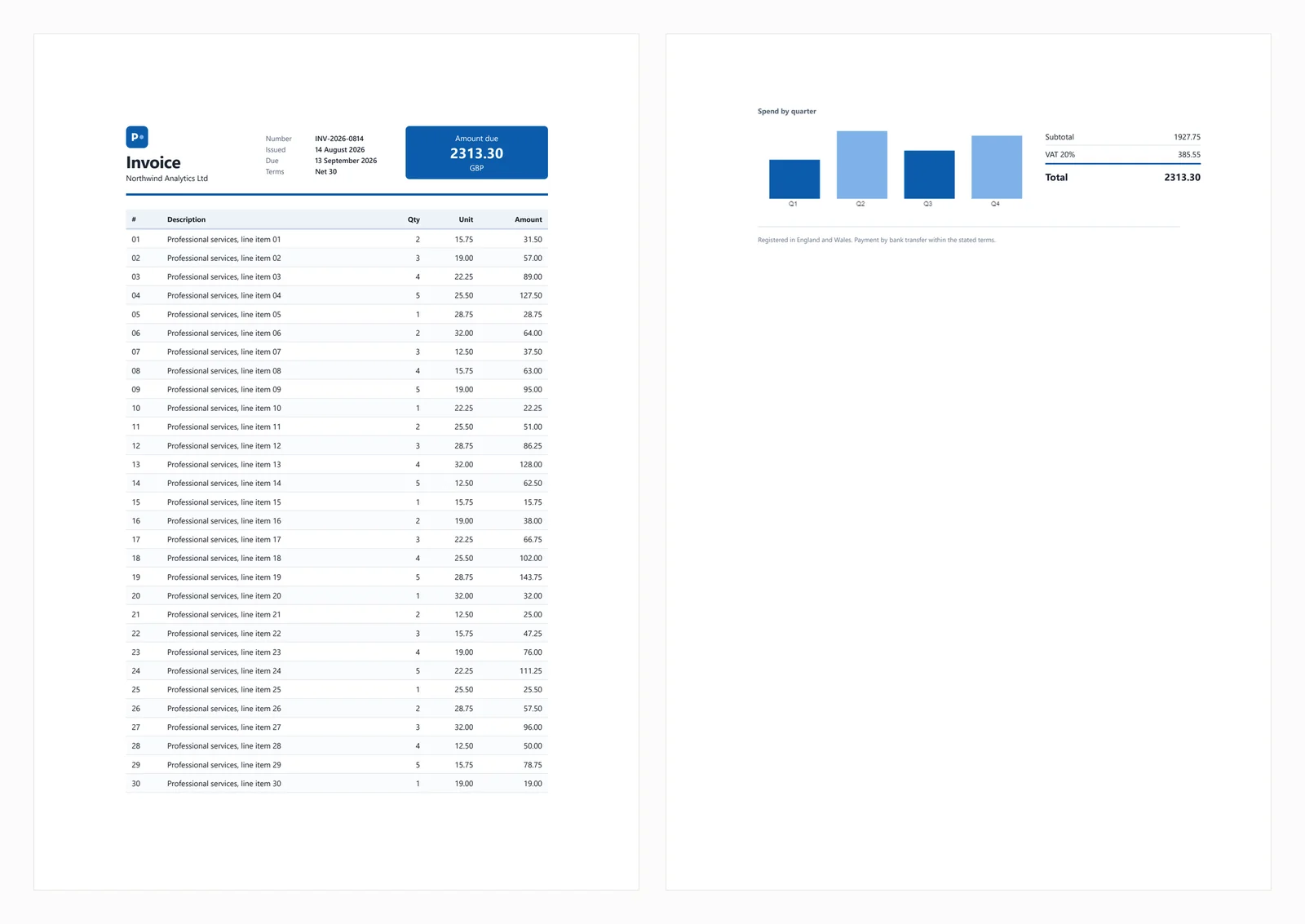
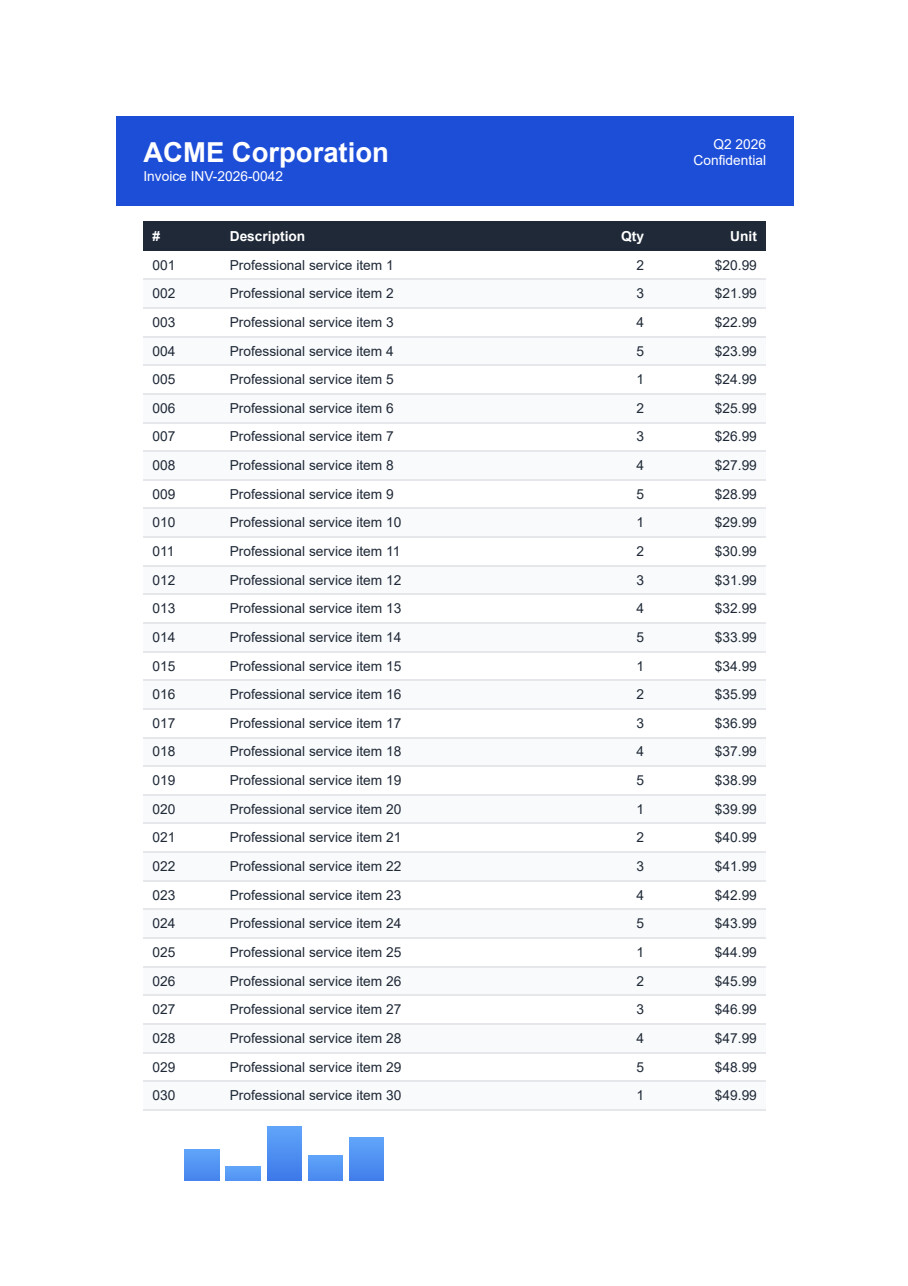
Compare 7 C# HTML to PDF libraries on .NET 10 for cold start, throughput, memory and rendering accuracy. Only 3 rendered the test invoice correctly.
Read More

Generating professional Adobe PDF documents is a common requirement for modern .NET applications. Whether you are creating invoices, reports, contracts, receipts, certificates, or exporting web pages, selecting the right PDF library can have a major impact on rendering quality, development effort, deployment complexity, and long-term maintenance.
One popular solution in the .NET ecosystem is ABCpdf, a commercial PDF component developed by WebSupergoo. It allows developers to create, read, modify, and convert PDF documents programmatically using C# and other .NET languages. With support for HTML rendering, PDF manipulation, document conversion, images, fonts, and advanced PDF features, ABCpdf has been used in many business applications for generating and processing PDF files.
In this article, we will explore what ABCpdf offers, how its PDF generation workflow works, why developers choose it for .NET environments, where its architecture may present challenges as application requirements grow, and how IronPDF provides a modern alternative with a Chromium-based HTML rendering engine.
ABCpdf is a commercial .NET PDF library and .NET Component from WebSupergoo that enables developers to create, edit, and manipulate PDF documents directly from their applications. Unlike solutions that depend on external print drivers, ABCpdf uses its own Direct to PDF technology to generate PDF files efficiently on servers and within high-performance environments.
 The library is designed primarily for .NET applications and supports both modern .NET environments and legacy .NET Framework projects. Developers can use ABCpdf to create new PDF documents, import existing files, convert different document formats, and perform complex PDF manipulation operations.
ABCpdf supports:
Because of its broad feature set, ABCpdf is often used in applications that require more than simple PDF generation.
One of ABCpdf's most important features is its HTML rendering capability. Developers can convert HTML pages, HTML strings, and remote web sites into PDF documents while preserving the layout and styling of the original content.
The HTML rendering process supports:
ABCpdf provides multiple HTML rendering engines, allowing developers to choose the engine that best fits their application requirements. These include browser-based rendering approaches such as the ABCChrome engine and other rendering options designed for compatibility with different environments.
This multi-engine approach gives developers flexibility when converting complex web pages into PDF files. For example, applications that require modern web standards may use a Chromium-based rendering engine, while legacy systems may rely on older compatibility-focused engines.
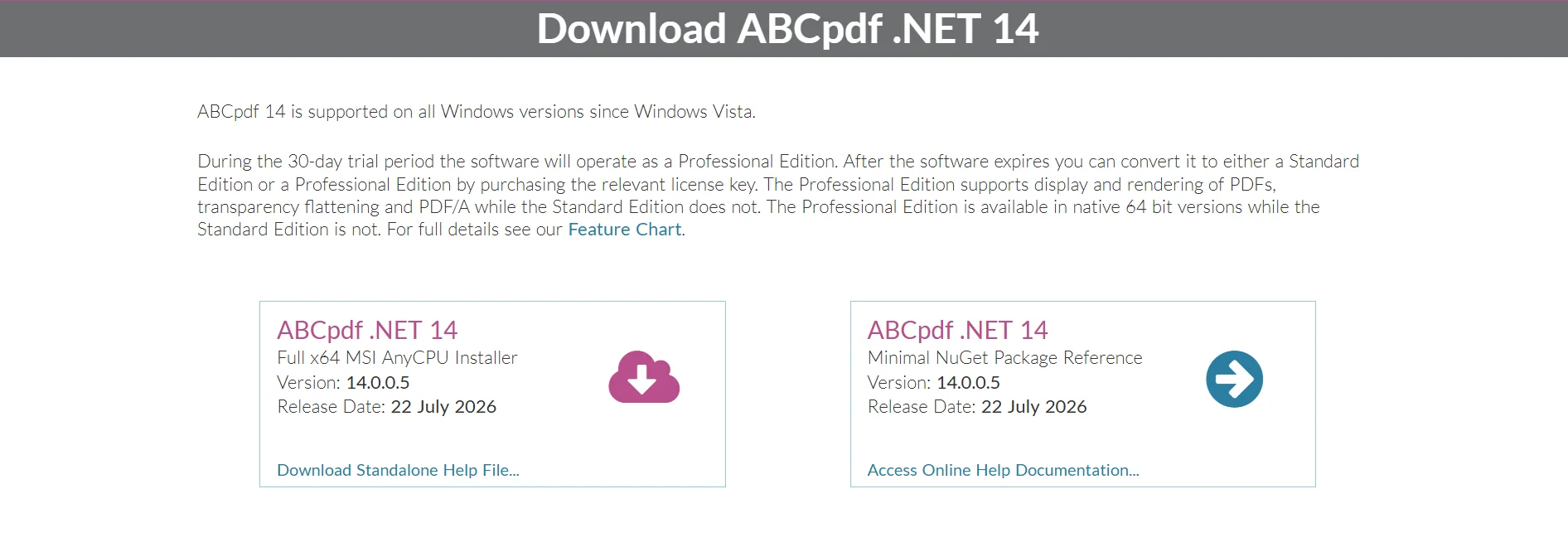
ABCpdf can be installed through NuGet or by downloading the installer package from WebSupergoo.
For a new Visual Studio project, developers can install the package using NuGet Package Manager.
Install-Package ABCpdfAfter installation, the required assemblies become available for use inside .NET applications.
ABCpdf can be used in different application types, including:
Since ABCpdf performs PDF generation on the server, it is commonly used for automated document workflows such as report generation, invoice processing, and document conversion services.
ABCpdf uses the Doc class as the primary object for creating and managing PDF documents.
The following example creates a new PDF document, add or import HTML content, and saves the generated PDF file.
using ABCpdf12;

Doc doc = new Doc();

doc.HtmlOptions.Engine = EngineType.Chrome;

doc.AddImageHtml(@"
<html>
<body>

<h1>Hello ABCpdf</h1>

<p>
This PDF document was generated using ABCpdf HTML rendering.
</p>

</body>
</html>");

doc.Save("output.pdf");

doc.Clear();One of the reasons developers choose ABCpdf is that basic PDF generation can be achieved quickly. With its Doc class and built-in HTML conversion capabilities, developers can create a working PDF workflow within minutes, especially when converting existing HTML content into PDF documents.
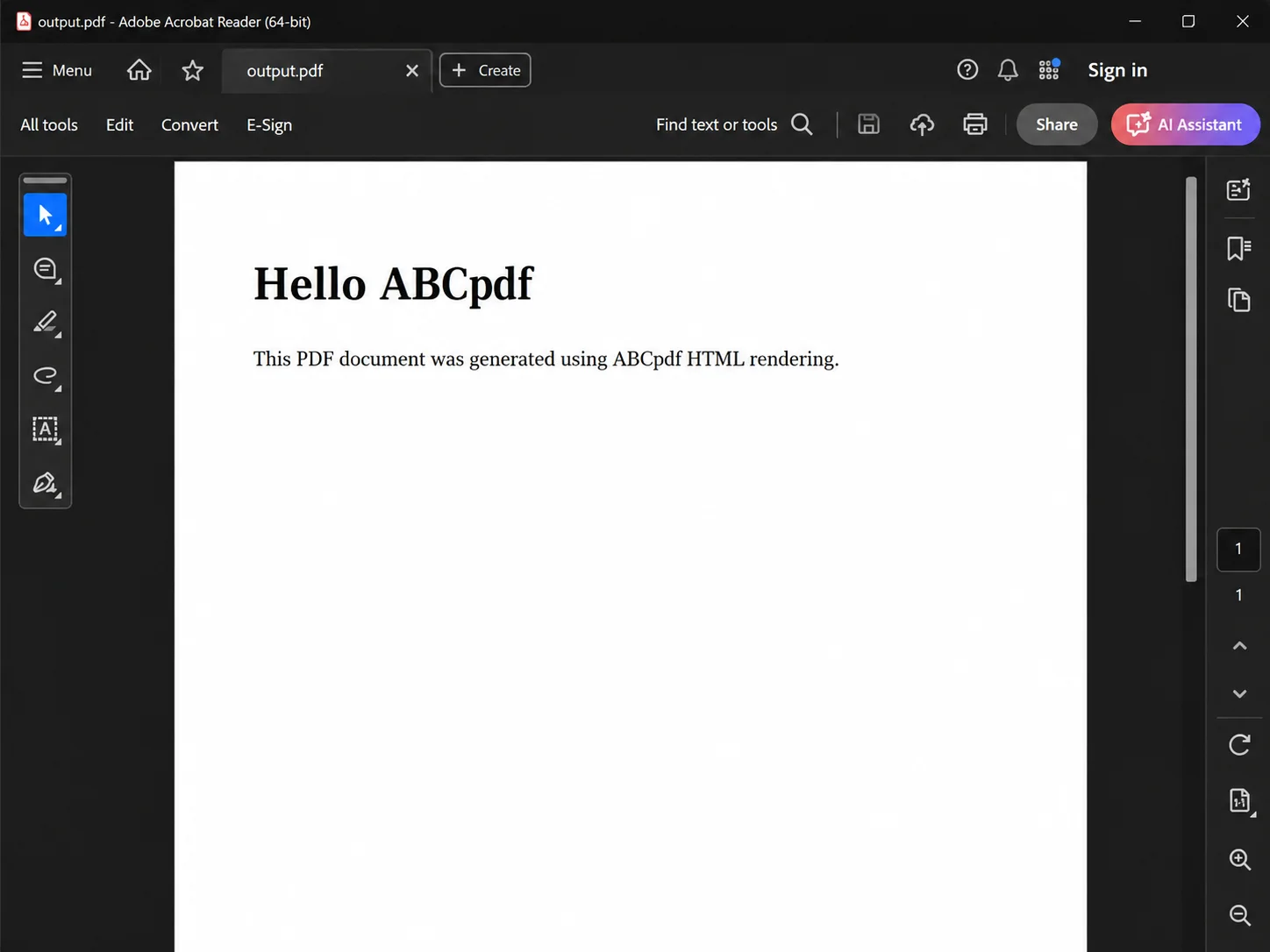 In this example:
This workflow allows developers to reuse existing HTML templates instead of manually creating PDF layouts through drawing APIs.
ABCpdf can also convert HTML content from remote websites.
This is useful when applications need to capture web pages, customer portals, reports, or dashboards as PDF documents.
using ABCpdf12;

Doc doc = new Doc();

doc.HtmlOptions.Engine = EngineType.Chrome;

doc.AddImageUrl("https://example.com");

doc.Save("website.pdf");

doc.Clear();The AddImageUrl() method loads the specified web page, renders the HTML content, and converts the result into a PDF document.
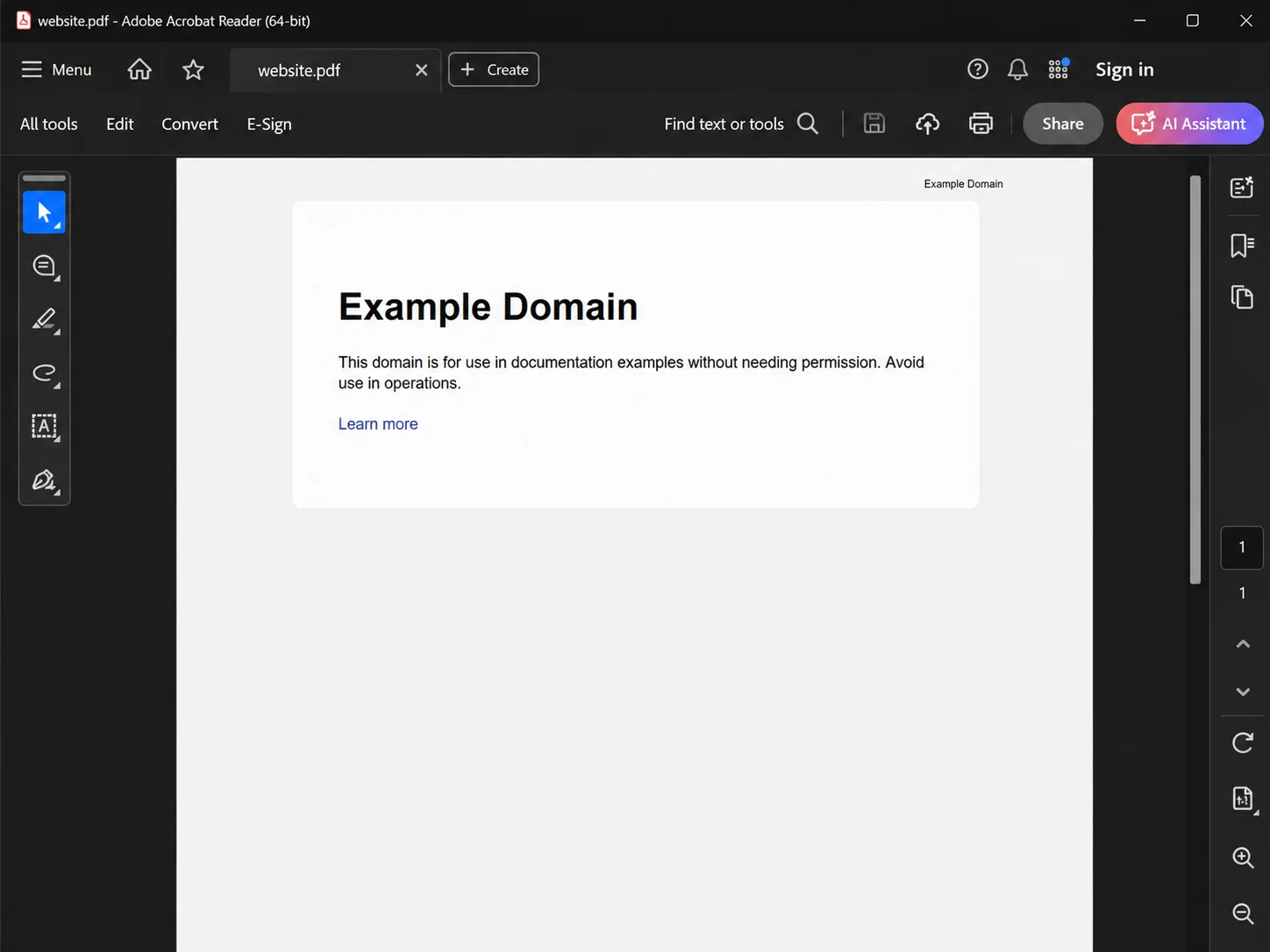 This approach is commonly used for:
Enterprise applications often need to generate PDF documents containing multiple languages, including Chinese, Japanese, Korean, Arabic, and Hebrew.
ABCpdf provides support for Unicode text, embedded fonts, and bidirectional layouts. It can handle right-to-left languages and complex scripts while maintaining text accuracy in generated PDF files.
Features include:
This makes ABCpdf suitable for global applications that generate documents for users across different regions.
Beyond PDF generation, ABCpdf provides extensive PDF manipulation capabilities.
Developers can programmatically modify existing PDF documents by:
For example, organizations can use ABCpdf to create document processing systems where PDFs are generated, modified, secured, and archived automatically.
Its ability to handle large documents and complex operations makes it suitable for high-volume server-side PDF processing.
ABCpdf provides a broad range of features beyond basic PDF generation. For applications that require complete control over PDF documents, the library includes tools for editing, conversion, security, and compliance.
ABCpdf supports a wide range of document conversion scenarios. In addition to generating PDF documents from HTML content, it supports HTML, CSS, and JavaScript rendering, allowing developers to convert dynamic web pages into PDF files while preserving their layout and styling.
Beyond web content, ABCpdf can also convert various business document formats into PDF. This includes Microsoft Word, Excel, and PowerPoint files, making it useful for applications that need to standardize different document types into a single PDF output format.
The library also supports additional document formats such as Encapsulated PostScript (EPS) and XML Paper Specification (XPS). It can handle various image formats, including JPEG, TIFF, PNG, and SVG, allowing developers to process different content sources before generating final PDF documents.
Developers can use ABCpdf for:
ABCpdf also supports importing different document formats, including HTML, Microsoft Office files, XPS documents, and image formats such as JPEG, TIFF, PNG, and SVG.
This makes it useful for applications where PDF files are the final output format for multiple types of business documents.
One of ABCpdf's strengths is its focus on server-side PDF generation and high-performance processing. The library is designed for environments where applications need to create large numbers of PDF documents.
ABCpdf is fully multi-threaded, allowing it to process PDF generation tasks efficiently in applications such as:
The library uses direct PDF generation techniques instead of relying on print drivers, which helps reduce dependencies and improves reliability in server environments.
ABCpdf can also handle large PDF documents, making it suitable for applications that process complex files containing many pages, images, and embedded resources.
Many organizations require PDF documents to follow compliance standards for archiving, accessibility, and security.
ABCpdf supports features such as:
These capabilities make ABCpdf suitable for industries that require long-term document storage, secure sharing, and controlled access.
For example, a company generating financial reports can create PDF/A documents for archival purposes while applying encryption and permissions to protect sensitive information.
ABCpdf is a commercial .NET PDF component developed by WebSupergoo. Unlike open-source PDF libraries, it requires a license for production use. It is normally priced at $329
A free trial license is created upon installation of ABCpdf, allowing developers to test PDF generation and conversion features before deployment.
When evaluating ABCpdf, organizations should consider:
The initial development cost is only one factor when selecting a PDF library. Operational requirements, deployment environments, and future feature needs should also be considered.
ABCpdf provides a powerful API for PDF generation and manipulation, but application requirements often become more demanding as projects evolve. While ABCpdf provides extensive control over PDF creation and manipulation, the wide range of available features can introduce a steeper learning curve compared to simpler PDF libraries focused only on basic conversion scenarios.
Developers working with advanced operations such as document manipulation, rendering engines, compliance standards, and PDF structures may need additional time to become familiar with the complete API.
Teams may eventually need answers to questions such as:
These challenges are not necessarily limitations of ABCpdf. They are common considerations when choosing any PDF conversion technology.
The HTML rendering process is especially important because modern websites increasingly rely on advanced CSS, JavaScript frameworks, responsive layouts, and web fonts. It supports modern web standards and dynamic page numbering.
While ABCpdf provides multiple rendering engines including Chrome, Firefox, and Internet Explorer styles, teams working with rapidly evolving frontend technologies may need to evaluate rendering accuracy against their application's requirements.
IronPDF is a commercial .NET PDF library developed by Iron Software that enables developers to create, edit, and manage PDF documents using C#.
 Unlike traditional PDF components that provide multiple rendering engine options, IronPDF uses a Chromium-based rendering engine designed around modern browser standards.
This allows IronPDF to accurately convert:
Because it uses Chromium technology, IronPDF supports modern HTML, CSS, JavaScript, SVG, web fonts, CSS Grid, and Flexbox layouts.
Developers can build PDF documents using the same HTML content already used by their web applications.
IronPDF provides features including:
This makes IronPDF suitable for complete PDF workflows rather than only document generation.
Generating a PDF from HTML requires only a few lines of C# code.
using IronPdf;

var renderer = new ChromePdfRenderer();

var pdf = renderer.RenderHtmlAsPdf(@"
<html>
<body>

<h1>Hello IronPDF</h1>

<p>
This PDF was generated using a Chromium-based rendering engine.
</p>

</body>
</html>");

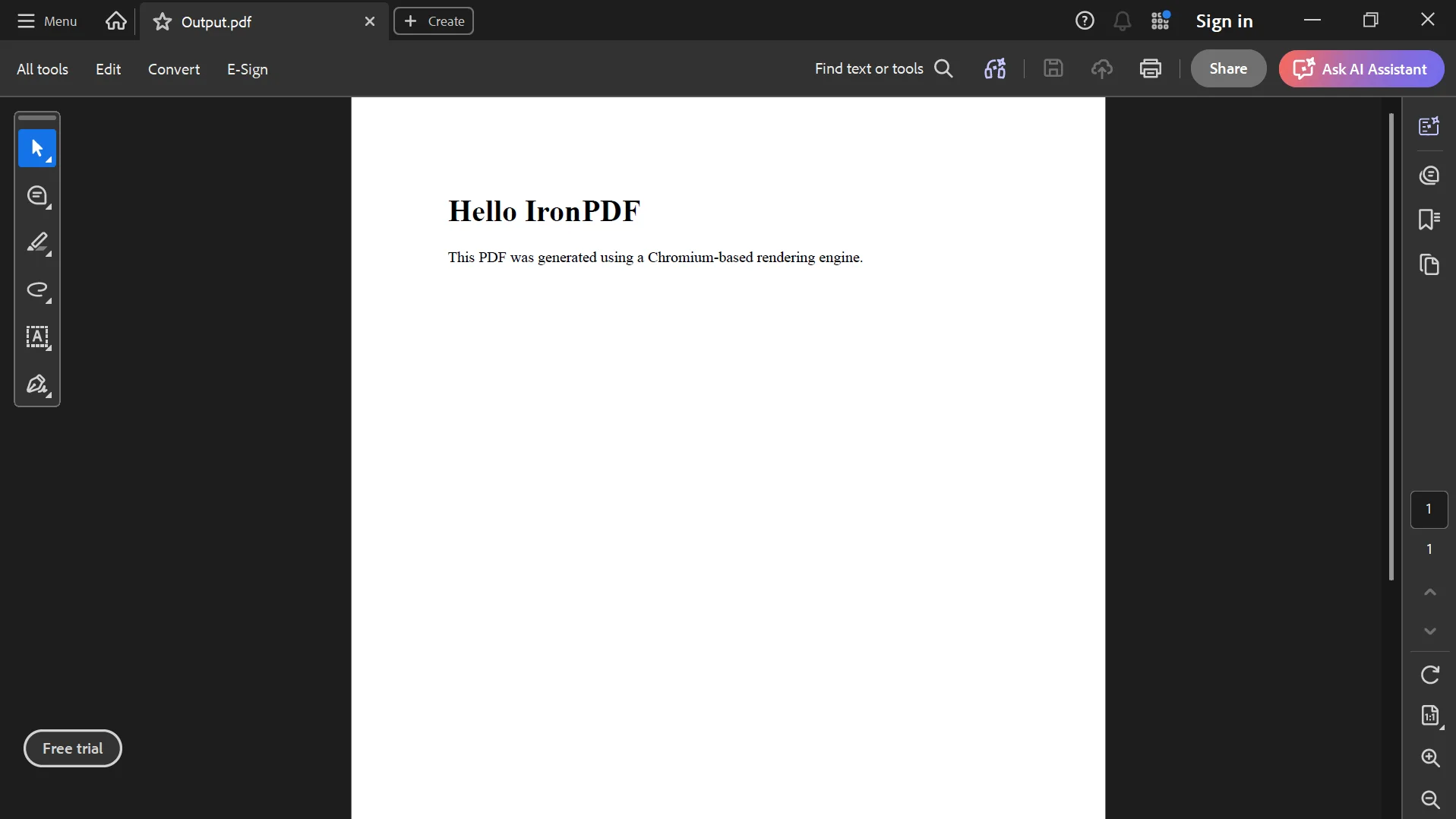
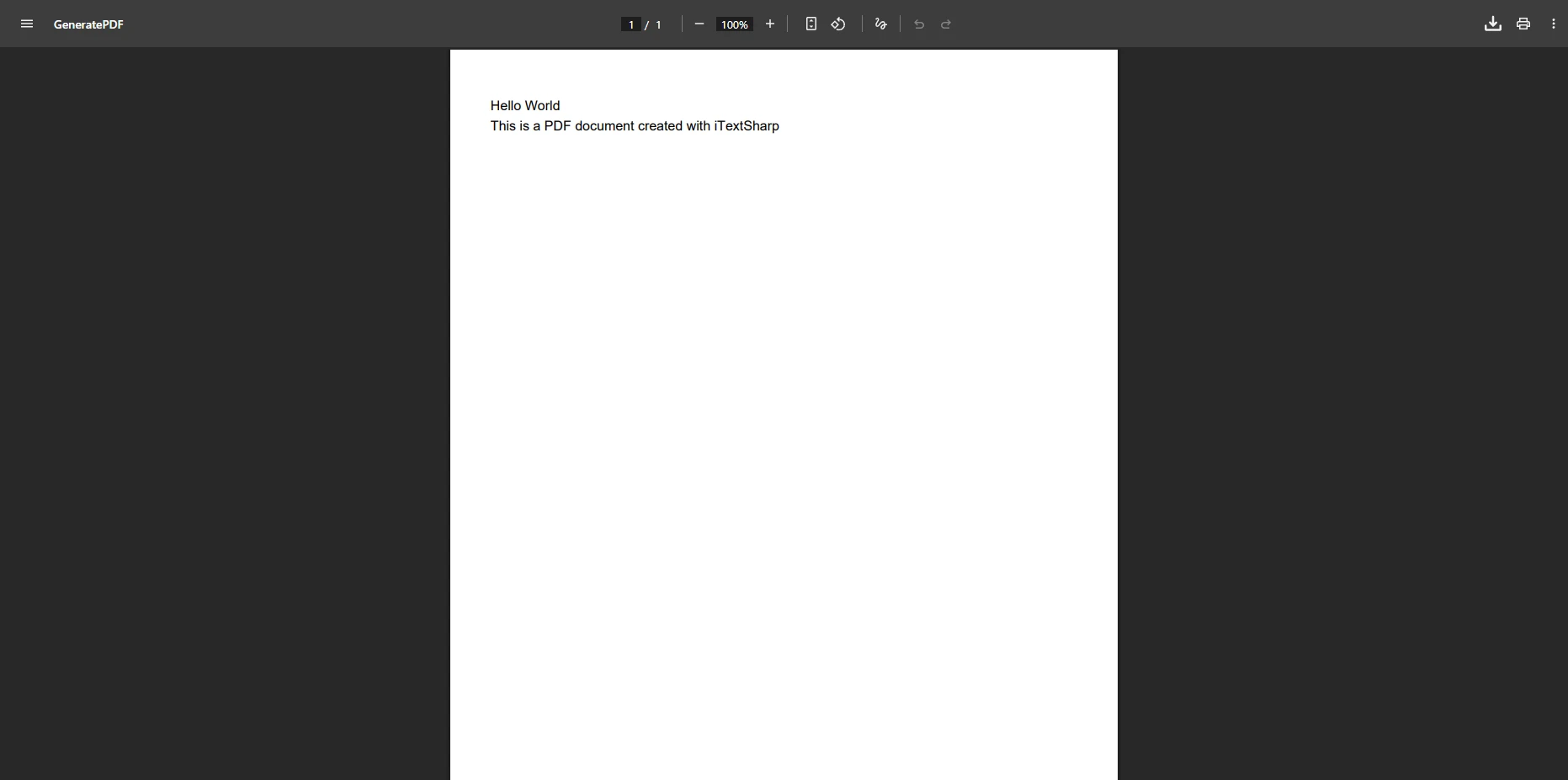
pdf.SaveAs("output.pdf");Here is the output:
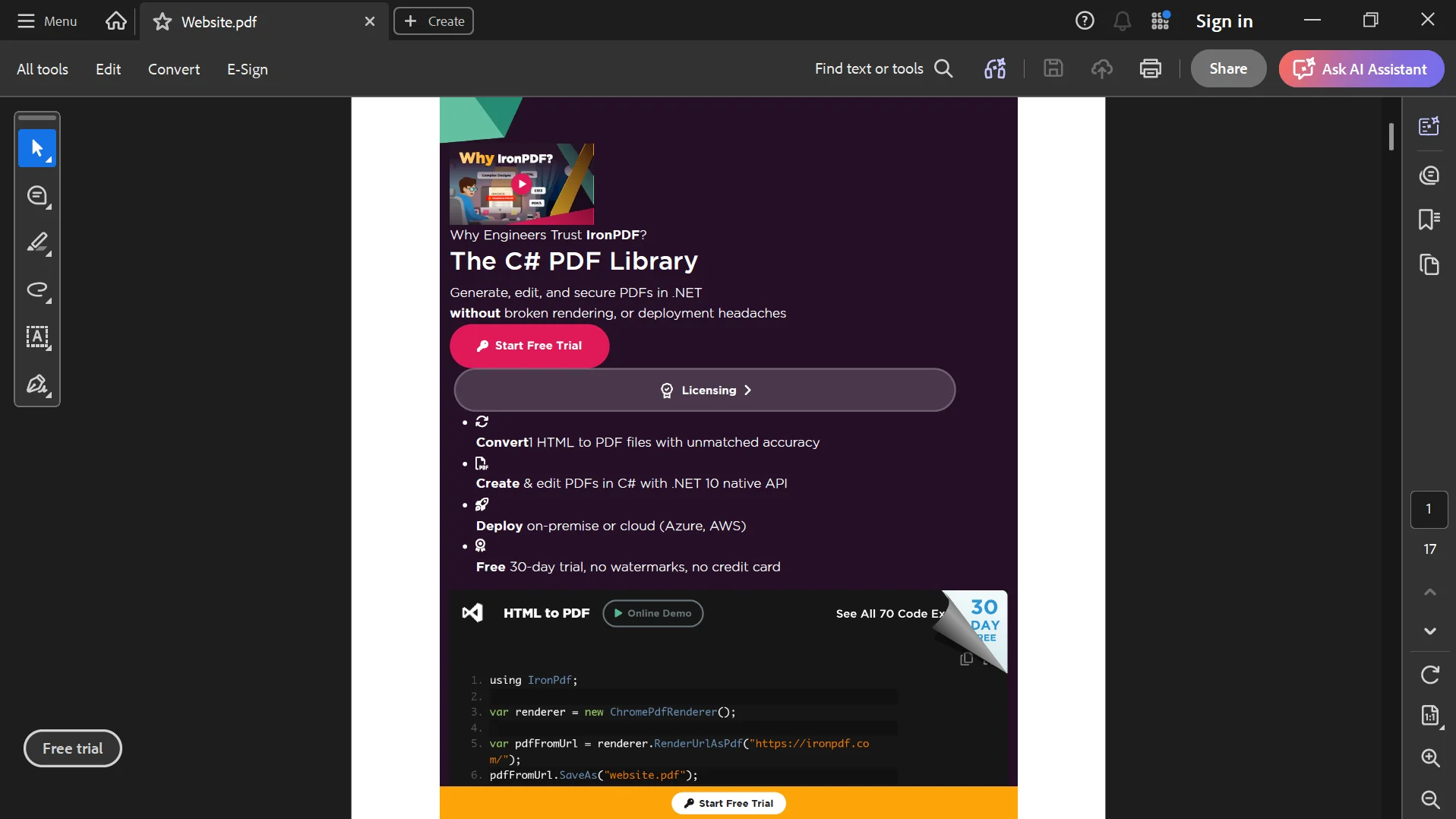
 IronPDF can also render existing web pages directly.
using IronPdf;

var renderer = new ChromePdfRenderer();

var pdf = renderer.RenderUrlAsPdf("https://ironpdf.com");

pdf.SaveAs("website.pdf");This approach allows developers to convert existing web content into PDF documents without redesigning layouts.
Both ABCpdf and IronPDF provide powerful PDF generation capabilities, but they are designed with slightly different approaches.
ABCpdf is a strong choice for developers who need:
IronPDF is a better fit when projects require:
The right choice depends on project requirements, existing architecture, and future development plans.
ABCpdf remains a powerful .NET PDF component with extensive PDF creation, conversion, and manipulation features. Its support for Unicode, multiple document formats, PDF compliance, security features, and high-performance server processing makes it suitable for many enterprise applications.
However, modern applications increasingly depend on browser-based technologies, responsive layouts, JavaScript frameworks, and advanced CSS. For teams that need accurate rendering of modern web content, a Chromium-based PDF library can provide a simpler development experience.
IronPDF combines modern HTML rendering with comprehensive PDF management features, allowing developers to generate, edit, secure, and process PDF documents using a consistent C# API.
When choosing between ABCpdf and IronPDF, consider both current requirements and future needs. ABCpdf provides a mature PDF toolkit with extensive capabilities, while IronPDF offers a modern browser-based rendering approach designed for today's .NET applications.
You can explore IronPDF features by downloading the free trial and testing it with your own PDF workflows. For additional examples, API references, and advanced PDF development guides, visit the IronPDF Documentation.

Curtis Chau holds a Bachelor’s degree in Computer Science (Carleton University) and specializes in front-end development with expertise in Node.js, TypeScript, JavaScript, and React. Passionate about crafting intuitive and aesthetically pleasing user interfaces, Curtis enjoys working with modern frameworks and creating well-structured, visually appealing manuals.

IronPDF is a part of IRONSUITE
10 .NET API products for your office documents











When you need your PDF to look like HTML, fast.


