




Updated April 23, 2026
Bridging CLI Simplicity & .NET : Using Curl DotNet with IronPDF
Jacob Mellor has bridged this gap with CurlDotNet, a library created to bring the familiarity of cURL to the .NET ecosystem.
Read More

AES (Advanced Encryption Standard) is one of the most commonly used symmetric encryption algorithms. It uses the same key to encrypt and decrypt data, making AES encryption efficient and fast for securing sensitive data in many applications.
This tutorial will focus on AES encryption in C#, using the AES class to encrypt and decrypt data and IronPDF Library. We'll cover practical examples, walk through the encryption process, and see how to use Cipher Block Chaining (CBC) mode to increase security. We'll also discuss encryption key management and the role of the initialization vector (IV).
Advanced Encryption Standard (AES) is a symmetric encryption algorithm standardized by the National Institute of Standards and Technology (NIST). The algorithm can have key sizes of 128, 192, or 256 bits and is highly secure for encrypting confidential data. It uses the same encryption key to encrypt and decrypt data.
AES works by splitting the original data into blocks and applying transformations on those blocks. It operates in different cipher modes, such as CBC (Cipher Block Chaining) and Electronic CodeBook (ECB), each providing different security features.
The AES encryption algorithm in C# is part of the System.Security.Cryptography namespace. This namespace includes the AES class, which allows us to create an instance of AES, specify the key size, cipher mode, and padding mode, and then encrypt and decrypt data using a secret key.
To use AES in C#, follow these basic steps:
Aes.Create().Let's create a basic encryption process and decryption program in C#.
using System;
using System.IO;
using System.Security.Cryptography;
using System.Text;

class Program
{
    // Declare a static byte array for encrypted data
    public static byte[] encryptedData;

    // Main method to demonstrate encryption and decryption
    public static void Main(string[] args)
    {
        // String plaintext to be encrypted
        string plaintext = "This is some sensitive data!";
        string key = "abcdefghijklmnop"; // 128-bit key (16 characters)

        // Encrypt the plaintext
        string ciphertext = Encrypt(plaintext, key);
        Console.WriteLine("Encrypted Data: " + ciphertext);

        // Decrypt the ciphertext
        string decryptedData = Decrypt(ciphertext, key);
        Console.WriteLine("Decrypted Data: " + decryptedData);
    }

    // Method to encrypt data
    public static string Encrypt(string plaintext, string key)
    {
        // Create a new instance of the AES encryption algorithm
        using (Aes aes = Aes.Create())
        {
            aes.Key = Encoding.UTF8.GetBytes(key);
            aes.IV = new byte[16]; // Initialization vector (IV)

            // Create an encryptor to perform the stream transform
            ICryptoTransform encryptor = aes.CreateEncryptor(aes.Key, aes.IV);

            // Create the streams used for encryption
            using (MemoryStream ms = new MemoryStream())
            {
                // Create a CryptoStream using the encryptor
                using (CryptoStream cs = new CryptoStream(ms, encryptor, CryptoStreamMode.Write))
                {
                    using (StreamWriter sw = new StreamWriter(cs))
                    {
                        sw.Write(plaintext);
                    }
                }
                // Store the encrypted data in the public static byte array
                encryptedData = ms.ToArray();
                return Convert.ToBase64String(encryptedData);
            }
        }
    }

    // Method to decrypt data
    public static string Decrypt(string ciphertext, string key)
    {
        using (Aes aes = Aes.Create())
        {
            aes.Key = Encoding.UTF8.GetBytes(key);
            aes.IV = new byte[16]; // Initialization vector (IV)

            // Create a decryptor to perform the stream transform
            ICryptoTransform decryptor = aes.CreateDecryptor(aes.Key, aes.IV);

            // Create the streams used for decryption
            using (MemoryStream ms = new MemoryStream(Convert.FromBase64String(ciphertext)))
            {
                using (CryptoStream cs = new CryptoStream(ms, decryptor, CryptoStreamMode.Read))
                {
                    using (StreamReader sr = new StreamReader(cs))
                    {
                        return sr.ReadToEnd();
                    }
                }
            }
        }
    }
}Imports System
Imports System.IO
Imports System.Security.Cryptography
Imports System.Text
Friend Class Program
' Declare a static byte array for encrypted data
Public Shared encryptedData() As Byte
' Main method to demonstrate encryption and decryption
Public Shared Sub Main(ByVal args() As String)
' String plaintext to be encrypted
Dim plaintext As String = "This is some sensitive data!"
Dim key As String = "abcdefghijklmnop" ' 128-bit key (16 characters)
' Encrypt the plaintext
Dim ciphertext As String = Encrypt(plaintext, key)
Console.WriteLine("Encrypted Data: " & ciphertext)
' Decrypt the ciphertext
Dim decryptedData As String = Decrypt(ciphertext, key)
Console.WriteLine("Decrypted Data: " & decryptedData)
End Sub
' Method to encrypt data
Public Shared Function Encrypt(ByVal plaintext As String, ByVal key As String) As String
' Create a new instance of the AES encryption algorithm
Using aes As Aes = System.Security.Cryptography.Aes.Create()
aes.Key = Encoding.UTF8.GetBytes(key)
aes.IV = New Byte(15){} ' Initialization vector (IV)
' Create an encryptor to perform the stream transform
Dim encryptor As ICryptoTransform = aes.CreateEncryptor(aes.Key, aes.IV)
' Create the streams used for encryption
Using ms As New MemoryStream()
' Create a CryptoStream using the encryptor
Using cs As New CryptoStream(ms, encryptor, CryptoStreamMode.Write)
Using sw As New StreamWriter(cs)
sw.Write(plaintext)
End Using
End Using
' Store the encrypted data in the public static byte array
encryptedData = ms.ToArray()
Return Convert.ToBase64String(encryptedData)
End Using
End Using
End Function
' Method to decrypt data
Public Shared Function Decrypt(ByVal ciphertext As String, ByVal key As String) As String
Using aes As Aes = System.Security.Cryptography.Aes.Create()
aes.Key = Encoding.UTF8.GetBytes(key)
aes.IV = New Byte(15){} ' Initialization vector (IV)
' Create a decryptor to perform the stream transform
Dim decryptor As ICryptoTransform = aes.CreateDecryptor(aes.Key, aes.IV)
' Create the streams used for decryption
Using ms As New MemoryStream(Convert.FromBase64String(ciphertext))
Using cs As New CryptoStream(ms, decryptor, CryptoStreamMode.Read)
Using sr As New StreamReader(cs)
Return sr.ReadToEnd()
End Using
End Using
End Using
End Using
End Function
End Class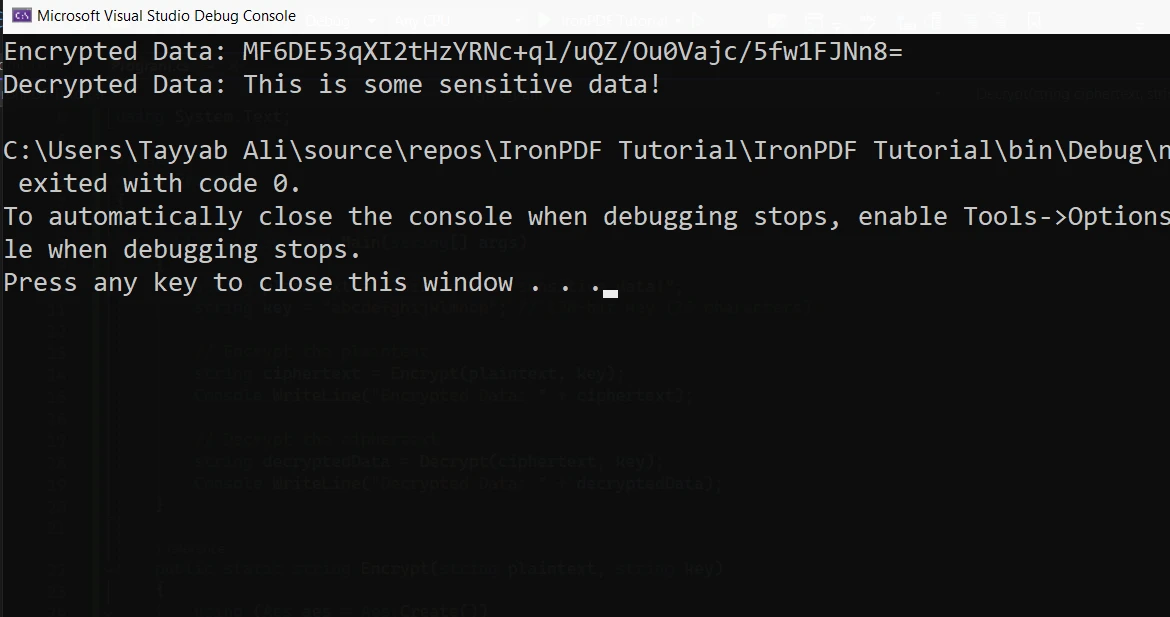
Aes.Create(): This creates a new instance of the AES encryption algorithm.aes.Key: The key used for both encryption and decryption. It must be of a valid size, such as 128 bits (16 bytes), 192 bits, or 256 bits.aes.IV: The initialization vector (IV), is used to randomize the encryption process. In this example, we use an IV of zeros for simplicity.Let's build upon the previous example by generating a random key and IV, ensuring the encryption is more secure.
public static string EncryptData(string plaintext)
{
    using (Aes aes = Aes.Create())
    {
        aes.Key = new byte[32]; // AES-256 requires a 256-bit key (32 bytes)
        aes.IV = new byte[16];  // 128-bit block size

        // Randomly generate key and IV
        using (RandomNumberGenerator rng = RandomNumberGenerator.Create())
        {
            rng.GetBytes(aes.Key); // Generate a random key
            rng.GetBytes(aes.IV);  // Generate a random IV
        }

        // Create an encryptor to perform the stream transform
        ICryptoTransform encryptor = aes.CreateEncryptor(aes.Key, aes.IV);

        // Create the streams used for encryption
        using (MemoryStream ms = new MemoryStream())
        {
            using (CryptoStream cs = new CryptoStream(ms, encryptor, CryptoStreamMode.Write))
            {
                using (StreamWriter sw = new StreamWriter(cs))
                {
                    sw.Write(plaintext);
                }
            }
            return Convert.ToBase64String(ms.ToArray());
        }
    }
}Public Shared Function EncryptData(ByVal plaintext As String) As String
Using aes As Aes = Aes.Create()
aes.Key = New Byte(31){} ' AES-256 requires a 256-bit key (32 bytes)
aes.IV = New Byte(15){} ' 128-bit block size
' Randomly generate key and IV
Using rng As RandomNumberGenerator = RandomNumberGenerator.Create()
rng.GetBytes(aes.Key) ' Generate a random key
rng.GetBytes(aes.IV) ' Generate a random IV
End Using
' Create an encryptor to perform the stream transform
Dim encryptor As ICryptoTransform = aes.CreateEncryptor(aes.Key, aes.IV)
' Create the streams used for encryption
Using ms As New MemoryStream()
Using cs As New CryptoStream(ms, encryptor, CryptoStreamMode.Write)
Using sw As New StreamWriter(cs)
sw.Write(plaintext)
End Using
End Using
Return Convert.ToBase64String(ms.ToArray())
End Using
End Using
End FunctionIn this case, we generate a new key and IV each time the function is called. This provides more robust encryption as the same key is unused for every operation. AES supports key sizes such as 128, 192, and 256 bits.
Decryption is the reverse process to encrypt data. In our examples, the same key and IV used for encryption must be provided to decrypt the data. The decryption process involves converting the encrypted data back into its original form.
Here's an example that uses the previously encrypted data:
public static string DecryptData(string ciphertext, byte[] key, byte[] iv)
{
    using (Aes aes = Aes.Create())
    {
        aes.Key = key;
        aes.IV = iv;

        // Create a decryptor to perform the stream transform
        ICryptoTransform decryptor = aes.CreateDecryptor(aes.Key, aes.IV);

        // Create the streams used for decryption
        using (MemoryStream ms = new MemoryStream(Convert.FromBase64String(ciphertext)))
        {
            using (CryptoStream cs = new CryptoStream(ms, decryptor, CryptoStreamMode.Read))
            {
                using (StreamReader sr = new StreamReader(cs))
                {
                    return sr.ReadToEnd();
                }
            }
        }
    }
}Public Shared Function DecryptData(ByVal ciphertext As String, ByVal key() As Byte, ByVal iv() As Byte) As String
Using aes As Aes = Aes.Create()
aes.Key = key
aes.IV = iv
' Create a decryptor to perform the stream transform
Dim decryptor As ICryptoTransform = aes.CreateDecryptor(aes.Key, aes.IV)
' Create the streams used for decryption
Using ms As New MemoryStream(Convert.FromBase64String(ciphertext))
Using cs As New CryptoStream(ms, decryptor, CryptoStreamMode.Read)
Using sr As New StreamReader(cs)
Return sr.ReadToEnd()
End Using
End Using
End Using
End Using
End FunctionThis code decrypts the encrypted data back into the original data.
IronPDF is a simple and developer-friendly .NET library designed to generate, edit, and manipulate PDFs using simple C# code. It allows developers to create PDF documents directly from HTML, CSS, and JavaScript, which can be incredibly useful for dynamically generating reports, invoices, or other documents. With support for merging, splitting, and even adding security features like passwords or digital signatures, IronPDF is a comprehensive solution for PDF generation in .NET applications.
When you generate sensitive reports or documents, you may need to ensure the data within those PDFs is encrypted before sharing. AES (Advanced Encryption Standard) encryption is a perfect solution for securely encrypting the contents of PDF files. By combining IronPDF and AES encryption, you can protect the data within your PDFs while maintaining the ability to work with the document itself.
Use the ChromePdfRenderer class to generate a PDF from HTML content and save it to a file:
var htmlContent = "<h1>Confidential</h1><p>This is sensitive data.</p>";
var renderer = new ChromePdfRenderer();
var pdf = renderer.RenderHtmlAsPdf(htmlContent);
pdf.SaveAs(@"C:\Reports\ConfidentialReport.pdf");Dim htmlContent = "<h1>Confidential</h1><p>This is sensitive data.</p>"
Dim renderer = New ChromePdfRenderer()
Dim pdf = renderer.RenderHtmlAsPdf(htmlContent)
pdf.SaveAs("C:\Reports\ConfidentialReport.pdf")Once the PDF is created, encrypt it with AES:
byte[] pdfBytes = File.ReadAllBytes(@"C:\Reports\ConfidentialReport.pdf");
using (Aes aes = Aes.Create())
{
    aes.Key = Encoding.UTF8.GetBytes("abcdefghijklmnop");
    aes.IV = new byte[16];
    using (var encryptor = aes.CreateEncryptor(aes.Key, aes.IV))
    using (var ms = new MemoryStream())
    {
        using (var cs = new CryptoStream(ms, encryptor, CryptoStreamMode.Write))
        {
            cs.Write(pdfBytes, 0, pdfBytes.Length);
        }
        File.WriteAllBytes(@"C:\Reports\ConfidentialReport.encrypted", ms.ToArray());
    }
}Dim pdfBytes() As Byte = File.ReadAllBytes("C:\Reports\ConfidentialReport.pdf")
Using aes As Aes = Aes.Create()
aes.Key = Encoding.UTF8.GetBytes("abcdefghijklmnop")
aes.IV = New Byte(15){}
Using encryptor = aes.CreateEncryptor(aes.Key, aes.IV)
Using ms = New MemoryStream()
Using cs = New CryptoStream(ms, encryptor, CryptoStreamMode.Write)
cs.Write(pdfBytes, 0, pdfBytes.Length)
End Using
File.WriteAllBytes("C:\Reports\ConfidentialReport.encrypted", ms.ToArray())
End Using
End Using
End Using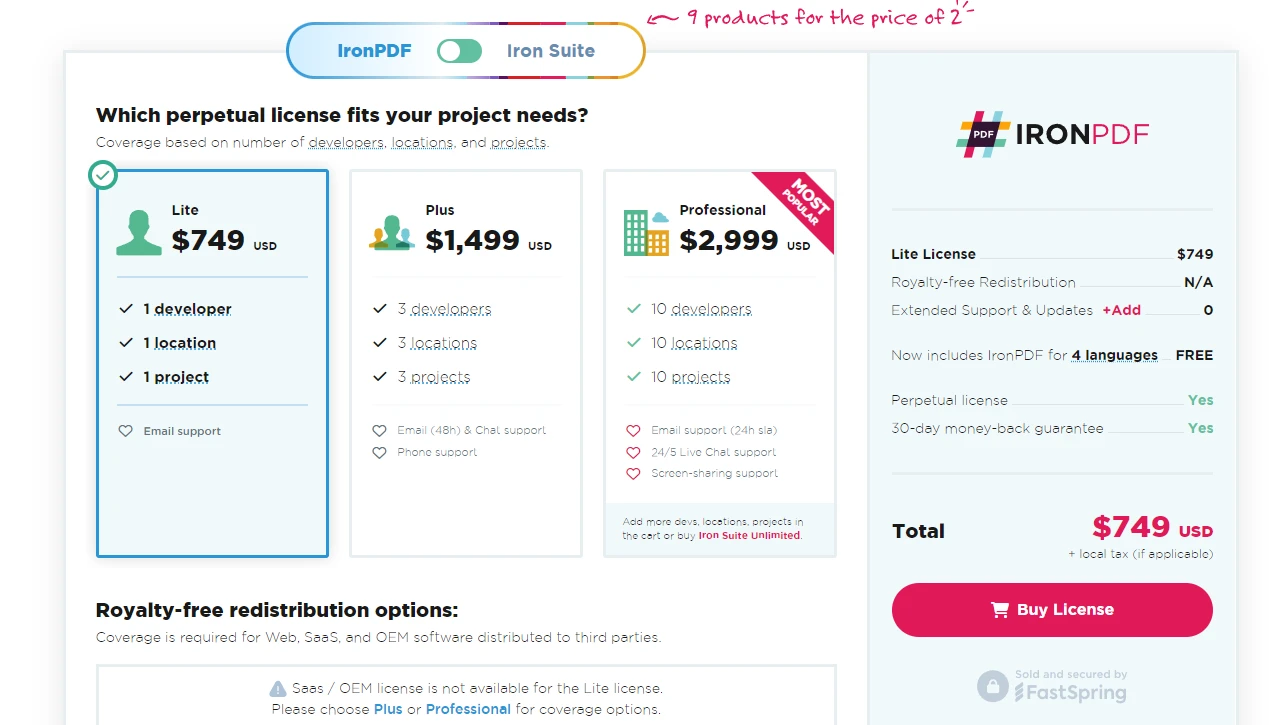
Integrating IronPDF with AES encryption allows you to generate dynamic, secure documents that are both accessible and encrypted. Whether developing applications requiring secure document generation or managing sensitive reports, combining IronPDF with solid encryption protects your data. IronPDF simplifies working with PDFs, while AES guarantees that the content remains secure.
IronPDF offers a free trial, making it easy for developers to explore its features before committing. If you're ready to implement IronPDF into your projects, licenses start at $999 for a one-time purchase.

Jacob Mellor is Chief Technology Officer at Iron Software and a visionary engineer pioneering C# PDF technology. As the original developer behind Iron Software's core codebase, he has shaped the company's product architecture since its inception, transforming it alongside CEO Cameron Rimington into a 50+ person company serving NASA, Tesla, and global government agencies.



IronPDF is a part of IRONSUITE
10 .NET API products for your office documents











When you need your PDF to look like HTML, fast.


