




已更新 2026年4月23日
在 .NET 中用 Microsoft.Extensions.AI 簡化 LLM 整合
AI 正在改變軟體開發,但將大型語言模型 (LLM) 整合到 .NET 中一直很複雜。利用 IronPdf.AI 將 AI 整合推向更遠,為 .NET 應用程式帶來由 OpenAI 驅動的 PDF 解析、資料擷取和內容總結。
閱讀更多

在雲端運算的廣闊範圍中,資料儲存對現代應用程式的架構和擴展性起著關鍵作用。 Azure Table Storage 是由 Microsoft Azure 提供的全代管 NoSQL 資料儲存,為開發者提供一個用於雲端儲存結構化資料的多功能解決方案。 讓我們展開一段探索 Azure Table Storage 功能、使用案例和優勢的旅程。
Azure Table Storage 是一個基於雲端的 NoSQL 資料庫服務,提供無結構的結構化資料儲存。 Azure Tables 提供了一個基於鍵值對的資料模型,其中每個實體都由分區鍵和行鍵唯一識別。 此設計可實現高效的資料查詢和檢索,使其成為需要快速存取大型資料集場景的理想選擇。
如果您正在考慮用 Azure Table Storage 或關聯式資料庫來管理您的結構化資料,Azure Table Storage 處理大型資料集的能力及與 Azure 生態系的整合,讓 Azure Table Storage 在您的開發工具中顯得相當便利。
**無結構設計:**不同於傳統的關聯式資料庫,Azure Table Storage 不對資料強制施加結構。 這種靈活性允許開發者在同一表中儲存不同結構的實體,促進靈活開發以適應不斷變化的資料需求。
**擴充性和性能:**Azure Table Storage 專為擴展而設計,可輕鬆處理海量資料。 它自動擴展以適應不斷增加的工作負載並提供可預測的性能,使其適合高吞吐量應用程式及需低延遲資料存取的場景。
**分區和負載平衡:**Azure Table Storage 中的資料是根據分區鍵進行分區,允許高效地將資料分配到多個儲存節點。 這種分區策略可實現橫向擴展和負載平衡,確保最佳性能和資源使用。
**二級索引:**雖然 Azure Table Storage 主要使用分區鍵和行鍵進行資料檢索,但它也支持透過複合鍵和查詢投影來使用二級索引。 這個功能使開發者能進行高效的範圍查詢和基於次屬性的資料篩選,提高資料存取模式的靈活性。
**與 Azure 生態系的整合:**Azure Table Storage 可無縫整合到其他 Azure 服務中,如 Azure Functions、Azure Cosmos DB 和 Azure Logic Apps,使開發者能輕鬆構建端對端解決方案。 無論是使用無伺服器功能處理資料流,還是使用進階分析工具分析資料,Azure Table Storage 作為構建可擴展且具有彈性的應用程式的基礎組件。
Azure Table Storage 適用於各行業的廣泛使用案例,包括:
**物聯網 (IoT):**Azure Table Storage 非常適合儲存 IoT 裝置的遙測資料,支持即時資料引入、分析和可視化。 其擴展性和性能使其成為處理物聯網配置所產生的海量資料的理想選擇。
**內容管理:**對於需要結構化儲存內容元資料的應用程式,如部落格、文章和使用者生成的內容,Azure Table Storage 提供了一個成本效益高且可擴展的解決方案。 其無結構設計允許靈活的結構演變,隨著時間的推移調整內容結構的變化。
**會話狀態管理:**Azure Table Storage 可用於儲存網站應用程式的會話狀態資料,提供分佈式和可擴展的會話管理解決方案。 通過將會話狀態負載到 Azure Table Storage,開發者可以實現提高的可擴展性、容錯能力和在負載平衡環境中的會話親和性。
**分佈式系統:**在分佈式系統架構中,Azure Table Storage 作為保持元件間共享狀態和協調的基礎儲存庫。 其分區和擴展功能使其非常適合需要分佈式快取、配置管理和微服務間協調的場景。
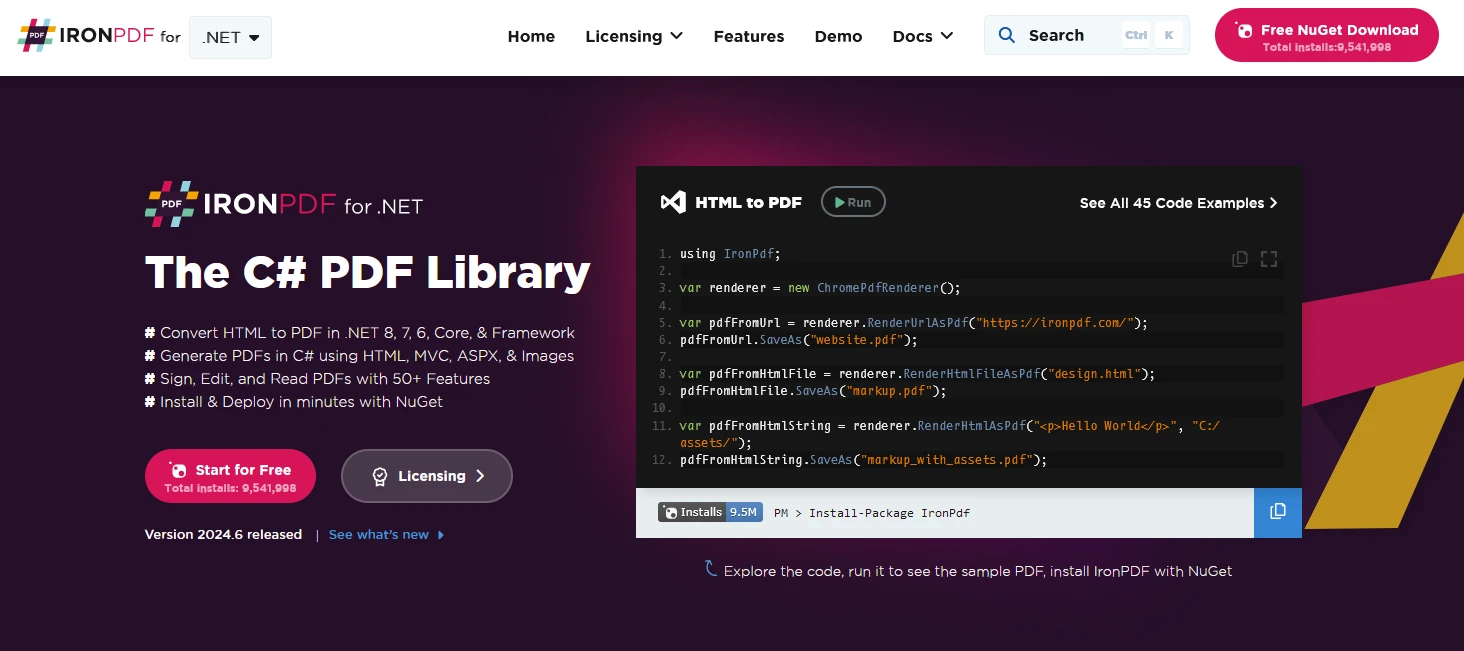
IronPDF 是一個 C# PDF 程式庫,允許在 .NET 專案中生成、管理和提取 PDF 文件中的內容。 以下是一些關鍵功能:
HTML轉換為PDF:
圖像與內容轉換:
編輯和操作:
跨平台支持:
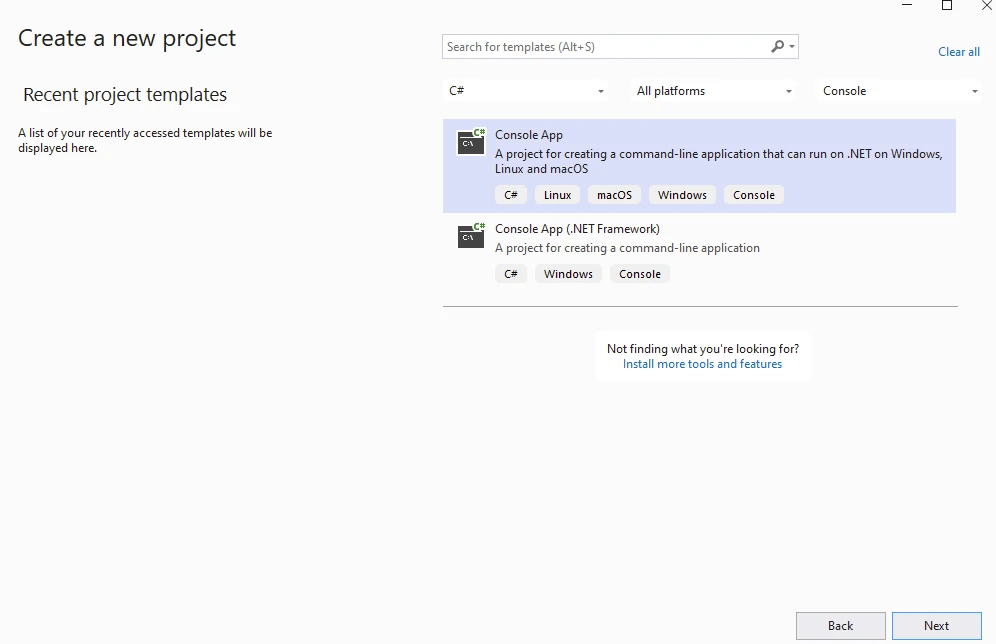
首先,使用 Visual Studio 建立一個主控台應用程式如下所示:
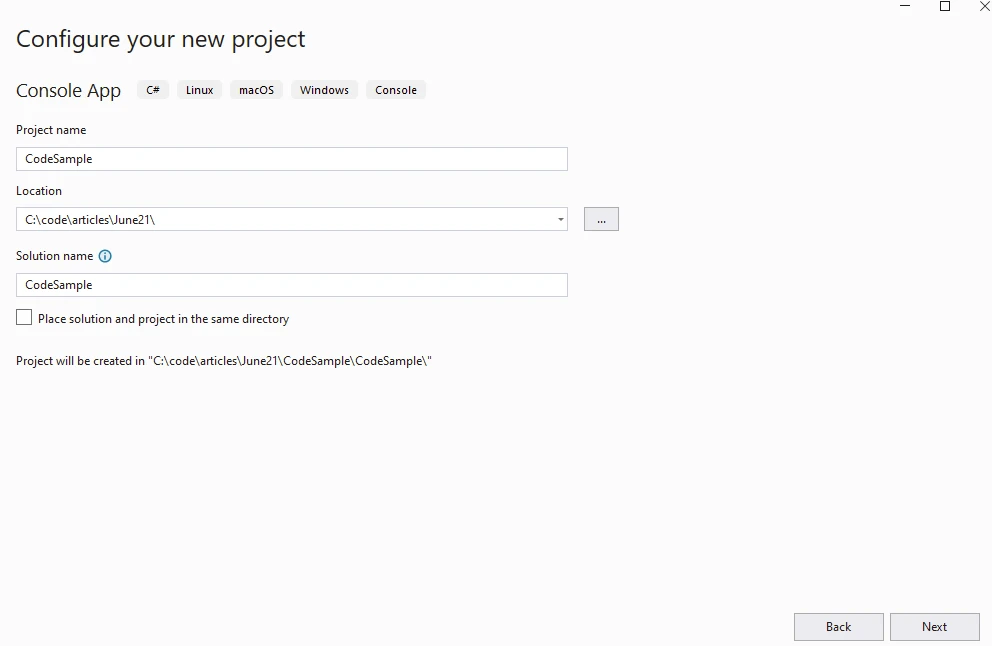
提供專案名稱:
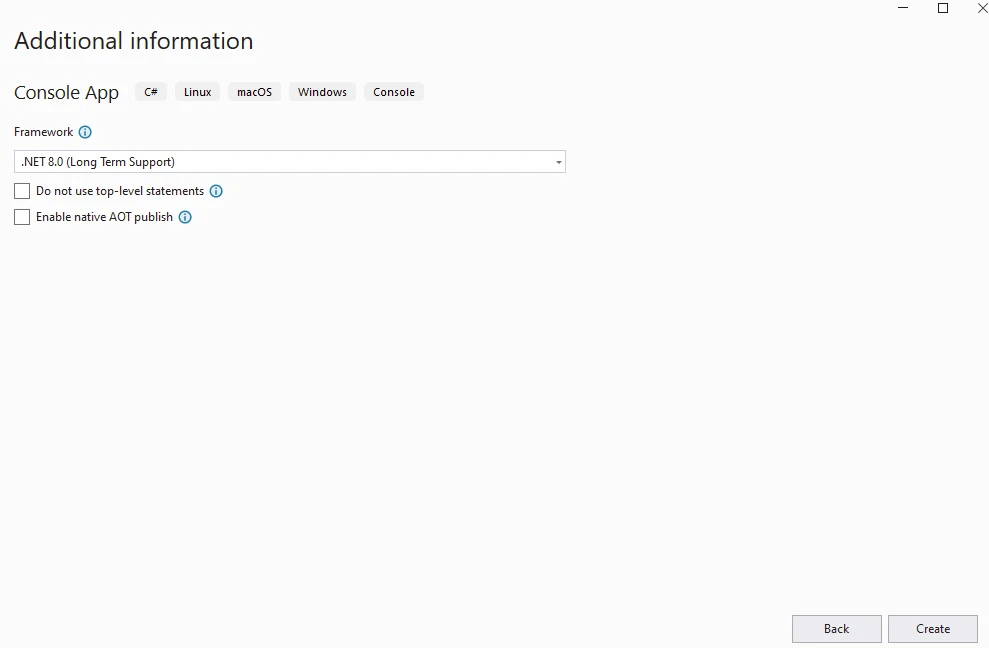
提供 .NET 版本:
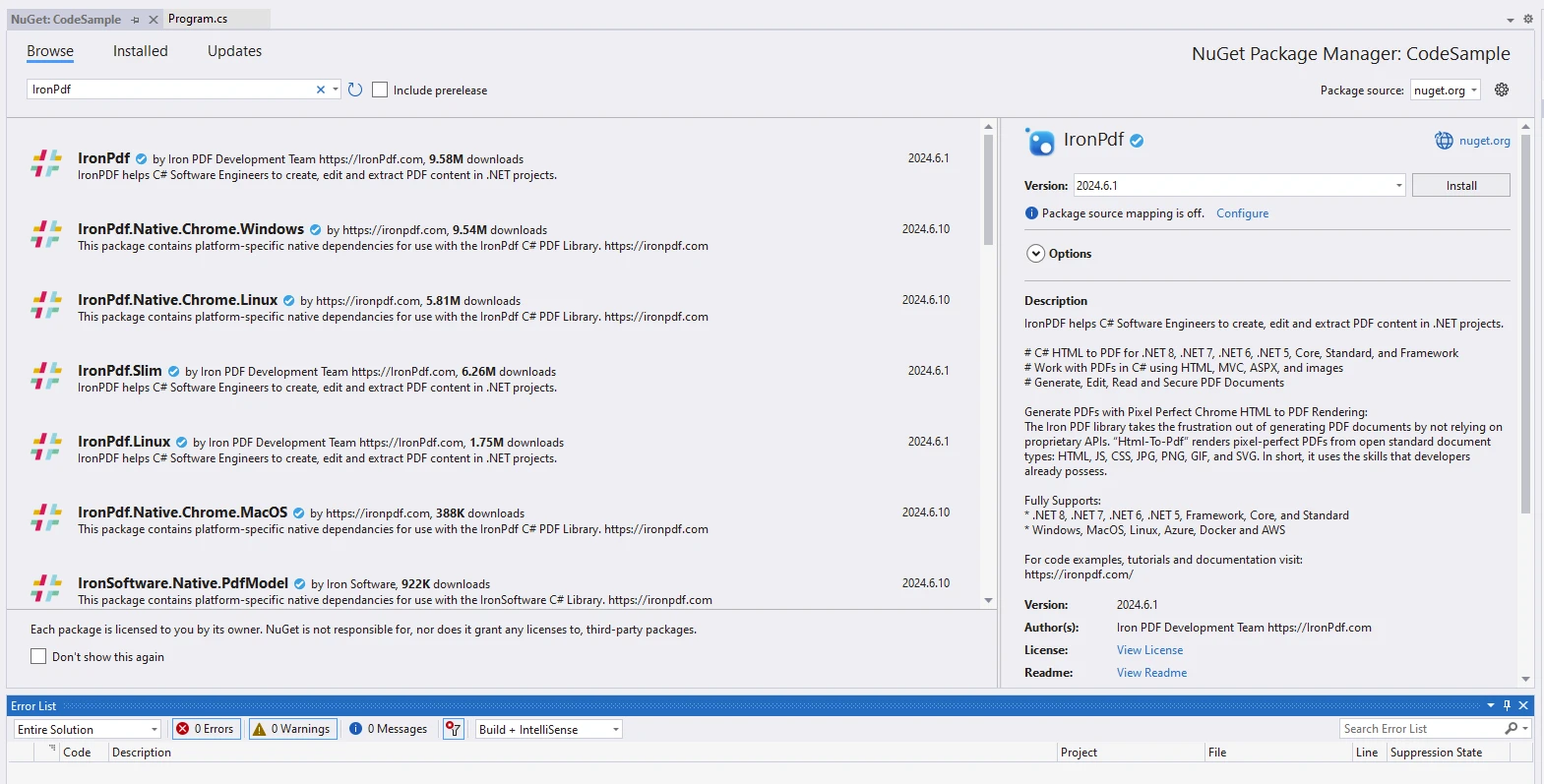
從 NuGet Package Manager 安裝 IronPDF 套件:
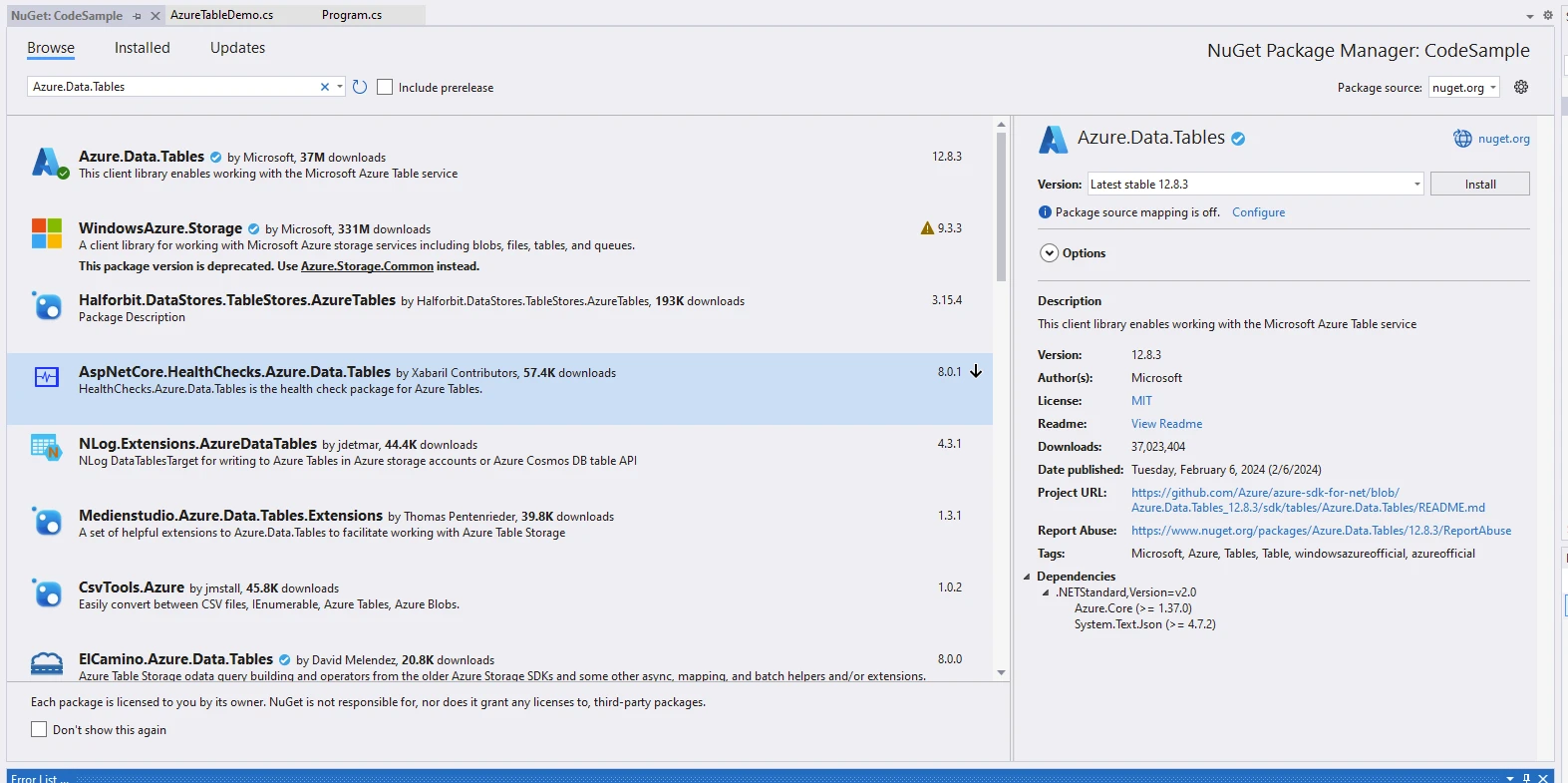
為了存取 Azure Tables 程式庫,我們將使用在 NuGet Package Manager 中找到的 Azure Tables 使用者端程式庫,名為 Azure.Data.Tables。 Azure Table 服務客戶端提供與 Azure Table Storage 交互的功能。
建立 Azure Storage 帳戶以開始使用 Azure Tables:
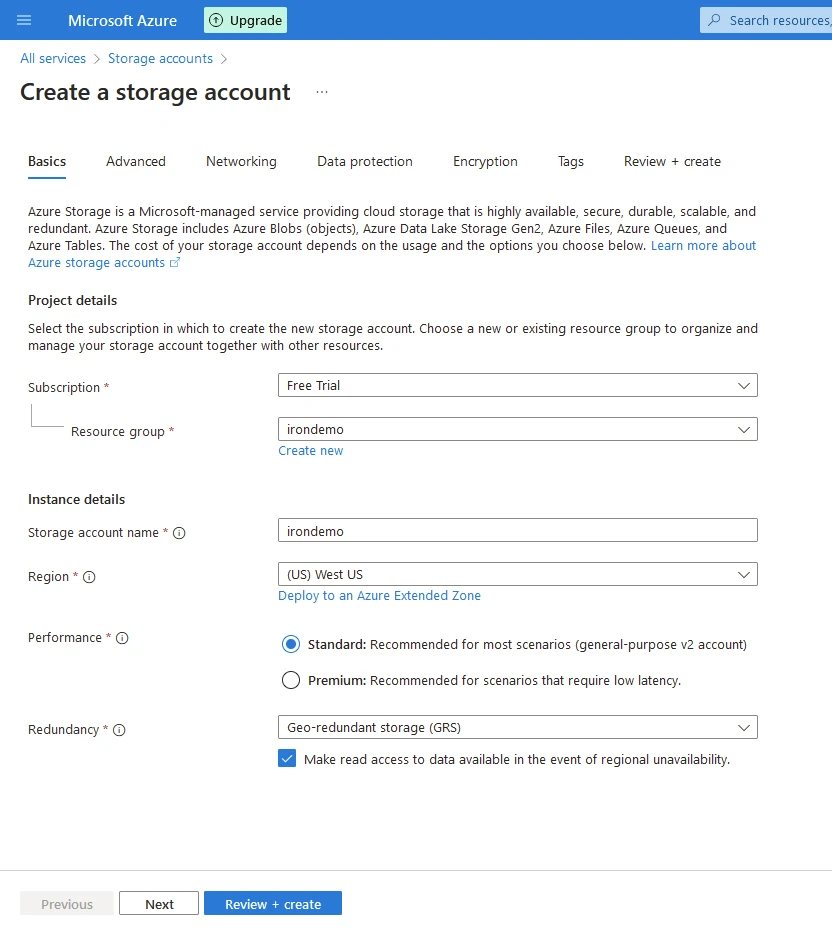
點擊查看並建立。 在您的程式中輸入以下程式碼,以使用 Azure Tables 生成 PDF 文件。
using Azure;
using Azure.Data.Tables;
using Azure.Data.Tables.Models;
using IronPdf;
using System;
using System.Linq;
using System.Threading.Tasks;

namespace CodeSample
{
    public static class AzureTableDemo
    {
        public static async Task Execute()
        {
            var tableName = "IronDemo";
            var connectionString = "DefaultEndpointsProtocol=https;AccountName=irondemo;AccountKey=9Pe6LJlkjA721VgWvSuRCMk+WJR5/kFoyPtR1ewjRsNbGJNJOmWYhCB32fakANmWeAcfyIg++iHl+AStDNYlGw==;EndpointSuffix=core.windows.net";
            Console.WriteLine("Demo IronPDF with Azure.Data.Tables");

            // Enable web security for PDF rendering
            Installation.EnableWebSecurity = true;

            // Instantiate PDF renderer
            var renderer = new ChromePdfRenderer();

            // HTML content for the PDF
            var content = "<h1>Demo IronPDF with Azure.Data.Tables</h1>";

            // Create a TableServiceClient using the connection string
            content += "<h2>Create TableServiceClient</h2>";
            var serviceClient = new TableServiceClient(connectionString);
            content += "<p>var serviceClient = new TableServiceClient(connectionString);</p>";

            // Create the table if it does not exist
            content += "<h2>Create Table</h2>";
            TableItem table = await serviceClient.CreateTableIfNotExistsAsync(tableName);
            Console.WriteLine($"Created table: {table.Name}.");
            content += $"<p>Created table: {table.Name}.</p>";

            // Placeholder for delete table logic
            content += "<h2>Deletes If Required</h2>";
            // serviceClient.DeleteTable(tableName);
            content += "<p>serviceClient.DeleteTable(tableName);</p>";

            // Get a client reference to interact with the table
            content += "<h2>Get Table Client</h2>";
            var tableClient = serviceClient.GetTableClient(tableName);
            content += "<p>var tableClient = serviceClient.GetTableClient(tableName);</p>";

            // Define and add a new entity to the table
            content += "<h2>Add Table Entity</h2>";
            var tableEntity = new TableEntity { { "Book", "Awesome IronPDF Package" }, { "Price", 5.00 }, { "Quantity", 21 } };
            tableEntity.PartitionKey = tableEntity["Book"].ToString();
            tableEntity.RowKey = tableEntity["Price"].ToString();
            content += "<p>new TableEntity() { { \"Book\", \"Awesome IronPDF Package\" }, { \"Price\", 5.00 }, { \"Quantity\", 21 } }</p>";

            content += $"<p>tableEntity.PartitionKey = {tableEntity["Book"]}</p>";
            content += $"<p>tableEntity.RowKey = {tableEntity["Price"]}</p>";

            Console.WriteLine($"{tableEntity.RowKey}: {tableEntity["Book"]} costs ${tableEntity.GetDouble("Price")}.");
            content += $"<p>{tableEntity.RowKey}: {tableEntity["Book"]} costs ${tableEntity.GetDouble("Price")}</p>";

            // Add the entity to the table
            tableClient.AddEntity(tableEntity);
            content += "<p>Entity added.</p>";

            // Query the table
            content += "<h2>Query Table</h2>";
            Pageable<TableEntity> queryResultsFilter = tableClient.Query<TableEntity>(filter: $"PartitionKey eq '{tableEntity.PartitionKey}'");
            content += "<p>Using tableClient.Query<TableEntity></p>";

            // Iterate and display queried entities
            foreach (TableEntity qEntity in queryResultsFilter)
            {
                content += $"<p>{qEntity.GetString("Book")}: {qEntity.GetDouble("Price")}</p>";
                Console.WriteLine($"{qEntity.GetString("Book")}: {qEntity.GetDouble("Price")}");
            }
            Console.WriteLine($"The query returned {queryResultsFilter.Count()} entities.");
            content += $"<p>The query returned {queryResultsFilter.Count()} entities.</p>";

            // Render HTML content as PDF
            var pdf = renderer.RenderHtmlAsPdf(content);

            // Save the PDF to a file
            pdf.SaveAs("AwesomeAzureDataTables.pdf");
        }
    }
}Imports Azure
Imports Azure.Data.Tables
Imports Azure.Data.Tables.Models
Imports IronPdf
Imports System
Imports System.Linq
Imports System.Threading.Tasks
Namespace CodeSample
Public Module AzureTableDemo
Public Async Function Execute() As Task
Dim tableName = "IronDemo"
Dim connectionString = "DefaultEndpointsProtocol=https;AccountName=irondemo;AccountKey=9Pe6LJlkjA721VgWvSuRCMk+WJR5/kFoyPtR1ewjRsNbGJNJOmWYhCB32fakANmWeAcfyIg++iHl+AStDNYlGw==;EndpointSuffix=core.windows.net"
Console.WriteLine("Demo IronPDF with Azure.Data.Tables")
' Enable web security for PDF rendering
Installation.EnableWebSecurity = True
' Instantiate PDF renderer
Dim renderer = New ChromePdfRenderer()
' HTML content for the PDF
Dim content = "<h1>Demo IronPDF with Azure.Data.Tables</h1>"
' Create a TableServiceClient using the connection string
content &= "<h2>Create TableServiceClient</h2>"
Dim serviceClient = New TableServiceClient(connectionString)
content &= "<p>var serviceClient = new TableServiceClient(connectionString);</p>"
' Create the table if it does not exist
content &= "<h2>Create Table</h2>"
Dim table As TableItem = Await serviceClient.CreateTableIfNotExistsAsync(tableName)
Console.WriteLine($"Created table: {table.Name}.")
content &= $"<p>Created table: {table.Name}.</p>"
' Placeholder for delete table logic
content &= "<h2>Deletes If Required</h2>"
' serviceClient.DeleteTable(tableName);
content &= "<p>serviceClient.DeleteTable(tableName);</p>"
' Get a client reference to interact with the table
content &= "<h2>Get Table Client</h2>"
Dim tableClient = serviceClient.GetTableClient(tableName)
content &= "<p>var tableClient = serviceClient.GetTableClient(tableName);</p>"
' Define and add a new entity to the table
content &= "<h2>Add Table Entity</h2>"
Dim tableEntity As New TableEntity From {
{ "Book", "Awesome IronPDF Package" },
{ "Price", 5.00 },
{ "Quantity", 21 }
}
tableEntity.PartitionKey = tableEntity("Book").ToString()
tableEntity.RowKey = tableEntity("Price").ToString()
content &= "<p>new TableEntity() { { ""Book"", ""Awesome IronPDF Package"" }, { ""Price"", 5.00 }, { ""Quantity"", 21 } }</p>"
content &= $"<p>tableEntity.PartitionKey = {tableEntity("Book")}</p>"
content &= $"<p>tableEntity.RowKey = {tableEntity("Price")}</p>"
Console.WriteLine($"{tableEntity.RowKey}: {tableEntity("Book")} costs ${tableEntity.GetDouble("Price")}.")
content &= $"<p>{tableEntity.RowKey}: {tableEntity("Book")} costs ${tableEntity.GetDouble("Price")}</p>"
' Add the entity to the table
tableClient.AddEntity(tableEntity)
content &= "<p>Entity added.</p>"
' Query the table
content &= "<h2>Query Table</h2>"
Dim queryResultsFilter As Pageable(Of TableEntity) = tableClient.Query(Of TableEntity)(filter:= $"PartitionKey eq '{tableEntity.PartitionKey}'")
content &= "<p>Using tableClient.Query<TableEntity></p>"
' Iterate and display queried entities
For Each qEntity As TableEntity In queryResultsFilter
content &= $"<p>{qEntity.GetString("Book")}: {qEntity.GetDouble("Price")}</p>"
Console.WriteLine($"{qEntity.GetString("Book")}: {qEntity.GetDouble("Price")}")
Next qEntity
Console.WriteLine($"The query returned {queryResultsFilter.Count()} entities.")
content &= $"<p>The query returned {queryResultsFilter.Count()} entities.</p>"
' Render HTML content as PDF
Dim pdf = renderer.RenderHtmlAsPdf(content)
' Save the PDF to a file
pdf.SaveAs("AwesomeAzureDataTables.pdf")
End Function
End Module
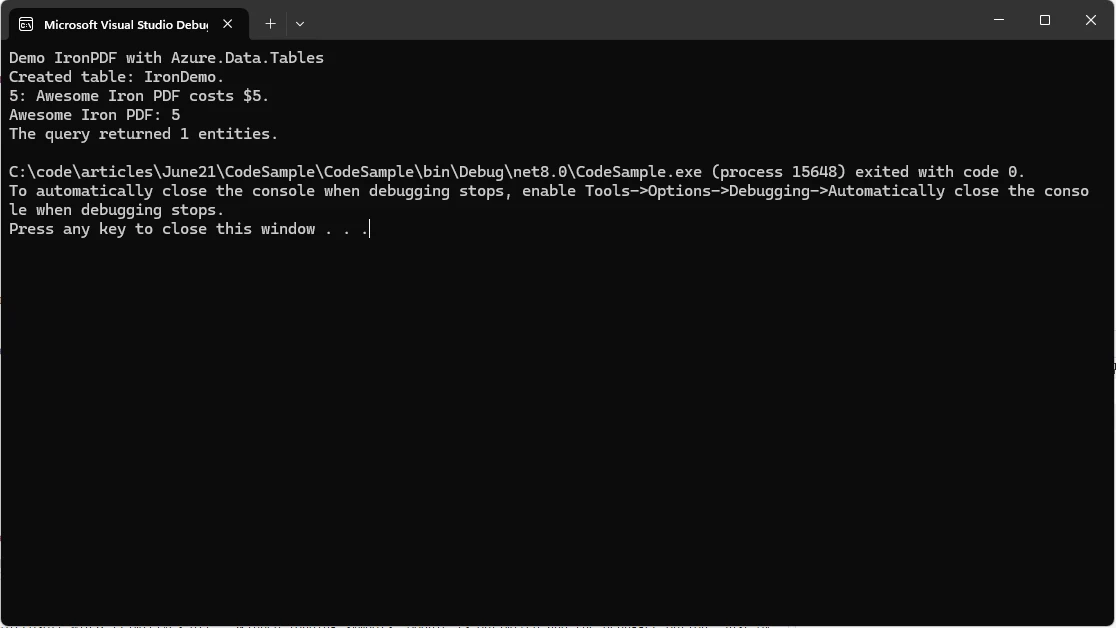
End Namespace該程式碼演示如何與 Azure Table Storage 交互並使用 IronPDF 生成 PDF:
Azure Table Storage 互動:
使用 IronPDF 生成 PDF:
IronPDF 套件需要許可才能運行。 在包被存取前,於應用程式的開頭新增以下程式碼。
IronPdf.License.LicenseKey = "IRONPDF-KEY";Imports IronPdf
IronPdf.License.LicenseKey = "IRONPDF-KEY"在 這裡 有試用授權可用。
Azure Table Storage 是 Microsoft 致力於在雲端為開發者提供可擴展、靈活和具成本效益的資料儲存解決方案的一個證明。 憑藉其無結構設計、橫向擴展性以及與 Azure 生態系的無縫整合,Azure Table Storage 讓開發者能構建能響應現代業務環境的動態需求的堅韌和敏捷應用程式。
無論是管理 IoT 資料流、儲存內容元資料,還是協作分佈式系統,Azure Table Storage 提供了一個多功能平台,以探索原生雲應用程式的全部潛力。 隨著組織繼續擁抱數位化轉型計畫並遷移到雲端,Azure Table Storage 仍然是現代資料儲存架構的基石,推動創新並使企業能在日益資料驅動的世界中蓬勃發展。
IronPDF 是一個 .NET 程式庫,用於以程式方式建立和操作 PDF 文件。 它允許開發者將 HTML、ASPX 頁面、圖像和文字轉換成 PDF 文件。 主要功能包括 HTML 到 PDF 的轉換、PDF 編輯能力以及支持各種 .NET 環境,使其成為 .NET 應用程式中生成和處理 PDF 文件的多功能工具。

Jacob Mellor是Iron Software的首席技術官,一位在C# PDF技術上開創先河的遠見工程師。作為Iron Software核心程式碼庫的原開發者,他從創立以來就一直在塑造公司的產品架構,與首席執行官Cameron Rimington一起將公司轉變為服務於NASA、特斯拉和全球政府公司的50多名人員的公司。



IronPDF 是 IRONSUITE 的一部分
10 款適用於辦公室文件的 .NET API 產品

當您需要您的PDF看起來像HTML一樣快速。












