


C# 資料結構(對於開發者的運行原理)

任何程式語言中的資料結構都是軟體開發的關鍵,有助於在應用程式中整齊、有效地儲存和處理資料。 資料結構在有效組織和管理資料方面扮演重要的角色。
在 C# 中,就像許多程式語言一樣,了解資料結構的使用是建立有效率、可擴充及可維護軟體的基礎。 本指南將介紹 C# 中資料結構的基礎知識以及適合初學者的範例。 我們還將在文章後面了解 ironpdf.com 上的 IronPDF 文件及其潛在用途。
基本資料結構及其用途
資料結構是任何應用程式的基礎,它提供結構化的資料儲存,滿足各種作業需求。 選擇正確的資料結構可大幅影響應用程式的效能與記憶體效率。
數組:資料組織的基礎
陣列是 C# 中最基本且使用最廣泛的資料結構之一。 這些工具將相同資料類型的元素儲存在連續的記憶體位置中,可透過索引有效地存取元素。 陣列非常適合元素數量事先已知且不會改變的情況。
int[] numbers = new int[5] {1, 2, 3, 4, 5};int[] numbers = new int[5] {1, 2, 3, 4, 5};Dim numbers() As Integer = {1, 2, 3, 4, 5}透過索引存取元素,陣列可輕鬆擷取資料,初始項目位於索引 0。例如,numbers[0] 將會存取 numbers 陣列的第一個元素,也就是 1。
清單:動態資料集合
與陣列不同,C# 中的清單提供動態大小調整功能,使其適用於元素數量可能會隨時間改變的場景。C# 支援多種資料類型,並透過清單等資料結構,允許類型安全的儲存。
List<int> numbers = new List<int> {1, 2, 3, 4, 5};
numbers.Add(6); // Adds a new element to the list
List<int> numbers = new List<int> {1, 2, 3, 4, 5};
numbers.Add(6); // Adds a new element to the listDim numbers As New List(Of Integer) From {1, 2, 3, 4, 5}
numbers.Add(6) ' Adds a new element to the list清單具有多樣性,可讓您自由地新增、移除和存取元素,而無需關心基礎資料的大小。
字典:鍵值關聯
辭典以鍵值對的形式儲存關聯,因此非常適合需要根據唯一鍵存取值的情況。 這在管理使用者會話、組態或任何需要按鍵查詢的情況下尤其有用。
Dictionary<string, int> ages = new Dictionary<string, int>();
ages.Add("Alice", 30);
ages.Add("Bob", 25);
Dictionary<string, int> ages = new Dictionary<string, int>();
ages.Add("Alice", 30);
ages.Add("Bob", 25);Dim ages As New Dictionary(Of String, Integer)()
ages.Add("Alice", 30)
ages.Add("Bob", 25)在此範例中,每個人的姓名都與年齡相關聯,可根據姓名快速查詢個人年齡。
堆疊和佇列:管理集合
堆疊以後進先出 (LIFO) 的原則運作,因此非常適合管理需要先存取最近新增元素的集合,例如在撤消機制或任務排程系統中。
Stack<string> books = new Stack<string>();
books.Push("Book 1");
books.Push("Book 2");
string lastAddedBook = books.Pop(); // Removes and returns "Book 2"
Stack<string> books = new Stack<string>();
books.Push("Book 1");
books.Push("Book 2");
string lastAddedBook = books.Pop(); // Removes and returns "Book 2"Dim books As New Stack(Of String)()
books.Push("Book 1")
books.Push("Book 2")
Dim lastAddedBook As String = books.Pop() ' Removes and returns "Book 2"另一方面,佇列以先入先出 (FIFO) 方式運作。 這些工具在印表機任務排程或處理客戶服務請求等情境中非常有用。
Queue<string> customers = new Queue<string>();
customers.Enqueue("Customer 1");
customers.Enqueue("Customer 2");
string firstCustomer = customers.Dequeue(); // Removes and returns "Customer 1"
Queue<string> customers = new Queue<string>();
customers.Enqueue("Customer 1");
customers.Enqueue("Customer 2");
string firstCustomer = customers.Dequeue(); // Removes and returns "Customer 1"Dim customers As New Queue(Of String)()
customers.Enqueue("Customer 1")
customers.Enqueue("Customer 2")
Dim firstCustomer As String = customers.Dequeue() ' Removes and returns "Customer 1"連結清單:自訂資料結構
連結式清單由包含資料的節點和序列中下一個節點的參考組成,可有效插入和移除元素。 這些工具在經常需要操作個別元素的應用程式中特別有用,例如社交媒體應用程式中的聯絡人清單。
public class Node
{
    public int data;
    public Node next;
    public Node(int d) { data = d; next = null; }
}

public class LinkedList
{
    public Node head;

    // Adds a new node with the given data at the head of the list
    public void Add(int data)
    {
        Node newNode = new Node(data);
        newNode.next = head;
        head = newNode;
    }

    // Displays the data for each node in the list
    public void Display()
    {
        Node current = head;
        while (current != null)
        {
            Console.WriteLine(current.data);
            current = current.next;
        }
    }
}
public class Node
{
public int data;
public Node next;
public Node(int d) { data = d; next = null; }
}
public class LinkedList
{
public Node head;
// Adds a new node with the given data at the head of the list
public void Add(int data)
{
Node newNode = new Node(data);
newNode.next = head;
head = newNode;
}
// Displays the data for each node in the list
public void Display()
{
Node current = head;
while (current != null)
{
Console.WriteLine(current.data);
current = current.next;
}
}
}Public Class Node
Public data As Integer
Public [next] As Node
Public Sub New(ByVal d As Integer)
data = d
[next] = Nothing
End Sub
End Class
Public Class LinkedList
Public head As Node
' Adds a new node with the given data at the head of the list
Public Sub Add(ByVal data As Integer)
Dim newNode As New Node(data)
newNode.next = head
head = newNode
End Sub
' Displays the data for each node in the list
Public Sub Display()
Dim current As Node = head
Do While current IsNot Nothing
Console.WriteLine(current.data)
current = current.next
Loop
End Sub
End Class樹狀結構與圖形:複雜的資料結構
樹狀結構(如二元樹)以層次化的方式組織資料,可有效執行搜尋、插入和刪除等作業。 例如,二元樹是實現二元搜尋和廣度優先搜尋等演算法的基礎。
圖形由節點 (頂點) 和邊緣 (連線) 組成,用來表示網路,例如社交圖形或交通地圖。 在解決涉及層級資料或網路關係的複雜問題時,樹和圖都很重要。
選擇正確的資料結構
資料結構的選擇會顯著影響應用程式的效率和效能。 這不只是選擇任何資料結構; 這是關於找出適合您的任務或演算法特定需求的正確工具。
這個選擇會受到幾個因素的影響,包括您最常需要執行的作業類型 (例如搜尋、插入或刪除資料)、這些作業的速度以及記憶體使用量。
選擇資料結構的準則
1.操作複雜度:考慮你需要多快執行常見操作。 例如,如果需要頻繁存取基於鍵的元素,雜湊表 (在 C# 中實作為 Dictionary) 可能是最有效率的選擇。 2.內存效率:評估資料結構消耗多少內存,尤其是在處理大量資料時。 在某些作業中,連結清單等結構會比陣列更有效率,因為它們不會為未使用的元素分配記憶體。 3.易於實現:某些資料結構可能為您的特定用例提供更直接的實作方式。 例如,如果您需要經常只從一端新增和移除元素,Stack 或 Queue 可能比 LinkedList 更容易使用和理解。 4.資料大小和可擴充性:考慮您的資料大小是固定的還是動態的。 陣列是固定大小資料集合的理想選擇,而列表或連結列表則更適合需要動態成長或縮小的資料集合。
IronPDF 簡介:C# PDF Library
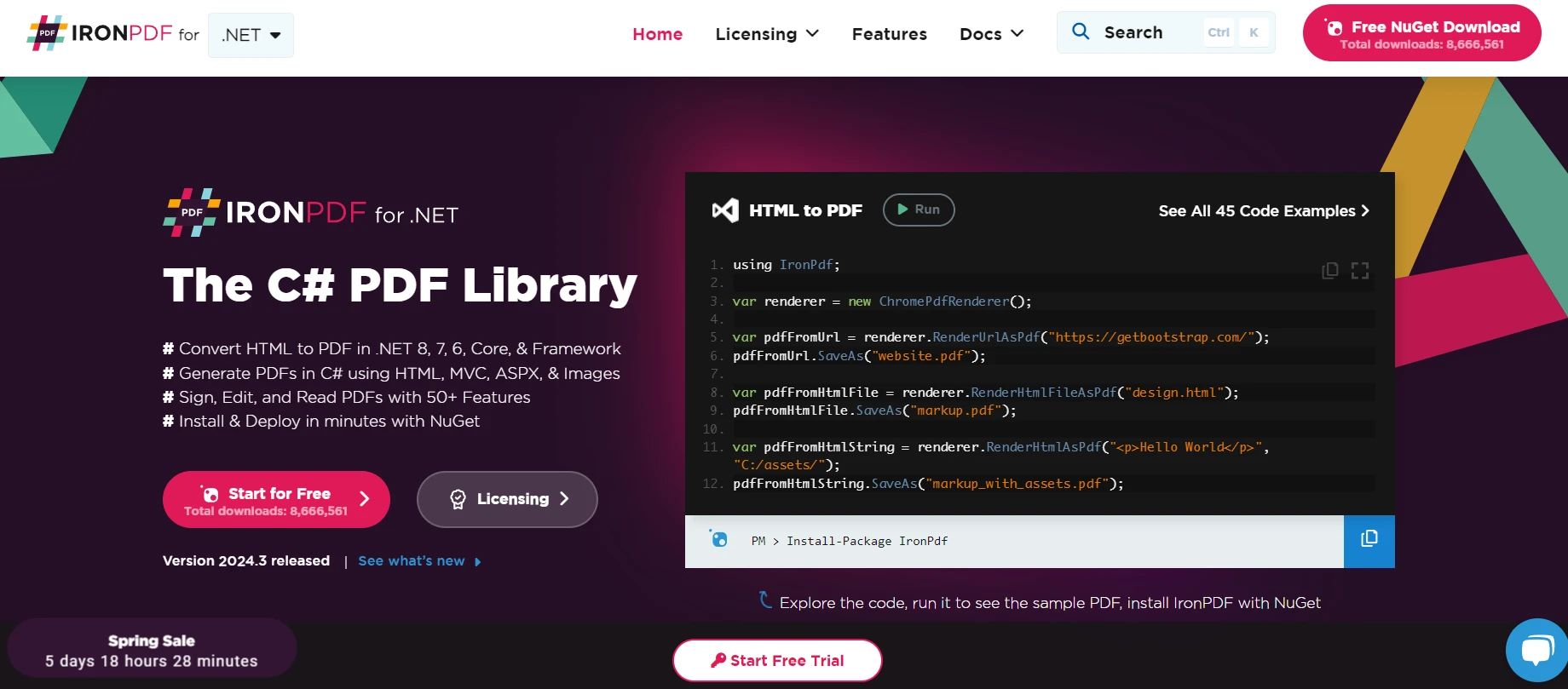
進階 IronPDF 功能是專為開發人員設計的綜合資料庫,可在 .NET 應用程式中建立、編輯和擷取 PDF 內容。 它提供了一種直接的方法,使用 IronPDF 將 HTML 轉換為 PDF,有助於建立像素完美的 PDF。
憑藉其多樣化的功能,開發人員可以輕鬆實現複雜的 PDF 功能。 IronPDF 簡化了 PDF 的操作流程,並在 C# 專案中增加了高效的文件管理功能。
範例:從資料清單生成 PDF
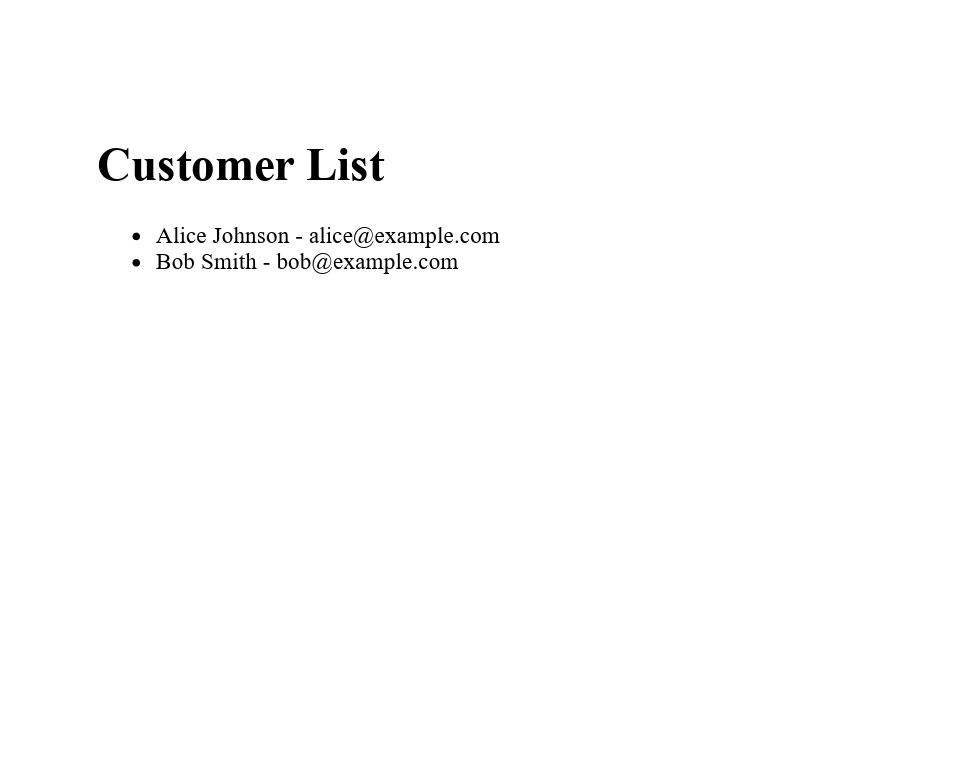
考慮一種情況,您需要從客戶姓名和電子郵件清單中產生一份報告。 首先,您會在自訂類別 Customer 的 List 中架構資料,然後用 IronPDF 從這個清單中建立 PDF 文件。
using IronPdf;
using System.Collections.Generic;

// Define a customer class with properties for name and email
public class Customer
{
    public string Name { get; set; }
    public string Email { get; set; }
}

class Program
{
    static void Main(string[] args)
    {
        // Set your IronPDF license key here. Replace "License-Key" with your actual key
        License.LicenseKey = "License-Key";

        // Create a list of customers
        List<Customer> customers = new List<Customer>
        {
            new Customer { Name = "Alice Johnson", Email = "alice@example.com" },
            new Customer { Name = "Bob Smith", Email = "bob@example.com" }
        };

        // Initialize the HTML to PDF converter
        var renderer = new ChromePdfRenderer();

        // Generate HTML content from the list of customers
        var htmlContent = "<h1>Customer List</h1><ul>";
        foreach (var customer in customers)
        {
            htmlContent += $"<li>{customer.Name} - {customer.Email}</li>";
        }
        htmlContent += "</ul>";

        // Convert HTML to PDF
        var pdf = renderer.RenderHtmlAsPdf(htmlContent);

        // Save the PDF document
        pdf.SaveAs("CustomerList.pdf");
    }
}
using IronPdf;
using System.Collections.Generic;
// Define a customer class with properties for name and email
public class Customer
{
public string Name { get; set; }
public string Email { get; set; }
}
class Program
{
static void Main(string[] args)
{
// Set your IronPDF license key here. Replace "License-Key" with your actual key
License.LicenseKey = "License-Key";
// Create a list of customers
List<Customer> customers = new List<Customer>
{
new Customer { Name = "Alice Johnson", Email = "alice@example.com" },
new Customer { Name = "Bob Smith", Email = "bob@example.com" }
};
// Initialize the HTML to PDF converter
var renderer = new ChromePdfRenderer();
// Generate HTML content from the list of customers
var htmlContent = "<h1>Customer List</h1><ul>";
foreach (var customer in customers)
{
htmlContent += $"<li>{customer.Name} - {customer.Email}</li>";
}
htmlContent += "</ul>";
// Convert HTML to PDF
var pdf = renderer.RenderHtmlAsPdf(htmlContent);
// Save the PDF document
pdf.SaveAs("CustomerList.pdf");
}
}Imports IronPdf
Imports System.Collections.Generic
' Define a customer class with properties for name and email
Public Class Customer
Public Property Name() As String
Public Property Email() As String
End Class
Friend Class Program
Shared Sub Main(ByVal args() As String)
' Set your IronPDF license key here. Replace "License-Key" with your actual key
License.LicenseKey = "License-Key"
' Create a list of customers
Dim customers As New List(Of Customer) From {
New Customer With {
.Name = "Alice Johnson",
.Email = "alice@example.com"
},
New Customer With {
.Name = "Bob Smith",
.Email = "bob@example.com"
}
}
' Initialize the HTML to PDF converter
Dim renderer = New ChromePdfRenderer()
' Generate HTML content from the list of customers
Dim htmlContent = "<h1>Customer List</h1><ul>"
For Each customer In customers
htmlContent &= $"<li>{customer.Name} - {customer.Email}</li>"
Next customer
htmlContent &= "</ul>"
' Convert HTML to PDF
Dim pdf = renderer.RenderHtmlAsPdf(htmlContent)
' Save the PDF document
pdf.SaveAs("CustomerList.pdf")
End Sub
End Class在這個範例中,IronPDF 與 List
結論
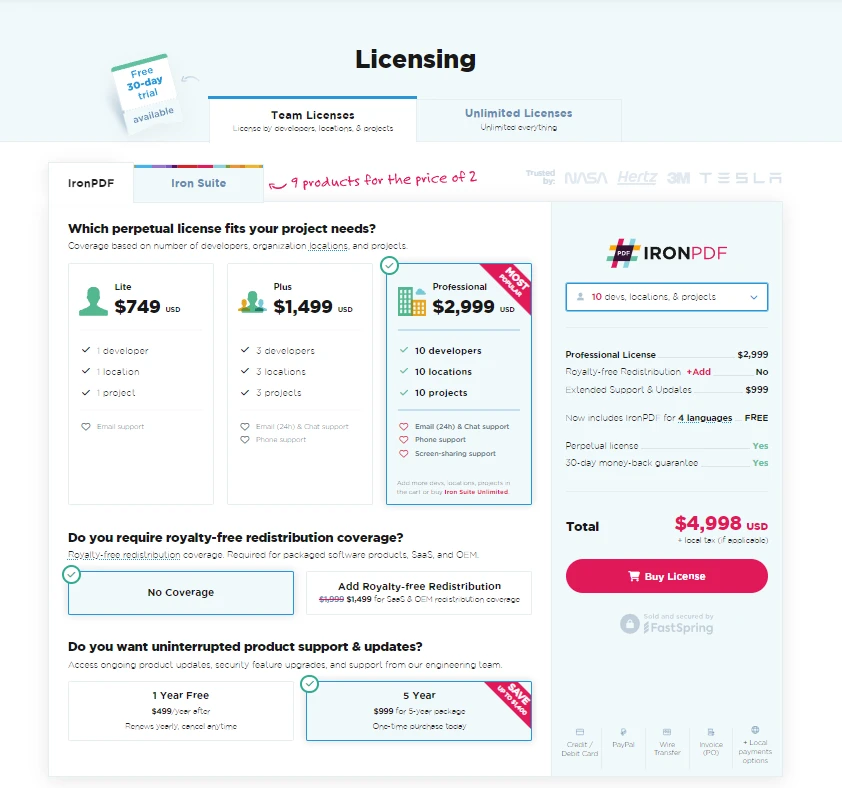
總而言之,選擇最佳的資料結構是軟體開發的關鍵步驟。 對開發人員而言,了解這些結構及其實際應用是非常重要的。 此外,對於在 .NET 專案中研究 PDF 生成和操作的人來說,IronPDF 提供了一個強大的解決方案,並提供IronPDF 的免費試用版,可從 $999 開始,提供一系列適合各種開發需求的功能。
常見問題
怎樣在 C# 中將 HTML 轉換為 PDF?
您可以使用 IronPDF 的 RenderHtmlAsPdf 方法將 HTML 字串轉換為 PDF。您還可以使用 RenderHtmlFileAsPdf 將 HTML 文件轉換為 PDF。
C# 中有哪些基本資料結構?
C# 提供了幾種基本資料結構,包括陣列、清單、堆疊、佇列、字典、鏈結串列、樹和圖表。每個結構在資料管理和應用程式開發中具有不同的用途。
在 C# 中,陣列和清單在調整大小方面有何不同?
陣列具有固定大小,這意味著其長度在創建時設置且不能改變。然而,清單是動態的,隨著元素的添加或移除可以自動調整大小。
如何在 C# 中從資料清單生成 PDF?
使用 IronPDF,您可以將如客戶名稱和電子郵件等資料清單轉換為 PDF 文件。這涉及從清單渲染 HTML 內容,並使用 IronPDF 創建和儲存 PDF。
在 C# 中使用字典有何重要性?
字典在儲存資料為鍵值對方面非常重要,允許基於唯一鍵快速檢索資料。它們對於管理設定或工作階段資料特別有用。
在 C# 中,堆疊和佇列的原則是什麼?
堆疊使用後進先出 (LIFO) 原則,最近加入的元素為第一個被移除。佇列則運行在先進先出 (FIFO) 原則,按照元素到達的順序進行處理。
如何為我的 C# 應用程式選擇合適的資料結構?
選擇合適的資料結構涉及考慮操作複雜度、記憶體效率、實施難易程度,以及資料大小是否固定或動態。這些因素有助於確定最適合您需求的資料結構。
樹和圖在 C# 程式設計中扮演什麼角色?
樹和圖分別用於表示層次和網路化的資料。它們在解決涉及資料關係或複雜資料導航的問題時是必不可少的。
是否有用於創建和編輯 PDF 的 C# 程式庫?
是的,IronPDF 是一個強大的 C# 程式庫,允許您在 .NET 應用程式中創建、編輯並提取 PDF 文件內容。
為什麼理解資料結構對 C# 開發者至關重要?
理解資料結構對 C# 開發者來說至關重要,因為它能夠實現高效的資料管理、應用程式的擴展性及可維護性。它還有助於優化效能和資源使用。









 立即免費開始
 立即免費開始
 預約免費線上示範





 無需信用卡或註冊帳號










