




已更新 2026年4月23日
在 .NET 中用 Microsoft.Extensions.AI 簡化 LLM 整合
AI 正在改變軟體開發,但將大型語言模型 (LLM) 整合到 .NET 中一直很複雜。利用 IronPdf.AI 將 AI 整合推向更遠,為 .NET 應用程式帶來由 OpenAI 驅動的 PDF 解析、資料擷取和內容總結。
閱讀更多

在軟體開發的世界中,C# 是一個多才多藝且強大的程式語言,為開發者提供了廣泛的功能。
其中一個因其靈活性和動態性而突出的功能是反射。 C# 中的反射允許開發者在運行時檢查和交互型別的元資料。這項能力開啟了新的可能性,讓開發者能夠建立更靈活、可擴展和穩健的應用程式。
在本文中,我們將深入探討 C# 反射的複雜性,探索其關鍵概念、應用案例和最佳實踐。 我們還將找出 IronPDF 的 PdfDocument 物件的反射資訊。
反射是一種機制,允許程式在運行時檢查和操控其結構和行為。在 C# 中,通過 System.Reflection 命名空間實現,該命名空間提供類和方法來交互元資料,獲取型別資訊,以及動態建立實例。
C# 反射的核心是 Type 類別,它代表 .NET 運行時中的一個型別。這個類別提供了關於型別的大量資訊,包括所有的公共方法、屬性、欄位、事件和方法參數。
您可以通過使用各種方法獲取給定型別的 Type 物件,例如 typeof() 運算符或呼叫物件上的 GetType() 方法。
using System;

class Program
{
    static void Main()
    {
        // Using typeof to get Type information for string
        Type stringType = typeof(string);
        Console.WriteLine("Information about the string type:");
        Console.WriteLine($"Type Name: {stringType.Name}");
        Console.WriteLine($"Full Name: {stringType.FullName}");
        Console.WriteLine($"Assembly Qualified Name: {stringType.AssemblyQualifiedName}");
    }
}Imports System
Friend Class Program
Shared Sub Main()
' Using typeof to get Type information for string
Dim stringType As Type = GetType(String)
Console.WriteLine("Information about the string type:")
Console.WriteLine($"Type Name: {stringType.Name}")
Console.WriteLine($"Full Name: {stringType.FullName}")
Console.WriteLine($"Assembly Qualified Name: {stringType.AssemblyQualifiedName}")
End Sub
End Class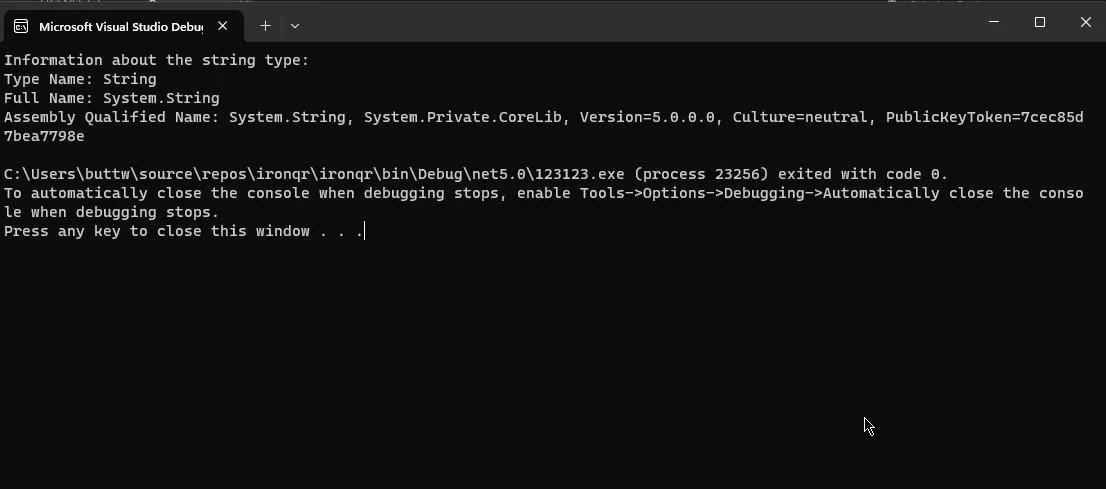
.NET 中的 assembly 是一個部署和版本控制的單位。 System.Reflection 命名空間中的 Assembly 類別提供方法來載入和描述版本集合,並動態檢查版本資訊。
您可以獲得當前執行的 assembly 的任何實例或任何參考的 assembly 的 Assembly 物件。
using System;
using System.Reflection;

class Program
{
    static void Main()
    {
        // Example 1: Get information about the executing assembly
        Assembly executingAssembly = Assembly.GetExecutingAssembly();
        Console.WriteLine("Information about the executing assembly:");
        DisplayAssemblyInfo(executingAssembly);

        // Example 2: Load the mscorlib assembly
        Assembly mscorlibAssembly = Assembly.Load("mscorlib");
        Console.WriteLine("\nInformation about the mscorlib assembly:");
        DisplayAssemblyInfo(mscorlibAssembly);
    }

    static void DisplayAssemblyInfo(Assembly assembly)
    {
        Console.WriteLine($"Assembly Name: {assembly.GetName().Name}");
        Console.WriteLine($"Full Name: {assembly.FullName}");
        Console.WriteLine($"Location: {assembly.Location}");
        Console.WriteLine("\nModules:");

        foreach (var module in assembly.GetModules())
        {
            Console.WriteLine($"- {module.Name}");
        }

        Console.WriteLine(new string('-', 30));
    }
}Imports Microsoft.VisualBasic
Imports System
Imports System.Reflection
Friend Class Program
Shared Sub Main()
' Example 1: Get information about the executing assembly
Dim executingAssembly As System.Reflection.Assembly = System.Reflection.Assembly.GetExecutingAssembly()
Console.WriteLine("Information about the executing assembly:")
DisplayAssemblyInfo(executingAssembly)
' Example 2: Load the mscorlib assembly
Dim mscorlibAssembly As System.Reflection.Assembly = System.Reflection.Assembly.Load("mscorlib")
Console.WriteLine(vbLf & "Information about the mscorlib assembly:")
DisplayAssemblyInfo(mscorlibAssembly)
End Sub
Private Shared Sub DisplayAssemblyInfo(ByVal assembly As System.Reflection.Assembly)
Console.WriteLine($"Assembly Name: {assembly.GetName().Name}")
Console.WriteLine($"Full Name: {assembly.FullName}")
Console.WriteLine($"Location: {assembly.Location}")
Console.WriteLine(vbLf & "Modules:")
For Each [module] In assembly.GetModules()
Console.WriteLine($"- {[module].Name}")
Next [module]
Console.WriteLine(New String("-"c, 30))
End Sub
End Class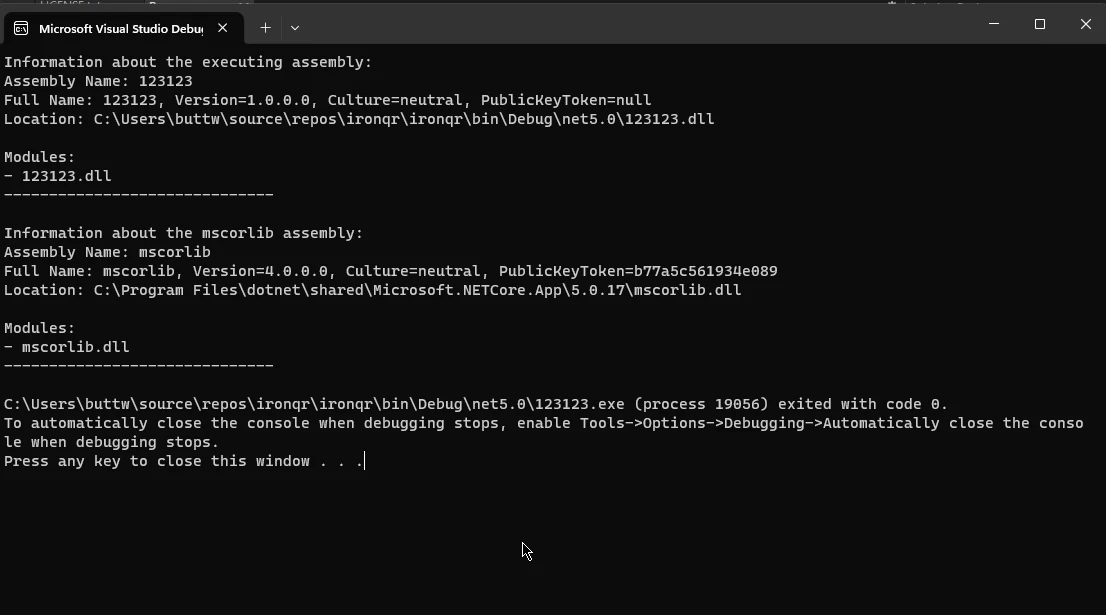
這些類別分別代表公共成員、方法、屬性、欄位和事件。 它們揭示這些成員的資訊,例如它們的名稱、型別、可見性等。
您可以通過 Type 類別獲得這些類別的實例。
using System;
using System.Reflection;

class MyClass
{
    public void MyMethod() { }
    public int MyProperty { get; set; }
    public string myField;
    public event EventHandler MyEvent;
}

class Program
{
    static void Main()
    {
        // Get MethodInfo for MyMethod
        MethodInfo methodInfo = typeof(MyClass).GetMethod("MyMethod");
        Console.WriteLine($"Method Name: {methodInfo.Name}");

        // Get PropertyInfo for MyProperty
        PropertyInfo propertyInfo = typeof(MyClass).GetProperty("MyProperty");
        Console.WriteLine($"Property Name: {propertyInfo.Name}");

        // Get FieldInfo for myField
        FieldInfo fieldInfo = typeof(MyClass).GetField("myField");
        Console.WriteLine($"Field Name: {fieldInfo.Name}");

        // Get EventInfo for MyEvent
        EventInfo eventInfo = typeof(MyClass).GetEvent("MyEvent");
        Console.WriteLine($"Event Name: {eventInfo.Name}");
    }
}Imports System
Imports System.Reflection
Friend Class [MyClass]
Public Sub MyMethod()
End Sub
Public Property MyProperty() As Integer
Public myField As String
Public Event MyEvent As EventHandler
End Class
Friend Class Program
Shared Sub Main()
' Get MethodInfo for MyMethod
Dim methodInfo As MethodInfo = GetType([MyClass]).GetMethod("MyMethod")
Console.WriteLine($"Method Name: {methodInfo.Name}")
' Get PropertyInfo for MyProperty
Dim propertyInfo As PropertyInfo = GetType([MyClass]).GetProperty("MyProperty")
Console.WriteLine($"Property Name: {propertyInfo.Name}")
' Get FieldInfo for myField
Dim fieldInfo As FieldInfo = GetType([MyClass]).GetField("myField")
Console.WriteLine($"Field Name: {fieldInfo.Name}")
' Get EventInfo for MyEvent
Dim eventInfo As EventInfo = GetType([MyClass]).GetEvent("MyEvent")
Console.WriteLine($"Event Name: {eventInfo.Name}")
End Sub
End Class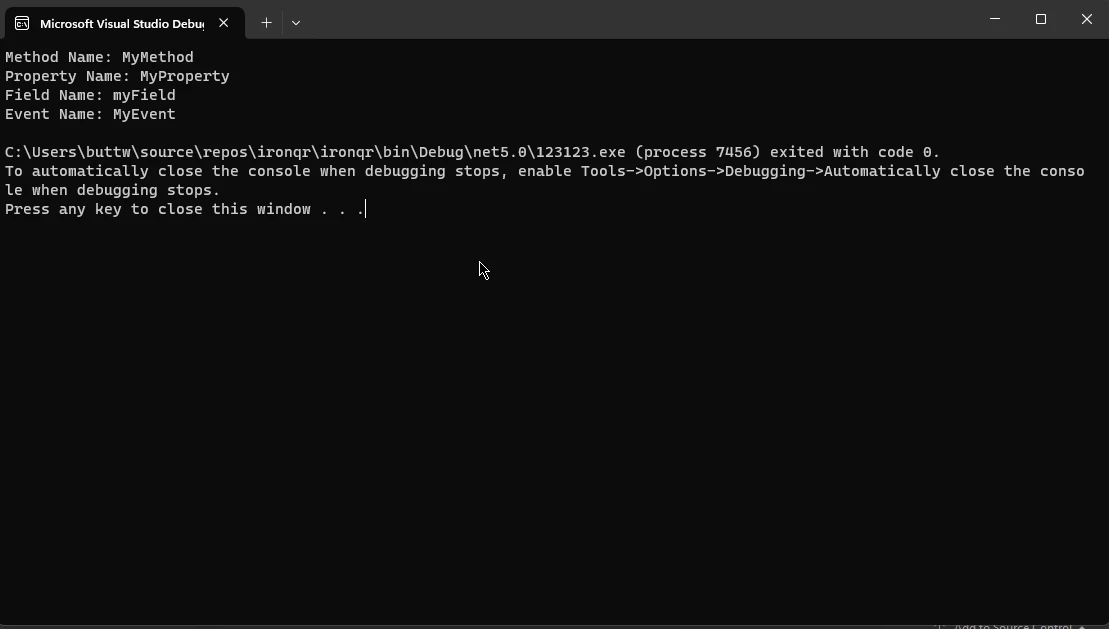
IronPDF - 官方網站 是一個強大的 C# 程式庫,為在 .NET 應用程式中處理 PDF 文件提供全面的功能集。 它允許開發者輕鬆建立、處理和從現有物件(如 PDF 文件)中提取資料,使用簡單直觀的 API。
IronPDF 一個顯著的特點是能無縫整合到現有 C# 專案中,使其成為增加 PDF 生成和處理能力的絕佳選擇。
IronPDF 的一些主要功能如下:
現在,我們來研究如何在詳細的程式碼範例中使用 C# 反射與 IronPDF。
在這個簡單的例子中,我們將使用 C# 反射獲取 IronPDF PDF 文件物件的資訊。
確保將 IronPDF NuGet 套件安裝到您的專案中。 您可以使用 NuGet 套件管理器控制台來進行安裝:
using IronPdf;
using System;
using System.Reflection;

class Program
{
    static void Main()
    {
        // Get the Type object representing PdfDocument
        Type pdfDocumentType = typeof(PdfDocument);

        // Display basic information about the PdfDocument type
        Console.WriteLine("Information about the PdfDocument type:");
        Console.WriteLine($"Type Name: {pdfDocumentType.Name}");
        Console.WriteLine($"Full Name: {pdfDocumentType.FullName}");
        Console.WriteLine($"Assembly Qualified Name: {pdfDocumentType.AssemblyQualifiedName}");
        Console.WriteLine("\nMembers:");

        // Iterate over all members and display their information
        foreach (var memberInfo in pdfDocumentType.GetMembers())
        {
            Console.WriteLine($"{memberInfo.MemberType} {memberInfo.Name}");
        }
    }
}Imports IronPdf
Imports System
Imports System.Reflection
Module Program
Sub Main()
' Get the Type object representing PdfDocument
Dim pdfDocumentType As Type = GetType(PdfDocument)
' Display basic information about the PdfDocument type
Console.WriteLine("Information about the PdfDocument type:")
Console.WriteLine($"Type Name: {pdfDocumentType.Name}")
Console.WriteLine($"Full Name: {pdfDocumentType.FullName}")
Console.WriteLine($"Assembly Qualified Name: {pdfDocumentType.AssemblyQualifiedName}")
Console.WriteLine(vbCrLf & "Members:")
' Iterate over all members and display their information
For Each memberInfo In pdfDocumentType.GetMembers()
Console.WriteLine($"{memberInfo.MemberType} {memberInfo.Name}")
Next
End Sub
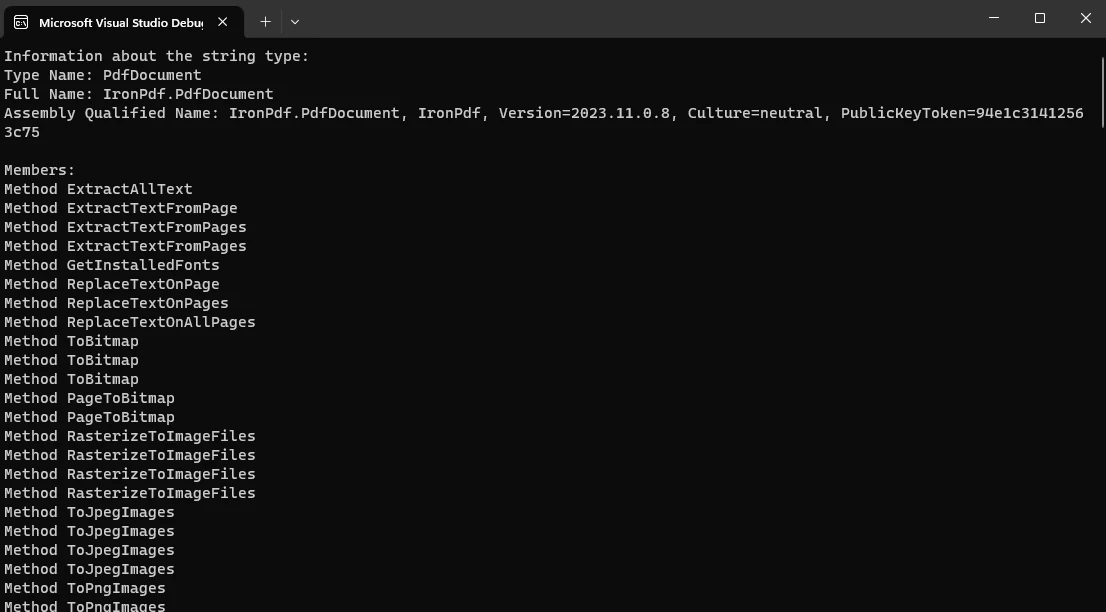
End Module提供的 C# 程式碼利用反射從 IronPDF 程式庫中獲取 PdfDocument 型別的資訊。 最初,使用 typeof(PdfDocument) 表達式來檢索表示 PdfDocument 型別的 Type 物件。
隨後,將獲得的 Type 物件的各種屬性列印到控制台,包括型別名稱、全名和程式集限定名稱。
此外,程式碼利用 foreach 迴圈來遍歷 PdfDocument 型別的成員,列印每個成員的資訊,包括成員型別和名稱。
這種方法展示了利用反射在運行時動態檢查 PdfDocument 型別物件的結構和元資料,提供關於其組成和 IronPDF 程式庫 PdfDocument 類的所有公共成員的洞見。
輸出:
C# 反射是一種強大的機制,使開發者能夠在運行時動態檢查和操控型別的結構。
本文探討了 C# 反射的關鍵概念、運用案例和最佳實踐,強調其在建立靈活和可擴展應用程式中的重要性。
此外,整合了 IronPDF 這個強大的 PDF 處理程式庫,進一步證明了 C# 反射在動態獲得 PdfDocument 型別資訊中的多樣性。
當開發者利用這些功能時,他們獲得了適應其應用程式以符合不斷變化的需求和場景的靈活性,展現 C# 的動態性及像 IronPDF 這樣的程式庫在增強文件處理能力上的寶貴貢獻。
IronPDF 是一個有完善文件和許多教程的程式庫。 要查看教程,請存取 IronPDF 教程文件,這為開發者提供更大的機會了解其功能。

Jacob Mellor是Iron Software的首席技術官,一位在C# PDF技術上開創先河的遠見工程師。作為Iron Software核心程式碼庫的原開發者,他從創立以來就一直在塑造公司的產品架構,與首席執行官Cameron Rimington一起將公司轉變為服務於NASA、特斯拉和全球政府公司的50多名人員的公司。



IronPDF 是 IRONSUITE 的一部分
10 款適用於辦公室文件的 .NET API 產品

當您需要您的PDF看起來像HTML一樣快速。












