




已更新 2026年4月23日
在 .NET 中用 Microsoft.Extensions.AI 簡化 LLM 整合
AI 正在改變軟體開發,但將大型語言模型 (LLM) 整合到 .NET 中一直很複雜。利用 IronPdf.AI 將 AI 整合推向更遠,為 .NET 應用程式帶來由 OpenAI 驅動的 PDF 解析、資料擷取和內容總結。
閱讀更多

在今天的開發世界中,對於需要處理文件、表單或報告的應用程式來說,處理PDF是一個常見的需求。 無論您是在構建電子商務平台、文件管理系統,還是僅僅需要處理發票,從PDF中提取和搜尋文字都是至關重要的。 本文將指導您如何在.NET專案中使用C# string.Contains()與IronPDF搜尋和提取PDF文件中的文字。
在執行搜尋時,您可能需要根據特定的字串子串要求來執行字串比較。 在這種情況下,C#提供了像是string.Contains()這樣的選項,這是最簡單的比較形式之一。
如果您需要指定是否忽略大小寫,您可以使用StringComparison列舉。 這讓您可以選擇您想要的字串比較型別,例如序數比較或不區分大小寫的比較。
如果您想要處理字串中的特定位置,例如第一個字元位置或最後一個字元位置,您可以使用Substring來隔離字串的某些部分以進行進一步處理。
如果您正在尋找空字串檢查或其他邊緣情況,請確保在您的邏輯中處理這些場景。
如果您正在處理大型文件,優化文字提取的起始位置非常有用,僅提取相關部分而不是整個文件。 這尤其有用,如果您希望避免記憶體過載和處理時間過長。
如果您不確定比較規則的最佳方法,請考慮特定方法的性能以及您希望搜尋在不同場景中的行為(例如,匹配多個術語,處理空格等)。
如果您的需求超出簡單的子串檢查,需要更高級的模式匹配,請考慮使用正規表達式,這在處理PDF時提供了顯著的靈活性。
如果您還沒試過,今天就試試IronPDF的免費試用,探索它的功能,了解它如何簡化您的PDF處理任務。 無論您是在構建文件管理系統、處理發票,還是僅需從PDF中提取資料,IronPDF都是完成這項工作的理想工具。
IronPDF是一個強大的程式庫,旨在幫助在.NET生態系統中處理PDF的開發人員。 它使您能夠輕鬆建立、讀取、編輯和操作PDF文件,而無需依賴外部工具或複雜配置。
IronPDF為在C#應用程式中處理PDF提供了廣泛的功能。 一些主要功能包括:
IronPDF設計簡單易用,但靈活到足以處理涉及PDF的複雜場景。 它與.NET Core和.NET Framework無縫配合,是任何基於.NET項目的完美選擇。
要使用 IronPDF,請通過 Visual Studio 的 NuGet 包管理器進行安裝:
在深入搜尋PDF之前,讓我們先了解如何使用IronPDF從PDF中提取文字。
IronPDF提供了一個簡單的API來從PDF文件中提取文字。 這讓您可以輕鬆在PDF中搜尋特定內容。
以下範例演示瞭如何使用IronPDF從PDF中提取文字:
using IronPdf;
using System;

public class Program
{
    public static void Main(string[] args)
    {
        // Load the PDF from a file
        PdfDocument pdf = PdfDocument.FromFile("invoice.pdf");
        // Extract all text from the PDF
        string text = pdf.ExtractAllText();
        // Optionally, print the extracted text to the console
        Console.WriteLine(text);
    }
}Imports IronPdf
Imports System
Public Class Program
Public Shared Sub Main(ByVal args() As String)
' Load the PDF from a file
Dim pdf As PdfDocument = PdfDocument.FromFile("invoice.pdf")
' Extract all text from the PDF
Dim text As String = pdf.ExtractAllText()
' Optionally, print the extracted text to the console
Console.WriteLine(text)
End Sub
End Class在此範例中,ExtractAllText()方法提取了PDF文件中的所有文字。 然後,這些文字可以被處理用來搜尋特定關鍵字或短語。
一旦您從PDF中提取了文字,您可以使用C#內建的string.Contains()方法來搜尋特定的詞或短語。
string.Contains()方法返回一個布林值,指示一個指定的字串是否存在於一個字串中。 這對基本文字搜尋特別有用。
以下是如何使用string.Contains()在提取的文字中搜尋一個關鍵字:
bool isFound = text.Contains("search term", StringComparison.OrdinalIgnoreCase);Dim isFound As Boolean = text.Contains("search term", StringComparison.OrdinalIgnoreCase)讓我們進一步分解這個實用範例。 假設您想找出特定的發票號碼是否存在於PDF發票文件中。
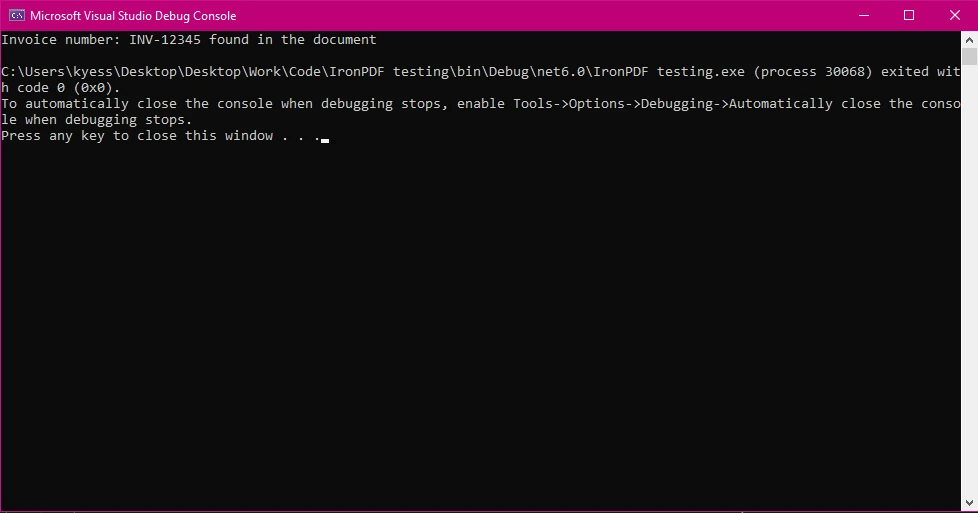
這是您如何實現這一點的完整範例:
using IronPdf;
using System;

public class Program
{
    public static void Main(string[] args)
    {
        string searchTerm = "INV-12345";
        // Load the PDF from a file
        PdfDocument pdf = PdfDocument.FromFile("exampleInvoice.pdf");
        // Extract all text from the PDF
        string text = pdf.ExtractAllText();
        // Search for the specific invoice number
        bool isFound = text.Contains(searchTerm, StringComparison.OrdinalIgnoreCase);
        // Provide output based on whether the search term was found
        if (isFound)
        {
            Console.WriteLine($"Invoice number: {searchTerm} found in the document");
        }
        else
        {
            Console.WriteLine($"Invoice number {searchTerm} not found in the document");
        }
    }
}Imports IronPdf
Imports System
Public Class Program
Public Shared Sub Main(ByVal args() As String)
Dim searchTerm As String = "INV-12345"
' Load the PDF from a file
Dim pdf As PdfDocument = PdfDocument.FromFile("exampleInvoice.pdf")
' Extract all text from the PDF
Dim text As String = pdf.ExtractAllText()
' Search for the specific invoice number
Dim isFound As Boolean = text.Contains(searchTerm, StringComparison.OrdinalIgnoreCase)
' Provide output based on whether the search term was found
If isFound Then
Console.WriteLine($"Invoice number: {searchTerm} found in the document")
Else
Console.WriteLine($"Invoice number {searchTerm} not found in the document")
End If
End Sub
End Class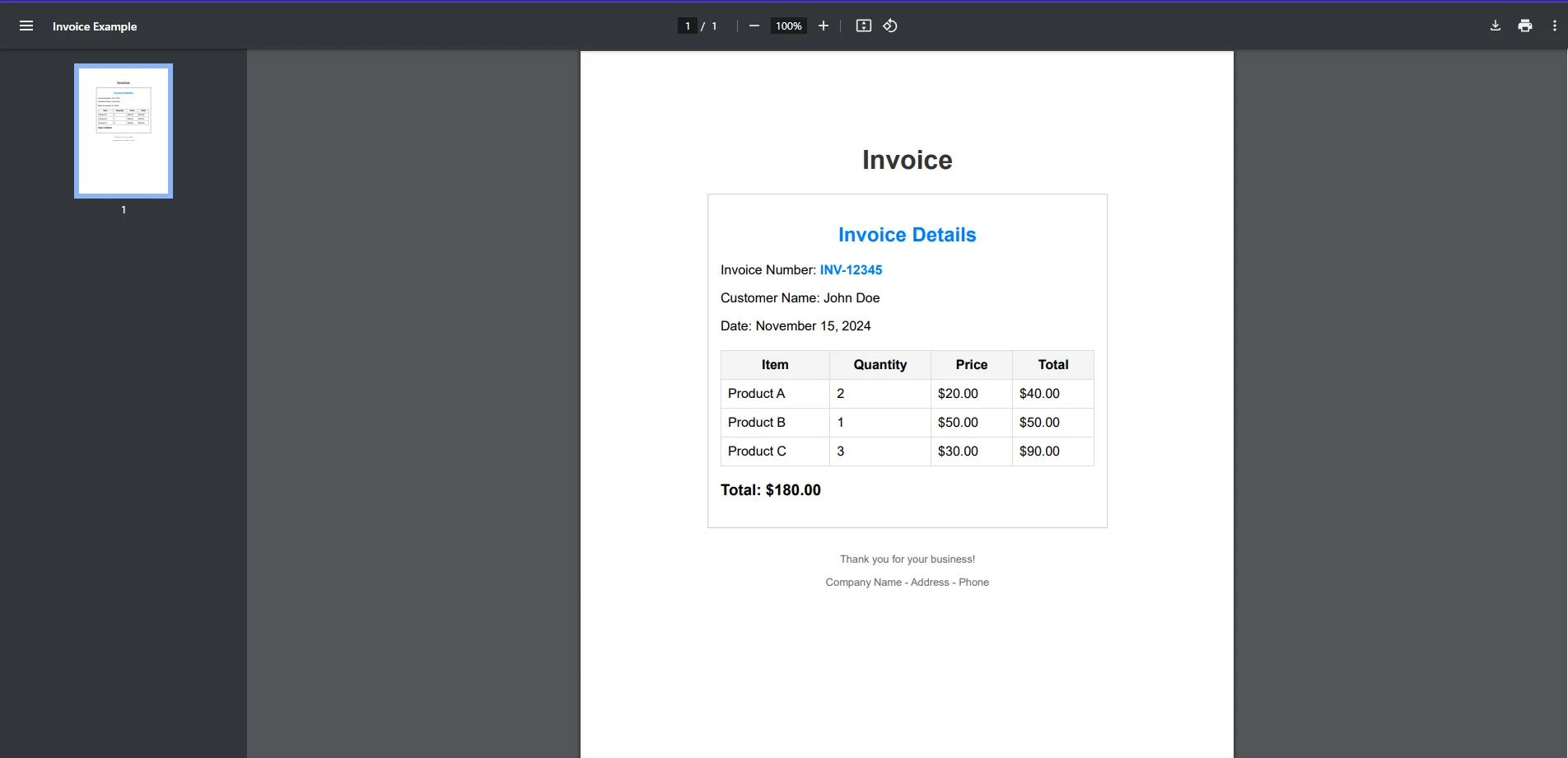
在這個範例中:
INV-12345。StringComparison.OrdinalIgnoreCase,搜尋不區分大小寫。雖然string.Contains()適用於簡單的子串搜尋,但您可能想執行更複雜的搜尋,例如找到模式或一系列關鍵字。 為此,您可以使用正規表達式。
以下是使用正規表達式搜尋PDF文字中的任何有效發票號碼格式的範例:
using IronPdf;
using System;
using System.Text.RegularExpressions;

public class Program
{
    public static void Main(string[] args)
    {
        // Define a regex pattern for a typical invoice number format (e.g., INV-12345)
        string pattern = @"INV-\d{5}";
        // Load the PDF from a file
        PdfDocument pdf = PdfDocument.FromFile("exampleInvoice.pdf");
        // Extract all text from the PDF
        string text = pdf.ExtractAllText();
        // Perform the regex search
        Match match = Regex.Match(text, pattern);
        // Check if a match was found
        if (match.Success)
        {
            Console.WriteLine($"Invoice number found: {match.Value}");
        }
        else
        {
            Console.WriteLine("No matching invoice number found.");
        }
    }
}Imports IronPdf
Imports System
Imports System.Text.RegularExpressions
Public Class Program
Public Shared Sub Main(ByVal args() As String)
' Define a regex pattern for a typical invoice number format (e.g., INV-12345)
Dim pattern As String = "INV-\d{5}"
' Load the PDF from a file
Dim pdf As PdfDocument = PdfDocument.FromFile("exampleInvoice.pdf")
' Extract all text from the PDF
Dim text As String = pdf.ExtractAllText()
' Perform the regex search
Dim match As Match = Regex.Match(text, pattern)
' Check if a match was found
If match.Success Then
Console.WriteLine($"Invoice number found: {match.Value}")
Else
Console.WriteLine("No matching invoice number found.")
End If
End Sub
End Class此程式碼將搜尋符合模式INV-XXXXX的任何發票號碼,其中XXXXX是一系列數字。
在處理PDF文件時,特別是大型或複雜文件,有一些最佳實踐需要注意:
IronPDF可以輕鬆整合到.NET項目中。 通過NuGet下載和安裝IronPDF程式庫後,只需將其導入到您的C#程式碼中,如上例所示。
IronPDF的靈活性使您可以構建複雜的文件處理工作流程,例如:
IronPDF使處理PDF變得簡單且高效,特別是當您需要在PDF中提取和搜尋文字時。 通過結合C#的string.Contains()方法與IronPDF的文字提取功能,您可以迅速在您的.NET應用程式中搜尋和處理PDF。
如果您還沒試過,今天就試試IronPDF的免費試用,探索它的功能,了解它如何簡化您的PDF處理任務。 無論您是在構建文件管理系統、處理發票,還是僅需從PDF中提取資料,IronPDF都是完成這項工作的理想工具。
要開始使用IronPDF,下載免費試用並親身體驗其強大的PDF操作功能。 存取IronPDF的網站,今天就開始。

Jacob Mellor是Iron Software的首席技術官,一位在C# PDF技術上開創先河的遠見工程師。作為Iron Software核心程式碼庫的原開發者,他從創立以來就一直在塑造公司的產品架構,與首席執行官Cameron Rimington一起將公司轉變為服務於NASA、特斯拉和全球政府公司的50多名人員的公司。



IronPDF 是 IRONSUITE 的一部分
10 款適用於辦公室文件的 .NET API 產品

當您需要您的PDF看起來像HTML一樣快速。












