




已更新 2026年9月4日
產生每月帳戶報表(PDF 文件)
using IronPDF C# PDF 庫,開發人員可以在 .NET 專案中將 HTML 轉換為可靠的 PDF 文件,而無需依賴外部服務。
閱讀更多

將ASP.NET MVC視圖轉換為PDF文件是現代Web應用程式中的核心需求。 無論您是在生成發票、報告還是證書,問題都是明顯的:如何將Razor視圖轉換為專業的PDF文件,同時保持格式和樣式? 本指南比較了傳統的iText程式庫和IronPDF——現代的Chromium驅動解決方案——使您能夠為您的PDF生成工作流程選擇合適的工具。
企業依賴PDF生成來完成無數關鍵操作。 發票系統需要防篡改的帳單文件。 人力資源部門生成就業證明和合同。 銷售團隊製作報價和建議書。 教育平台頒發完成證書。 每個情景都要求在伺服器端生成PDF,以保持跨所有裝置和平台的一致格式。
根據ASP.NET 核心文件,Razor視圖提供了一個出色的模板系統,用於生成動態內容,然後可以轉換為PDF。 關鍵問題是,哪個程式庫為您提供最準確、可維護和法律合適的解決方案。
iText在.NET PDF生成中已經存在超過十年。 它最初是從Java iText程式庫移植而來,提供了低層次的PDF建立控制。 然而,其HTML轉換方法顯示出其年代久遠,尤其是在處理現代Web內容時。
要將iText新增到您的ASP.NET Core MVC專案中,請使用套件管理器控制台安裝NuGet包:
Install-Package iTextSharp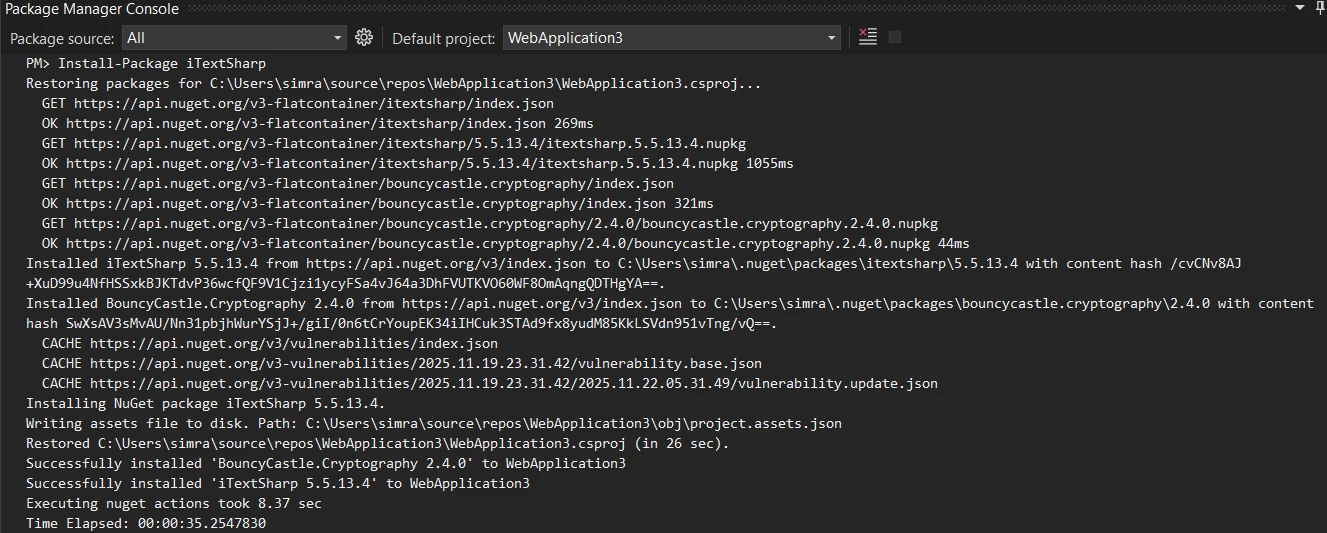
這裡是一個完整的範例,展示如何在ASP.NET MVC專案中使用iText的XMLWorkerHelper類將MVC視圖轉換為PDF:
using iTextSharp.text;
using iTextSharp.tool.xml;
using iTextSharp.text.pdf;
using System.IO;

public class HomeController : Controller
{
    public ActionResult Index()
    {
        return View();
    }

    public ActionResult GeneratePDF()
    {
        // Create a simple invoice HTML
        string invoiceHtml = @"
            <h1>Invoice #1001</h1>
            <p>Date: " + DateTime.否w.ToString("MM/dd/yyyy") + @"</p>
            <table border='1'>
                <tr><th>Item</th><th>Price</th></tr>
                <tr><td>Product A</td><td>$99.99</td></tr>
                <tr><td>Product B</td><td>$149.99</td></tr>
            </table>
            <p><strong>Total: $249.98</strong></p>";

        // Create PDF document using iTextSharp
        using var stream = new MemoryStream();
        var document = new Document(PageSize.A4);
        PdfWriter writer = PdfWriter.GetInstance(document, stream);
        document.Open();

        using (var srHtml = new StringReader(invoiceHtml))
        {
            XMLWorkerHelper.GetInstance().ParseXHtml(writer, document, srHtml);
        }

        document.Close();

        // Return the PDF file
        return new FileContentResult(stream.ToArray(), "application/pdf")
        {
            FileDownloadName = "invoice.pdf"
        };
    }
}Imports iTextSharp.text
Imports iTextSharp.tool.xml
Imports iTextSharp.text.pdf
Imports System.IO
Public Class HomeController
Inherits Controller
Public Function Index() As ActionResult
Return View()
End Function
Public Function GeneratePDF() As ActionResult
' Create a simple invoice HTML
Dim invoiceHtml As String = "
<h1>Invoice #1001</h1>
<p>Date: " & DateTime.Now.ToString("MM/dd/yyyy") & "</p>
<table border='1'>
<tr><th>Item</th><th>Price</th></tr>
<tr><td>Product A</td><td>$99.99</td></tr>
<tr><td>Product B</td><td>$149.99</td></tr>
</table>
<p><strong>Total: $249.98</strong></p>"
' Create PDF document using iTextSharp
Using stream As New MemoryStream()
Dim document As New Document(PageSize.A4)
Dim writer As PdfWriter = PdfWriter.GetInstance(document, stream)
document.Open()
Using srHtml As New StringReader(invoiceHtml)
XMLWorkerHelper.GetInstance().ParseXHtml(writer, document, srHtml)
End Using
document.Close()
' Return the PDF file
Return New FileContentResult(stream.ToArray(), "application/pdf") With {
.FileDownloadName = "invoice.pdf"
}
End Using
End Function
End Class此範例從HTML內容建立基本的PDF文件。 XMLWorkerHelper類處理HTML字串並使用物件模型將元素新增到PDF文件中。 Document管理頁面結構。

XMLWorkerHelper類支持基本的HTML標記和內聯CSS。 現代CSS3屬性、彈性盒布局和網格系統無法呈現。 依賴JavaScript的內容完全消失。 複雜的樣式如漸變、陰影和變換被忽略。 甚至標準的Bootstrap類也無法應用,留下精心設計的視圖看起來簡單而不專業。
許多開發者在Stack Overflow上報告了這些限制,導致在嘗試用iText將MVC視圖轉換為PDF時的挫折感。
也許更值得關注的是iText的授權模式。 該程式庫使用AGPL授權,要求您開源整個應用程式如果您使用免費版本的話。 商業授權起價為每年數千美元,使許多企業無法負擔得起。 這一授權限制促使許多開發者尋求更符合商業開發需要的替代方案。 正如Microsoft的.NET文件所討論的那樣,選擇具有適當授權的程式庫對於商業專案至關重要。
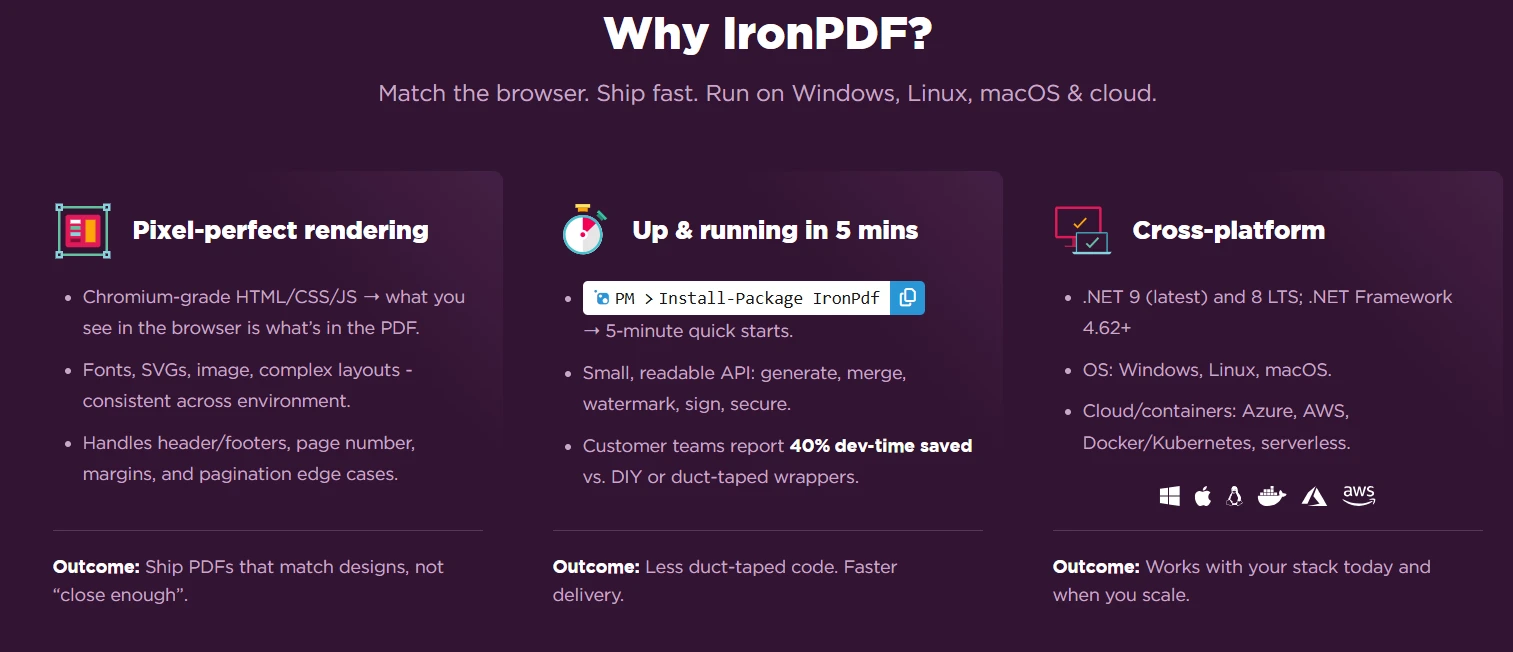
IronPDF代表了在ASP.NET Core MVC中生成PDF的現代方法。 基於Chromium渲染引擎,它將HTML轉換為PDF,完全按照它在Google Chrome中的顯示方式,保留所有樣式、JavaScript執行和響應式設計元素。
透過NuGet包管理器控制台將IronPDF新增到您的專案中:
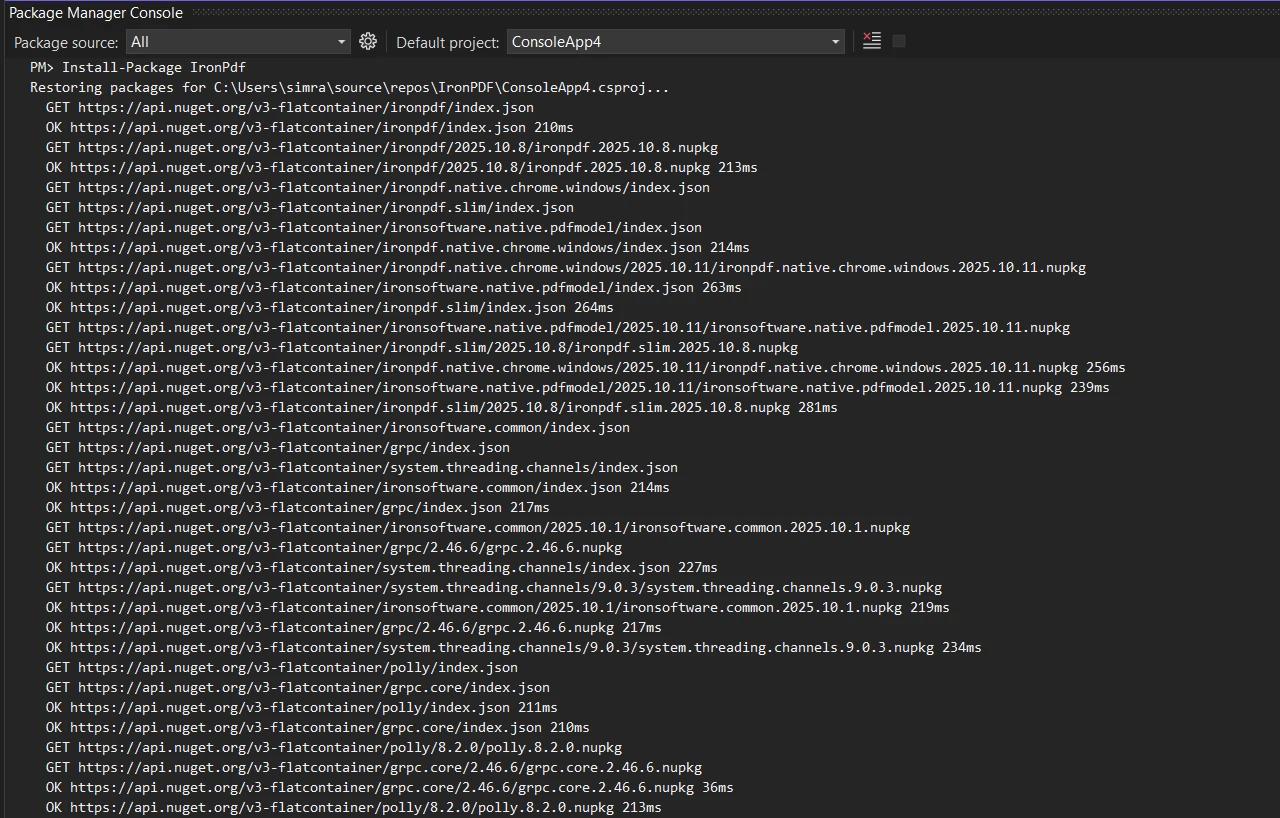
上面的發票現在使用現代CSS和完整的HTML5渲染建立,使用IronPDF的ChromePdfRenderer:
using IronPdf;

public class HomeController : Controller
{
    public ActionResult Index()
    {
        return View();
    }

    public ActionResult GenerateModernPDF()
    {
        // Create a styled invoice HTML with modern CSS
        string invoiceHtml = @"
            <style>
                body { font-family: 'Segoe UI', Arial; padding: 40px; }
                .invoice-header {
                    background: linear-gradient(135deg, #667eea 0%, #764ba2 100%);
                    color: white;
                    padding: 30px;
                    border-radius: 10px;
                }
                table {
                    width: 100%;
                    border-collapse: collapse;
                    margin: 20px 0;
                }
                th {
                    background-color: #f3f4f6;
                    padding: 12px;
                    text-align: left;
                }
                td {
                    padding: 12px;
                    border-bottom: 1px solid #e5e7eb;
                }
                .total {
                    font-size: 24px;
                    color: #10b981;
                    text-align: right;
                    margin-top: 20px;
                }
            </style>
            <div class='invoice-header'>
                <h1>Invoice #1001</h1>
                <p>Date: " + DateTime.否w.ToString("MMMM dd, yyyy") + @"</p>
            </div>
            <table>
                <tr><th>Item</th><th>Quantity</th><th>Price</th></tr>
                <tr><td>Premium Package</td><td>1</td><td>$99.99</td></tr>
                <tr><td>Professional Services</td><td>2</td><td>$149.99</td></tr>
            </table>
            <div class='total'>Total: $249.98</div>
            <p>Page numbers and additional content can be added to each page.</p>";

        // Use Chromium engine for rendering
        var renderer = new ChromePdfRenderer();
        var pdf = renderer.RenderHtmlAsPdf(invoiceHtml);

        // Set content disposition for download
        Response.Headers.Append("Content-Disposition", "attachment; filename=modern-invoice.pdf");

        // Return the PDF file with binary data
        return new FileContentResult(pdf.BinaryData, "application/pdf");
    }
}Imports IronPdf
Public Class HomeController
Inherits Controller
Public Function Index() As ActionResult
Return View()
End Function
Public Function GenerateModernPDF() As ActionResult
' Create a styled invoice HTML with modern CSS
Dim invoiceHtml As String = "
<style>
body { font-family: 'Segoe UI', Arial; padding: 40px; }
.invoice-header {
background: linear-gradient(135deg, #667eea 0%, #764ba2 100%);
color: white;
padding: 30px;
border-radius: 10px;
}
table {
width: 100%;
border-collapse: collapse;
margin: 20px 0;
}
th {
background-color: #f3f4f6;
padding: 12px;
text-align: left;
}
td {
padding: 12px;
border-bottom: 1px solid #e5e7eb;
}
.total {
font-size: 24px;
color: #10b981;
text-align: right;
margin-top: 20px;
}
</style>
<div class='invoice-header'>
<h1>Invoice #1001</h1>
<p>Date: " & DateTime.Now.ToString("MMMM dd, yyyy") & "</p>
</div>
<table>
<tr><th>Item</th><th>Quantity</th><th>Price</th></tr>
<tr><td>Premium Package</td><td>1</td><td>$99.99</td></tr>
<tr><td>Professional Services</td><td>2</td><td>$149.99</td></tr>
</table>
<div class='total'>Total: $249.98</div>
<p>Page numbers and additional content can be added to each page.</p>"
' Use Chromium engine for rendering
Dim renderer As New ChromePdfRenderer()
Dim pdf = renderer.RenderHtmlAsPdf(invoiceHtml)
' Set content disposition for download
Response.Headers.Append("Content-Disposition", "attachment; filename=modern-invoice.pdf")
' Return the PDF file with binary data
Return New FileContentResult(pdf.BinaryData, "application/pdf")
End Function
End ClassChromePdfRenderer將HTML轉換為完全像Chrome顯示一樣。 漸變背景、現代字型和複雜樣式都渲染得非常準確。 渲染器處理iText無法處理的複雜CSS屬性,包括彈性盒、網格布局和CSS轉換,並作為靜態框架渲染。 RenderHtmlAsPdf 方法使得在MVC中轉換HTML為PDF變得簡單明了。

開始您的免費試用並體驗使用Chrome驅動的渲染引擎進行現代PDF生成。
在比較iText和IronPDF進行.NET MVC視圖轉換時,幾個因素明確區分了這些程式庫在渲染質量、開發者體驗和授權。
| 功能 | iText | IronPDF |
|---|---|---|
| HTML5 支持 | 有限 | 完整 |
| CSS3 渲染 | 僅限基本 | 完整 |
| JavaScript執行 | 否 | 是 |
| Flexbox/Grid 支持 | 否 | 是 |
| Bootstrap 相容性 | 部分支持 | 完整 |
| Web字型支持 | 有限 | 完整 |
| SVG圖形 | 否 | 是 |
| 響應式設計 | 否 | 是 |
| API 複雜性 | 低級別 | 高級別 |
這些程式庫之間的授權差異對商業開發有重大影響。 iText的AGPL授權建立了許多企業無法接受的法律義務。 使用免費版本要求開源您的整個應用程式,包括專有的商業邏輯。 這一限制使得iText不適合大多數商業項目,除非您購買昂貴的商業授權。
IronPDF提供簡單的商業授權,從$999開始,適用於單一開發者。 該授權包括一年的更新和支援,無需開源您的應用程式。 這種透明的定價模式與典型的軟體開發預算相符,使專業PDF生成對所有規模的企業在將MVC視圖轉換為C#的PDF時變得可存取。
在比較輸出時,渲染質量差異會立即顯現。 iText產生的PDF基本上類似於2000年代初期的文件。 表格缺乏適當的樣式,字體預設為系統標準,現代設計元素完全消失。 生成的PDF看起來不專業,無法匹配您的應用程式品牌。
IronPDF生成的PDF與您的Web設計完美匹配。 漸變效果渲染準確,自定義字體顯示正確,複雜布局保持其結構。 Chromium引擎確保您的PDF與Web視圖外觀一致,保持品牌身份和專業外觀跨所有生成的文件一致。
除了基本的HTML轉換,IronPDF還提供企業級功能,加快專業PDF生成。 完整的API文件展示了該程式庫在將MVC視圖轉換為PDF方面的廣泛功能。
新增具有動態內容的專業頁眉和頁腳:
var renderer = new ChromePdfRenderer
{
    RenderingOptions = new ChromePdfRenderOptions
    {
        HtmlHeader = new HtmlHeaderFooter
        {
            MaxHeight = 25,
            HtmlFragment = "<div style='text-align: center'>Company Name</div>"
        },
        HtmlFooter = new HtmlHeaderFooter
        {
            MaxHeight = 20,
            HtmlFragment = "<center>Page {page} of {total-pages}</center>"
        }
    }
};Dim renderer = New ChromePdfRenderer With {
.RenderingOptions = New ChromePdfRenderOptions With {
.HtmlHeader = New HtmlHeaderFooter With {
.MaxHeight = 25,
.HtmlFragment = "<div style='text-align: center'>Company Name</div>"
},
.HtmlFooter = New HtmlHeaderFooter With {
.MaxHeight = 20,
.HtmlFragment = "<center>Page {page} of {total-pages}</center>"
}
}
}此配置為每個頁面新增一致的品牌。 佔位符{total-pages}會自動填充正確的值,確保整個文件的準確分頁。 有關更多配置選項,請參見頁眉和頁腳指南。
使用IronPDF的安全功能通過密碼和許可權保護敏感文件:
var pdf = renderer.RenderHtmlAsPdf(html);

// Add password protection
pdf.SecuritySettings.UserPassword = "user123";
pdf.SecuritySettings.OwnerPassword = "owner456";

// Set permissions
pdf.SecuritySettings.AllowUserPrinting = IronPdf.Security.PdfPrintSecurity.FullPrintRights;
pdf.SecuritySettings.AllowUserCopyPasteContent = false;Dim pdf = renderer.RenderHtmlAsPdf(html)
' Add password protection
pdf.SecuritySettings.UserPassword = "user123"
pdf.SecuritySettings.OwnerPassword = "owner456"
' Set permissions
pdf.SecuritySettings.AllowUserPrinting = IronPdf.Security.PdfPrintSecurity.FullPrintRights
pdf.SecuritySettings.AllowUserCopyPasteContent = False這些安全設置可防止未經授權的存取,並控制收件人如何與您的PDF進行交互,當您將MVC視圖轉換為PDF時。 您可以限制列印、複製和編輯,同時保持完全的擁有者控制。 在PDF安全文件中了解更多。

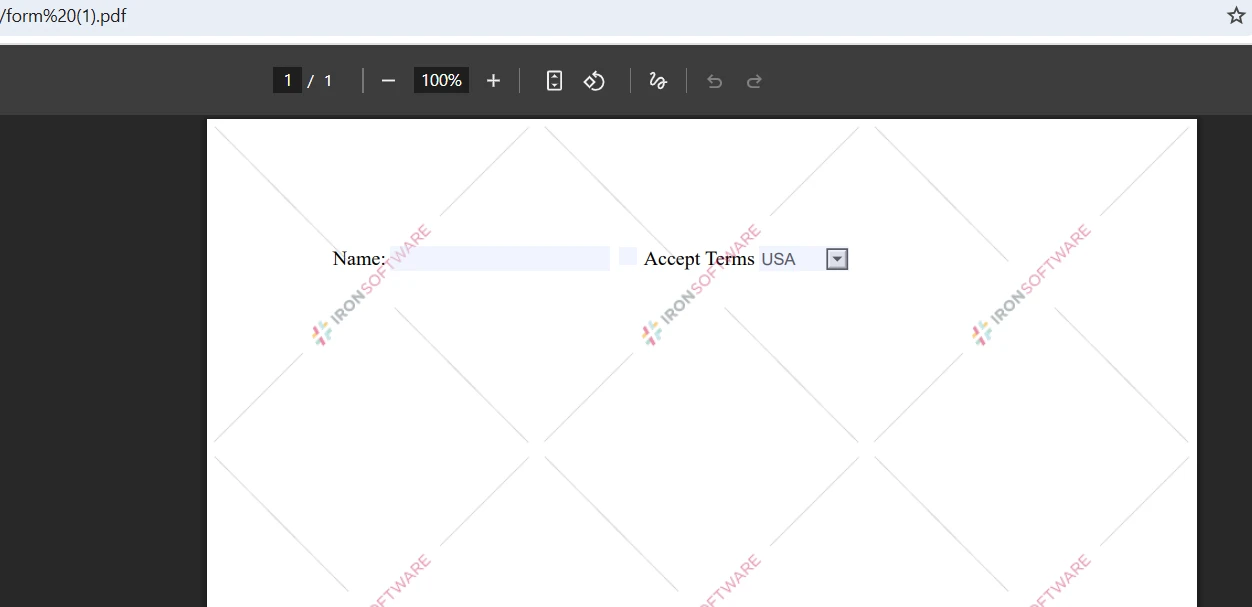
IronPDF將HTML表單轉換為互動式PDF表單,無需其他工具:
string formHtml = @"
    <form>
        <label>Name:</label>
        <input type='checkbox'> Accept Terms
        <select name='country'>
            <option>USA</option>
            <option>Canada</option>
        </select>
    </form>";

var pdf = renderer.RenderHtmlAsPdf(formHtml);Imports System
Dim formHtml As String = "
<form>
<label>Name:</label>
<input type='checkbox'> Accept Terms
<select name='country'>
<option>USA</option>
<option>Canada</option>
</select>
</form>"
Dim pdf = renderer.RenderHtmlAsPdf(formHtml)生成的PDF保持表單互動性,允許使用者直接在其PDF閱讀器中填寫欄位。 此功能消除了對單獨的表單建立工具的需求,簡化了您的文件工作流程。 探索表單文件以獲得更多選項。
即使使用現代程式庫,某些挑戰也需要具體的解決方案以確保最適的PDF輸出。 以下模式解決了開發者在將MVC視圖轉換為PDF時遇到的最常見問題。
在將HTML文件轉換為PDF格式時,對於復雜CSS使用列印媒體查詢以獲得最佳效果:
renderer.RenderingOptions.CssMediaType = IronPdf.Rendering.PdfCssMediaType.Print;renderer.RenderingOptions.CssMediaType = IronPdf.Rendering.PdfCssMediaType.Print此設置應用特定於列印的CSS規則,優化PDF輸出而非螢幕顯示的布局。 將此與列印優化樣式表結合使用,您可以精確控制頁面斷行、邊距和排版。 CSS媒體型別指南解釋了額外的渲染選項。
在轉換動態內容時,允許JavaScript執行完成的時間在捕獲PDF之前。 這確保所有AJAX調用和DOM操作完成:
renderer.RenderingOptions.EnableJavaScript = true;
renderer.RenderingOptions.WaitFor.RenderDelay = 500; // millisecondsnet此配置確保AJAX調用完成和DOM操作完成在PDF生成開始之前,捕獲MVC視圖的完全渲染狀態。 對於圖表程式庫和其他異步內容,您可能需要增加延遲值。
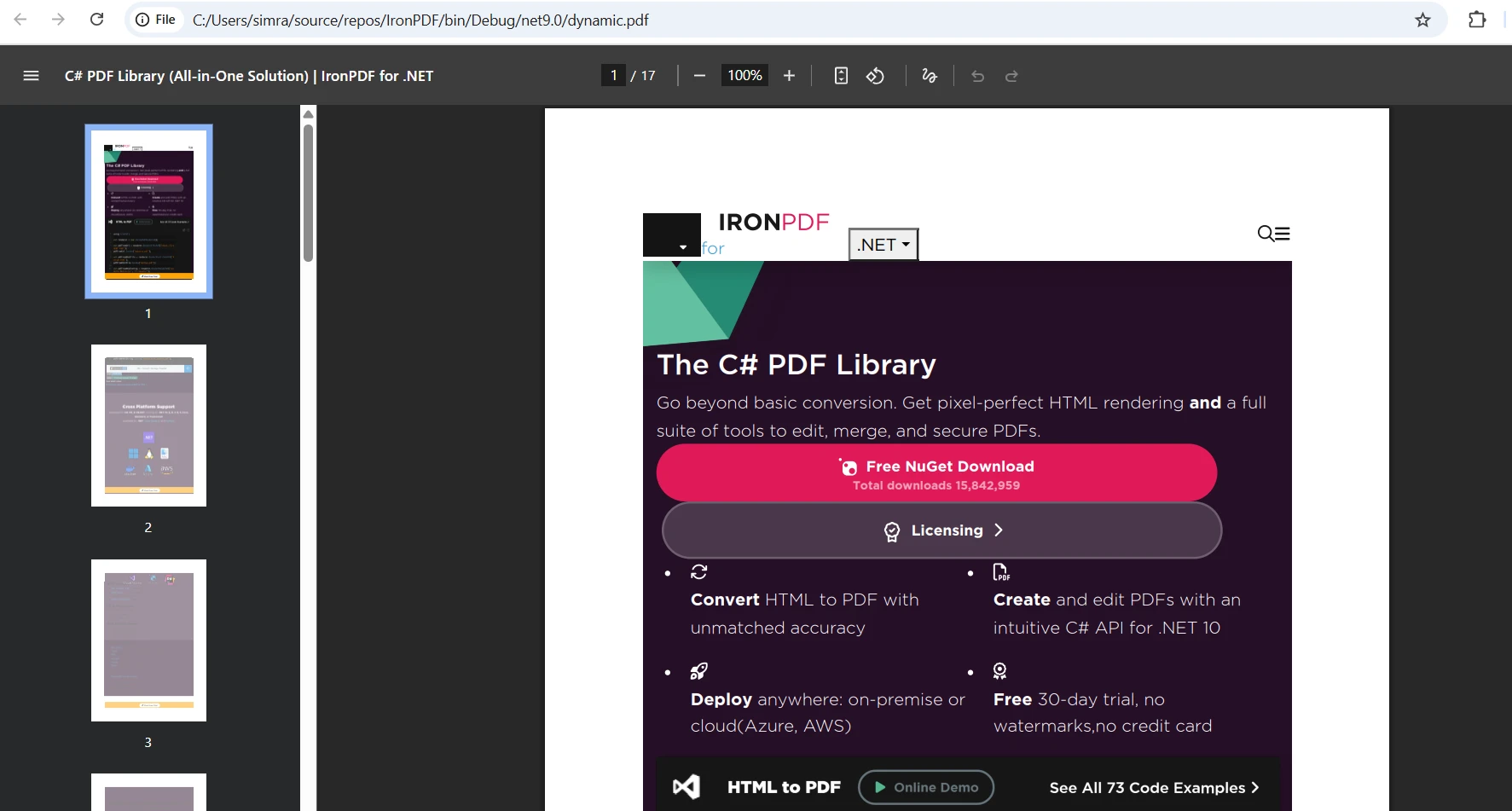
通過使用base64編碼的資料URI將自定義字型直接嵌入到HTML中以確保正確渲染:
@font-face {
    font-family: 'CustomFont';
    src: url(data:font/woff2;base64,[base64-encoded-font]) format('woff2');
}直接在HTML中嵌入字型保證了跨所有環境的一致渲染,消除了生成的PDF文件中字型缺失的問題。 無論您使用基於URL的渲染RenderHtmlAsPdf,這種方法都同樣有效。
有關其他配置模式,包括頁面大小、方向和邊距控制,請參閱IronPDF 渲染選項文件。 您也可以查看GitHub上的範例專案,這些專案展示了常見的MVC整合模式。
雖然iText多年來很好地為.NET社區提供服務,但現代Web開發需要更強大的PDF生成。 IronPDF的基於Chrome的渲染引擎提供了像素級的準確性和完整的CSS3支持,這是當前ASP.NET MVC應用程式所需的。其高級API、詳盡的文件和對企業友好的授權,使其成為ASP.NET Core MVC專案的實用選擇。
要進一步在您的應用程式中進行PDF生成:

Curtis Chau擁有Carleton大學的電腦科學學士學位,專精於前端開發,擁有Node.js、TypeScript、JavaScript和React的專業知識。Curtis熱衷於建立直觀且美觀的使用者介面,喜愛使用現代框架並建立結構良好、視覺吸引力的手冊。

IronPDF 是 IRONSUITE 的一部分
10 款適用於辦公室文件的 .NET API 產品

當您需要您的PDF看起來像HTML一樣快速。




