



已更新 2026年4月21日
如何在 Java 中將 TIFF 轉換為 PDF
本綜合指南將引導您逐步在 Java 中使用 IronPDF 無縫將 TIFF 圖像轉換為 PDF。
閱讀更多

在Java中以程式化方式管理PDF對於生成按需報告、發票或帳單至關重要。 旋轉PDF頁面以修復視角也是非常有價值的。 這兩項任務在Java中都是具有挑戰性的。 本文將使用IronPDF Java程式庫來簡化PDF頁面旋轉。
IronPDF for Java幫助Java開發者建立、編輯和操作PDF文件。 該程式庫允許開發人員操作PDF文件佈局和格式幾乎各個方面,例如當前一個或多個頁面的旋轉。
除了建立和操作PDF之外,IronPDF在將HTML文件轉換為像素完美的PDF方面也非常有效。 IronPDF在不丟失任何格式的情況下呈現所有圖像和文字。 表單元件在PDF文件中得到支持。
IronPDF的JAR文件可以從Maven Central或直接從產品網站下載並安裝。
要建立一個可以旋轉頁面的PDF應用程式,您需要在電腦上下載並安裝以下先決條件:
**JDK(Java開發工具包):**在您的電腦上安裝最新版本的JDK以編譯和運行PDF旋轉應用程式。 可以從官方網站下載JDK。
Maven: 需要安裝Maven,因為它是一個主要用於Java專案的構建自動化工具。 Maven可以從Apache Maven網站下載。
**IronPDF Java程式庫:**現在您需要IronPDF for Java程式庫的最新版本並應作為依賴項新增。 將以下IronPDF Java依賴項新增到項目的pom.xml文件中:
<dependency>
    <groupId>com.ironsoftware</groupId>
    <artifactId>ironpdf-jdk8</artifactId>
    <version>2021.9.3663</version>
</dependency>您還需要在pom.xml文件中新增Slf4j依賴項。
<dependency>
    <groupId>org.slf4j</groupId>
    <artifactId>slf4j-simple</artifactId>
    <version>2.0.5</version>
</dependency>下載並安裝所有先決條件後,您可以在Java應用程式中使用該項目進行頁面定向任務。
首先,將以下導入語句新增到主Java源文件的頂部:
import com.ironsoftware.ironpdf.PdfDocument;
import com.ironsoftware.ironpdf.edit.PageSelection;
import com.ironsoftware.ironpdf.page.PageRotation;
import com.ironsoftware.ironpdf.render.*;
import java.io.IOException;
import java.nio.file.*;接下來,在License.setLicenseKey來設置您在購買時獲得的有效產品授權金鑰(如果您沒有授權金鑰,請跳過此步驟,或註冊一個試用授權金鑰)。
License.setLicenseKey("Your license key");IronPDF可以在直向和橫向方向上旋轉頁面。
// Create render options with landscape orientation
ChromePdfRenderOptions renderOptions = new ChromePdfRenderOptions();
renderOptions.setPaperOrientation(PaperOrientation.LANDSCAPE);

// Render the URL as a PDF document
PdfDocument newPdf = PdfDocument.renderUrlAsPdf("https://ironpdf.com", renderOptions);

// Save the document to the specified path
newPdf.saveAs(Paths.get("assets/LandscapePdf.pdf"));IronPDF預設使用直向方向。 然而,開發者可以在從HTML、RTFs、URLs等內容轉換到PDF文件時使用ChromePdfRenderOptions物件來覆蓋此方向。 PaperOrientation值作為參數,允許您按需改變結果PDF的紙張方向。
在上面的程式碼中,LANDSCAPE。 使用PdfDocument類來使用renderOptions作為第二個參數。
最後,使用[saveAs](/java/object-reference/api/com/ironsoftware/ironpdf/PdfDocument.html#saveAs(java.lang.String)方法將文件保存到指定目錄中。
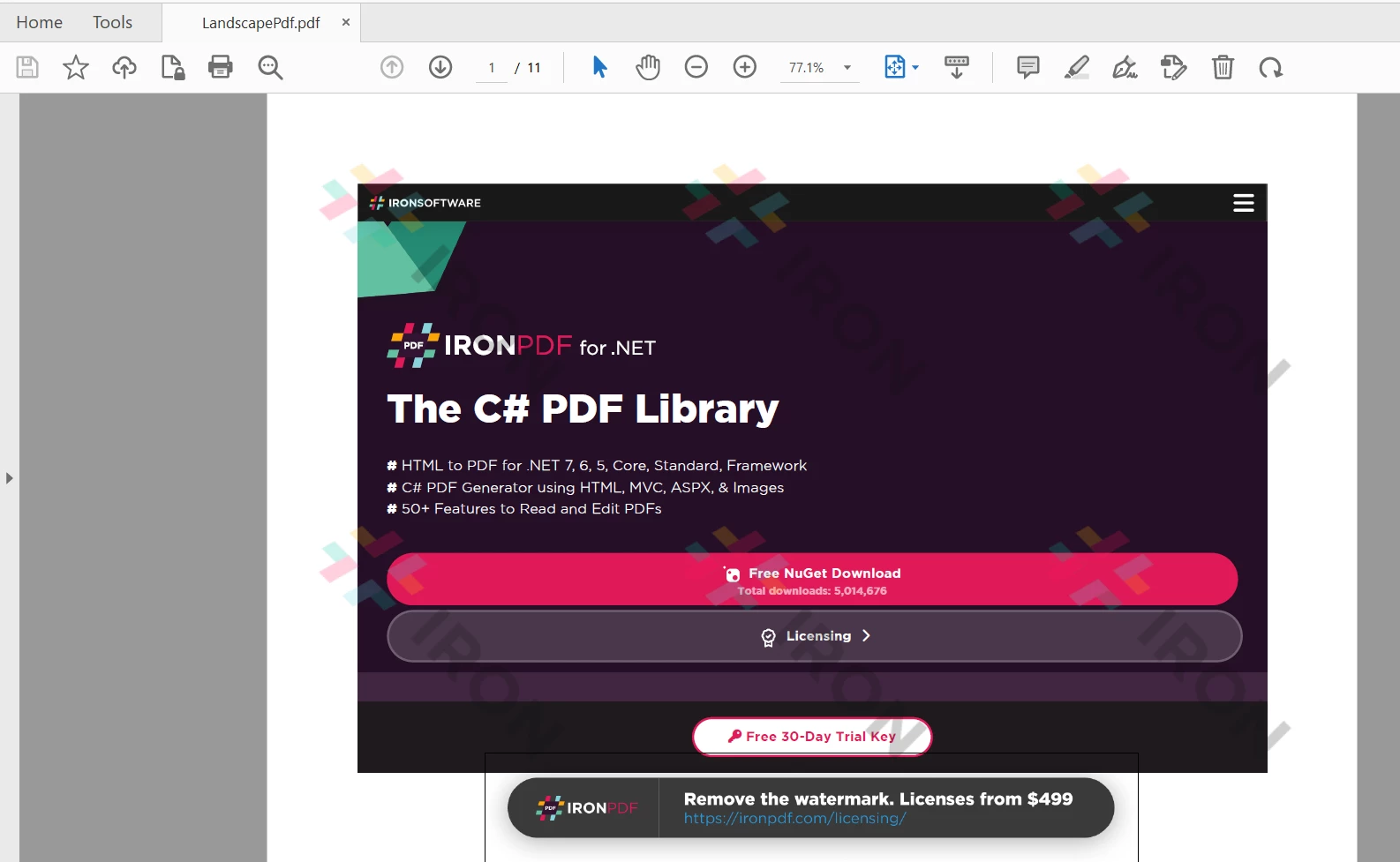 輸出PDF文件
對於現有的文件,ChromePdfRenderOptions物件不能用於改變頁面方向。 對於這些現有的PDF文件,頁面方向只能通過基於旋轉的變換來調整。
// Load an existing PDF document from the specified path
PdfDocument existingPdf = PdfDocument.fromFile(Paths.get("assets/LandscapePdf.pdf"));

// Rotate the first page of the document 90 degrees clockwise
existingPdf.rotatePage(PageRotation.CLOCKWISE_90, PageSelection.firstPage());

// Rotate all pages of the document 270 degrees clockwise
existingPdf.rotateAllPages(PageRotation.CLOCKWISE_270);

// Save the modified document to the specified path
existingPdf.saveAs(Paths.get("assets/ExistingPdfRotated.pdf"));上面的程式碼修改了在上一節建立的PDF文件。 它先前以橫向生成整個文件,但在這裡,IronPDF的CLOCKWISE_90)。 之後,CLOCKWISE_270旋轉。
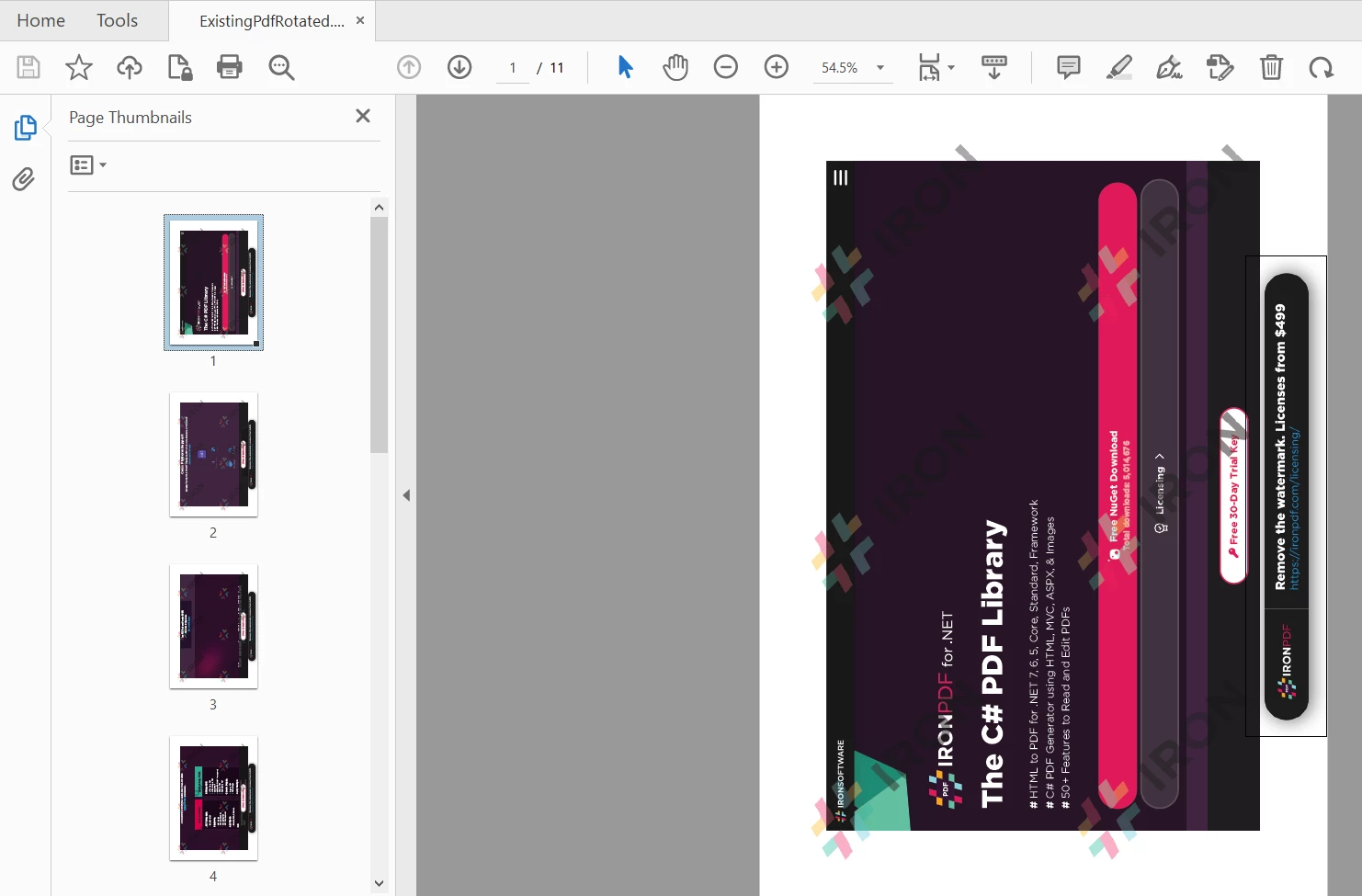 旋轉後的PDF輸出
 IronPDF for Java
本文展示了如何建立具有橫向方向的新文件。
IronPDF還為開發者提供渲染PDF文件為圖片和從PDF中提取文字和內容的方法。 此外,IronPDF還能夠在PDF中渲染圖表,通過密碼增強安全性,甚至程式化地處理數位簽名。
IronPDF for Java免費使用,但為了部署目的,需購買商業授權,起始價格僅為$999。 您還可以存取完整版本的IronPDF的免費試用以測試其在生產模式下的功能。

Curtis Chau擁有Carleton大學的電腦科學學士學位,專精於前端開發,擁有Node.js、TypeScript、JavaScript和React的專業知識。Curtis熱衷於建立直觀且美觀的使用者介面,喜愛使用現代框架並建立結構良好、視覺吸引力的手冊。

IronPDF 是 IRONSUITE 的一部分
10 款適用於辦公室文件的 .NET API 產品

當您需要您的PDF看起來像HTML一樣快速。













