IronPDF Live Coding Recap: Pixel-Perfect PDFs in Real-World .NET Projects
In a recent live session, Iron Software's Regan Pun (Software Engineer) teamed up with Craig Beaumont (Sales Lead) to walk through how developers can build accurate, production-ready PDF solutions using IronPDF. The webinar covered the full range of core features from HTML-to-PDF rendering to digital signing, showing just how easy it is to integrate powerful PDF functionality into any .NET application.
Quick Recap: Generating Pixel-Perfect PDFs
Regan began the demo by setting up a clean architecture with a class library, Web API, and Blazor frontend to demonstrate HTML-to-PDF conversion.
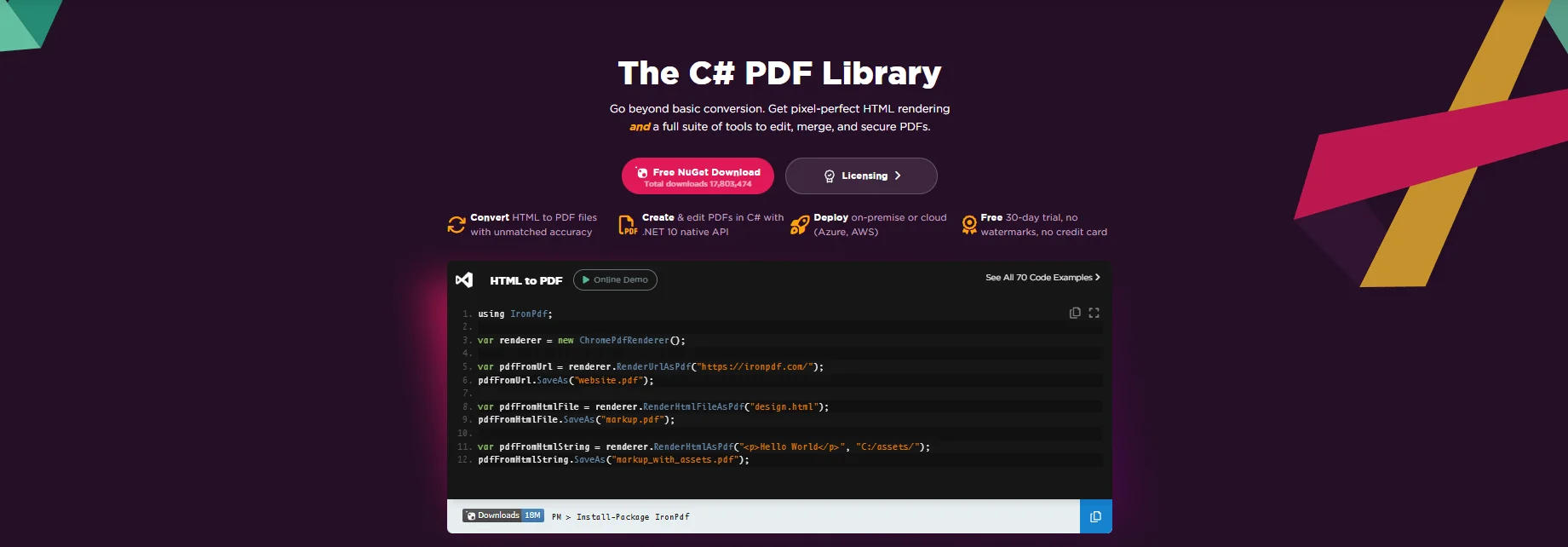
With just one method, RenderHtmlAsPdfAsync(), IronPDF renders HTML files into sharp, accurate PDF documents. He showed how the output is nearly identical to what Chrome would generate, making IronPDF a great choice for developers needing pixel-perfect rendering.
Key Features Demoed:
- Chrome-based rendering for accurate layout
- Custom page margins, headers, and footers
- Auto font loading to prevent rendering issues
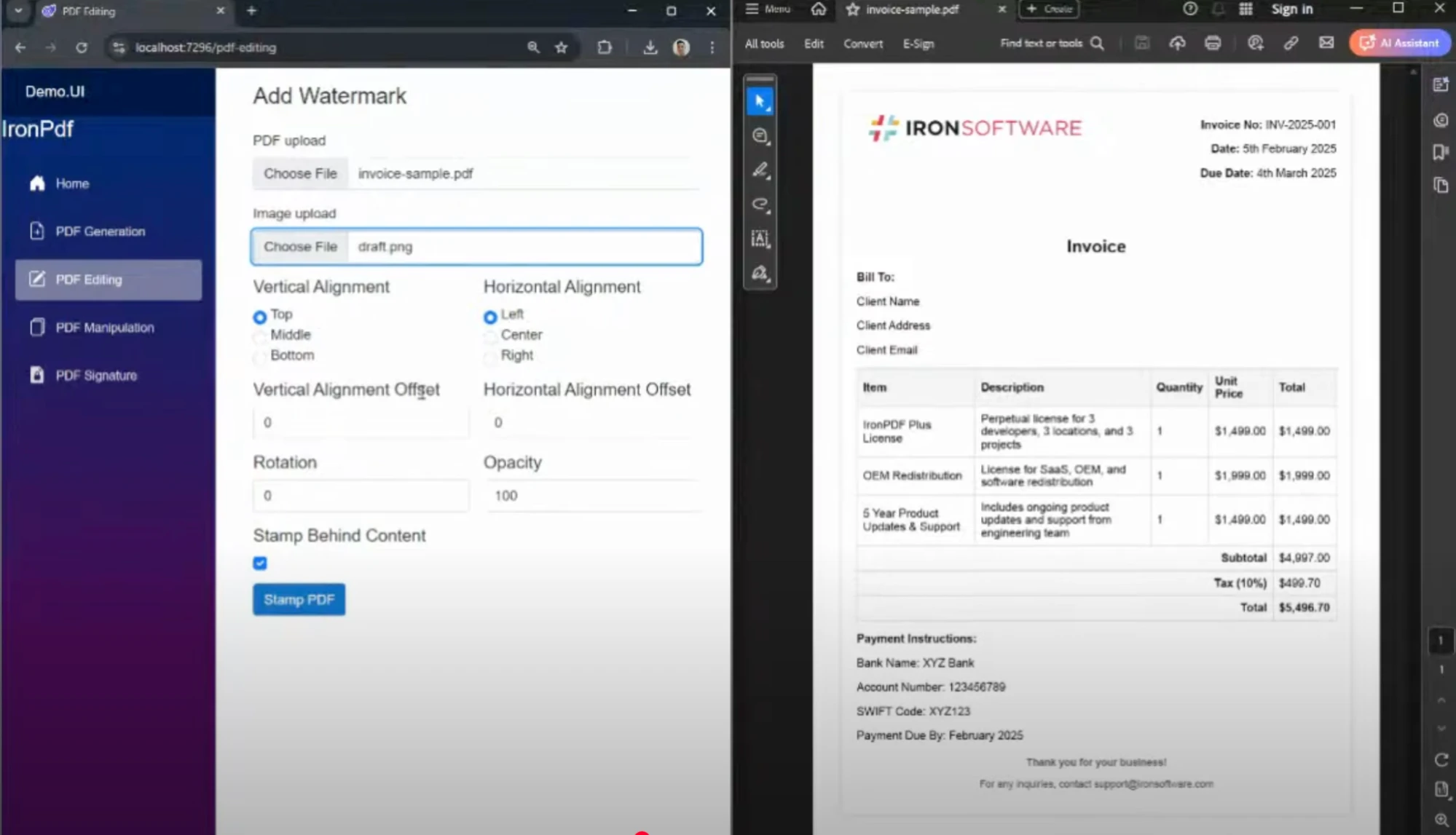
Next, Regan showed how to stamp watermarks (images or text) on PDF pages with full control over:
- Positioning (top/bottom, left/right)
- Opacity & rotation
- Layering (above/below content)
This is especially useful for generating draft documents, confidential labels, or visual document tracking.
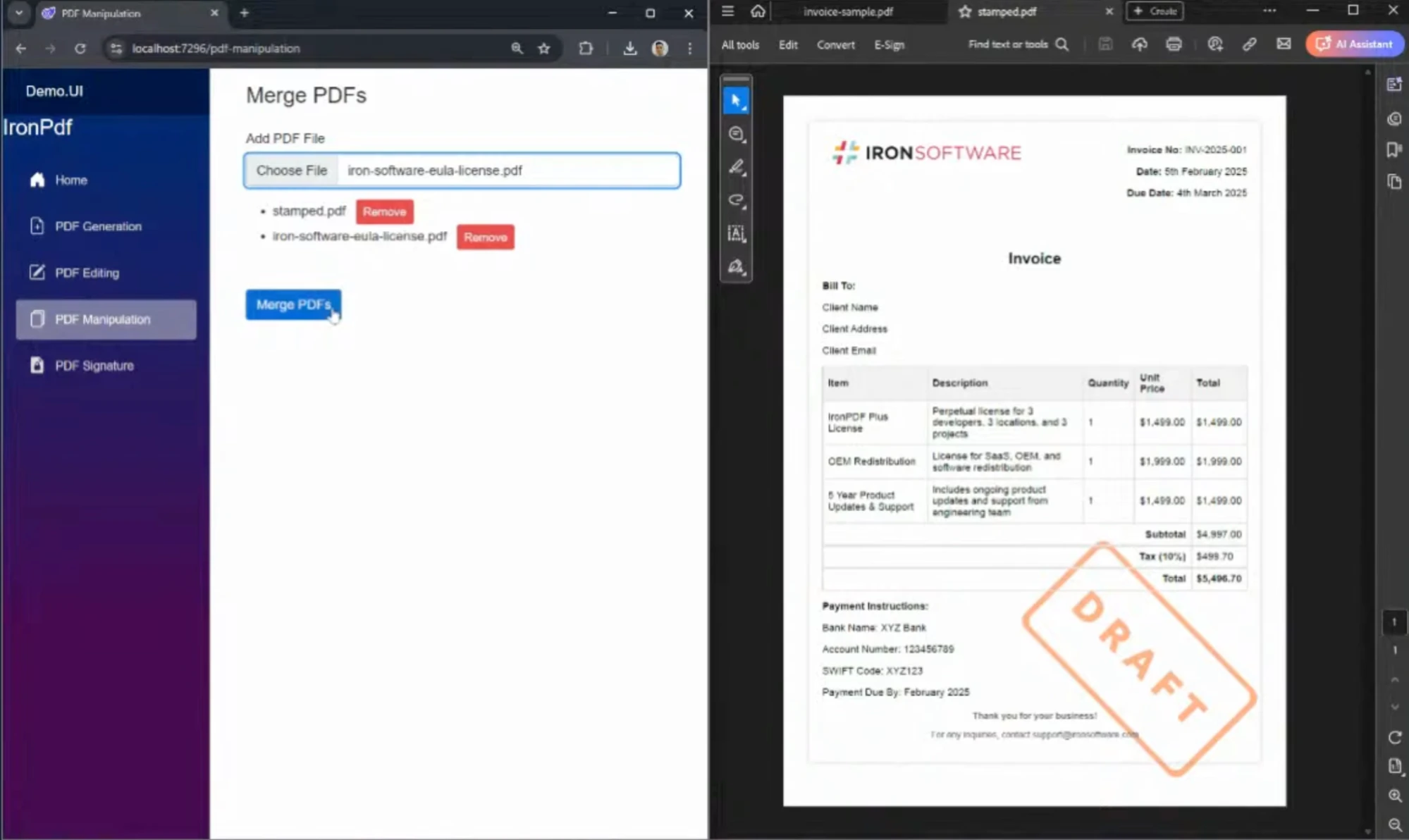
Using IronPDF's merge functionality, Regan demonstrated how to combine files like invoices and terms & conditions (ULAs) into a single PDF, all in just a few lines of C#. This feature is perfect for industries like legal, finance, or procurement that deal with document packaging.
Here's an example of merging multiple PDFs in C#:
// This example demonstrates how to merge multiple PDF files into one using IronPDF.
using IronPdf;

// Create a new PDF document
var newPdf = PdfDocument.Merge("file1.pdf", "file2.pdf", "file3.pdf");

// Save the combined PDF document
newPdf.SaveAs("MergedDocument.pdf");
// This example demonstrates how to merge multiple PDF files into one using IronPDF.
using IronPdf;

// Create a new PDF document
var newPdf = PdfDocument.Merge("file1.pdf", "file2.pdf", "file3.pdf");

// Save the combined PDF document
newPdf.SaveAs("MergedDocument.pdf");
' This example demonstrates how to merge multiple PDF files into one using IronPDF.
Imports IronPdf
' Create a new PDF document
Private newPdf = PdfDocument.Merge("file1.pdf", "file2.pdf", "file3.pdf")
' Save the combined PDF document
newPdf.SaveAs("MergedDocument.pdf")
' This example demonstrates how to merge multiple PDF files into one using IronPDF.
Imports IronPdf

' Create a new PDF document
Private newPdf = PdfDocument.Merge("file1.pdf", "file2.pdf", "file3.pdf")

' Save the combined PDF document
newPdf.SaveAs("MergedDocument.pdf")
Digitally Sign PDF Documents
To round out the demo, Regan walked through adding digital signatures using PFX certificates. The signed PDF was validated and rendered correctly in Adobe Acrobat, showing details like signer name, location, and approval reason.
This feature supports industries with strict compliance needs such as:
- Healthcare (HIPAA)
- Finance
- Government
Here's how you can digitally sign a PDF document with IronPDF:
// This example demonstrates how to digitally sign a PDF document using a PFX certificate.
using IronPdf;

// Load your existing PDF document
PdfDocument pdf = PdfDocument.FromFile("sample.pdf");

// Specify the path to the PFX certificate and provide the password
string pfxCertificatePath = "certificate.pfx";
string pfxPassword = "password";

// Sign the PDF document
pdf.SignPdf(pfxCertificatePath, pfxPassword, "Signer's Name", "Signer's Location", "Reason for Signing");

// Save the signed PDF
pdf.SaveAs("SignedDocument.pdf");
// This example demonstrates how to digitally sign a PDF document using a PFX certificate.
using IronPdf;

// Load your existing PDF document
PdfDocument pdf = PdfDocument.FromFile("sample.pdf");

// Specify the path to the PFX certificate and provide the password
string pfxCertificatePath = "certificate.pfx";
string pfxPassword = "password";

// Sign the PDF document
pdf.SignPdf(pfxCertificatePath, pfxPassword, "Signer's Name", "Signer's Location", "Reason for Signing");

// Save the signed PDF
pdf.SaveAs("SignedDocument.pdf");
' This example demonstrates how to digitally sign a PDF document using a PFX certificate.
Imports IronPdf
' Load your existing PDF document
Private pdf As PdfDocument = PdfDocument.FromFile("sample.pdf")
' Specify the path to the PFX certificate and provide the password
Private pfxCertificatePath As String = "certificate.pfx"
Private pfxPassword As String = "password"
' Sign the PDF document
pdf.SignPdf(pfxCertificatePath, pfxPassword, "Signer's Name", "Signer's Location", "Reason for Signing")
' Save the signed PDF
pdf.SaveAs("SignedDocument.pdf")
' This example demonstrates how to digitally sign a PDF document using a PFX certificate.
Imports IronPdf

' Load your existing PDF document
Private pdf As PdfDocument = PdfDocument.FromFile("sample.pdf")

' Specify the path to the PFX certificate and provide the password
Private pfxCertificatePath As String = "certificate.pfx"
Private pfxPassword As String = "password"

' Sign the PDF document
pdf.SignPdf(pfxCertificatePath, pfxPassword, "Signer's Name", "Signer's Location", "Reason for Signing")

' Save the signed PDF
pdf.SaveAs("SignedDocument.pdf")
Use Cases Across Industries
Craig highlighted how IronPDF is actively used in:
- Finance & Accounting - Generate audit-ready reports & statements
- Healthcare - Create HIPAA-compliant medical documents
- Government & Legal - Certify and archive official PDFs
- E-Commerce - Build invoices and receipts from HTML templates
IronPDF is trusted by organizations including NASA for its security, performance, and compliance with standards like PDF/A.
Live Code Highlights
- HTML to PDF with Chrome-based rendering
- Merge and manipulate PDFs dynamically
- Add image watermarks with precise control
- Digitally sign PDFs with validation
Ready to See It Yourself?
IronPDF gives .NET developers the tools to create, edit, and secure PDFs easily on desktop, web, or cloud. Whether you're automating invoices or building enterprise reports, IronPDF is ready to deliver production-grade results.
Try IronPDF Free for 30 Days
Become an Affiliate Partner